jademonkee
Members
-
Joined
-
Last visited
Everything posted by jademonkee
-
You mean is this Docker "official" in terms of it being endorsed or maintained by the people behind LMS? No. It's just a Docker of LMS created by an Unraid user.
-
This Docker needs to be manually updated to new versions of LMS by @dlandon . They usually do it within a week of the update being released.
-
Hi. I don't know how to do that on GitHub, but I have made an updated XML with the extra variables/paths based on the version on GitHub. I have uploaded it here. Please sanity check it before publishing it. Thanks. my-slskd.xml
-
Ok, I got it sorted. I'm unsure which of these two fixed it but: The "Extra Permissions" was formatted incorectly. It should read: --user=99:100 As per the documentation, I also had to create two variables in the Docker UI: SLSKD_UMASK with value 000 SLSKD_FILE_PERMISSION_MODE with value 777 (to match Unraid's default perms) While I was at it, I thought I would heed the warning here and change the mode to 'volatile' to keep the SQLLite tables in-memory. I now lose my search, download, upload, and chat history when the container is rebooted, but that doesn't seem a biggie. Though it does mean that I have to wait until downloads complete before shutting down the container. For reference, my Docker Run command is as follows: docker run -d --name='slskd' --net='bridge' --pids-limit 2048 -e TZ="Europe/London" -e HOST_OS="Unraid" -e HOST_HOSTNAME="Willow" -e HOST_CONTAINERNAME="slskd" -e 'SLSKD_REMOTE_CONFIGURATION'='false' -e 'PORT'='5030' -e 'SLSKD_UPLOAD_SLOTS'='10' -e 'SLSKD_UPLOAD_SPEED_LIMIT'='25000' -e 'SLSKD_SLSK_USERNAME'='[REDACTED]' -e 'SLSKD_SLSK_PASSWORD'='[REDACTED]' -e 'SLSKD_SLSK_DESCRIPTION'='[REDACTED]' -e 'SLSKD_SLSK_DIAG_LEVEL'='None' -e 'SLSKD_USERNAME'='[REDACTED]' -e 'SLSKD_PASSWORD'='[REDACTED]' -e 'SLSKD_DOWNLOADS_DIR'='/Downloads/complete/' -e 'SLSKD_INCOMPLETE_DIR'='/Downloads/downloading/' -e 'SLSKD_SHARED_DIR'='/Shares/' -e 'SLSKD_VOLATILE'='true' -e 'SLSKD_FILE_PERMISSION_MODE'='777' -e 'SLSKD_UMASK'='000' -l net.unraid.docker.managed=dockerman -l net.unraid.docker.webui='http://[IP]:[PORT:5030]/' -l net.unraid.docker.icon='https://raw.githubusercontent.com/manuel-rw/unraid-templates/master/templates/slskd/logo.png' -p '5030:5030/tcp' -p '5031:5031/tcp' -p '50300:50300/tcp' -v '/mnt/cache/appdata/slskd/':'/app':'rw' -v '/mnt/disk1/miscaudio/Soulseek/Downloads/':'/Downloads':'rw' -v '/mnt/disk1/miscaudio/Soulseek/Shares/':'/Shares':'ro' --user=99:100 --memory=4G 'slskd/slskd:latest' WARNING: Your kernel does not support swap limit capabilities or the cgroup is not mounted. Memory limited without swap. 6ac05ba93b85d630d729b5ae6edf28328dc6fb9aa716184471b32304bbc59e72 @manrw I would suggest adding the extra variables in my compose into the CA Containter template. Probably set volatile to default as false, though.
-
Seems I spoke too soon with "working fine" ... The permissions for the downloaded files are wrong. To be able to copy the files from the download directory to (say) my Windows machine, I need to first run Unraid's in-built 'fix permissions' script on the download directory. ie: /usr/local/sbin/newperms /mnt/user/miscaudio/Soulseek/Downloads/complete This is despite me setting the permissions in the Docker by adding the following to the "Extra Parameters" field in the UI: --user 99:100 --memory=4G (the latter half of that command being me limiting the memory for the container) Any idea why the permissions are wrong? My Docker run command is as follows: docker run -d --name='slskd' --net='bridge' --pids-limit 2048 -e TZ="Europe/London" -e HOST_OS="Unraid" -e HOST_HOSTNAME="Willow" -e HOST_CONTAINERNAME="slskd" -e 'SLSKD_REMOTE_CONFIGURATION'='false' -e 'PORT'='5030' -e 'SLSKD_UPLOAD_SLOTS'='10' -e 'SLSKD_UPLOAD_SPEED_LIMIT'='50000' -e 'SLSKD_SLSK_USERNAME'='[REDACTED]' -e 'SLSKD_SLSK_PASSWORD'='[REDACTED]' -e 'SLSKD_SLSK_DESCRIPTION'='[REDACTED]' -e 'SLSKD_SLSK_DIAG_LEVEL'='None' -e 'SLSKD_USERNAME'='[REDACTED]' -e 'SLSKD_PASSWORD'='[REDACTED]' -e 'SLSKD_DOWNLOADS_DIR'='/Downloads/complete/' -e 'SLSKD_INCOMPLETE_DIR'='/Downloads/downloading/' -e 'SLSKD_SHARED_DIR'='/Shares/' -l net.unraid.docker.managed=dockerman -l net.unraid.docker.webui='http://[IP]:[PORT:5030]/' -l net.unraid.docker.icon='https://raw.githubusercontent.com/manuel-rw/unraid-templates/master/templates/slskd/logo.png' -p '5030:5030/tcp' -p '5031:5031/tcp' -p '50300:50300/tcp' -v '/mnt/cache/appdata/slskd/':'/app':'rw' -v '/mnt/disk1/miscaudio/Soulseek/Downloads/':'/Downloads':'rw' -v '/mnt/disk1/miscaudio/Soulseek/Shares/':'/Shares':'ro' --user 99:100 --memory=4G 'slskd/slskd:latest' WARNING: Your kernel does not support swap limit capabilities or the cgroup is not mounted. Memory limited without swap. b837c374de91b7deeff9eec233adfceb114920b5f71f9220ccdc3a9449a86ce9 Many thanks for your help (and if anyone has any answers for my previous post, above, I'd be most grateful for those, too)
-
I just set up slskd last night, and its seems to be working fine. Thanks to all who contributed tips in this thread on setting it up. However, I note that in the "Known Issues" that it says it shouldn't be run on "Devices using a copy-on-write filesystem such as BTRFS or ZFS". My cache (which contains the appdata share) is ZFS. Does anyone know here if running slskd as a Docker somehow mitigates this issue, or is this not a great idea to run on Unraid (which uses BTRFS or ZFS for it's cache filesystems)? I also note that it suggests that "Users can also enable 'volatile mode' (SLSKD_VOLATILE or flags.volatile: true), which will use in-memory SQLite tables. Searches and transfers will be lost when the application is restarted while in this mode." But there's no clear option to have the DBs written to disk at shutdown, which would be useful. Does anyone know if it's possible to have them written to disk so that they persist across shutdowns? Many thanks.
-
Is there any downside to using ACPI instead of AMD PState? Just wondering if this is something I should "undo" once support for AMD PSate is better supported. Thanks.
-
Hi there, I noticed on my server today that a single core was stuck at 100%. I assumed it was a scheduled process, but it was still going an hour later. I checked the usage of Dockers, and none of them were using the CPU heavily, so I just assumed it was a stuck process and rebooted. However, after rebooting, and even before starting the array, 2 cores were now stuck at 100% (this has since settled down back to 1 core). So I tried rebooting in Safe Mode, and saw the same thing. So I took a look at htop - nothing there was using CPU, so I 'unhid' Kernel processes, and there were a few kernel processes that were using ~30% usage. I have attached my diagnostics, taken while in safe mode. I have since rebooted to normal mode so that I can use my Docker services. One core is still stuck at 100%. My most recent 'htop' (ie not while in safe mode) is attached, showing some of the 'k-workers' that are using heavy CPU (and which I assume are the ones hitting that one core hard). Perhaps also worth noting is that the core doesn't seem to change. I've put this in 'bug reports' as it persisted in safe mode, so makes me think it's something intrinsic to Unraid, but forgive me if this the wrong place. Thank you for your help. willow-diagnostics-20250220-1528.zip
-
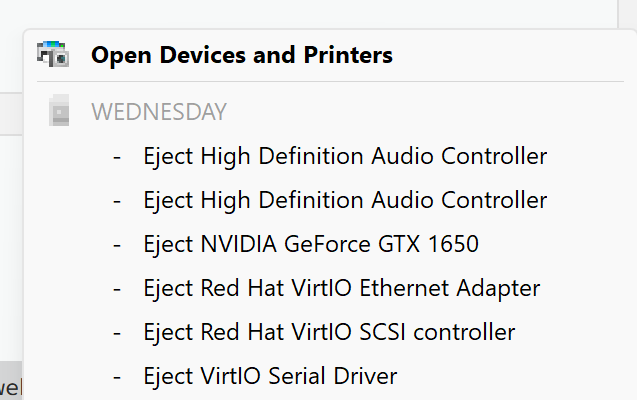
Hi there, I made the (perhaps crazy?) decision to replace my ageing desktop and server with a single machine running Unraid + a Windows 11 VM. It's been a journey learning about it all, but I have still have a few questions I haven't been able to get to the bottom of, and which I would love your insight on. My VM XML is attached for reference. I'm using Q35-9.1 as the machine type, as I heard it's better as it supports PCIe rather than just PCI (even though the default template used i440fx-9.1 - so hopefully that wasn't a foolish change on my part, as I hear changing it will 'deactivate' my Windows 11 Pro key). 1: all the devices in the 'safely eject hardware' menu Is it just accepted that using a VM will mean that the list of emulated devices appears in the Windows "Safely remove hardware" menu? I've seen a few ways to stop them from appearing, such as editing registry, editing the VM XML (I don't want to break the GUI functionality by manually editing my VM XML), running scripts at Windows boot etc, but I was wondering if there is a best practice? My concern is that by setting these devices as non-removable it will somehow impact something in the VM engine (like, are they set as removable for a reason?). Or is this something that people put up with. 2: installing drivers in Windows I've installed all the VFIO drivers for devices with warnings in Device Manager, as well as the NVIDIA drivers for my passed-through GPU (bound to VFIO), and the Realtek drivers for my passed through sound device. However, the Realtek software included with my motherboard doesn't find the soundcard (worth noting: I only use the optical out - I can't seem to see the analogue out in the device manager, but optical works fine). It was when I went to install the Intel NIC drivers that I realised that (of course) the hardware is being emulated, as there is no Intel NIC in device manager. Is this just how VM's work? With all the drivers emulated, some of the bundled software won't work? Is there a list of drivers that I should be installing (eg my monitor, as it's attached to my GPU that is bound to VFIO and not emulated)? Or if there's no yellow triangle in Devcie Manager, then all is good? Anyway, those are the final things that I'm struggling to understand/find information on, so I'm here asking for help from people with more experience than I. Your help and guidance, as always, is appreciated. Diagnostics attached. And in case it's not contained in the diagnostics, so is my VM's XML and my IOMMU groups. Thanks again. willow-diagnostics-20250209-1322.zip Win11VM.xml IOMMU.txt
-
Congratulations @SpaceInvaderOne! A well earned - and well suited - role!
-
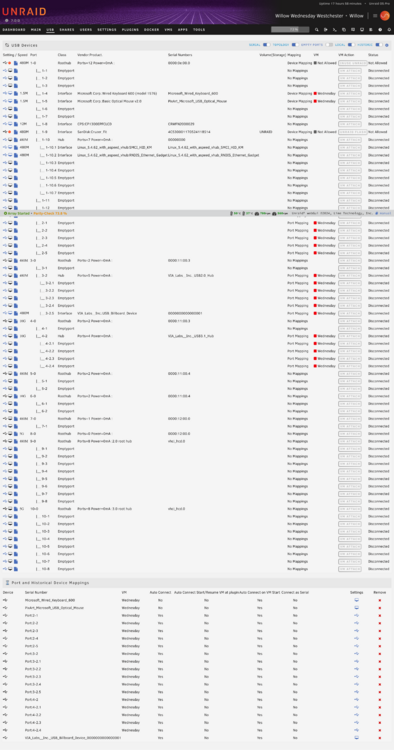
Another question: when assigning a Hub to a VM, do I have to also assign the empty ports? Or is the hub enough? for eg, I want the Hubs that correspond to port 3-2 and 4-2 to always be assigned to my VM, but do I also have to assign 3-2.1, 3-2.2, 4-2.1, 4-2.2 etc as empty ports, or is their assignment done automatically when I assign 3-2 and 4-2 to the VM? Screenshot attached (you can also see the 20Gbps port being passed through, which I do want). Many thanks.
-
Just so I can plug whatever device into whatever port, but I went overboard haha. Your approach makes much more sense. I really appreciate your insight, thank you.
-
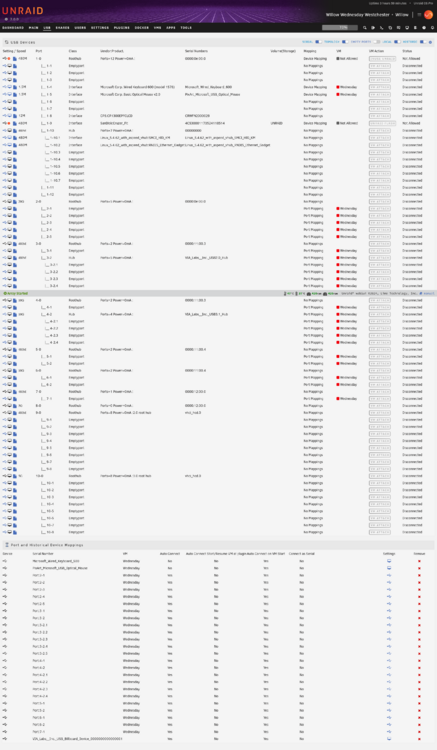
So it turns out that I can't bind any of the IOMMU groups with USB controllers to VFIO without crashing my BMC and stealing the ethernet from Unraid. So I am now passing through USB ports using this plugin. I have enabled "USB Hub Processing" but I could see now way to automatically assign "roothubs" to my VM (the little USB icon button is black for roothubs, and can only be clicked for ports). I have instead gone through and manually clicked on every single empty port and set it to automatically attach to the VM. Is this the right/best way to go about getting my USB ports onto my VM (with hotplub support)? (I don't want hubs 1, 9, or 10 available to the VMs, though the ports for my keyboard and mouse will be passed through). Screenshot attached. Thanks for your help.
-
Yeah, I plan to pass through two IOMMU groups to my Windows VM, but that high speed port is in an IOMMU group that I can't pass through, and there's also a few other ports in that IOMMU Group that I would prefer to have accessible to Windows, as there's more than I need for Unraid. So I'm pretty happy right now to find out that it's possible with this plugin. Gonna do a search on what "USB HUB Processing" means in settings, and if I need to enable USBIP or not, now. EDIT: Ah, found this in the changelog: Add Hub processing.You can define a port mapping for a hub. If connected or vm starts all devices on that hub will be connected to the VM. Will not process next level down hubs. So I do not need it.
-
Ah this is wonderful to hear. I was under the impression that I would have to pass through whole IOMMU groups, so this is a huge relief to find out.
-
Is this to say that Unraid 7 now supports hot plugging of USB devices natively? The updates to the VM Manager in Unraid 7 have been great, but the documentation has not yet been updated. As a first time VM user, it's been very confusing trying to figure out what information/guides on the forums/internet are still relevant in V7. I plan on creating my first VM tonight (a Windows 11 VM to replace my old desktop PC), and it's been a ride learning about pass-through etc. The majority of my board's USB ports (7 of 10) are attached to a single USB controller (thus a single IOMMU Group) which also contains parts of the BMC, so I can't pass it through without breaking the BMC. Especially frustrating is that the one USB 3.2 gen2x2 port is in that same group. So I'm looking for a way to be able to hotplug my USB 3.2 gen2x2 SSD drive into that port so that I can access it in the Windows VM. (My backup plan is to buy a USB 3.2 gen2x2 PCIe card, but I'd rather not take up a PCIe slot unless I have to). Thanks for your help (and for your plugins - the IPMI fan control has especially helped).
-
So if I were to select all cores for a VM, it doesn't prevent them from being used by Unraid processes/Dockers, correct?
-
Is deleting the following block <cputune> . . . </cputune> The same as selecting all cores from the GUI? I don't want to have to edit the XML if I don't have to. Many thanks for your input.
-
Thanks all the same I have my server in my office and spent good money on Noctua fans so my server would be near-silent. Without this plugin, the fans were constantly pulsing and driving me crazy.
-
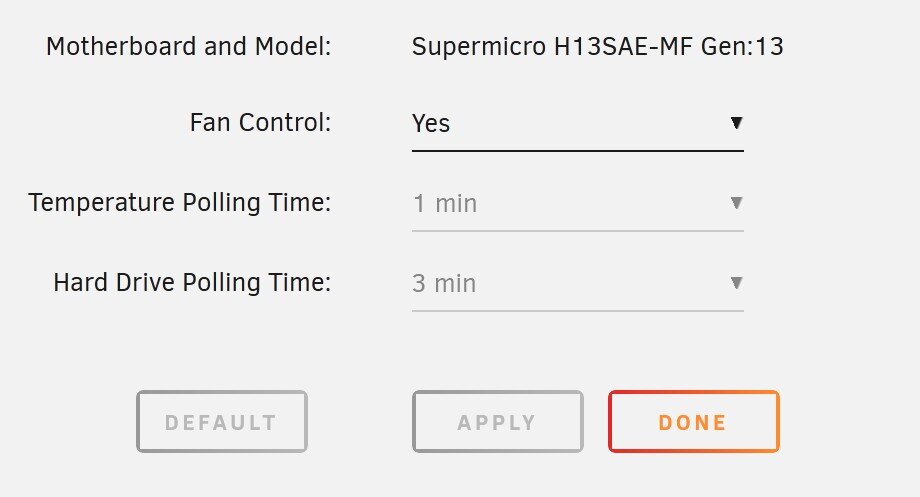
Any idea why I can't change the polling time on the temp checks? I'd prefer the CPU to be every 30 seconds. Is it related to me not using the network connection? Or something else?
-
Just closing the loop on this: Disk rebuild was succesful. UDMA CRC error count has not risen since swapping to a new SAS > SATA cable. Thanks for your help and guidance.
-
Ok, after a reboot, it looks like the logs are now showing the correct temperature (ie ignoring the NVMe), so I don't know what was happening. So all good from me. Thank you!
-
Thanks for the prompt reply @JorgeB I've now swapped the SAS > SATA cable. The new SMART diags are attached (since the crc error count rose to 75), in case that's useful. I will run an 'extended self test' now to see if any more errors kick up. If not, then I will keep this cable and turf the old one. Thanks again. EDIT: Ah, I just realised I can't run the extended test on it (presumably while it's emulated). I'll do a rebuild and see what happens. TOSHIBA_HDWG180_90G0A17XFAUG-20250125-1021.txt
-
Ah. I just shutdown and connected it back to the original connector on my SAS - SATA cable, booted up, and now the udma crc error count is 75. So I think maybe that cable or port on the card (the other connector I used was on the other SAS port) might be dying. I have a spare SAS > SATA cable, so I will try that one and see if the CRC error count remains stable. If I don't get any more errors, then I will rebuild on top (I now no longer trust the data on the disk, so I think rebuilding will be best). If I do get more errors, I will try the other connector (on the other SAS port) again. If I get errors on THAT, then I will replace the disk. If I don't get errors on that, I will replace the HBA card. If anyone wishes to chime in with a sanity check on this process, then that would be appreciated. Thank you.
-
I note that this post: ...says that I can just add the disk back in if I know Parity is good. I last ran a parity check only last week, so Parity should be good. I am as certain as I can be that the disk wasn't being written to this morning (there's no process that would have been writing to it), and the error was a 'read' error, after all (though, TBF, I don't know why anything was reading it at the time, so my confidence that something wouldn't have been writing to it is a little shaken). Is that a feasible approach? Or should I do the rebuild? (or, is my disk dying?). Thanks again.