





kimocal
Members
-
Joined
-
Last visited
Everything posted by kimocal
-
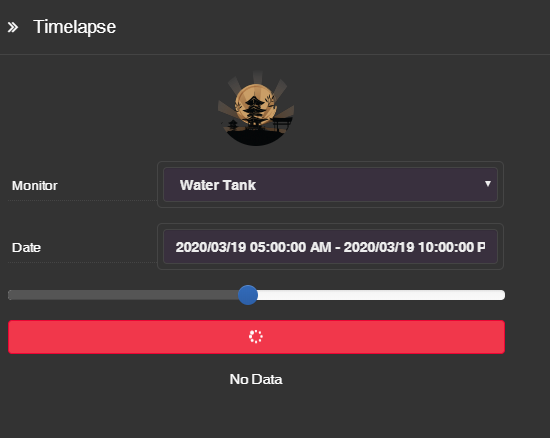
I keep trying to export the Timelapse but it seems to get stuck and never creates the export.
-
Happy Birthday UnRAID! I love using UnRAID. It's great that it can run VMs and Docker. Great community helping those that want to learn.
-
Just reporting that this worked great for me on my headless ThinkServer TS140 server with a Xeon CPU E3-1245 v3. Thanks again.
-
I've moved to a HASSIO VM. Takes more resources but seems to be working for me.
-
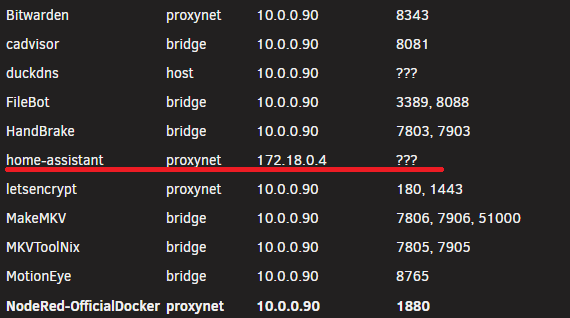
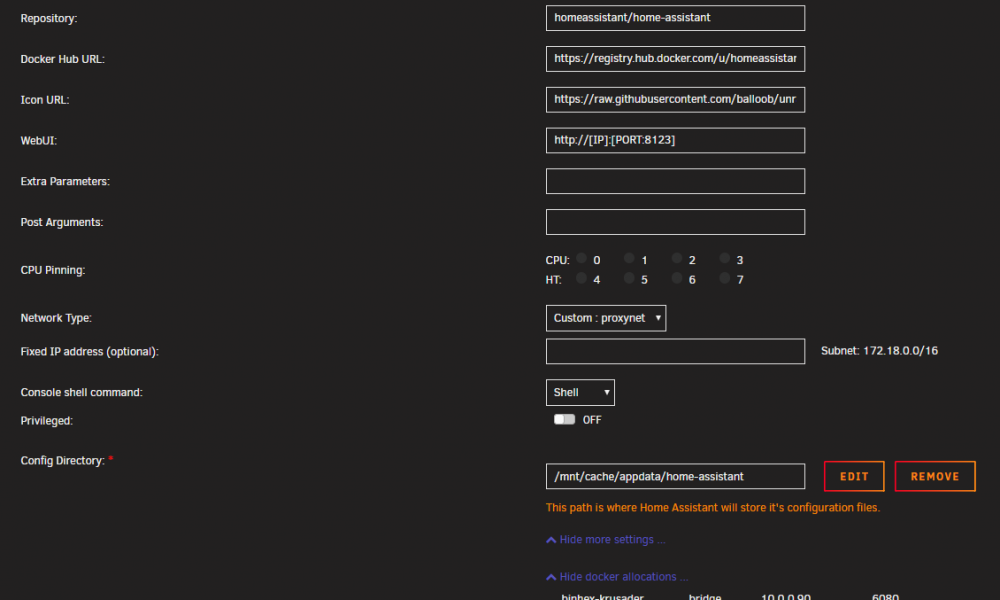
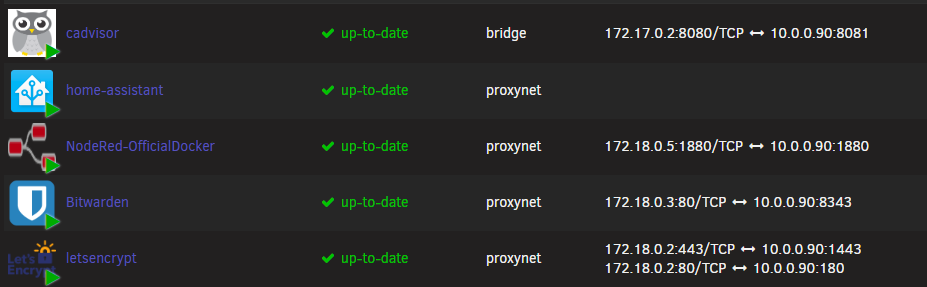
My HA container started acting weird after one of the recent updates. I have it so I can access it through nginix and letsencrypt as detailed by SpaceInvaderOne. For some reason the Port Mapping and port config went missing: The other containers in the "proxynet" network, NodeRed & Bitwarden, are working as intended. I've tried uninstalling, removing, re-installing the HA container multiple times. Any ideas?
-
Thanks. I got tunnel vision on using $SERIAL. I'll tinker around to see if I can get $DEVICE to work.
-
I tried a couple things and have hacked something together with my limited knowledge. I'm not a programmer and wasn't sure how to use the environment variables found in the default script in the User Scripts section. I used info I found on the UnRaid wiki and googling leading to more googling. This solution seems to be working... so far ?. I'm learning as I go but maybe someone else may find this approach useful. #!/bin/bash # DRIVE_DEV lists all disks that have My_Passport in the name (although you can use the disk serial number too) # ignores the results with part1 in it # and then outputs the last 3 characters DRIVE_DEV=$(ls -l /dev/disk/by-id/*My_Passport* | grep -v part1 | grep -o '...$') echo "The HDD is located at " $DRIVE_DEV # Mount the drive with the built-in UD script echo "Mounting External HDD" /usr/local/sbin/rc.unassigned mount /dev/$DRIVE_DEV echo "External HDD Mounted" # copy files via rclone to the mounted UD drive echo "Starting to copy files via rclone" rclone copy -v --exclude "*.Squid*" /mnt/user/backup /mnt/disks/My_Passport/BU echo "rclone process complete" # UnMount the drive with the built-in UD script echo "Unmounting External HDD" /usr/local/sbin/rc.unassigned umount /dev/$DRIVE_DEV echo "External HDD Unmounted"
-
I am running a script to mount and unmount a drive in UAD via User Scripts before and after it copies files. #!/bin/bash /usr/local/sbin/rc.unassigned mount /dev/sdg rclone copy -v /mnt/user/backup /mnt/disks/My_Passport/BU /usr/local/sbin/rc.unassigned umount /dev/sdg When I first wrote the script the /dev/sdg was a USB HDD, but then I started having an Array Undefined issues after a while. I then realized the device designator for the USB HDD is no longer /dev/sdg but changed to /dev/sda, and /dev/sdg is now one of the disks in my array. Is there a way to query what the Device Designator is for the USB HDD prior to mounting so that it mount/unmounts the USB HDD? Or mount it by it's SERIAL # as shown in the sample scripts?
-
I just updated to the latest and tried editing the motioneye.conf with the following to see if I can correct the timestamp: # path to the localtime file # (enable this to configure the system time zone from the UI) local_time_file /etc/localtime # enables shutdown and rebooting after changing system settings # (such as wifi settings or time zone) enable_reboot true It fails to start at all and the log shows this: INFO: server started /bin/sh: 1: lsb_release: not found INFO: hello! this is motionEye server 0.39 Traceback (most recent call last): File "/usr/local/bin/meyectl", line 11, in <module> sys.exit(main()) File "/usr/local/lib/python2.7/dist-packages/motioneye/meyectl.py", line 255, in main server.main(arg_parser, sys.argv[2:], command[:-6]) File "/usr/local/lib/python2.7/dist-packages/motioneye/server.py", line 437, in main File "/usr/local/lib/python2.7/dist-packages/motioneye/server.py", line 362, in run make_media_folders() File "/usr/local/lib/python2.7/dist-packages/motioneye/server.py", line 296, in make_media_folders config.get_main() # just to have main config already loaded File "/usr/local/lib/python2.7/dist-packages/motioneye/config.py", line 185, in get_main _get_additional_config(main_config) File "/usr/local/lib/python2.7/dist-packages/motioneye/config.py", line 2109, in _get_additional_config (sections, configs) = get_additional_structure(camera=bool(camera_id)) File "/usr/local/lib/python2.7/dist-packages/motioneye/config.py", line 2080, in get_additional_structure result = func() File "/usr/local/lib/python2.7/dist-packages/motioneye/tzctl.py", line 126, in timeZone import pytz ImportError: No module named pytz
-
My timestamp is off by 7 hours. I've confirmed that the time and date are correct on the UnRaid server. Also when MotionEye is configured it showed the correct timezone of "America/Los_Angeles" as shown in the edit docker output: root@localhost:# /usr/local/emhttp/plugins/dynamix.docker.manager/scripts/docker run -d --name="MotionEye" --net="bridge" -e TZ="America/Los_Angeles" -e HOST_OS="unRAID" -e "PUID"="99" -e "PGID"="100" -p 8765:8765/tcp -v "/mnt/cache/appdata/MotionEye/config":"/etc/motioneye":rw -v "/mnt/user/IP_Cameras/MotionEye":"/var/lib/motioneye":rw malvarez00/docker-motioneye
-
Stupid Autocorrect
-
My Copy and Paste skills need some work, but just checked and and my scripts are correct on my Unraid server =P I'll update my previous post.
-
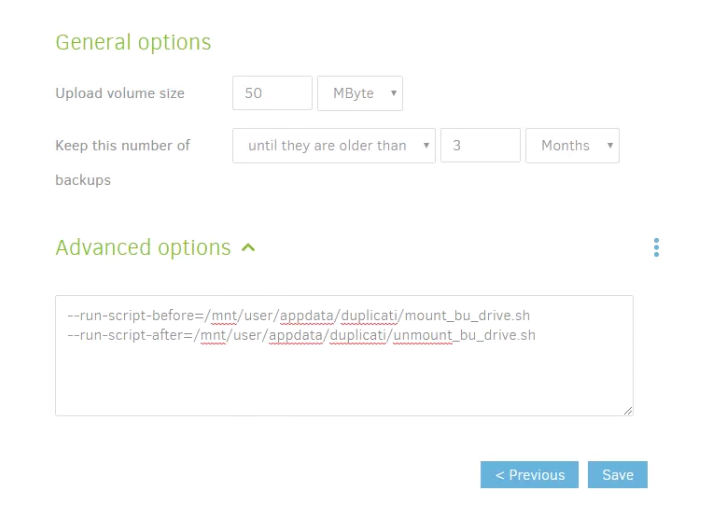
I'm not a programmer but slowly learning. Sorry if this is the incorrect forum. Is there any way to utilize one of the built-in UD scripts to mount/unmount the drives from Duplicati? Screen Grab from Duplicati: Those scripts above are as follows: mount_bu_drive.sh: #!/bin/bash /usr/local/sbin/rc.unassigned mount /dev/sdg unmount_bu_drive.sh #!/bin/bash /usr/local/sbin/rc.unassigned umount /dev/sdg
-
Am I pointing to the correct path/script in the Duplicati Advanced Options at least? --run-script-before=/mnt/user/appdata/duplicati/mount_bu_drive.sh --run-script-after=/mnt/user/appdata/duplicati/unmount_bu_drive.sh
-
I am not a programmer but am trying to learn as I go. How do I run Unassigned Devices scripts before and after in Duplicati? Currently I have the following under the advanced option in Duplicati: --run-script-before=/mnt/user/appdata/duplicati/mount_bu_drive.sh --run-script-after=/mnt/user/appdata/duplicati/unmount_bu_drive.sh Those scripts above are as follows: mount_bu_drive.sh #!/bin/bash /usr/local/sbin/rc.unassigned mount /dev/sdg unmount_bu_drive.sh #!/bin/bash /usr/local/sbin/rc.unassigned umount /dev/sdg What am I doing wrong?
-
Thanks. I had the same issue of the cache filling up this morning after adding the cache drive yesterday and freaked out a bit. After reading and researching into it I realized that "prefer" was not my preferred method of using the cache. I did a gracefull shutdown via the CLI and then used the Move Now button. Cache is back to normal.
-
How do you "invoke the mover to move data back to the array"?

