TechMed
Members
-
Joined
-
Last visited
Everything posted by TechMed
-
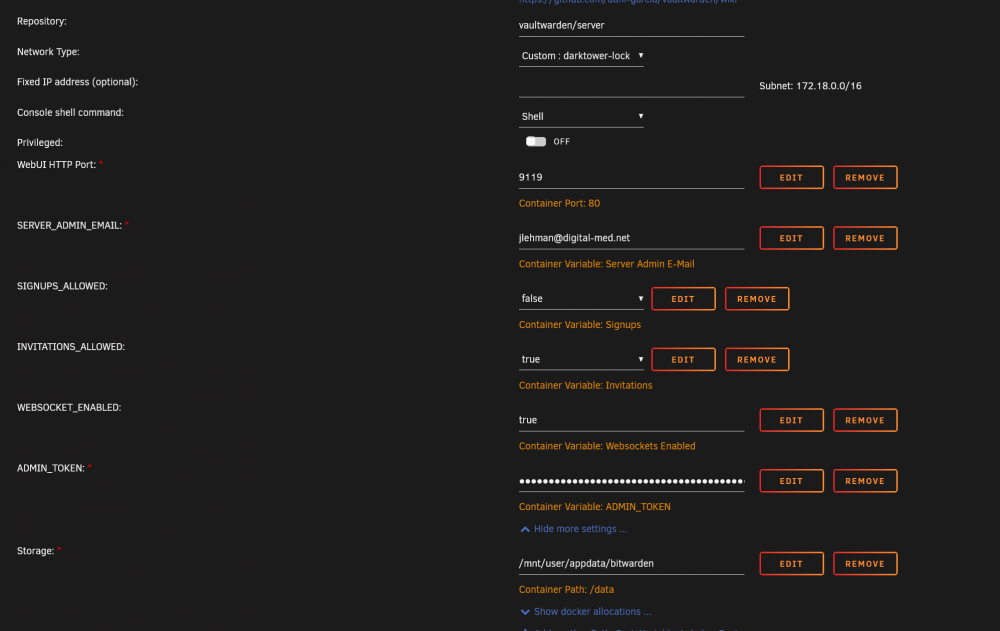
Hey all! (Happy Labor Day!) So my instance of Bitwarden (BW) took a dump - server too. I am able to see the db file in appdata>Bitwarden_rs. But since I was self hosting BW, I cannot access that db anymore. My ask is to Import that data into my new Vaultwarden docker. Better yet, my FireFox browser Extension for BW has everything in it and I would love to grab all that data. Only thing is FF extension will not let me at the stuff in my Organization I created. Any thoughts on how to retrieve/restore all that data would be graciously accepted! Thanks much everyone!
-
Replaced basically everything, piece by piece. The last was the Cache SSD's (Cache is now RAID 0). System has been stable for about 2 weeks now. Guess we'll see! (Thanks JorgeB for your input)
-
@JorgeB Thank you for getting back to me! So, am I able to throw together another box and stick the existing Flash drive (could it be the flash drive that's bad?) and (potentially) have a stable system again? One that has the exact config as the current? Of course now that I think about it, the Flash only 'holds' the Unraid system between boots etc., right? Or am I going to have to rebuild everything (Unraid-wise), Dockers, Plugins, custom networks, and so on? *****UPDATE/Question: Just to make sure it is not the Flash drive itself, is it possible to get a new flash drive and simply copy the contents of the old one over to the new one? Test it, then if it works, get with Unraid to get the flash drive ID's changed? (Regardless, can this be done at all? Just for future knowledge...) ALL my Cloud info is on there, on a single drive with dual parity. I know (backup), but I thought the dual parity would cover me in the event of a catastrophic failure. Thanks again for sharing your knowledge.
-
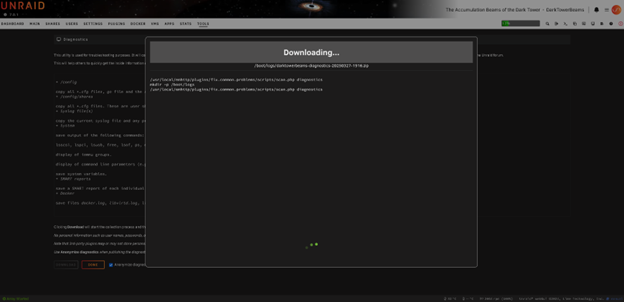
System has been unstable (mostly locking up randomly) requiring hard reset. MB was bad. Replaced. All good for about two weeks. Cache drive (singular SSD) failing, replaced with two (2) new SSD in RAID 1 pool. PCIE SAS/SATA card failed after everything got moved around, thankfully. Replaced card. New SSD's in pool 'cache' and appear to be working; however, the drive lights constantly stay on...? ONLY WAY to get the system to boot is in SAFE MODE. I am able to start Dockers (image file replaced with new as system would hang before when starting Docker), they seem to be working. Rebooted 2-3 times at this point, in Safe Mode and all appeared well. *****UPDATE 2 hours later....now every Docker is hanging. Tried rebuilding image, but now that is hung too.... Sigh... Tried to run Parity check...nothing. Button lights up, click...nothing. Tried to reboot from GUI...nothing. Doesn't matter what I clicked on...nothing. Had to hard reset again. Got system back up, in Safe Mode, got the 'log file' but Diagnostics hung where doc shows. I just shut down my desktop in frustration. Came back about 15 minutes later (cold one in hand) restarted desktop, logged into server (still in Safe Mode) and Diagnostics ran. I do not know what else to look at other than a corrupted file in the USB and I have no idea (sort of) what I am looking at in the logs or diagnostics. *******#2 UPDATE - anyway to "rebuild the appdata and Docker on the Flash USB ? ANY help GREATLY appreciated!!!! Log and Diagnostics attached. Also attached word doc showing how far diagnostics got the first time before it hung. Thanks everyone. darktowerbeams-diagnostics-20250531-1728.zip Diagnostics-PARTIAL.docx darktowerbeams-syslog-20250531-2112.zip
-
Thanks @JorgeB . Hopefully others will find this helpful too.
-
Hi all - --- This question is being asked not only because I'm having the issue, but as an updated step-by-step instruction guide for those of us that need it. So, thanks for everyone's understanding and contribution(s). --- Really need to find a post/wiki/video/Ouija Board instructions on how to replace a cache drive, defective/dying or just a simple upgrade/replace. If there is an updated post/document that I've obviously overlooked (and I have), PLEASE link it here. I personally do not want to restart this particular server until I know I can correctly replace the cache drive; It is my outward facing Cloud as well as my Internal NAS drives. While my current single SSD drive is no doubt dying and need to replace it, I am also adding a second SSD in RAID 1/Mirror. Can anyone instruct or point me to the latest proper method to do this? Please and thank you!!!
-
After reading more about this, I think it is the way I will go. Thanks much @MAM59 !!!
-
Hi everyone! I am in need a of a solid CalDAV and CardDAV docker. (NextCloud is NOT an option) What are any suggested solid Docker's that don't require a PhD to setup? Much appreciated !!!
-
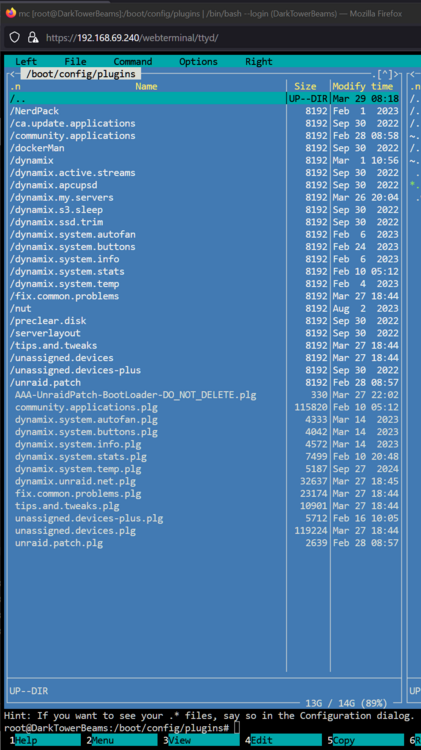
I am very appreciative for both of your ( @itimpi @JorgeB ) replies. As requested, please see the attached list of .plg files. (apologies for MC view. My SMB seems to only work when it wants too, so I couldn't use Win File Explorer.) If it is not too much to ask, would give me an idea of what, and more importantly, how you found the issue? Thanks!
-
Hi @itimpi, I selected OS, GUI, (no plugins). I was able to pull diagnostics; attached. Also, able to Start Array, browse menus, and Have "Edit" show. I did not try starting the Plugins/Dockers yet. What's your train of thought? Thanks a million !!!! darktowerbeams-diagnostics-20250328-1354.zip
-
Thank you for the reply! No... I have not. I will as soon as I get home from work. Thank again
-
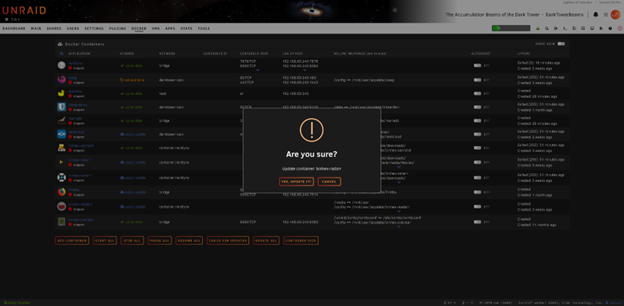
Hi all, Been a minute. Hope everyone is doing well! (Before anyone asks, I am unable to run Diagnostics to attach...see image below) So... as the title implies, my one sever seems to be dying as various Dockers have just stopped working or only work for one or two clicks. First I was unable to access the Server over the network (other server is fine). Then: Once I managed to get to the 'Dashboard', I couldn't move through the menus. I restarted and that seems to have resolved. In total have restarted 30 time and run Parity almost as many times. In an effort to make this short, I just saw an OOM error (32Gb, and never a problem in the past), ---OS loads fine but then just doesn't respond (just stalls/locks up), ----tried to update some of the Dockers...button "Yes, Update It" changes color but does absolutely nothing (I have to type in the address bar which page I want to switch to). I'm not blaming it at all, but this seems to have all started when I noticed the Nextcloud Db (MariaDb) was corrupted; pictures missing, docs in wrong folders, and so on. While I really do not want to flush this entire setup as it is my 'workhorse server', I can print out the "Edit" pages for everything. I feel Nextcloud is beyond repair though. So if there is a way to at least save the Nextcloud images and docs, I am all for dumping Nextcloud completely. As always... I appreciate any and all assistance!
-
Migrated to "NordLynx" since NordVPN was deprecated. Container Variable: PRIVATE_KEY = https://support.nordvpn.com/Connectivity/Linux/1905092252/How-to-log-in-to-NordVPN-on-Linux-with-a-token.htm QUERY = [Country you want to use] Hope this helps someone!
-
As always, I really appreciate your help! Stay healthy!
-
I hope not too, as I bought it new and it worked fine in my other SM case. One last thought, what are your thoughts about not having the SM JPI2C1 --- Power supply SMBbus I2C header connected. There is no connector/plug for it coming from the power supply wire breakout module.
-
Mr. Lancaster I like it! VERY much appreciated. As much as I don't want it to be, I hope SM won't charge me bundle to repair it. It's a nice board... SM X10DRH-CT. Thanks again for replying! Mr. York
-
Hi All, TLDR: Case powers up and immediately powers down. Will continue to do it until fully unplugged - wait 30 - plug in and boots on second cycle. First, Chenbro support will not even respond; tried SIX times! This will be my only, and LAST, case from them. It is has been SuperMicro, and will continue to be forever! Anyway, I have this Chenbro NR40700 case that I bought new (old stock) and was clearly and obviously brand new. It came with two of the custom EMAC power supplies. From day one the unit would continually power cycle (1 sec on, two off, 1sec on, two off......) and will continue to do this until I unplug the unit, wait 30 seconds, plug back in and "cycles" once and then on the 2nd try will fire up. This is completely repeatable. I have replaced the two original power supplies and even have the thing loaded with all FOUR power supply slots filled and plugged in. I checked all of my power, etc plug in connections to the back-planes. I currently only have 14 spinners and one SSD scattered across the two back-planes. All six + two Noctua fans, dual CPU w/32 GB for each. So, nothing special. I am down to wondering if the thing was defective from the beginning. I think I have narrowed it down to the power supply(s) distribution unit, where all the cables come out to supply power to the MB and back-plane (drives). My logic is that I have replaced the power supplies and it always starts when I unplug it and let the power drain. I am VERY frustrated with this and would love any input/suggestions anyone has as to what to look at next. Sadly there is very little documentation on this unit to help with troubleshooting. Thoughts anyone? Much appreciated!!!!
-
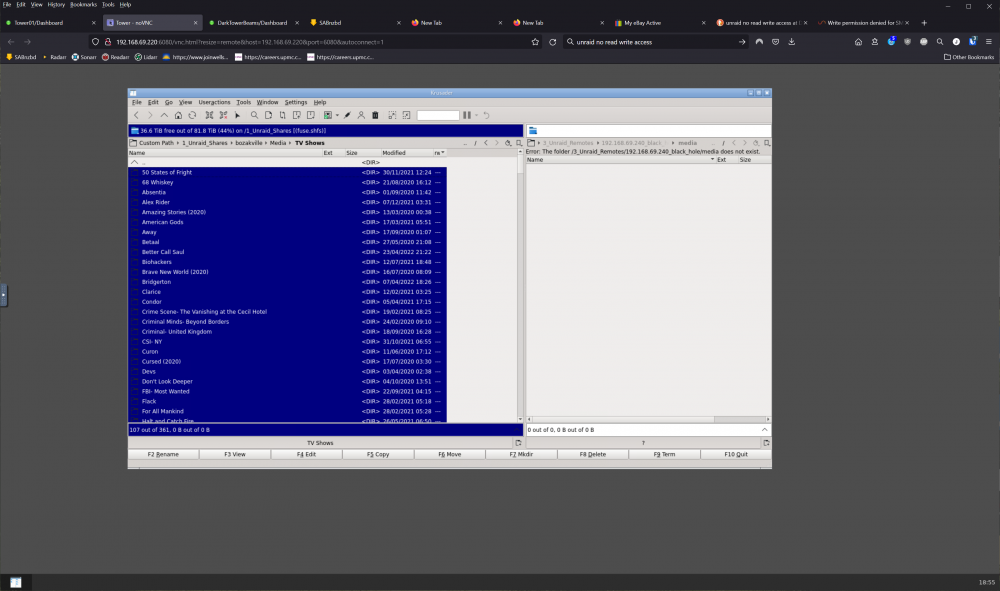
It appears as though Roland and friends are once again following the Beams, in the Land of Ka, to the Dark Tower. After reading this post ( ) I got the courage to try the New Permissions tool. I selected ONLY my "media" folder (everything is in there) and ran New Permissions on it. Again, it appears to have worked as I am now able to see, access, and move files within Krusader. Kudos to @mikl for the post and posting the results! Time for Roland to follow the Beams once more...

-
Hi All, In trying to fix this on my own I stumbled across Tools > New Permissions as a possible fix. Appdata is on the SSD Cache drive, not the spinners. I am leery to use New Permissions as this 33% of the Folders that have no permissions whatsoever, took years to accumulate (primarily used for PLEX). I do not have any errors or drives with issues. SMART reports back "Passed" on all 12 drives. I have included a Diagnostic and screenshot from Krusader. Also, I cannot access these folders from Windows: error 'you don't have permission to access..." Any help greatly appreciated! tower01-diagnostics-20220703-2114.zip
-
Hi all - Resurrecting an old topic. In the past week I have had to send three faxes. I know it seems antiquated, but there are legit reasons to fax things. If one of our illustrious Community writes it, I'll host it!!! Thanks!!
-
Hi -- This is great! I'll start digging into this. Thanks for sharing the info! TechMed
-
Hi @dgs2001, Sorry for the confusion. My goal is to find out if this container is A. working with NordLynx (aka Wireguard?) and B. am I able to route specific Sab, Sonarr, Radarr, other "-------aar's" containers, and the like through it? Currently, I have a direct connection to a PIA server (server to server) via Wireguard, that other than PIA's inherent issues, works well. Wow! Yes! That would be ideal, running only select images through the VPN, as I am also running into some issues with Swag because of that entire server running through the VPN only. Anyway, that's what I am looking for. I bought a NordVPN account on Cyber Monday so I am ready to go. I contacted Nord and the support guy was cool and understanding. They are working on a direct connect like I am using now, but no time frame. They already have a Linux script, but they are not sure it will work with SlackWare. Thanks for the reply!
-
Hi @blaine07, Thank you very much for your help! I commented out the Bitwarden.conf - Thanks a bunch for reminding me. NC is back up and running!!! I hope you do not mind, but I attached both my Bitwarden and NextCloud .conf files. I cannot, for the life of me, find where is says 'resolver' more than once. Would you mind taking a look yourself? Thanks! Have hit the sack for a few before going back in. It has been so bad here that we had to set up a triage area 😷 in the atrium of our hospital... and it aint a small joint!!! nextcloud.subdomain.conf bitwarden.subdomain.confUSE_ME
-
sorry @blaine07, Did you mean this: server { listen 443 ssl; server_name xxxxxxxxxxbitwarden.*; include /config/nginx/ssl.conf; client_max_body_size 128M; Thanks again...
-
Sorry... @blaine07, I work nights and am headed in now, but wanted to get this to you... it's really a major PITA not having it running (NextCloud, Bitwarden, etc) Thanks for the assist!