





graphius
Members
-
Joined
-
Last visited
Everything posted by graphius
-
this project looked very promising, but, like so many great ideas, it seems to have fizzled out. Is this still under development?
-
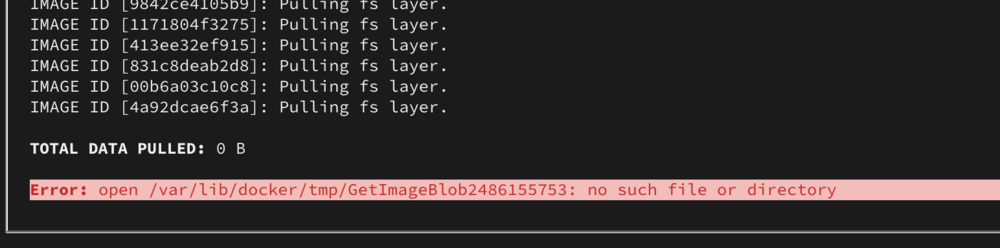
I had a similar problem, but I think I have made it worse. I was having an issue with a different docker container, so I rebooted the server (after some other troubleshooting steps) My docker file was corrupt, so I tried to reinstall Nextcloud AIO, but I get an error I cannot reinstall the container. RESOLVED: I had to recreate the Docker share (don't ask how I broke it) and reinstalled the AIO mastercontainer. I was able to restore everything from backups.
-
I rebooted the server (again), then I was able to remove the share via command line. I did a cleanup of shares, and it seems to be working now. Something was malformed when I set up the share last night. This morning I was able to resolve it. Marking as closed
-
I made a share on my backup unraid server, but I am not able to change settings. I wanted to share via SMB. but when I hit apply, nothing happens. If I exit and then go back into the share settings, it is still on the default. I thought I would just delete it and start over, but I could not delete via GUI. When I looked at /mnt/usr/ the share was not listed. Other shares on the server seem fine. Share name I want to create Photos_backup kbak-diagnostics-20250205-0357.zip
-
I had to move a server to a new outlet, so did a clean shutdown, moved the server, and rebooted. Had this same issue. Another reboot fixed it. UNRAID 6.12.14
-
Great tutorial, I had this running, and everything seemed great, however a couple of days ago I noticed some of the containers were showing updates available in the Docker tab. I tried to access the AIO interface through nextcloud (I had accessed it that way before) but I am getting an "Unable to connect" error. I tried stopping most of the AIO related containers, but was still unable to open the AIO interface, I don't see anything unusual in Nextcloud or UNRAID logs (I am no expert though) Not sure how to proceed Edit: I think I figured it out. I stopped the Apache docker, then force updated it. Restarted the Apache docker, and I can now access the AIO interface
-
Steps that seem to have worked for me: On Docker tab, click Proxmox-Backup-Server and click Console apt install wget nano nano /etc/apt/sources.list.d/pbs-no-subscription.list edit file to include: deb http://download.proxmox.com/debian/pbs bookworm pbs-no-subscription # security updates deb http://security.debian.org/debian-security bookworm-security main contrib (not sure if security updates is a duplicate. I just copied from https://pbs.proxmox.com/docs/installation.html#proxmox-backup-no-subscription-repository) apt update && apt upgrade
-
I would also like to know how to enable the non-subscription repositories. Is it because I am logged in as admin instead of root? without shell I cannot use sudo. Again, great work building the UNRAID plugin, and thanks to the docker creator. this is a great idea.
-
Before I try to install this, is it available in English? the website seems to be Spanish only
-
I thought it was me, I have been getting errors on both my servers over the last week or so.
-
I created a script for elasicsearch as per several online tutorials, but it caused issues with unraid, and my nextcloud kept crashing. I tried to remove the script, but it still seems to run every day or so. I removed the User Script plugin. I manually removed the script from config, but it seems to still be trying to run, and it brings down the server. I have to do a full reboot of the server to get nextcloud to work again. Where can I look to find the rogue script? Edit: It seems there are a few issues with the server. I made to many changes so I may just revert all changes back to basic install. I am think this is an issue from logs: emhttpd: cmd: /usr/local/emhttp/plugins/dynamix/scripts/share_size ncdata ssz1 Any advise to point me in the right direction would be appreciated.
-
I have set up a small unraid server with three SSD's in the array. I installed nextcloud with db etc and everything is working fine, except all files are saved in app data, instead of on the nextcloud share I made. I have confirmed the data path in the docker is set to the nextcloud share, but it still writes new files to app data. Any leads on how I can pin down the issue?
-
I have very good eyes, and a very good monitor, the terminal colour scheme is just plain hard to read.
-
I had used the same tutorial, and everything was working great until I did some updates on my server, now I get the above error. I have checked proxy files, recopied certs, checked permissions, etc and they are correct as far as I can tell...

