






david279
Members
-
Joined
-
Last visited
Everything posted by david279
-
@Leoyzen Its cool i think i may have found the stuff you playing with and Im already kinda in playing with it. :p Got my VM running the opencore right now and added all my SMBIOS stuff from my clover to it. Reading up on it using the opencore vanilla guide.
-
Can I get a look at your open core efi? Been wanting to try it out but not many guides on it.
-
Mojave supplemental update today left me with no display. No matter the smbios. VM boots all the way up just does not recogize the display. Moved on to my Catalina VM for good it seems.
-
Good hunting down that one!!!
-
Video of the panic 2019-09-23_17-31-31.mp4
-
Heads up about the new Catalina beta today. I got nothing but hard reboots during the install when trying to install using the 7,1 or ImacPro smbios. Thats using clover 5090. Had to go to 18,3 smbios for the update to go thru.
-
Works on my catalina vm. Nice work.
-
@Leoyzen How did you get the iMacPro smbios to work? The one time i tried it i got nothing but black screens. Is the problem WEG or Clover? Im still running a clover in 4700 versions because of unRAID compatibility issues with never versions.
-
I never tried this before but it works straight up. Just made the change on mojave VM. Now only if my monitor had speakers, but If it helps with keeping the amd gpu bug suppressed for me thats a win.
-
So you are running a clover version higher than 4900 and it works?
-
Mac OS can be funny with certain core/thread pairings..the change gets rid of that restriction. Go into your xml view for your VM. Top right when editing the VM.
-
This line in the xml <topology sockets='1' cores='4' threads='2'/>
-
You can try deleting the topology line in the xml and see if it starts up
-
I have not seen this issue. All my Mac OS VMs just startup.
-
I use dP with my rx 560 and get no sound from it. The roccat juke just works..plugged into a pcie usb 3.1 card that i pass though to the vm.
-
Roccat juke is what i use. Plug and play. It cost about $15.
-
Getting sound from a GPU is a bit of a chore bare metal or in a VM. I use a usb sound device, just works.
-
Thanks. I have a 2700x but if I move up to 3000 series and that bios bug is still around with my motherboard I may just have to try it out.
-
Cant beat the top notch vm support. It makes it too easy.
-
Use these OVMF files with your VM to get going. These are the ones I'm using. OVMF_CODE.fdOVMF_VARS-1024x768.fd
-
After you have installed catalina make a new vm and use your catalina disk in it but use virtio instead of sata. Catalina supports virtio now but only after the os has been installed.
-
You installed Lilu kext and whatevergreen kext? Try VoodooHDA?
-
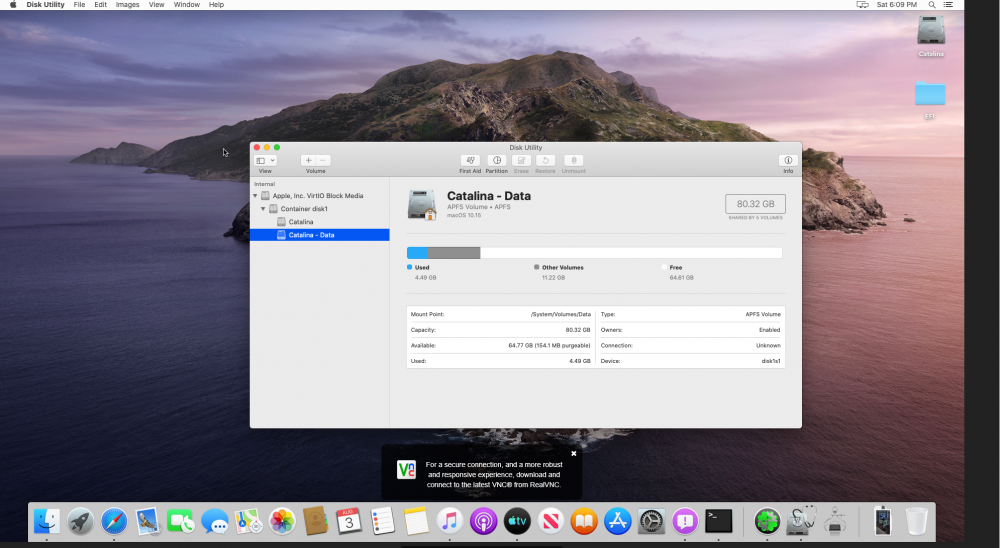
Virtio support is catalina is real
-
@steve1977 I had to use the OVMF and clover files from here https://github.com/foxlet/macOS-Simple-KVM Setup my vm to use them and the clover img to boot it. Catalina requires at least clover version 4900+ to get going. It works well after install using these files. I've updated up to Beta 5 as of now in VNC. It runs really well but im just not ready to give it a GPU. Once it goes final I will give it a full go. As far as troubleshooting the only time i had issues is when i tried a smbios I should not have. Some of them will kill your VM. Are you using the vmxnet3 for the networking? I heard vmxnet3 can be unstable and cause instability.
-
You can stay at the version of clover you are using now for future updates of Mojave. Every update should install no problem. Catalina requires some trickery to get going on unRAID right now because we need at least 4900+ version of clover to get it to install. As for your app store issues it can be a little janky at first login but for me I was logged in without issue after that. I know changing certain things in your clover config will make the apple account log out and you have to log in again. Also make sure you aren't using a serial number for your machine that's for a actual Mac, make sure it's clean.

