




mattgob86
Members
-
Joined
-
Last visited
-
FYI, https://tailscale.com/cli just returns a 404 message for me
-
the recordings converter is money, drop a file and bam it just got it done and placed it where it needed to be. Are you suggesting handbrake in place of that? Is there a way to automate handbrake to do the same?
-
Legend! Thank you for the help, now i can try the my servers again.
-
No worries, everyone is busy. So can I change that flash file through nano editor on putty? I have a rootshare but that only shows my unraid share via smb. I'm not sure how I can change that file.
-
So I have not been able to access my server via the webui for the past 3 days. I have ssh and all my dockers still working but I cannot access the gui. I am getting an error below in my log Mar 26 02:08:34 BigBeast nginx: 2021/03/26 02:08:32 [emerg] 21124#21124: bind() to 0.0.0.0:445 failed (98: Address already in use) Mar 26 02:08:34 BigBeast nginx: 2021/03/26 02:08:32 [emerg] 21124#21124: bind() to [::]:445 failed (98: Address already in use) Mar 26 02:08:34 BigBeast nginx: 2021/03/26 02:08:32 [emerg] 21124#21124: bind() to 0.0.0.0:445 failed (98: Address already in use) Mar 26 02:08:34 BigBeast nginx: 2021/03/26 02:08:32 [emerg] 21124#21124: bind() to [::]:445 failed (98: Address already in use) I am pretty sure the my server plug in used this port too. I was having a weird deal when i would put the ip of my server in and it was being redirected to the "welcome to our website" splash screen that letsencrypt has. I have tried changing the port that is used for access to the gui and that didn't work either. I removed the unraid.net plugin in an effort to regain access and that didn't help. I didn't have remote access enabled yet through my servers so that wasn't working either... Any help is appreciated.
-
I am having the same issue today. I have rebooted the server and restarted the api to no avail. I cannot reach my server locally by its ip at all. I did not setup the remote access yet but I will echo your point of the My Server Page being intermittent on access unavailable/local access.
-
I just had this same problem tonight kernel: traps: lsof[9085] general protection fault ip:154a7cfa2a9e sp:bf3407c6e871124a error:0 in libc-2.30.so[154a7cf83000+16b000]
-
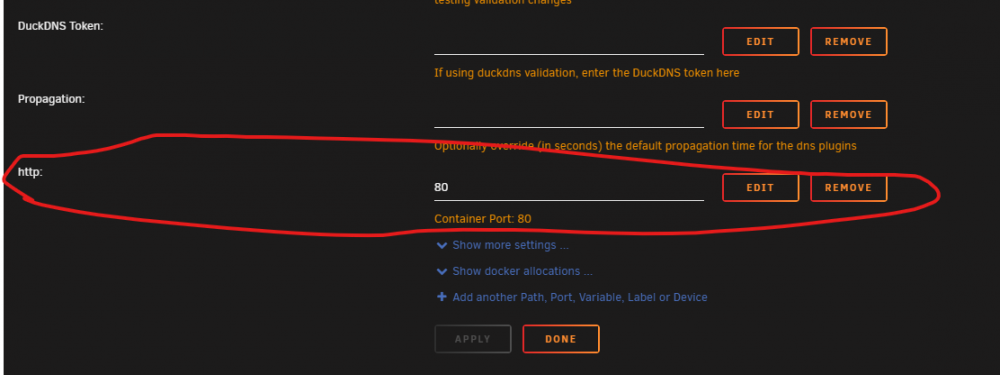
So why if this is at the top, after a docker update does it add automatically another I have seen this before and it hasn't been a problem with the exception of the last 2-3 weeks of updates not letting the docker start after update until that new http: variable is removed.

-
I came here for this as well. I have the Port 80 already in my template at the top. Every time I update the docker, it adds another variable for port 80 and filled in as port 80 at the bottom and the conflict makes the docker die and it won't start until i remove the added variable. No matter how many times I remove it, it adds it back. I don't know if this is because I just changed the repo when it was switched to swag and left the existing template alone.
-
Is there something that needs to happen to get nvidia SMI data to work in this new docker? I had it working in the old one but now the steps to create it before are not working.
-
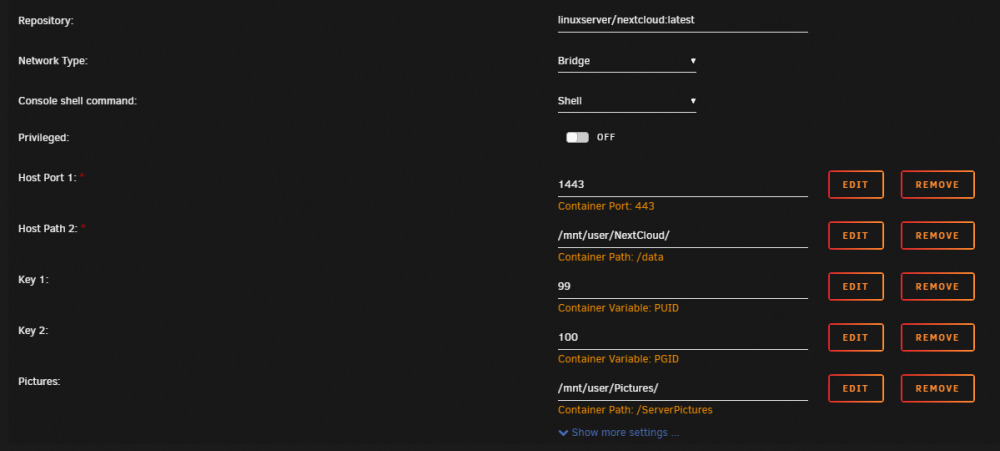
So I came here to do the same thing but I do have it working but it is fairly slow loading the files The Configuration is what you have setup in the docker configuration @wombat I just didn't think about using SMB but this worked straight away for me, just slow.

-
I am trying to update my config but it does not appear to have the new geoip2 in the appdata. Everything that I am looking at for geoip still has a data of 10/20/18 when I initially created it. Is there a walkthrough or something I can follow to get it back up and going?
-
I am getting an error this morning after the last update nginx: [emerg] unknown directive "geoip_country" in /config/nginx/nginx.conf:15 nothing changed on my end, do I need to change something in my config?
-
I have this all setup and I have the letsencrypt reverse proxy setup and I tried using one of those to point to my WAN IP and it did not work, I did get it working just using my WAN IP without anything pointing to it and it connected, otherwise it did not work. Is there something I need to setup to use my reverse proxy for that?
-
So if we are running AMD this won't have any change?




