





hrv231
Members
-
Joined
-
Last visited
Everything posted by hrv231
-
Hello, The problem happened twice when I was using loading 100% the CPU. I was setting up a new Photoprism docker, after that was done, I went to the WebGUI to start the "index", their index started using all my cpu threads ( it is fine, I'm not using CPU pinning ) and after about 10 seconds I lost all connectivity with the server. I connected a monitor and keyboard directly to the server to see what was going on, and no video or anything, only a restart fixed it. Attached is the Diagnostics file. I noticed after the reboot that the flash had updated the .REC files, please let me know if they contain some good information to help you troubleshoot this. Running 6.8.3tower-diagnostics-20210506-1116.zip Thank you!
-
@sdub - Can you see if there is a way to add log file to borgmatic yaml config? - Is there a place in the docker where I could see all logs from borgmatic and/or borg? I went to look for all logs in the docker and couldn't find any in /var/log/ - Is there a way to send all logs from both applications to a syslog server? Also, I tried to use the validate-borgmatic-config but the docker can't find it, I think there is something missing there..
-
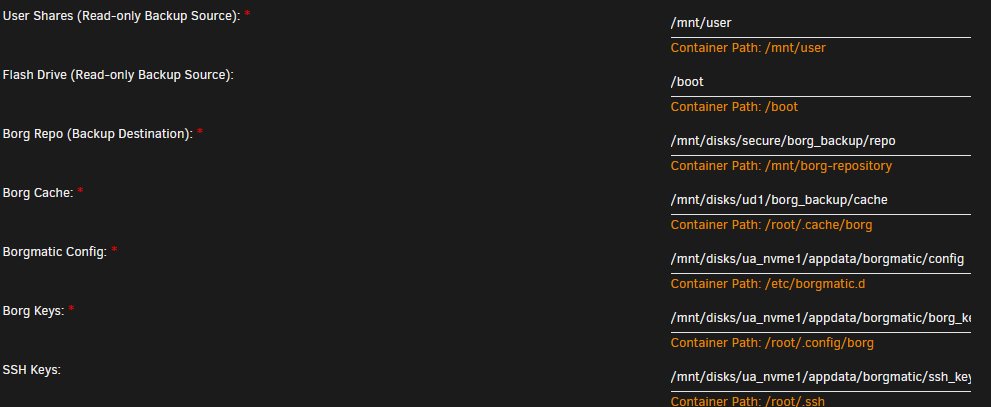
@Greygoose below is the config I have on my User Scripts to mount rclone, in my case I'm using Google Drive, but it is working fine, no errors so far. Keep in mind that you have to set up a folder for rclone cache, and use the vsf-cache-mode full. I'm using inside the config.yaml the repo (/mnt/borg-repository) location: source_directories: - /mnt/user/sourcerepo1 repositories: - /mnt/borg-repository one_file_system: true files_cache: mtime,size But in the docker template I point the repo to the rclone mounted (in my case secure) I hope these screenshots help others... 👍

-
This is really amazing, thank you @T0a and @sdub I didn't know about the HA dockermon, like T0a, I'm looking to stop some containers before doing the backup with borgmatic, and start the container after the backup is done.
-
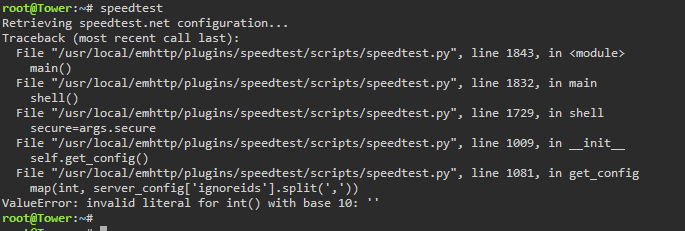
Having this problem with speedtest plugin Have you seen this? I'm on unraid 6.8.3

-
Can you share with us steps of how to directly install restic on unraid? Also the script that you made to use restic? I want to use restic with rclone, I installed the rclone plugin and it is working with my remotes, but now I want restic to use those remotes.. Hopefully someone smart will create a plugin for restic too!!
-
My bad, it was set to NO. Thank you for your time and all the help you bring to this forum!
-
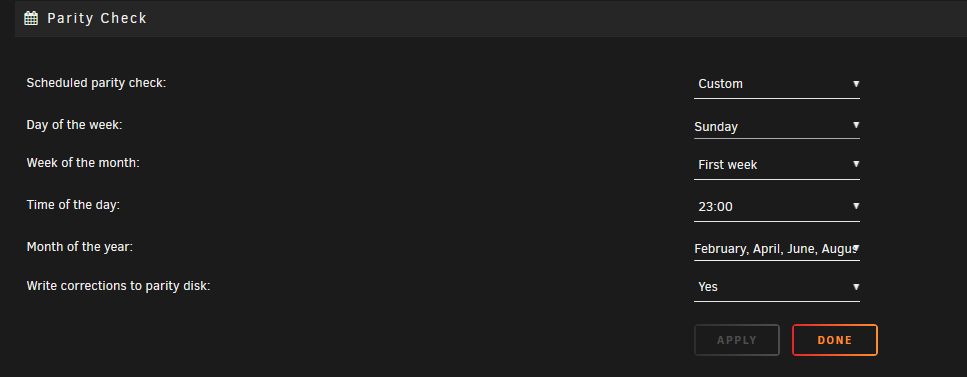
Hello, My server recently crashed, and I decided to do a parity check manually, I paused the check at about 3% thinking that the Parity Check Tuning will resume the parity at the schedule time (at night) but it never did. I wonder if the parity check tuning ONLY works with the scheduled time on the parity check settings? Below are my settings for the normal parity check: Is there any possibility that you can include the plugin to check manual parity check "start" or "pause", and then continue doing its work at the programmed time? This can be a good feature. Thanks.
-
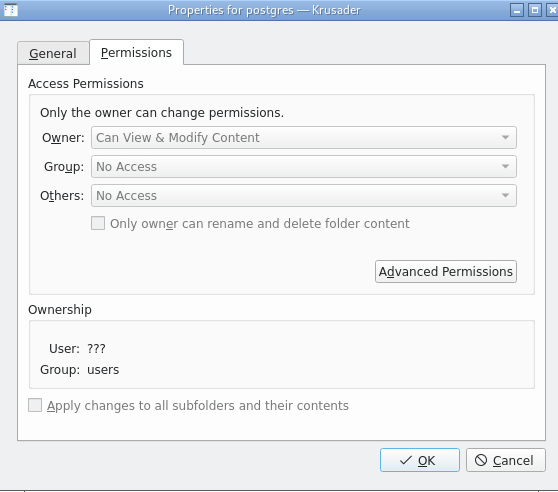
Hello, I'm running now this docker and I also can't access the folder. I even created another folder and pointed to it, and after starting the docker, the folder gets inaccessible.
-
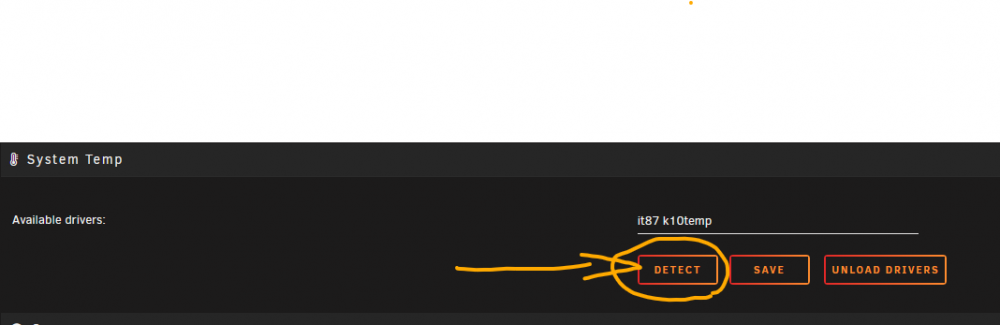
@bonienl Hello, I just tested this twice, every time I double click the "detect" , my unraid freezes, and I have no way to get it back unless I hard reset my server. My unraid version is 6.8.3 with a Gigabyte X570 Aorus Pro Wifi + Ryzen 3950X. This is really weird. Please let me know what can I do to fix this.
-
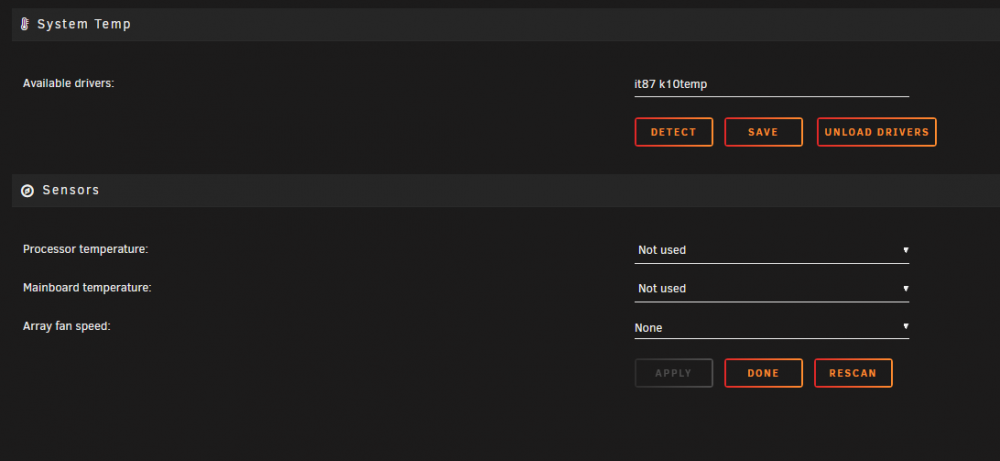
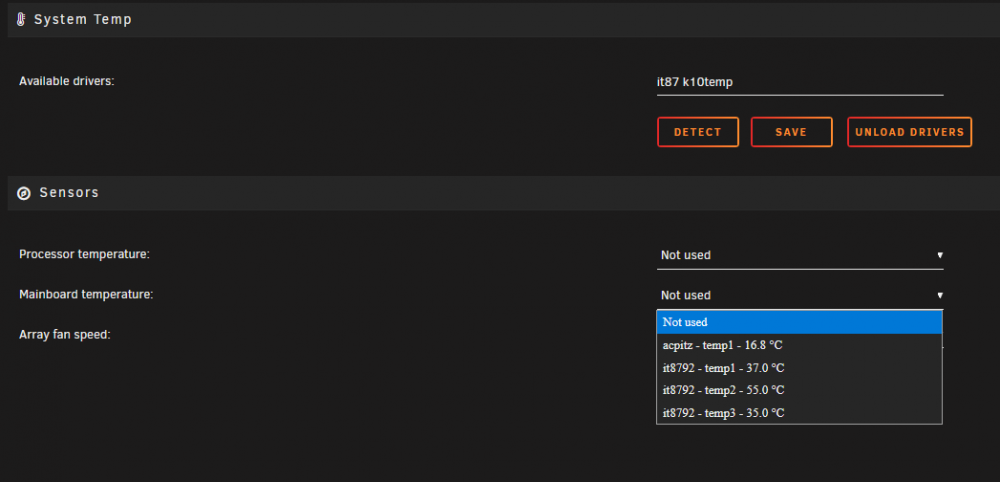
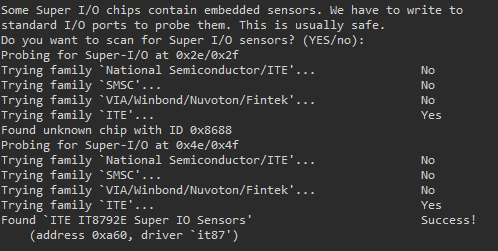
Hello, On my Gigabyte X570 Aorus Pro Wifi, i tried Skitals steps to enable the Fan Sensors and it did not work. By running sensors-detect, I get: - k10temp - it87 The below link shows a patch for the chip IT8792, and some people have successfully ran it on other versions of linux. https://github.com/lm-sensors/lm-sensors/issues/154#issuecomment-665108550 But I don't know if it will break something if I run it on unraid. Can someone having the same mobo tell me what they did to fix this? Fans don't get detected. Also, from my photo, can someone tell me which temperature is my CPU and which one is my Motherboard? Thanks.
-
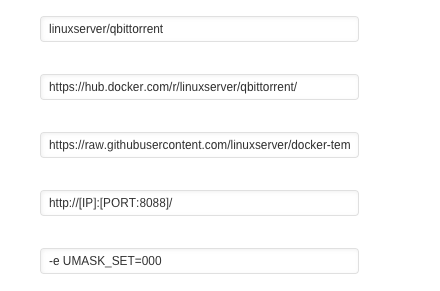
Hello, I'm having trouble to set up permissions with this docker. I read the entire thread and manage to fix the empty webpage, the I configured qbittorrent and everything looks good, I'm able to download, but I can't make my other dockers works well with this one. I have pfsense vm being my firewall, I have my unraid and my dockers on the same net, but each docker with a separate IP, this qbitorrent with an IP and my Sonarr with another IP. For some reason every time I download something, this docker can move it to the proper folder (I have enabled incomplete folder and then when it finishes it moves the file to the category folder or the complete folder). But Sonarr is not able to access that file to move it or rename it for some reason. I already set the UMASK as someone described above but it doesn't seem to work. Can someone help me? Thanks.
-
I'm having this issue when I click on the Main tab and wait for a sec and click again and again, there are sometimes where the system temp information on the bottom of the page disappear completely, and also the numbers shown by the system temp are not close to each other, it jumps from 38 to 44 and then back to 39, then 45 again, something weird, especially when I'm running only Plex docker for this test, nothing is stressing the CPU. I'm on the latest version of unRAID.
-
-
Agree, I don't use them.
-
Hi bonienl, First of all, thank you very much for all your contribution and help. I'm using System Temp and System Autofan, System Temp works great, but I have noticed that it takes a lot of time to give me an update on the CPU Temp and MB Temp. I read before that you suggested that the times can be changed to lower than 1800 (30 minutes) but I don't know where exactly I could do this change. With AutoFan I have a request, the system works fine but only with the whatever PWM I specify on the settings, but I would like to be able to give different settings to my different PWM controllers that unRAID is able to see through (coretemp and nct6775). Is there a possibility to add this option? I've read that some people here are waiting for the plugin to be more developed and some others just connect their Fans to just one PWM controller, one of those controllers that accept 3 or 4 fans , but in my case I don't want to do that, I would like to be able on the same settings page to choose another pwm and give it some other parameters. I have a rear fan, side door fan, and 2 front fans, each one connected directly to my motherboard ( besides the CPU fan that I don't want to touch it) , I would like to be able to give different parameters to each pwm, not just one of them. I'm ready to do tests if you like, running sensors-detect, pwmconfig, and others.. I would like to know what other unRAID users think about this. Thank you again bonienl!



