





comet424
Members
-
Joined
-
Last visited
Everything posted by comet424
-
guess its not working? i put the hard drive back into the windows machine i was able to write to the drive.. i did a windows shut down so it would do a clean shut down i plugged back into unraid.. ran that rysnc command up above.. and it still failed.. says drive is write protected.. but i can right to the drive throught he samba unraid share.. i ran your command and got root@Tower:~# ntfsfix /dev/sdn1 Mounting volume... The disk contains an unclean file system (0, 0). Metadata kept in Windows cache, refused to mount. FAILED Attempting to correct errors... Processing $MFT and $MFTMirr... Reading $MFT... OK Reading $MFTMirr... OK Comparing $MFTMirr to $MFT... OK Processing of $MFT and $MFTMirr completed successfully. Setting required flags on partition... OK Going to empty the journal ($LogFile)... OK Checking the alternate boot sector... OK NTFS volume version is 3.1. NTFS partition /dev/sdn1 was processed successfully. root@Tower:~# ntfsfix /dev/sdo1 Refusing to operate on read-write mounted device /dev/sdo1. when i run rsycn after this i still get read only file system (30) but i shoved it back into a windows machine.. i currently doing a unraid reboot see if that fixes it.. but i did a clean shut down in windows.. so i dont get it should i be running exFat instead of NTFS? for issues like this wont happen in unraid or is ntfs still far better system
-
tried that passthrough toggle switch that did nothing not sure how that works also tried to add to a VM as a 2nd hard drive.. but when i choose save button it doesnt give me control of the VM... so i guess i need to shove back into the enclosure back into a real windows machine
-
ah is there a script to add to unraid so when i click Mount it forces the drive to be mounted writeable? it doesnt mount with the Read Only button thats toggled off. and maybe its my enclosure that unmounts the drive.. so does that mean i need to shove the drive back into windows then do the safetly remove drive.. then shove it back into unraid for updates or is there a script i can add.. so each time i mount the drive for updates unraid forces it into writeable mode....
-
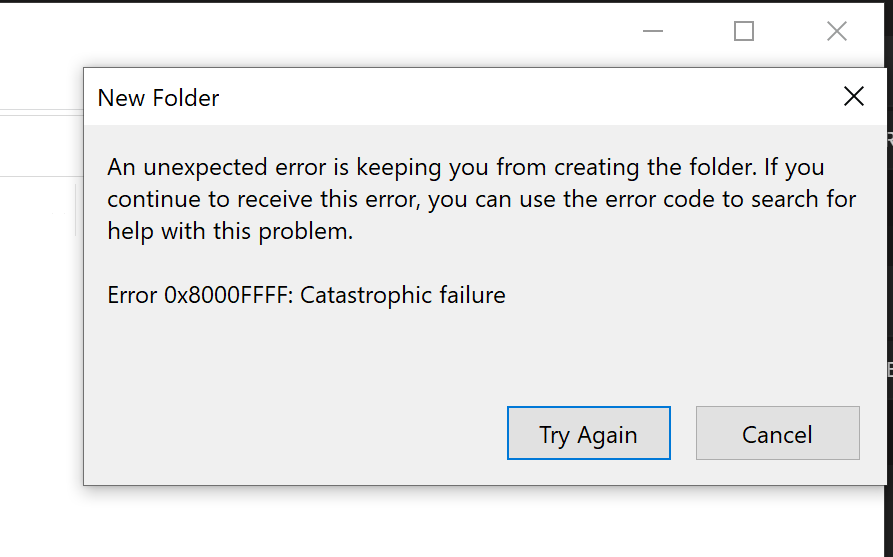
so i trying to get my rsync to work.. when i ran it its supposed to be going into a log file.. but it wasnt .. it kept saying cant file or whatever is read only etc when i share my ntfs drive .. and in windows i try to create a file on the drive i get whats in the pic.. i also included my diganostic.. i trying to rsync to both my 6tb unassigned drives.. but i dont see any issues.. it used to work now i getting this my one rysnc code is rsync --protect-args -avu --stats --numeric-ids --progress '/mnt/user/Music/Music' '/mnt/disks/Music Drive 1' --delete >> /mnt/user/Temp/logs/cronlogs/Music_Drive_1.log does the diagnostics say the drive is locked or anything? i cant see no smart errors so i dont know how to fix tower-diagnostics-20210821-1544.zip
-
is it possible to run 2 lancaches.. or least offer 2 IP address with 2 DNS's i run VPN and WAN (bypass VPN) and when i use 1.1.1.1 it leaks DNS resolutions whatever you call it. and if i set to 192.168.0.1 it buggers up my WAN connections as the Resolver doesnt always like the WAN stuff.. like amazon com it be nice if possible 192.168.0.32 (DNS) ------> 192.168.0.1 (UPSTREAM DNS) for (VPN Clients) 192.168.0.33 (DNS) --------> 1.1.1.1 (UPSTREAM DNS) for (WAN Clients) this way can use the same lancache but point to 2 different DNS's for resolving issues and if not possible in 1.. be nice if you could run 2 Lancaches.. but the 2nd one would point to the same lancache as the first one this way..it can share and not need to 2 duplicate everything
-
hi i have question if haproxy do what i need? i have a Pfsense Box with IPS that use a NordVPN and some IPS that just go out the WAN bypassing the VPN for xbox and gaming machine.. now i also use unraids lancache for caching game installs and windows updates.. but the problem is dns upstream if i leave it for 1.1.1.1 it works for the WAN connectings but leaks dns on VPN clients.. if i set the upstream to 192.168.0.1 the WAN connections cant seem to resolve all dns connections like amazon.. dns failure.. i was looking at seeing if i could run 2 Lancache dockers same time.. 1 for VPNs 1 for WAN and use the same cache drive but you mention load balancing spreading requests will this work ? VPN or WAN goto lancache then points to haproxy and it will use 192.168.0.1 for certain ips and 1.1.1.1 for other IPs? and balance it.. or if it doesnt waht does the Haproxy do.. and what would i be looking for
-
ok thanks.. i hoping this new hard drive i preclearing will then maybe fix those errors unless its controller on the motherboard then time to upgrade her box.. i re posted in the fix common issues but i doubt i get answer.. so hopfully this new drive will fix everything.. thanks for the help so far appreciate it.. as i dont understand all the error meanings etc or how to read a diagnostic file completly.. only skimmed it. so i relie on yourself and others as the experts 🙂 so i appreciate it.. Thanks 🙂
-
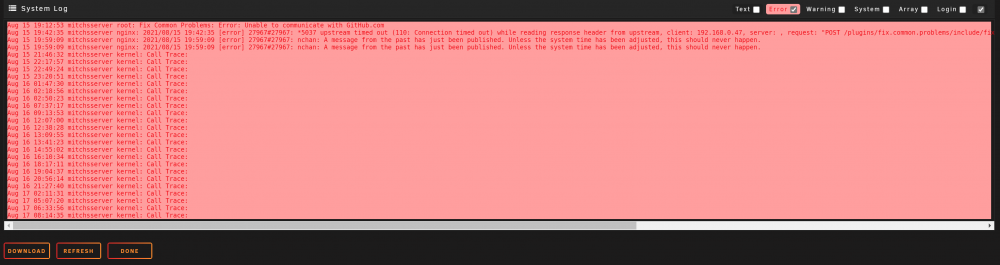
and tell me what a Call Trace error is as it says nothing what it is whats its calling etc... and what a freezing of tasks failed.. what is it what it does.. why is it freezing etc i have a 8TB drive preclearing.. so i hoping it solves the FCP plugin from freezing but i guess could be computer or power supply problem.. hoping not yet.. but will see but hopefully 8TB drive will fix something.. its newer lol
-
alright i re posted in fix common issues for help.
-
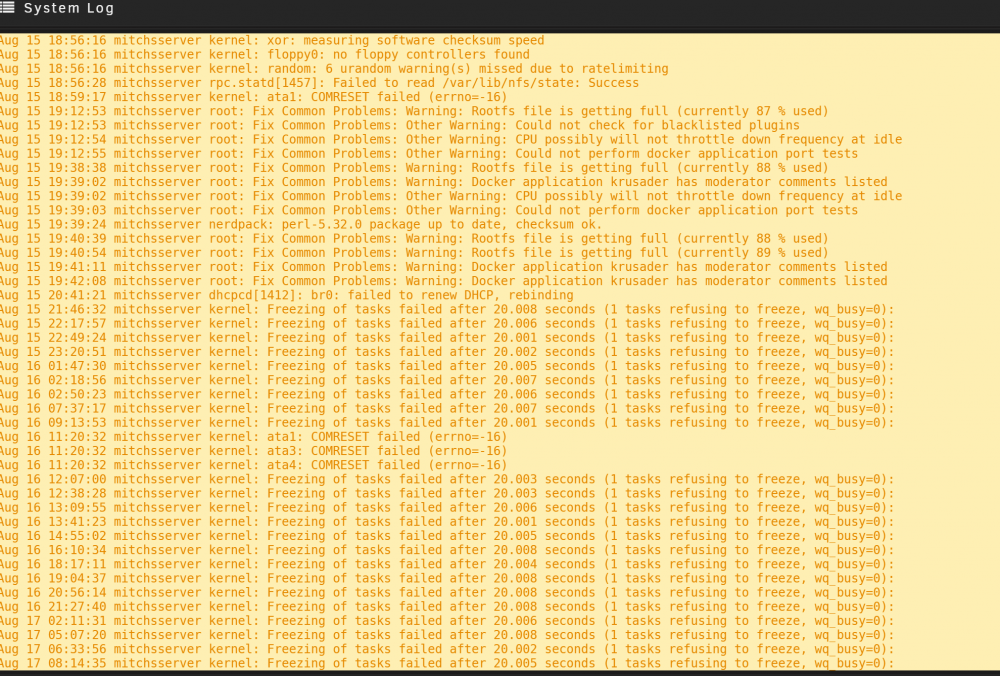
ok so day 3.. still need help... @JorgeB said Fix Common Problems Plugin is causing these errors, and appears not to be an unraid issue, hardware.. but something in the plugin mitchsserver-diagnostics-20210817-0901.zip
-
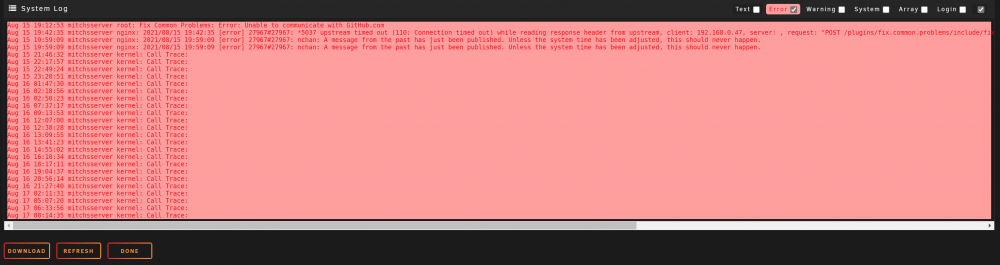
the errors i just mentioned arent they in the system log??? Call Trace Error.. and Freezing of tasks failed warning.. i thought the diagnostics supposed to show you the system log's but here is a pic its been 3 days no one replied in the Fix Common Issues plugin.. when i asked why did Fix Common issues pluggin freeze and i posted diagnostics.. but now i posting the System Logs i wanna know if its soemthing else maybe the fix common issues plug in people cant help me cuz they only wrote the plugin it and didnt write unraid.. so they might not know whats going on and only help on the plugin it and not be able to help if its something else i just trying to narrow it it down.. for her.. i not sure is the errors and unraid locking up fix it common issues.. due to unraid problem.. a plugin problem, a hard drive problem. a computer hardware failing problem.. thats why i posted the diagnostics to get a specific answer.... guess the diagnostics dont show you the 2 pics so i guessing its trial and error... wait for hard drive to be done preclearing tomorrow hopefully and see if it fixes all these issues? when i replace all 4 drives for 1
-
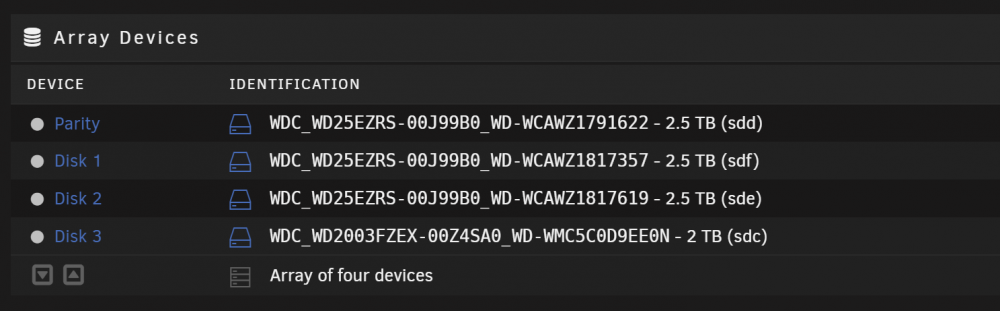
so i working on my sisters server.. its just a 4 bay.. i posted help in Fix Common issues app forum but no one was able to answer my question.. i ran extended scan.. and its been stuck 3 days now at the beginning of the scan.. and no one was able to help. hoping you guys in the General help can read the diagnostic... i know my sister has 3 drives out of 4 that have an error if the drives.. but dont know if thats the issue or what not.. i currently preclearing a 8tb drive to replace all 4... but can you tell me whats causing the errors? running the extended scan.. did nothing... all 4 drives went to sleep after... she still using a small nas machine from 2006. and works great for her needs.. so the diagnostics probably says cpu is not throttling or something like that.. thats because cpus back then.... but any input be good.. at the moment so i know is it the hard drives failing.. is it the computer or something in it i get the freezing of tasks failed warnings.. and trace error errors.. i not sure what those are? mitchsserver-diagnostics-20210817-0901.zip
-
so its been least 24 hours and it hasnt moved any ideas from the diagnostics whats wrong whats causing it to be stuck? since i cant run a extended scan mitchsserver-diagnostics-20210816-1934.zip
-
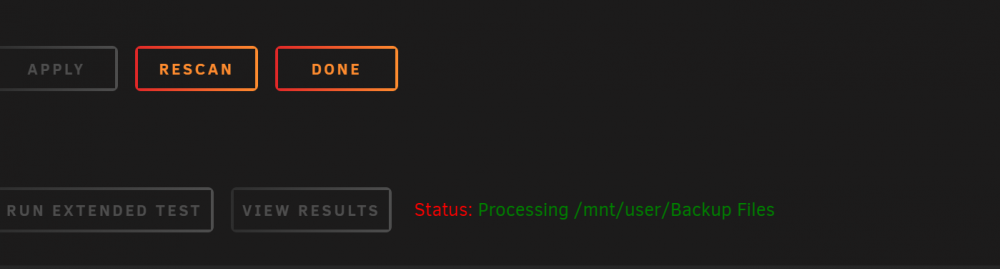
so i decided to check my sisters Unraid.. its a 4 Bay unit.. i ran the Extended Scan.. been running since yesterday afternoon.. its stuck it hasnt done anything... and now i see the drives are spun down... does the diagnostics say anything? maybe whats caused it to just be stuck? i looked in the system log but i cant really tell mitchsserver-diagnostics-20210816-0818.zip
-
@Squid ah ok ... be nice to be able to change the words to Icons on any theme but ill look into it.. even like how Home Assistant works for icos a MDI: icon name and changes words etc i tried the URL (open new tab) tower keeps telling me i need to enable popups.. but why does it work when you click Docker... click Krusader click Webgui and it doesnt ask your for pop up.. anyway URl(open new tab) = webgui icon .. or is that also more re writes of coding does the webgui icon for each docker .. is that Pop up enabled.. or is that something different.. i have to find out in my broswers my popups i guess so i tried the url option you have in the page. http://tower/Settings/RecycleBin and that lets me open the Recycle bin.. so that works that way.. ya nothings perfect.. but like the app 🙂 now gotta find the pop up thing in my browsers Update:. found the pop up security option in least Internet Explorer.. and Krusader now works thanks great app to help it make it bit easier 🙂
-
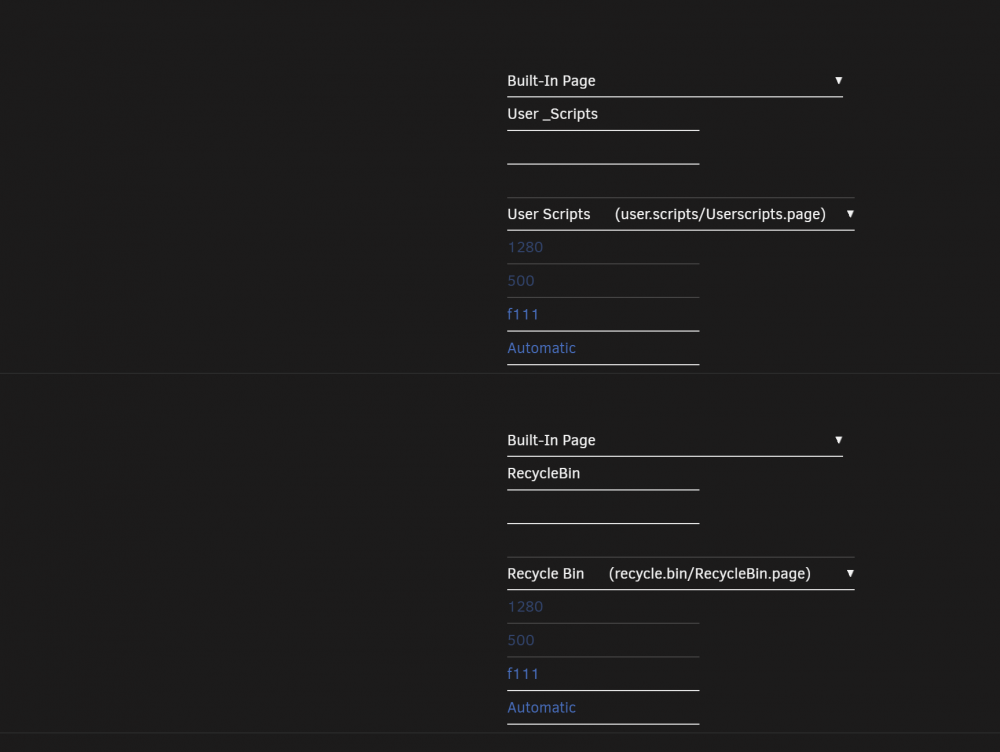
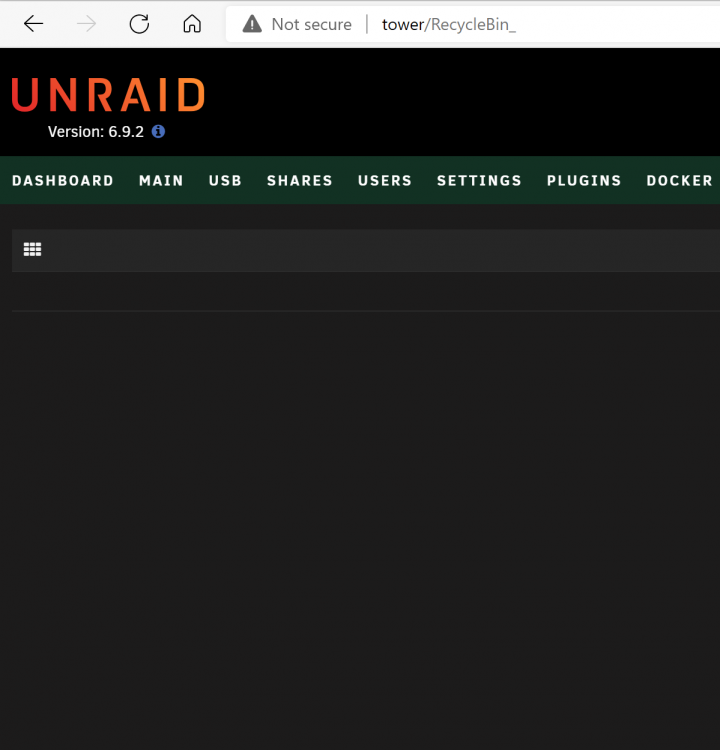
custom tab for Recycle Bin does not work the webpage is RecycleBin for the built in Page its Recycle Bin (recycle.bin/RecycleBin.page) it also adds a _ on back of bin in the address bar also be able to Add Spaces for Custom Tab words.. i cant type "User Scripts" as it comes out "UserScripts" so i gotta do "User_Scripts" but Plex Streams offers a space.. not 100% big deal but worth noting also is there a way to make on the custom Tab. a Docker App load.. so i could have Krusder.. Click it and Krusader opens a window instead of Docker.. but it be a tab just like windows Task bar offers and any way to add Icons instead of a word so you can mouse over an Icon just like windows task bar i see there is option for Icon but i dont see how it works it does nothing least i dont see anything in IE/Edge
-
so i skimmed over it.. none helped.. they talked about Avast anti virus.. but i dont use it.. and they talk about gui.. but Docker is the only slow thing its like you leave it idle for a few hours... and when you load up unraid page.. you can click VMS it takes a few seconds.. but it loads.. you click docker.. and she taking like 20 seconds to load.. its like your spinner drivers are spun down and you gotta wait for it to spin up.. now i did try changing some settings like making sure the cache drive folders like appdata system vms all said Only.. i figure maybe if set to Perfer maybe thats causing Docker to be slow it might be reading the array waiting for a disk to spin up.. not 100% sure also the Transmission Icon came back.. and no longer and orphane image.. and once that happened Docker loads in 1 second.. but it took a day after me setting vms appdata etc to Cache Only also i changed Cpu scalling to On Demand... i just guessing.. like that other guy having similar issues as me.. so i going to let it go idle till tommorow and see if she still slow i did clean up and deleted alot of junk so i recovered 2TB.. and i finished cycle 1 of 3 after 51 hours for the 12TB.. . and if i needed to hit stop array.. does it stop preclear? i not touching much as i dont wanna put the cycles to waste.. so for now i just letting this idle and see if docker help but what i skimmed from the FAQ didnt help my case 😞 will see what tomorrow brings also read the docker faq about pinning but i cant do that not without a reboot and dont wanna mess up my preclearing so ill try those tests in a week i have like transmission pinned on a 3rd cpu and thread.. and i used to have cpu isolation but i was experiencing issues so i turned them off.. so not sure if i cpu isolate if it help but cant do that need reboot and cant do that yet
-
i took out the >> log file figured maybe it stop but it didnt.. when i viewed the log file it gave this at the end so for now i using Krusader to copy the files.. but rather use rsync so i dont get errors of out of disk space that krusader gives Number of files: 9,258 (reg: 2,529, dir: 6,729) Number of created files: 0 Number of deleted files: 0 Number of regular files transferred: 0 Total file size: 22,748,666,656 bytes Total transferred file size: 0 bytes Literal data: 0 bytes Matched data: 0 bytes File list size: 0 File list generation time: 0.001 seconds File list transfer time: 0.000 seconds Total bytes sent: 326,441 Total bytes received: 1,096,969 sent 326,441 bytes received 1,096,969 bytes 569,364.00 bytes/sec total size is 22,748,666,656 speedup is 15,981.81 Copying Virtual DJ Folder To Drive 2 Overflow in read_varint() rsync error: error in rsync protocol data stream (code 12) at io.c(1747) [sender=3.2.3] rsync error: received SIGUSR1 (code 19) at main.c(1592) [Receiver=3.2.3] Script Finished Aug 13, 2021 23:42.14
-
i have a script to copy music from my array to 2 mobile drives.. but when i run it.. i get an read_varint() error.. how i fix that? i have about 200k+ of files around 4TB of music and music videos. Copying Virtual DJ Folder To Drive 1 Overflow in read_varint() rsync error: error in rsync protocol data stream (code 12) at io.c(1747) [sender=3.2.3] rsync error: received SIGUSR1 (code 19) at main.c(1592) [Receiver=3.2.3] Copying Music To Drive 2 Copying Virtual DJ Folder To Drive 2 Overflow in read_varint() rsync error: error in rsync protocol data stream (code 12) at io.c(1747) [sender=3.2.3] rsync error: received SIGUSR1 (code 19) at main.c(1592) [Receiver=3.2.3] Script Finished Aug 13, 2021 23:05.45 my code is #!/bin/bash # Copying Music To Drive 1 #--------------------------------------- echo "" echo "Copying Music To Drive 1" rsync --protect-args -avu --stats --numeric-ids --progress -e '/mnt/user/Music/Music' '/mnt/disks/Music Drive 1' >> /boot/logs/cronlogs/Music_Drive_1.log # Copying Virtual DJ Folder To Drive 1 #--------------------------------------- echo "" echo "Copying Virtual DJ Folder To Drive 1" rsync --protect-args -avu --stats --numeric-ids --progress -e '/mnt/user/Music/VirtualDJ' '/mnt/disks/Music Drive 1' >> /boot/logs/cronlogs/Music_Drive_1VirtualFolder.log # Copying Music To Drive 2 #--------------------------------------- echo "" echo "Copying Music To Drive 2" rsync --protect-args -avu --stats --numeric-ids --progress -e '/mnt/user/Music/Music' '/mnt/disks/Music Drive 2' >> /boot/logs/cronlogs/Music_Drive_2.log # Copying Virtual DJ Folder To Drive 2 #--------------------------------------- echo "" echo "Copying Virtual DJ Folder To Drive 2" rsync --protect-args -avu --stats --numeric-ids --progress -e '/mnt/user/Music/VirtualDJ' '/mnt/disks/Music Drive 2' >> /boot/logs/cronlogs/Music_Drive_2VirtualFolder.log is there a setting i have set wrong.. is it too big for rsync to work really.. it was working before but now i get that error
-
so i turned off Plex.. if it click Docker still takes around 18 -20 seconds if i click Dashboard and the Docker page sections also takes 18-20 seconds to load and the only 2 dockers i have running is lan-cache krusader does it mean anything?
-
ah does my settings look better again? and docker takes 18 seconds to load counting the second after i press the docker tab so nothing improved the speed is there a way to run a diaganostic.. to see when you press Docker.. to see what is taking sooo long to load.. like a ping if you were to load up in windows app say onedrive it tell ya it took 2.5 seconds loading IE took 4 seconds is there a program/diagnostic that records the load times when you click Docker so i could see whats taking sooooooooooo long as sometimes Docker takes 30-1min to load prior to your findings some was on the array.. is there anything i can record in the terminal... like you have that grep program i not fluent with linux stuff.. but is there something that can show slowiness so i can fix it ? and still Transmission os orphaned and doesnt work even though its running... when you click webugui.. its working just not downloading.. so kinda frustrating and i dont wanna shut off array or reboot as i doing a 12tb preclear.... so i dont wanna jeopardize it but if there is a plugin to show load times of docker what would it be called
-
@trurl ah ok ya thats where i mentioned i had to set to cache perfer because cache only doesnt work when u wanna use the mover when you switch ssd's ok so i did that.. appdata takes forever.. is the problem Docker is slow due to Plex running and or transmission/deluge i have noticed plex takes forever? should it be appdata on its own ssd vms on its own ssd plex docker on its own ssd would that speed it up? here is the diaganostic when i click the compute its fast for vms,system but took 30 seconds to do appdata so i was wondering should we be doing seperate SSD to to speed up the system.. least for Plext as it doesnt matter if its on a Sata SSD or a NVME 3500/3000 or a 7000/5000 nvmes it was still slow as molasses so thats why i was also thinking its unraid the bottle neck too maybe when i gone to the faster nvmes tower-diagnostics-20210812-1142.zip
-
but ill check with krusader to make sure none of those 4 folders be on the array but it shouldnt be i know i may have mixed up words i see i had the cache only set to prefer.. i was doing a NVME transfer to send in for RMA and i set to Perfer when i was using Mover as there is no option when VMS appdata etc is on the ARRAY but you set it to CACHE ONLY that mover will move it from the array to cache.. mover will only move it when you set to PERFER so thats why its set there but i should have set things to ONLY after it was done.. it be nice MOVER would move the Folders from the Array when you set things to CACHE ONLY so i double checking things with krusdader but i been having this slowness problems for over a year now even when all the settings were set to Cache only and nothing on the array
-
@trurl i have it set cache only i dont have any cache on the array but /mnt/cache <=== would read the Cache Only /mnt/user <==== would read cache and read the array shares i basiclly commenting on the one guys findings that setting your Docker appdata to /mnt/cache/appdata and not to /mnt/user/appdata that its possibly acting slower pointing to user not to cache is basiclly what i was trying to get at i have no appdata/vms/docker/system they all on the cache nothing on the array so my cache drive set to Cache only and has 126gb free onit.. it doesnt really change unless plex gets bigger.. as i dont do any caching its just vms,docker,appdata,system so thats only on the cache download drive is just a Spinner Cache drive just so i can download from transmission or all my Windows Downloads go directory to this spinner drive so the array stays off lancahce pool drive is just the drive for downloading Epic Games as i have to re install the games. so i reported this issue back in 2020 but never had any solution.. where you can see the Docker Video so slow loading but VMs page will load faster. i picked up a 12TB drive yesterday so i preclearing it so thats going to take a week.. and i not sure if you can take the array offline without messing up the Pre clear progress.,.. i not sure if it stops if you stop an array.. and Fix Common Issues doesnt find anything so what what should i look for? so recap after reading all my dislexia writting non of the 3 pools save to the array.. they all cache only the appadata,docker,system,vms all on the cache drive i was asking if its possible slow because vms docker points to /mnt/user/appdata and maybe i need to change to /mnt/cache/appdata as another user was finding slower speeds this way too and figured it was reading the array when you point to /mnt/user instead of /mnt/cache hopefully you can understand i know with my dislexia it sounds ok in my head not always as you read it also why i asked should VMS and the docker/appdata/system be on 2 different SSDS too
-
so i still struggling with Docker speed.. where it can be like 2 3 seconds to 10 seconds to 1min to populate also i find that the Transmission Icon goes away as an orphane but it has come back once i shut down a VMetc here is a video i made here some Diganostics i took also the Docker acts like a Spinner Drive when put to sleep takes time to power up.. and get working... would it be better to set the appdata cache only to /mnt/cache/appdata and not /mnt/user/appdata this way it wont go to the array i not sure? my video of docker never loading.. when i do it takes about 1 min.. i took this on aug 9 https://1drv.ms/u/s!AkZ74ugB21kngYMnucOZA60pvyfm6w?e=WM2LLm so i not sure whats causing it.. the orphane pic is transmission isnt even running but i noticed if i shut off a VM the image usually comes back and then Docker will speed up but it will go back to sleep later currently running on a Sata SSD.. but this happens on my NVME 3500/3000 it doesnt matter what it does its always sleeping and takes a long time to run but vms always populate before the Dockers.. and in dockers i only running maybe 2-3 apps always is it a memory thing then? and should you put your VMS on a different SSD then your appdata? would that help things i run like 4-5 VMS but they basiclly idlying tower-diagnostics-20210809-1045.zip tower-diagnostics-20210812-1033.zip tower-diagnostics-20210812-1020.zip



