





gacpac
Members
-
Joined
-
Last visited
Everything posted by gacpac
-
Oh yes it looks horrible. The quality is awful, it's pixelated.
-
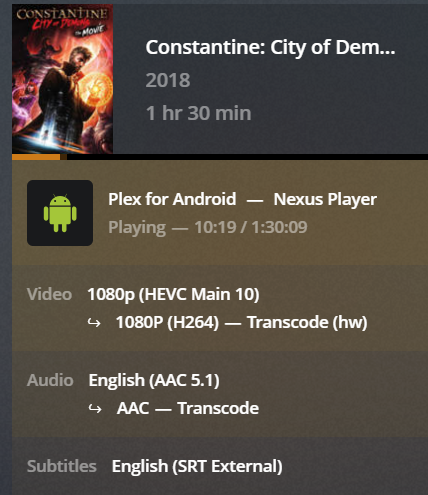
I just did. I added the driver at the go configuration. Didn't have to add the extra parameters to plex. Do I have to? I'm getting also this error. And the transcoding works fast but fast scenes look bad.

-
It's not showing yet. I have enabled the IGD as the primary and preallocated memory is set to 512mb. It should get detected right? there's no /dev/dri in my server. Any other way to check?
-
I get what you mean. I'll restart and let you knwo now. Sent from my Pixel 2 XL using Tapatalk
-
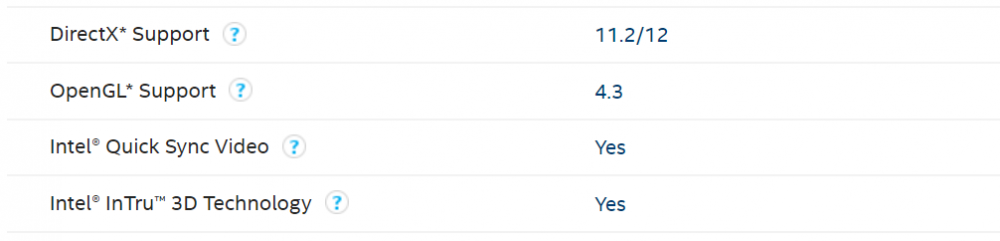
Okay the part with the version I got it fixed. Now it's the transcoding. I don't see my render when I go to /dev/dri /dri -- doesn't exist The processor I'm using is an i5-4570 with intel video quicksync. Which is supposed to be supported.
-
I'm having a bit of a problem. So I paid the plex pass and enabled hardware transcoding. I have no GPU but my processor can handle HW Transcoding. The plex automatically updated to a version 1.15 and I can't watch some of my movies now. And it doesn't make sense. All I did was pay the plex pass From network error I'm getting [FFMPEG] - No VA display found for device: /dev/dri/renderD128.
-
Sweet Sent from my Pixel 2 XL using Tapatalk
-
Lol that was quick Sent from my Pixel 2 XL using Tapatalk
-
Oh then that's a different story. No way I could have checked that.@dorgan you heard@squid? Sent from my Pixel 2 XL using Tapatalk
-
I did a couple of times. Even restarted the server. And did it again just now. Anyhow, this is a false positive as I see. @Squid
-
Yes it is. But again, doesn't really bother me. Just an FYI Sent from my Pixel 2 XL using Tapatalk
-
FYI. The compatibility plugin from fix commons problems keeps telling me this everytime I update the server. Can you please look into this? Sent from my Pixel 2 XL using Tapatalk
-
Check the network logs at the player. I use Android TV, and that option is under settings. Then at the server website look for the logs when the errors come up. That should give you a better idea of what's going on. That was happening to me and my solution was set the remote streaming to Maximun because I do want the max resolution. Sent from my Pixel 2 XL using Tapatalk
-
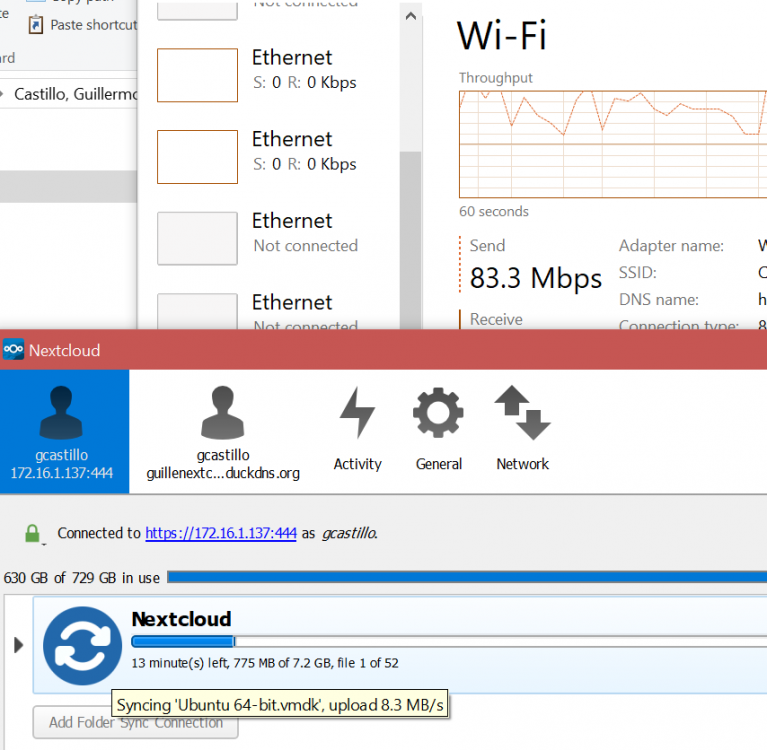
Hey look. I did a test connecting directly to the IP. I'm making almost a gigabit. How can I make this work faster using the reverse proxy.
-
Nevermind it seems to be the application itself DON'T USE NEXTCLOUD SYNC APP 2.5.1 I narrowed down to the 2.3.3.1 that is working perfectly.
-
Had someone ever had the problem with uploads to the nextcloud from the client. My error is "413 Request Entity Too Large" cannot upload files larger than 100mb What doesn't makes sense is that it works from my phone with videos. This happened using the nextcloud client app for windows at a remote location.
-
You do it through the application itself. I like stable releases.
-
Oh yes. That I understand. But I tried directly connecting to the nextcloud server via IP local and it would work way faster. But using the reverseproxy (inside my network too) would be half the speed. Sent from my Pixel 2 XL using Tapatalk
-
I forgot. This is the configuration I have in my let's encrypt. Based on spaceinvader guide. My actual IP for the server is https://172.16.1.137:444 server { listen 443 ssl; server_name servernextcloud.*; add_header Strict-Transport-Security "max-age=31536000; includeSubDomains" always; include /config/nginx/ssl.conf; client_max_body_size 10240M; fastcgi_buffers 64 4K; location / { include /config/nginx/proxy.conf; resolver 127.0.0.11 valid=30s; set $upstream_nextcloud nextcloud; proxy_max_temp_file_size 10240M; proxy_pass https://$upstream_nextcloud:443; } }
-
Maybe this has been asked before but I'm having a small situation with my nextcloud. It works fine, but I noticed the upload speed when I'm locally in the network is slow. Feels like using the internet bandwidth (About 40Mbps), instead of using my local network (1Gbps). I did a small test using the nextcloud app to look at my IP of the docker, instead of my reverse proxy and it worked perfectly. Is there a workaround or anything for this?
-
I figured it was going to be the version. And honestly. I have no idea where you got that version. Because in my Plex it says I'm using the latest. Also from the Plex website looking for the latest and didn't find version 1.15 And honestly I don't care. I don't see a difference between this version and the one from previous months so. It ain't broken, I ain't fixing it. It happens the same for Windows to me. I like my stable updates and I don't like jumping into new releases without knowing how to go back. Sent from my Pixel 2 XL using Tapatalk
-
I see issues normally haooen when you update on your own. Honestly I wait for the container to get updated and when it restarts then it automatically updates. Never a hiccup. Try doing a new install to test, that way you will be able to confirm if it's because of the version. Sent from my Pixel 2 XL using Tapatalk
-
Man that's perfect. I'll get that right away. Sent from my Pixel 2 XL using Tapatalk
-
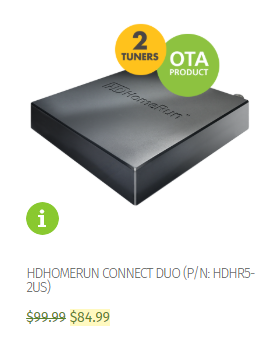
@Hoopster I'm just assuming here. But aren't this 2 models the same but updated?

-
That's sweet. So depending how many streams at the same time you will have, hence the hdhomerun connects with plex. Btw. Do you get the features of skipping advertisings during shows, or things like that?


