





gacpac
Members
-
Joined
-
Last visited
Everything posted by gacpac
-
I'm having this problem with the transmission docker container. Is this a problem? because I want to get rid of this annoying message. I'm using PIA ErrorWarningSystemArrayLogin Sun May 5 05:13:18 2019 Authenticate/Decrypt packet error: bad packet ID (may be a replay): [ #2687837 ] -- see the man page entry for --no-replay and --replay-window for more info or silence this warning with --mute-replay-warnings Sun May 5 05:13:18 2019 Authenticate/Decrypt packet error: bad packet ID (may be a replay): [ #2687838 ] -- see the man page entry for --no-replay and --replay-window for more info or silence this warning with --mute-replay-warnings
-
That's the same I'm thinking. I was able to do bridge, but then nothing on the container works. I need to remap all the ports, but docker is supposed to hit the network to image or clone computers. Not sure I can make it work but well. I'm in for a Ride. If I get it working I'll reply back or try to message the developer. Sent from my Pixel 2 XL using Tapatalk
-
Here it is. Check my-fogproject.xml
-
And I just did and still nothing. FYI. I'm using the latest 6.7.0rc7 Sent from my Pixel 2 XL using Tapatalk
-
And it is [emoji26] that's why it doesn't make sense. Sent from my Pixel 2 XL using Tapatalk
-
Right This is one of the things that I'll just let it be. Until the forum is opened by the developer. I wouldn't mind being a tester for this kind of stuff. I think is @Mudislander as it says in the docker settings.
-
the docker works fine using port 80 and I have set it to use custom in br0. So it's not a problem at all. It's running fine, I'm just wondering why the WebUI option doesn't show.
-
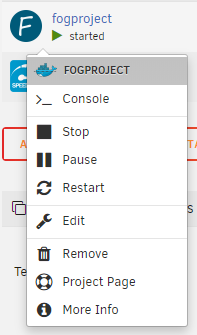
Hi, I'm trying to use the fog project container and it doesn't have a webui tab, that I know I can set in the settings but it's not picking up. Am I Missing something? There's no forum set for fogproject yet but I figure this shouldn't be really complicated to set manually

-
Yes. I'm on the safe boat Sent from my Pixel 2 XL using Tapatalk
-
If you find the solution. Please let me know I really gave up on that Sent from my Pixel 2 XL using Tapatalk
-
I just started using this and I'm looking to possible use it as a replacement for nextcloud. I see by default pictures go to the config/profiles inside appdata. Can this be moved without affecting anything the functionality of the app. I'm planning in setting a share for this and possibly create guest users.
-
Well like I said. "it's a cool idea" maybe for the future. @dlandon Sent from my Pixel 2 XL using Tapatalk
-
Sorry I didn't elaborate, though it was simple enough . But yeah, right now you can browse the recycle bin through the plugin. Would be nice if while browsing you see an option to restore by selecting the folders, or globally restore. Also the option to "restore to" to restore to a different folder that either you have to input manually or have the availability to select. As the programing goes, it's up to the developer how to implement it. Maybe just enabling selective restore will do the job, you can either select all or pick what you want (folder or file). I'm always happy to bring new ideas and test. Sent from my Pixel 2 XL using Tapatalk
-
I would be super cool to add a restore button in the plugin. Sent from my Pixel 2 XL using Tapatalk
-
Before I make any changes. How do you restore from the recycle bin? I deleted files and now I need to restore them. I don't see a restore button or anything.
-
True that. My plex updated on its own and I started having all sorts of problems. I don't know if something needs to be done at the docker container level or at plex. But I'll stick with the public 1.14 for now. Even if I have plexpass Sent from my Pixel 2 XL using Tapatalk
-
Oh yes. When I paid the Plexpass that update got me by surprise and messed up everything.
-
Same thing happened. There's a bug in that version. The best you can do is edit the docker container and set the version to "public"
-
Don't use open vpn connect. That is meant for the OpenVPN access server. Use the regular Sent from my Pixel 2 XL using Tapatalk
-
Yes. That I know. I'll see what can I do with that. For now the sync and the ability to add users I like. Might keep it for that, but definitely I'll keep using transcoding with the CPU since I don't do much. Sent from my Pixel 2 XL using Tapatalk
-
Sometimes goes back to transcoding because of the device or if there's a codec that cannot be played natively.
-
This seems like coming back to CPU transcode and getting a refund for the plex pass. yip
-
Got you. But then simple. If I get a good graphics card, better than integrated? I should be able to hardware transcode with better quality let's say I have 4K videos and 3 people in the house watching them. Right?
-
Yeah, the funny thing was I'm able to transcode quickly without using HW transcoding meaning the CPU as someone stated above.
-
Understandable. All my files are 1080p and some are 4K. So I'm using hw with the integrated Graphics card meaning my cpu, Software Transcoding uses the CPU. So then. Plain and simple how to mitigate this? Special setting or getting a big ass Graphics card to do that. Then I paid the plexpass for nothing if I'm better using my CPU for transcoding, which I'm cool with it.

