






wblondel
Members
-
Joined
-
Last visited
Everything posted by wblondel
-
Still stuck after almost a week, 100% CPU during all this time EDIT: After few more hours the test finally ended!
-
Hello everyone, I ran an "Extended test", but it seems to be stuck. One of my shares has 1m documents (for a total of 1.3TB), and it has been scanning it for more than an hour. CPU usage of the extendedTest.php script is 20%, and for the shfs process it's 100%. Weirdly, there is no disk activity. Even iotop shows 0 everywhere. I think reorgonazing my shares so that they contain less files would solve the issue, but I still wanted to ask if that's expected behaviour. Maybe it will finish in an hour or two. I'll update this post if so.
-
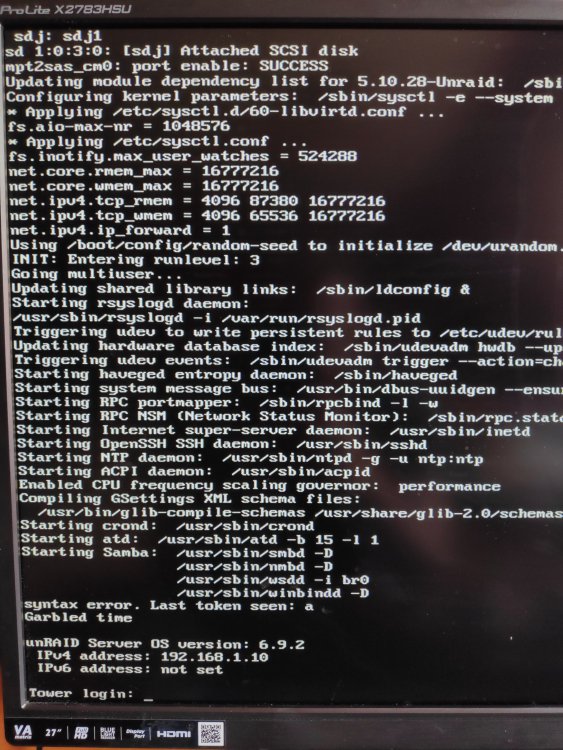
Hello, Yesterday I noticed this error on the console when Unraid starts: It appears just after the "Starting Samba:" lines. It turned out that the Tips and Tweaks plugin is the cause of this error (it didn't show anymore when I uninstalled the plugin). I tried to install it again and I got the same error again.
-
I had the same issue with binhex/arch-plex so maybe it was just me. I don't know. But at least I got Plex working now haha
-
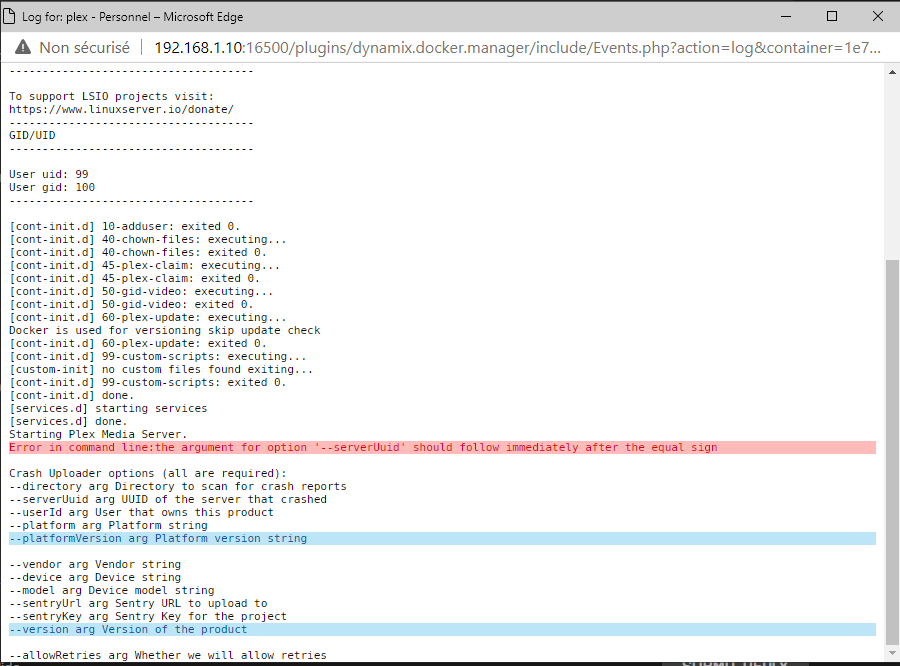
After an hour going crazy wondering why I couldn't see any menu to add my libraries on my own server, I noticed that Plex Media Server can't start. It is a new installation. I will try with an older version EDIT: OK now Plex Media Server started. I logged in again, but same thing.... can't see any admin settings or anything to add libraries.... am I stupid or what? When I go to "My media" it tells me to install plex media server. Few years ago it was so simple. Maybe I'm missing something very obvious EDIT2 : I installed plexinc/pms-docker instead and it worked out of box. I was greeted with a configuration page and was able to add libraries.
-
This is awesome! Thank you so much!
-
Hi! Thank you for your work! Is there a way to update CyberChef? The version deployed by the container is 9.11.11 while the latest is 9.16.2 https://github.com/gchq/CyberChef/releases Thanks!
-
In the container console, go to the /config/nginx/security folder: the auth file contains the authentication info. Delete it, and then re-generate it using this command: htpasswd -c auth yourusername You will then be asked to enter a password (twice). If you wish to add more users, you can use this command: htpasswd auth yourusername
-
Hi, With or without this plugin, the log page looks exactly the same. Am I missing something? SOLVED: Okay, the plugin doesn't actually replace the LOG icon that is located on the top right corner, it creates a link under the TOOLS tab.
-
I can't pull the image neither. Other docker images work. edit: I can pull the image with mysql included, but not the light image
-
Sometimes the simplest thing just works! Thank you aha!
-
Hello, First of all, thank you for your work ! I have problem using your plugin. I can't get it to obtain the certificates. I have used certibot and hosted a web server before on another machine, and I didn't have any problem, so my ISP doesn't block any port. This is the error that I get : Port 80 of the container is accessible via the port 18100, port 443 is accessible via the port 18200. I made the appropriate port forwarding in my router. My DNS configuration: I don't understand why it doesn't work. As I said, I never had any problem with Let's Encrypt before. Could you help me please? Thank you


