





dikkiedirk
Members
-
Joined
-
Last visited
Everything posted by dikkiedirk
-
The x4 slot only has 4 disks. I saw that your board also has a LSI SAS controller onboard. Do you use it? Or can't it be flashed to IT mode? I saw some guy here in Holland offering the same motherboard with some CPUs for little over 100 Euros. I wrote him an email offering 75 Euros, lets see how that goes. I got much better speeds of close to 120 MB/sec on an entirely different platform with 6 disks and G2020 Pentium CPU which ran V6.0.0. All disks were on onboard SATA sockets.
-
The max overall speed that I saw was 90 MB/sec. But that is with a 20 disk array on 3 M1015s on a single CPU board. It might be the most you can expect from the X9SCM with M1015. I doubt a 2 disk RAID0 parity would help much. It might improve when I move to all 4 or 6 TB disks.
-
My cards have fw P17. I don't dare to go back to this beta, would like to see the outcome. You might try Diskspeed to see if any drive causes trouble. http://lime-technology.com/forum/index.php?topic=42860.msg408773#msg408773
-
Seems that M1015 cards don't allow higher speeds. I have 3 of them running on my mainserver and I don't get much better results. I run them on the "old" X9SCM-F mainboard with an old E3-1240 CPU. The M1015s are in PCI-E 2.0 x8 slots. Yours are in PCI-E 3.0 8x slots which should result in better performance, but not so it seems. Might well be a driver problem that limits speed on the M1015.
-
Thank you for the info. Can this be done without any risk? I have 16 GB of memory, so I might go with the untrottled settings.
-
I ran the script on my mainserver and got results as shown in the attachment. What would you advise me to use? In 6.1.2 I can set these: Tunable (poll_attributes) Tunable (md_num_stripes) Tunable (md_sync_window) Where should I set the write limit value? TunablesReport.zip
-
How do I manually start and stop nfs or nfsd from the CLI? They are not in /etc/init.d on 6b15 I think. Or I made an error?
-
Yes, I was able to recreate my image using the steps in the OP this morning.
-
Thanks again, I was able to rebuil Asset-UPnP and recreate the docker image today.
-
Easy does it. Or should I create my own repo? I need a step by step guide then. But I guess you figured that out already
-
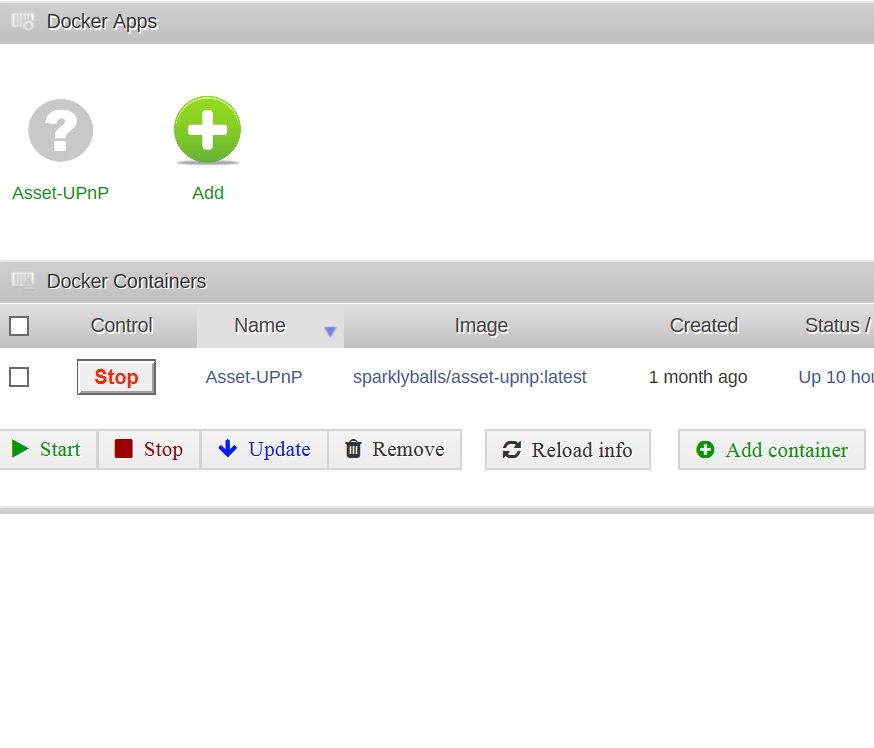
I added the container like described here in unraid 6 beta 10a: http://lime-technology.com/forum/index.php?topic=37592.msg348364#msg348364 I used this name: sparklyballs/asset-upnp Somewhere in the process :latest is added to the image-name, like shown in the picture. This worked in unraid 6 beta10a, but no more in unraid 6beta14. Maybe it is a bug, it is beyond my capabilities on how to solve this.
-
I'm not 100% certain but i don't think you should be adding :latest to import an image, it probably can't find it. Sparkly, can you tell me the exact steps that you instructed dikkiedirk to do to create the container to begin with? I need to test. I hope you can solve this guys. dutch-mode: het gaat boven mijn pet : end dutchmode. goes above my head/hat. Beyond my capabilities. I surely didn't add this :latest. Don't know where this crept in. I followed sparklyballs instructions to the letter.
-
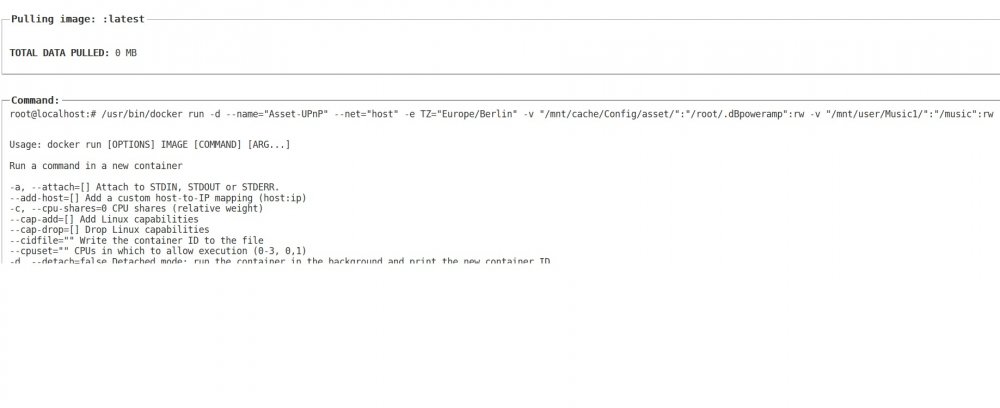
I made a backup of the image first. After I deleted the docker.img and followed the steps to recreate the image I got a Command failed error. The image name should be sparklyballs/asset-upnp:latest I believe. I got this name from the testserver where I have the same docker installed.
-
Did you do a docker commit and docker push to a repository? If not, then you need to do that. You also need to add the docker through the ui so you create a my-templatefor it. Otherwise you will have to redo all the steps again. Thos steps are all mumbo-jumbo to me. When I click add container I see a my-template entry though. How do I do this committing and pushing? My docker page is attached. are you talking about asset-upnp ? Yes Sparkly. Then you're already using sparkly's repository, as shown in your screenshot. You should be good. Really? Sigh or relief

-
Did you do a docker commit and docker push to a repository? If not, then you need to do that. You also need to add the docker through the ui so you create a my-templatefor it. Otherwise you will have to redo all the steps again. Thos steps are all mumbo-jumbo to me. When I click add container I see a my-template entry though. How do I do this committing and pushing? My docker page is attached. are you talking about asset-upnp ? Yes Sparkly.
-
Was afraid of that. Glad I didn't delete the image already. And glad I asked first. Will do it sooner or later. But might wait till Final release.
-
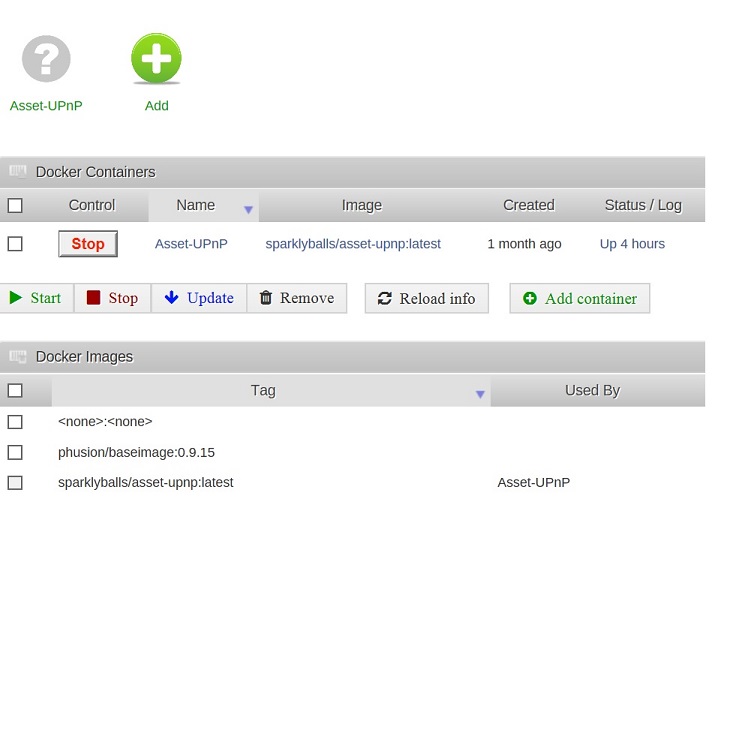
Did you do a docker commit and docker push to a repository? If not, then you need to do that. You also need to add the docker through the ui so you create a my-templatefor it. Otherwise you will have to redo all the steps again. Thos steps are all mumbo-jumbo to me. When I click add container I see a my-template entry though. How do I do this committing and pushing? My docker page is attached.
-
I built my only docker through the CLI with the invaluable help of Sparklyballs and added in beta10 with gfjardim dockerpage. This docker is very important to me and I hate to lose it. Will recreating the docker image for this too? Clumsy as I am Murphy is allways around the corner for me.
-
+1, now running 6.0-b6 for a couple of days.
-
I run cache_dirs and now see un-named folders appear in folders on my shares. I cache_dirs doing this und using these folders?
-
So far so good. The move to V6 went without strange hiccups. The server seems a bit more responsive. sabnzb 64bit works too and without strange slowdowns when verifying and unpacking.
-
I would guess you are running out of "low-memory" with all those applications running and cache_dirs too. Sounds like emhttp is being killed by the kernel in an attempt to free memory, since it was detected as being idle the longest. For most people, upgrading to 6.X is as simple as the new bzroot, bzimage. You'll probably also want the new syslinux.cfg to be able to boot to some of the new options. (The release notes for 6.X have the details on how to upgrade) Unfortunately, NONE of your existing plugins will work. They are 32 bit executables, and 6.X does not support them in any way. You need the 64 bit versions. Prior to upgrading, you'll need to disable/un-install the 32 bit versions, then after upgrading, you'll need to install and and configure their equivalent 64 bit versions. (I do not know if 64 bit plugin equivalents will exist yet for minidlna or servino that you've installed I've not been following those threads at all. Pretty sure they exist for most the others.) Joe L. Thanks Joe, very helpfull. I might move to V6 64bit. One question is important to me: Is there a 64bit version of of the apcupsd plugin or can it be configured through unmenu?
-
Are there only benefits when moving to 64bits unraid i.e. unraid 6 beta 6? Not running out of memory and not crashing my server or having it unaccessible is reason enough to me. I have 16 GB of memory on my server and use several plugins like sabnzb, minidlna, serviio and apcupsd. Are these all 64bit compatible? Downloading with sabnzbd together with running a parity check sometimes leaves my server unaccessible, probably because emhttp crashed? Is it as easy as replacing bzroot and bzimage to try unraid 6?
-
I like to transfer my test server, on a X8SIL-F with X3460 and 8GB and SAS2LP-MV8 , running 5.0beta12a to ESXi. I just installed ESXi 5.0 update3 on a second USB stick in the box and it boots OK. Unraid is also still fully functional booting from the first USB stick. I still need to install the management software on my laptop. Can anyone give me some pointers on what to do next? I plan to take a pre-built vmdk and downgrade it to my 5.0beta12a configuration that runs on the first USB stick.
-
Do you have more details about your built? Case, PSU other hardware used? I like the outside.

