





rclifton
Members
-
Joined
-
Last visited
-
Clearly I am doing something wrong but I can't for the life of me getting this thing to run.. I tried reverting back to a prior version (2026.3.11) and got further that time then ever but it still complains about needing https or using local host, I even tried an ssh tunnel to the server but still a no go.. Hopefully whatever has changed gets correct soon and I'll revisit...
-
From Unraid 6.9 and up btrfs volumes are supposed to be mounted with the discard=async mount option which should mean that trim isn't needed. However, I have found that if I stop using trim, after a few days the performance of my nvme cache drive drops dramatically so I have left it installed. It could just be my use case, I don't know. My cache drive has several hundred GB's of writes daily with the files being then moved from the cache onto either my array or sent to my TrueNAS server running on another machine. I still see, the details of how much space was recovered every time trim executes and do not have any conflicts with it and V-Rising or any other games I host. How is your drive connected to your system? Is it nvme? Connected to onboard sata port? Or is it connected to a HBA or another way?
-
I run trim hourly on my cache drive and have no issues with stuck threads, or anything else. The world has been up 12 days since the last reboot and everything is fine. The one difference I do notice between us tho is that my cache is formatted btrfs not xfs, not sure why it would matter but perhaps that is the issue if it is somehow related to trim.
-
I've been using this container for years and it's been great! Thanks first of all for all of them as I use quite a few! Something has broken tho and I'm not sure where/what it is. I was on the server yesterday messing with some commands for the chia container I had just installed and saw that SAB had just downloaded something, so I know it was working as late as yesterday afternoon. This morning when I logged in I noticed the container was stopped which I thought was odd. Trying to restart it resulted in an immediate "execution error" popup. I tried looking at the logs but it looked like the container was dying before it even started. Not sure what else to do I deleted the container thinking I would just download it again and everything would be fine, except when I try to pull down the container I am getting the following message and the pull fails. Pulling image: binhex/arch-sabnzbd:latest IMAGE ID [960334309]: Pulling from binhex/arch-sabnzbd. IMAGE ID [701d67ccb854]: Already exists. IMAGE ID [ebf9b61b3eda]: Already exists. IMAGE ID [c295ce7a4387]: Already exists. IMAGE ID [6295d38d4fc8]: Already exists. IMAGE ID [61bd528f9496]: Already exists. IMAGE ID [5ec61f70bff6]: Pulling fs layer. IMAGE ID [02f939f4c3b7]: Pulling fs layer. IMAGE ID [312948fc17be]: Pulling fs layer. TOTAL DATA PULLED: 0 B Error: open /var/lib/docker/tmp/GetImageBlob914982683: no such file or directory **EDIT** Nevermind, slowly over the course of today most of my containers stopped and would not restart. It appears something was corrupted somehow, I deleted the docker directory and was able to pull down all my containers again. Everything is back to 100% now...
-
Is anyone else having an issue with the container not letting their drives spin down anymore all of a sudden? Sometime between now and the last update I noticed that my drives were no longer spinning down. After spending the better part of this weekend trying to track it down I've discovered that it is this container. If I spin my drives down manually, after about 35 to 50 seconds the container will make a write to the array in a specific order and size every time.. A few seconds later the remaining drives will spin up and it will make another write. If I spin them down again the exact same thing happens.. This is a fairly new issue as I have always in the past been able to spin the array down without issue.. Did something change? Anyone else seeing the same behavior?
-
Nevermind, I figured out what the issue was. User error =(
-
Fixed!! As soon as I ran that command it started running as it should.. Thanks a bunch!!
-
Here is the results of the docker exec command: -rw------- 1 root root 5654 Feb 6 13:15 /ddclient.conf The run command when I update the container is: root@localhost:# /usr/local/emhttp/plugins/dynamix.docker.manager/scripts/docker run -d --name='ddclient' --net='bridge' -e TZ="America/Los_Angeles" -e HOST_OS="Unraid" -e 'PUID'='99' -e 'PGID'='100' -v '/mnt/cache/appdata/ddclient/':'/config':'rw' 'linuxserver/ddclient' 38e494fbb43ced3a2a5262aba904fc95d8592d23dc2ec4ac14c0b47c68f5b5a3 I've tried completely removing and reinstalling a couple times now and end up with the same results every time.
-
Loving the container, I've had it up and running for awhile now, but today I noticed that something has broken. I'm not sure exactly when it happened but I do know that I updated a domain this past weekend and ddclient updated its ip so it was working as late as Sunday. However my log is now filled with: ErrorWarningSystemArrayLogin readline() on closed filehandle FD at /usr/bin/ddclient line 1130. stat() on closed filehandle FD at /usr/bin/ddclient line 1117. Use of uninitialized value $mode in bitwise and (&) at /usr/bin/ddclient line 1118. readline() on closed filehandle FD at /usr/bin/ddclient line 1130. WARNING: file /ddclient.conf: Cannot open file '/ddclient.conf'. (Permission denied) I'm not sure how the permission on the config file was changed and I'm really unsure of how to fix it, as linux command line is not something I have a lot of experience with.. Thanks!
-
Thanks for the heads up!! Never even thought to look at the github page for some reason lol..
-
Hi, not sure if this is the right place. I installed the container "nut influxdb exporter" and it points to this post as the support post. Anyway I'm trying to use it to bring in my UPS stats and have run into a problem. My UPS is a Cyberpower OR2200PFCRT2Ua. When I install the container if I delete the entry for WATTS the container works but the data is incorrect, it shows a usage of only about 44W, when the UPS front panel indicates the load is actually 172W. In NUT I have to configure the setup as: UPS Power and Load Display Settings: Manual UPS Output Volt Amp Capacity (VA): 2200 UPS Output Watt Capacity (Watts): 1320 If I do this then in Unraid, all the UPS information is displayed correctly on the dashboard. However if I enter 1320 into the WATTS entry of the container it instantly stops after starting and displays the following error message: [DEBUG] Connecting to host Connected successfully to NUT [DEBUG] list_vars called... Traceback (most recent call last): File "/src/nut-influxdb-exporter.py", line 107, in <module> json_body = construct_object(ups_data, remove_keys, tag_keys) File "/src/nut-influxdb-exporter.py", line 85, in construct_object fields['watts'] = watts * 0.01 * fields['ups.load'] TypeError: can't multiply sequence by non-int of type 'float' So to get accurate data I need to enter the WATTS info but then the container doesn't like it. If I omit the Watts info the container runs but reports the wrong info. Any help is appreciated and sorry if this is perhaps the wrong thread... *EDIT* As an aside I did some digging, my UPS is reporting ups.load as 14. If I do the math in the last line watts(1320) * .01 * ups.load (14). I get 184.8W. The front panel is reporting 185W currently. So the math is right, it just appears that maybe one of the entries isn't seen as an actual number for some reason..
-
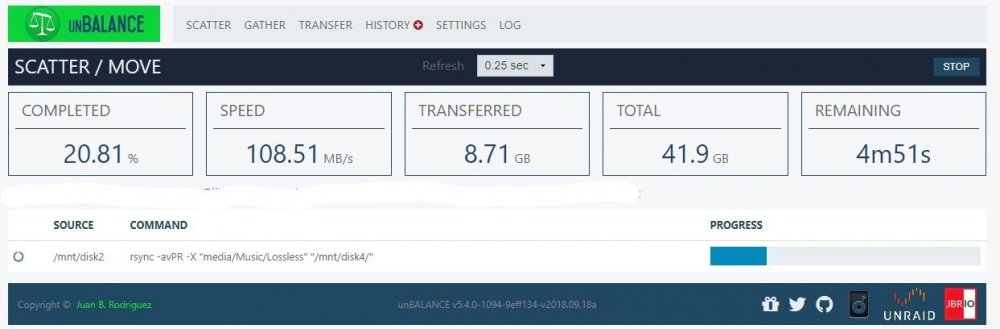
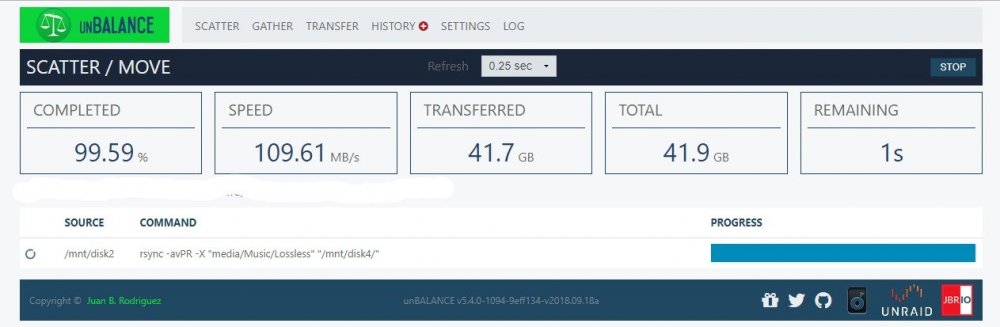
Yes actually, I did read them. Neither of them really explain the massively random difference in transfer speeds that I see. I mean 22MB/s vs 108MB/s is a pretty wide margin is it not? You would not be wondering if there was something seriously wrong if you frequently saw a swing like that moving files around? By the way, that first transfer was my kids movie folder, so all fairly large files. That second transfer as you can see is music. Obviously much smaller individual files and yet its FASTER!
-
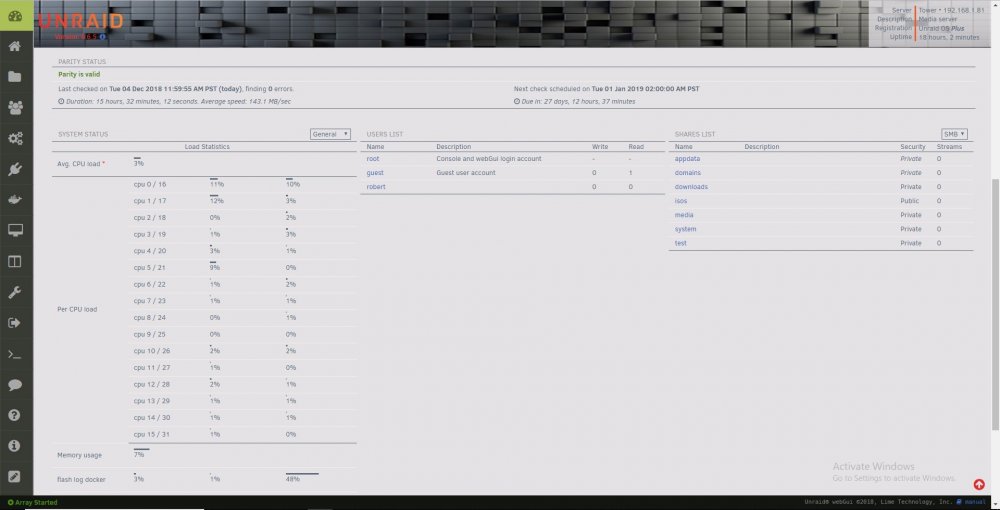
Sorry, real life pulled me away for a bit but I came back to finish moving data off that drive and thought I would give another example of why the randomly crappy writes are sooooo annoying. Here is another set of screen shots, same exact two drives (Source is a 7200rpm seagate 6TB approx 2yrs old and destination is a brand new 8TB WD White Label Red) and as you can see decent transfer speed and it actually got slightly faster as it went on. It's this random, can't really explain why its totally slow as molasses one time and about what I would expect another that is really getting to me.. I have the same issue with my monthly parity syncs as well. One time they will finish in about 15 hours averaging 140+MB/s and the next time they will run for almost 30 hours with a average speed of 77MB/s. Any ideas?
-
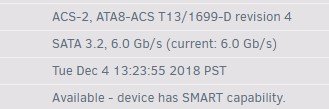
I've struggled with this issue for awhile, everytime I think I finally have figured it out I'm proven wrong. Currently I'm using Unbalanced to empty the contents of a drive. It's plodding along at 22MB/s. If I transfer that same content to an external USB3 drive and then copy it back to the array I'll get 130+ MB/s, why? I do not use the cache drive for any file copies, so that isn't it. I have reconstruct writes enabled, all my drives are connected at sata 6g, I am not cpu/ram limited (96GB of ram, dual xenon) so what gives? This is the one issue I have with unraid that really bothers me. I get that I am not going to get the same performance as a raid 5 array but, when I can do a parity sync and average 140+MB/s and a file copy can't manage half that something seems very wrong. Any one have ideas? Thanks!

-
What are the variable on the NUT details page in settings? What UPS? The UPS i'm using is a Cyberpower OR2200PFCRT2Ua. When in manual mode, I just enter the ratings that the manufacturer gives, which are: UPS Output Volt Amp Capacity (VA):2200 UPS Output Watt Capacity (Watts):1320 I notice in the NUT settings the variable ups.realpower.nominal always equals 296 and I think that might be the issue with the differences being displayed.. In manual mode I assume the 1320 I'm entering is overwriting that 296 in it's calculations. Where as in Auto mode its using that 296 and thats why the ups load in watts is way off in Auto.
.thumb.jpg.e3c294961036afb9bc3a843d083b213f.jpg)
.thumb.jpg.ad087d72eabc3aaf8ffd7e1e4f72256a.jpg)




.jpg.b0f4cab9ad1c9a86dd6d0f3d24ab11c1.jpg)
.jpg.8e2f6d6c4c779f01132f7e7b44274e37.jpg)