





Nowjon
Members
-
Joined
-
Last visited
Everything posted by Nowjon
-
Do you happen to have another VPN container? I have my DelugeVPN container running and I have the Jackett docker use it's network by setting the network type = none and then adding "--net=container:binhex-delugevpn" to the Extra Parameters. I haven't noticed any of the issue you've described, maybe this could be a helpful workaround!
-
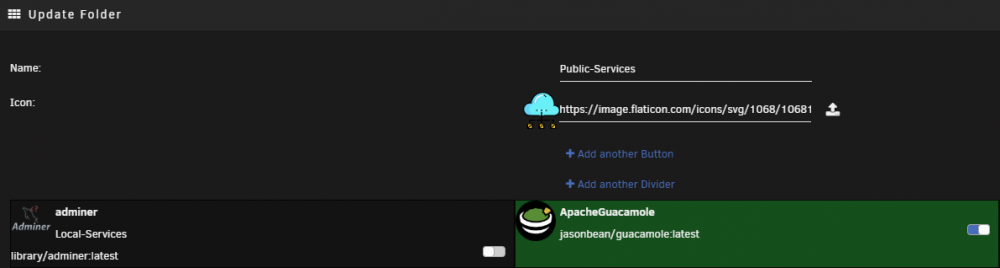
Sorry, I am using Dark mode, but the 'current page' I was referring to was the current 'Update Folder' in the UI. See the image below, basically I have a folder called Local-Services that the adminer is already apart of. Would be cool if that info was displayed on this page and maybe if you turn it on (to add it to the Public-Services folder) it will have like an arrow pointing from Local-Services -> Public Services. Hope this helps! ❤️
-
Heyo, LOVE this plugin, absolutely the best improvement to UNRaid UI in a while (Besides Dark mode xD) but I wish the view for adding containers to the folder was better. Ideally I could drag a docker container into a folder and it would add it in, as well as maybe have a bar at the top that's like a placeholder, if you drag the container into this placeholder it will create a new folder with the container you dragged into it. I'm assuming that's not very viable, but I wish there was a better way to manage the folders. Maybe include on the current page which folder a container is already in? Maybe that would help, the graying out isn't very noticeable. Thank you for the awesome plugin!
-
Thank you so much for this! This is awesome! I was getting like 1/3 or 1/4 of what I can now!
-
Another suggestion if you want In the below image only one of the containers is set to run on boot, the MariaDB container, the Adminer is only for management and isn't run 24/7, I think the status for the folder should display the status for the containers set to run on boot. i.e. suggest making the orange square for the container green, because all of the items in the docker set to run on boot are running. Hope that makes sense. Thank you!

-
Thank you! I think the current iteration is great! ❤️
-
Hey, sorry if I was a little unclear. I was thinking more like the below, where it shows whether or not this whole folder's items are up to date or not. It's no big deal if it can't be done, just though I would suggest it! And I wasn't trying to complain about the 3/3 thing, I still love this and just wanted to let you know about the bug. Thanks for all the awesome work!

-
Oh also! I found a bug! If you remove one of the containers in the folder then the "3/3 Folder" on the folder doesn't update the total number of docker containers in there. I had to re-create two of them already due to this Appreciate the work!
-
Are suggestions taken here as well? I was thinking there should be a something to notify us of an update, maybe something that says "Update Available for X Dockers" where X being the number of containers within a folder that has an update available. Maybe further down the line we could select this button to update all of the containers in the folder? Anyways, hope I'm not posting in the wrong spot. Love this docker and was looking for something like it and was pleasantly surprised it existed!
-
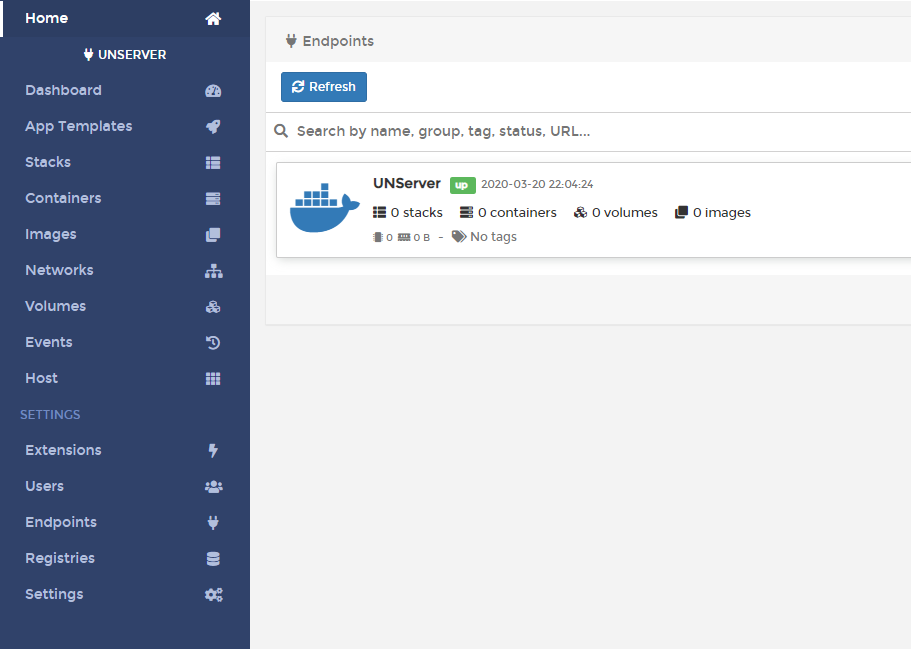
I installed the docker and was able to change my password but it won't actually connect to anything within UNRaid's dockers? Anyone have any ideas?
-
Adding the "--user 99:100" allowed me to run the container, then had to use postgres to get it functional as I couldn't connect to a Mariadb without importing the time tables (Not something I've done but I believe that would resolve the issue) but I am unable to get the ICMP Ping to work correctly. The log shows the below for the ping test: "[33mWARN[0m[70014] Service {SERVICE NAME} Ping Failing: Issue running ICMP to service {MY EXTERNAL IP}, listen ip4:icmp : socket: operation not permitted | Lookup in: 0.00 ms [33mtype[0m=core" I found this that says "You will need to run Statping as sudo or with super user privileges. (required for ICMP)" Is there any way for me to do so? Is that another change to the Extra Perimeters? Any help is appreciated!
-
Hey Djoss, Is there any plans to add DNS validation like the LetsEncrypt docker has? Thanks!
-
Reinstalling fixed it!
-
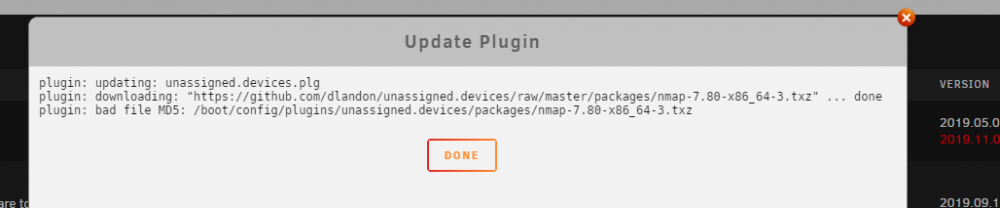
I saw there was an update for this plugin today and attempted to update but I'm getting a "bad file md5 : /boot/config/plugins/unassigned.devices/packages/nmap-7.80-x86_64-3.txz" Is this an issue with the update or?




