





DisposableHero
Members
-
Joined
-
Last visited
-
fixed it by repairing the database
-
just updated the docker this morning and ran into the same issue.. "Something went wrong" I have been running 6.10.1 since it came out without issues so something must have gone wrong with the docker update.
-
My install stopped working after upgrading to v6.10.0-rc3 as well... not sure where to start as downgrading the telegraf version didnt work like it has in the past. ERROR: Unable to lock database: Permission denied ERROR: Failed to open apk database: Permission denied is the error i get. EDIT: ended up getting it back up and running via the following version: telegraf:1.20.2-alpine
-
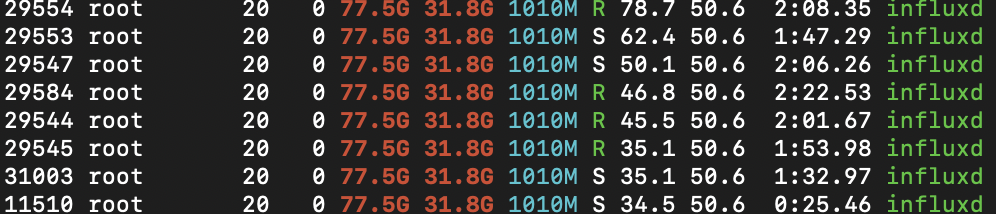
Awesome work! What's the CPU usage supposed to be with this dashboard? My influxdb docker goes nuts as soon as I open it, maxing all four assigned cores in the GUI and the HTOP below. EDIT: I removed a few of the data intensive charts and things are much quicker now.
-
Sorry if this has been explained before, it's a long thread... What is the reason for the upload script if I can just place files in the mounted folder and it'll upload on its own? I just use the simple mount command below. Thanks mntpoint="/mnt/disks/gdrive" remoteshare="gsuite:" rclone mount --allow-other --drive-chunk-size 512M --dir-cache-time 5m --log-level INFO --vfs-read-chunk-size 128M --vfs-read-chunk-size-limit off --fast-list --vfs-cache-mode writes --max-read-ahead 2G $remoteshare $mntpoint &
-
First one didnt help, but it worked after the second! I'm back in the GUI.. thanks!
-
is anyone having an issue with airvpn? I'm stuck with the below message, no mater what server i use. 2020-05-19 09:21:22,478 DEBG 'start-script' stdout output: [debug] Having issues resolving name 'www.google.com', sleeping before retry...
-
Updated this the other day and didn't realize it completely broke my setup until I went to control something lol Here is the error in the logs: (node:1) UnhandledPromiseRejectionWarning: Error: Cannot find module 'inherits' Require stack: - /hoobs/node_modules/glob/glob.js - /hoobs/lib/cli.js - /usr/src/hoobs/scripts/docker.js - /usr/src/hoobs/bin/hoobs at Function.Module._resolveFilename (internal/modules/cjs/loader.js:982:15) at Function.Module._load (internal/modules/cjs/loader.js:864:27) at Module.require (internal/modules/cjs/loader.js:1044:19) at require (internal/modules/cjs/helpers.js:77:18) at Object.<anonymous> (/hoobs/node_modules/glob/glob.js:47:16) at Module._compile (internal/modules/cjs/loader.js:1158:30) at Object.Module._extensions..js (internal/modules/cjs/loader.js:1178:10) at Module.load (internal/modules/cjs/loader.js:1002:32) at Function.Module._load (internal/modules/cjs/loader.js:901:14) at Module.require (internal/modules/cjs/loader.js:1044:19) (node:1) UnhandledPromiseRejectionWarning: Unhandled promise rejection. This error originated either by throwing inside of an async function without a catch block, or by rejecting a promise which was not handled with .catch(). To terminate the node process on unhandled promise rejection, use the CLI flag `--unhandled-rejections=strict` (see https://nodejs.org/api/cli.html#cli_unhandled_rejections_mode). (rejection id: 1) (node:1) [DEP0018] DeprecationWarning: Unhandled promise rejections are deprecated. In the future, promise rejections that are not handled will terminate the Node.js process with a non-zero exit code.
-
Try changing the MAC Sent from my iPhone using Tapatalk
-
Are you connecting via the new IP:8080? Not the port in the docket configuration. Sent from my iPhone using Tapatalk
-
I ran into the same issue and assigning its own IP worked as well, but now I can't easily log the webgui from the docker page. Bummer
-
Same here... came here to see if this plugin was even still being worked on.
