





PitRejection2359
Members
-
Joined
-
Last visited
Everything posted by PitRejection2359
-
Hi All, I just followed the procedures here to replace a failing SSD in my cache pool with a bigger SSD, currently on 6.10.0 RC4. Everything seemed to be fine right up until the last step of restarting the array as the new disk was bigger than the one it was replacing - when it restarted, it came up with the error: "Unmountable: Invalid pool config" I've attached the diagnostic logs, and haven't tried anything after re-starting the array yet. Any ideas how to fix this? I have the original (failing) SSD still attached, that could be pulled back into the pool if it will help. tatooine-diagnostics-20220409-1806.zip

-
Is there any way to monitor the progress of the btrfs replacement / rebuild?
-
Sorry to be a pain / newb: where can I find that script? and I presume the "standard" path (I didn't change anything during the install) to db folder is /mnt/cache/appdata/clamav? Thank you.
-
Thank you - had another read of the FAQ and realised that the instructions have changed a bit since the SpaceInvaderOne video i was following, and I had to add the 8080 port to another field in the binhex vpn docker. All working now - cheers!
-
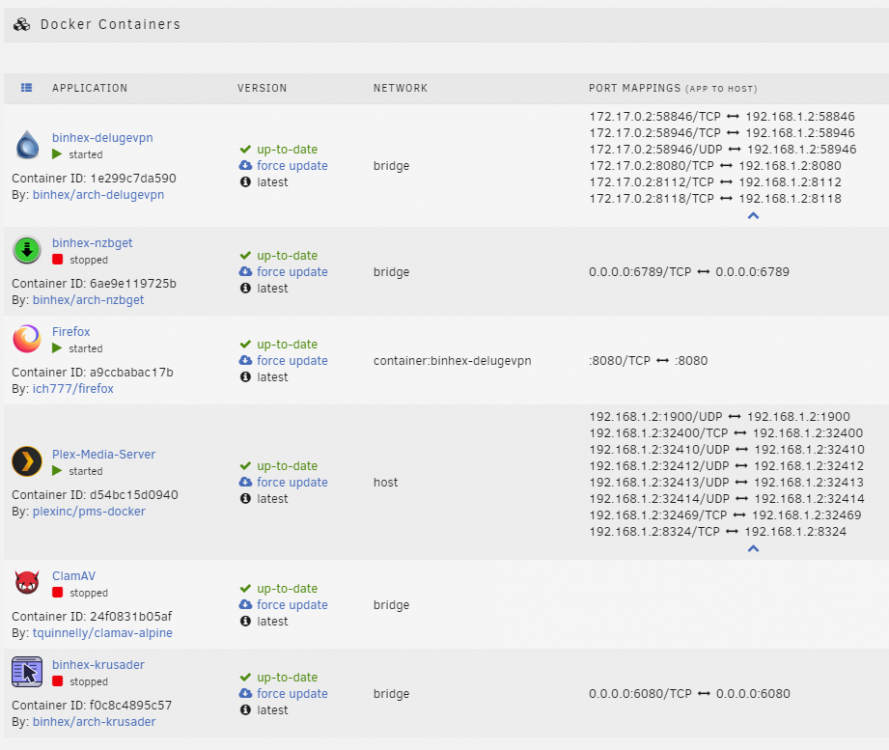
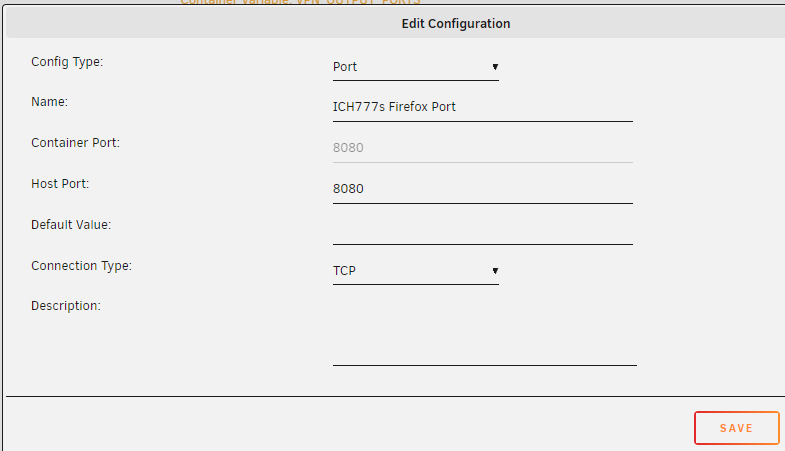
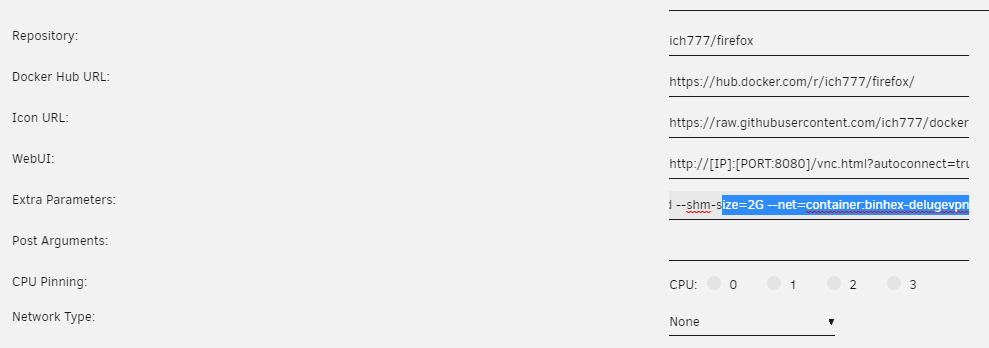
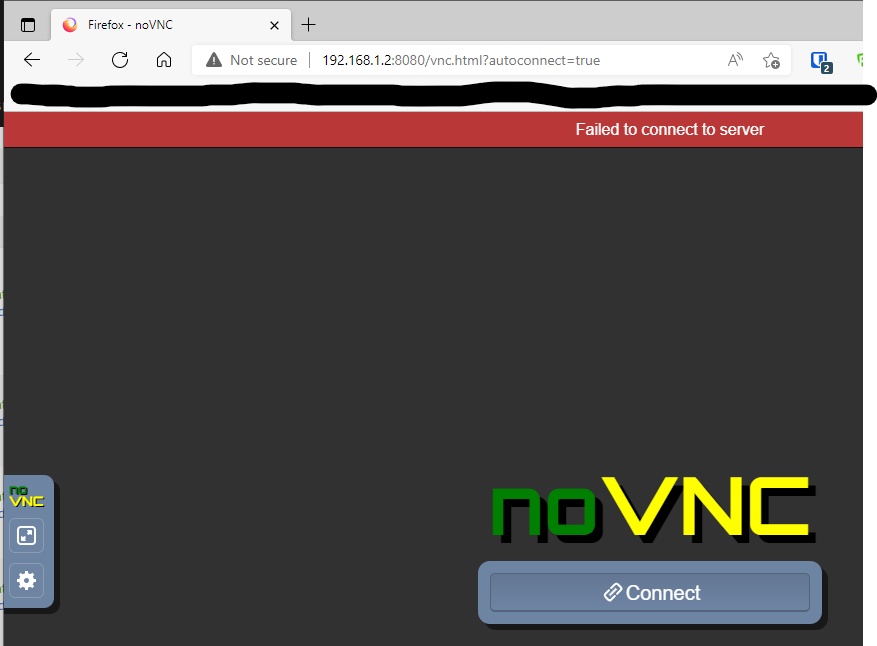
I don't think anything else is using the 8080 port; screenshots added. 1. all port mappings in my dockers: 2. settings when adding firefox port to delugevpn docker: 3. firefox docker settings for network: 4. error when clicking on firefox webGUI link: 5. error when trying to use the IP & port of the server and firefox container: anything give any clues there? Thank you for helping!

-
Hey, I'm using the firefox docker and it seems to work fine, however I'm trying to VPN / privoxy it through binhex-delugevpn container. Deluge VPN works fine, so I added "--net=container:binhex-delugevpn" to the extra parameters, set the network to "none", and added 8080 to the ports in the binhex-delugevpn docker., but for some reason I can't then get firefox to work. When i try to click on the GUI (or go to the IP address of the server plus 8080), it has an error on the web browser saying "blocked". Any ideas what I'm doing wrong and how to get the firefox docker to go through the VPN?
-
I ve just installed this for the first time on a very new unraid install and I am getting the same "exit code 2" and "cant create freshclam.dat in /var/lib/clamav". I've tried chacing the UID and GID from the default (99 & 100) to 100 and 101 with no luck. Is there something wrong with the standard build that needs me to run a script to get it to work?
-
I figured it out - my VPN doesn't allow torrents on that particular location / IP address I had downloaded the ovpn file for - changing it to a different location & file worked fine.
-
So, I managed to use a different VPN and can now access the deluge webui with the VPN running, but it doesn't download anything. The IP address box on the bottom right within deluge is blank, but if I open a console and run "curl ifconfig.io" it shows an IP address in the country that I've set my VPN to route through. If I turn the VPN off, the download speed goes normally and i can see the IP address in Deluge. Any ideas what is going wrong? recent supervisord.log attached. supervisord.log
-
Thank you, I'll take a look and see if I can work out how to resolve that...[emoji1696] Sent from my SM-G965F using Tapatalk
-
Ok, will do.
-
thank you - found it and attached to my earlier post.
-
Sorry - which are the supervisord logs? Is that the log from the binhex deluge vpn docker that I can view by clicking on the docker icon? Found it - Passwords removed and attached. supervisord.log
-
Evening all, I've just set up this docker but am having trouble getting the vpn aspects to work. If I turn the VPN to "off", the docker works just fine, so I know that its just the VPN side of things. When I turn on the vpn, I can't access the GUI at all, but can as soon as I turn it off. I have a subscription with PureVPN, and downloaded the ovpn file for the server i need to use (as per SpaceInvaderOne's youtube guide). However, I can't see any certificates (crt or pem) files anywhere on the purevpn web pages. I had a quick look through the log and can't see anything that looks out of place, but I'm not really sure what I'm looking for to be honest! Sorry for the really bone question: but how do I work out what is wrong and how do I get it working?! Cheers.
-
I'm still on 6.9, but maybe this is a good opportunity / reason to upgrade! Thank you.
-
Hi Fellow Unraiders, I have a cache pool with 1 x 500GB drive and 3 x 240 GB drives, all SSDs and in btrfs RAID 1 mirror configuration with 610 GB usable space across all 4 drives. One of the 240 GB drives is starting to fail with a bunch of SMART errors, so I've bought a second 500GB SSD to replace / upgrade it. I've done a bit of searching and there appears to be a couple of ways of manually moving / backing up the files on the cache (app data, VM, docker, etc - everything else is already automatically moved to the main array), but given this is RAID 1, can I simply do the following: Stop the array (and cache). Add the new SSD to the cache as a 5th disk in the cache. Start the array, and let it a sync (not sure if this requires a manual start somehow possibly with mover, or if it would happen automatically). Stop the array when complete and remove the failing drive. Start the array and let it sync again. Obviously there's some risk while the data is not actually mirrored, but other than that small risk, would the above process work? Or would it be possible to reduce the steps further by removing and replacing the 2 SSDs both at the same time when shut down - would the sync pick that back up afterwards and re-duplicate the data onto the new drive? Any help / tips appreciated - thanks!
-
+1 too!
-
Thanks - I'll take a look and see whether I can give it a go. [emoji106] Sent from my SM-G965F using Tapatalk
-
6.9.2 is 6.10 RC stable enough to "go prime" with yet? (I'm guessing that has the additional options)
-
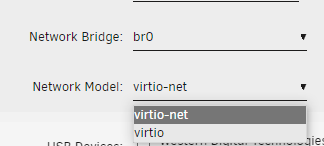
I just tried the other one (there's only 2 in mine: virtio and virtio-net), but neither of them worked, unfortunately.
-
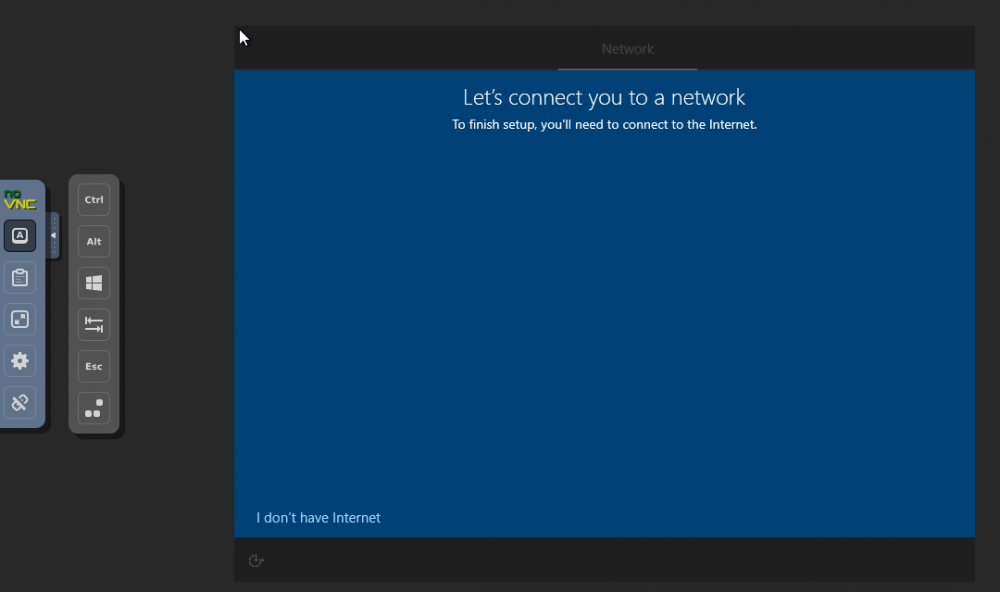
Hi All, I've created a new windows 10 VM in unraid 6.9.2 and am in the middle of installing windows 10. I have the virtio ISO attached and have loaded the drivers for the hard drive. After the W10 VM boots and the installation begins, this installation requires access to the internet to finish off and connect / join / login with a Microsoft account. But, for some reason the network drivers aren't picked up from the ISO, and I get the error below. I know its possible to overcome this 2 ways: 1. Click "i dont have internet" and log in as a limited account, then load the network drivers from the ISO, and then add a microsoft account to the installation. 2. Follow the "add drivers to windows offline" instructions using DSIM and windows PE, which looks to be quite a long process. I like to create VMs to mess around and test things, then delete them when I'm done - I don't really want to be doing either process above every time I need a fresh W10 VM! Is there any way to bring up some kind of a driver load screen during the installation to load the network drivers and avoid either one of the 2 methods above? Cheers.
-
I'm planning on doing something similar in my unraid: using a windows 10 VM for a few services that I can't work out how to do it in unraid / docker / plugin (such as the amazon drive photo backup) and also run a minecraft server. SpaceInvaderOne has a video guide to set up a java minecraft server: How to Easily Set Up a Minecraft Server and Connect it to a Domain, and there are other guides to do it with bedrock too (here (Ibracorp and pterodactyl) and MineOS here) - I haven't tried ether yet, but will be giving it a go soon.
-
yeah, this is they way. unfortunately....!
-
Thanks - I'll check when I get home, but don't really want to try to change it if there's a hight risk of messing it up and losing the data! I'll have to work out some other way to migrate the data across the network, rather than directly on the untaid server. Sent from my SM-G965F using Tapatalk
-
OK, thank you for all the details and info. So why does one of the disks come up as NTFS in unraid then, even though they were all passed through and formatted in the VM? And is there any way to remove the VMWare tag somehow, whist retaining the data on the disk?




