





dhstsw
Members
-
Joined
-
Last visited
Everything posted by dhstsw
-
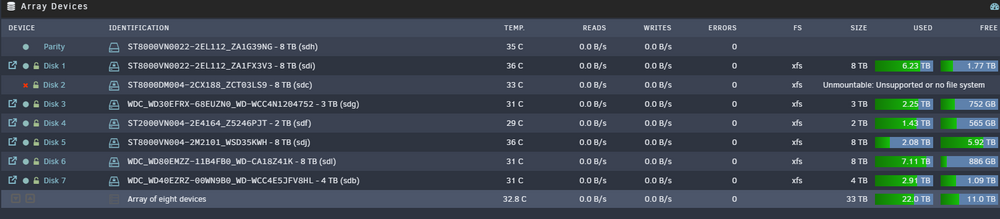
I've following the procedure here (last post): After some attempt the "Check File System" tool seems to have fixed it (a good amount of files dishappeared, from emulated too) but, mounting the array again the disk is emulated. :-/ Should i remove it from the pull, re-add it and rebuild?
-
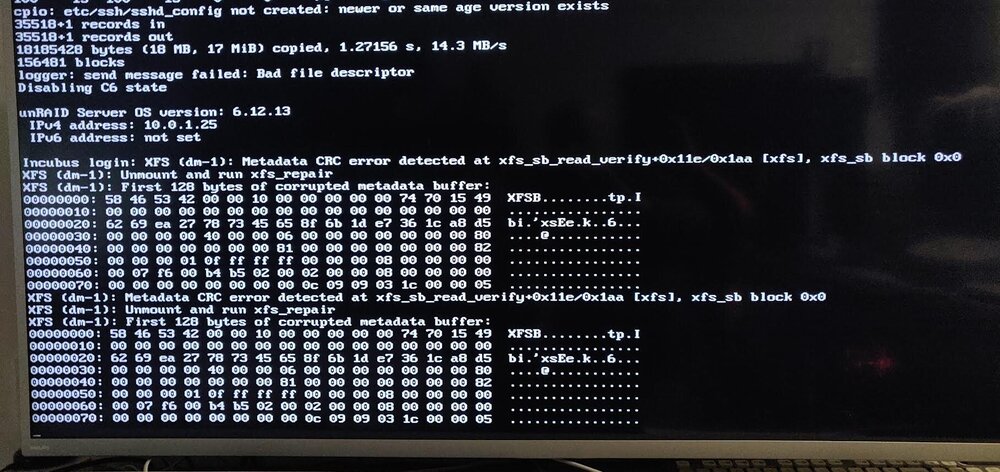
So, today i found this surprise (with zero SMART warings): On the console i read: Stopping / Starting the array makes no difference. Disks are all crypted. any hints? Thanks.
-
Will do, thanks. But has there been any driver update in the last days? Otherwise i can't understand the change in behaviours.
-
Yes, perfectly. With the command everything goes as it should be. How can i have it issued (with a script i guess) but, also, why this now? :-/ Any idea? Not yet.
-
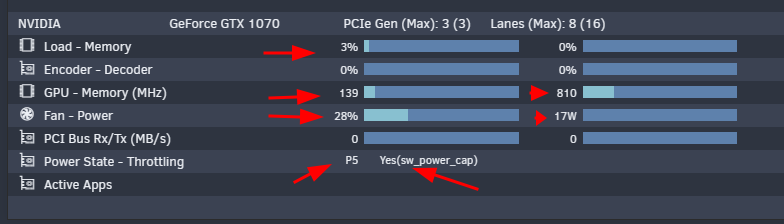
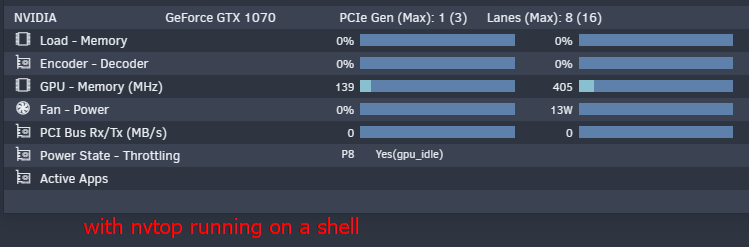
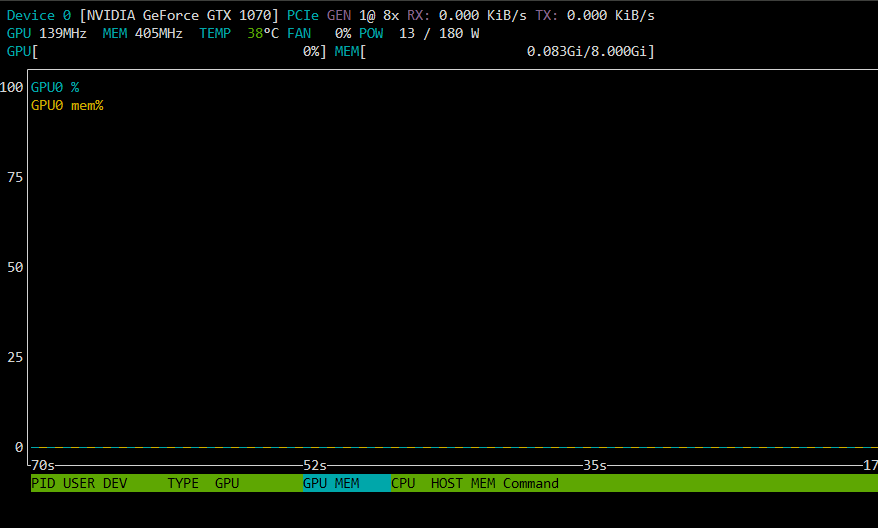
Hi, last night i noticed the fans on my GTX 1070 running (while usually it's not the case). Today, looking at the GPU stats in the dashboard i noticed this: Beside having fan spinning, and some load on memory, the power state says "P5" and the the card being throttling. As you can see, nothing is using it. If i run nvtop everything goes back as it should be: BUT, still says GPU is throttling. This is what nvtop shows: As i close nvtop, the card goes back to the previous state (as in 1st image). I tried to uninstall drivers, reboot, reinstall drivers, reboot - but nothing changes. I'm quite puzzled, everything was perfect until last night. All images (and diagnostics) taken with docker and VSs disabled. I attach my diagnostics to the post.incubus-diagnostics-20241022-1513.zip Any help would be greatly appreciated. thanks.
-
Nice, thanks.
-
HI, Any chance to integrate the container with SQLite3 CLI and jq, so we would be able to import existing DB? https://bitmagnet.io/guides/import.html Thanks.
-
While you were writing i shutted down the server (instead of rebooting it) and waited a minute before starting it up (i was rebooting it a 5 or 6 times before writing the post). Entered bios, everything looked nominal. After booting it was ok. Maybe somehing weird was hanging in memory for some reason, no idea. Now looks ok. Thanks for your reply anyway. C.
-
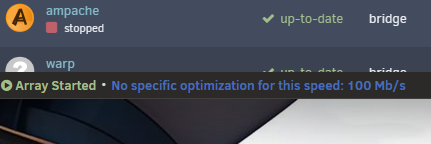
Hi there, Last night unraid crashed, no idea why. Restarted it and everything seemed ok. Today i noticed that ETH speed was capped at 100mb/s. restarted and now i get this message in the lower left corner of the webui: Array Started•No specific optimization for this speed: 100 Mb/s Can anyone help? Thanks.
-
Hi, As said, no chibisafe-server container in CA (and, in the while, even the "old" chibisafe template went dark, no traces of it). There's the one in hub.docker.com, and that's the one i tried to use. Only that there's no documentation of it (at least, i didn't find one). so: Ok. Yes, but wich other variable is involved? Wich port should be redirected to wich port? Yes, but what about the template variables? The docker port 8000, redirected to 24424, how should be configured? Should the other variables be left alone? Ok. So, i guess chibisafe-caddy doesn't need to be included in the custom network. I hope so, cause the "old" chibisafe is already included in a custom networek shared with SWAG (to be accessible through a domain from outside). Also, what is exactly the "BASE_URL:"? thanks.
-
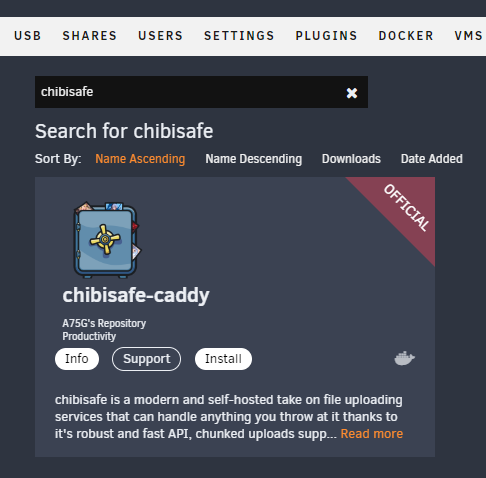
Thanks, but atm in CA the only chibisafe avaiable is the caddy:
-
Hi, Chibisafe after update to 6.0.0 (and 6.0.1) isn't working anymore with the current template. In the logs i see it makes itself avaiable in docker port 8001 (instead of 8000): redirecting a port to that 8001 loads a chibisafe page but seems to be unable to connecto to its server. In the official GIT it says that migration from 5.x.x to 6.x.x is handled automatically but it doesn't seems the case. Any idea? BTW: downgrading to previous 5.x.x version works. thanks,
-
"virtual USB hard drive"? Where is this option?
-
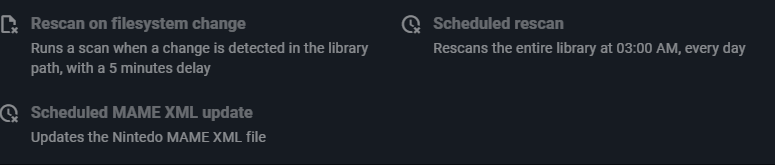
Tried to configure the container with the following variables (taken from https://github.com/zurdi15/romm/blob/release/examples/docker-compose.example.yml ): SCHEDULED_RESCAN_CRON value 30 13 * * * ENABLE_SCHEDULED_UPDATE_MAME_XML value 5 13 * * * Starting the container it still reports default values: And after a while crashes. Removed them, it starts. I force a new scan, it starts finding some 3do roms then all it found dishappears, looks like it's till scanning (but it'sshowing it only if i check the logs), no files added to "library", quite a lot of those: ERROR: [RomM][2023-12-24 21:30:36] 400 Client Error: Bad Request for url: https://api.igdb.com/v4/covers/ ERROR: [RomM][2023-12-24 21:30:37] 400 Client Error: Bad Request for url: https://api.igdb.com/v4/screenshots/ I guess i'll keep it there until some problems have been ironed out. Thanks for the work so far.
-
That worked. Thx.
-
Hi there, Following the guide: 4. Manage your newly created application 5. Generate a Client Secret by pressing [New Secret] Under the manage application i don't have any "new secret":
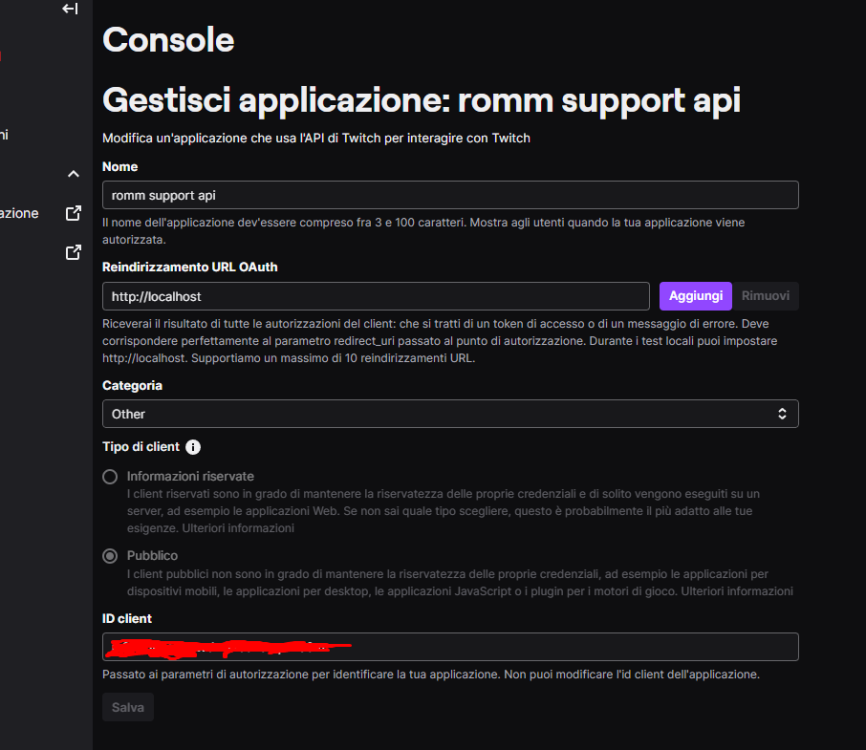
-
Thanks, in the while i solved with Fan Auto Control. C.
-
starting with the computer turned on: -No fans. -Unraid prompt for selection (with or withour guy/safe mode). -After a while, during loading, the fans spin to max then stop immediately; -text on video switched from low res to high res; -Fans tun on after a while, and like, a minute after turn off. -Just before Unraid finishes loading (and showing prompt to login) fans start again at mid level; after this, they may turn off for a while and then start again (and stay on). (a little clarification: the internal of the computer isn't hot and the gfx card is doing basically nothing). -Loading a VM (with gfx card passthrough) ends this behaviour, until its stopped. Then the fan starts again. -Removing the radeontop, this behaviour ceases. Also, until yesterday (when i was stubbing the card in vfio) all of that wasn't happening (no fans spinning), so i guess it has also something to do with Unraid loading AMD gfx drivers. C.
-
Hi there, After some months i'm "upping" this thread. Yesterday i went through a major "crysis" with my Unraid installation and having a progressive backup with my rsnapshot script would have been a life saver. But still, it requires lchown and i still didin't find a way to have the command running in my Unraid (in previous version was there). Any possibile solution? Thanks.
-
Little addition: Removing radeontop plugin solved the issue with the fans running high. Cheers.
-
Hi, I'm having one of those days, if there has ever been one. Basically, by mistake i've been setting one docker container (Transmission_VPN) to use HOST instead of bridge. Since then, i can't access unraid in any way except directly. Of course i've corrected the container, stopped it, removed it, stopped the docker service and so on. No way, i can't access the server anymore: http, https, SMB. SSH... restored a previous unraid backup... nothing works. And yes, the eth cable is connected. Any idea? I'm quite desperate Thanks. incubus-diagnostics-20231119-2359.zip
-
Me being me, it's quite normal things don't go the way they're supposed to Thanks. C.
-
So, after hours of fiddling, what comes out (at least, in my system) is: -you have to create and _run_ at least once every new VM *without* the AMD Vendor Reset plugin installed; -the you can install the plugin, and everything works.
-
So, card unbind. 1st thing i can notice is the fans on the card spinning up like crazy. Seabios: char device redirected to /dev/pts/1 (label charserial0) 2023-11-19T14:03:50.200337Z qemu-system-x86_64: vfio: Cannot reset device 0000:01:00.1, no available reset mechanism. 2023-11-19T14:03:50.205360Z qemu-system-x86_64: vfio: Cannot reset device 0000:01:00.1, no available reset mechanism. 2023-11-19T14:03:50.991547Z qemu-system-x86_64: VFIO_MAP_DMA failed: Bad address 2023-11-19T14:03:50.991592Z qemu-system-x86_64: vfio_dma_map(0x147f946c2400, 0xd0000000, 0x10000000, 0x147f84200000) = -14 (Bad address) 2023-11-19T14:03:50.992033Z qemu-system-x86_64: VFIO_MAP_DMA failed: Bad address 2023-11-19T14:03:50.992051Z qemu-system-x86_64: vfio_dma_map(0x147f946c2400, 0xe0000000, 0x200000, 0x147f84000000) = -14 (Bad address) 2023-11-19T14:03:50.992743Z qemu-system-x86_64: VFIO_MAP_DMA failed: Bad address 2023-11-19T14:03:50.992761Z qemu-system-x86_64: vfio_dma_map(0x147f946c2400, 0xfe400000, 0x40000, 0x14809928c000) = -14 (Bad address) 2023-11-19T14:03:50.993306Z qemu-system-x86_64: VFIO_MAP_DMA failed: Bad address 2023-11-19T14:03:50.993323Z qemu-system-x86_64: vfio_dma_map(0x147f946c2400, 0xfe200000, 0x4000, 0x148099288000) = -14 (Bad address) OVMF. -msg timestamp=on char device redirected to /dev/pts/1 (label charserial0) 2023-11-19T15:32:14.346058Z qemu-system-x86_64: vfio: Cannot reset device 0000:01:00.1, no available reset mechanism. 2023-11-19T15:32:14.362085Z qemu-system-x86_64: vfio: Cannot reset device 0000:01:00.1, no available reset mechanism. Thx.
-
I will try that now. RX560. Problem shows up with both SeaBIOS and OVMF (even if it manifests in different ways). Trying to unbinding and will let you know. THX



