





dhstsw
Members
-
Joined
-
Last visited
Everything posted by dhstsw
-
And today here we are again. :(
-
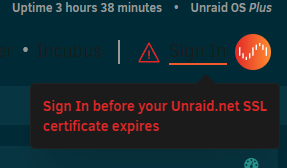
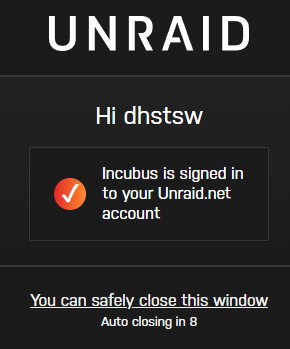
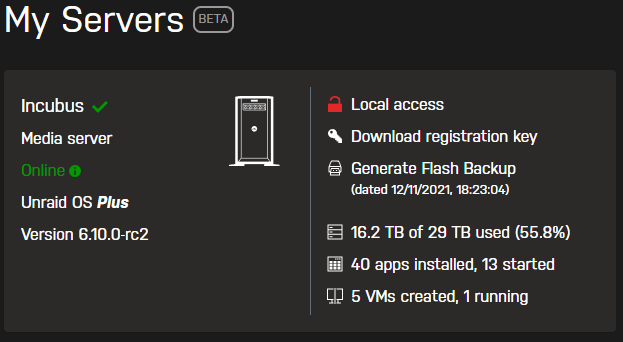
So, today my WebUI tells me to sign in: I do so: And then it asks me again to sign in. And keeps going on like that. My Servers seems to work tho: EDIT: an unraid-api restart seems to have solved it.
-
Never mind. I had enough and changed the key to ECDSA and now everything is working. (well, not really: the user/root filed to paste the key refuses any format for the key. I had to directly edit the authorized_keys file. C.
-
Wich of course i did. It is now mandatory to define a root password. We also created a division in the Users page to distinguish root from other user names. The root UserEdit page includes a text box for pasting SSH authorized keys. For new configurations, telnet, ssh, and ftp are disabled by default. My configuration isn't "new". SSH is enable. root password is defined since day 1. My SSH key is where it's supposed to be and shows in my users/root configuration in the webui. My clients (Putty, WinSCP) are up to date.
-
Hi all, Updated to 6.10.0-rc2 and i can't anymore ssh into my unraid as root. a tail /var/log/syslog gives: userauth_pubkey: key type ssh-rsa not in PubkeyAcceptedAlgorithms [preauth] but ssh-rsa is enabled in sshd_config: #ssh -Q PubkeyAcceptedAlgorithms ssh-ed25519 [email protected] [email protected] [email protected] ssh-rsa rsa-sha2-256 rsa-sha2-512 ssh-dss ecdsa-sha2-nistp256 ecdsa-sha2-nistp384 ecdsa-sha2-nistp521 [email protected] [email protected] [email protected] [email protected] [email protected] [email protected] [email protected] [email protected] [email protected] [email protected] And: # ssh -Q PubkeyAcceptedKeyTypes ssh-ed25519 [email protected] [email protected] [email protected] ssh-rsa rsa-sha2-256 rsa-sha2-512 ssh-dss ecdsa-sha2-nistp256 ecdsa-sha2-nistp384 ecdsa-sha2-nistp521 [email protected] [email protected] [email protected] [email protected] [email protected] [email protected] [email protected] [email protected] [email protected] [email protected] I double checked the autorized_keys and it's correct. I'm literally getting mad. Any idea? Thanks.
-
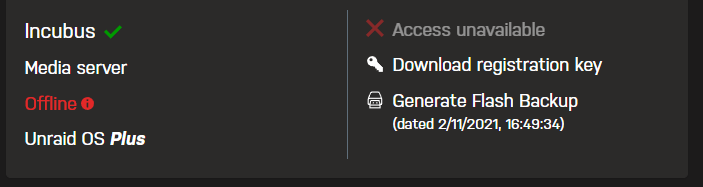
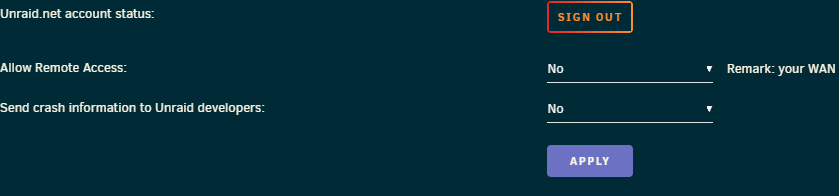
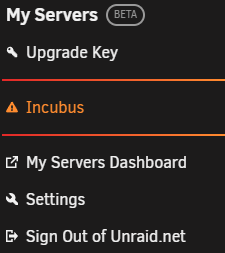
Well, don't really know what's wrong. Every time i reboot i get: Then it *may* become avaiable, *if* it will after a lot of time. But that's not always the case. Also, aftere every reboot, all the setting for My Server are reset to default, so: I turn "Allow Remote Access" to Yes, apply, and after a reboot everything goes back to "No". I already tried to uninstall/reinstall. I was hoping that maybe after updating to Unraid RC2 thing would have fixed by themselves but that's not the case. I'm basically always like that: :(
-
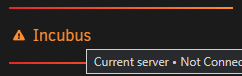
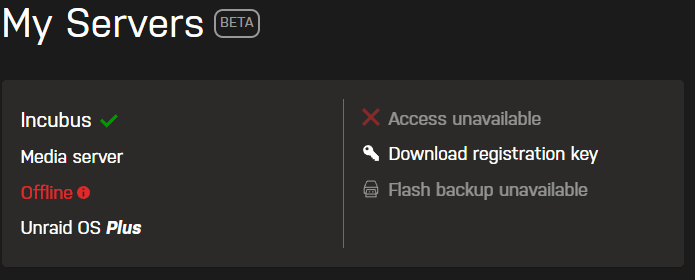
Same here today. FIrst Unraid told me the flash drive was damaged. Reboot, it went into Parity check. Cancelled it, now: And: Config is ok. Puzzled. EDIT: now it went online by itself after some minutes. EDIT2: reboot, same problem. It seems it takes age to be recognized by My Servers (or to say "hey, i'm alive").
-
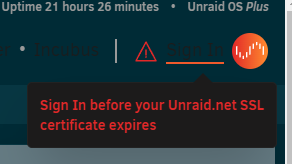
Starting today Unraid servers is logging me off again. When i try to login again it "does" but after that keeps showing me log off and asking me to login. In loop Edit: it seems to have solved itself after a reboot.
-
Thanks.
-
Hi, How do i exactly can limit to specific users access to the share under UD (a share created on a phisical device mounted with UD)? (i'm asking because of course being outside of the array i can't manage the share with the "Shares" tab). Thanks.
-
Seems to be fixed now. Thanks! C.
-
The very same happens to me. Sending you the files in PM. C.
-
Found it. Some of the ports assignments are duplicated in the template. Removed those and it works.
-
Thanks. If it is the SHADOWSOCKS_PORT_UDP i corrected it but still no joy. C.
-
Hi, no matter what i do i get With everything configured correctly. What's weird is that if i run the command via shell: docker run -it --rm -e VPNSP=purevpn -e OPENVPN_USER=user -e OPENVPN_PASSWORD=password -e VPN_SERVER_HOSTNAME=servehostname --privileged qmcgaw/gluetun It works (tho, assigning a random server and not the one selected). Also, it doesn't download the settings.json in the /gluetun path (i left the one from the template), even if the log states it does. Thanks.

-
Yup, that way.
-
Used portainer, deleted unused images and volumes and now it looks it is the way it should. Thanks a lot C.
-
Hi, What i see with: docker images --format "{{.ID}}\t{{.Size}}\t{{.Repository}}" | sort -k 2 -h is that many containers seems to be "duplicated"? EG: 9424a2614fcc 108MB haugene/transmission-openvpn c6cd37583653 114MB haugene/transmission-openvpn a682fba409df 120MB haugene/transmission-openvpn f5d02a66d972 121MB haugene/transmission-openvpn b4746e5938dc 2.26GB onlyoffice/documentserver c58d07454e56 2.35GB onlyoffice/documentserver 289798f72e62 2.45GB onlyoffice/documentserver And so on. Any chances to fix that wihtout portainer? Thanks.
-
Here it is: /dev/loop2 30G 24G 3.4G 88% /var/lib/docker What should i do? Thanks.
-
Hi all, i'm having a similar issue on 6.9.0-rc2. Briefly, Fix Common Problems keeps reporting i'm running out of space on the docker.img: If i run the "CONTAINER SIZE" script from the Docker page i get this: Docker.img was 20Gb, so i incremented its size to 30Gb. BUT, still, FIx Common Problems keeps reporting the same (88% of usage). I already deleted dangling images, without any results. Any idea? thanks.
-
Sorry, i left the content folder in the config to "~". Set to /media is ok.
-
HI, looks like the path for /media isn't mapped correctly in the container. It doesn't store files in /media but somewhere else (the container image files get filled quite quickly).
-
Thanks for everything C.
-
Well, that was weird. With the 3 spaces it does work. Thanks! One question: would it be possible to use the container as a gateway? Currently i'm using an ubuntu server vm configured as in the video below (with mods). That's because using an openvpn as a proxy the service i try to connect to detects the VPN (i guess there are leaks). With a gateway everything works as intended. Thanks.
-
OpenVPN AIO Client not working here, looks like it can't find the openvpn.ovpn file (wich is where it's supposed to be). Lots of errors in log file: [info] Set up nftables rules [info] Flusing ruleset RTNETLINK answers: File exists [info] Added route 10.0.1.0/24 via 10.0.1.2 dev eth0 [info] Editing ruleset [info] Apply rules /nftables.rules:11:36-39: Error: Could not resolve service: Servname not found in nft services list add rule ip filter INPUT tcp sport om80 counter accept ^^^^ /nftables.rules:24:37-40: Error: Could not resolve service: Servname not found in nft services list [info] Set up nftables rules [info] Flusing ruleset RTNETLINK answers: File exists [info] Added route 10.0.1.0/24 via 10.0.1.2 dev eth0 [info] Editing ruleset [info] Apply rules /nftables.rules:11:36-39: Error: Could not resolve service: Servname not found in nft services list add rule ip filter INPUT tcp sport om80 counter accept ^^^^ /nftables.rules:24:37-40: Error: Could not resolve service: Servname not found in nft services list add rule ip filter OUTPUT tcp dport om80 counter accept ^^^^ [info] All rules created [info] Quick block test. Expected result is time out. Actual result is [removed] [info] Setting up OpenVPN tunnel [info] Create tunnel device [info] Allow DnS-over-TLS for openvpn to lookup VPN server Error: Could not process rule: No such file or directory add rule ip filter INPUT tcp sport 853 counter accept ^^^^^^^^^^^^^^^^^^^^^^^^^^^^^^^^^^^^^^^^^^^^^^^^^^^^^^ Error: Could not process rule: No such file or directory add rule ip filter OUTPUT tcp dport 853 counter accept ^^^^^^^^^^^^^^^^^^^^^^^^^^^^^^^^^^^^^^^^^^^^^^^^^^^^^^^ [info] Connecting to VPN on port om80 with proto tcp... [info] Your VPN public IP is [removed] [info] Block DnS-over-TLS to force traffic through tunnel Error: Could not process rule: No such file or directory list table filter ^^^^^^ Error: syntax error, unexpected newline, expecting number delete rule filter INPUT handle ^ Error: Could not process rule: No such file or directory list table filter ^^^^^^ Error: syntax error, unexpected newline, expecting number delete rule filter OUTPUT handle ^ [info] Change DNS servers to 10.0.1.3 [info] Adding 10.0.1.3 to /etc/resolv.conf [info] Allowing DNS lookups (tcp, udp port 53) to server '10.0.1.3' Error: Could not process rule: No such file or directory add rule ip filter INPUT ip saddr 10.0.1.3 tcp sport 53 ct state established counter accept ^^^^^^^^^^^^^^^^^^^^^^^^^^^^^^^^^^^^^^^^^^^^^^^^^^^^^^^^^^^^^^^^^^^^^^^^^^^^^^^^^^^^^^^^^^^^ Error: Could not process rule: No such file or directory add rule ip filter OUTPUT ip daddr 10.0.1.3 tcp dport 53 ct state new,established counter accept ^^^^^^^^^^^^^^^^^^^^^^^^^^^^^^^^^^^^^^^^^^^^^^^^^^^^^^^^^^^^^^^^^^^^^^^^^^^^^^^^^^^^^^^^^^^^^^^^^ Error: Could not process rule: No such file or directory add rule ip filter INPUT ip saddr 10.0.1.3 udp sport 53 ct state established counter accept ^^^^^^^^^^^^^^^^^^^^^^^^^^^^^^^^^^^^^^^^^^^^^^^^^^^^^^^^^^^^^^^^^^^^^^^^^^^^^^^^^^^^^^^^^^^^ Error: Could not process rule: No such file or directory add rule ip filter OUTPUT ip daddr 10.0.1.3 udp dport 53 ct state new,established counter accept ^^^^^^^^^^^^^^^^^^^^^^^^^^^^^^^^^^^^^^^^^^^^^^^^^^^^^^^^^^^^^^^^^^^^^^^^^^^^^^^^^^^^^^^^^^^^^^^^^ [info] Done [info] Run danted in background on port 9118 Sep 11 14:41:12 (1599824472.472185) danted[88]: error: /etc/danted.conf: problem on line 2 near token "tun0": could not resolve hostname "tun0": Name or service not known. Please see the Dante manual for more information Sep 11 14:41:12 (1599824472.472260) danted[88]: alert: mother[1/1]: shutting down Any hint?


