





Espressomatic
Members
-
Joined
-
Last visited
Everything posted by Espressomatic
-
To fix Lidarr's broken metadata search and significantly increase artist/album searches and additions, run your own MusicBrainz mirror and Lidarr metadata server. You can now test/deploy a full MusicBrainz stack using Compose Manager with no manual setup steps: https://github.com/HVR88/Limbo Over 30 Themes for Lidarr, with theme selection menus Block certain types of releases, like Vinyl, Tape, etc. Pause, restart or cancel Lidarr tasks on the fly Direct download buttons added into Lidarr UI Detailed Lidarr stats Artist refreshing Support for dozens of artwork and lyrics providers with your own custom priority/precedence settings Manual / Auto Downloader and Importer integrated soon (final testing) Needs ~300GB of storage space and 2-4 hours installation time (400-500GB recommended for future growth of the DB). A new thread will show up soon once I've finished writing Unraid-tailored instructions.
-
You can now test/deploy a full MusicBrainz stack using Compose: MusicBrainz Mirror Server PLUS - Full stack with Lidarr API Bridge Needs ~300GB of storage space and 2-4 hours installation time (400-500GB recommended for future growth of the DB). A new thread will show up soon once I've finished writing Unraid-tailored instructions.
-
I haven't looked at this in a long time, but I run it on a regular schedule for all 4 of my current servers. What version of Unassigned Devices do you have installed? The condition that creates that error is pretty straight forward, the script is looking for duplicate keys in your cfg, which indicates some invalid content. If you can post your cfg it should be easy to identify the problem.
-
Apologies if it's been asked before. Do you think you might be interested in enhancing the LXC configuration to allow multiple storage paths? For example, to use paths on two pools? LXC support is honestly one of my favourite aspects of using Unraid over the past year. It's so versatile and easy to spin up and down different environments for experimentation. And LXC is also how I group docker containers I want to run together on a single macvlan address.
-
Started work on MusicBrainz docker: https://github.com/HVR88/musicbrainz_docker-DEV It'll be part of some form of deployment stack with the bridge when it's done - and it's going to require Docker Compose as it's all totally unsuitable to live within a single mono container.
-
The container is up on Docker Hub and source plus compiled plugin on GitHub. I still need to work on the Unraid Template, but that's next. And I MAY try to work on an Unraid version of the MusicBrainz Mirror Server, as it's usually the hardest part for anyone to install.
-
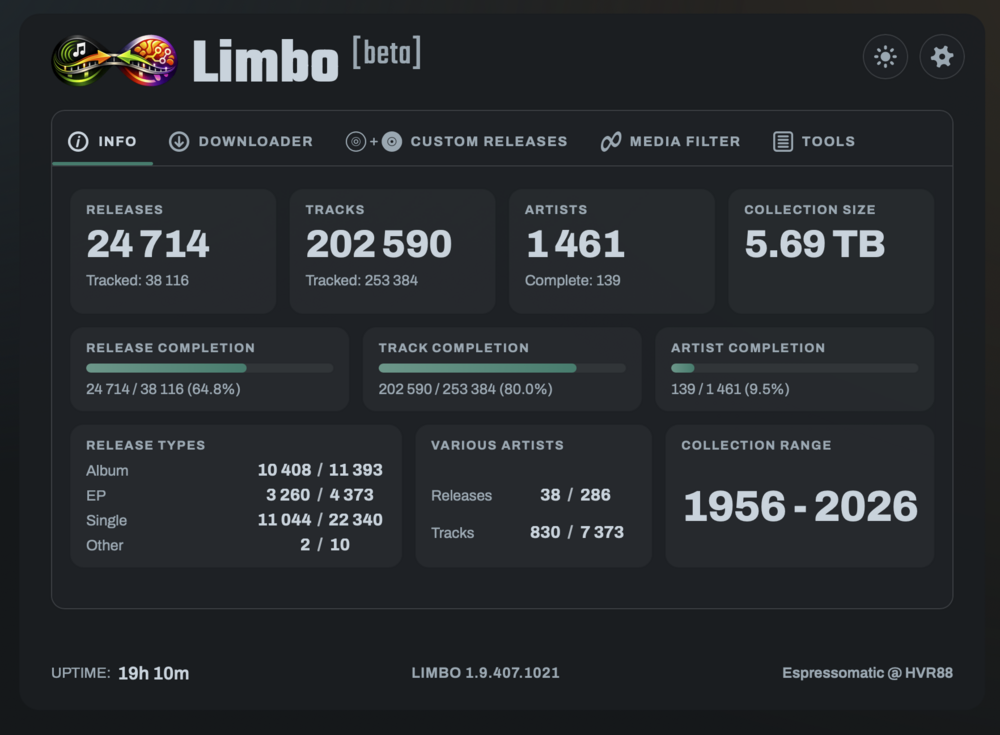
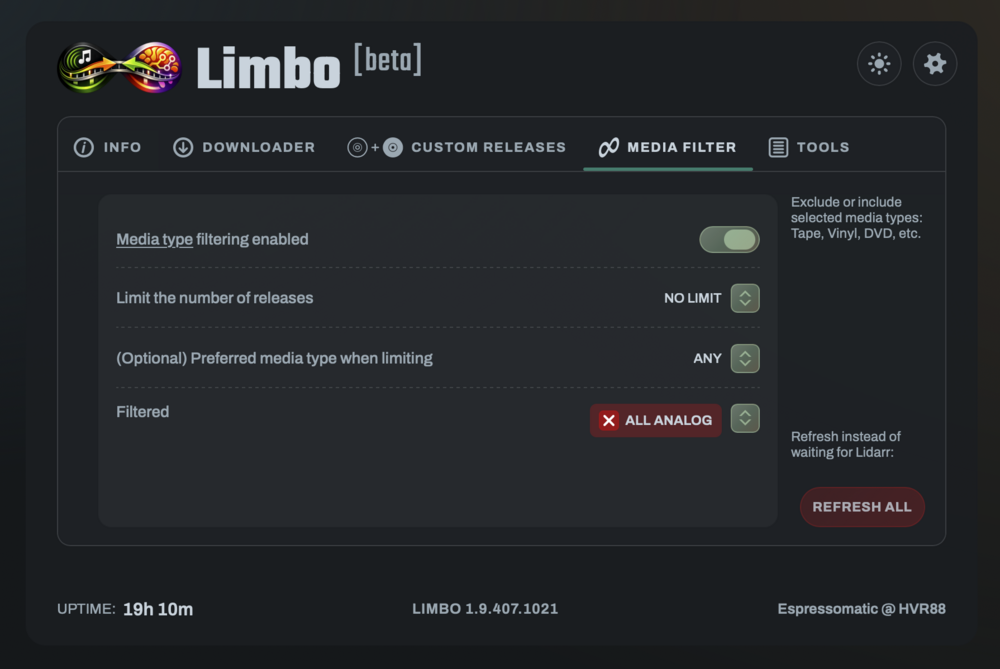
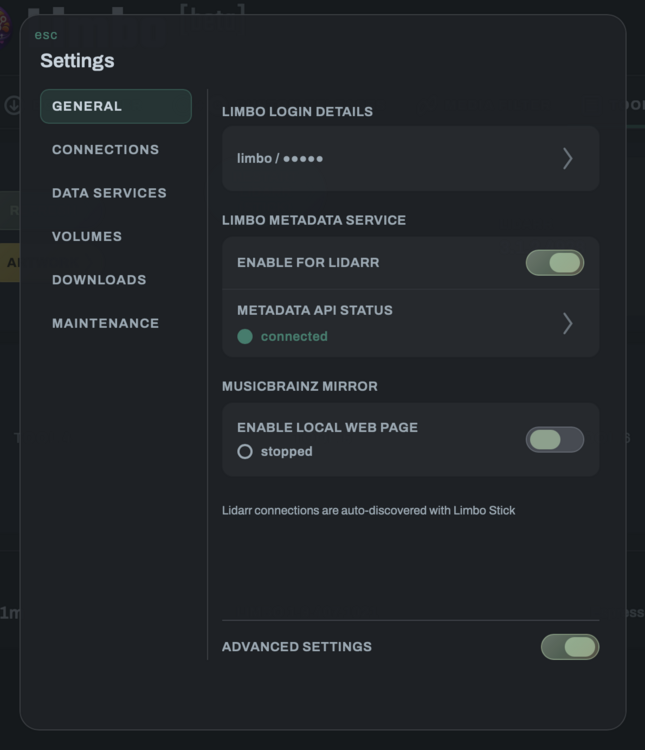
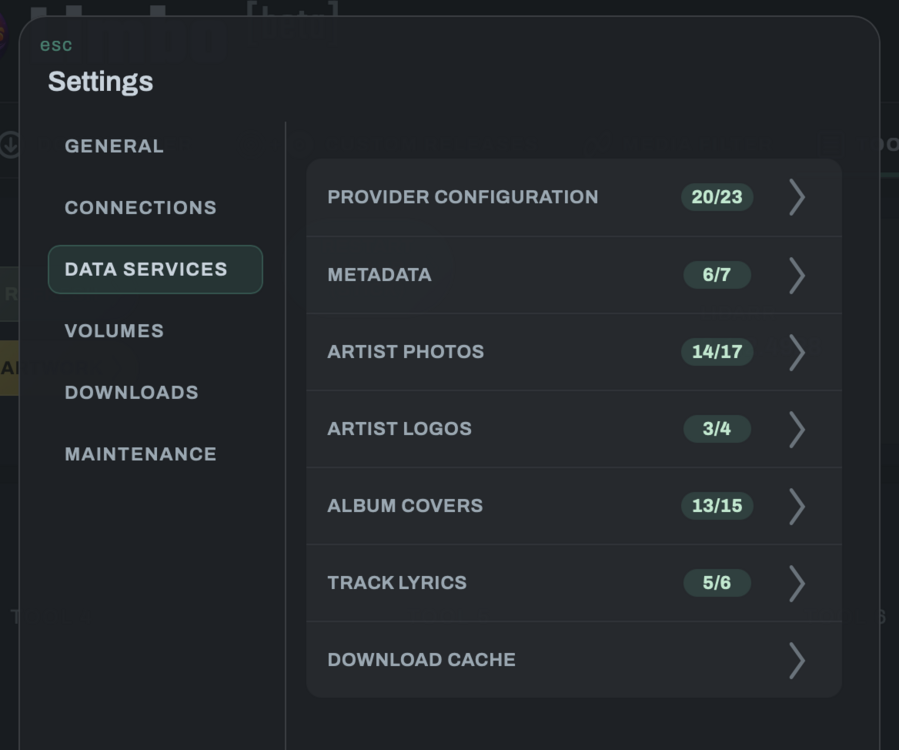
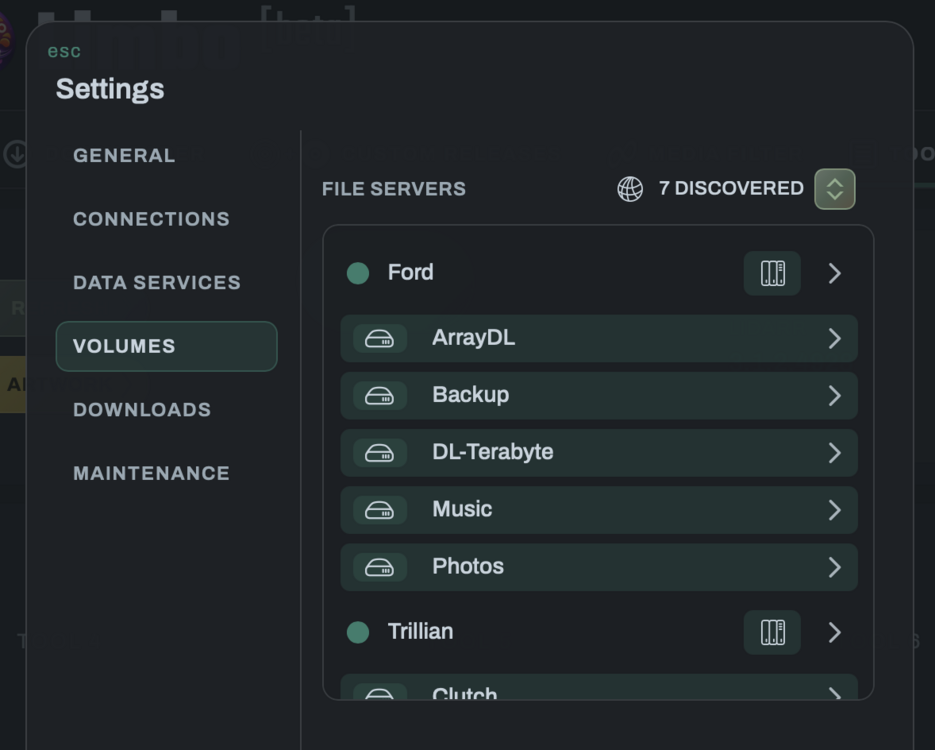
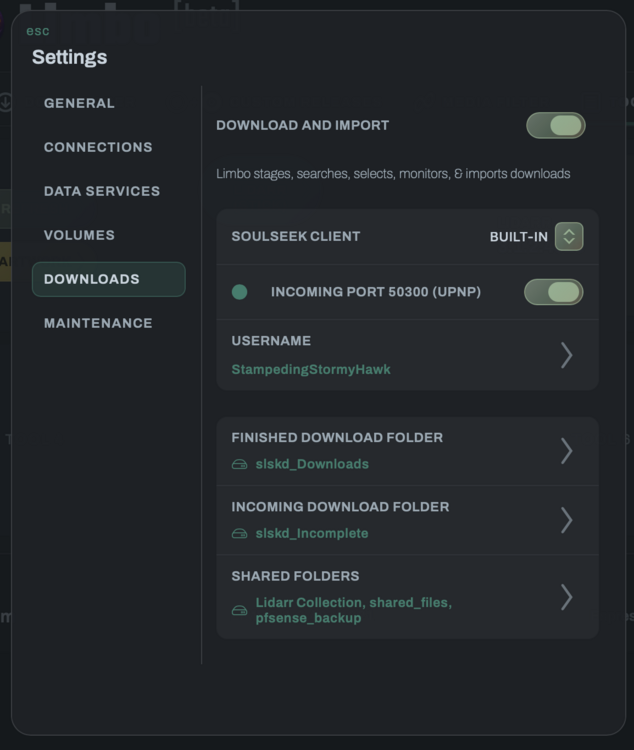
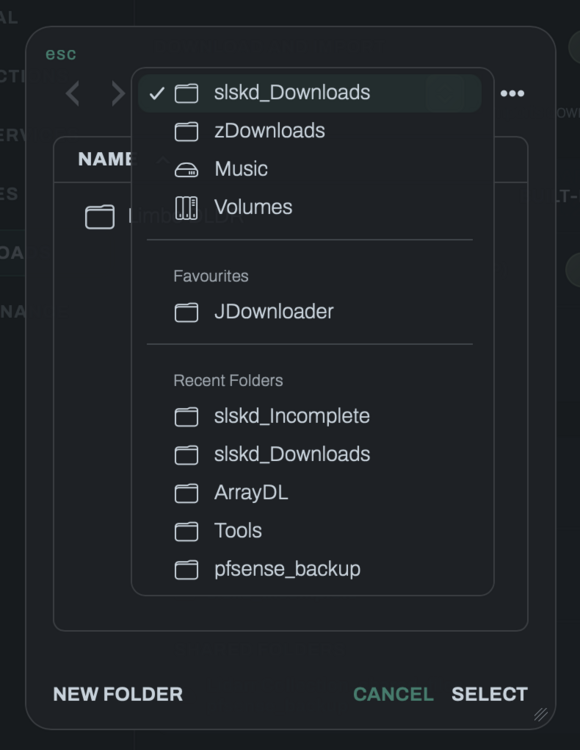
Lidarr Tools | Download Manager | MusicBrainz Server IntroductionLimbo is a multi-purpose tool and download manager for Lidarr. It contains a full MusicBrainz mirror server with fast, easy and automated installation. No plugins or settings need to be changed in Lidarr. Limbo packages the Lidarr Metadata API and bridges queries to the mirror database directly, providing local access to all metadata. No online Lidarr databases, "cache-warming" or other nonsense. Just fast LAN-based performance. You say that you don't want vinyl formats in releases? No problem, filter that out. From the Limbo WebUI, you can filter/modify media formats for all releases, set up additional data providers (not normally supported by Lidarr) and fix artwork downloading for those it already supports. Currently implemented features: Release filtering Release / Artist refreshing Art + Data providers selection & priority ordering SMB volume assignments (no compose/no vars needed) Folder browser to set paths (no compose/no vars needed) Automated / Manual Download Manager (work in progress) Library Statistics Limbo Stick sidecar for Lidarr Start/Stop/Restart Lidarr Visual themes for Lidarr (10+) Pause/Resume Lidarr task schedule Stop/Cancel running and queued Lidarr tasks Built-in direct download buttons for single albums, batch albums and artist missing albums Built-in button to send release-splitting (custom release) info to Limbo Other features are currently in development or testing. Update notifications are displayed at the bottom of the Limbo WebUI. RequirementsLinux server / VM / LXC with Docker support 300 GB of available storage (400-500 GB recommended) Additional storage for optional downloading and music sharing 8 GB of memory available to the container 2-4 hours installation time MusicBrainz account and Data Feed access token Quick Start1. Register for MusicBrainz access & tokenCreate an account at https://MusicBrainz.com Get your Live Data Feed Access Token from Metabrainz https://metabrainz.org/profile 2. Download the Limbo compose files (no git required)Create a folder and download the latest docker-compose.yml and example.env from the Limbo release assets (or the raw files in this repo). mkdir -p /opt/docker/limbo cd /opt/docker/limbo curl -fsSL -o limbo-latest.zip https://github.com/HVR88/Limbo/releases/latest/download/limbo-1.9.12.zip unzip -o limbo-latest.zip 3. Copy and configure env fileCopy example.env to .env, then edit the top section before first run: cp example.env .env Next configure these minimum variables in the .env file: Set MUSICBRAINZ_REPLICATION_TOKEN (get from https://metabrainz.org/profile) Set LIMBO_SLSKD_PARENT_MOUNT (must point at a real mount) example: /mnt/MY_SMB_NAS_SHARE Download features will be unavailable without this variable set. The path is available in slskd as "/music" and slskd's share folder is set as "/music/shared_files" by default. You can change this in the webUI to any other folder under "/music" to point to the music files you want to share You can optionally set the following variables if you want a different top-level for your download or share folders. Otherwise, you can set them under /music in the webUI: Set LIMBO_SLSKD_DOWNLOADS_MOUNT Set LIMBO_SLSKD_INCOMPLETE_DOWNLOADS_MOUNT Set LIMBO_SLSKD_SHARING_MOUNT Tip When deploying from a terminal, use screen or tmux so the compose process can continue running if your session drops (closing the window, computer goes to sleep, etc.) 4. Download containers, build DB & start up (!) This takes 2-4 hoursdocker compose up -d Wrap-UpYou can monitor the progress of the long first-time installation jobs from another terminal: docker compose logs -f --timestamps Or with less "noise:" docker compose logs -f --no-log-prefix --tail=200 \ bootstrap search-bootstrap search musicbrainz indexer indexer-cron limbo slskd Browser Access / StatusLimbo web UI: http://HOST_IP:5001 SLSKD web UI: http://HOST_IP:5030 (HTTPS: 5031) MusicBrainz local web site: http://HOST_IP:5000 (Off by default, enable it in Limbo Provider Settings) Tip Put a reverse proxy (NPM, Caddy, Traefik, SWAG) in front of your host IP and use your own (sub)domains to reach Limbo, slskd and MusicBrainz LOCALLY on port 80 (HTTP) or 443 (HTTPS) (requries a unique host name per service, like limbo.yourdomain.net, slskd.yourdomain.net and mbrainz.yourdomain.net) UpdatesThe .env file is user-maintained and won't be changed when updating. Updating will refresh all other managed files (admin scripts, compose template, and defaults, including example.env) automatically. Regular updatePull the latest images and restart: docker compose pull docker compose up -d Major update (with new components, etc.)Pull the latest images and restart two times: docker compose pull docker compose up -d docker compose down docker compose up -d You should also look in the example.env file for updates that may need to be applied to .env - if there are new required variables, you should get a warning on the second compose up. Limbo ConfigurationWORK IN PROGRESS Verify a successful Limbo installation and check versions by opening the Limbo URL in your browser: http://<your_LIMBO_IP>:4808 NotesThe first MusicBrainz import and database setup will take multiple hours and requires up to 300GB of available storage Building Materialized/denormalized tables consumes additional storage but offers significant performance improvements 60GB of pre-built search indexes are downloaded to save a significant amount of time building new indexes Continued (scheduled) replication and indexing is required to keep the database up-to-date and at optimal performance This stack is configured for private use on a LAN, behind a firewall Don't expose services publicly without hardening
-
PSFree Web Host About this containerPre-built & ready to deploy, hosted at Docker Hub and Unraid Apps Updated to latest (Jan 2026) GoldHEN 2.4b18.8 Multi-Architecture: amd64 and arm64 support Web server drops paths/text from URL - "Just Works" on PS4 Updated to allow running default http port 80 No reverse proxy needed Recommended Unraid setupTemporary: Manually download the Unraid Docker Template For the cleanest and most reliable setup: Use a macvlan network (usually br0) Assign the container a fixed LAN IP Set the HTTP port to 80 Running it this way lets you redirect traffic cleanly without needing a reverse proxy or anything fancy Additional Setup:Set the "manuals.playstation.net" domain name to point to your container's IP address AdGuard Home / Pi-hole: DNS rewrite → container IP Firewall / Router (pfSense / OPNsense / ASUS etc..): DNS Host override (Host redirect on common routers) On your PS4:Go to Settings → User Guide and the exploit loads automatically → Enjoy! Alternative Docker Compose setup (while waiting on Unraid template)Deploy with docker-compose, Portainer, etc… Your Docker host should ideally support MACVLAN or IPVLAN networking git clone https://github.com/HVR88/PSFree_Docker Edit .env to match your network and IP settings:Set your MACVLAN network (br0 on Unraid) Set an available FIXED IP address within your LAN Set HTTP port to 80 Run: docker compose up -d Notes / expectationsHTTP only (by design) LAN use only No persistence No authentication Don’t expose this to the internet LinksDocker Hub: https://hub.docker.com/r/espressomatic/psfree_docker GitHub: https://github.com/HVR88/PSFree_Docker SupportUse this thread for: Unraid-specific issues Container updates Things not behaving the way they should If something’s broken, say what network mode you’re using and how you’ve got DNS set up — that helps a lot.

-
Unraid's docker implementation is REALLY COOL - when you've never used docker before. Man, I loved it. Now that I have even a basic knowledge, it's a total and complete pain and I know I have a really unpopular opinion, I'd love to see the CURRENT Community Apps concept go away entirely (it's not even a core part of Unraid right now) and be replaced with first-class docker compose with a modern UI, while keeping unraid templates that can be pulled from the containers themselves regardless of where they're hosted for added custom designing setup for specific containers (similar to what we have now in that respect). If Unraid (the company) wants to host and vet their own list of containers, that's cool and they can offer a new baked-in repo while still giving everyone the ability to use the millions of existing containers out there much more easily. Not to mention how much easier it would be to work on your own without jumping through the current set-up-CA-repo hoops.
-
You can clone the repo and push it to your own Docker account and then pull it from hub into Unraid. What you're going to get screwed on however is that there won't be a template for unraid. And even if there were, Unraid is incapable of using a template if it doesn't come from Community Apps or you edit the automatically created template yourself after. Ya, I couldn't believe it either. Why not just pull the template from Dockerhub along with everything else if it exists as part of the container right? Anyway, my best recommendation is to instead install portainer and use docker-compose, avoiding all the Unraid docker headaches.
-
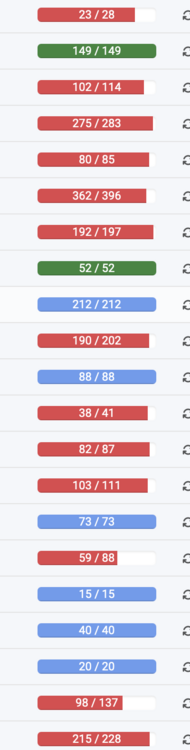
In case anyone was curious, once you beat this horse into submission..... You can start getting close to completion for most of what you're tracking - slskd can get you most of the way with Tubifarry. I needed to create a number of custom scripts to help prevent Lidarr tossing a lot of downloads into the bin. Even still, expect to download up to many times the MB/TB that you want to keep. And in case anyone is worried about collection size, I'm at about 150k tracks - though you really should manually convert Lidarr to PostgreSQL if you're hitting anywhere close to 100k). This is for FLAC only. If you're collecting without regard to format, completion is much easier and MUCH MUCH faster.
-
I've gone down a long rabbit hole with Lidarr to finally getting it to a point where it's no longer useless, but somewhat useful. It starts with blampe's guide linked above. And once it's all set up and working, it continues with some custom scripts I've made to easily manage adding artists to Lidarr without any manual lookups or scans - including batch processing for an unlimited number of artists at one time. I'll publish that code soonish. The easiest way to deploy this on Unraid, IMO, is to use an LXC container. So first install the LXC plugin. Then create a Debian LXC and start it up. Open a web terminal into that LXC and follow exactly the directions in blames guide linked above. Don't change anything, including changing paths - no need to make any edits. Just ONE thing. Before following his instructions, install nano: apt install nano Then just blindly follow the directions.* Every time the directions tell you to "create a file" just copy the path and filename from the instructions and at the command prompt: $> nano <<PASTE>> That will create the file, then copy and paste the contents from the instructions into the file and CRTL-X, ENTER, Y * Some of the instruction blocks contain multiple lines that may not be interpreted correctly if you paste them all at once - if you want to be safe, paste them one line at a time into the terminal to make sure the commands are doing what they're supposed to do. That's about it. Make sure your machine doesn't go to sleep while this is being done and don't close the terminal window, unless you're using SCREEN to run the process - some of the steps will take a while, such as when pulling compressed data from musicbrainz. After it's all done and you can confirm that it's all working, go to the Tubifarry GitHub and optionally add some more data sources, like Deezer, Discogs, etc. It'd be nice to have this all packaged into a docker in the App Store to make it all much easier for the majority of people, but for those who are willing to take some time, the above works solidly. IMO, this is the only way to get a working Lidarr. I don't think the developers are ever going to get it working reliably with Musicbrainz on their own. They've spent most of the year on it (supposedly) and it's still horribly broken.
-
Update to the latest beta 26.3, and this issue has been resolved in the included version of Safari. Version 26.3 (21623.2.2.11.1)
-
I had to kill this entire post. Instead of leaving well-enough alone and the Lidarr service in its broken state, I decided to do something about it myself. So after some work, I can say it's become a truly useful tool. Answer below, but had to do a big EDIT on this. I strongly suggest not to use Lidarr.
-
Nothing pop-up (new tab or window) related works in the latest (release version) of Safari on MacOS. Seems to be a Safari issue as I've not updated a number of Unraid servers here, and the same issues also happen with other web sites and similar features such as Chat windows on FedEx.com Affects things like: Unraid WebUI terminal window Unraid Docker Container's WebUI FedEx customer support chat window MacOS 26.2 with Safari Version 26.2 (21623.1.14.11.9) (this is the same version as "Safari Technology Preview") Unraid versions 7.2.2 and 7.1.4 tested
-
Has anyone else seen this particular container cause the disappearance of an Unraid custom network (br0)? I was passing a USB device by ID and seemingly that ID changed today after plugging in another USB device (unrelated). That doesn't seem right, but when I edited the container and put in an updated USB ID it started working. But the network type was set to NONE and my (default) custom network br0 was gone. Turning OFF and then ON the docker service brought it back, but then I also had to re-edit the container to set it back to custom as well as its static IP. This container has given me more trouble in the past few months than I've had from all other containers on 4 systems combined over 5 years. I'll be deleting it this week and going to change over to docker-compose within an LXC. That way I don't rely on anyone else to maintain a container either.
-
This is a good reminder to always take note of the current version being used BEFORE updating. And to make sure to turn off auto-updating if you have a plugin installed that does this. Version 11.4.1 fixes the issue and you can include that in the repository line. If you want to "fix" the issue and leave your docker config correctly set up for next time, you'll need to delete problem image first, as if you try to pull "latest" it'll just re-use teh cached version. I just did it the quick and dirty way, by opening a terminal window and then: docker images to see all images and docker rmi imageID to remove the one tagged "latest" Then you can edit and deploy the container without ":version_string" and it'll download the current latest version - 11.4.1 today


-
Thanks for the super fast response! Now I can finish setting up this new Immich installation. I decided to roll it out inside LXC as I was somewhat disappointed in how it worked via Unraid's docker UI at this time. I was doing this, but the problem is that the forum jumps only to the last page of the thread instead of the post in the search result (clicking most places including the body of the result). I think this is a bug in the forum software as I've just discovered that it will work when clicking the small DATE link instead.
-
I'm having no luck searching and any time I click a thread-based search result link the forum takes me to the last page of the thread, not the clicked post. :( So apologies if it's been covered (multiple times) before and if I already knew and have forgotten: How do we pass a local Unraid path into an LXC? In my case I want to pass the root of a pool.
-
They screwed it up in the first place because they don't know WTF they're doing. Don't forget that this project is leveraging the work of other arr projects but is itself the red-headed stepchild. So ya, the effort employed on Lidarr is an embarrassment. I'd not put my name of this level of unpolished turd. And it's not because my expectations are high. The attitude of anyone working on Lidarr in particular has always been abysmal and whether they're working for free or not is 100% irrelevant. The software doesn't work, so who's going to use it? They deserve every criticism they get. Additionally, what happens is that because it "exists" no one else is motivated to make an alternative. So they can keep chilling and blaming the Musicbrainz devs for their own mistakes and making up all manner of other nonsense to cover up whatever's happening on the back end. If their initial story had been true (at all), this would have been a very quick fix. Even if they had just started workign with databases a week prior, it was entry-level work.
-
The bottom line is that no matter how good the plugin is, the underlying project is just not stable and literally any update for any platform can bring the whole thing down. I can guarantee without reservation that there is not a single person out in the world running Tailscale on iOS, MacOS, Android and Linux who has not had the whole thing come down regularly if they are using anything approaching automatic updates. I spend enough time on their github to back this up. These aren't isolated incidents I'm seeing here.
-
I'm planning to phase out Tailscale on all my systems. It's a cool concept, but I maintain with 100% conviction that it's no more than a technology preview. It's the most unreliable systems software I have installed on any platform and where it may work for weeks on end, one day it may just stop working on one or more systems where you may not have control over the client update process. Or their coordinator may be down. It worked great from both my iPhone on cellular and WiFi in multiple cities across two continents for a couple of months. Today it doesn't work at all on my iPhone and I can't connect to any home network machines. This (again) has nothing to do with the plugin, just Tailscale clients in general. If you can get a solid deployment up and running on all your systems while self-hosting your own coordinator and then freeze those versions and absolutely never update, you may be ok. Anything short of that is going to eventually turn into a paint point. I can't run something that only works sometimes, even if that's 99% of the time. That missing 1% can sometimes be more critical than the other 99.
-
The root cause of the problems with the Lidarr project is that no one working on it knows the first thing about software development, let alone understand WTF they're doing with Musicbrainz. Read the comments in the github issue above - they're an embarrassment.
-
I've since tried again and have never so much as been able to get Netbird working alone on all my systems.
-
The Lidarr platform is unusable at the moment and has been so since late April. They screwed up in a musicbrainz schema change and so far have little to no idea how to change their code base to support the new schema. So it doesn't matter what docker you use, as the Lidarr server(s) aren't going to work to find artists, tracks, etc.







