





whipdancer
Members
-
Joined
-
Last visited
Everything posted by whipdancer
-
Read the FAQ - it covers a lot of what you asked. You can also get a lot of info from this playlist on youtube.
-
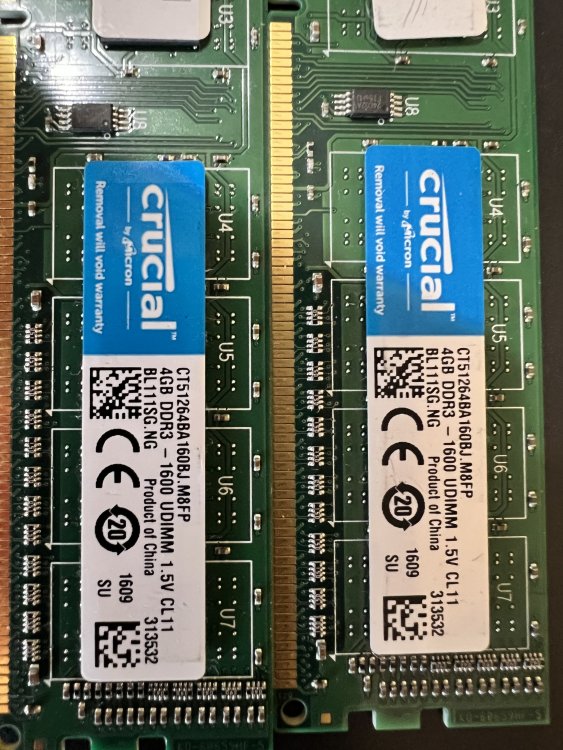
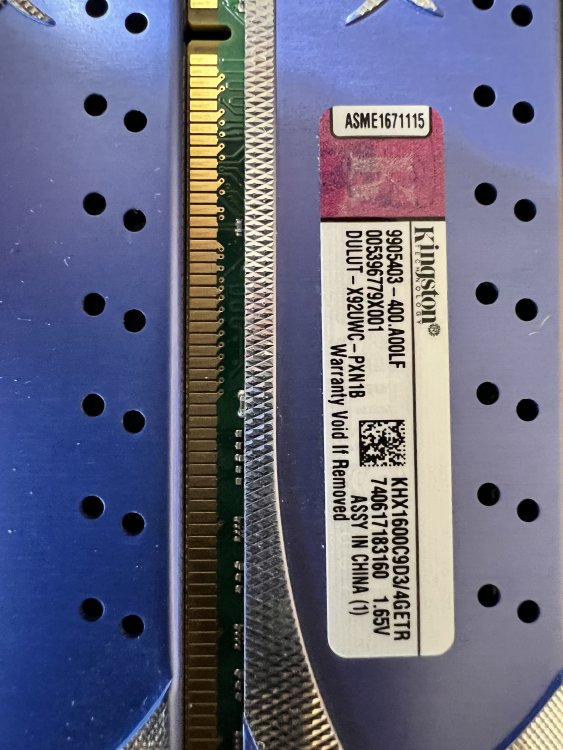
2x 4GB Kingston Hyper Genesis 2x 4GB Crucial $25 shipped
-
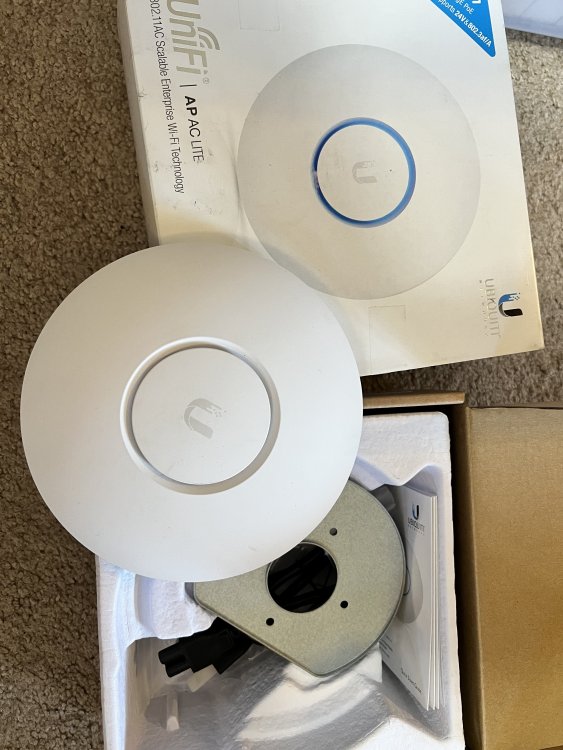
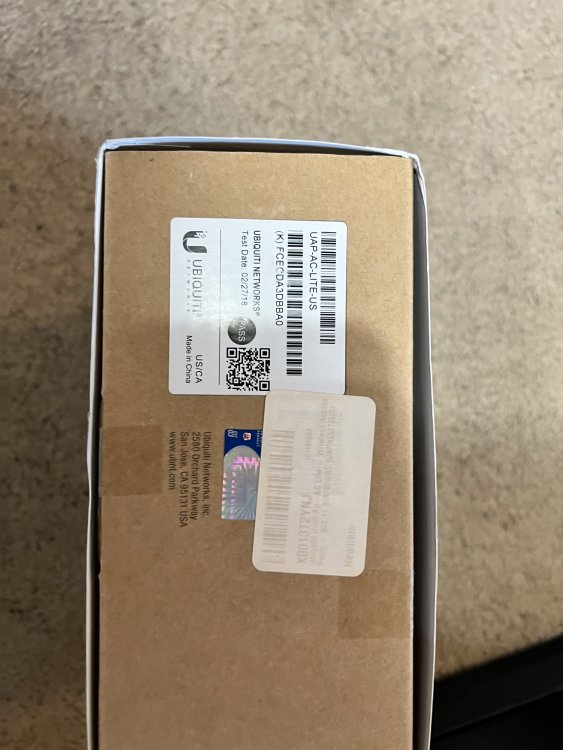
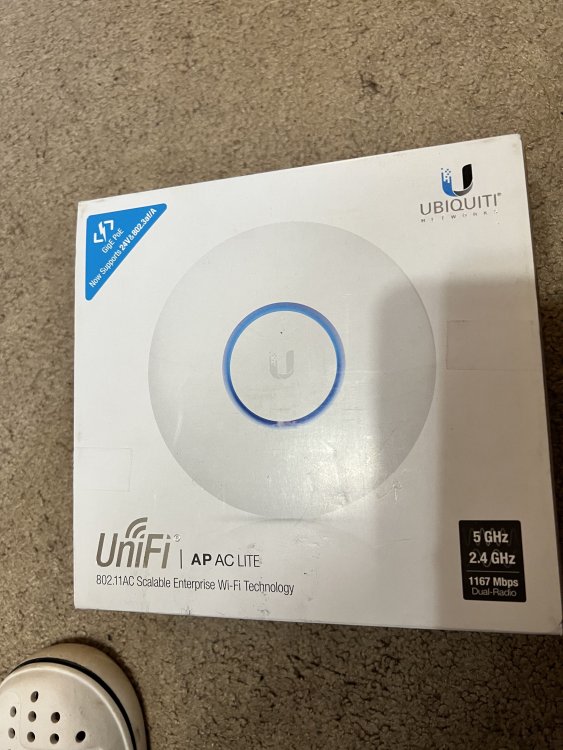
Includes: UAP-AC-Lite access point (pull from service about 6 months ago) - 802.11ac WiFi support, dual radio 2.4 GHz and 5 GHz POE injector and all mounting hardware UAP-AC-Lite Quick Start/Installation Guide
-
Are the 2 new drives shucked drives (originally external drives that have been removed from the case)? Do you have another system you can use to test the new drives (or old drives as necessary)? I could be mistaken, but I only saw 2 drives in the syslog file. You can use the standard Linux commands to see how many drives the system has - something like fdisk -l should show you everything.
-
Not an expert reading the logs but I only see 2 drives in the logs. Have you tried booting using a Linux DVD/USB and seeing if they show up? Are they shucked drives by any chance?
-
You can try a couple settings in BIOS: PCIe Slot Configuration Initial Display Output - maybe specify the GPU slot Might need to check on 2700X compatibility, with regard to what that does for the PCIe slots.
-
I'm looking to move from using 2 LSI based 8i cards in a very large tower case, to a small case + external drive box. I assume an LSI xxx16e or 24e should be what I'm looking for - is that correct? I see models like 9200, 9201, 9202, 9206, 9207 - what is the difference? I'm searching ebay atm, looking at 9206-16e under the assumption that will be a recommended version and I see prices all over the place from what appear to be well rated sellers. It's been a while since I bought my cards. Is that normal (literally $49 to $160 for what are described as server pulls)?
-
You can verify it is the problem by hooking the drive back up to the usb/sata board that was attached to it in the housing - Or connect it to a molex to sata power adapter. If it powers up, you have your answer. If you're like me and could never get the kapton tape to stay in place: 1. using a molex to sata power adapter 2. cutting the appropriate wire on the sata power cable (it was easy to determine when I looked at the sata specification) (I modded most of my sata power cables to remove the appropriate wire)
-
I use an Antec Nineteen Hundred tower case. Cooling is ok. By run hot, I mean I get log warnings from time to time - "Warning [BLUESMASTER] - Disk 5 is hot (46 C) HGST_HUHxxxxxxxxxxxx_VKxxxxxx (sdg)" during parity check.
-
I bought 2 SATA HGST (1 8TB, 1 12TB) used, no issues. I have 1 that I bought new (10TB) that seems to run hot.
-
Never encountered a cheap solution, outside a one off from someone on Craigslist. i own a rosewill, icy-dock, and the generic I got off Craigslist. All have worked fine, no issues. i just wait until I see one reasonably discounted on ebay or newegg. The 3 I have were acquired over about 5 years. I’m just not willing to spend over about $40 or so to get one.
-
Don’t know anything about synology dsm. Questions 1,2 - yes, Unraid handles those without issue. Q3 - why would you want to require a drive for install when the whole thing fits in under 4 gigs? It runs in memory because you’re not constantly writing updates. Q4 - not many that I’ve heard of.
-
This might yield some ideas...
-
Are the drives shucked? Could it be the 3rd pin issue?
-
A lot of times, people start with what they have on hand - several smaller drives.
-
So it doesn't have 5.25" bays top to bottom. Good to know.
-
It doesn't look like it supports optical drives top to bottom. After the top 2 slots, there are fans in front.
-
And I ran the notorious Seagate drives for years without issue. Doesn't mean there wasn't a problem, just that my anecdotal experience with didn't encounter the problem. AFAIK, this is only an issue with Crucial. It is a bug in their firmware that they have not been able to fix. There are too many alternatives that don't have this issue for me to give Crucial my money.
-
I ran Crucial MX500's as cache for about 3 months. They constantly generated errors. After some research, I replaced them. Won't use that model ever again. Likely won't ever use Crucial SSD again, outside of windows (which corrects the errors automatically). Life expectancy will probably be less than half of a traditional HD.
-
Same solution I came up with.
-
No. I have about the biggest tower I'm aware of (Antec Nineteen Hundred). With 3-in-5 adapter, I can fit 20 drives total.
-
I had Ubiquiti (technically still have the EdgeRouter X and 2x Unifi AP-AC-Lite). I switched to 2x Aruba Instant On and use an old PC for PFSense. I felt like the Aruba were easier to configure, but not a lot. If it wasn't for power-outages, I think this setup would have uptime measured in years at this point. Not that UBN wouldn't, it's that I ran Unfi controller docker on my unraid and if power was out I couldn't make updates to my router or my AP's to switch my source. My pfsense box and 1 Aruba AP will run for almost an hour on the UPS I use for them, so I haven't run into that problem again since I switched. I've also learned that the AC Lites were updated in the years after I bought them, so that they can be configured individually in a manner similar to the Aruba's (the Unifi Controller software is no longer required for setting them up).
-
I have no idea. I use glacier at work. Don't use anything like it at home. My critical data fits on a single 10TB drive. My family photos are synced between iCloud and my unraid server (so 2 copies of everything). I'll probably add a dedicated back for it as well, but I've been able to recover from our mistakes so far. The remaining 70TB of data on my server is replaceable. it would be a pain in the ass, but it is replaceable.
-
Have you looked at AWS Glacier? And realistically, how many TB are critical data (you could not replace it)? Cheaper to buy 10/12/16TB externals if you are disciplined enough to manage it.
-
I don't care whether it is an enterprise drive or not. I've had consumer drives give me 40k hours of service and are now another 5k or 6k beyond that in a friends NAS (IIRC my oldest drive was a consumer drive with 59k hours when it died). My server Tower is in my office and sounds like a relatively quiet desk fan. I certainly can hear it when everything spins up though. I don't have any extra cooling in my case. I did upgrade to some better quality fans to minimize the noise. My SSD drives report getting hot whenever I'm copy a bunch of stuff onto them (400 - 900GB will take long enough to raise their temps). I have a couple of drives that seem to routinely report a high temp, but it always seem to come back to normal pretty quickly. Basically, you can here my server when it's running, but it doesn't stand out from the environmental noise that is present in the room I use as my office - off the kitchen and utility room - so dishwasher, washing machine, dryer, sous vide circulator, oscillating fan - something is always running.


