





Revan335
Members
-
Joined
Everything posted by Revan335
-
I don't need a individual Core Selection. The Option of this VM becomes 4 Cores, this 8 and this 2. The VM/CPU, ... can handle what Core he actually used. For People that need a individual Core Selection he can used the actually functionality.
-
Hello, the mover are not moving empty Directorys on ZFS Cache to array. In the Mover Plugin is this fixed. Maybe its a good idea to implemented the Mover/Parity Tuning Plugin/Features to Unraid himself. Than we have more Options to modify this and must not using a separate Plugin that are maybe not fully compatible with the actually OS and his Features. Maybe a progessbar for the Mover Process to and for his GUI Feature to empty a disk and move his to another disk. Many Thanks! Many Greetings Revan335
-
Das ist leider so. Aber leider die einzig mir bekannte Möglichkeit, da btrfs nichts für mehrere Platten, Mirrors, ... ist und xfs nur Einzelplatten kann.
-
Mit der aktuellen Version 7.1.4 gibt es dazu einen Fix der dies unten in der Leiste besser sichtbar macht bzw. wieder ermöglicht.
-
Hallo, soweit ich das im Kopf hab, wurde in einem der vergangenen Version etwas bzgl. Mover und Leeren Verzeichnissen gefixt. Bei mir wird das Cache (ZFS mit 2 Disks für den Mirror) Laufwerk auf dem sich aus der Natur der Sache auch Verzeichnise befinden die nachdem Mover Lauf leer sind befinden. Sowie ich es verstanden hatte, sollte dies durch den Fix nicht mehr vorkommen und der Mover verschiebt alles was nicht im Zugriff ist auf das Array. Somit sollten die leeren Verzeichnisse irgendwann verschwinden. Dem ist scheinbar nicht so. Hab ich das falsch verstanden/im Kopf oder ist das nur bei mir so und bei euch ist das Cache Laufwerk nachdem Mover Lauf quasi leer. Also außer appdata, system, domains, ... wegen Docker, VMs, ... Um Komplikationen zu vermeiden nutze ich kein Mover/Parity Tuning Plugin. Vielen Dank! Viele Liebe Grüße Revan335
-
Do you mean this? https://forums.unraid.net/settings/account-security
-
Könntest du vielleicht schauen ob du es nochmal findest?
-
Mercy! Dann kommt das vielleicht noch. Hatte bis jetzt nur die Info bekommen, das es in ein paar Stunden online ist. Was ja nun inzwischen eingetroffen ist.
-
Maybe is this helpful:
-
Das war das ursprüngliche Ziel da ich das für bspw. Mediathekview brauchte. Ich konnte es zwar durch eine Nachricht an squid veröffentlichen lassen, aber ob das der richtige Weg ist und wie man nun sein Repo/Templates/Apps/Docker, ... verwaltet oder ggf. updatet weiß ich leider noch nicht.
-
The Dashboard Folders are not working too. He are not correct sorted or collected by the Docker Folders. The collaption are not working to correctly through the wrong sorted/grouped.
-
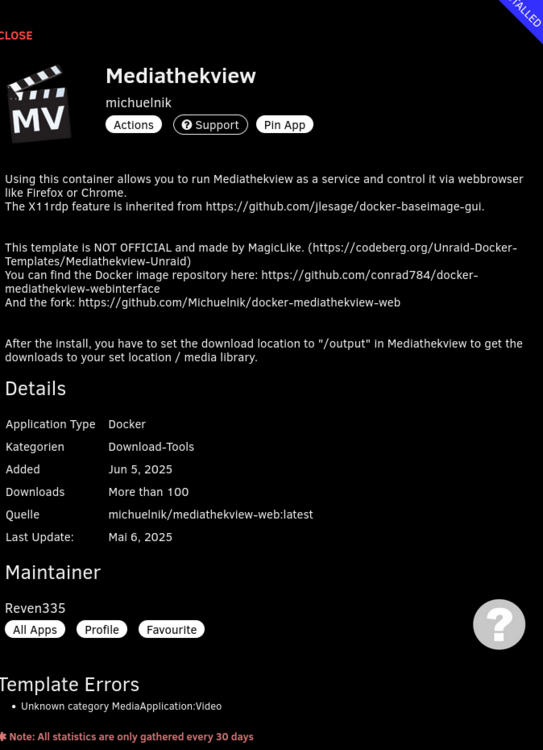
Inzwischen auch in den CA zu finden. Hab das Template noch etwas angepasst, erweitert und den aktuellen Fork ergänzt.
-
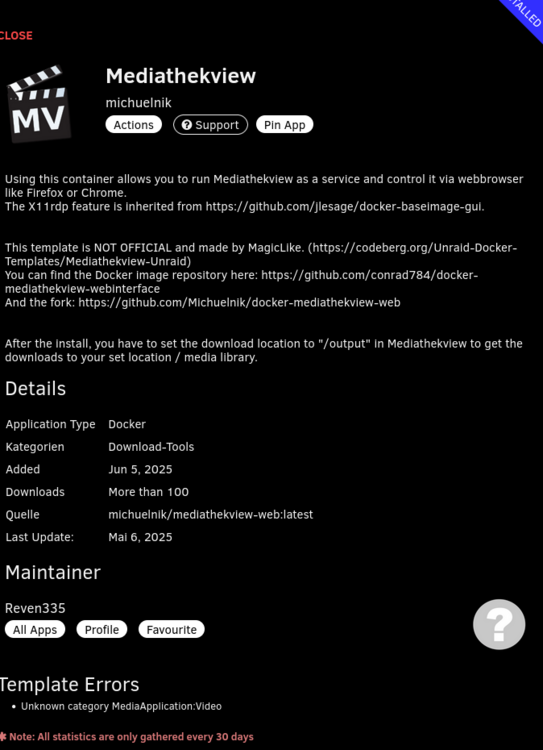
Ist inzwischen auch in den CA zu finden.
-
Filter not working. I type /mnt/, /mnt/user/, /user/, user, ... only but i become /usr/... too and not only /mnt/... Can you add a Filter or a excluded option for the OS Files like /usr/ ...
-
Any News from Invision?
-
Its the VMs Folder working for you? On my Site he show wrong group's. New VMs showed to Folders but I don't added him to this. After I added the VM to a folder he showed no difference. He showed added in the Folder Setting but not on the VM Page.
-
@EDACerton Many Thanks for your alived the Plugins and the Updates! Can you extended the Changelog in the Plugin Infos to more than the actually Version? I know the Link to all Versions are included, but its was faster and easier to show/monitored the changes directly under Unraid.
-
Hast du welche schon eingesackt und ne Vermutung welche sich dahinter verstecken?
-
We have Tracking on Mails again!😡 Please fixed/repair this again!
-
Can added a Filter Function for this Plugin? For example System Files, User Files, ... Actually I see system files under /lib and /usr
-
Perfekte Möglichkeiten um sein RAID zu himmeln und zu zerstören sofern es überhaupt geht. Mussten die dafür nicht exakt gleich groß sein? Auch wenn es fürs Array eher egal ist, da dort die Größe im Vergleich zu klassischeren RAID Leveln eher weniger relevant ist und in die Pools eher Flashspeicher kommt.
-
Maybe we become an Migration Function. Compose to Unraid or Unraid to Compose.
-
Yes, that I have too when the Developer Switched. I uninstall the actually Plugin and than reinstalled from CA. Its working.
-
OK, we have a new Forum Version we showed🤔 I have a completed new Layout/Design on Mobile Devices.
-
I don't enabled the visibility of Recycle Bin on Shares, than I have only the Option with File Manager or a Docker Container like Krusader.



