Digital Shamans
Members
-
Joined
-
Last visited
Everything posted by Digital Shamans
-
About to try the plugin, however since I pressed "Install" button, the app plugin is "Pending" from hours. Any suggestion? Thanks
-
Hi, I'm a new user of rClone and when following the Space Invador's tutorial realised that I am missing the "File to edit" dropdown menu on the left side in Unraid's rClone settings. From that menu I supposed to be able to choose options such as "config", "rclone custom script", "mount script", "unmount script". I have a different menu instead, which allows me to choose branch. So I did, move to 1.60.0-beta.6433.ce3b65e6 but the menu is still missing. Appreciate any suggestions. Cheers, DS
-
Thanks man! This solved the issue also for me, where Unraid was not loading GUI and being sort of stuck on blinking underscore in the top-left. OS files loaded up correctly and Unraid was accessible via MyServer, just no GUI.
-
Thanks for the script! Do you have any suggestion, how to avoid these error when run the script? Script location: /tmp/user.scripts/tmpScripts/Run-Mover-At-Disk-Utilization-Threshold/script Note that closing this window will abort the execution of this script Warning: disk_total_space(): No such file or directory in /tmp/user.scripts/tmpScripts/Run-Mover-At-Disk-Utilization-Threshold/script on line 6 Warning: disk_free_space(): No such file or directory in /tmp/user.scripts/tmpScripts/Run-Mover-At-Disk-Utilization-Threshold/script on line 7 Warning: Division by zero in /tmp/user.scripts/tmpScripts/Run-Mover-At-Disk-Utilization-Threshold/script on line 8
-
Thank you for extensive reply. It clarifies a few things. I am still building the big picture of everything server related. On occasion I ask blunt questions and sometimes their parts have wrong assumptions. True, there aren't as many servers as users. What stops Unraid being considered enterprise ready?
-
That's true. When double clicking the shortcut the server appears. So IT staff click dozens or hundreds of shortcuts multiple times a day then? I guess it can be easily automated using Python. Is that the case?
-
Is 6.11 available for Trial? Update-Up-To-Date.mp4
-
Why there is a limit to max 1 spun down disk allowed? Having i.e. 6 disks, I would like to be able to allow plugin to evoke Turbo mode even if 3 disks are spun down. Why not? Is it this much slower to spun up 3 disks instead of 1 that it makes no sense? I doubt that, but hey. Hence the question.
-
Thanks! I've read the whole paper. It's pretty cool and kinda interesting. So most of the issue is just that Windows doesn't do a shortcut with a path to a server in the network folder/window? It seem to work, we will see. The server keeps disappearing from the Network folder, so seems like I will have to keep recreating the shortcut over and over again? Wonder how it will work with scheduled tasks. It detects shares correctly, based on provided server name only. Promising. The rest of the issue, to my understanding, come from variety of options to choose from and necessity to find compatible configuration settings, allowing two systems to see each other on network and there are 3+ ways to make it happen and differences are mostly about privacy and security. I don't have yours scope of experience with SMB connections. How important is manually adding an entry into Credentials Manager in Windows? Is it just convenience or a necessity? Cases described in the paper are fascinating and awe evoking.
-
Yeah. For transfers of little data or when having many drives in an array, it seems to be better having Normal Write mode. Parity basically works as Raid1 from functionality point of view, or does Unraid use Raid controller too?
-
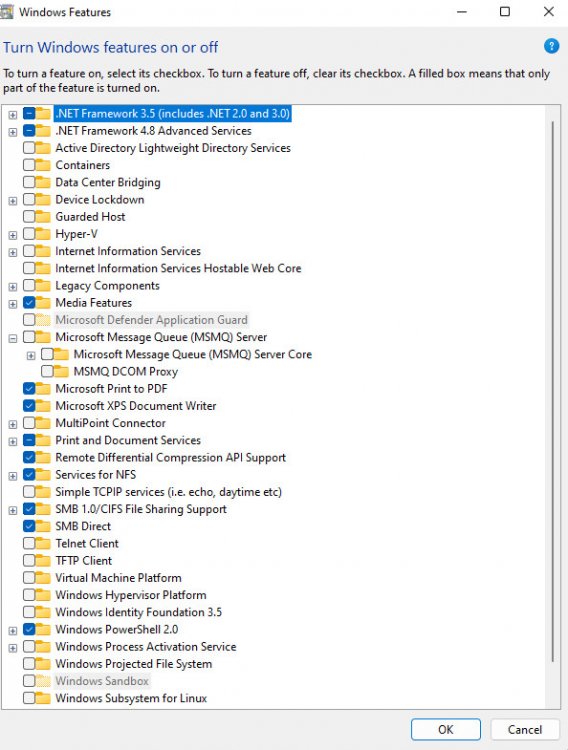
Thanks, NetBIOS was "No" and Enable WSD was "yes" all this time. Yesterday I have enabled Windows features: SMB 1.0/CIFS File Sharing Support, SMB Direct and Services for NFS. It didn't help though. Thanks for the PDF, reading now. Already posted more detailed description of the challenge here:
-
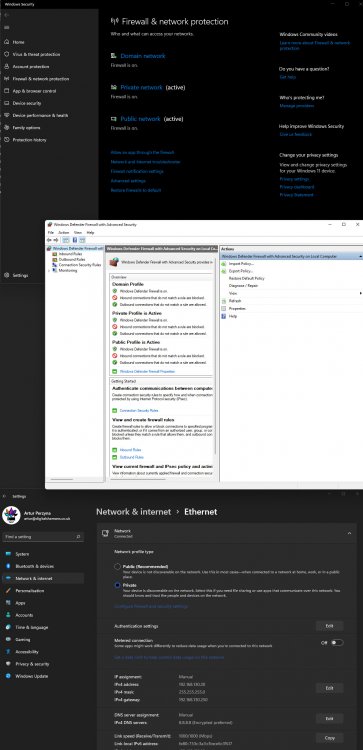
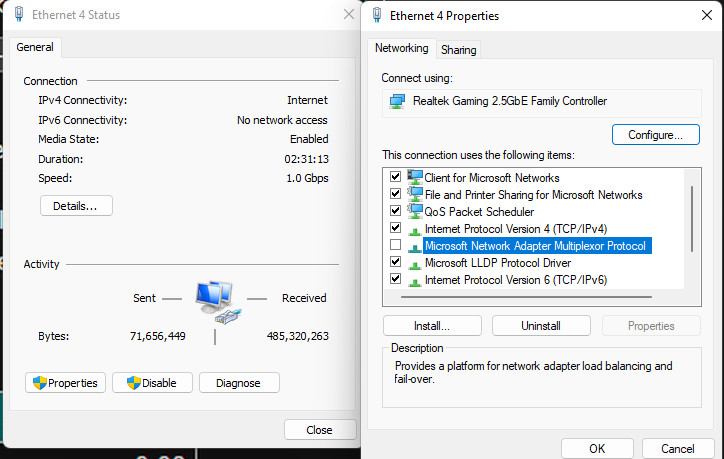
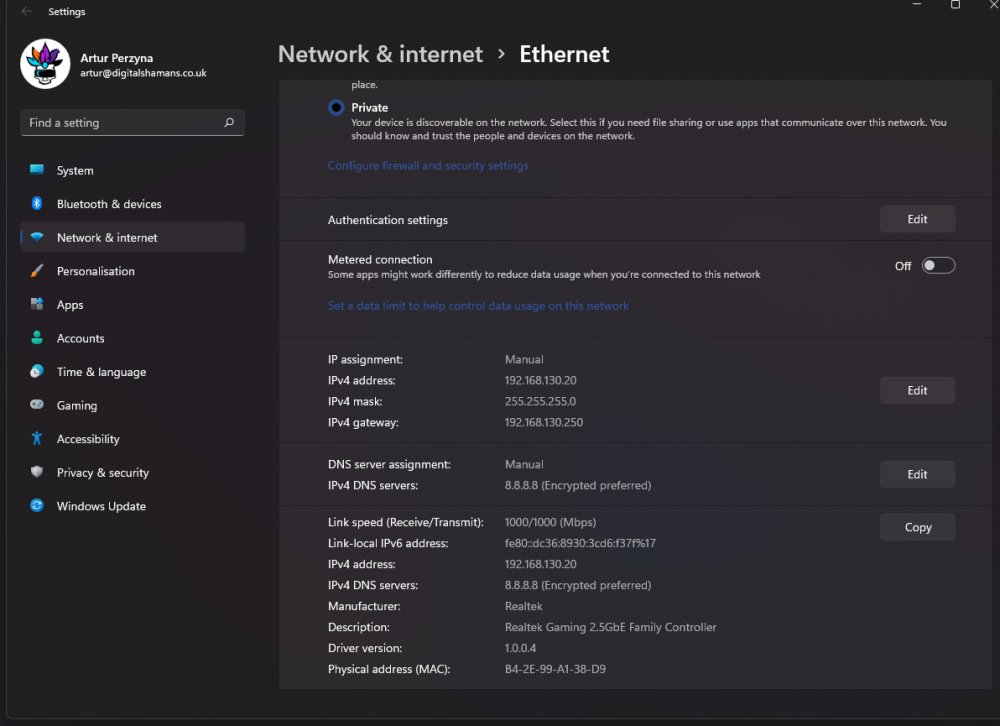
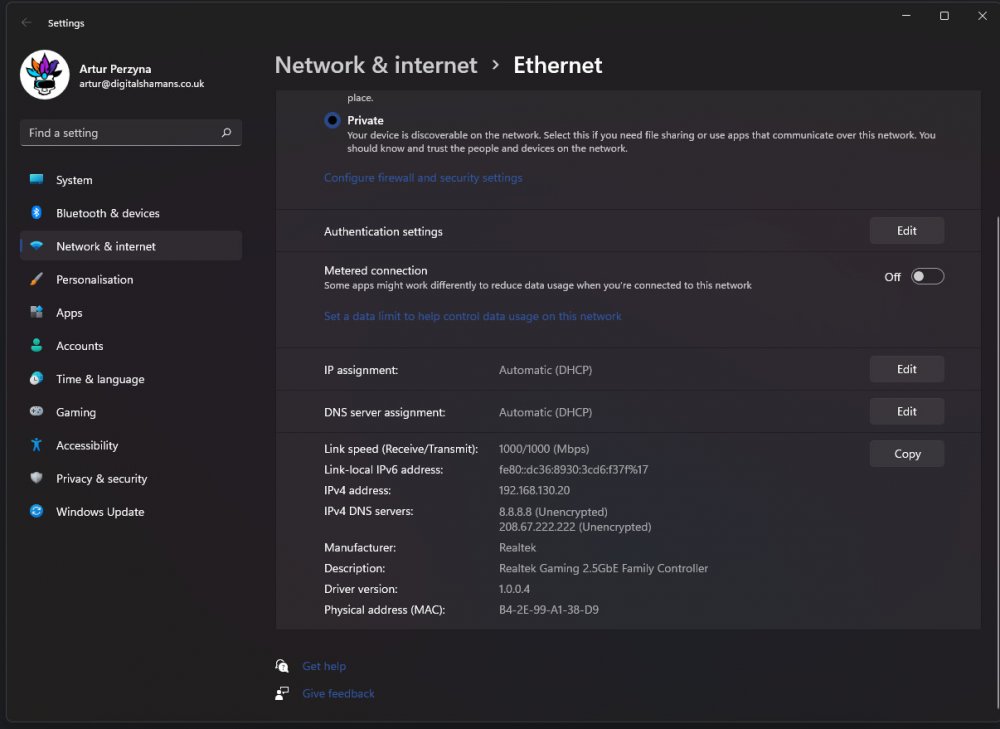
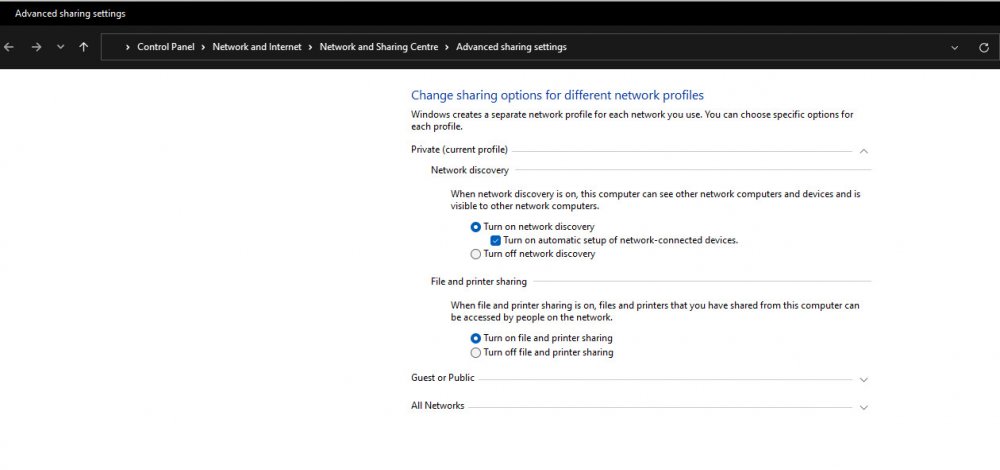
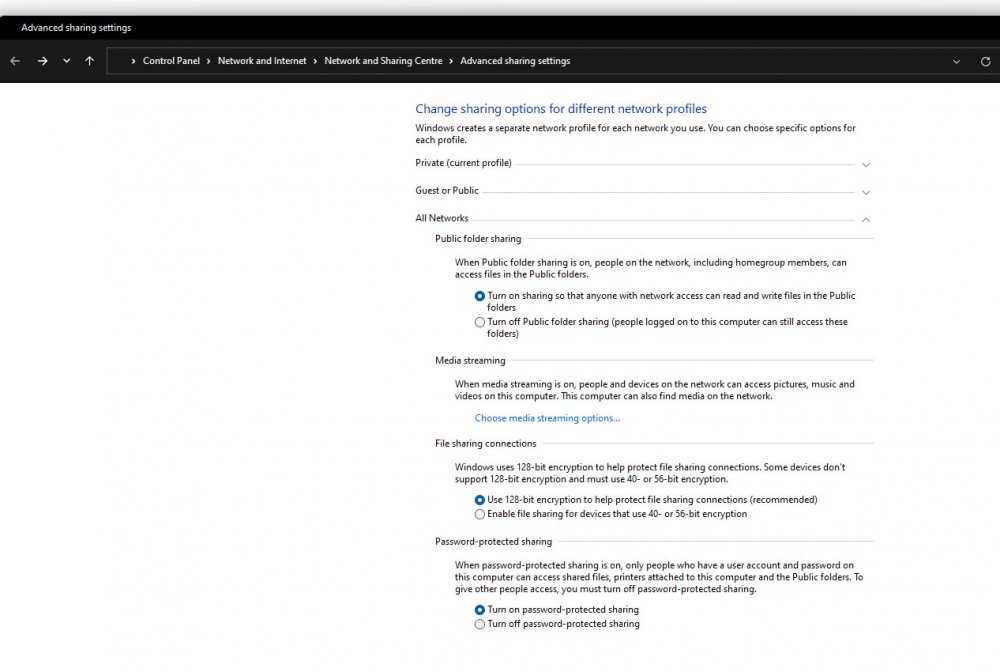
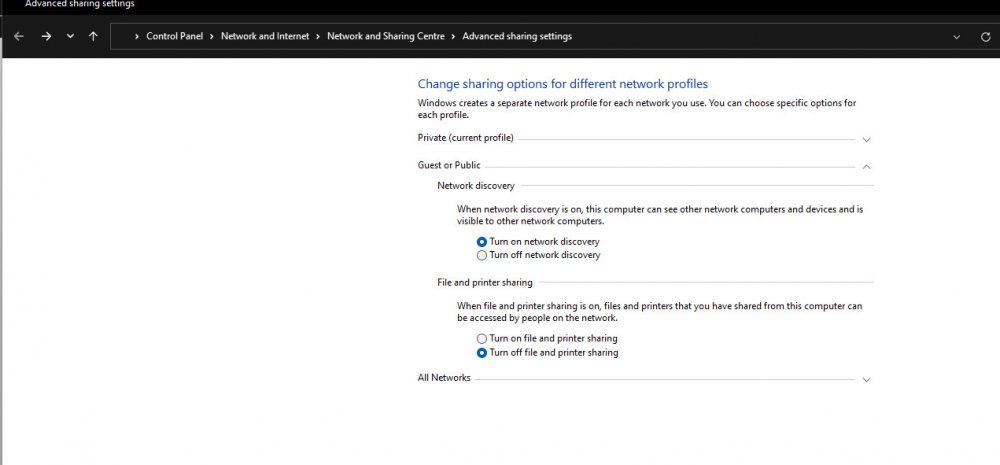
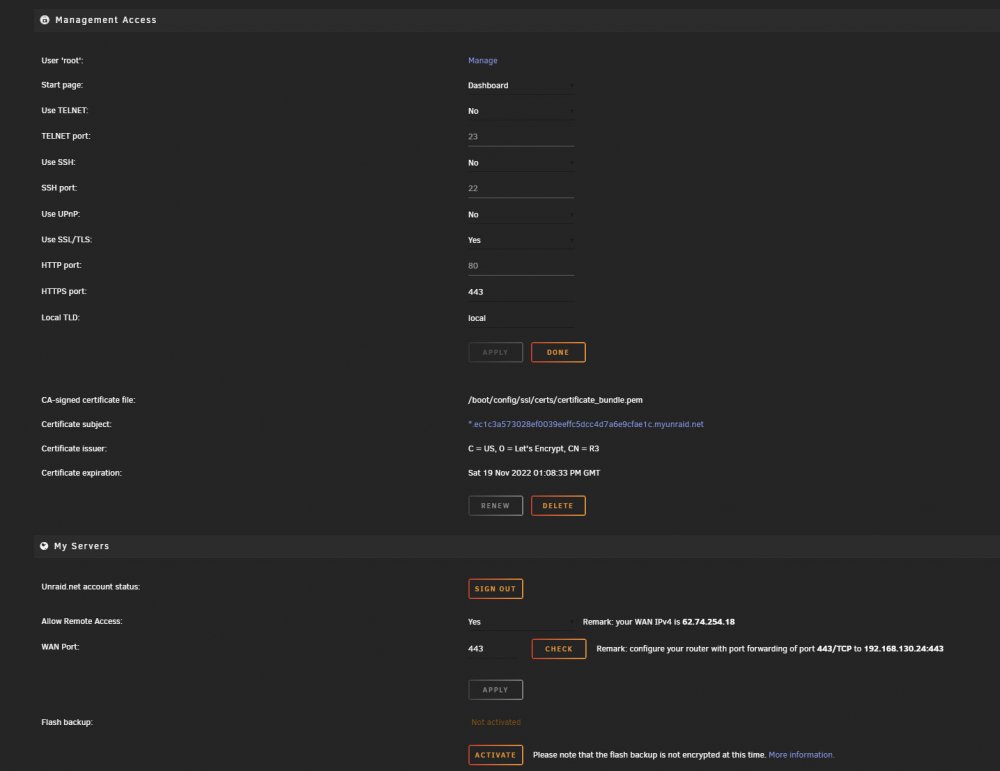
Hi, It is a common issue that I am facing, described many times here. I can't see my server in Windows 11 network. I have tried a few things described here, which worked for others; - I have enabled Windows features: SMB 1.0/CIFS File Sharing Support, SMB Direct and Services for NFS. - I have created from a scratch (as was not existing) a DWORD 32bit register entry named AllowInsecureGuestAuth at: Computer\HKEY_LOCAL_MACHINE\SYSTEM\CurrentControlSet\Services\LanmanWorkstation\Parameters - Switched on "Allow Remote Access" in Unraid's Management Access (screenshot attached). - Switched off ExpressVPN on workstation. - Switched on IOMMU in bios. - For the flashdrive did setup SMB User Access as Read/Write (why did I do that?) Nevertheless, the server with correct shares did appear for a while once, before disappeared again. Although I still can copy files there using mapped drive to the particular location of the server share. Right now I don't even see the workstation itself in the windows network. Environment: Although I am an admin of both computers, I have them in a rented office where internet is being provided. Therefore I didn't do any router nor switch setup. It is only my guess at that point to what switch or router are they connected. I'm far from being a network expert. It may be something basic switched off in Windows 11. Therefore, attached a bunch of screenshots presenting various internet and network settings spread all over the Microsoft's system. Any suggestions are highly appreciated! ds-server-001-diagnostics-20220824-1714.zip
-
Great detailed post and tests of the Turbo Write. Highly appreciated! What I am missing is clearly pointed out an interpretation of what are cons of using Turbo Mode. The increased energy consumption per time unit is rather negligible. I try to use logic and my understanding of the subject. To me seems like with two drives, one of which is a parity drive, its a no-brainer to use Turbo Mode (and perhaps in such cases it should be enabled by default). What about the cases with multiple drives? What undesirable scenario may occur with Turbo Mode on?
-
I see this tool is especially made for that reason. Thanks! I attached the diagnostics to this post. Currently, the only issue I am having is that the server is does not appear in the Windows Network. It wasn't, then it appeared for like a single session and then disappeared again. My bet is that's because of some Windows settings, so I'm about to make a post in the adequate topic. ds-server-001-diagnostics-20220824-1714.zip
-
Does Unraid support pci-express hardware raid cards?
-
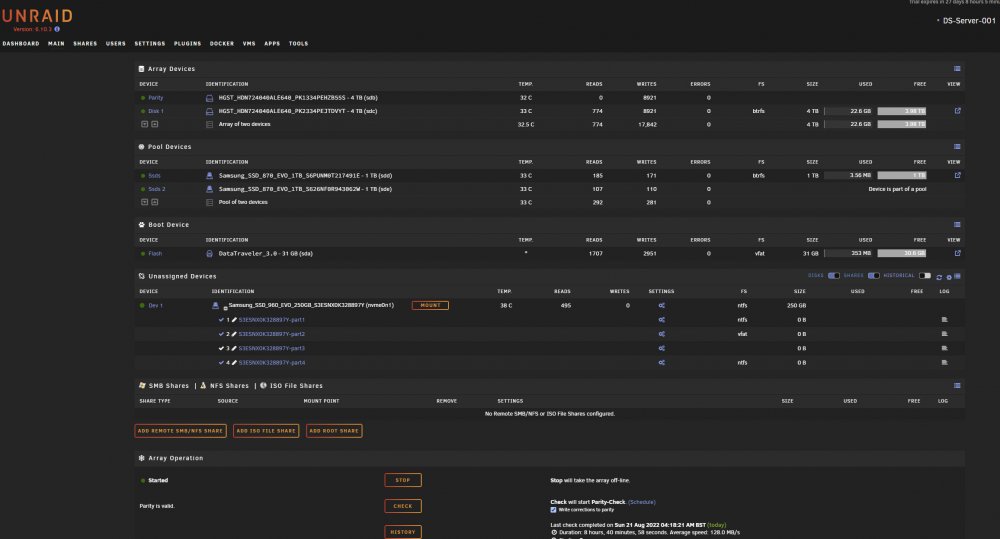
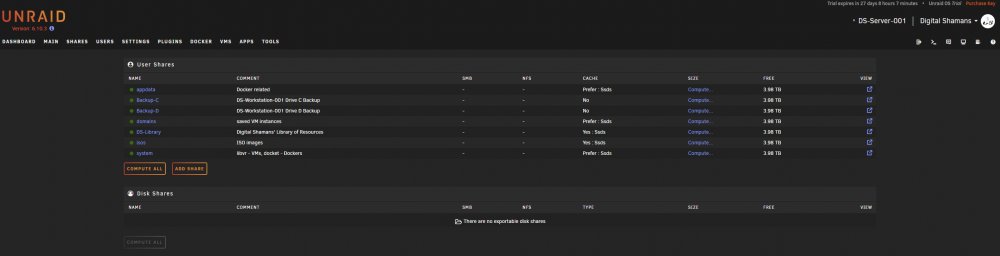
Thank you! It seems to be all good now. Could you take a quick look at the screenshots and tell me if there is no red flags to your knowledge? Btw, I changed system user shares to be preferably kept on SSDs. Because Id like to predominantly use SSDs for everything but Library of Source Files storage and other PC's HDD backups. Appreciate all the help got from you!
-
Thank you! Straight to the point! Appreciate clarifying things for me.
-
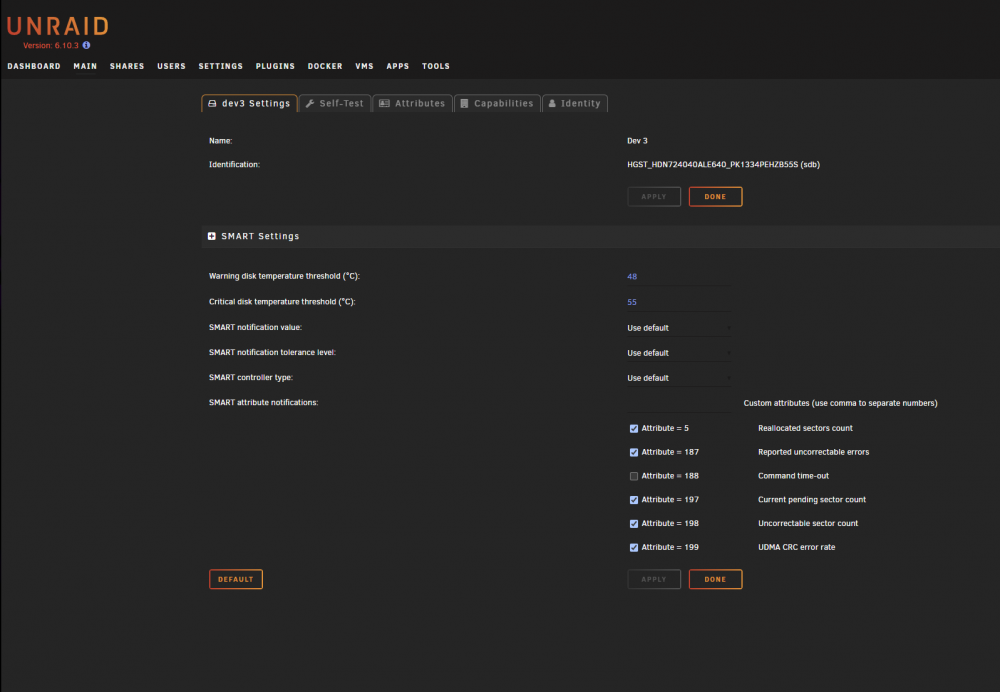
Thank you guys for all the replies! This community is really thriving. Yes, it is a new server. Formatting is not a problem. The source of the problem is that there is no File System option in our disks settings: Why would that be?
-
Thank You Itimpi for the reply. It reassured me about putting 4TB HDD as the parity drive, the other 4TB HDD as a disk in array and remaining two SSDs in Raid1 in cache pool. I dont know what caused connection issues. Looked like possibly something on your side. I could connect to the server in local network using myserver but there was no connection to the unraod server for my trial license to work. It doesnt matter now as I have made a fresh Unraid on a new pendrive. The previous one stopped working.
-
Hi there, I would like to have my drives using btr file system. Initially, they were paired and using xfs. So I have used the New Config tool to reset the config and start fresh. Then changed the default filesystem for drives to btrfs. Then assigned disks to the slots and launched parity. It still shows xfs! I tried these steps in a different order, but with no success. A quick video is attached to this post. What am I missing/doing wrong? Many thanks! btrfs_xfs.mp4
-
Hi, I can't figure out, what would be the best setup for these drives: 2x 4TB HDD 2x 1TB SSD 250 or 500GB NVM M.2 I hope you can advise me. Initially, I wanted to have one 4TB HDD mirroring the other 4TB HDD, one 1TB SSD mirroring the other 1TB SSD and an extra cache pool from a smaller m.2 drive. Effectively I would have a 5TB capacity. 4TB slow and 1TB fast. Since I am not sure if Unraid allows for such dual parity, I can't figure out what would be the best setup. I want to create a few shares and use the server for: Storing source files library. Storing workstation drive backup. Running VMs. Running project Git/Perforce repository. Alternatively was thinking about just making a RAID1 cache pool out of this 2x1 TB SSD. As a result, the total capacity would be not 5TB, but 4TB, but on the positive side, all the applications would run at the write speed of the SSDs. On the downside, the read speed of everything would be brought down to the HDDs read speed. Then capped by network connection anyway. This also makes me wonder if Unraid can sum up the size/capacity of two or more drives used for parity. Imagine having 6x2TB drives. To have redundancy on everything, we would have to use three 2TB drives for parity. or would we be forced to buy single 6TB drive? What do you think? Appreciate more suggestions.
-
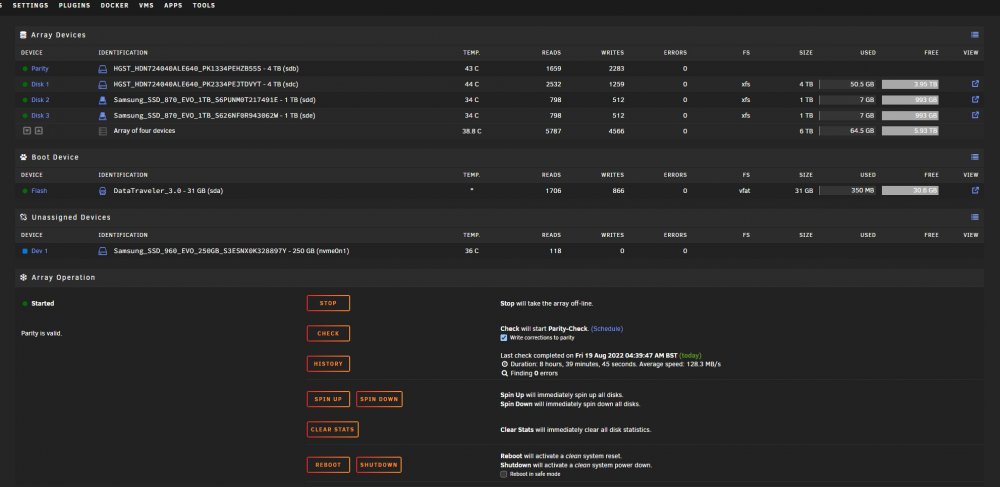
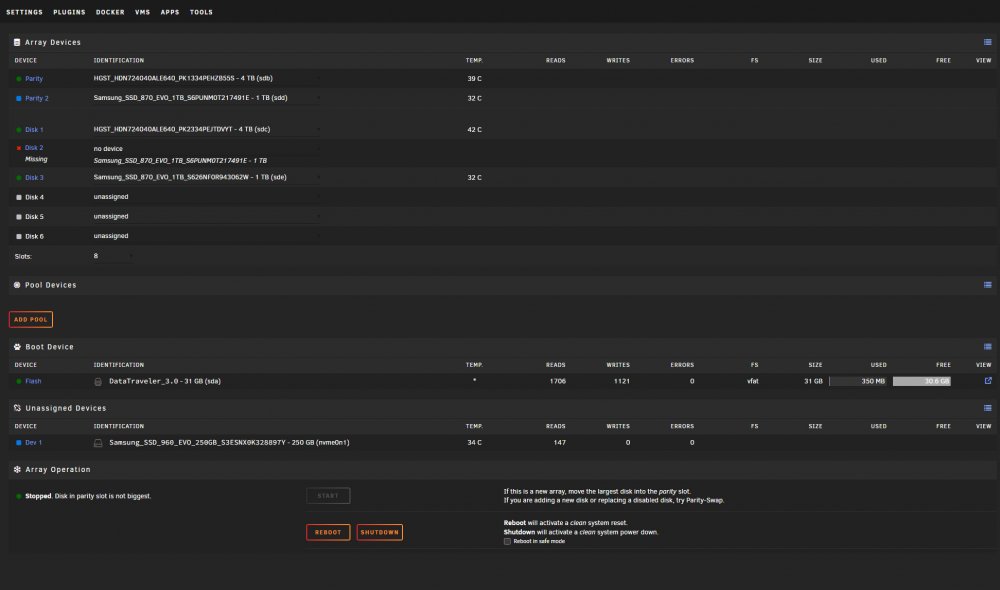
On the new instance of Unraid things work well. I can't login to webGUI, so I don't use it and control it via myservers. I try to figure out how should I configure my drives. Having two 4TB HDDs, two 1TB SSDs (and another M.2 SSD for cache coming soon), one of each (HDD and SSD) I would be used for parity. This may be called dual parity. I wonder if I shouldn't use one of the 1TB SSDs as second parity drive, to effectively have 5TB and control what goes on which physical drive via shares. How one can move a drive from disk to parity without having problem of missing drive?
-
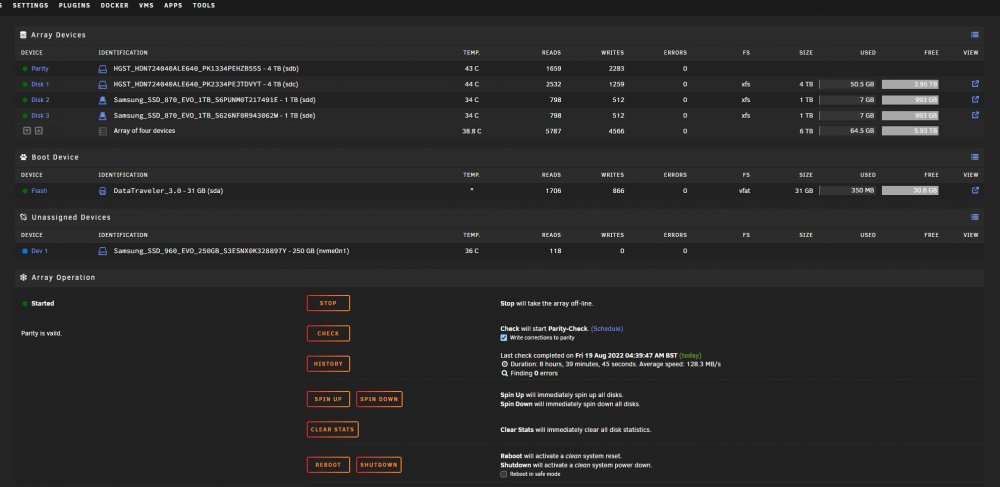
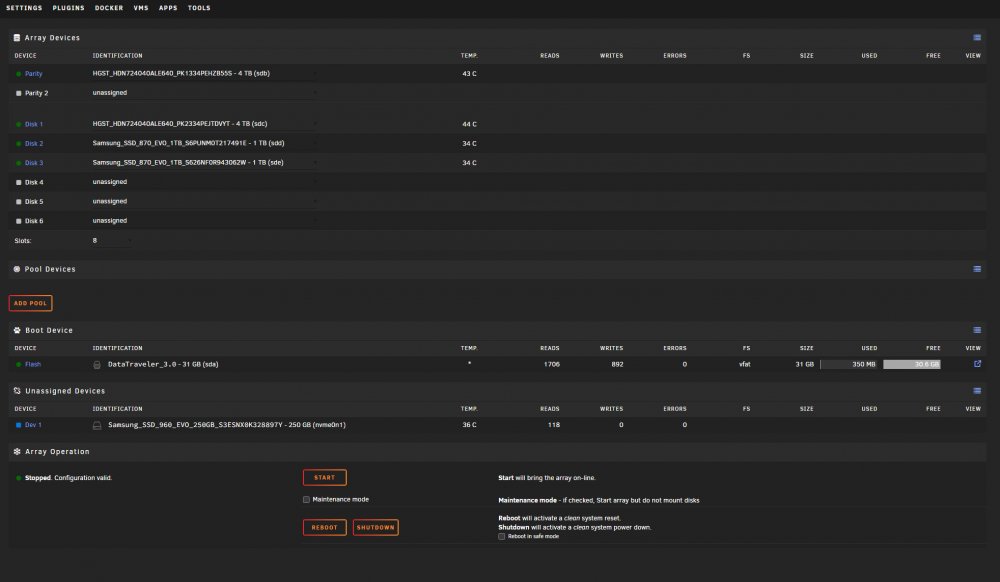
Hi Jonathan, How one supposed to do this part "change the format type for the specific drive that you wish to erase"? I wan to change file system and while disks are in array, they filesystem information is being displayed. As soon as I stop array, there is no information displayed.
-
Hi guys, I am trying out Trial version of Unraid 6.10.3. Here is my config; Unraid 6.10.3 on a flash drive Kingston Data Traveller 3.0 32GB AM4 Ryzen 5 1600 (3.2-3.6GHz 6 cores 12 threads) Gigabyte USD B450 Aorus PRO Rev 1.0 Bios F63a (17/02/2022) 1x8GB Corsair LPX 2400MHz CL16 DDR4 1.2V Corsair VS650 650W NVM Samsung M.2 960 EVO 250GB - Unassigned in Unraid, holds Windows 10. Parity disk: #1 HGST HDN724040ALE640 4TB Pool disks: paired: #2 HGST HDN724040ALE640 4TB 2x Samsung 870 EVO 1TB This is my second round with Unraid setup. Previously I ran into a few issues and ultimately lost internet connection, making Unraid useless, so decided to take a new pen drive and start fresh. I am still before my first login and installing myserver. An issue I face is one I experienced before. Webgui login window does not load and booting stuck on ... terminal? Do you have any suggestions on what may cause it? I attached to this post a video from booting. unraid-webgui-booting.mp4
-
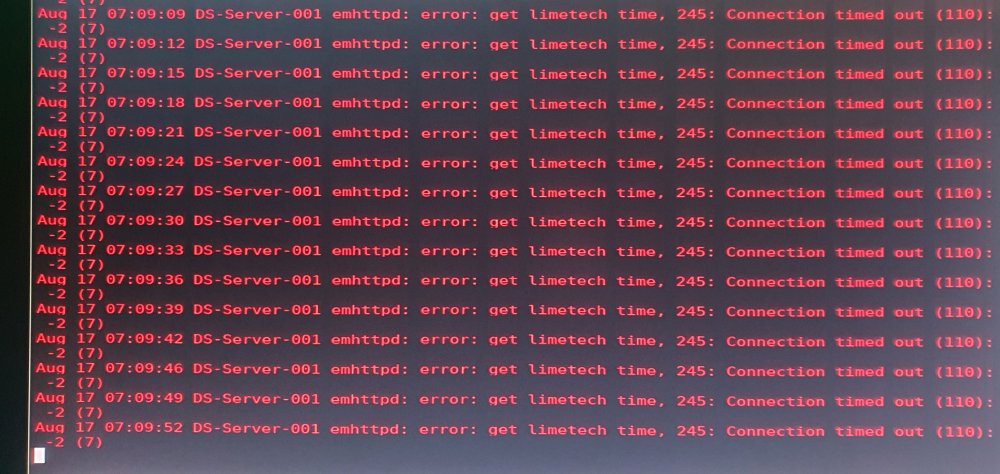
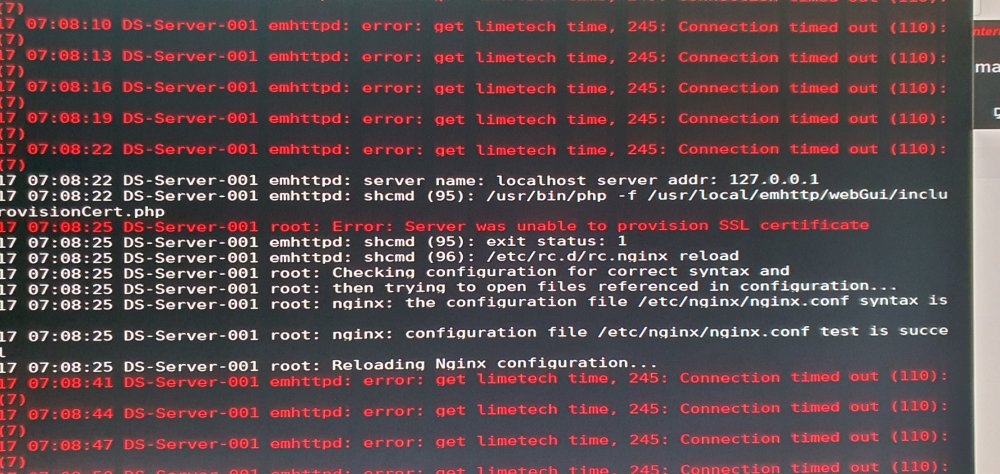
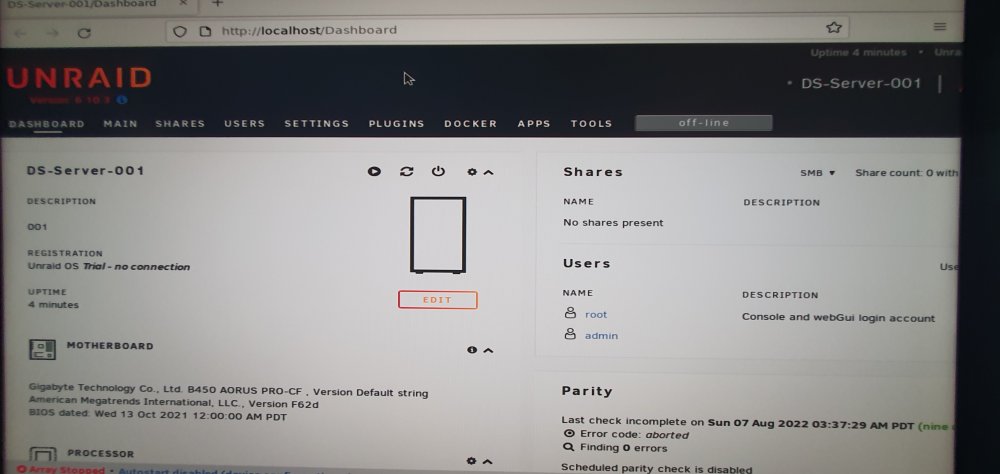
Thank you! I ensured that C-States are disabled (seems like resets defaulted BIOS and turned C-Stated back on) and no restarts since. Fingers crossed. However I ran into another issue and decided to start everything all over with a new pendrive. Despite the computer having internet connection working. I couldn't get connection on my server (myserver worked) and start an array. Also noticed that it takes a few minutes to establish internet connection in the first place. Which was instant before. Here is captured what I saw; Is there a limitation about how many Unraid instances on a pendrive is allowed, using myserver and an online account, when using trial version? I can't get any connection with the Unraid now. Not even via myserver.