






ijuarez
Members
-
Joined
-
Last visited
Everything posted by ijuarez
-
I had the same problem. Created and vm running Debian. Also changing the unraid http to something other that 80 fixed all fo my issues.
-
Ahhh
-
Running LS.io plex server in host mode, and they i tried Tautulli in custom br0, it kept telling me the above error that @Zangief posted .
-
Well that sucks, same here wanted to use a separate ip for this container.
-
I had the docket running and rebooted to address another issue. somehow the docker continue to work but since it ran on port 80 the unraid gui was inaccessible and that did not work for me. I don't to want to change the default unraid ports so a vm is good for me.
-
i just made a debian vm and running this way
-
In namecheap you need to set the dns to cloud flare once that is done cloudflare will authenticate and then you will work. It took about 20 minutes for mine to resolve using namecheap and cloudflare *On mobile please excuse the bad engrish
-
Thanks for the help
-
So i tested the modification and it well, however I notice that my keyfile somehow ended in /boot/custom. I was under the impression that the keyfile was hidden at all time? i will deleted but it seemed odd.
-
thank you, will do fetch_key
-
hmmm this is an interesting way to do it. I like the fact you don't have to use ports, i don't use ddclient but pfsense will have to work that gem out.
-
attaching my fetch_key, using ftps (redacted ftp ip) fetch_key.bash
-
Well crap, what page is that on? Nevermind I found it
-
I did thru br0 Once I killed docker and reboot it I was able to start the array. I didn't have pihole auto start so I'm good.
-
So i had the unfortunate problem that when i rebooted my unraid because my docker page was not displaying, the webui did not load and stated bad gateway. Posted for help then found spants post on pi-hole and read where another user had the same bad gateway issues and explained that its because this also runs on port 80 and therefore you get the error page. looking at the setup changing the host ports would fix this problem?
-
how do you that from command line since i cant get into the webui? better yet how do kill the docker so i can access the webui?
-
Yep learn that the hard way but its an easy fix.
-
nguvu has some seriously good examples.
-
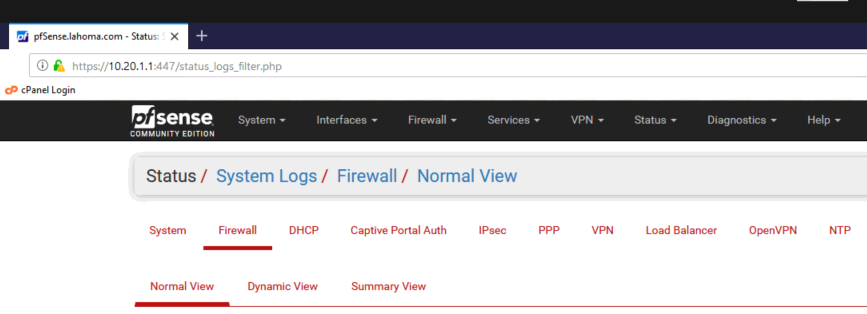
where you can view logs
-
why did you make your gate 192.168.10.4? is that pfsense's ip?
-
post your network setup for unraid,
-
That's the plugin suggestion, virtually all network help on the webs always has you test with google dns because they always work. I think @DZMM has a better answer. Also try changing the DNS servers.
-
That's why I asked, I don't use pfBlockerNG. Personal note, stay away from google dns and use open nic or open dns
-
ok, what do your firewall logs say?
-
Who is 10.10.10.1?


