





SuperMario86
Members
-
Joined
-
Last visited
-
Thank you!!!!
-
The behaviour of the led changed. Now if a disk is in spun down mode, in the widget on the home screen the led is still green (if led mode is set to static), which in the past it was grey which is more useful as it mirrors unraid leds behaviour in main page. If the led is set to dynamic, the led is flashing between green and gray.
-
same here
-
Same issue here. MS Autenticathor doesn't recognize the QR code. Following.
-
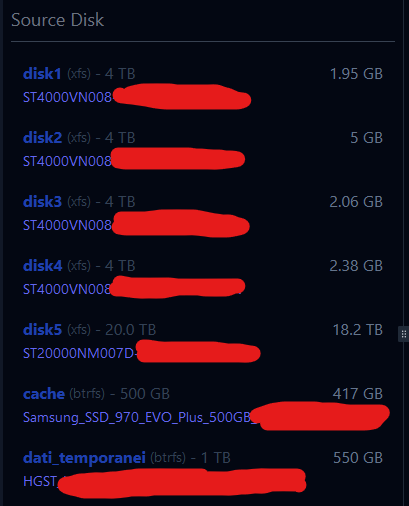
Hello, I am having a problem with the unbalance plugin for a while: it doesn't show the correct space on disks until I reboot the server or stop/start the array. This happens for sure after I made some operations on files on the dynamix file manager plugin. See images, especially disk 3 with officially 83.3GB of empty space, but on unbalance just reporting 2.06 GB (after 3 days that I deleted some stuff). Is there a way to force a refresh on unbalance? Or something else is happening? Logs shows no issues, both on unraid and unbalance. Thanks!

-
Bump, same here, app passwords do not work
-
Uh I played around, and whey I changed, in the disk location settings, the "led display" from unraid icons to circular leds, everything started working again.
-
I updated to 2024.10.27 but no dashboard yet. Any action shall I take?
-
Confirm, it is ok right now. Thanks!
-
Is there any way to get someone from Limetech to look into this? I mean, do they know about it?
-
Yeah, to me it seems that started 2 days ago
-
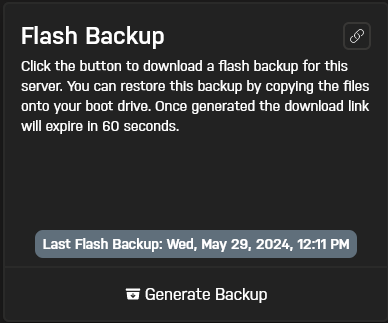
Tried also to delete the previous backups, as well as uninstall connect plugin and reinstall, no luck Anyone has any idea?
-
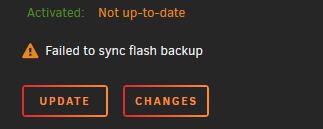
Hello, first, apologies but I cannot post in the Unraid Connect subforum, even though I am logged with the same Unraid.net account in my server. From today I noticed this. I already tried: to deactivate and reactivate the flash backup (without deleting old backups) sign out from unraid.net, restart the unraid api, sign in again rebooted the whole server ssh -v -T [email protected] command shows no issues (Unraid Flash Backup should have no issues connecting. Goodbye) If I clic on "Changes" button, it shows a blank window In Unraid Connect dashboard, my server is visible (so no connection issues with connect servers) I can create local flash backups without issue, but the online flash backup doesn't work. How I solve this? I changed nothing in my server. Thank you!
-
Confirmed working fine!! Thanks!
-
I get the same. Came here after an heart attack Thanks!



