





bonienl
Community Developer
-
Joined
-
Last visited
Everything posted by bonienl
-
Version 2023.03.23b of the Dynamix File Manager has the following enhancements Close icon at the top right of the dialog box is replaced by a Minimize icon, this should make it clearer that running tasks can be minimized (and continue in the background) Progress information is shown in the footer when DFM tasks are running. You can click on DFM icon in the footer (or header) to bring back the dialog box "Smart" move is added to speed up move operations taking place on the same disk Please update DFM to make use of these new features. To answer some questions made by @mgutt: Right click on a path element and a dialog window pops up with the path notation, this can be copied as needed This is now available as "Smart" move. You can move files and folders more quickly (using 'mv') when source and target are on the same location. Note: moving shares -- /mnt/user/* -- is always done using rsync -> copy + delete This was always possible, by clicking the Close [X] icon at the top right, but is made now more obvious There is a checkbox "Use sparse option" to do copy/move using sparse mode. Using this mode will reduce the speed since rsync needs to examine the file content during the process.
-
This is fixed in the latest version 2023.03.22, please update
-
Unraid 6.12 introduces an API for adding elements (tiles) to the dashboard. Besides the new layout, plugins need to be updated to use the API, the old way of hacking in to the dashboard does not work anymore.
-
Unraid 6.12 has a new functionality - PHP Settings (Tools) Here you can enable error logging and open a window to see in realtime any errors when opening GUI pages (your plugin)
-
In addition: never let your plugin modify stock files of Unraid, this is asking for trouble. Unraid supports a system which allows a plugin author to replace a stock page file by a customized version. Replacement works very simple and ensures that uninstalling the plugin reverts everything to original. An example Say you want to make your own version of "DeviceAttributes.page" This file is stored in /usr/local/plugins/dynamix/DeviceAttributes.page Your plugin can simply create its own "DeviceAttributes.page" file Store your file in /usr/local/plugins/myplugin/DeviceAttributes.page During GUI build the file under "myplugin" is loaded instead of the stock file. As long as the plugin is installed, the customized version is used, uninstalling the plugin reverts to the stock file automatically.
-
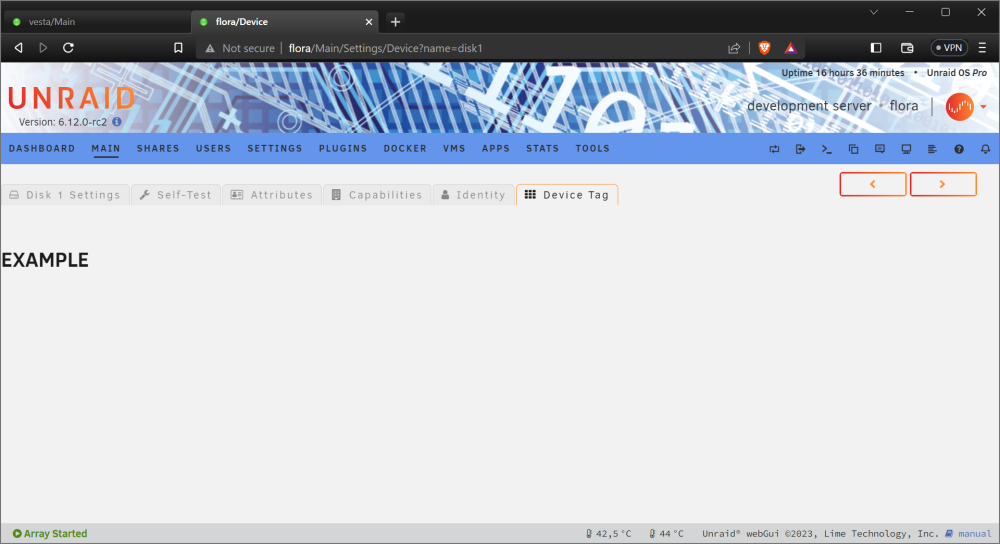
1. Create a folder for your plugin, e.g. mkdir /usr/local/emhttp/plugins/myplugin 2. Create the file DeviceTag.page and the place the file in the folder above Menu="Device New" Title="Device Tag" --- <h1>EXAMPLE</h1>
-
I don't see this happening on my system and need to investigate. Currently busy with the Unraid 6.12 release, but will look into this later.
-
Works fine for me. Post a screenshot, cause it is not clear what is happening
-
Never happens to me, no clue why.
-
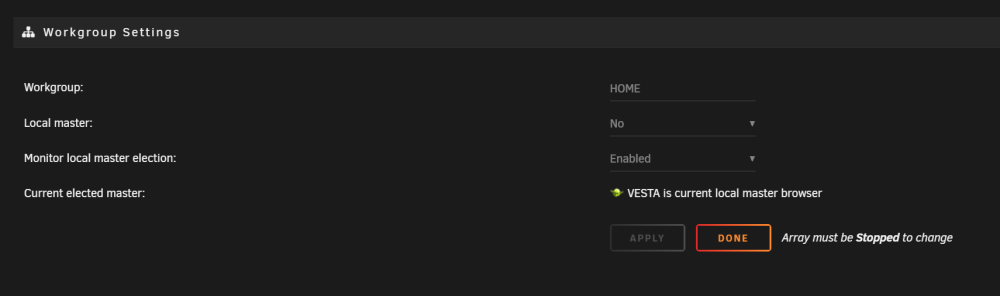
@Frank1940 thanks for your explanation, I see what is happening. The newer version checks the activation of netBIOS and hides settings when netBIOS is not active. I added WSD as an alternative. Please update to version 2023.02.19a
-
I don't see anything wrong in the diagnostics. Can you try to uninstall and re-install the plugin?
-
s3_sleep is not used for waking up the system. You should check your BIOS settings.
-
Latest update supports custom port numbers for telnet and ssh
-
I made an update to fix the list of devices outside the array
-
@ptichalouf sorry, but this is not the right place to discuss development issues. At this stage Unraid 6.12 is not published yet.
-
Did you give it some time to fill the graphs? My backup system with Unraid 6.11.5 works fine with the latest plugin version.
-
It appears the sysstat package included with Unraid has an issue (only Unraid 6.12 has a working package). I restored the original sysstat package for Unraid 6.9 to 6.11, please update. No reboot is required, Stats should start working after the upgrade of the plugin.
-
The S3 Sleep plugin was updated to version 2013.02.13, which has a fix for devices (disks) detection. Please upgrade and try again.
-
Dynamix S3 sleep plugin - updated the script to correct the device detection Dynamix System Stats plugin - re-added sysstat package for Unraid versions 6.9 and 6.10
-
What is your Unraid version?
-
It will take some time to fill the database.
-
The latest version of System Stats uses the sa package which is provided with Unraid. When the upgrade is performed the "old" sa package is removed and it requires a system reboot to restore it.
-
Disk manufacturers show sizes using the metric system. This is agreed by the industry. Unfortunately Windows is the only OS not following this standard, which leads to a lot of confusion. Apple and Linux distributions show sizes the expected (correct) way.
-
I have included your update for the next Unraid version. Thanks
-
Currently testing this feature, should come in the next Unraid version.




