





Joloxx9
Members
-
Joined
-
Last visited
Everything posted by Joloxx9
-
I am not saying that everyone use it for media server, IMO just for media server even 64GB is a overkill. I guess you have some other stuff running in the background as 70GB of RAM for applications is quite a bit.
-
This might be dumb question, but what is the difference between mover and Rsync? I get it, that mover is closed source etc. but for typical Joe, what are benefits one over another? I was moving mover originally, but when I moved to mover tuning I guess I moved to rsync anyway?
-
Hi I have tried to fix it, and that trick with mergeFS fixed the issue :) Could you possibly expand the plugin to use jellyfin and plex at the same time? I do have plex for most users(including myself) and jellyfin for other few.
-
And how much of that is in use? I do have 64GB and for home media server it is a overkill, even when I have 10 plex users.
-
@alturismo The plugin doesn't work, I mean it does work but only for new files. Please look at the screenshots, in case 1 the movie was already in cache drive as was watched this morning, plex decided to start using file in the disk1 instead of cache. It never changed to cached as well. In second case, the file was only on the disk1 so plugin did the job, copied it to the cache and switched. Not sure what is wrong in my case, why is it not using cached files isntantly? Is it because I use zfs on this chace pool? Is there something wrong in config? Just ot let you know I tested multi mode as well.
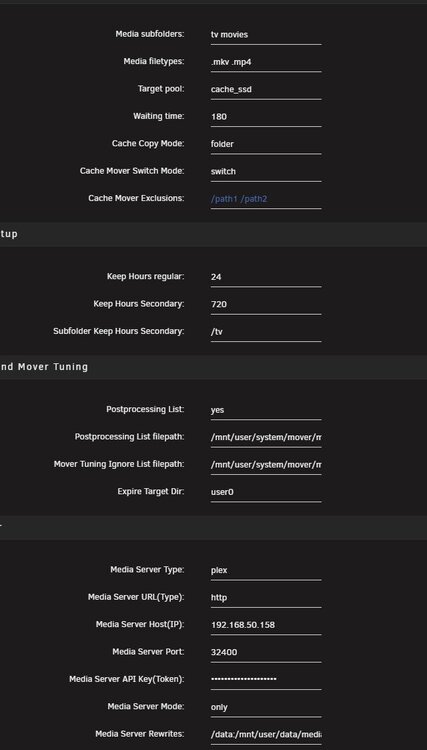
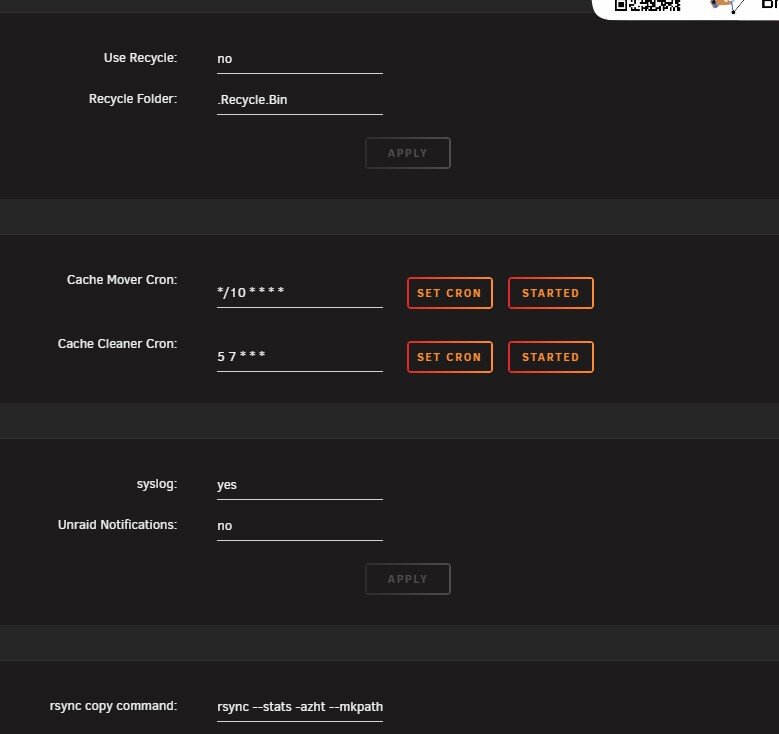


-
Thanks I have re did all and now I can see cache-cleaner is running and files are visible in Cache mover cached tab, the last question the same file is in mover tuning excluded, is it because the file is still in range?
-
The only thing that is not working is cache cleaner, I set post processing to yes, set the cron to do it every 2 minutes but the cleaner log is empty, not sure why it does not check the files?
-
After an hour of fight I finally managed to get it working, it does copy the data. Now - do I need to set up anything special to remove files after xx hours or it will do it on its own?
-
Sorry I think there is some kind of confusion :) I want to copy a file from array to the pool, then delete it from the pool, according to the description I should use BIN plugin to achieve that, right? I can skip mover as it wont be used, or I am wrong and I have to use mover?
-
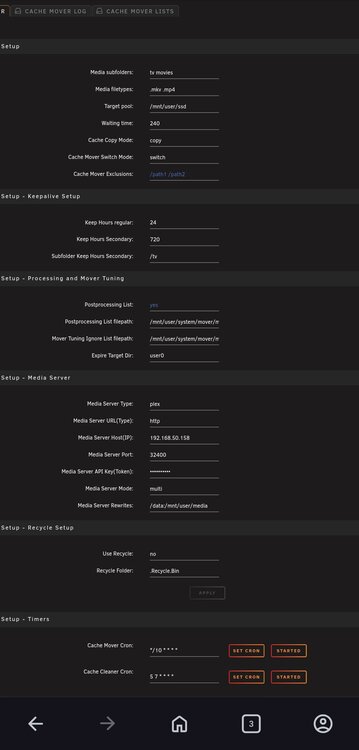
Thank you @alturismo , it was my bed time and used wrong cache copy mode :) My path is /mnt/user/data/media in this folder I have two folders tv and media, also /mnt/user/data/media is mounted as /data in plex( I have fixed the path as the one in my screenshot had no "data" before media) I am just thinking, technically I do not need mover at all, as this is separate ssd pool, not the main cache. I guess in this case I have to figure it out and remove files manually, or they will be deleted after xx time? @edit I just noticed that there is an option to use bin plugin, I guess I can do that instead of mover?
-
Hi @alturismo I am trying to use cache mover, so far my setup looks like on attached, the only thing that is missing is plex token, however not sure if all paths are ok? Also what about subtitles files, will it move them automatically or should I add .srt next to the mkv and mp4 files? Thanks for help.
-
Same, got a zfs pool build from old ssd drives, would be great if I could achieve something like that.
-
I wiped the folder, then manually erased all legacy databases and recreated docker, so far so good, no issues, thank you for your help :)
-
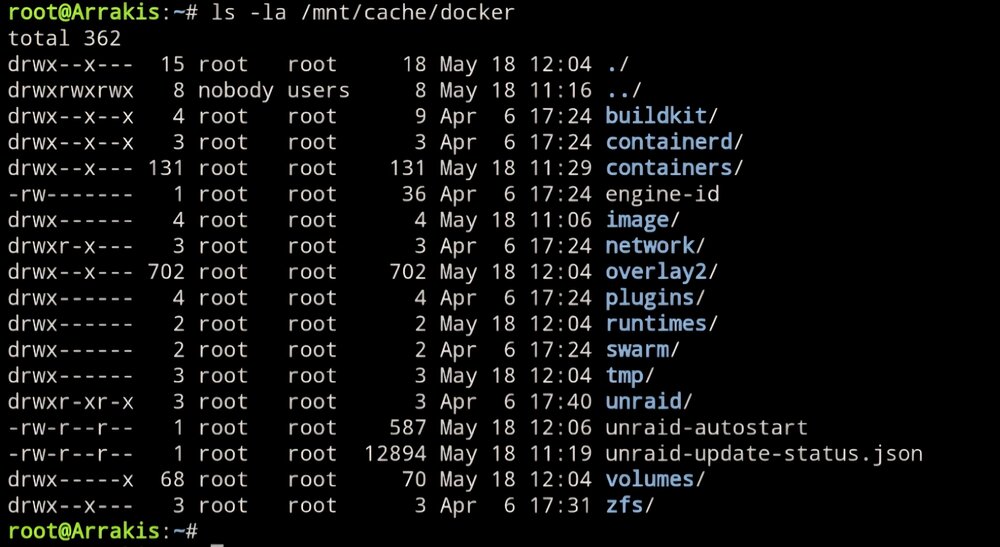
So I have to do it now? Should I just remove all files created before 18th of May?
-
Didn't have that field, however all dockers vanished etc so should be ok now, recreated all of them. Thanks for help. Myabe because array was offline?
-
Okay got it now, so I guess stuff like /appdata etc won't be affected? I just cannot see "check the box to delete the folder" where is that thing?
-
I have updated two days ago. What should I do now? Recreate apps in docker? Sorry not sure how to use that overlay2 driver...
-
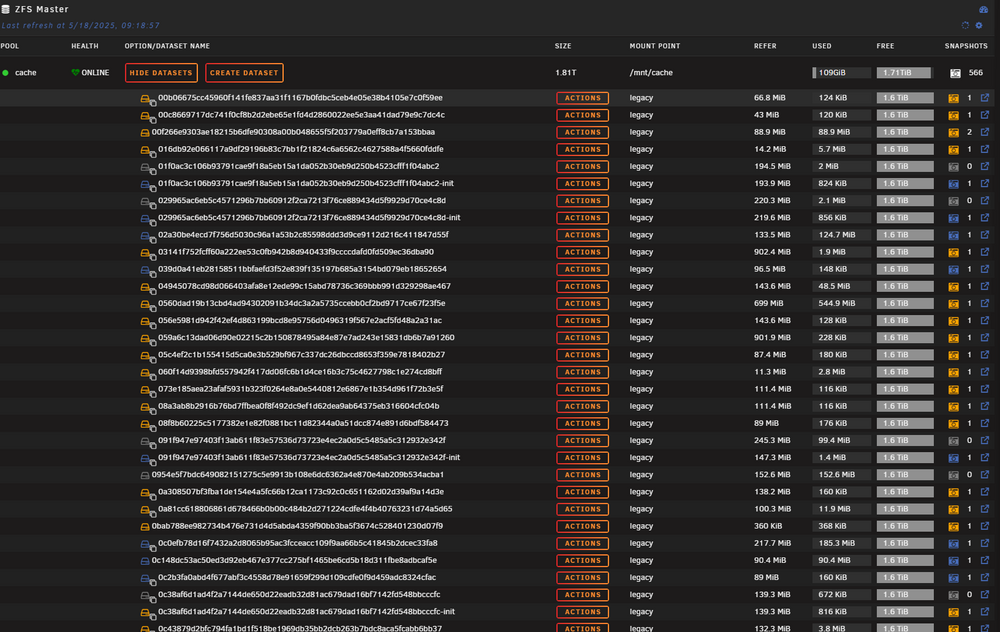
@JorgeB I am having same issue, 566 datasets(!!!) All marked as legacy on my zfs cache drive, how do inget rid of them or fix it? Just so you are aware, I started my unraid journey with 7.0.1 so this is very fresh system Looks like all of them were created by the docker, not sure why and how? What is the best approach to remove them and to stop them from being created? Should I just remove all data from this cache and format it as another file system if there is an issue with zfs?
-
Hi, could you create something for Silverstone seta A2 please? https://www.techpowerup.com/review/silverstone-seta-a2/3.html




