





JohanSF
Members
-
Joined
-
Last visited
Everything posted by JohanSF
-
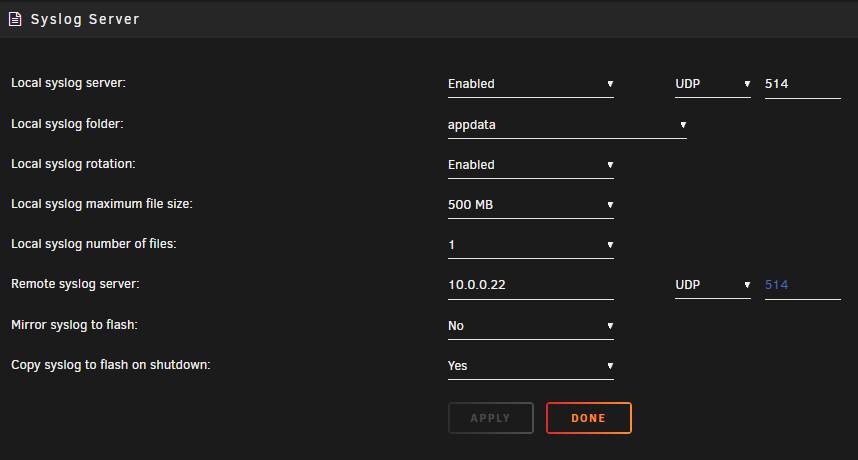
Like this? 10.0.0.22 is the local IP of my unraid server. I see the file exists now so next time it crashes I'll just reboot and upload it here, right?
-
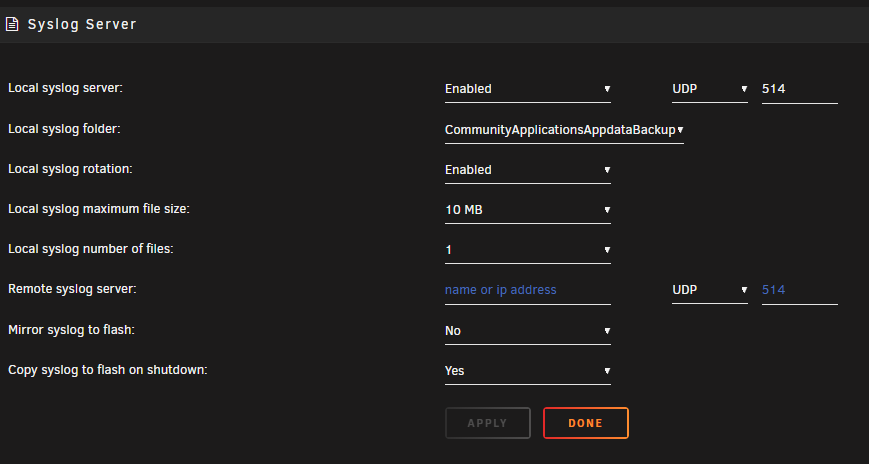
Thank you JorgeB. I've never touched that setting before, is this sufficient?
-
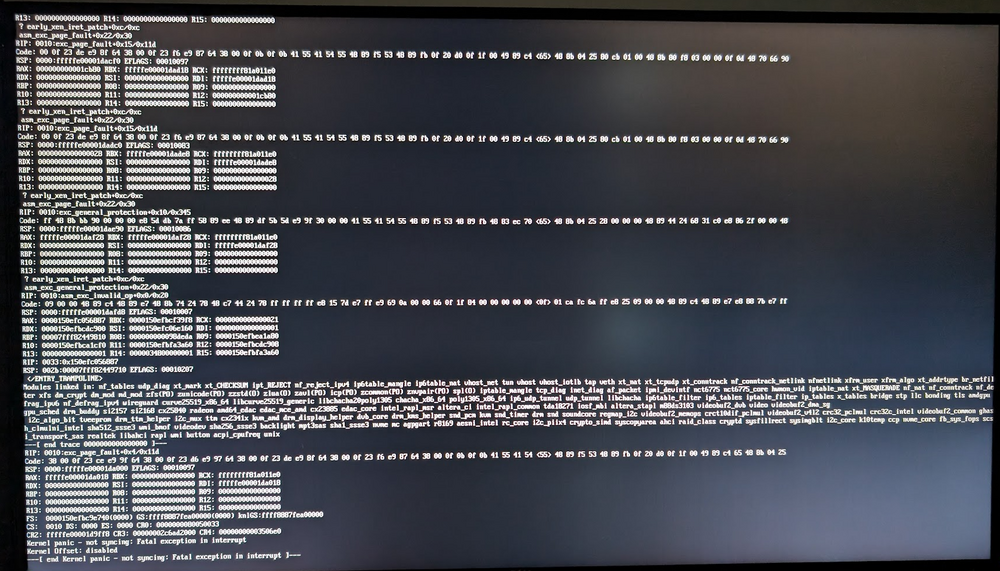
This is the second of two kernal panics I've had in a month. I did not post about the first one as I thought it might just be random. I always keep unraid up to date to the latest stable release. I captured this photo before I rebooted the server: hal9000-diagnostics-20240821-1317.zip
-
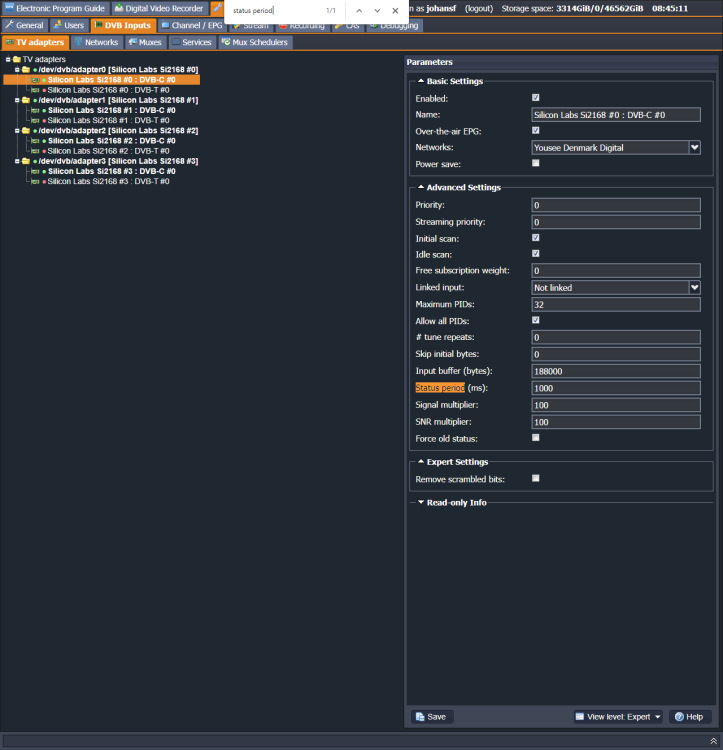
I never reset my router or otherwise have trouble with that portion. Here's the adapter configuration (status period marked cause I was googling and that might be of interest): Stream profiles (don't know if the relevant one is selected here): User settings:
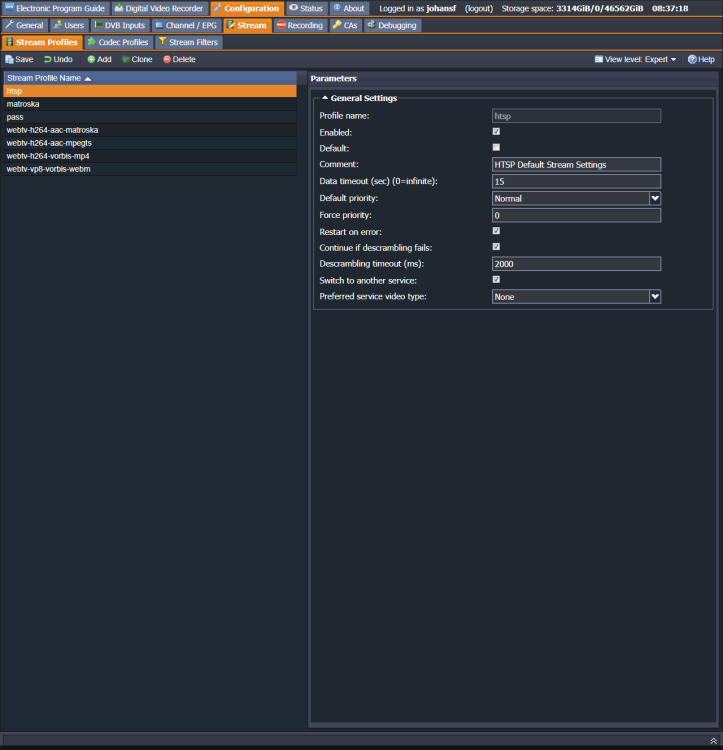
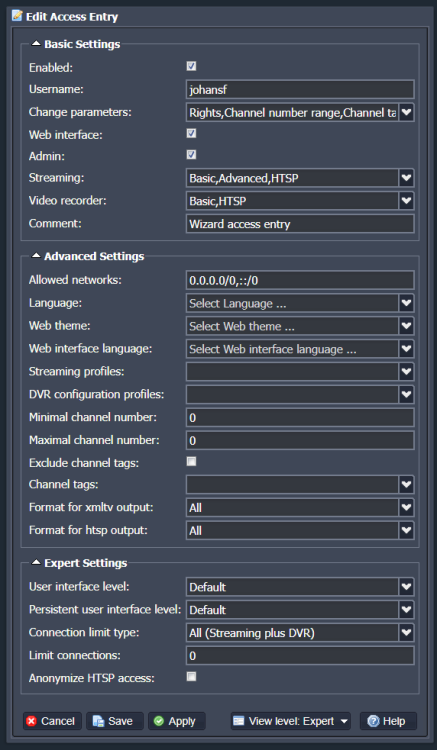
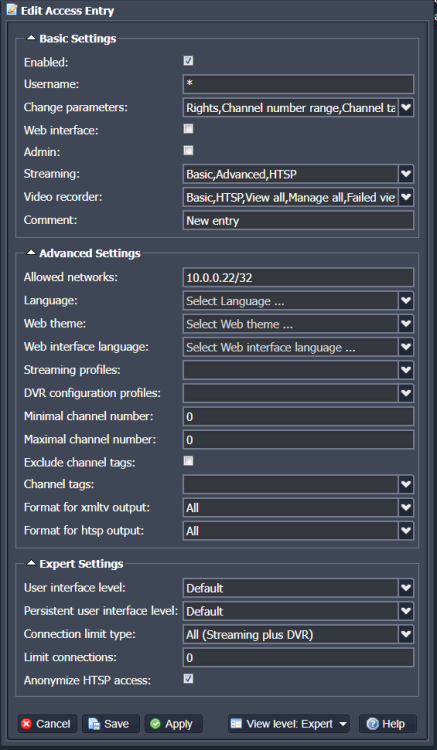
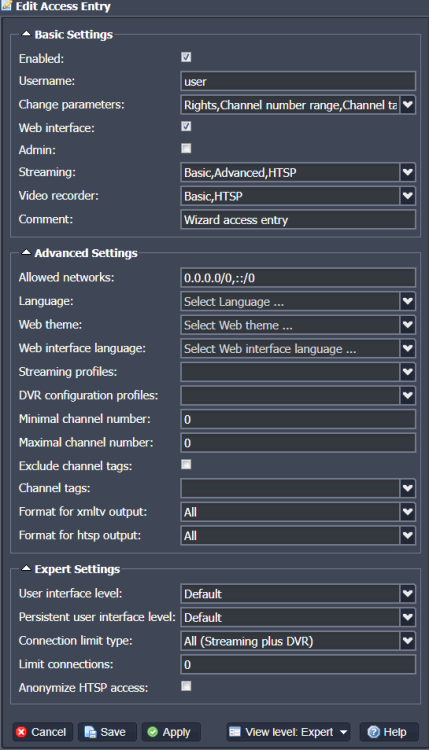
-
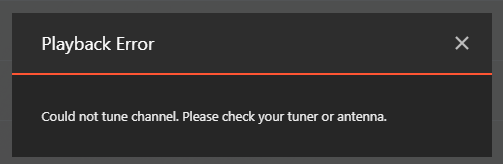
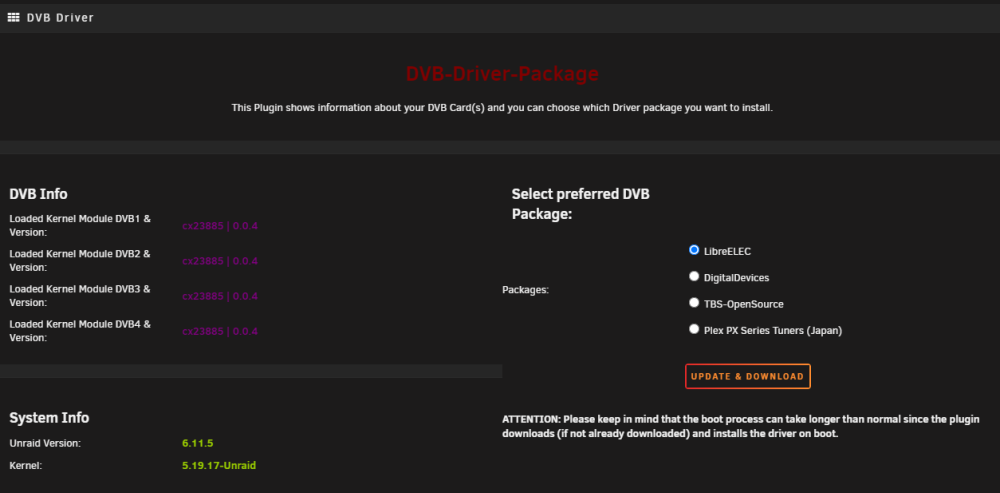
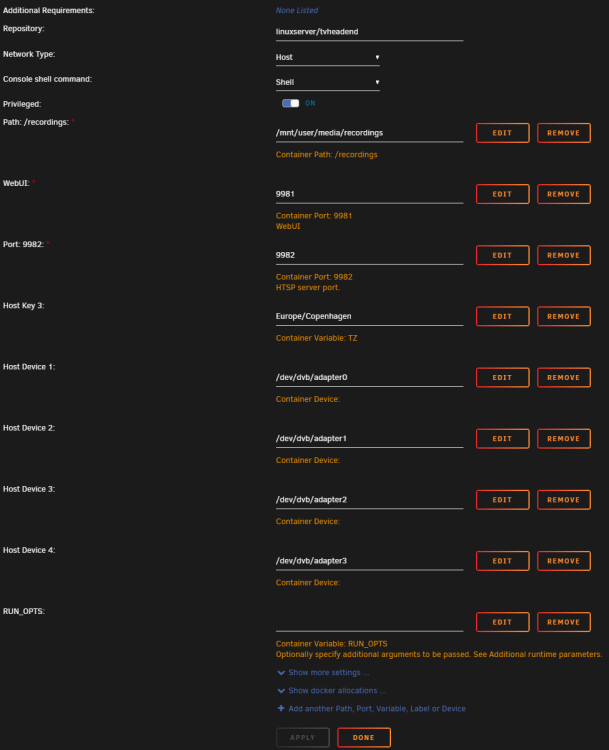
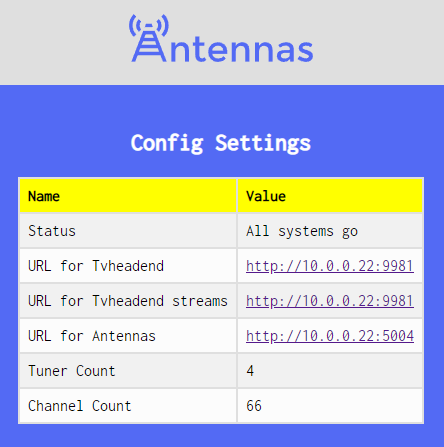
I constantly have to restart the tvheadend docker container when I want to watch TV. When I simply try to tune a channel I usually get this: tvheadend docker log when it doesn't work: https://pastebin.com/hU2e3rDc After restarting the tvheadend docker container it works perfectly until a while has passed with no watching, and it will need a restart again. tvheadend docker log while watching a stream: https://pastebin.com/B4GUSPyS DVB Driver Plugin: Container edit page: My device is a Hauppauge WinTV-quadHD and I'm using antennas container to route tvheadend: Please let me know if there is anymore information I can post to help solve this issue. It is a huge pain to deal with this on a daily basis.
-
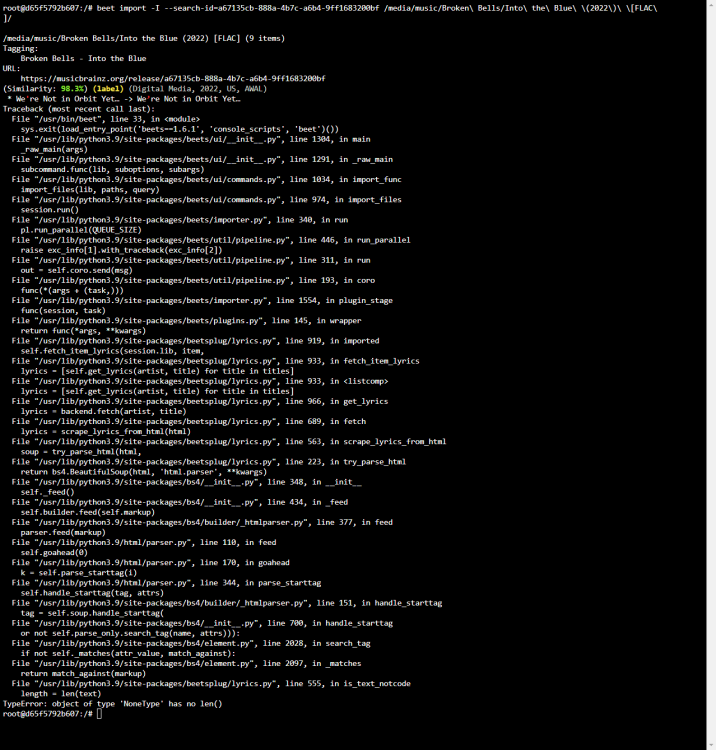
The issue in https://github.com/linuxserver/docker-beets/issues/80 seems to be back, for me at least: I'm on nightly. SOLVED: By going back to stable.
-
Anyone got a working reverse proxy subfolder nginx setup for this one?
-
I have the exact same issue as ExXxtr3me and SuperWiener.
-
Mine works great. Awesome update! I do miss pull down to refresh though [emoji4] Sent from my Pixel 3 XL using Tapatalk
-
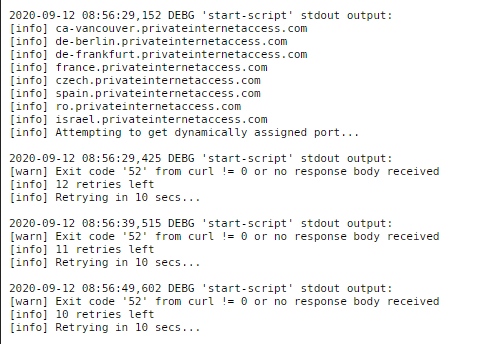
My binhex-rtorrentvpn using PIA stops and starts every night when the mover runs. For the last couple of months it has been random if it was running when I woke up or not. For example I just restarted right now and get this: I can restart the container a minute later and then it will work - it seems completely random and this has been going on for more than a month now. Just haven't had the time to properly deal with it Now from reading your comments it seems like I'm not the only one.
-
Works now! I used different cables. Thank you.
-
Search has been broken for quite a while. Typing anything into the instant search field throws this error and the search does not execute: I googled and found this: https://github.com/Novik/ruTorrent/issues/1989 Maybe something needs to be updated in the container, or is this just on my end that I need to do something? Recreating the container did not fix it. Tried manually updating to the newer https://github.com/Micdu70/rutorrent-instantsearch, the one in the folder on my system was from 2010, but this did also not fix it. EDIT: It seems that the manual updating to the newer instantsearch plugin worked! maybe it was a cache issue after updating it.

-
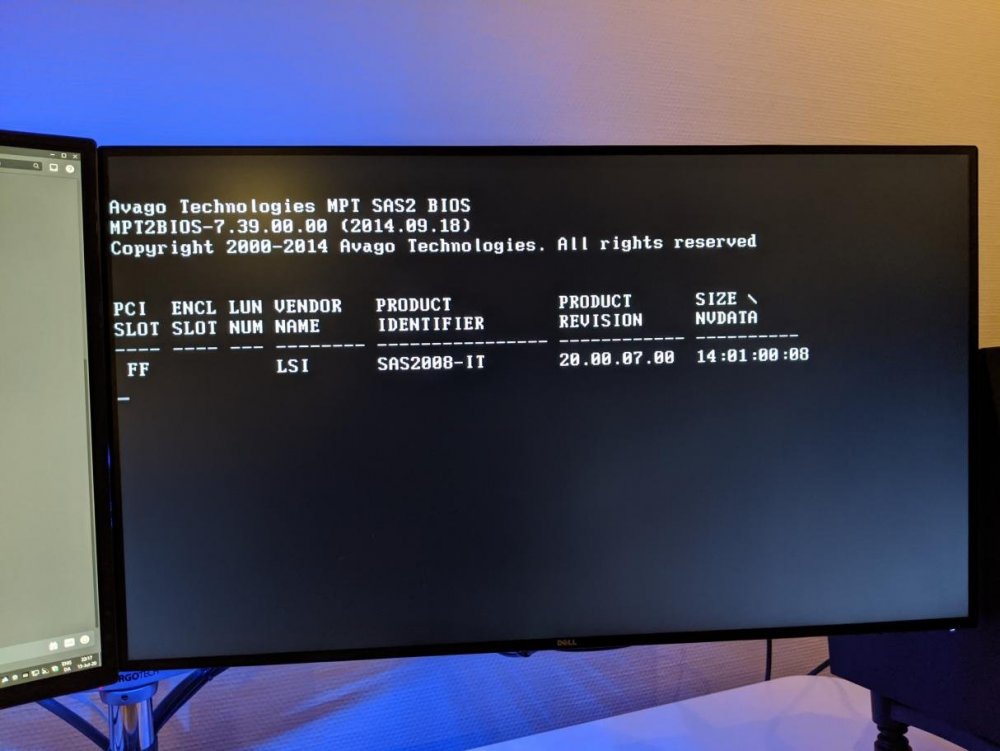
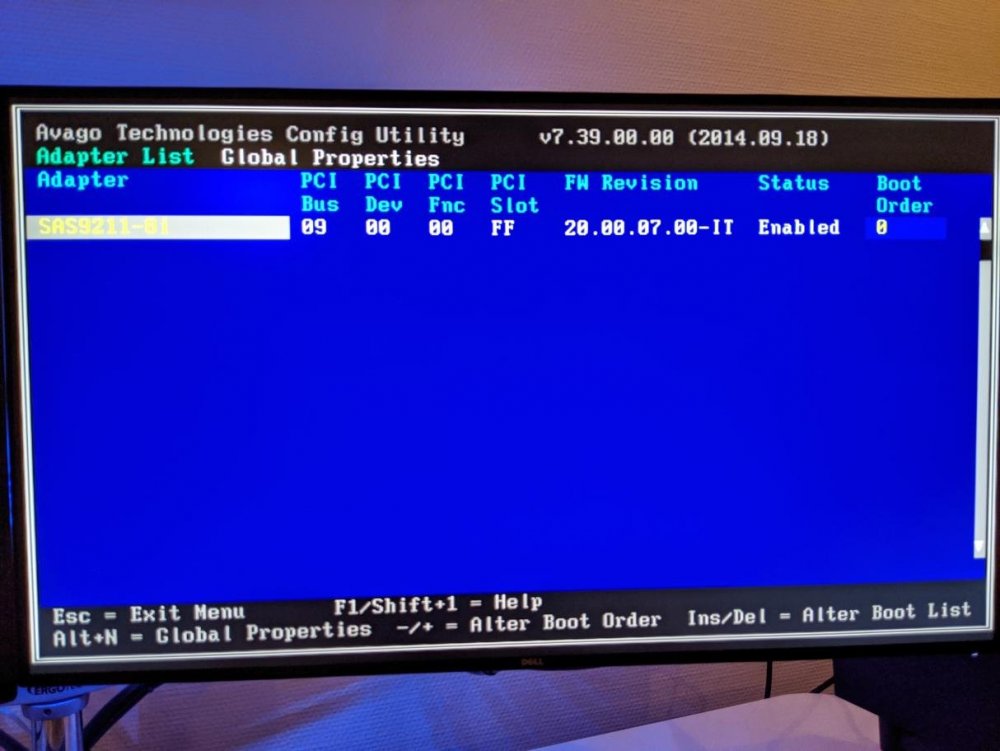
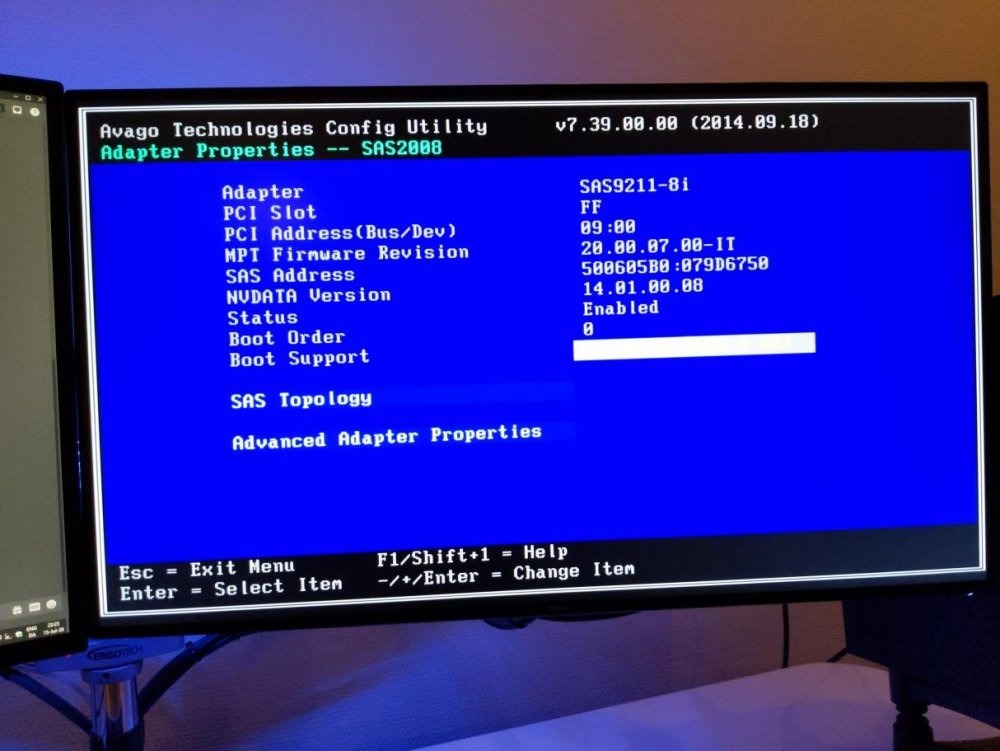
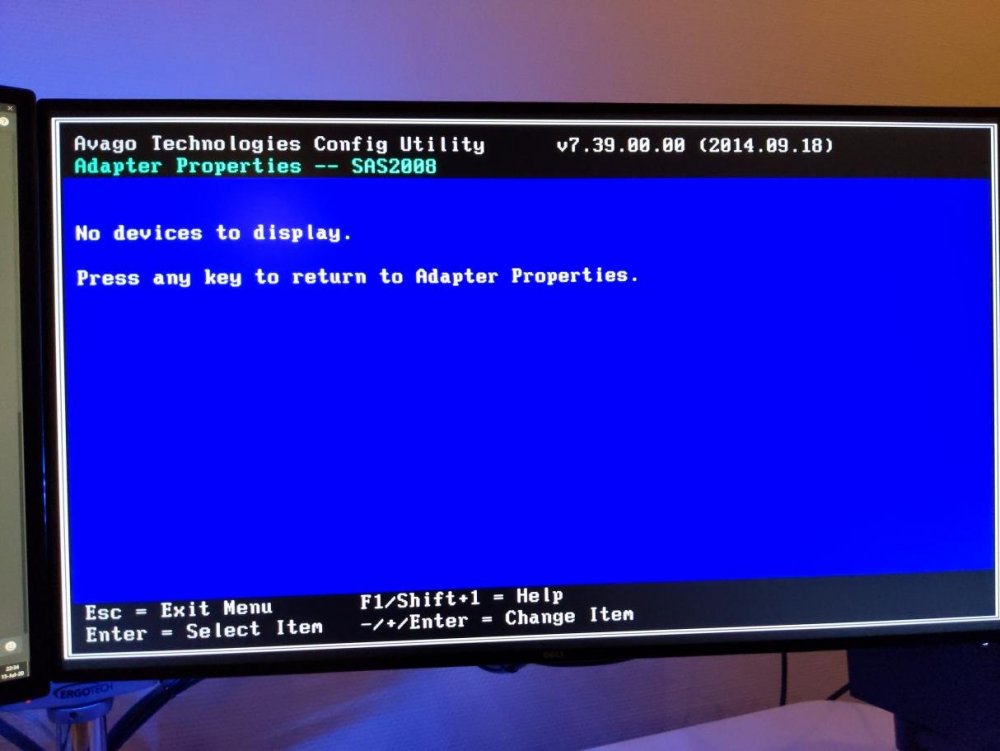
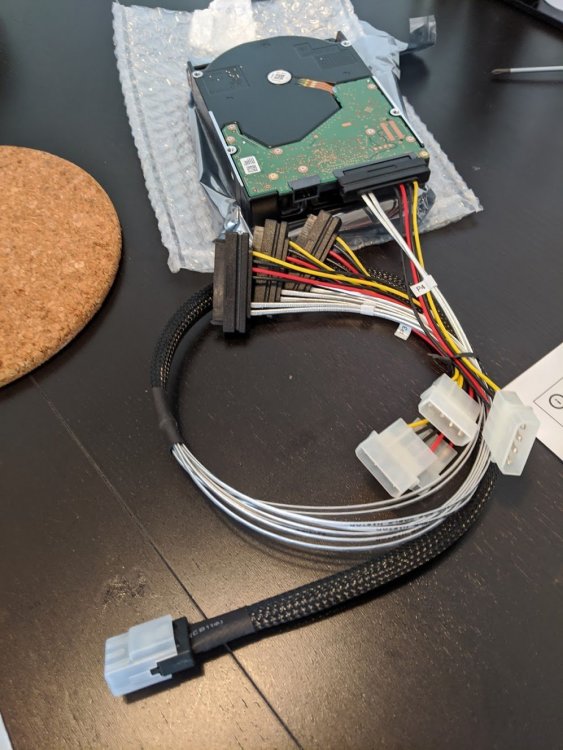
Hi all, I just installed two brand new drives to my LSI SAS2008 controller, but I'm not seeing them in unRaid. I can feel them running with the touch of a finger on the physical drives so it should not be a connection issue. The drives are both this model: WESTERN DIGITAL ULTRSTAR DC HC550 18TB 3.5 SAS SE 512MB 7200 WUH721818AL5204 INT This is the cable: https://www.av-cables.dk/diverse-sas-kabler/mini-sas-kabel-sff-8087-til-4-x-sas-29pin-sff8482-0-75.html I have searched both google and the forum here, and found this, but I am not sure if it is relevant for my case: Here you can see the card while booting: The settings: SAS Topology (I tried with the cable plugged in to either SAS port: I use this SAS cable and it definitely feels high quality - my PSU is the RM 550x powering the drives via molex with no conversion: Can you help me troubleshoot it? Kind Regards, Johan hal9000-diagnostics-20200715-2000.zip
-
Here's a feature request I've wanted for a long time. Can you make it possible to update docker containers in the app? maybe even plugins?
-
Yo, I am here because android apps nzb360 and Transdroid won't connect anymore after the last update. I saw what you changed and tried commenting out the two new lines. Everything works now except nzb360 still won't connect locally. I am not sure if I am even in the scope of people that can benefit from what you changed (and I don't quite understand it), as my apps were set to connect to a subdomain reverse proxy with basic auth set in the Letsencrypt docker container by Linuxserver, and locally to the localip:9080 with /RPC2 endpoint and without authentication.
-
Thank you for the work, a nice GUI for overview is always great. A guide to move from the LE docker with subfolders, subdomains, organizr, settings etc. to this would be greatly appreciated.
-
To the devs: You can fix the Reverse Proxy issue by editing the file /etc/services.d/duplicati/run to the following (i.e. adding --webservice-allowed-hostnames=*): #!/usr/bin/with-contenv bash cd /app/duplicati || exit exec \ s6-setuidgid abc mono Duplicati.Server.exe \ --webservice-interface=any --server-datafolder=/config --webservice-allowed-hostnames=* See https://github.com/linuxserver/docker-duplicati/blob/master/root/etc/services.d/duplicati/run For now I use a mounted run file with this change. Edit: The best solution is to make it an environment variable in the docker container.
-
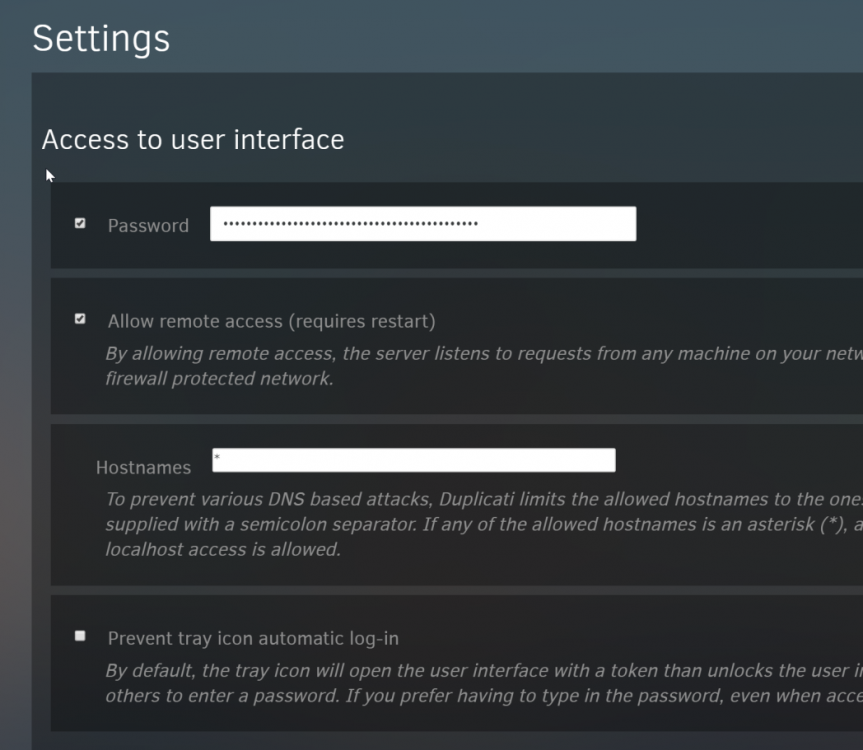
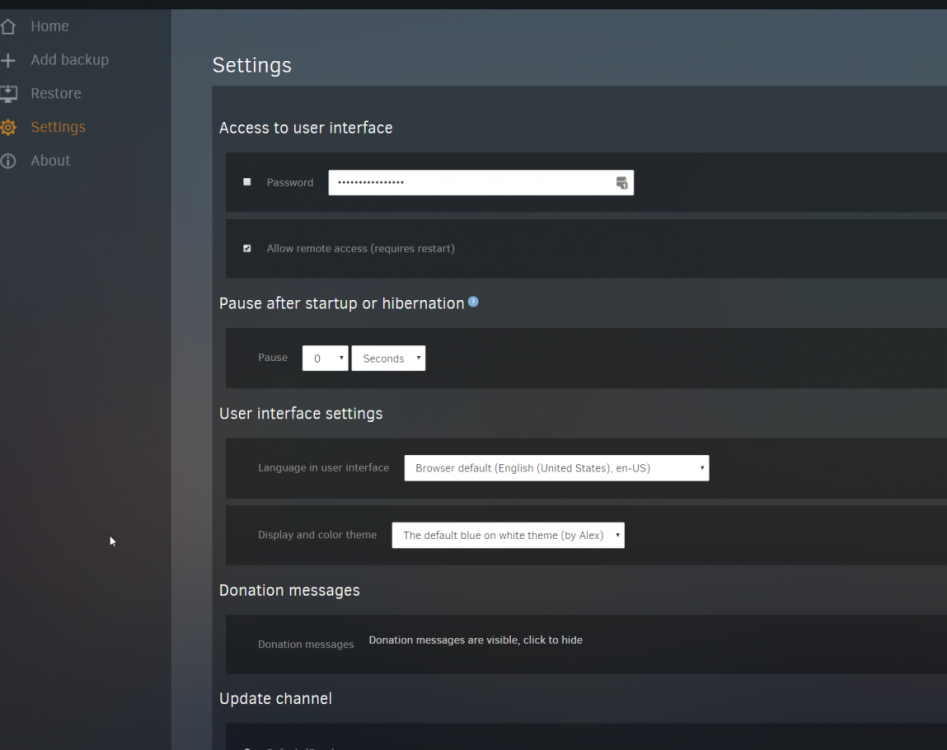
I need access to put an asterisk in the the Hostnames option to make my reverse proxy working again. What I need looks like this: But that is only possible if I can visit Duplicati via 127.0.0.1, how do I do that when it is inside this docker container? This means that as of now I only see this:
-
Press edit and find show advanced, then you see the field.
-
Use this repo until it is fixed: Repository: binhex/arch-rtorrentvpn:0.9.7-1-11 It is the version before it broke. Like this: Then when it is fixed, you can make it: Repository: binhex/arch-rtorrentvpn:latest

-
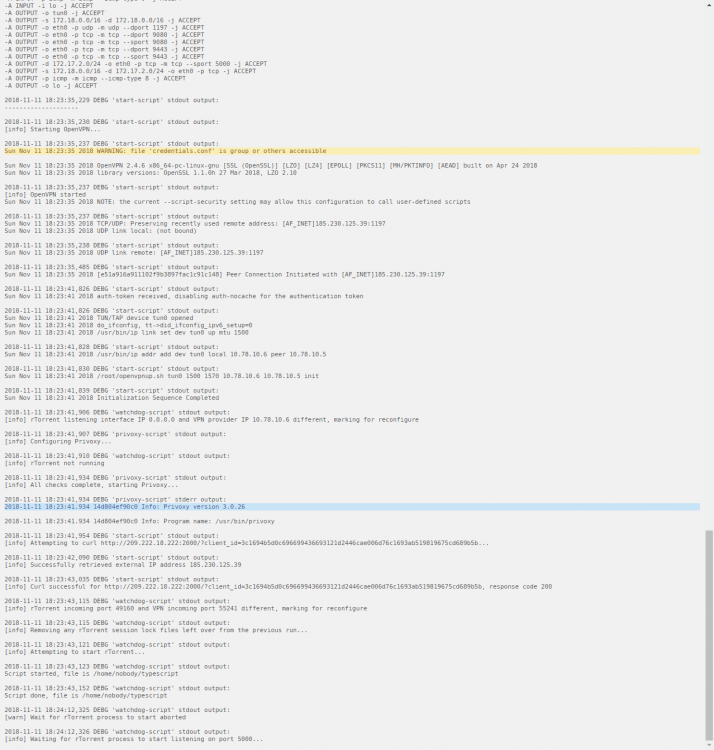
I just saw there's and update and updated, now it my binhex rutorrent container wont start.
-
plz ignore this post
-
Hey georgez, great guide. But I understand that ken-ji had some better practice idea below, could you maybe edit this guide to reflect that? For us noobs that need step by step guides :D
-
In settings I can succesfully test my connection to 32p and rtorrent. But when I search for my wanted comics I get this in the log: 2018-08-11 15:54:11 ERROR Uncaught exception: Traceback (most recent call last): File "/app/mylar/mylar/logger.py", line 336, in new_run old_run(*args, **kwargs) File "/usr/lib/python2.7/threading.py", line 754, in run self.__target(*self.__args, **self.__kwargs) File "/app/mylar/mylar/helpers.py", line 3007, in search_queue ss_queue = mylar.search.searchforissue(item['issueid']) File "/app/mylar/mylar/search.py", line 2118, in searchforissue foundNZB, prov = search_init(ComicName, IssueNumber, str(IssueYear), SeriesYear, Publisher, IssueDate, StoreDate, actissueid, AlternateSearch, UseFuzzy, ComicVersion, SARC=SARC, IssueArcID=IssueArcID, mode=mode, rsscheck=rsscheck, ComicID=ComicID, filesafe=Comicname_filesafe, allow_packs=allow_packs, oneoff=oneoff, manual=manual, torrentid_32p=TorrentID_32p) File "/app/mylar/mylar/search.py", line 336, in search_init findit = NZB_SEARCH(ComicName, IssueNumber, ComicYear, SeriesYear, Publisher, IssueDate, StoreDate, searchprov, send_prov_count, IssDateFix, IssueID, UseFuzzy, newznab_host, ComicVersion=ComicVersion, SARC=SARC, IssueArcID=IssueArcID, RSS="no", ComicID=ComicID, issuetitle=issuetitle, unaltered_ComicName=unaltered_ComicName, allow_packs=allow_packs, oneoff=oneoff, cmloopit=cmloopit, manual=manual, torznab_host=torznab_host, torrentid_32p=torrentid_32p) File "/app/mylar/mylar/search.py", line 1785, in NZB_SEARCH searchresult = searcher(nzbprov, nzbname, mylar.COMICINFO, links, IssueID, ComicID, tmpprov, newznab=newznab_host, torznab=torznab_host, rss=RSS) File "/app/mylar/mylar/search.py", line 2627, in searcher rcheck = rsscheck.torsend2client(ComicName, IssueNumber, comyear, link, nzbprov, nzbid) #nzbid = hash for usage with public torrents File "/app/mylar/mylar/rsscheck.py", line 1083, in torsend2client torrent_info = rp.main(filepath=filepath) File "/app/mylar/mylar/test.py", line 52, in main torrent = self.client.find_torrent(torrent_hash) File "/app/mylar/mylar/torrent/clients/rtorrent.py", line 72, in find_torrent return self.conn.find_torrent(hash) File "/app/mylar/lib/rtorrent/__init__.py", line 323, in find_torrent return(rtorrent.common.find_torrent(info_hash, self.get_torrents())) File "/app/mylar/lib/rtorrent/__init__.py", line 78, in get_torrents *[method.rpc_call + "=" for method in retriever_methods]) File "/app/mylar/lib/rtorrent/rpc/__init__.py", line 148, in add _handle_unavailable_rpc_method(method, self.rt_obj) File "/app/mylar/lib/rtorrent/rpc/__init__.py", line 53, in _handle_unavailable_rpc_method raise MethodError(msg) MethodError: Method isn't available. 2018-08-11 15:54:10 WARNING Unable to retrieve information from 32Pages - either it is not responding/is down or something else is happening that is stopping me. 2018-08-11 15:53:23 ERROR Could not locate exceptions.csv file. Make sure it is in datadir: /config/mylar Opened a github issue: https://github.com/evilhero/mylar/issues/2054
-
Another slightly infuriating issue; For me rutorrent does not seem to remember priority of the torrents set by the user. Restarting the docker container returns all priorities to "normal". I noticed because a new torrent somehow automatically was set to "Don't download" after finishing which looks messy to me.






