Lee B
Members
-
Joined
-
Last visited
Everything posted by Lee B
-
Hi All, look the plugin works great but I'm having issues being able to access any of the dockers I have set with a custom ip, I have seen this post mentioning routing but not sure how to accomplish this, any help will be appreciated, Also does this plugin work with netbios names?
-
now on 16.0.5
-
I'm on 16.0.0 how do I get it updated beyond what I have?
-
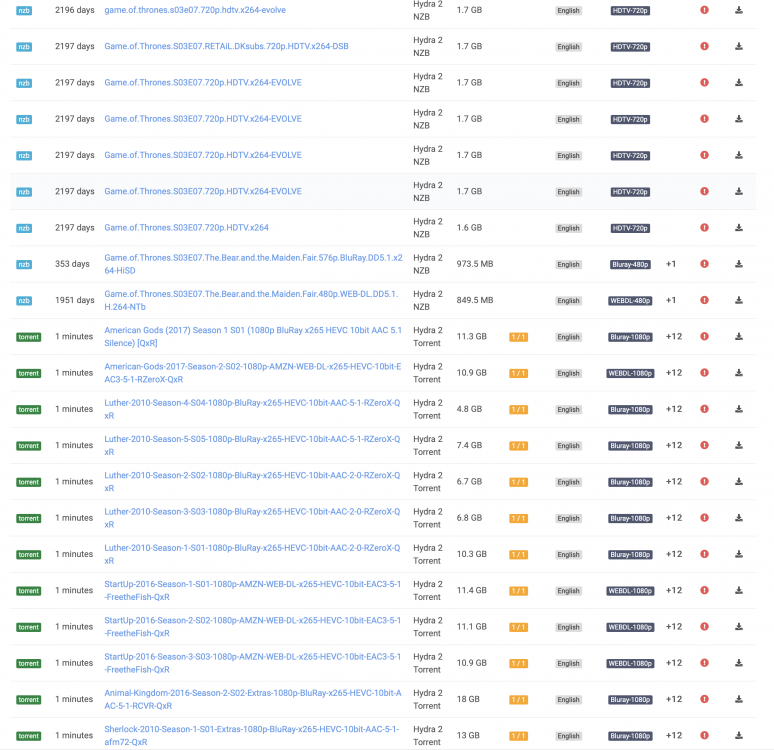
Hi All, I'm coming across an issue when searching from Sonarr to Hydra where for example I search for a series it shows me results for it but also shows results from a completely different series, added a pic to show it, how do I stop this happening?
-
cheers worked a treat
-
hi all, i'm looking for abit of help regarding the root /config/www folder, i'm wanting to find out if i can can this to use a share folder? and how i would map this?
-
I'm getting a blank page after install
-
Downgrading to RC5 worked. Now on RC7 and plugin working ok 👍
-
I will have a look and give it a try
-
I have tried removing it, but still, no joy, was only an issue when I updated to the latest RC 6.70. here is a list of the changes .. Version 6.7.0-rc6 2019-03-21 Base distro: adwaita-icon-theme: version 3.32.0 at-spi2-atk: version 2.32.0 at-spi2-core: version 2.32.0 atk: version 2.32.0 bash: version 5.0.003 ca-certificates: version 20190308 coreutils: version 8.31 curl: version 7.64.0 (CVE-2019-8907, CVE-2019-3822, CVE-2019-3823) dhcpcd: version 7.1.1 dnsmasq: version 2.80 docker: version 18.09.3 e2fsprogs: version 1.45.0 ethtool: version 5.0 file: version 5.36 (CVE-2019-8906, CVE-2019-8907) freetype: version 2.10.0 git: version 2.21.0 glib2: version 2.60.0 glibc: version 2.29 glibc-solibs: version 2.29 glibc-zoneinfo: version 2018i-noarch-1 gnutls: version 3.6.6 gtk+3: version 3.24.7 infozip: version 6.0 (CVE-2014-8139, CVE-2014-8140, CVE-2014-8141, CVE-2016-9844, CVE-2018-18384, CVE-2018-1000035) iproute2: version 4.20.0 iputils: version 20180629 jemalloc: version 4.5.0 jq: version 1.6 (rev2) kernel-firmware: version 20190314_7bc2464 kmod: version 26 libaio: version 0.3.112 libcap-ng: version 0.7.9 libgpg-error: version 1.36 libjpeg-turbo: version 2.0.2 libpsl: version 0.20.2 libssh2: version 1.8.1 (CVE-2019-3855, CVE-2019-3856, CVE-2019-3857, CVE-2019-3858, CVE-2019-3859, CVE-2019-3860, CVE-2019-3861, CVE-2019-3862, CVE-2019-3863) libvirt: version 5.1.0 libwebp: version 1.0.2 libwebsockets: version 3.1.0 libxkbfile: version 1.1.0 libxml2: version 2.9.9 libxslt: version 1.1.33 libzip: version 1.5.2 libXcomposite: version 0.4.5 libXcursor: version 1.2.0 libXdamage: version 1.1.5 libXdmcp: version 1.1.3 libXext: version 1.3.4 libXft: version 2.3.3 libXmu: version 1.1.3 libXrandr: version 1.5.2 libXxf86dga: version 1.1.5 lvm2: version 2.02.177 lzip: version 1.21 mcelog: version 162 mozilla-firefox: version 66.0 (CVE-2018-18500, CVE-2018-18504, CVE-2018-18505, CVE-2018-18503, CVE-2018-18506, CVE-2018-18502, CVE-2018-18501, CVE-2018-18356, CVE-2019-5785, CVE-2018-18511, CVE-2019-9790, CVE-2019-9791, CVE-2019-9792, CVE-2019-9793, CVE-2019-9794, CVE-2019-9795, CVE-2019-9796, CVE-2019-9797, CVE-2019-9798, CVE-2019-9799, CVE-2019-9801, CVE-2019-9802, CVE-2019-9803, CVE-2019-9804, CVE-2019-9805, CVE-2019-9806, CVE-2019-9807, CVE-2019-9809, CVE-2019-9808, CVE-2019-9789, CVE-2019-9788) mpfr: version 4.0.2 ncompress: version 4.2.4.5 ncurses: version 6.1_20190223 nghttp2: version 1.37.0 ntp: version 4.2.8p13 (CVE-2019-8936) oniguruma: version 6.9.1 (CVE-2017-9224, CVE-2017-9225, CVE-2017-9226, CVE-2017-9227, CVE-2017-9228, CVE-2017-9229) openssl: version 1.1.1b (CVE-2019-1559) openssl-solibs: version 1.1.1b (CVE-2019-1559) p11-kit: version 0.23.15 pcre: version 8.43 php: version 7.2.15 pixman: version 0.38.0 qrencode: version 4.0.2 rsyslog: version 8.1903.0 sqlite: version 3.27.2 sudo: version 1.8.27 sysvinit: version 2.94 sysvinit-scripts: version 2.1-noarch-26 talloc: version 2.1.16 tar: version 1.32 tdb: version 1.3.18 tevent: version 0.9.39 ttyd: version 20190223 util-linux: version 2.33.1 wget: version 1.20.1 xprop: version 1.2.4 xtrans: version 1.4.0 Linux kernel: version: 4.19.30 CONFIG_X86_MCELOG_LEGACY: Support for deprecated /dev/mcelog character device OOT Intel 10Gbps network driver: ixgbe: version 5.5.5 Management: fstab: mount USB flash boot device with 'flush' keyword rc.sshd: only copy new key files to USB flash boot device rc.nginx: implement better status wait loop - thanks ljm42 smartmontools: update drivedb and hwdata/{pci.ids,usb.ids,oui.txt,manuf.txt} webgui: Per Device Font Size Setting webgui: Syslog: add '' entry in local folder selection webgui: Syslog: included rsyslog.d conf files and chmod 0666 webgui: Syslog: added log rotation settings webgui: Open link under Unraid logo in new window webgui: Use cookie for display setting font size webgui: prevent dashboard bar animations from queuing up on inactive browser tab webgui: Replace string "OS X" with "macOS" webgui: Updated Unraid icons webgui: Switch plugins to a compressed download
-
primemedia-diagnostics-20190410-1159.zip
-
still the same
-
If i try install an older version i still get the same error
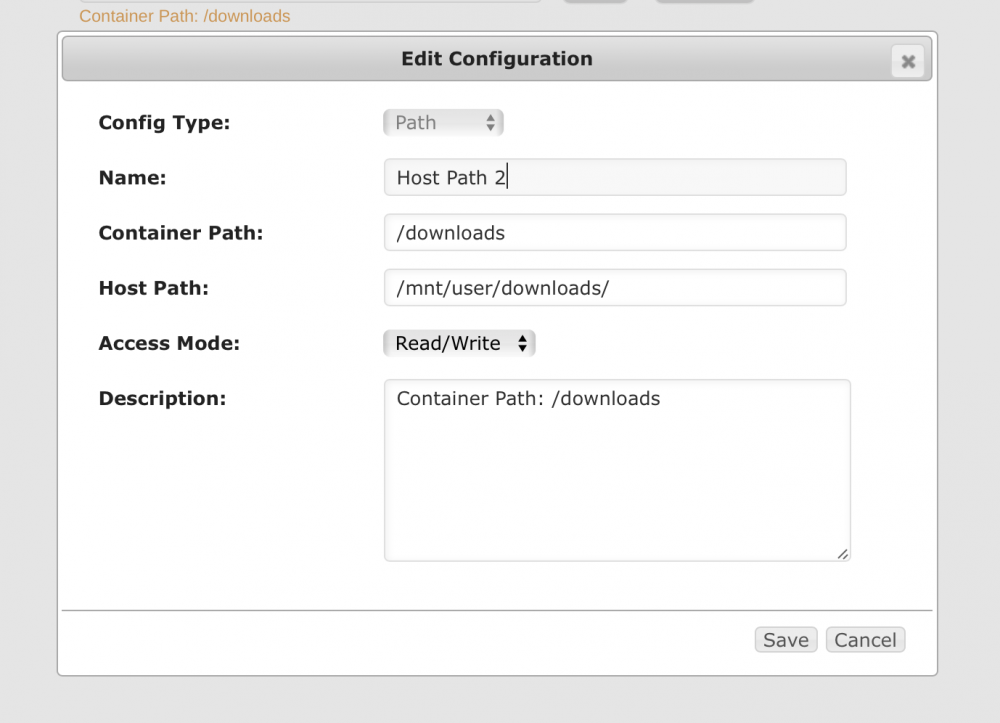
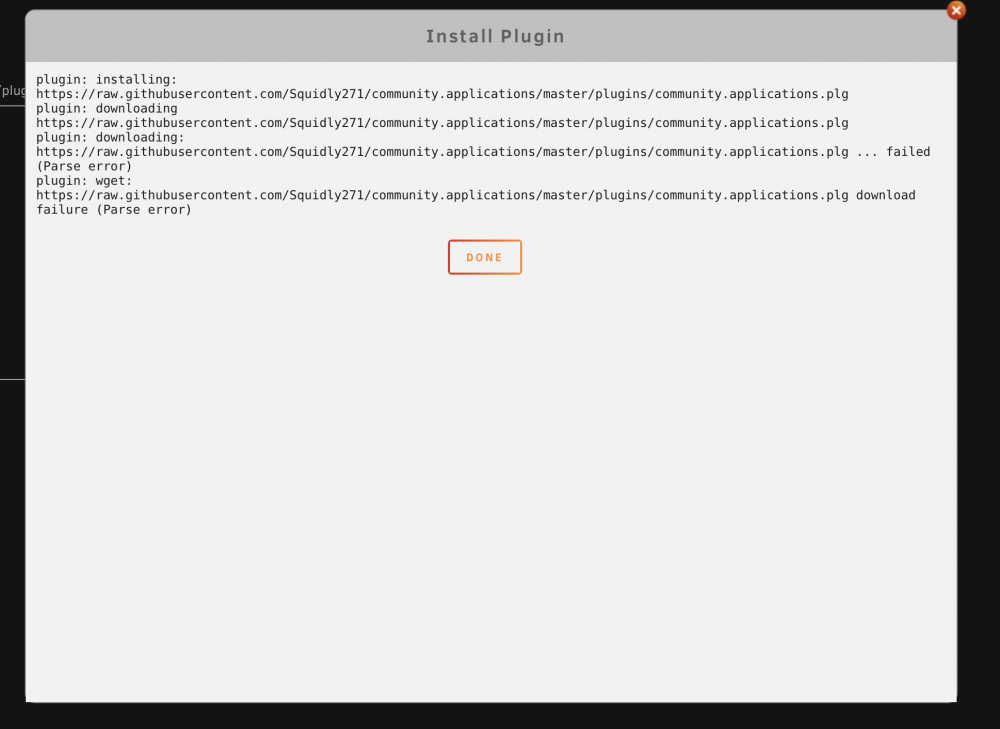 Hi, I'm running unraid 6.70 RC6 and for some reason, CA has stopped working I have tried to reinstall but get a parse error any ideas?I'm looking for help with this, when for example when radarr is running a search for John Wick Hydra sends back titles for john wick but also other random film titles, what setting would i need to change for this issue, thanks in advance.Hi, can you change the template to use the nightly/dev instead of the master?its cool i sorted it, i had this set up a Rasp Pi but now changed it to my servera blank config.json file?Do you have any setp info for the Homebridge docker?I had the same issue, I fixed this by editing the template ... Changed /data to /downloads and worked straight away
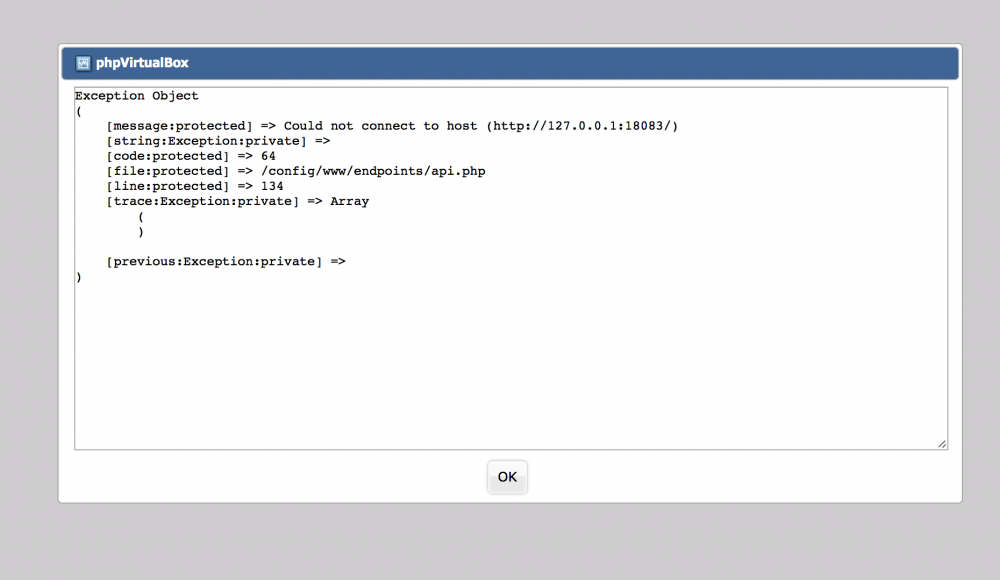
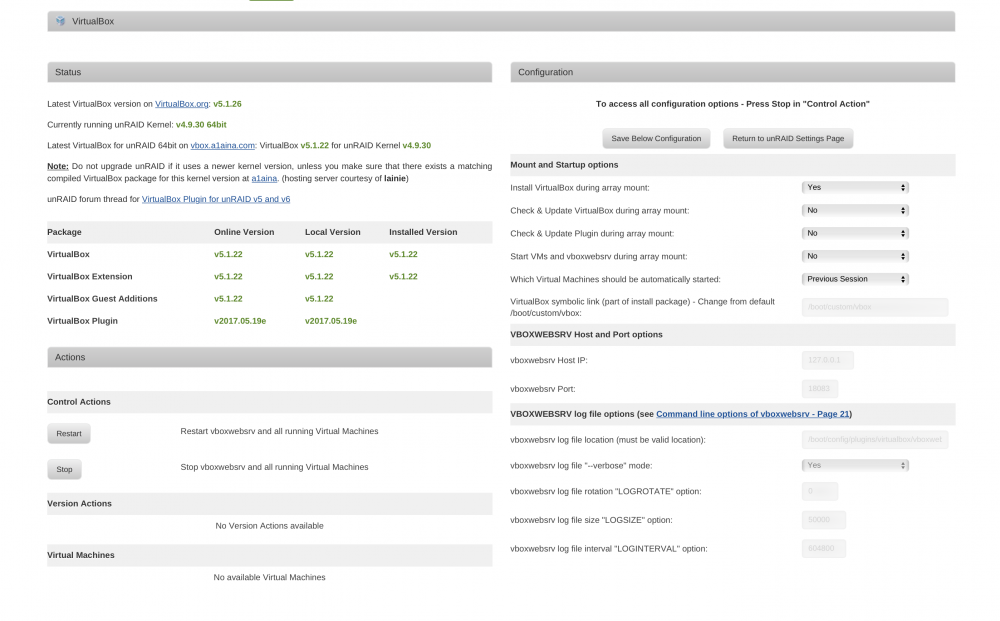
 I install the Apache web server and dropped the phpvirtualbox files in the www folder , change the sample config file to normal php file, the webpage opens, enter the username and password vbox & pass and then I get error in attached screenshots