





comet424
Members
-
Joined
-
Last visited
Everything posted by comet424
-
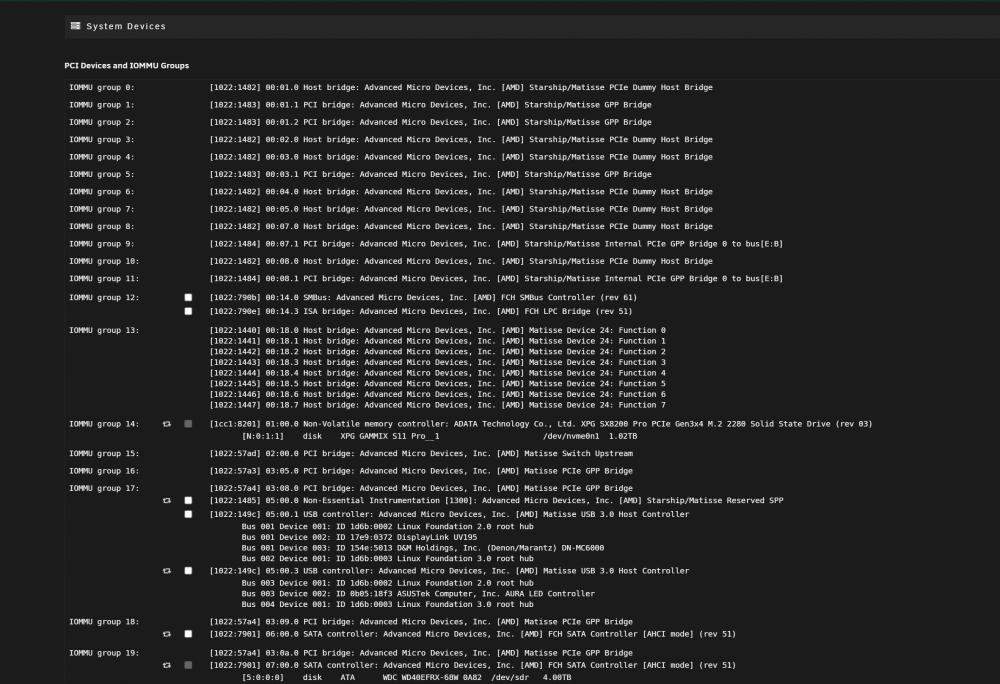
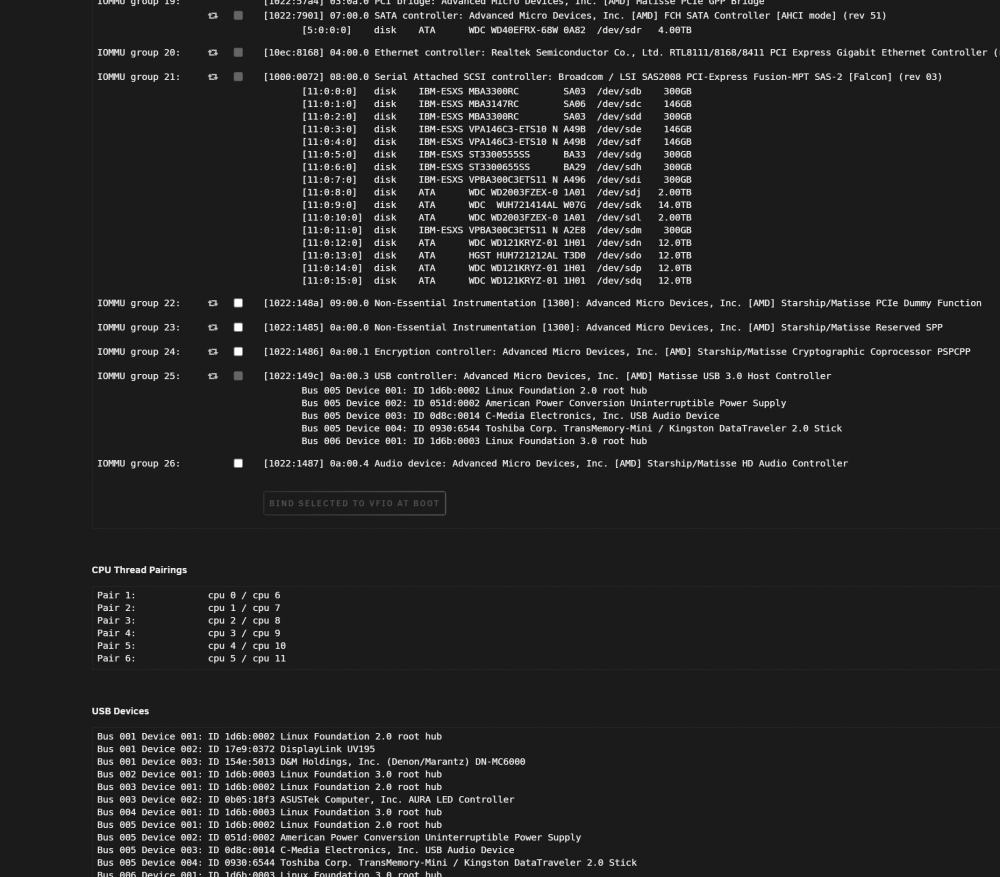
i dont actually know how to pass through a usb controller.. i posted the pics above all the system devices etc.. youd understand it better then me i only know from a space invader video do the override.. check off the 2 boxes so audio and video of a graphics card linked. which doesnt make sense because if you got multiple cards you be checking off multiple boxes .. but ya and in the VM setting they dont have a passthrough usb controller.. just Videocard and from the pics i posted it doesnt break up some of the devices its got a gray box i dont understand it enough or i dont retain the information enough as i dont dable with it everday once in a blue moon kinda thing so i forget
-
so going from first 2 cores for Unraid i go 1st core... and the 5 cores to VM she still stutters audio so i didnt see much change from 2 cores unraid 4 cores VM or all cores VM minus the 100% cpu usage with 1 unraid 5 vm it didnt really hit all cores 100% but the audio cuts out in a choppiness so those other tricks also didnt help with the 1 to 5 ratio its like virtual DJ uses more resources? if i run windows media player it seems to play mp3 ok but i wanna use the features of the virtual DJ because it has 4 channel inputs so i can 4 things 2 mp3s or 2 line inputs etc but it cant seem to play the mp3s without stuttering
-
i tried multiple scenarios all 6 last 4 cpu pinning isolation first 2 blank the last 4 cores for the vm they all react the same ill take new screen shot as i leave the first 2 for unraid for unraid and then the rest is dockers and vms but ill try just the first core
-
there tricks didnt help.. she still choppy and runn 80% and higher.. i commented in there but nothing helped she still stutters and runs 100% i figure maybe if i had a 12 core cpu if that fix things
-
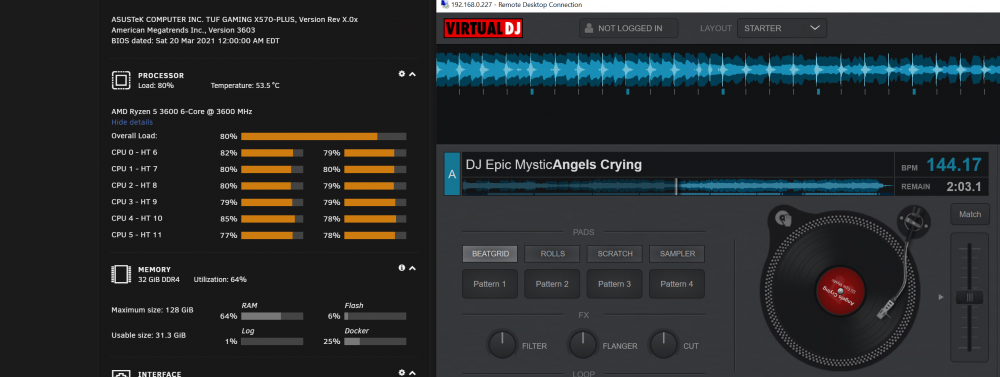
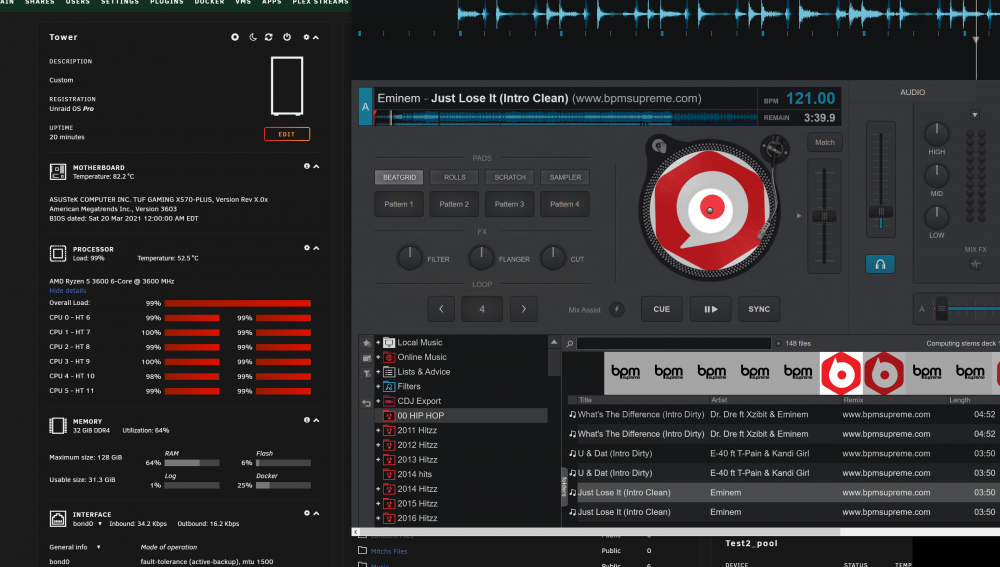
hi i having similar problems i tried the cpu scalling on demand and the set 1440fx-3.1 i didnt have Hyper-V insstalled so i didnt need to disable it but im using DJ software Virtual DJ and a mixer i have... and it cuts out the audio choppy.. all 6 cores run 100% idling runs at 80-100 percent.. if i run Windows Media Player to play an MP3 it stays around below 50% or so but it doesnt seem to stutter playback through a mixer using the usb port but when i run the App it does.,,, running on a bare metal or a laptop it doesnt use that muci cpu usage... are there any other tricks why shes sooooooooo slow, choppy, and constantly running 100% on all cores it runs 80% just being loading up doing nothing
-
oh and i noticed now couple times. now VM reboots on its own so it isnt stable running the Virtual DJ goes 100% all cores and its rebooted through RDP
-
ok ill take a look at link.. and ya i reboot each time.. i find now if i use my virtual dj software the audio is chopping and all run 100% if i play mp3 using default windows player then now its not chopping least not the first file i tried and not using 100% on all cores but as for the Multifuncion Both Downstream.. and with VIFO set to Yes.. i did reboot between each setting.. all show the same above image of the device settings but ill read that link now see if something in there
-
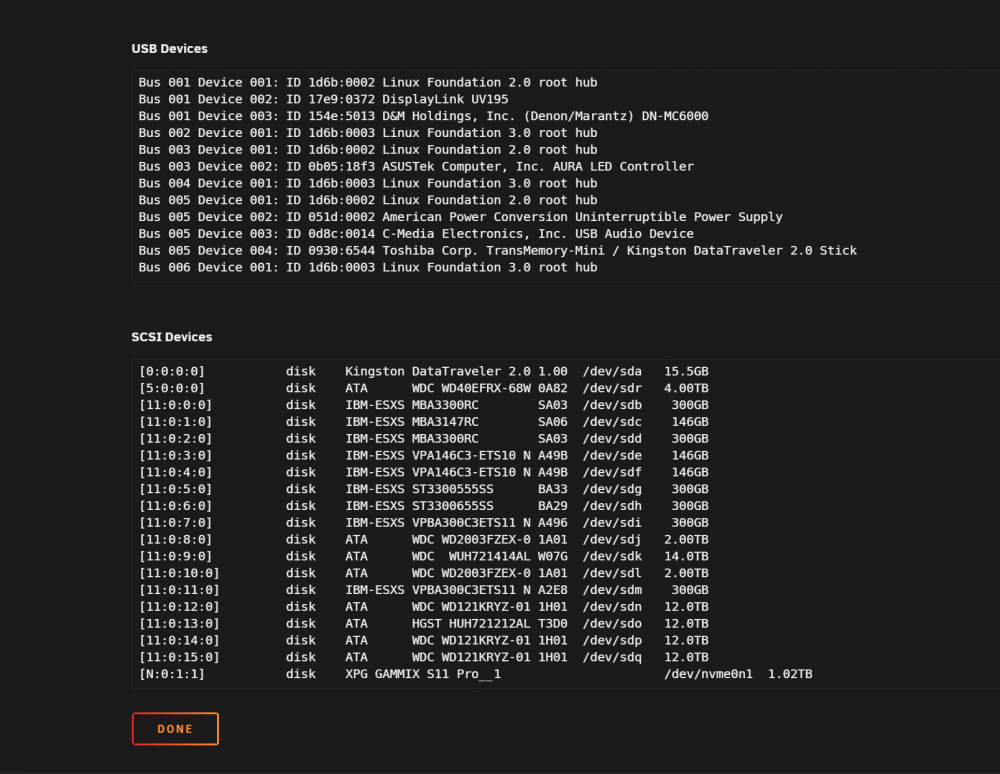
so i just got home and i tested things.. i didnt try the editing xml yet i tried the both multifun downstream the system device page doesnt change.. audio in the vm is still choppy if i load a song cpu usage goes 100%.. shouldnt need 100% just to load 1 mp3 ya i like how the settings are drop down boxes in the vms better then the xml.. in 90s it was headache coding and DMA and IRQ settings and u get frustrated conflics of com ports.. now its trying to get VMS to passthrough lol but the gui is great as i more windows i gave up on linux 20 yrs ago when i had enough with RedHat 5.0 i think it was back then. nothings perfect but its convient 🙂
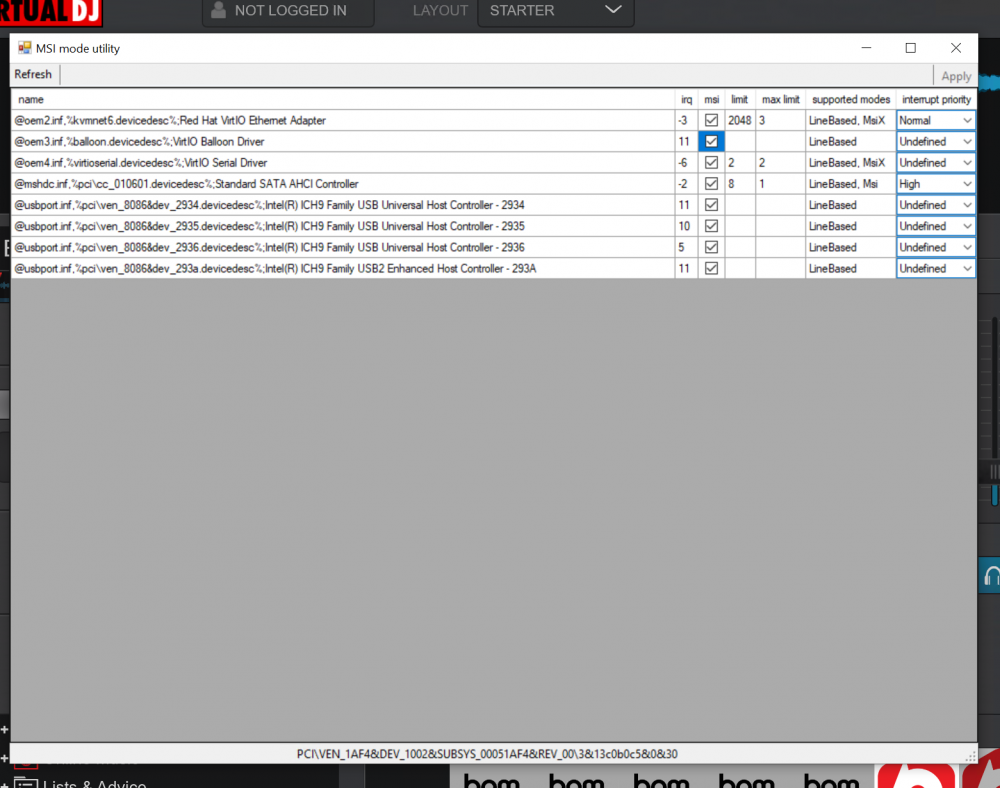
-
ill try when i get home.. and look and do you know which way yoru supposed to go Downstream Both Multifuction Disabled .. i usualyl choose the Both as i figured its what you want or mulitifunction i never know which one is right i remember seeing spaceinvader doing downstream.. but between unraid upgrades some stuff gets broken i notice you need to change different settings.. ill get screen shots when i get home of what i have.. as i tried the multifunction down and both for the same computer setup for my desktop to run 2 Desktops but it never helped sooooo much headaches to run it stable guess its just a AMD Ryzen thing so i failed in the passthrough.. where Win would crash booting up or reboot the whol damn unraid to not booting you wanna bash your head through a brick wall lol.. but i think unraid is the only one that does passthrough.. where freenas or exi vmware cant do that... still like this unraid still dont know it 100% wish it was around 20 yrs ago or 90s been easier with all the DMA IRQ damn dip switchs and jumpers for your Soundblaster 16 Matrox video card lol
-
not sure how you passthrough usb controller.. i know the system devices page and you check off boxs to link video card so you can pass through the video card in a VM but thats the limit of passthrough i know about ill try that when i get back home to test it.. least the msi part.. the passthrough usb controller and i know there are no PCI devices below the usb check boxes in the vm settings
-
this just a new install of win10 pro i couldnt do it with Home doesnt have RDP and figured it was maybe issue between Home and Pro yes its a DJ mixer i have plugged in via one of the USB ports on the back of the motherboard. only thing thats installed in the vM is Virtual DJ. ASIO driver for the mixer and some updates.. dont even have a SN yet for Windows 10 install as i went from home to Pro.... so its just the bare setup what drives me nuts i have to do with them i find it with my other unraid desktop i experimenting i gotta keep doing that damn DETACH ATTACH in the VMs page.. i really dont know why vms loose USB that hot plug stuff i dont even unplug.. so just check all the USB msi then? so i figured maybe it was issue from win 10home running in VNC so went Pro to try to get RDP but even RDP VNC has same issues and i find if i run the Virtual DJ software all 6 cores run 100% now by idling yet if i actually run it on a physical machine it runs near nothing percentage.. dont have it running so i cant get it to ya but i can try checking the usbs then. i not sure which one is linked to the dj controller
-
i do have audio device
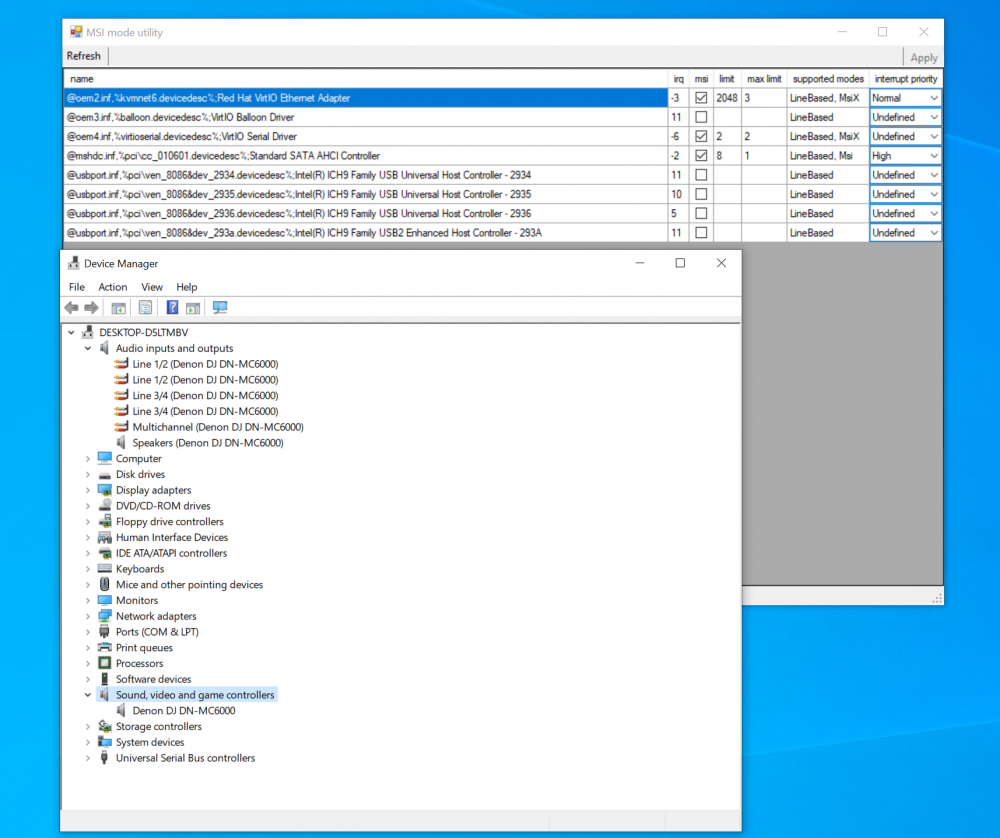
-
ah ok so i had to extract it from the zip file.. and then ran as admin so do i check everything off for msi? maybe thats why i have sooo much problems with the AMD and passthrough as i wasnt able to get it solved but do i select all msi? and does what the message signaled interrupts do to each thing?
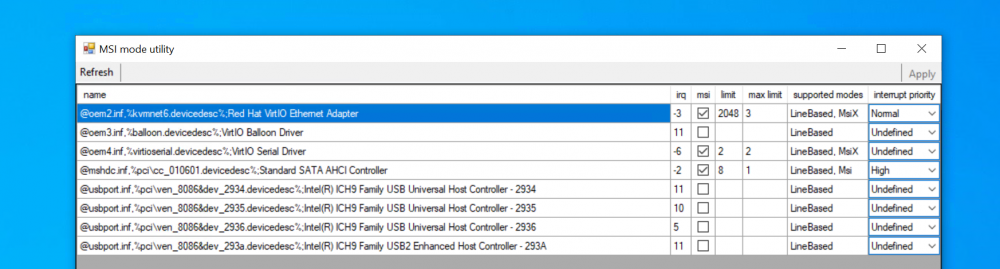
-
wont run it loads up some thing gives error requested registry access is not allowed i click ok and click the refresh button but gives the same error.. is msi mode for msi boards? and i get vm to kinda work but all cores got 100% when i play a mp3 in the VM.. in bare metal it never goes all cores 100% and the audio plays like a record playting and when you touch the record it has that pause etc.. and i cant get it to work i was thinking maybe i need a 12 core 3900x cpu? or is this AMD issue since i cant do passthrough with Ryzen properly like my other post that never got solved
-
yes have a wake on plugin i do.. but i hardly ever use it but i dont know if its a libvirt wakeon plugin though
-
when i stop and start the array to test VM shut downs i deal with this libvirtwol starting and its more then 20 min before i reboot the unraid or hit reset button what is it? how you fix this issue?
-
i gave up for now graphics card pass through its not possible with AMD it seems so i went back to my Server running a Asus Tuf x570 3600 cpu i got windows 10 installed.. and i use virtual DJ or just play windows player and the audio is choppy like if you were playing a record and placed your hand on it to stop the audio i find it slow as mollasses i posted in the General forums but no one replied i pinned first 2 coursts to unraid at nthe last 4 to vms and such didnt work then i took the windows 10 vm and pinned all the cores to it.. didnt work i unpinned the cpu isolation cores and let windwos 10vm run on all cores still doesnt work still choppy i also running windows 10vm on a gen 3 nvme so whats going on.. its not 100% cpu either in VNC or RDP doesnt matter same
-
oh so it will show RUNNING where the Mount/Unmound Icon is for that specific UD gotcha i didnt know and i couldnt figure it out thanks i not that smart sometimes 🙂
-
so does that mean if the cron is running every hour say on "move files to SSD" that it will show up on the assigned device? and if so where do you see it.. as i know the LOG for user scripts ... so i totally not sure what that option is or where it displays it.. least for me its kinda confusing as the script i have moves files to the usb SSD every hour .. but where do you see the running status? does it pop up a notifcation or something?
-
what does the user script option do in the Gear Settings? i figured it ran one of my scripts either choosing the word "Name" or "Script so when the drive got mounted it run that script but it never did i ended up copying the code in my user script and then adding it to the "ADD" spot when you do the default Script.. so that when the SSD is mounted it will auto run the script but was curious what the user script option does?
-
@Rick_Sanchez iv never found a solution.. always ran the VM as it runs stable only suggestion i can say about the usb sticks is you need the hot usb plugin and then when you use the assign usb to your VM you may then have to do the DETACH and ATTACH button for zwave stick to your homeassistant VM i know i do this each time for a keyboard and mouse for a windows VM its anoying it wont stay you could try that detach reattach the zwave stick with the home assistant VM you gotta do that each time you reboot the VM too other then that i dont think there is a working supervised.. even the HA owner was on a podcast with the Unraid guys.. and even said you run HA in a VM in unraid.. but give that a try see if that helps i dont use Zigbee.. i went the TPLink route no need for a dongle or software works out of the box using the cellphone and and just the router and boom works with HA
-
@dlandon ah ok.. ya even though i been using unriad since 2018-2019 around then when i first learned it.. and and follow the spaceinvader videos.. i still dont remember half of things on unraid.. still used to windows gave up on linux back in 1999-2000 when i got frustrated with red hat and said screw it windows it is lol.. i appreciate the plugins people make.. i just not fluent i guess also since you say you write it.. if there is a little *Note* these 2 toggle switchs dont work if the UD toggle switch in settings is set on.. check that.. i used to plugins that arent clickable.. or i find there is an issue with a Pluggin but they all goto 1 page.. and i never get an answer i guess its cuz the 1 guy writes like 20 plugins and it all just goes to the 1 page.. so that gets frustrating but still always learning 🙂
-
@dlandon ok thanks that fixed it.. I didnt even notice there were settings .. i just thought it was a plugin like the some others... there are no settings to change its just a plugin and you just accept it.. but it works thats great as i thought i was going crazy.. least its work to not share
-
if i edit the wakeonlan.xml and erase <host> to <host> for the 2 bad parts.. when i refresh the page it erases all the link so i cant garbage can the 2 defective lines you see above and when you manually delete its clears everything i guess only way to fix is to redoe them all?
-
ah ok ya its like Windows Install and it created the partitions that way for windows 10 install. but ya i even tried a reboot of unraid didnt help still automounts and still auto shares even when you double check shares are off for each partition and you do a reboot of unraid.. i figured maybe thats the issue and rebooted but it didnt help either.. i figured maybe its a Windows 10 thing that causes it


