





Niklas
Members
-
Joined
Everything posted by Niklas
-
No need to do it in the go file. Go to Settings -> Disk settings and change "Tunable (md_write_method)" from "Auto" to "reconstruct write".
-
Small update. The change gives me very consistent result.
-
Ok, thanks. Will look in to it. Never seen 0 spun down. Always at least 1. Edit: hm, sdg is spun up. smartctl -i -n standby /dev/sdg seems to work better. Nothing "unknown" with smartctl. Edit again https://www.smartmontools.org/wiki/Powermode Replace in /usr/local/emhttp/plugins/ca.turbo/scripts/auto_turbo.php, set "Enable Automatic Turbo Mode" to no and then yes. Try. Line 80: $result = shell_exec("smartctl -i -n standby /dev/{$disk['device']} | awk 'NR==4'"); Line 84: if ( strpos($result,"STANDBY") || strpos($result,"SLEEP") ) { gives me good result. Also changed the logging to be more clear for people like me (a bit stupid, lol) logger("Total Data Drives Spun Down: $totalSpunDown/" . count($validDisks)); = "Feb 27 19:55:36 Server root: Total Data Drives Spun Down: 2/3" with hdparm and "if ( ! strpos($result,"active") ) {" the code counts unknown as spun down because it can't find "active". I guess it won't work good with devices or hba's without smart support? Could fall back to hdparm if so.
-
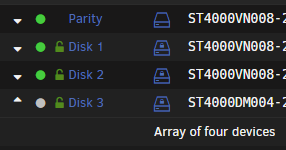
Same here. The number does not reflect the number of spun down drives as the dashboard report. Crossflashed IBM M1015.

-
Something went wrong with the last update. Using latest. Log fills with this: V4.9701, the latest stable was 4.9700. Looks like it pulled from stable instead of latest?
-
I get speeds 10-15 MB/s when writing to encrypted xfs. Even with no parity. Problem still there in safe mode. The slow speed makes transferring files from windows computers almost unusable (explorer freezes and transfers stops until the data cached in ram is done writing to disk and that could take some time at 10MB/s). Writing to unencrypted xfs gives me full speed. Writing to encrypted btrfs (cache ssd raid1) gives me full speed (cache only share). This with RC2 and RC3. Can't say if it was a problem in RC1.
-
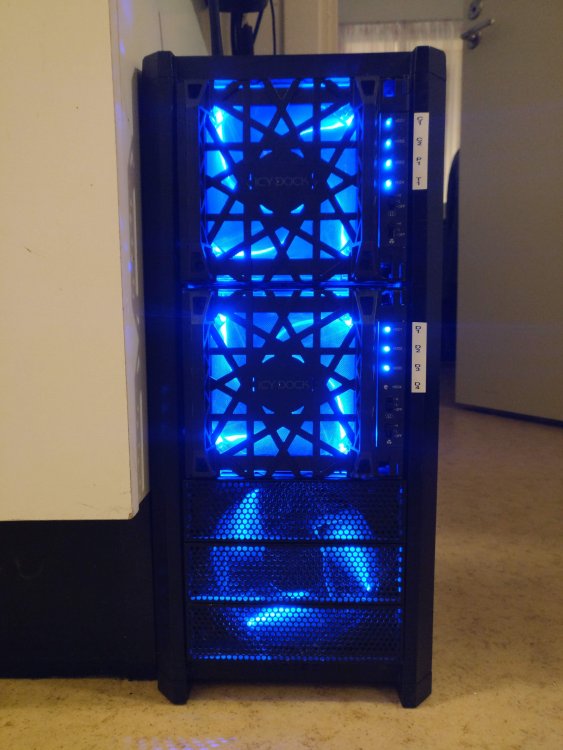
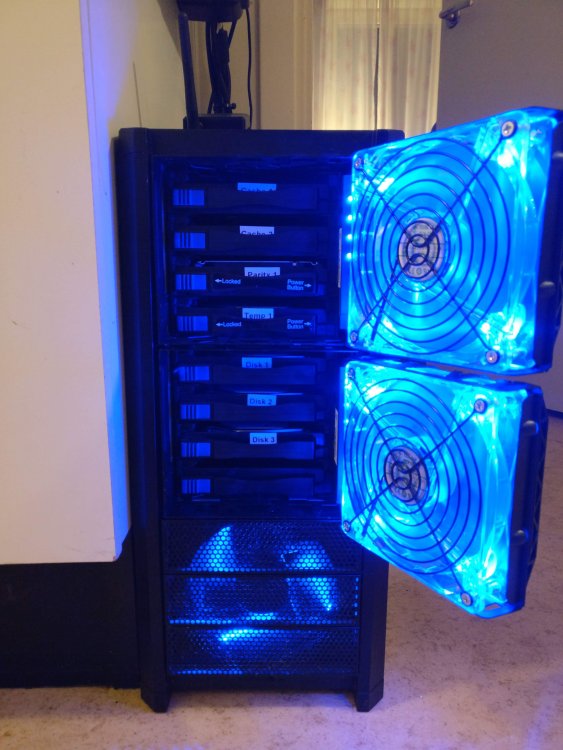
I have two of those cages in my old Antec Nine Hundred. I will add a third one soon. No problems here but it could be pure luck. Running the fans at full speed (other stuff in my house drown out the sound from the fans) and I usually have the blue light turned off.
-
I use PIA so I don't think so but the same may apply to you.
-
Ah, yeah. Sounds about right. Thanks.
-
Same here. Using another server with port forwarding. Running 6.7 RC2.
-
Fix Common Problems sends out notification about plugin update available. Every day. Just ignore that warning in the settings for now.
-
Well. The strange available updates with 0 B pulled has suddenly stopped happening. From one day to another. 🤔
-
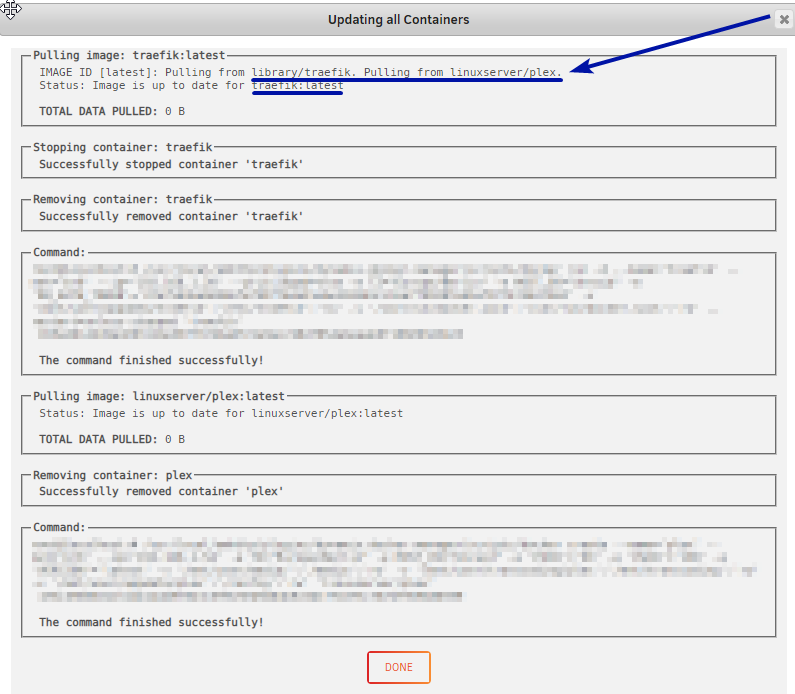
Is the "pulling from" correct? Showing plex when working with traefik? At first, I thought it was only the linuxserver containers. It's not. I just see them more often because I mostly use containers from them. It happens to the others too. Pressing check for updates could show no updates, pressing again directly after could show there is updates but 0 B pulled data. Looking at docker hub the last push can be like a week ago but it still shows as update available, updating fetch 0 B and the status goes from update available to up to date. One example is uberchuckie/observium. Has shown updates several different times since 2 days. Always 0 B pulled. linuxserver builds once a week? I have seen different updates from them over the weekend. I have seen 0 B pulled before but now it happens daily. Some dockers updates without problems, like Emby server beta that got "real" updates yesterday. It's like Unraid is showing updates for containers that don't have any updates?
-
Hello, Getting updates for my Docker containers and it's pulling data for some but for most I get "TOTAL DATA PULLED: 0 B" I also noticed this (it is standard with 1+ update?): What could be up with this? Most of the updates are pulling 0 B. Not seen that before. Can't find any errors in logs. Unraid 6.6.5. Looked at other threads with "TOTAL DATA PULLED: 0 B" but not same error or solutions. Recently changes are all sata-cables (got some UDMA CRC error count on one drive (6), changed sata cable, put server back in place hard to get, ran parity check, UDMA CRC error on one of the other drives (got up to 6 here too), decided to get brand new sata cables and replace ALL. New parity check, no new UDMA CRC error's), added parity drive (had 0 parity drives before) and added "--restart=unless-stopped" to some containers. Then, this started to happen. appdata and system (docker.img) on samsung ssd (cache).
-
Hello, I have some cron jobs running during the night and morning every day. None of my cron job has run over the night, upgraded to 6.6.4 yesterday. No mover, no added backup script (using User Scripts), no daily trim and no Backup / Restore from CA. cat /etc/cron.d/root # Generated docker monitoring schedule: 10 */6 * * * /usr/local/emhttp/plugins/dynamix.docker.manager/scripts/dockerupdate.php check &> /dev/null # Generated system monitoring schedule: */1 * * * * /usr/local/emhttp/plugins/dynamix/scripts/monitor &> /dev/null # Generated mover schedule: 0 3 * * * /usr/local/sbin/mover |& logger # Generated plugins version check schedule: 10 */6 * * * /usr/local/emhttp/plugins/dynamix.plugin.manager/scripts/plugincheck &> /dev/null # Generated Unraid OS update check schedule: 11 */6 * * * /usr/local/emhttp/plugins/dynamix.plugin.manager/scripts/unraidcheck &> /dev/null # Generated ssd trim schedule: 5 4 * * * /sbin/fstrim -a -v | logger &> /dev/null # Generated system data collection schedule: */1 * * * * /usr/local/emhttp/plugins/dynamix.system.stats/scripts/sa1 1 1 &>/dev/null root@Server:/etc# cd cron.daily/ root@Server:/etc/cron.daily# v total 12 -rwxrwxrwx 1 root root 76 Nov 8 00:08 fix.common.problems.sh* -rwxr-xr-x 1 root root 129 Apr 13 2018 logrotate* -rwxrwxrwx 1 root root 76 Nov 8 00:08 user.script.start.daily.sh* root@Server:/etc/cron.daily# cd .. root@Server:/etc# cd cron.hourly/ root@Server:/etc/cron.hourly# v total 4 -rwxrwxrwx 1 root root 77 Nov 8 00:08 user.script.start.hourly.sh* root@Server:/etc/cron.hourly# cd ../cron.weekly/ root@Server:/etc/cron.weekly# v total 4 -rwxrwxrwx 1 root root 77 Nov 8 00:08 user.script.start.weekly.sh* root@Server:/etc/cron.weekly# cd ../cron.monthly/ root@Server:/etc/cron.monthly# v total 4 -rwxrwxrwx 1 root root 78 Nov 8 00:08 user.script.start.monthly.sh* root@Server:/etc/cron.monthly# Just added my own backup script using "User Scripts" lately. No more, no less. Stuff supposed to be running here, nothing, except for fix common problems but that might be because of reboot after upgrade to .4. My added script: Contents: #!/bin/bash cd /mnt/user/AppdataBackup /usr/local/bin/duplicacy prune -keep 0:5 /usr/local/bin/duplicacy prune /usr/local/bin/duplicacy backup -stats -hash
-
Now we can do wget https://www.samsung.com/semiconductor/global.semi.static/Samsung_SSD_DC_Toolkit_for_Linux_V2.1 chmod +x Samsung_SSD_DC_Toolkit_for_Linux_V2.1 ./Samsung_SSD_DC_Toolkit_for_Linux_V2.1 --help for some stuff as magician for Linux is a bit ... outdated. Works with my 860 EVO SATA, I think... Some specific for NVMe-drives in there too. ./Samsung_SSD_DC_Toolkit_for_Linux_V2.1 -I -d 1 ================================================================================================ Samsung DC Toolkit Version 2.1.L.Q.0 Copyright (C) 2017 SAMSUNG Electronics Co. Ltd. All rights reserved. ================================================================================================ ------------------------------------------------------------------------------------------------ Disk Number: 1 | Model Name: Samsung SSD 860 EVO 250GB | Firmware Version: RVT01B6Q ------------------------------------------------------------------------------------------------ Over Provision | Write Cache | Max address | SCT Write Cache ------------------------------------------------------------------------------------------------ 0 MB | Enabled | 488397168 | Not in effect ------------------------------------------------------------------------------------------------ SATA Phy Speed | WWN | Power Status | ------------------------------------------------------------------------------------------------ 6.0Gb/s | 5001133e40640fd2 | Active or Idle | DC = data center Guide https://www.samsung.com/semiconductor/global.semi.static/Samsung_SSD_DC_Toolkit_User_Guide_V1.0.pdf
-
and updated config files. The crt and pem included in the config now.
-
This has probably been answered. Sorry if so. I could be blind or just suck on searching. Is there a way to use the Privoxy from containers running on br0 with assigned ips? I think I understand the limitations when running on br0 (the custom one that came with unraid, using macvlan) and contacting containers running on the same machine on "bridge" network. The dream is running binhex-privoxy with vpn, on container running at br0. Sonarr and Radarr (amongst others) are running on br0. Only container running on bridge is this one. Because it requires it? Can't use privoxy from sonarr or radarr if not moving them to bridge? Edit: Using something like external socks proxy directly is not an option. Makes sonarr and radarr use like 200% cpu for hours and hours. Something about the proxy host resolving to many ip's and creating connections that never close..
-
Getting "cat: write error: Broken pipe" when booting unraid with this plugin installed. I have not installed any scripts yet. I see "Fix broken pipe" in the release notes but, yeah. I still see it. Don't know if it has any ill-effects.
-
The broken pipe message on my system came from CA User Scripts (and still does with the latest version that has the broken pipe-fix in change log)




