





capnJiP
Members
-
Joined
-
Last visited
-
FYI: After Glutun update this weekend, all my dependent dockers failed to connect. I had to change each dependent to "bridge" connection save/rebuild, then reset the connection through Glutun. After this silly "reset", all was normal again. Not sure what happened or if this was truly an update related thing. Just thought I'd put this note here in case anyone else has a similar issue.
-
Figured this out. It was a reverse proxy issue! in the documentserver.subdomain.conf file in the proxy-conf folder for swag, add the following line under "location / {". I placed mine after "include /config/nginx/resolber.conf;" # Allow for OpenOffice embedded in Nextcloud to run add_header Content-Security-Policy "frame-ancestors 'self' https://[yourNEXTCLOUDdomain].com"; Restart swag, good to go.
-
Cool, as long as it's not a big deal and not something I need to do something about; I'm happy.
-
Hello all, I was poking around and noticed this in my logs. I don't suppose that's anything that can be addressed by us "down stream" of the project maintainers?

-
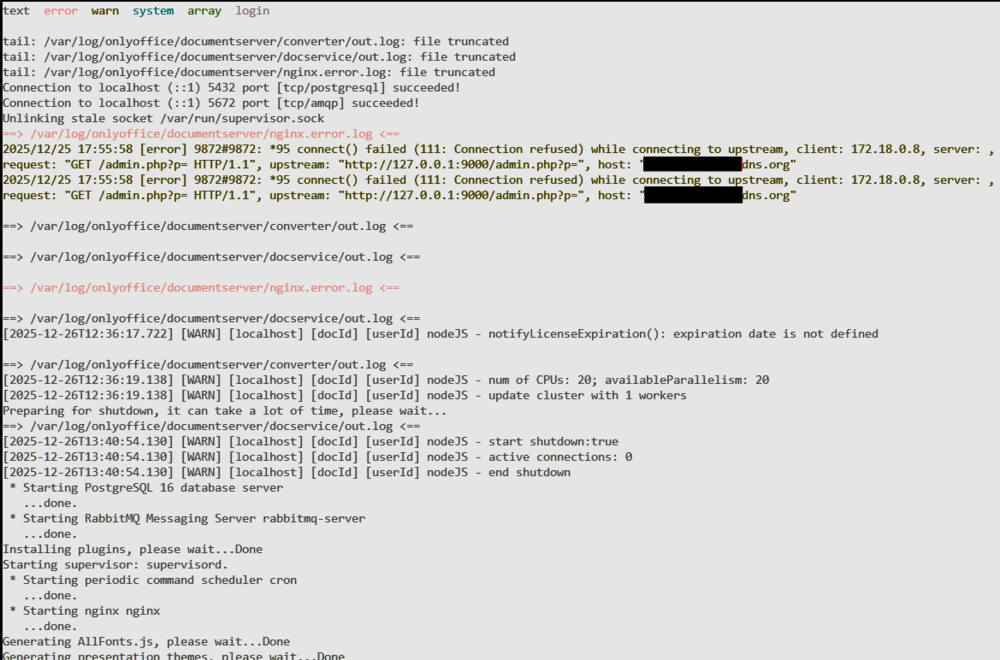
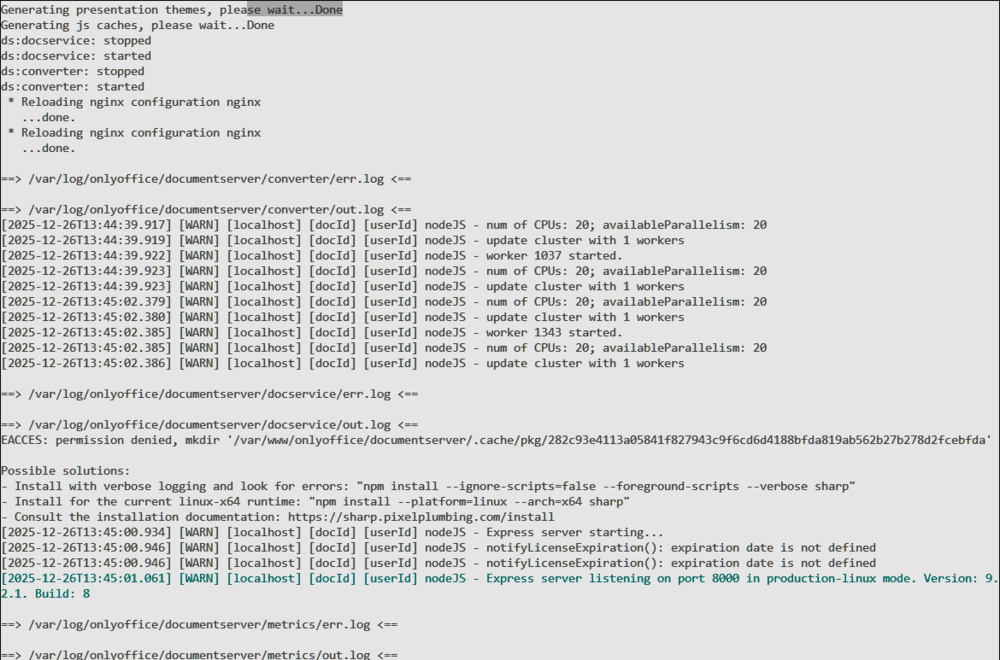
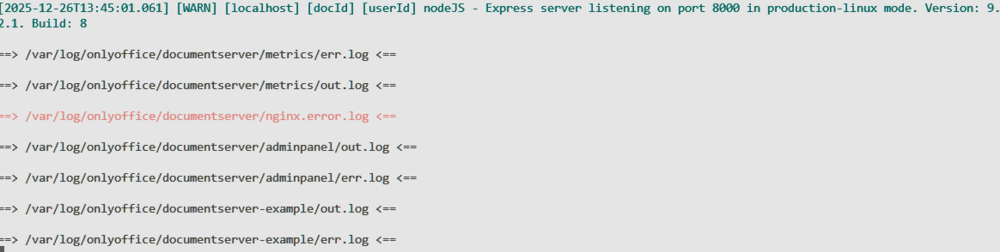
I have had a working setup of OO within Nextcloud via a reverse proxy (SWAG) for a few years now. I recently noticed that the OO document server won't open documents in the browser anymore. In firefox I get a message: "Firefox Can’t Open This Page. To protect your security, [my server].dyndns.com will not allow Firefox to display the page if another site has embedded it. To see this page, you need to open it in a new window." In Edge/Chrome it just says connection refused. I suspect this is a reverse proxy config issue. Perhaps a security setting in both browsers now? No errors in Nextcloud logs, following messages in OO docker log: Can anyone point me in the right direction? preferably with specifics, please. If you need diagnostics, please advise
-
Hey @velourfogg, question about your setup: Are you saving your frigate footage to a drive under "Unassigned Devices"? if so: Do you auto-update or manually update your plugins? Are your crashes within a few hours of an update corresponding to "unassigned devices" plugin being updated? Last update for Unassigned Devices was released 14Apr. I'm still collecting data, but this looks to be a strong lead...
-
Thank you, once again me being dumb.
-
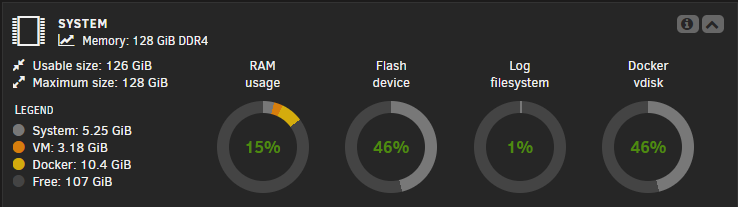
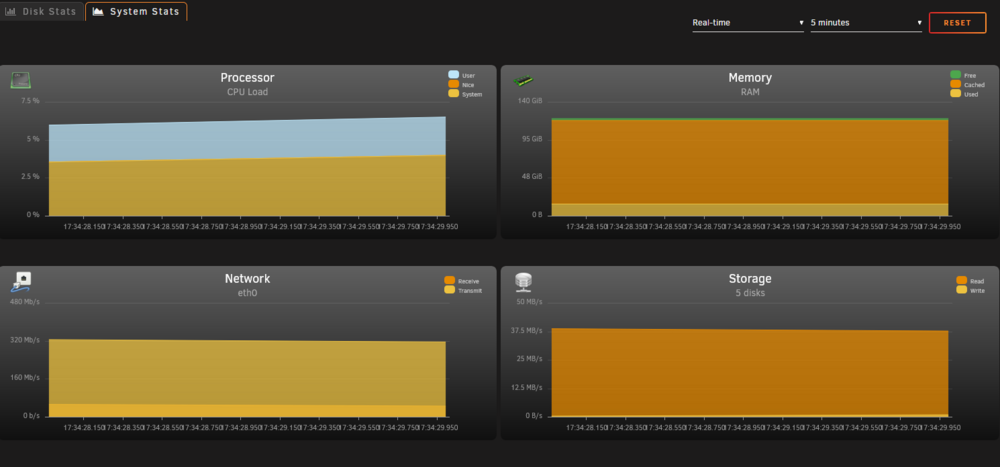
Hello, I noticed that I see 2 different read backs on my RAM usage depending on if I am looking at the Main page for my server: Versus if I look at Stats>System Stats page: As you can see, they are VASTLY different in describing Free Ram. From my error reports, I'm believing the System Stats page, but I'd like to have a better understanding of what's going on here. Thank you, JP
-
"Q2. I can't seem to access the webui from outside my LAN, why is this?" But this says outside my LAN. I don't want the webUI visible outside my LAN. Unless traversing through another container counts as "outside" the lan?
-
sigh, yep. My network adblocker was blocking that address. Thank you for the reminder!
-
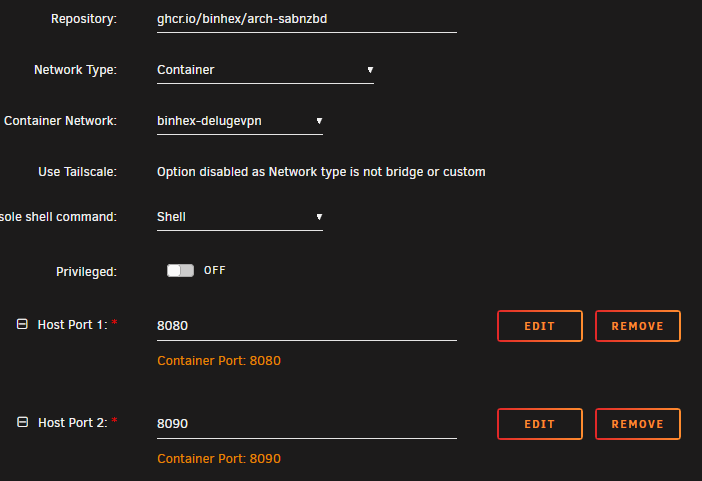
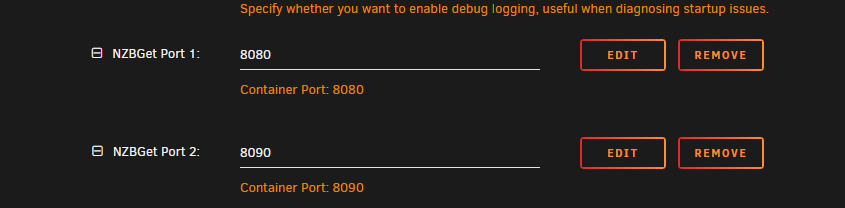
I am trying to pass sabnzbd through my delugevpn container and cannot get the webUI to work. DelugeVPN is working and connected to my desired exit node. I have verified that sabnzbd webUI is working when used via "bridge" mode. When I change sabnzbd to route through the delugevpn container: AND add the ports to the delugevpn config: The sabnzbd log shows that it is started and happy, but I cannot view the webUI via http://[unraid IP]:8080. Response is just "the connection has timed out". Can anyone show me what I'm doing wrong? I am completely lost.
-
When trying to update my ESPHome boards I'm getting this error message spammed to the log; dozens of repetitions per second. I have no idea what's going on. Some forums are talking about VSCode and python updates, but i can't do that in a docker or unRaid AFIK. Can anyone smarter than me tell me what's going on and how to fix it?
-
Hello all, is there any chance this program can benefit from Cuda acceleration? I've got a GPU with plenty of spare cycles and a ton of documents to import. CPU-only takes my batches days to process, and it'd be cool to speed it up. Has anyone tried this?
-
"using docker compose stack as per the site" I'm going to assume that you are referring to the Immich site? I would highly recommend following the steps laid out by Space Invader One. Running on unRaid is not always accounted for when developers write how-tos for Docker, but Ed makes it easy to follow for us. Without knowing anything about your config, i would suspect the immich app is looking for the database, but can't find it. If you get through the youtube video and still have issues, please post your app template and maybe we can help you out.
-
Does anyone know if this message about "swap" is a problem?



