sausuke
Members
-
Joined
-
Last visited
Everything posted by sausuke
-
I just feedback based on my usage here. I'm using 3070 for several years and I didn't have problem using it that way (no passthrough via VM) until I upgraded to 5000 series I experienced these problems. I tried the same troubleshooting and those errors don't appear in logs anymore. It's just my observation 😁 I want to use it on both unraid and gaming VM, I don't want to passthrough. Glad this problem is fixed now hehe
-
Thanks for releasing Nvidia Driver Version: 590.48.01. No more nvidia error (NV_ERR_NO_MEMORY) and missing GPU (5070ti) when quitting Gaming Windows VM. So it's really a fix from drivers
-
Good day, I'm on 7.2.0 RC-1, I seen a new version in github, do I need to wait for the next version of Unraid to use that 6.12.52-Unraid build? Thanks
-
Update to this, got the same error NV_ERR_NO_MEMORY when using latest driver in Windows VM after shutdown, but I used the 5070ti in Invoke Ai with no problems with Unraid apps unlike lower version of Nvidia Driver in plugin. I guess I will just use the userscript and test the later version of Nvidia drivers for Unraid
-
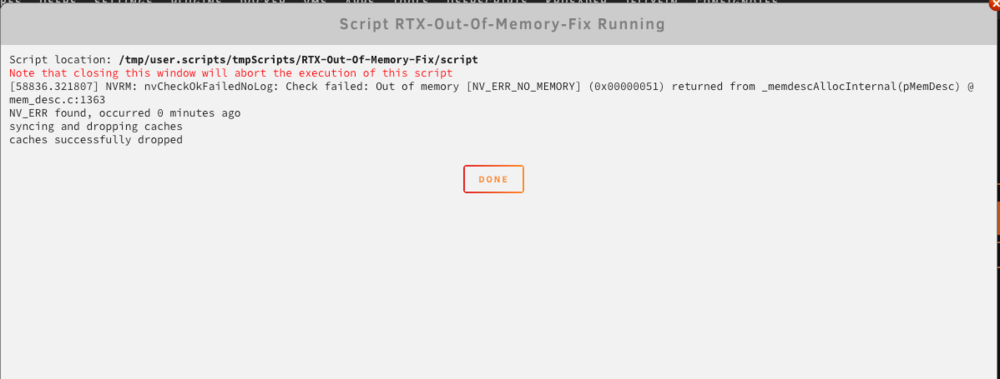
Finally solved this problem, it's on this thread https://forums.developer.nvidia.com/t/575-64-nvrm-out-of-memory-error-causes-dgpu-to-not-be-usable-after-some-time/336877/11 I upgraded to the latest beta 7.2.0 beta and the same problem exist with latest driver v580.76.05. Used chat gpt to convert it to userscript. That Out of memory [NV_ERR_NO_MEMORY] (0x00000051) occurs on when using VM and playing a game or benchmark related like heaven benchmark. How to create that error: Open VM>Play a game or heaven benchmark>Shutdown VM> and when I go to Nvidia driver in settings keep refreshing and you'll see that Check failed: Out of memory [NV_ERR_NO_MEMORY] error and GPU will disappear later. No error when just booting Windows VM and shutdown. I haven't tried the latest driver in windows if that fixes this error. Will update later here's the userscript and use it after VM releases my 5070ti to Unraid OS #!/bin/bash ERR_TEXT="NV_ERR" LOOKBACK_MIN=5 ERR_LINE=$(dmesg | grep "$ERR_TEXT" | tail -n 1) echo "$ERR_LINE" if [ -n "$ERR_LINE" ]; then ERR_TS=$(echo "$ERR_LINE" | awk -F'[][]' '{print $2}') CURR_TS=$(cat /proc/uptime | awk '{print $1}') ERR_TS_INT=$(printf "%.0f" "$ERR_TS") CURR_TS_INT=$(printf "%.0f" "$CURR_TS") TS_DIFF=$(((CURR_TS_INT - ERR_TS_INT)/60)) echo " $ERR_TEXT found, occurred $TS_DIFF minutes ago" if [ "$TS_DIFF" -le "$LOOKBACK_MIN" ]; then echo " syncing and dropping caches" sync sleep 5 if echo 3 > /proc/sys/vm/drop_caches; then echo " caches successfully dropped" else echo " error dropping caches" fi else echo " $ERR_TEXT is not recent; try re-running your VM" fi else echo " $ERR_TEXT not found in recent dmesg buffer" fi logs after that error using that script
-
Anyone how to solve this? I'm on 7.1.4 and using Open Source Driver: v575.57.08 with nvidia 5070ti. When I stopped using VM with GPU passthrough, sometimes nvidia driver cannot detect the 5070ti anymore? I need to restart the server again for it to appear? Here's the log
-
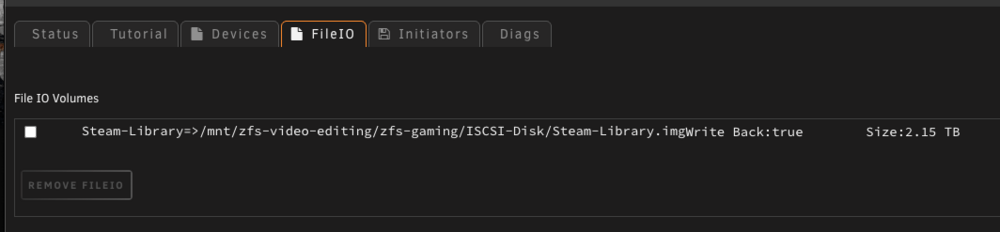
How can I relink this same fileio if I remove it? Example: Steam-Library.img I just want to know because I don't know how to relink the img if I accidentally removed it or I uninstalled the plugin. Thanks
-
I upgraded again to the latest and it crashes my Unraid server when restarting the VM via Windows desktop. I confirmed this doesn't happen in 7.0.1 because I revert to that version, once I upgraded to 7.1.3 or 7.1.4 the problem is still there Specs: I5-13500 Intel CPU RTX 5070ti Nvidia GPU 64GB Ram Windows 11 VM Steps that I made but still crashing unraid 7.1.4: Remove RTX 5070ti and using VNC only Change cores and install the latest virtio drivers 0.1.271 Attached my syslog: syslog This error when viewing in monitor:
-
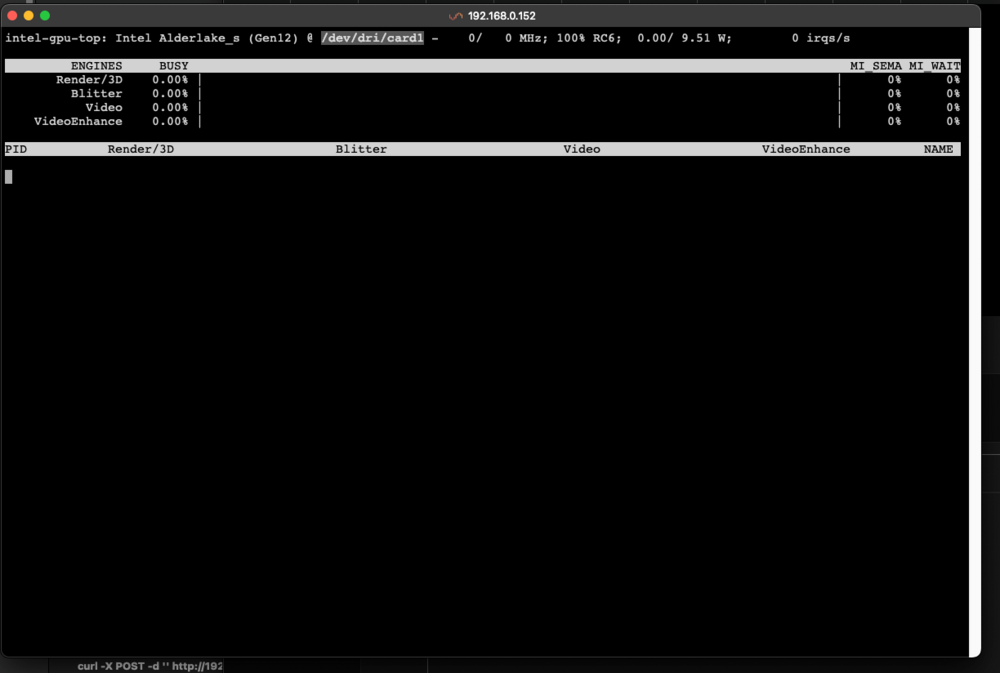
Good day, anyone know why when I'm rebooting, sometimes intel IGPU goes to /dev/dri/card1 and the nvidia (5070ti) is on /dev/dri/card0 and vice versa when rebooting. Anyone know how to fix this? thanks
-
I just want to report a bug. When I restart a VM the whole Unraid Server is restarting/crashing. Downgraded to 7.0.1 and restarting works without problems.
-
@m00nman Good day, thanks for this tweaks really helps, can I ask how to do this?
-
Can anyone tell me what the cause? I just enable syslog to USB to catch what causing it but I didn't know so I posted it here. Thank you syslog.log wajinserver-diagnostics-20231220-0625.zip
-
Can anyone help me with userscript with preview generator? I don't know why this is not working but when I googled and ask chat gpt this it give? It seems the occ files are not there anymore with update? What should I edit to use it in userscript for nextcloud? Thanks docker exec -u abc nextcloud php /config/www/nextcloud/occ preview:generate-all -vvv >> /mnt/user/appdata/nextcloud/preview_generate.log 2>&1
-
I just want to say thanks on this post. It works on my Gigabyte Mobo.
-
Up, what is the new power consumption? I'm planning to buy 13500 too. Thanks
-
I thought upgrading to 6.10.2 breaks my GPU Passthrough too. I just want to comment here because it was fine in my Unraid. Using same vbios from 6.9.2 with 2x 3070. I thought it's not booting but I have dual monitor so it was booting on my 2nd monitor which having raspberry pi 400 attached (the one configuring Unraid) so I don't see it on my other monitor booting. I got on this thread because I want to test windows 11 2h22 and 6.10 have profile for the VM. I have old windows 10 VM and it works fine in 6.10 so I thought the problem is specific for windows 11 installation and doesn't do GPU passthrough
-
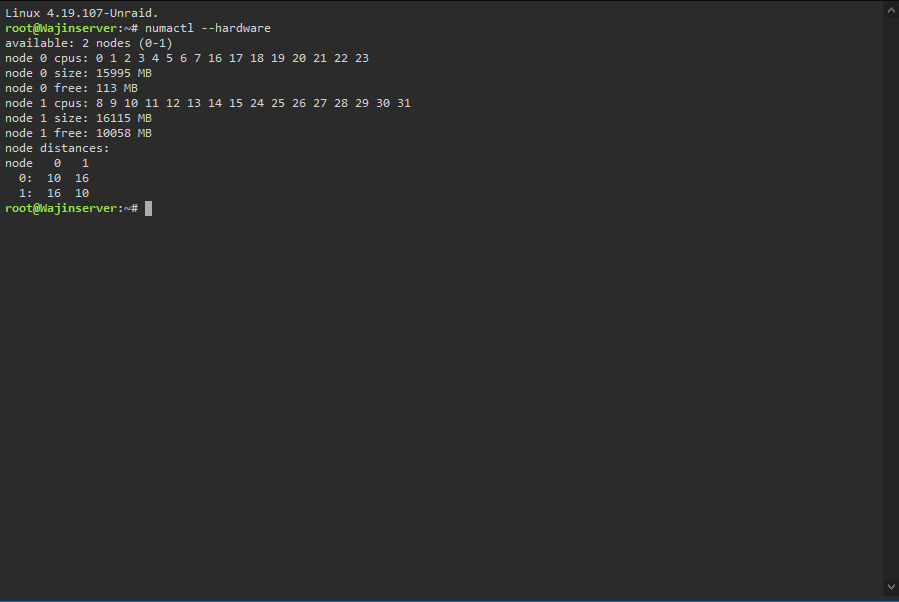
I been reading on this topic for months and I have tested my 1950x 3.8ghz OC with core assignments. The Channel and Auto really affects the FPS. I'm playing MHW Iceborne and when I use Channel mode it reduces 20-40 fps on games. My Normal max FPS on the Iceborne in Seliana is 100 FPS using Auto and using Chanel reduces it to 60-80 FPS. Problem using Auto it causes all core on 1 node. I just use the Channel to see what node is on numactl --hardware command and it's different on mine unlike on example here on Node 0. I also see changes on SFIV Benchmarks for fast comparison and I reached it max fps about 350 FPS unlike when using wrong core numbering which causes reduction on FPS (234 FPS). The AMD Epyc Processor Tweak also helps. Thanks for that.