





Geck0
Members
-
Joined
-
Last visited
Everything posted by Geck0
-
@Michael_P My tolerance is low. I wasn't referring to removing the drive, but excluding it from Share folders to stop any further writes to it. I haven't got much of a choice at the moment, I have to wait a couple of weeks for a new drive to show up. The one that's causing me aggravation was actually a brand new, redundent drive which I had in my case for a couple of months, ready to go in case there was an issue like this or low disk space. I ended up allocating it to the array recently and probably should have ordered another one at the same time, now its a 2 week wait for a new cache drive and a replacement drive for the array to show up.
-
@JorgeB Thanks for your input. I'm going to keep it running. I've ordered a new 20TB, but it will take a couple of weeks to get here. @itimpi I agree with your comments. Cabling was the only issue I could think of. I'll use it as normal and keep an eye on the reallocation count. I don't know if its neccesary to exclude the drive from Share folders in the meantime?? I'm guessing a new drive virtually empty, with no increase in reallocation has a relatively low risk, as there is space for further reallocation. For those that follow, I hadn't seen this on the Unraid wiki page; Understanding Smart Reports
-
Hi, My latest disk, which is disk 5 Ironwolf Pro ST16000NE000 has a Reallocated Sector Count today of 352. This drive is my newest addition. One of my cache pools, single SSD Ironwolf Pro failed yesterday and had to be removed. I took it out of the pool but didn't disconnect it and it was still causing the log to fill up. This resulted in not being able to shutdown the server properly and I eventually had to a hard shut-down. I'm now seeing this, which may not be be related but all my other drives are Reallocated Sector Count = 0. To me, it seems quite a high number for a new drive. I'll do an extended smart test in a sec. But I wanted to get some advice on whether I should move the data off there and run an extended pre-clear or keep going in the mean time until I receive a new drive and let parity rebuild it? I don't want to face data corruption, so whatever is best and safest to do. Currently, there is very little on the drive. The only other thing I can think of is if I managed to knock a cable when removing the failed SSD, which I doubt, its a spacious case. The drives are connected to an LSI controller. I've attached the diagnostics. Any help is always appreciated, I probably need to do a bit of reading on what to look out for on these SMART reports. nexus-diagnostics-20230516-1817.zip
-
I ran btrfs dev stats -z /mnt/cache_nvme/ as per this excellent post listed earlier in this post by JorgeB and a scrub afterwards. I already had the script running to detect pool errors. The issue appeared after the original drop out that sparked off this post. I didn't realise the stats needed resetting. For those that follow, I suggest seeing this post BTRFS Issues
-
It occurred to me that the btrfs stats would still be static after the first issue of the second drive dropping out. I ran this; ...and again; I ran an rsync before this, twice to two separate drives as a backup, so I'm hoping this may be resolved. Is it possible after re-adding the second drive back into the pool and it rebuilds that the btrfs error messages were still reporting the original issue? Is there a way to see what files were affected by the 6 corruptions? I've also added my latest diagnosticsnexus-diagnostics-20230423-2024.zip
-
It appears that its only the one drive. Would the following steps be reasonable; 1. Use Mover to move contents of cache to the array. 2. Take cache offline, reformat and then use mover to move appdata, etc back to the cache. I've run a balance and a scrub since originally posting this new problem.
-
nexus-diagnostics-20230423-1553.zip
-
Hi, I've found a new error today with the same cache drives. This is repeated in the syslogs. I would appreciate any advice / steps to resolve this. I've kept it in this thread as this drive dropped offline before. I'm planning on ordering two new cache drives to use with my LSI controller card instead but I need to know what to do with this in the meantime.
-
JorgeB, sorry long working week. Thanks for your reply, I managed to sort it, thanks to you.
-
Hi, I noticed today, I am getting BTRFS errors. Please see logs. /dev/nvme2n1p1 seems to have failed. I ran a balance and a scrub and eventually stopped the array. When I brought the array backup it warned me that the cache pool would start without /dev/nvme2n1p1. /dev/nvme1n1p1 seems fine. I've scrubbed it again and ran dev stats with 0 errors. I've taken the array offline as its after 1am where I am. I'm not sure what next steps are. Its not a cable issue, as its NVME on the motherboard (hard to reach as well). Whats the best way of backing up the existing drive? Is it best to use mover to move the files onto the array and backup the rest? Do I try a restart and rebuild if the second drive shows up? The drive is less than a year old. How likely is it that my data on the drive is lost? nexus-diagnostics-20230411-0008.zip
-
@whitephoenix117 Nicely done. If you ever figure out how to stop PS5 controllers from disconnecting from bluetooth when playing Steam games, I'd love to know.
-
I see, or rather I didnt (my mobile phone isnt ideal for looking at this).
-
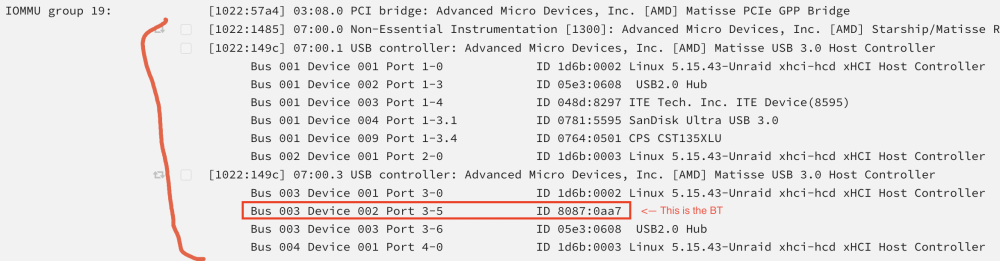
Post your groupings and your XML from your VM. Im guessing your only passing through BT on its own. You need to pass the whole controller, or try to ACS override! Which has already been mentioned. Reset your XML to default by changing a setting in gui of VM config. Change it back to base settings and then post your XML. You also have a conflict. It can't be Bus 0. 1022:1485 and 1022:149c devices I've bracketed in the image need to be passed through. I'm guessing when you select one of them to pass through it automatically selects all 3. You will need to reboot to take effect. In the image they're not ticked. After doing this, post your Sys Info page and VM XML.
-
@Vr2Io This didn't work, however I'm guessing I need to server restart for this to take effect. I'm also in the middle of a parity check. I'll have to try again tomorrow after the parity ends. Thanks for responding, it looks like there are a few people raising this issue.
-
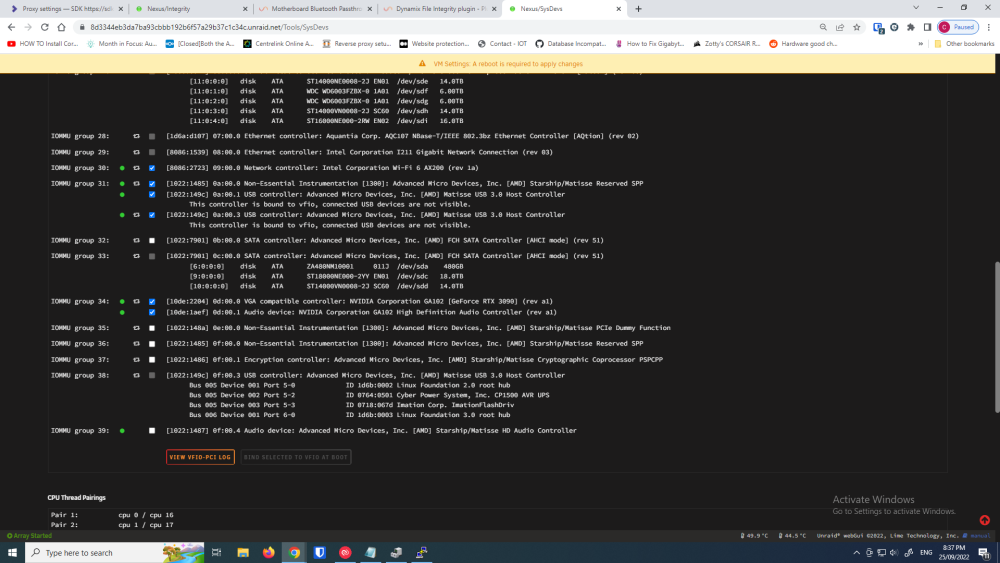
Sorry, This is probably what you needed more. I will be taking my laptop so I ccan probably give you more information whilst I'm away.
-
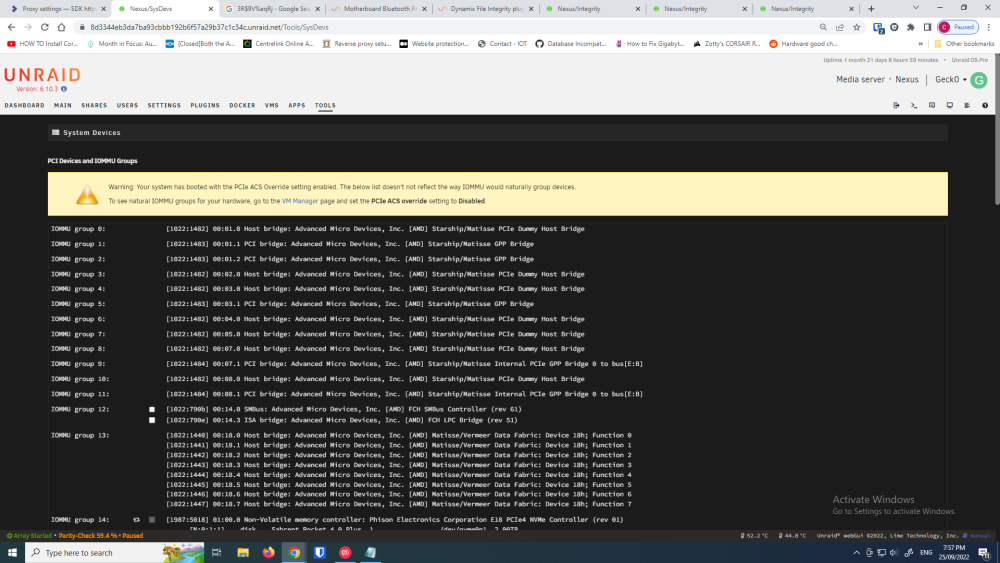
@whitephoenix117 Hi, I'm pressed for time, before I finally go away on holiday. Hopefully, the below helps. Here is my system info in full and a screenshot of the relevant, below it. One thing I do remember doing, is installing bluetooth using the drivers provided by Gigabyte, rather than allowing Windows to update automatically. XML config from my VM:
-
Hi, Could somebody answer this topic, it was asked twice on page 41, I think the query got lost in the rest of the discussion. I have exactly the same issue, leaving me nervous. I've started a rebuild of my disk 4, as I cannot export. I have a feeling that's not the right thing to do though?? Can somebody please elaborate on Sven's below issue, which is identical to mine? I have gathered that this has to do with the memory limit of php which is set at 128MB. When I go to the export directory, I see that a 168MB file has been created called disk1.export.blake3.hash. When I open the file it contains the hashes for all files from disk 1. Since the export file seems to be fine, is this just an error in the progress display? There were 862892 files in the export. 6TB drive, many large (500MB+) files, but also a lot of smaller files.
-
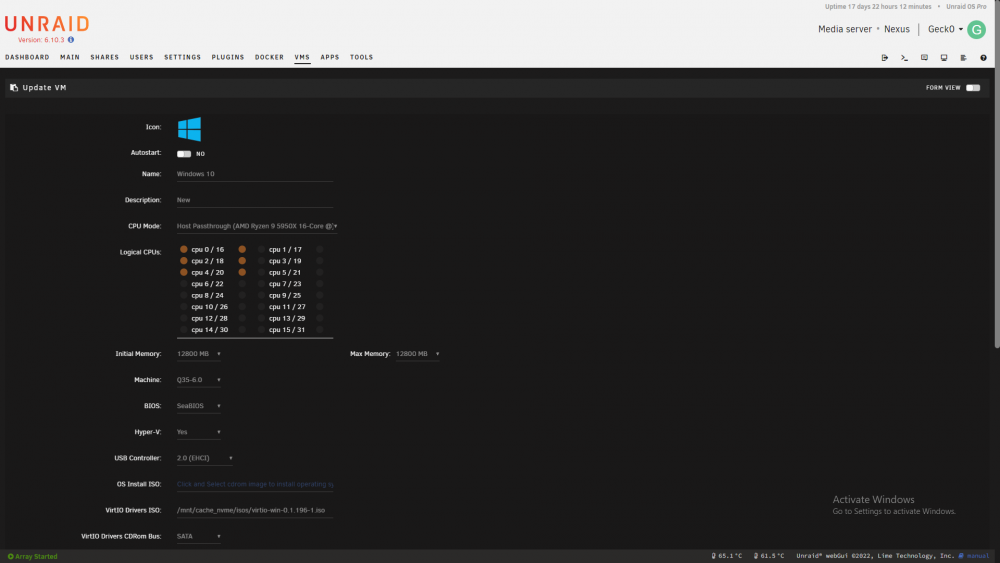
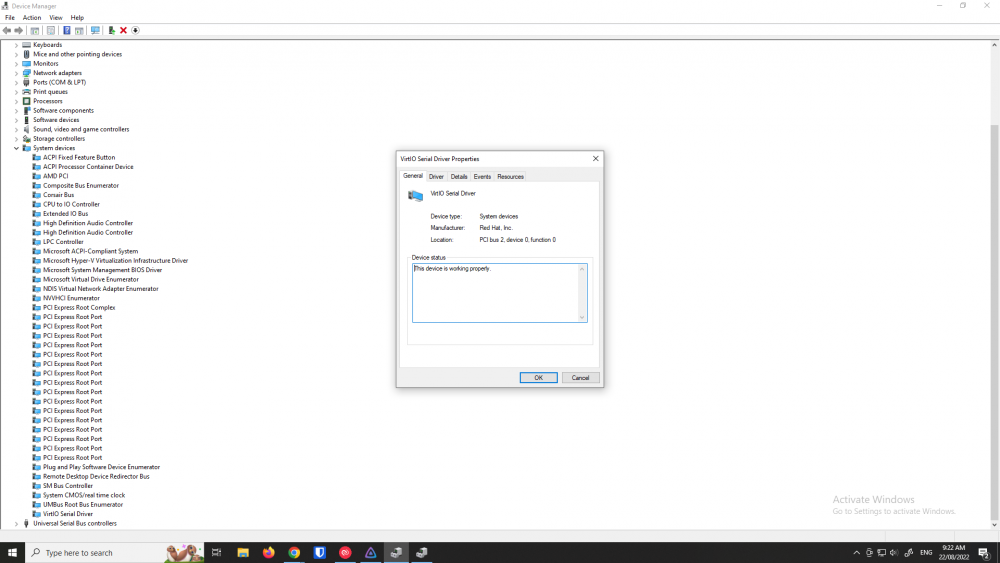
Here are my settings in Gui format. Did you select Slot 6 or was that an automatic assignment? You don't have to use the assigned slot, you can change it, provided there is no conflict. I agree with starting again. Have a re-read of my original post. Its important to look for the hidden devices and resolve those first. From memory and apologies, because I forgot which devices, I had to move my graphics card auto assigned slot to a different one, which meant I had to move other devices onto new slots, like slot 9, etc. (my memory is a bit fuzzy on this point), I don't think it was in my original post as I didn't think it would be a commonality. Apologies for the delay in respoinding, I've had a helluva couple of weeks. Try posting pics of the steps in Windows device manager, like the bang warnings, etc. When you look for system drivers, use the root of the virtIO driver ISO. ie. E:\ There was one that was ambiguous that needed resolving first, which was VirtIO Serial driver. When you go to View / Show Hidden devices, it should all be clear. I suggest looking through the hierarchial tree as a category, etc. That's where I found the issue with a conflict with my card's audio assignment. I had to give my card a lower slot assignment and then move the other devices to a different slot. You can see I'm using SeaBios, it works fine (unless you want to access the virtual bios, then forget it). Don't run the nVidia package installer, download the driver and unpack it. The biggest hiccup I had, was when Windows would find the driver off the internet and auto install or if I used the nVidia Experience app to install. If Windows found it on the internet and installed, the screen would go black and I couldn't see the bang error message. Unpack the drivers and point device manager to the folder's root.
-
On a side note, I find the graphics card onboard audio a pain and simply not as clear. I opted for a Sound Blaster GC7 which is working flawlessly as I go from one vm to the next. It doesn't cost as much as the headache and time spent resolving. The Geforce onboard audio keeps overriding my audio settings occasionally as priority, no matter if I remove the driver, etc and I never found it as clear as the Sound Blaster. Your life will be easier if you plug in one of these devices and remove the audio from the XML profile (unless of course, you can't pass through the GPU at all??) I couldn't pass the motherboard's optical out on my Aorus Extreme X570, some on this forum have managed to recompile the kernal, you will find threads I've made on that particular subject. I'm guessing you've made a mistake in your XML, which is easier enough to do.
-
And your IOMMU groupings.
-
I have a Gigabyte Extreme X570 and I've passed through both wifi and bluetooth. Can you post your groupings?
-
I think the biggest question is, why didn't I get this spam? 😄 Its a pain keeping spam out of a forum.
-
Hi, I've pre-cleared a new disk, which is a higher capacity than the one I want to remove. I want to remove a 6tb and replace with a 16tb. Currently, the 6tb only has 2tb of data on it, but I want to use it for a different project. I've replaced a parity drive before, however with this disk containing info, I want to ensure this is done correctly. What's important, is that I don't have a space issue to move the 2tb of data to the other drives. I know the process is to stop the array, remove the drive from the array. Add the new drive and then rebuild. Would it be wise to checksum the existing files on the 6tb to the files on the newly built disk afterwards? I would have thought it wouldn't be, as the rebuild would be doing this as part of the rebuild?
-
I'm on Version 6.10.3 2022-06-14. My start up syslinux.cfg: I don't have the recommended settings, although what brought me here was the same error message as the OP. Eventually, what worked was this: Its not clear if the recommended settings should be added to my boot profile? I'm using a 5950x processor.
-
I've managed to resolve this in the end. Its a Huawei Mate 20 Pro. I deleted the Discord server and created a new one. I also deleted the app and reinstalled. The settings remained the same. Thanks for your help though. I'll follow this thread in case anybody else has problems, happy to post my settings.



