





shpitz461
Members
-
Joined
-
Last visited
Everything posted by shpitz461
-
Hi everyone, I've setup Swag with cloudflare to my domain, according to the IBRACorp video. I also setup all the plugins, log shows 'server ready'. I've added a label to my emby container 'swag_url=media.mydomain.com', but when I connect I get a 502 bad gateway. **** Labels for EmbyServer changed, will generate new conf. **** **** No preset proxy conf found for EmbyServer, generating from scratch **** **** Setting upstream address EmbyServer for EmbyServer **** **** Labels for EmbyServer changed, will generate new conf. **** **** No preset proxy conf found for EmbyServer, generating from scratch **** **** Setting upstream address EmbyServer for EmbyServer **** **** Setting port 1900 for EmbyServer **** **** Setting proto http for EmbyServer **** **** Setting url media.selausa.online for EmbyServer **** nginx: the configuration file /config/nginx/nginx.conf syntax is ok nginx: configuration file /config/nginx/nginx.conf test is successful **** Changes to nginx config are valid, reloading nginx **** How does auto-proxy work? i.e. where does it create the config files for each container? I don't see any change in any files in /appdata/swag. Also, where does this port 1900 come from? how do I change it? My emby server is running on port 56907 internally. Thanks!
-
Also, is it possible for you to create a container for this one? https://github.com/Bendr0id/xmrigCC
-
Hi, I'm new to all of this, since there is no webUI, how do I interact with the application? When I open the console all I have is mine.sh and start.sh, is there a way I can 'connect' to the process that is already running? Also, i've been looking for optimization tips, how do I enable huge pages and 1GB pages? I've added to the go file, is that the right way to do it? Also, I can't find a config.json file, how do I configure the app? thanks!
-
I've got aria2 daemon and web installed, but when I add a url in the UI, it only downloads the main html for the page. What am I missing?
-
You sure can. 1. Go into a face 2. Click on Merge Face button at the top, above all the images 3. Select a face to merge with 4. Click Merge
-
Hi everyone, I've installed it and it works great when connected via ip on LAN. I configured an entry in nginx for it but this refuses to work, I just get a blank screen. The log shows unauthorized: My nginx Manager works great with other containers. I tried toggling nginx settings on/off to no avail. Any idea what I am missing? Thanks!
-
Wow, that worked, thanks much! On login screen the blue bar at the top reached almost to the end, but eventually it did log me in. I've started scanning my originals folder, 50,110 photos, finally seeing activity in the log creating thumbnails.
-
Hi ich777, great work! I can't get photoprism to work, on login screen I always get invalid credentials after a while, regardless of what password I put in the container settings. My MariaDB is up and running, used in several other containers. This is all I get in the docker log: These are the folders created in appdata: Any idea what could be wrong?
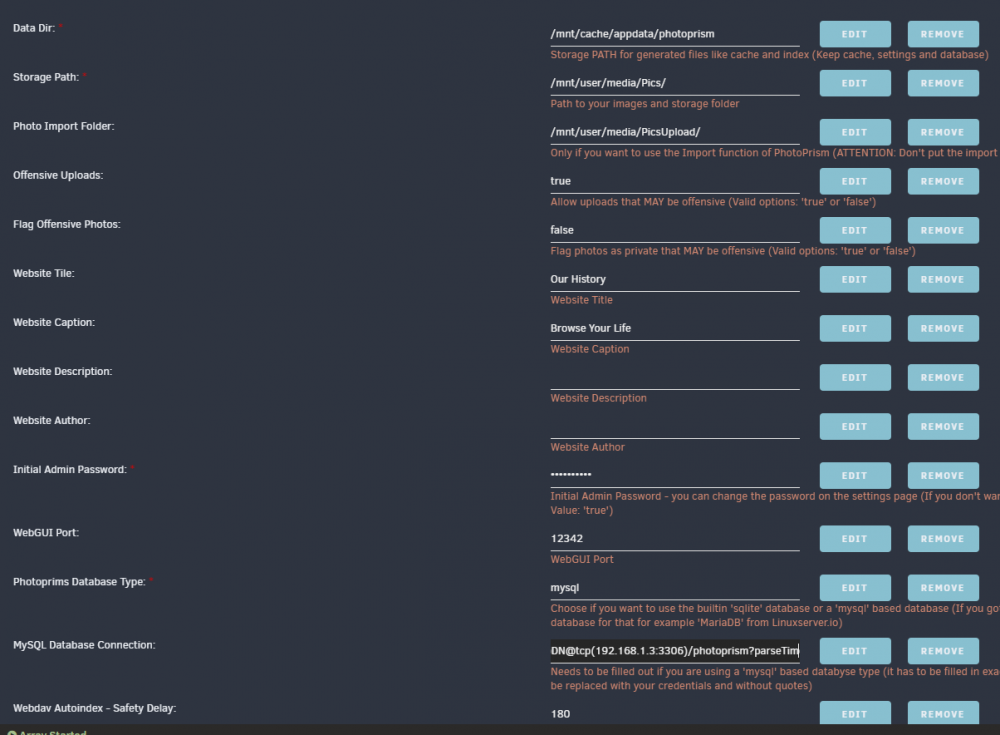
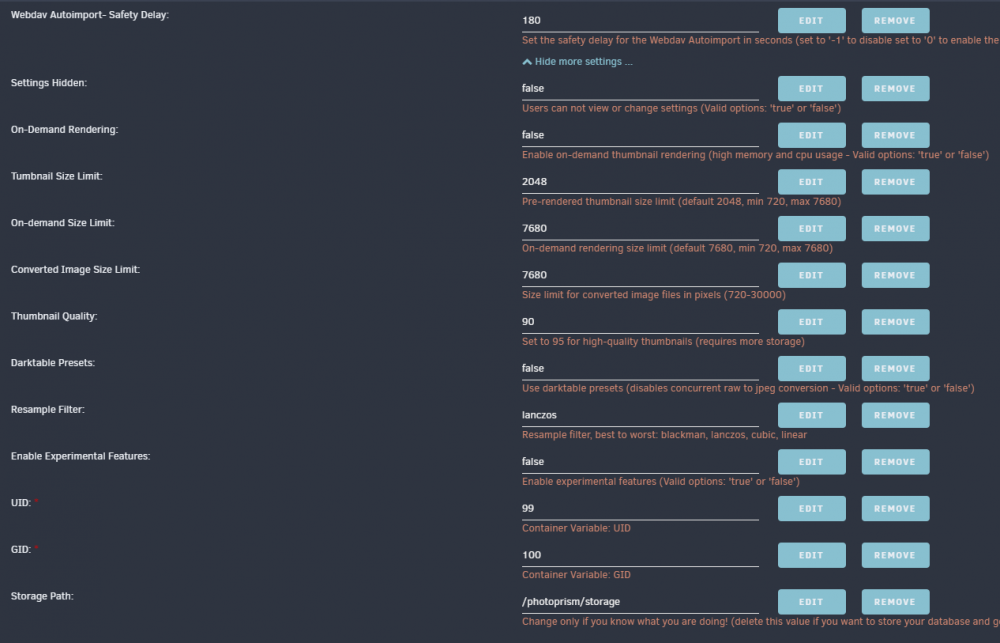
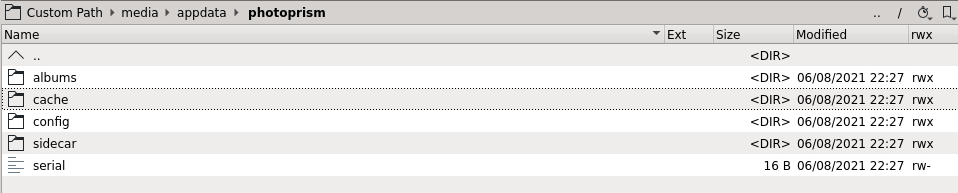
-
Didn't work for me. I had 'BETA' there, tried entering the key listed in their forum (says expires July), and when I go to WebUI I get the same errors as I've shown before. Maybe a new key is needed.
-
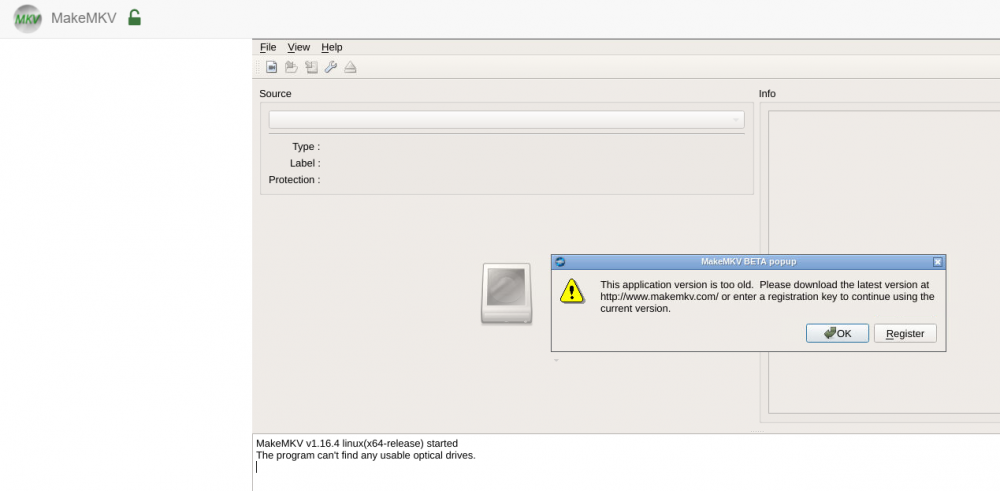
I can't get it to work after updating to latest 1.16.4. I get 'Your temporary key has expired and was removed. Please restart the application.' error every time I try to go to webUI. I entered a valid key (expires tomorrow) in the registration dialog that pops up but I keep getting the error with the key after a restart and can no longer use the app. Let's see if tomorrow the author will release another key to be used.
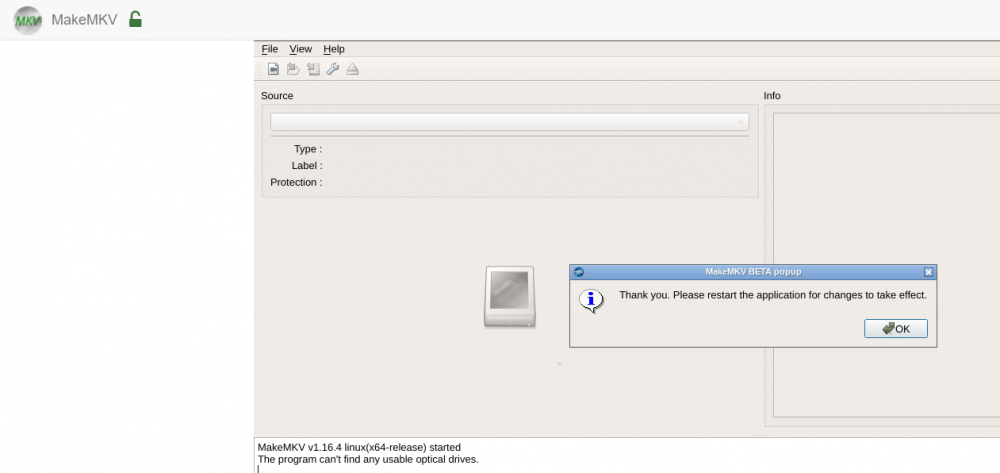
-
Hi everyone, I"m experiencing connection issues to trackers, different ones, not sure what's causing it. In the docker log I get the following line logged: I've tried downgrading the image to several past versions to no avail. When I start any torrent, the tracker is unreachable: My docker network is set to 'Bridge'. And in the qbittorrent log I get the following: Any idea what could be causing it? Thanks!





