






Everything posted by MAM59
-
na ja, es gibt ein backup aber das rückspielen wird wohl ne ganze woche dauern...
-
Leider muss ich Dich nun alleine lassen, mir ist gerade meine UNRAID Kiste abgesemmelt und meint, 72Tb Daten wären WECH :-( Da werde ich wohl eine lange Zeit lang das Backup wieder zurückspielen müssen :-((((
-
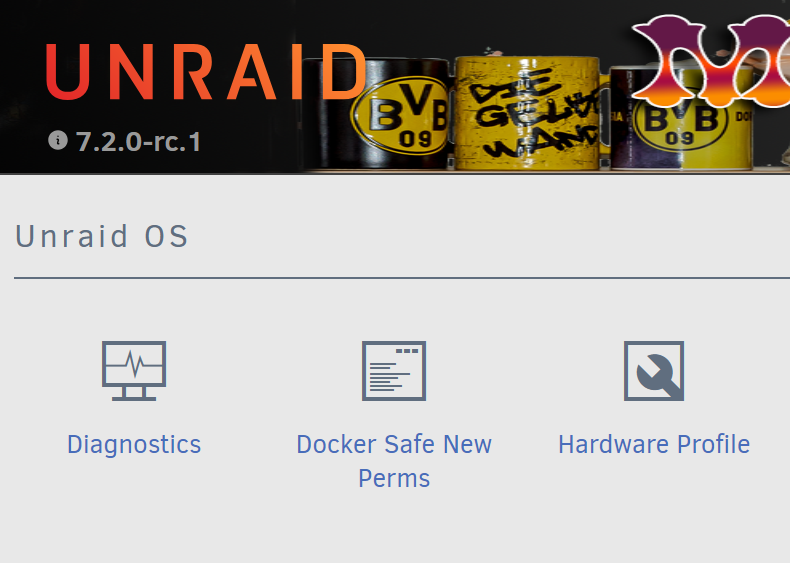
jaja, das trifft so einige :-) DU solltest gar nix ändern, so ein UNRAID habe ich noch nie gesehen, keine Ahnung, wie man das hinbekommt. Allerdings verwundert es mich nicht, dass es da "kleinere Probleme" gibt. Eigentlich wundert es eher, dass es überhaupt noch was tut. Es gibt eine Funktion "Docker Safe New Permissions" unter Tools Die sollte alle Platten/Dateien/Ordner wieder auf "normale Werte" zurücksetzen. Ich bin mir nur nicht sicher, ob ich Dir raten soll, sie auszuführen. Wie gesagt, so verbogen wie Deine Kiste hab ich noch nie was gesehen... (kann sein, dass das Tool erst erscheint, wenn man das Plugin Tips&Tweaks installiert hat, weis ich nicht mehr, schon zu lange her)
-
eher das Gegenteil... alle anderen sind wohl falsch. Die Frage ist eher, wie man das hinkriegt? oder hast Du an der Passwortdatenbank rumgespielt und nobody mit cyb3rrunn3r vertauscht??? machma root@F:~# v -n /mnt total 35 drwxrwxrwt 2 99 100 40 Oct 16 06:19 addons/ drwxrwxrwx 4 99 100 4 Oct 16 06:30 backpool/ drwxrwxrwx 5 99 100 5 Oct 16 06:30 cache/ drwxrwxrwx 13 99 100 247 Oct 16 06:30 disk1/ Da sollte immer 99/100 bei rauskommen...
-
dasselbe kann für die Platte falsch sein... und die Gruppe wird in Deinem Bild ja nicht angezeigt, muss "users" sein. kannst ja mal ne "richtige" shell aufmachen und testen: root@F:~# v /mnt total 35 drwxrwxrwt 2 nobody users 40 Oct 16 06:19 addons/ drwxrwxrwx 4 nobody users 4 Oct 16 06:30 backpool/ drwxrwxrwx 4 nobody users 4 Oct 16 06:30 cache/ drwxrwxrwx 13 nobody users 247 Oct 16 06:30 disk1/ drwxrwxrwx 7 nobody users 108 Oct 16 06:30 disk2/ drwxrwxrwx 9 nobody users 153 Oct 16 06:30 disk3/ drwxrwxrwx 7 nobody users 108 Oct 16 06:30 disk4/ drwxrwxrwx 7 nobody users 8 Oct 17 04:23 disk5/ drwxrwxrwt 2 nobody users 40 Oct 16 06:19 disks/ drwxrwxrwx 7 nobody users 7 Oct 16 06:30 force510cruical/ drwxrwxrwt 2 nobody users 40 Oct 16 06:19 remotes/ drwxrwxrwt 2 nobody users 40 Oct 16 06:19 rootshare/ drwxrwxrwx 7 nobody users 7 Oct 16 06:30 samsung980heat/ drwxrwxrwx 1 nobody users 247 Oct 17 04:23 user/ drwxrwxrwx 1 nobody users 247 Oct 17 04:23 user0/ drwxrwxrwx 10 nobody users 10 Oct 16 06:30 vm/ Einfach "v /mnt" eingeben, das Ergebnis sollte meinem ähneln, nur dass bei Dir noch "disk6" auftaucht.
-
jaja, hatte ich inzwischen entdeckt. der Besitzer ist falsch, muss "nobody" sein, nicht "root"
-
wasfürnbild??? Ach DAS Bild :-) Da sieht man aber nur den falschen Besitzer root und keine Gruppe muss sein: Besitzer: nobody, Gruppe users
-
nein, ist ja ok, nur wie Du aus der Liste sehen kannst, ist die Diagnose arg anonymisiert, da muss man etwas raten, was was ist. Wie sind denn die Dateiberechtigungen des Ordners ? Sollte sein drwxrwxrwx nobody users
-
und nun noch bitte verraten, wie der neue Ordner auf der Platte heißt :-) Spart Rätselraten, zumal die Namen ja alle verstümmelt sind. appdata shareUseCache="prefer" # Share exists on cache B----p shareUseCache="no" # Share exists on disk1, disk2, disk3, disk4, disk5 b-----s shareUseCache="only" # Share exists on cache c---------p shareUseCache="no" # Share exists on disk2 d-z shareUseCache="no" # Share exists on disk4 D----r shareUseCache="no" # Share exists on disk3 D-------e shareUseCache="no" # Share exists on disk1, disk2, disk3, disk4, disk5 domains # Share exists on disk4, cache D-------s shareUseCache="no" # Share exists on disk1, disk2, disk3, disk4, disk5 isos shareUseCache="no" # Share exists on disk1, disk2, disk3, disk4 M---a shareUseCache="no" # Share exists on disk1, disk2, disk3, disk4, disk5 P-------y shareUseCache="no" # Share exists on disk1, disk2, disk3, disk4, disk5 P---------y shareUseCache="no" # Share exists on disk1, disk2, disk3, disk4, disk5 P--------y shareUseCache="no" # Share exists on disk1, disk2, disk3, disk4, disk5 s--p shareUseCache="yes" # Share exists on disk1 system shareUseCache="prefer" # Share exists on cache, disk1 T---------------p shareUseCache="no" # Share exists on disk1, disk2, disk3, disk4, disk5 T-------------------------o shareUseCache="no" # Share does not exist T------------------o shareUseCache="no" # Share exists on disk1, disk2, disk3, disk4, disk5 u--------s shareUseCache="no" # Share exists on disk1 Scheint aber nix auf disk6 zu sein..., was ist denn "T-------------------------o" ? (Share does not exist) ?
-
wird wohl doch mal langsam Zeit für diagnostics ...
-
Das war die halbe Miete, aber taucht dieser Ordner nun auch als "User Share" in der GUI auf?
-
hmmm. und was ist, wenn du mit der Shell auf die Platte gehst, und ein Unterverzeichnis anlegst? Das sollte dann unter "Shares" auftauchen, automatisch.
-
The problem will be, I guess, your very old and outdated UNRAID. Of course, you need current drivers for your LAN card and there is a really big chance that they are not available in your old version now. The same might be true for the graphics mode, Text mode is global, but graphics needs a recent driver to work. Create a new stick with current UNRAID and a trial license. Boot it up and see, if LAN is working then. Also test if if works in graphics mode. Report back and then we can discuss further actions (that need to be planned ahead and carefully to prevent your stick & license) Addon: it might happen, that even the new UNRAID does not have a valid driver for your LAN card, don't panic! Try and report. Addon2: I have checked the (new) motherboard, they only talk about "Realtek 2.5G" LAN, not telling WHICH chip they are using. There are known issues with certain Realtek 2,5G chips, you might run into troubles are not able to install the needed driver. But again, don't panic! (I LOVE that "hitchhiker's guide to the galaxy" stuff, LOOOL). If things really are getting bad, you will need to buy a simple and cheap (LESS then 10 normal $!) Realtek 1G PCIe1x card and put it into one of the free slots. But afterwards you will not need it anymore, so maybe ask a friend if he can give you one for a day or so. You could also use a USB-LAN Card (1G only!!!) for this experiment. (AND DONT BELIEVE THE PRICES OF YOUR "SHOP" :-) )
-
I guess, it is this line, try to change it to your "Windows 11 IoT LTSC" and see what happens. (just a guess!!! but I think the change is harmless) Maybe a leftover from your former rename action ?
-
If you add a new disk to the array, you can format it, you can use it from the shell, the GUI shows the stats, all fine. But if you try to add a share (either normal one or disk share), you will note that the new disk is not available in the drop downlists for the target. To fix the problem, you need to reboot. From then on, the disk will be available normally (thats why I cannot add screenshots here, the problem only occurs ONCE for each new disk) At first I thought, I have made a mistake, but this morning somebody else reported the same problem in the forum.
-
Then check the settings for that VM. Most likely you have defined an "additional folder named Windows" there. Either correct or delete that setting. Look for "extra path" or something alike. (cannot look myself, no VMs here)
-
Den Bug hatte ich auch gerade, neue Platte eingebaut -> keine Shares verfügbar. Die Lösung ist aber trivial einfach: NEU BOOTEN! Danach steht die Platte voll zur Verfügung. (Also eigentlich ist die Platte voll da und kann verwendet werden, nur die GUI hat vergessen, ihre Dropdown Menüs anzupassen, dort taucht sie in den Auswahllisten erstmal nicht auf.) Ich überlege, ob ich hierfür einen offiziellen Bug Report machen soll. Da es nur EINMAL passiert bei einer neuen Platte, war ich mir erst unsicher, aber, wenn nun mehrere Leute das Problem haben...) Update: hab mal einen Bug Report reingesetzt.
-
try to rename it from the shell or with mc. (and sorry, my chinese does not really exist, your screenshots do not help me at all :-( )
-
I would guess, your old stick is still "legacy only". To allow UEFI you need to put the stick in some other (working) computer and rename the toplevel directory "EFI-" to "EFI" Then it will boot.
-
BIOS is the thing (program) that is used to start the computer. Its main purpose is to find and initialize Hardware and finally to boot a real OS from one of the found devices. To be able to do this, BIOS has to know about ANY card and has to contain a piece of code that can handle this particular card. Obviously it is not possible to add code for every possible card, even those that have not been invented yet. Therefor the cards themself contain a chip with a program that contains the needed code and a signature "I AM A BIOS ADDON, RUN ME!". At initialisation time BIOS looked for these signatures and started those programs. So it was able to detect Devices even an normally "unknown" cards and finally boot from them UEFI is "the next BIOS", it does the same but needs other addons for security reasons. Today's cards contain a signature for BIOS and for UEFI. So they can be used for both of them at the same time. Older cards like yours only have the BIOS parts and therefor are ignored by UEFI. They are simply not seen and so are the attached devices. This just means you cannot boot from them. But the booted OS (like UNRAID) does its own search and initialisation, if it contains a driver for this card, it will use it and the attached devices become available. Most if not all current computers contain a BIOS/UEFI that can be switched. "Legacy mode" means: "use the old BIOS version". Microsoft pushes UEFI, current Windows already demands to be started in UEFI mode only, next step (and there are boards for this already) is to prohibit and delete BIOS mode completely. For security reasons they say, but it is not clear who's security they have in mind. Its more to protect their own licence scheme because UEFI allows hidden security keys to be checked at boot time already. UEFI simply does not load any unsigned OS anymore. And guess, who is the "Master of signed keys" ? :-) And they IGPU stuff is totally nonsense. As you can see yourself, video output works in both modes. They are partly correct because if you want to watch crypted streams like Netflix & Co with this card, Intel demands UEFI mode (for the same reason as above). But for normal computer usage, it is totally unneeded. One commenter above is right, your shop only knows Windows and wants you to build a computer that fulfills the demands of current Windows 11.
-
You seem to have (or had) a VM named "Windows". Stop VMs, remove the VM "Windows" and the Folder will go away too.
-
Hmm, I have a strange problem... Today I have added 2 more drives, they showed up in "disk location" after some minutes. And of course it wanted to do "force smart update & db" too. But then many (about 4 or 5) of the old disks vanished! Some of them reappeared later on having lost group and location :-( After some hours (and a lot of pushes on "force...") all drives are back, but most of them needed to be re-added manually to the grafics. Seems that the stored info was lost somehow. Now we are back to business (I hope it stays this way). Any idea what happened? just added 2 new drives and the plugin goes havoc?
-
Yeah I see, but for UNRAID the legacy mode is not needed at all. Legacy Mode is only for booting off the card (that contains a BIOS addon for this. BIOS is not used in UEFI anymore, therefore the card is not initialized at boot time. But for UNRAID it does not matter at all!) Your "store" seems to have no Idea of UNRAID... ? So, you do not need a new SATA card. Ignore them and go with the current one. If it gives you grief later, you still can exchange it, but I heavily doubt it.
-
I don't understand your problem? What has a SATA card to do with IGPU and UEFI? UEFI is only maybe relevant if you plan to boot from a drive attached to the card, UNRAID does not do this. The card you have in mind looks perfectly, ok, besides the price (160 DOLLAR??? 20$ would be more common)
-
yes, this is normal if you ever updated UNRAID from early ZFS to current one. You need to do "zpool update" once (will be necessary for further versions too maybe, so keep an eye open). BUT BEWARE! once done, you cannot go back to older versions of UNRAID anymore! The disks will not be readable then!!! On the other hand, this is only an INFO, it just says: "there are new features available that are currentlic not enabled yet, waiting for your approval." You can also ignore it for the next decades, but of course, you will not get any benefit from the new features anymore too. What HAS changed should be documented somewhere, you may compare the output of zpool-features on an "old" and a "new" filesystem and then decide if you want it or not. But if you never plan to downgrade UNRAID, just do it and dont think about it.

