





mikey6283
Members
-
Joined
-
Last visited
Everything posted by mikey6283
-
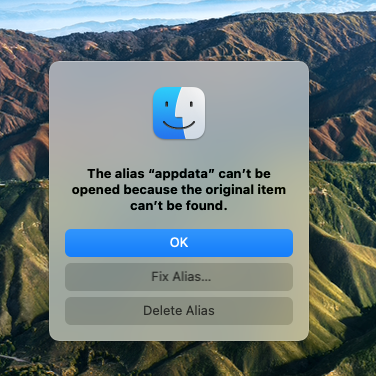
Hi , I seems to have lost my appdata folder. I have been trying to connect my appdata file to VSC , it worked for a while a few days ago now i cannot get into it any more. When i double click on it nothing happens and i get the attached message. I tried to go to restore but is seems that i have not set up my back up correctly as i can only the latest one which was the 21.11.22. I am a newbie so please be gentle. Any help would be appreciated.
-
Tha Thank you for your reply, I am running Frigate in a Docker which uses FFMPEG on my 4 camera, I am still get to grips with Frigate. I will have to ask on the Frigate forum perhaps. Thanks for your help in finding the possible culprit.
-
For awhile now i have been struggling with high CPU fluctuates on some cores upto 100% and Memory usage 84% I am running a lenovo Intel® Core™ i5-8400T CPU @ 1.70GHz 6 cores 16gb ram 1 storage hard disk 2TB & 1 TB hard. no parity at the moment. This is running 10 docker containers & 1 VM ( HA). You will have to bare with me as i new to unraid as i may not have it setup properly. I have attached is my diagnostics Any help in understanding what is wrong would be appreciated . pine-diagnostics-20221008-1040.zip
-
Thank you started, now i need to sort the Config out.
-
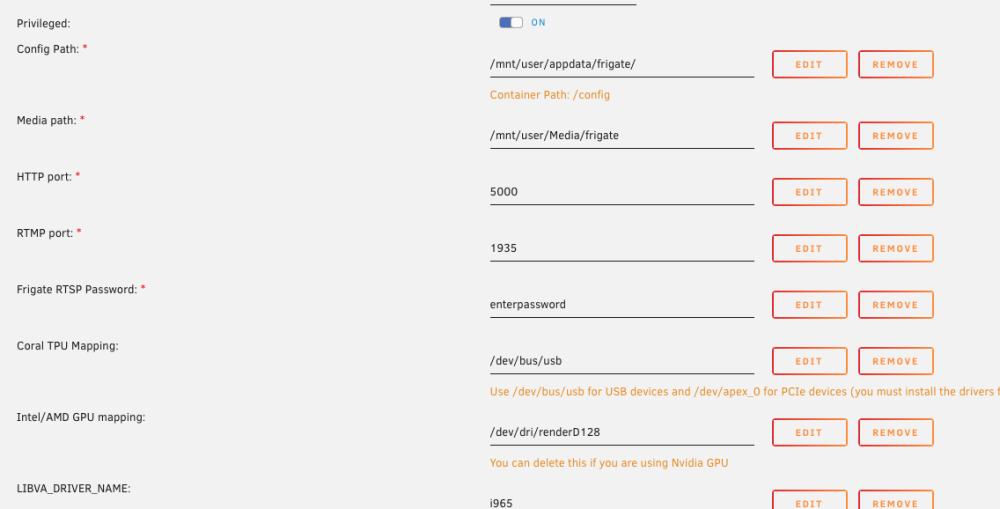
Sorry but i am unsure which parameter to delete ? is it the intel AMD gpu mapping ?
-
sorry
-
please see attached, config.yml
-
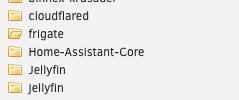
Yes but when i look at the path as below my config is there but when i look in the container it isn't.

-
Hi , I have just followed the instruction Breaking Changes Removed the app and installed the latest. Now Frigate will not load Executive Error. everything was fine before , reverted back to 0.11.0 RC1 and still have the same . There are no logs to advice what the problem is. Could you give me some guidance please.
-
Hi is there a solution to these error, the issue i have is that CF seems to be working for afew hours and then i receive these error. If iu restart the app all is fine again for a few hours. if go to NGNIX and load the two apps i am connected thru HTTPS ?? 2022-08-27T17:46:39Z ERR error="Unable to reach the origin service. The service may be down or it may not be responding to traffic from cloudflared: EOF" cfRay=7416a0beabb038ba-VIE originService=https://192.168.xx.xx:19443 2022-08-27T17:46:40Z ERR error="Unable to reach the origin service. The service xx.xx:19443 2022-08-27T17:46:40Z ERR Request failed error="Unable to reach the origin service. The service may be down or it may not be responding to traffic from cloudflared: EOF" connIndex=1 dest=https://mtamo.co.uk//site/wp-includes/wlwmanifest.xml ip=198.41.192.67 type=http 2022-08-27T17:46:40Z ERR error="Unable to reach the origin service. The service may be down or it may not be responding to traffic from cloudflared: EOF" cfRay=7416a0c04d9738ba-VIE originService=https://192.168.xx.xx:19443 27T17:46:40Z ERR Request failed error="Unable to reach the origin service. The service may be down or it may not be responding to Any advice would be appreciated.
-
Hi i need to install LIBVA_DRIVER_NAME_JELLYFIN=i965 in my Frigate Docker container due to the recent upgrade and various error i am having. could you advise how i can do this ? Any help would be appreciated
-
Hi i have been struggling with updating to new frigate update on my Frigate. It turns out that hwaccel / ffmpeg is not installed according to Frigate support. I have checked Coral and that is is live . Any advice on how i check if hwaccel /ffmpeg is working. I must say that it was working before update. Unraid 6.9.2 ( at the moment) lenovo tiny pc Intel® Core™ i5-8400T CPU @ 1.70GHz 6 cores Frigate , VM HA Zigbee2mqtt Any advice would be appreciated.
-
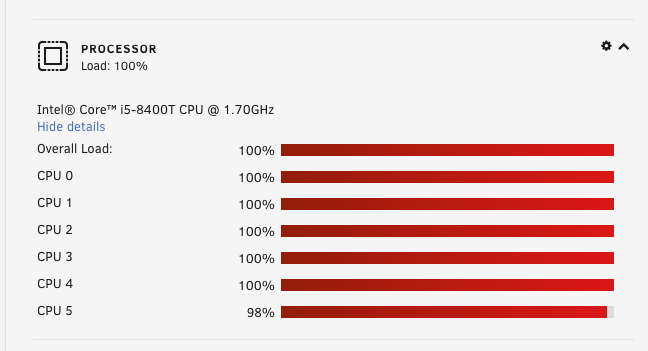
Hi For some reason my Ram is running at 100% . My system is LENOVO 312D, Version,Intel® Core™ i5-8400T CPU @ 1.70GHz 16gb ram 9 docker containers Main container Home assistant and Frigate. How can diagnose what is causing the high usage any help would be appreciated. I have enclosed my Diagnostic file and screenshot. Any help would be appreciated tower-diagnostics-20220722-1713.zip
-
As a newbie , I trying to create a dashboard in grafana. I have influxdb running , bucket installed and showing in grafana . I am able to create a graph in Influxdb not not in grafana using the Influxdb script. " invalid: compilation failed: error @2:4-2:66: expected comma in property list, got COLON error @2:47-2:65: missing property key" my script : from(bucket: "nodered") |> range(start: 2022-07-07T10:01:59.594Z. stop: v. timeRnageStop) |> filter(fn: (r) => r["_measurement"] == shellies/shellyem-485519C99C50/emeter/0/total" or r["_measurement"] == shellies/shellyem-485519C9BD88/emeter/0/total") |> filter(fn: (r) => r["_field"] =="value") |> aggregateWindow(every: 30s, fn: mean, createEmpty: false) |> yield(name: "mean") Any advice or direction would be appreciated.
-
I have been able to get into the container as you will see the snapshots it will not allow me to create the database for homeassistant which according to the details i should be able too. Any help / direction would be grateful.
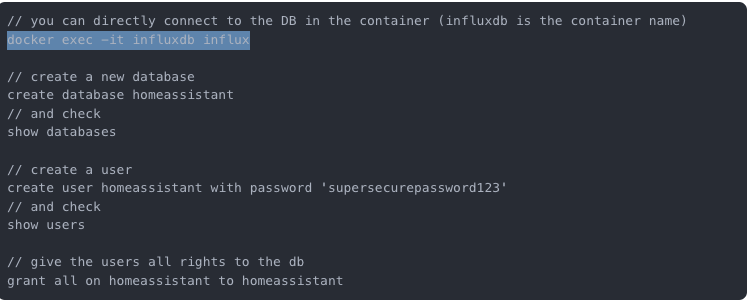

-
Thanks for your reply and noted. I am trying to create a Grafana database using the home assistant and i was wondering if you are using Flux or influxdbQL. Telegrau, Influxdb and Grafana and running without errors in any of the logs. Any help/advice would be appreciated.
-
Hi, I am new to InfluxDB and Grafana which i have installed , However, I am unable to access InfluxDB on port 8083 to login etc. so that i can connect to Grafana and HA. There are no error message in the logs. Could you please advise where are i am going wrong. Thanks in advance.
-
Hi Newbie here , just installed Node Red using the app, inserted the HA token and deployed, however i receive error in debug Invalid URL for Home Assistant Core, which gives the same ip address except for the port number. If i check if devices have been discovered they have been populated. Is there any way to correct i have removed the container and cleared any files but still same issue. Could it be because i am using HA Core ? Any advise would be appreciated.
-
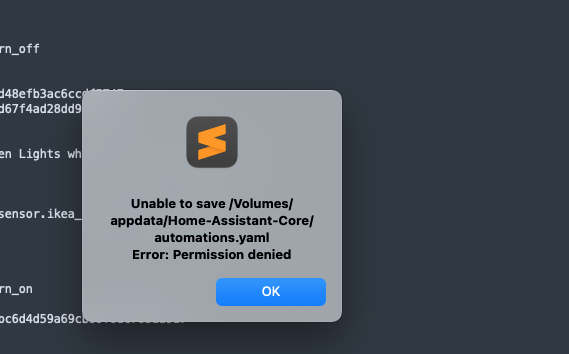
Hi, this will seem obvious to hardened UNRid user but as a newbie i am struggling with error message Permission denied whilst saving yaml files to appdata for HA. My appdata is set on prefer. Running 6.9.2 Any help would be appreciated. please be gentle.
-
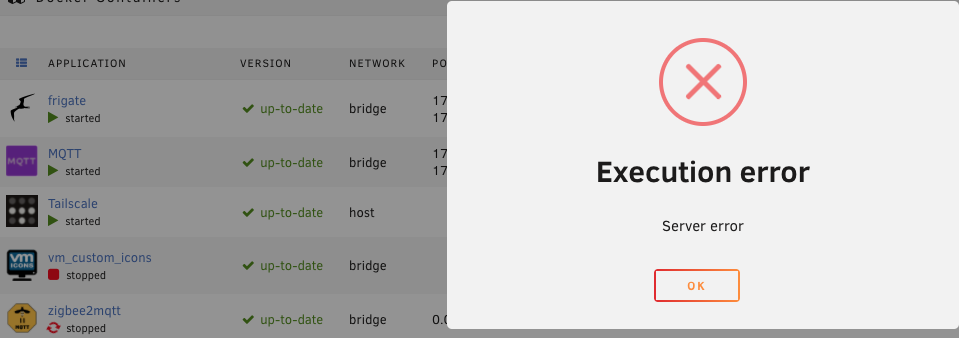
Hi trying to install Zigbee2mqtt after following didiblurDIY comprehensive instruction for my Conbee11 -Stick. The issue is that i receive error message as below . I have checked config file and is good . The only issue i had was find the ls /dev/serial/by-id/ a sit came up with no such directory, however i was able to find the path in HA supervisor hardware section. Any help & guidence would be appreciated.
-
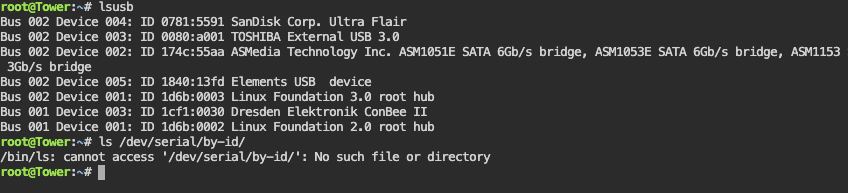
I am trying the locate the path of my Conbee ll stick it is there is LSUSB but when i try ls /dev/serial/by-id/ is displaying no such directory. I need the serial path to install into docker zigbee2mqtt. I am running 6.9.2 Any advise or direction would be appreciated.
-
Thanks for your comments I have solved the issue , exactkly as you have mentioned Set Shares to Prefer now all seems clear following system check.
-
Now that Frigate is running in the dockers satisfactory at the moment . How can you install the Frigate integration addon to use the cameras motion ,detection options to turn on switches/devices mainly on one of my cameras? Hacs is install on VM for HA. Any help would be appreciated.
-
Thanks all , Problems solved as per instruction by ChatNoir above. When the system check for any error none were found Shares are set to Prefer.
-
tower-diagnostics-20211207-1607.zip


