





DoeBoye
Members
-
Joined
-
Last visited
-
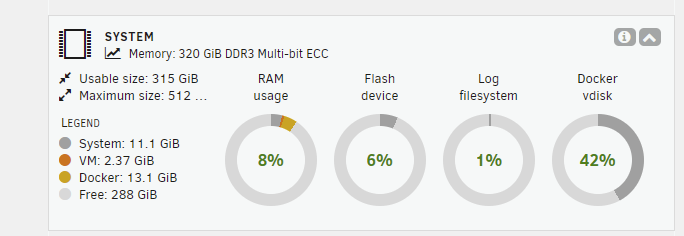
For the record, I am seeing the exact same issue. New intermittent vmalloc call traces since upgrade to 7.0, but no noticeable performance issues. 320gb of ram. I'll implement the above recommended steps and report back.
-
Handy utility! Thank you :). Question: Will this be able to identify issues with ECC Ram as well?
-
Yup. Fixed. I had to roll back as well, but no issues with this one.
-
I can confirm 6.12.8 no longer has the issue. I had to roll back 6.12.6 for the same reason, but this one looks good. I ended up having to do a full reboot because I was getting a bunch of nginx errors after just a restart, but a full shutdown and restart solved that (after closing all my browsers). Probably unhappy with multiple browser windows connected to the server. I've seen it before. Thanks for the solid upgrade!
-
Just noticed the same errors in my log (And I'm running an Adaptec 7 series controller) and the same issue with random read errors. I will be downgrading to 6.12.4 asap! Thanks!
-
That did the trick! Thank you sir!!
-
I'm having problems deleting a cold wallet address I mistakenly added to the Chinilla fork. On the wallet page, I open the edit wallet option, delete the key for the cold wallet, save and close. When I reopen the edit option, the wallet key is still there. Am I doing something wrong, or is this a bug? Is there somewhere I can manually remove it?
-
Thank you for the new version! Question: the notes state that deprecated blockchains are being hidden. Should we just uninstall the deprecated blockchain dockers?
-
I'm having the same problem. I always notice when I can no longer load the unRaid webgui. All my other dockers but qbittorrent are running and accessible. I can ssh into the server without issue. When I try and stop docker, I get the error that it could not stop qbitorrent. Same for stopping nginx (unless I try and stop docker first). I usually end up rebooting.
-
[SOLVED - See Below] So I decided this weekend to move my artwork from the associated movie/tv folder to one location on an Unassigned SSD that was added to a cache pool to speed up the thumbnail loading in the interface (Drives that were asleep take a moment to spin up). That has worked fine, and thumbnails load MUCH quicker now. The problem I have, is no matter what I do, Emby seems to make duplicate/linked user shares called 'cache' and 'metadata'. So even though the path I have set to my drive is: '/mnt/emby-assets/', and the folders 'cache' and 'metadata' are created in the '/mnt/emby-assets' drive as expected, Emby also creates linked user shares ('cache' and 'metadata'). By linked I mean if I delete files in one location, they are deleted in the other as well. So, what can I do to stop Emby from creating the mirrored user shares? And is this a bug? Why would it do that? EDIT: Clarification: When I say linked, I mean the folder '/mnt/emby-assets/cache' is linked/mirrored to the user share that was created (/mnt/user/cache). SOLUTION: So looks like it was user error. I'm going to leave this up for anyone else that might do the same thing. Basically, though I have used cache pools since they were available, I never realized there was an option to "Enable user share assignment". I had that set to yes, so top level folders in my emby-assets pool were automatically added to /mnt/user. Sigh.
-
Hi guy.davis! Not sure if this is a known bug, new bug, or an issue with my own installation, but Sorting on the 'balance $' column, as well as the "Wallet Summary' are no longer accurate since I moved my Chia into a cold wallet last night. My assumption is the balance column is not including the cold wallet value in the total (As the position my Chia is in reflects the remnants of Chia that I left in the 'hot' wallet), while the Summary is showing about half the total value... Also, as an aside, my issue with my paused flora wallet resolved itself after following all the recommendations in your wiki page. Finally, I just realized today about the issue of missing 7/8 coin rewards from all my forks because I am using pooled plots! I always wondered what the new 'Claim Rewards' button does. Unfortunately, when I clicked on it, it did not see any of my missing coins, but going to alltheblocks seems to have found them. I know it's still experimental, but thought I would provide the data point, in case it helped! Thanks Again for all your hard work! You've built a truly remarkable Docker here!! EDIT: So Wallet Summary is now displaying correctly!.... It's possible that the transferred Chia to my cold wallet hadn't been captured yet (Even though it showed in the cold wallet column)... Sorting is still an issue though...
-
Any ideas how to restart a wallet? My flora blockchain shows as synced, but the wallet shows as paused. I've tried to restart it in the wallet page, and the popup claims it is trying, but it never unpauses... I've tried several times over the last few weeks without success.
-
Hmmm... Good suggestion! Sadly, I just tried, but it seems to only apply on first boot. If I stop my docker, set the delay and started the docker, it just starts as normal...
-
Is there an option to stagger the startup of the dockers inside a folder? Maybe the ability to add a delay between dockers so a folder with many dockers inside does not overwhelm your system? I've looked around, but nothing jumped out at me :).
-
Sounds great! I'll install it tonight!

