





Nodiaque
Members
-
Joined
-
Last visited
Everything posted by Nodiaque
-
I'll swap again both cable then. Thanks
-
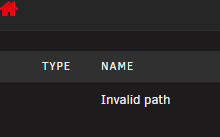
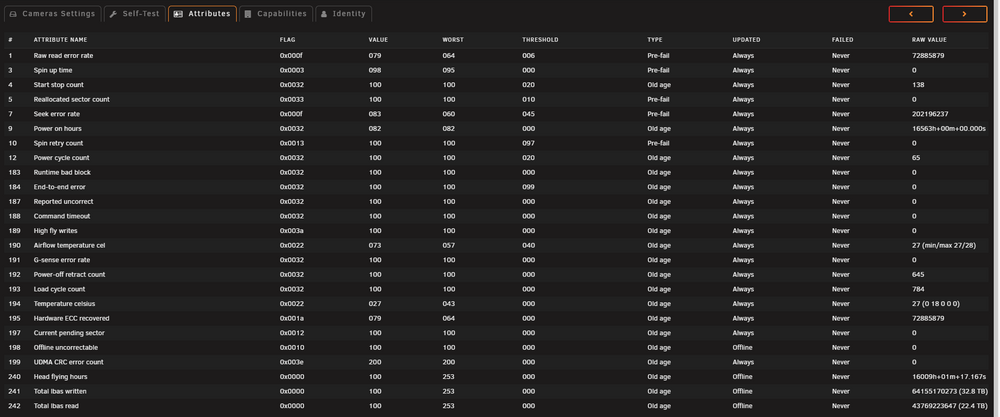
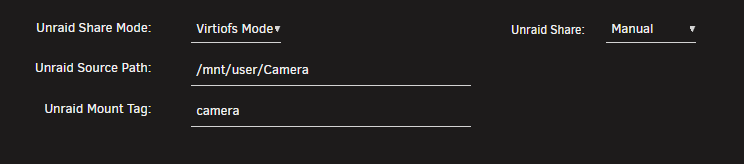
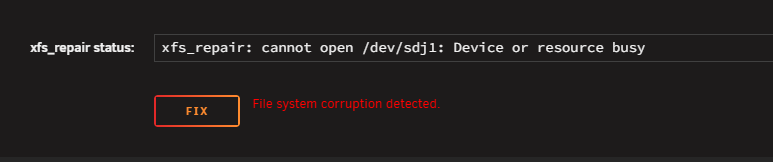
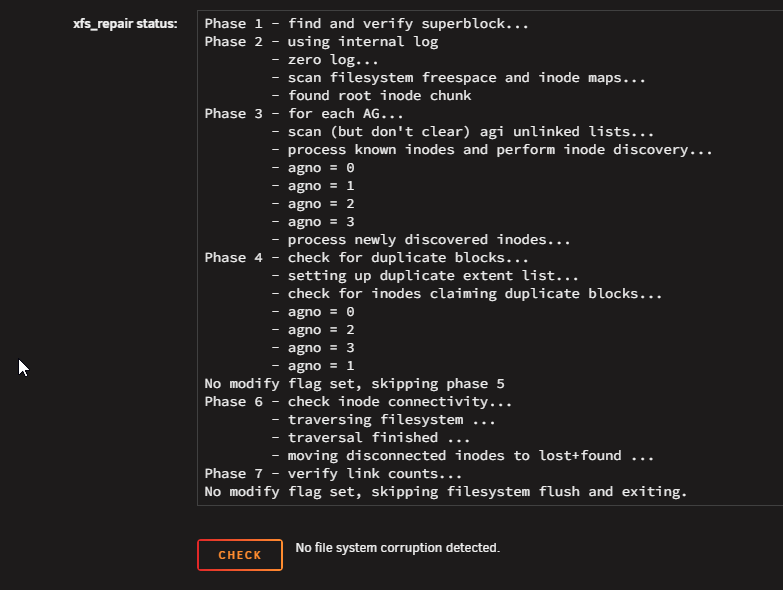
Hello everyone, I have a problem that happen twice on the same drive now. Out of nowhere, I would see in my vm that the drive is not writable anymore. I can still access my files (it's a camera software so can play archive video) but no new recording occur. In unraid, it show invalid path when I try to browse It's a disk part of a pool, it's a single drive pool. It used to be btrfs. When it failed last time, I decided to reformat into XFS. Well, it happened again. Ran a smart long test, no error. Last time, I also changed it's sata cable (connected to an HBA card). Smarts data look OK I've attached a diagnostic. Wondering what is going on. Do I have a dude drive? Is it because it's attached to a VM using virtio and it corrupt it (I remember in the past, this wasn't very supported)? Thank you servraid-diagnostics-20251210-2046.zip edit: I started in maintenance mode and ran a XFS check, file system corruption detected. But when I press fix it, it says it's busy edit 2: It crashed my server. Had error on the monitor and WebGUI was dead. I did ctrl+alt+del to force a reboot which worked. Now it's back up and the file system is mounted properly. I don't understand what's going on... And now, it doesn't show as corrupted anymore...
-
The path /tmp/cwa-book-downloader isn't used by the container. Maybe during the download process, but file once downloaded are put in the container folder /cwa-book-ingest which should align with the import path from Calibre-Web-Automated (which is also mapped to /cwa-book-ingest). If you import manually a book in the webgui of Calibre-Web-Automated, does it work? If yes, if you add a book into the import folder, does it work? Just to be sure, you say you have CW and CWA (so Calibre-Web and Calibre-Web-Automated)? You don't need both, Calibre-Web-Automated have a WebGUI. You do need Calibre for the database and then CWA to automate stuff on top of it, and that CWA Book Download to automate book download and import.
-
I don't think the validate is still in used in that container, so setting the variable might do nothing. I'm currently sick so I haven't look into it and I'm unsure when I'll be able to. Seems like a Steam issue since these are not even file created by the container itself but by steam itself.
-
Is it only people on proton that have this issue? Steam could have change the manifest and its breaking something. I might have remove the validate flag since it wasn't doing much. It's been a while since I setup those container so my memory of them are fuzy.
-
this regkey won't work forever. Just use a password like you should instead of using guest share. It's already slated to not be compatible in next version of Windows. I'm on unraid 7.2.0, Windows 10 and 11 Enterprise edition. On both version, no problem accessing my share. Why? Cause I enter a username and a password that I created, it's that simple. I also created a guest user. Stop using the deprecated and unsecure machine guest passwordless account
-
That's often a corruption in the file. Maybe running verify true could help?
-
Good question, I don't own that game so I don't know.
-
Ah it did happened in the past with other game server (conan exiles). What I do now is I have a custom script that run 5 minutes before appdata backup that shutdown the docker (but using rcon and sending a shutdown command directly to the game server). This way, I can also send a 5 minutes warning before shutdown as a broadcast to all users. This allow me to have a safe shutdown. And in appdata backup, I have a script ran at the end of the run to start back the dockers.
-
P2p mean the one hosting the server must always be running for the other to run. Is it better, I don't know since I don't even own the game. Latency here is not really your resource, it's really poor optimization of the server itself.
-
Did you check the config file to be sure it wasn't erased? This seems like a configuration problem. If it continue, you might need to check on the official game forum for support on the server itself.
-
Unfortunately, this game is known to have these problem. Right now on docker we use emulation since it's a Windows app only, but even on Windows the problem exist.
-
Got the same problem. Was this fixed? If you check, he selected to create docker network eth0, eth4.20 and eth4.30 but once docker is started, they aren't created. I'm on 7.2.0 edit: found the problem on my end. The dhcp range of my eth0 I was trying to create included another custom network range.
-
Your windows server isn't on the same computer so this can still be network related. You said you have the same problem with valheim which is another docker using the exact same fonctionnality. I can't say like that what's the problem, it could be a setting in unraid, network binding, type of network... There's really a lot of possibility. I'm sorry if I can't really be of any more help :(
-
If you can see it in the list and can't connect, there's something wrong with your network. Specially if it never reach the server. Either port not open properly, routing problem... I can't really say more, it's not an issue with the docker itself.
-
What does the log say? Is your server really up? Do you see it in the list (although I know the game browser is shitty)? Do you see it in the server list when you go into steam and search on lan (not in the game, in steam)
-
What you just did is delete the game each time you start. Which mean you redownload each time. It's not normal, nobody else have this problem. There's something wrong with either your permission or your configuration. Are you using it with Unraid? Cause you don't need to do any of those thing under unraid with the community app. You can also set validate true in the template which will force a valide of the steam apps and game, just like with real steam. There's no magic here, proton have it's own quirk but here, it's just linux steam running and downloading game. We don't have any control, to see why it doesn't update, you need to check the log and see what error it does when it try to update at the beginning.
-
Might be a permission issue. The way the docker work is it start Steam and Steam download everything. If it's not updating, there's a permission or file corruption issue. Maybe turn verify on and check start logging.
-
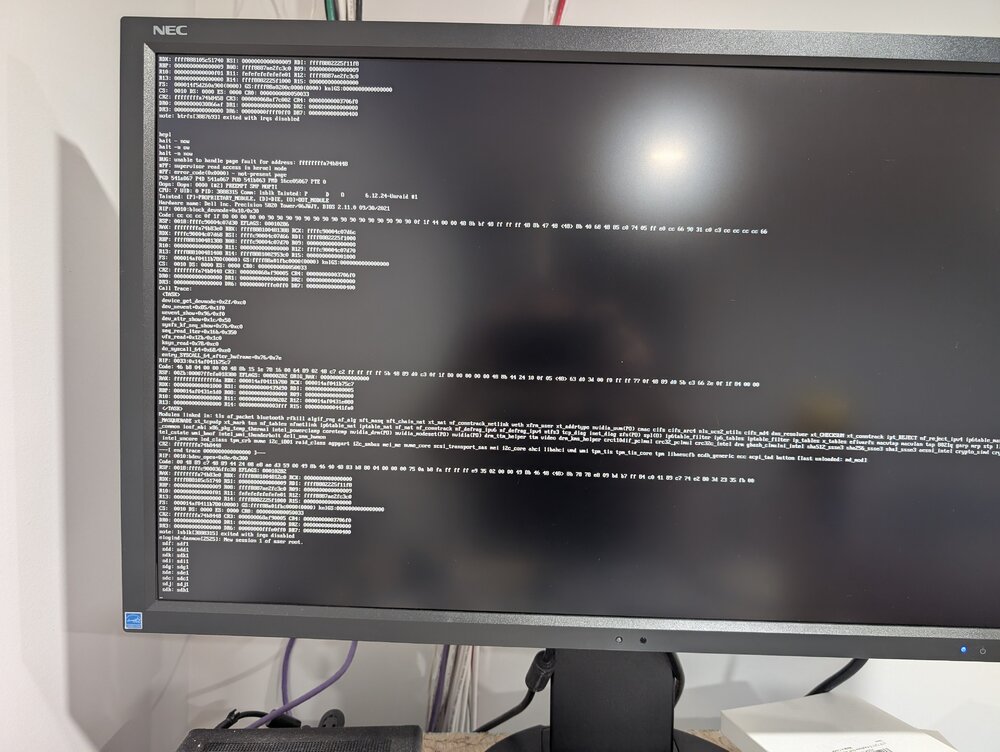
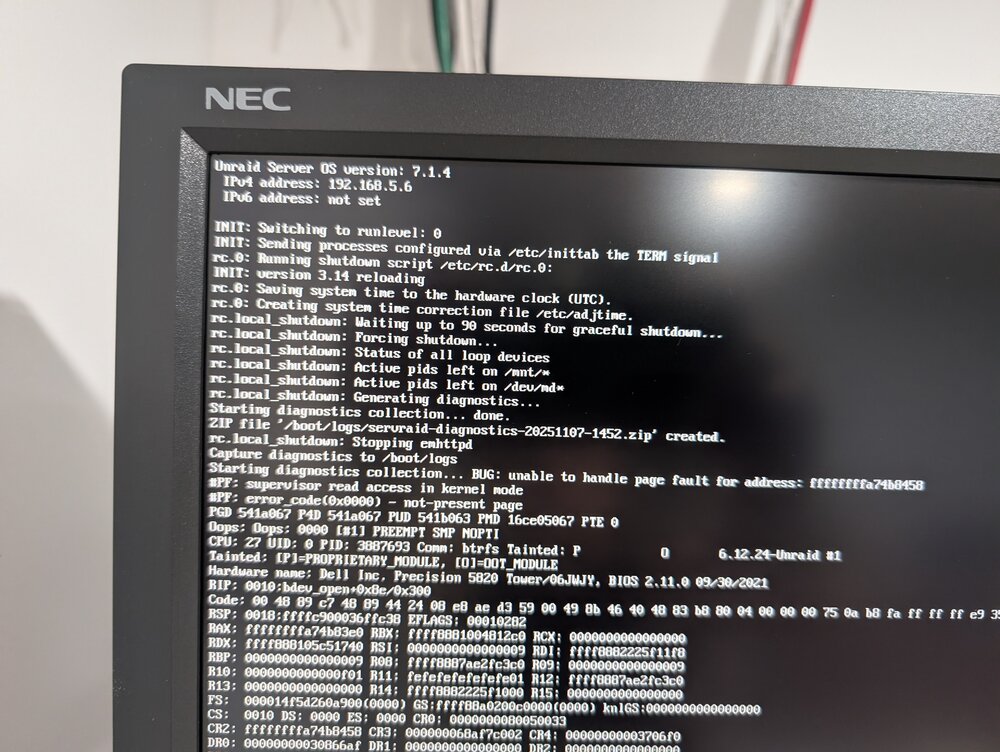
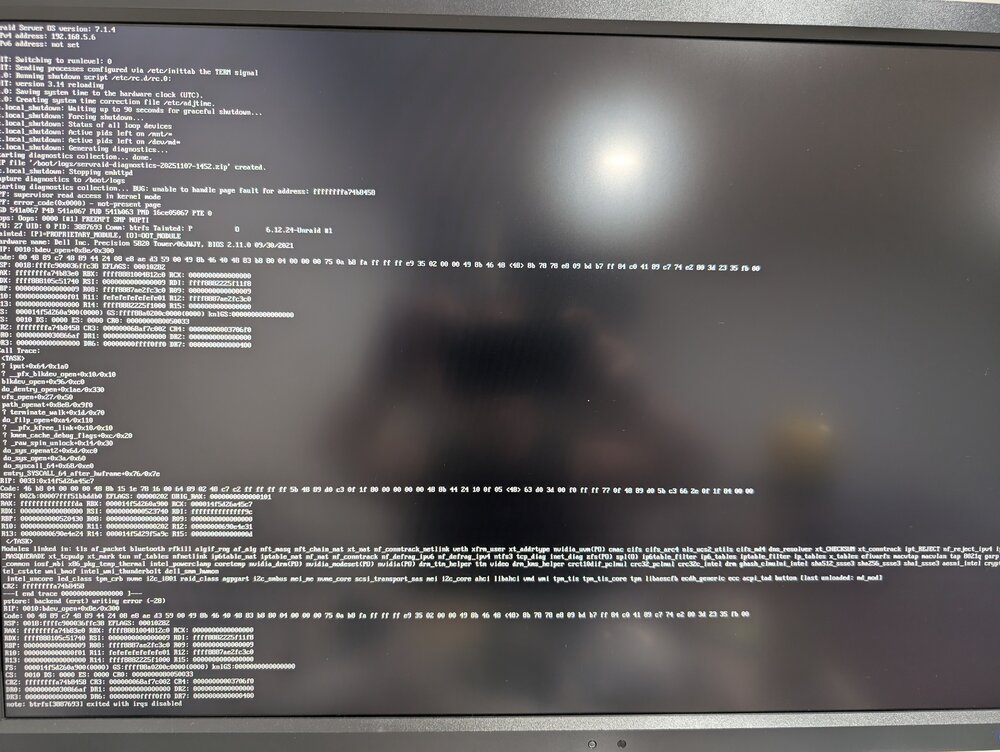
Happened again. server was up less then 24 hours. I did a clean shutdown yesterday. Looking at what's printed on the monitor, it seems once I press shutdown on the gui, it wait only 90 sec before declaring a diagnostic. This is nuts since I have a lot of docker and it take way more time then that to shutdown. Again, I had to ssh into the server to send halt -f -p, wait for all drive dismount and do ctrl+alt+delete to have a complete reboot. diagnostic file that's suppose to be created isn't there. edit: just found the 90 sec is a parameter I can set. I though it was a setting for each docker. I'm changing it now for 5 minutes, should help.
-
ok. Since I can mount it after an array stop, I'll copy the content into the array and format it. Whatever corrupted file there is isn't a big problem. It's a security camera disk and currently, there's nothing of value in it
-
Ok. since it's single drive, should I out it on xfs? I put btrfs cause I though maybe adding another drive in the future to that pool, but it won't be needed to have these in mirror or raid.
-
Oh I don't really mind losing the data. I tried all recovery and what's weird is that when it get back up, it's working. It just failed again today, was fine since monday. I also changed the sata cable and port just in case. I guess it's format and restart?
-
Ok, but this drop the drive. It stays up but can't read or write anymore. My vm that use it says drive offline and the share show empty drive. I have to stop and start the array. Happened twice in 24h
-
Oh, I see. Well it's not something urgent. I just saw this today and I'm using unbalanced right now to balance things out. This would maybe be a split level 1.5 or something, but I do get it's not easy to do. I guess something else I could do is put the metadata in the cache drive instead since Emby does offer that.
-
what other option?






