





Mainfrezzer
Members
-
Joined
-
Last visited
Everything posted by Mainfrezzer
-
Docker Service stoppen und dann einfach auf macvlan umstellen.
-
your network config seems borked. You only have ipv4 but try to access ivp6. The network.cfg looks incomplete too.
-
the "--env-file=" is for normal docker, i.e. the webgui for compose, declaring env files would look like this version: "3.7" services: n8n_editor: image: "n8nio/n8n:latest" env_file: "/mnt/user/appdata/etc/etc/etc/.env"
-
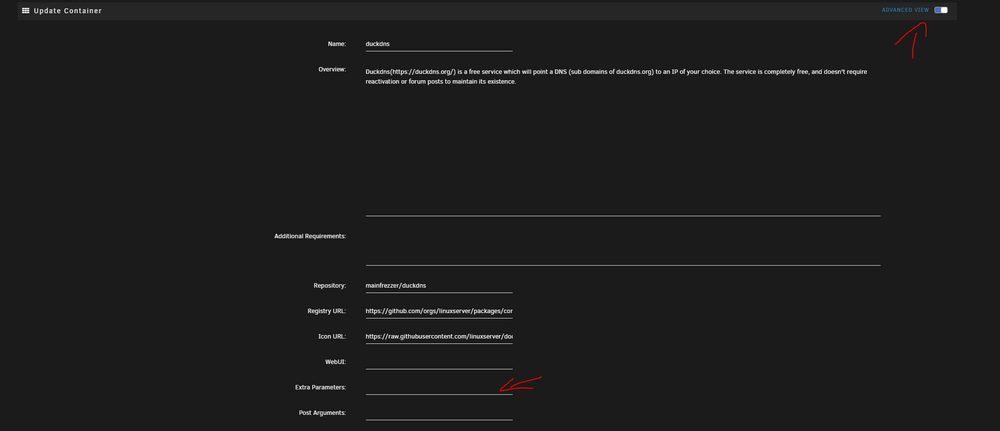
This is as simpel as it gets. the .env file has to exist, then you load it via "--env-file=/mnt/user/appdata/n8nio/.env" in extra arguments
-
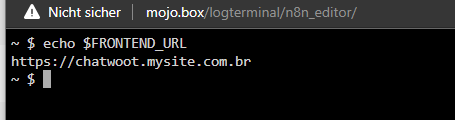
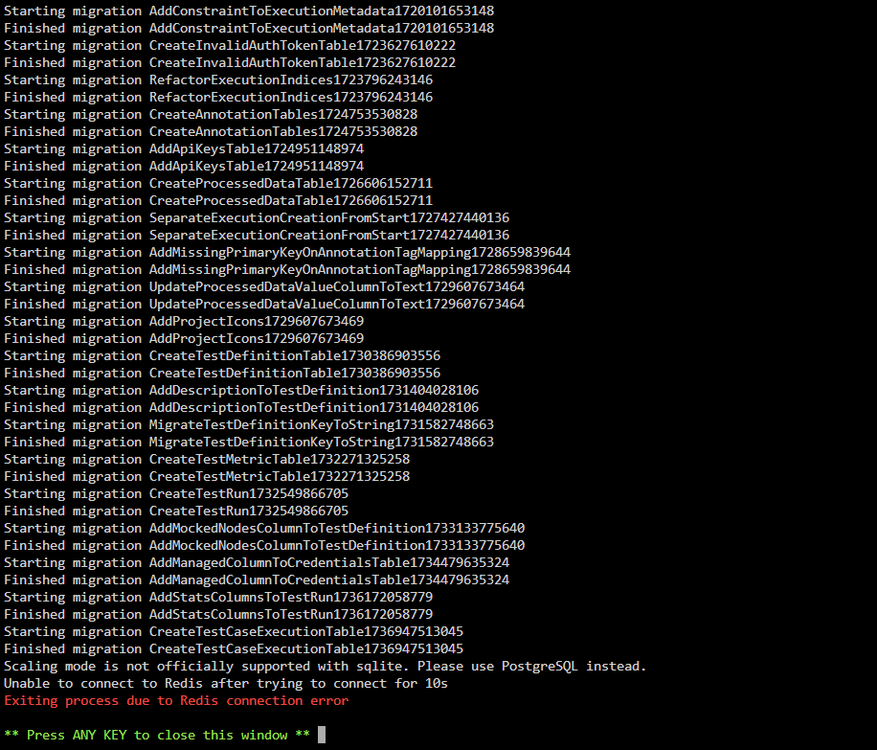
Are you still trying to force compose arguments into normal docker? Also, please, next time use the code formatting. version: "3.7" services: n8n_editor: image: "n8nio/n8n:latest" volumes: - /mnt/user/appdata/n8nio/.n8n:/home/node/.n8n ports: - "5678:5687" hostname: "{{.Service.Name}}.{{.Task.Slot}}" command: worker --concurrency=10 network_mode: "bridge" environment: - "N8N_ENCRYPTION_KEY=BLAHBLAHBLAH" - "NODE_ENV=production" deploy: mode: replicated replicas: 1 placement: constraints: - node.role == manager resources: limits: cpus: "1" memory: 1024M update_config: parallelism: 1 delay: 30s order: start-first failure_action: rollback this works fine on the compose plugin and works fine with portainer. (You need to fix appdata permission since idk what user it uses) For a basic docker setup, this would be it my-n8n_editor.xml Edit: I did not include --env-file in the normal docker XML since, well ive no clue. But that should be straight forward enough Edit edit: Its also not a good idea to mess around with the --restart option in docker. If the container constantly restarts, you can't get any logs. That's something you can set after you know stuff is working.
-
Es wird xfs sein, nicht ext4 und nen Linux live USB booten ist keine zauberei^^
-
Mhmmmmmm. Ich kann jetzt nichts offensichtliches erkennen, allerdings ist das Cache ja ZFS und läuft mit dem "nativ-folder" Treiber und das hat Probleme. Das auf overlay2 zu setzen wäre besser. https://docs.unraid.net/unraid-os/release-notes/7.0.0/ Da der ganze System-Ordner und Appdata zusätzlich auch noch aufs Array geschoben wird, warum auch immer, macht das ganze bissel ungenauer herauszufinden was genau da schief geht.

-
Is your cache drive really over 95% full at this moment? Also, if its 95% full, moving until its 95% full is.... yeah
-
I finally broke it too thats the appropriate place
-
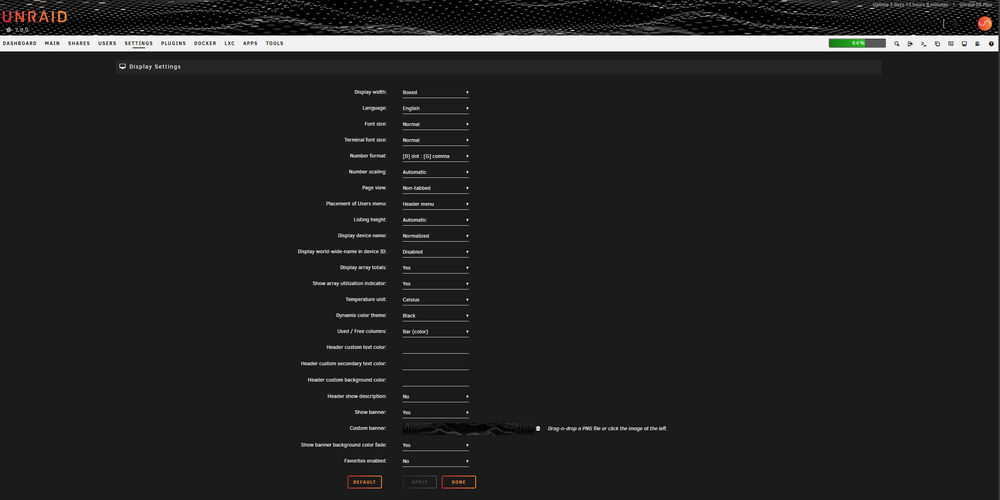
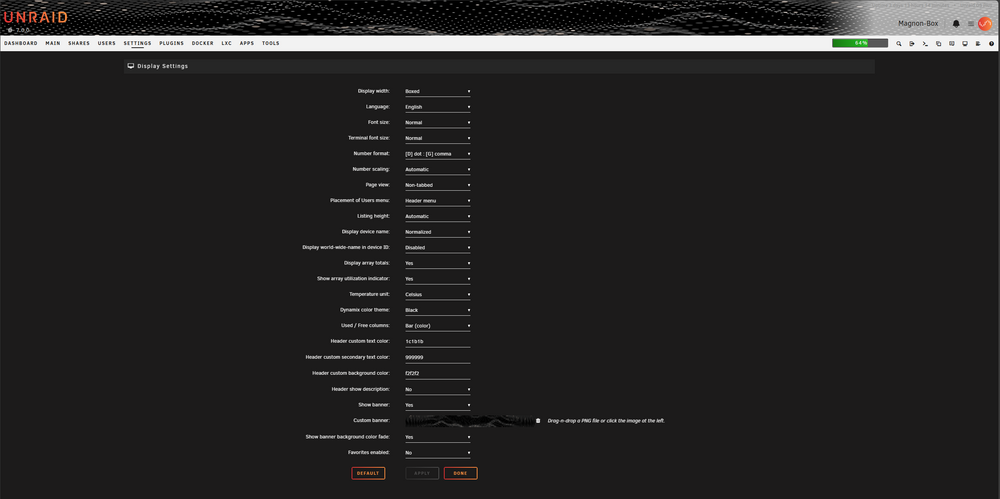
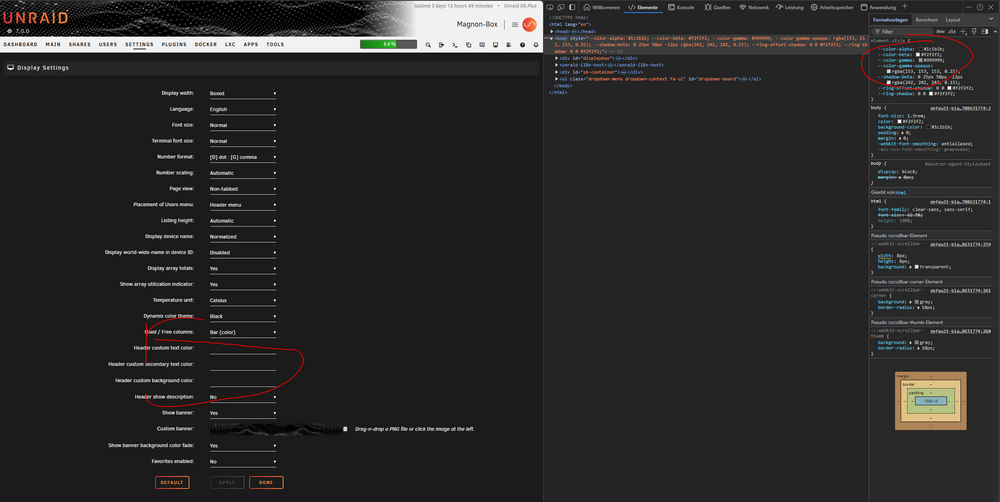
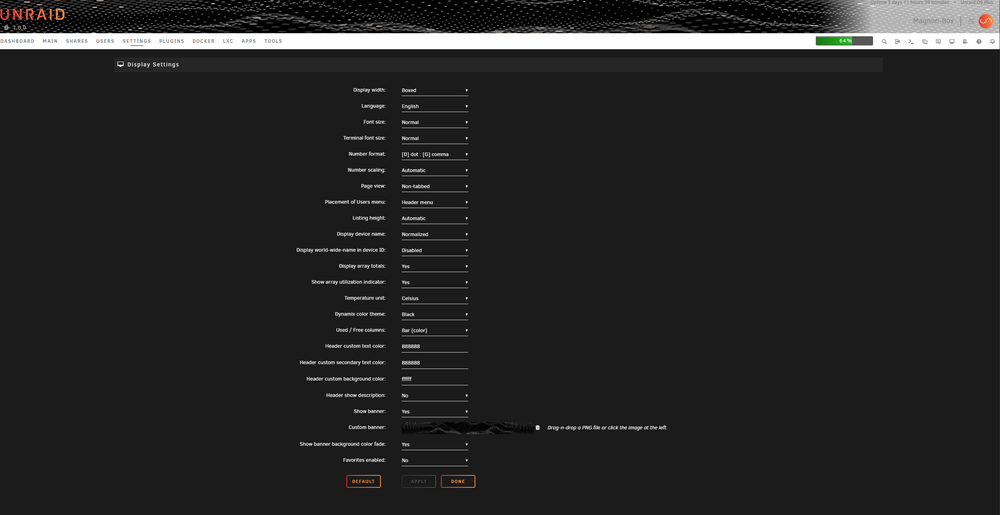
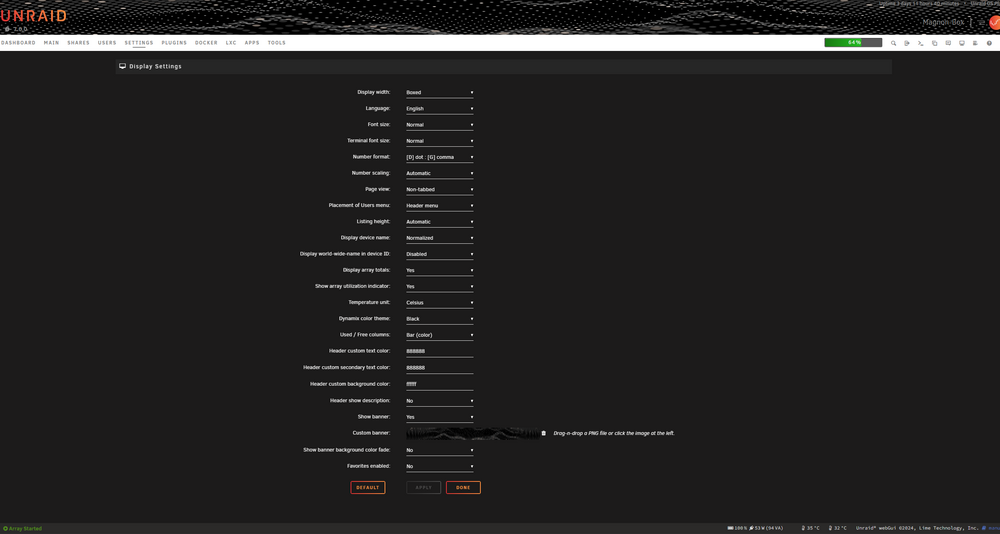
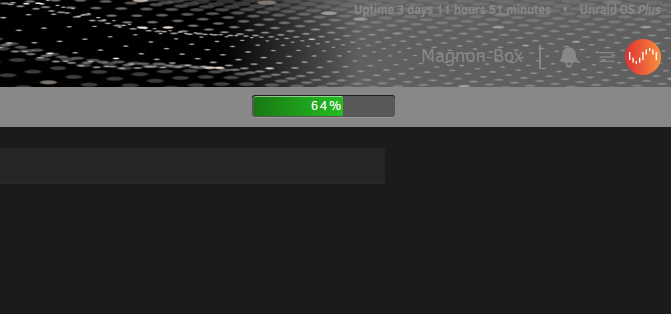
Installing the plugin while having no custom colors set breaks the header fade function what the "default" - i.e no colours set should look like What it looks like with "default" valuesset by the user, closer but still off more about it here
-
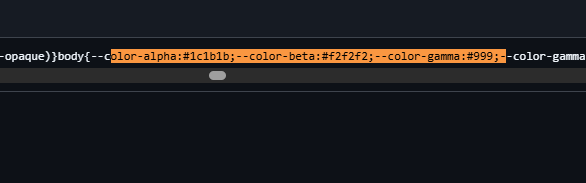
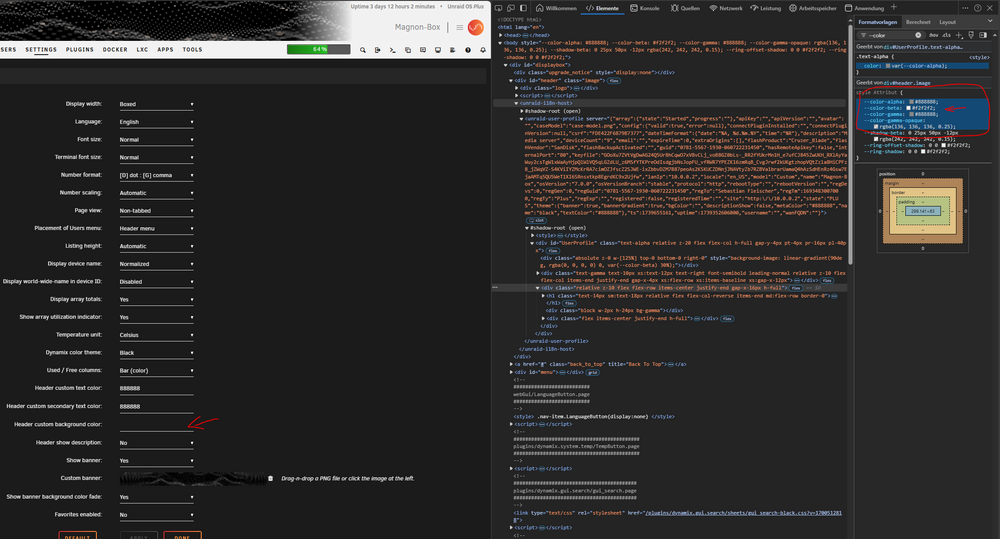
Hope this clarifies it And in case you want to see the source https://github.com/unraid/webgui/blob/7.0/emhttp/plugins/dynamix.my.servers/unraid-components/_nuxt/unraid-components-p_3YF86n.css its in there.
-
Its not a bug. Thats an issue caused with the Unraid Connect plugin. Edit: TBF, theres probably something more messy going since the Unraid Connect Plugin by itself does infact not mess with it, contrary to what i expected after that comment Edit Edit: Before i get stoned in advanced. --color-beta is that field and has on no input the following value
-
Remove the mapping that is pointing to /etc. thats fucking it up this one -v '/mnt/user/appdata/lms/config/':'/etc/':'ro' I have no clue for what its needed BUT if its important, change the read-only to read-write -v '/mnt/user/appdata/lms/config/':'/etc/':'rw'
-
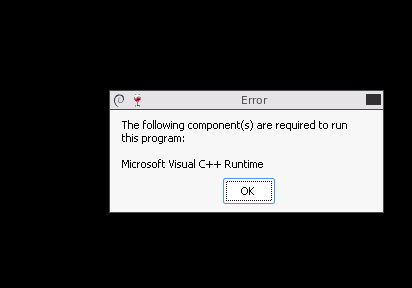
im not sure but im almost certain the steamcmd container come all without framebuffer and this server needs one. I did try a bit but im currently stuck here didnt like 2015 nor the 2019 version.
-
you have to enable websocket support Edit: In case you have no clue how to do that in nginx, this needs to be in there proxy_set_header Upgrade $http_upgrade; proxy_set_header Connection $http_connection; proxy_http_version 1.1;
-
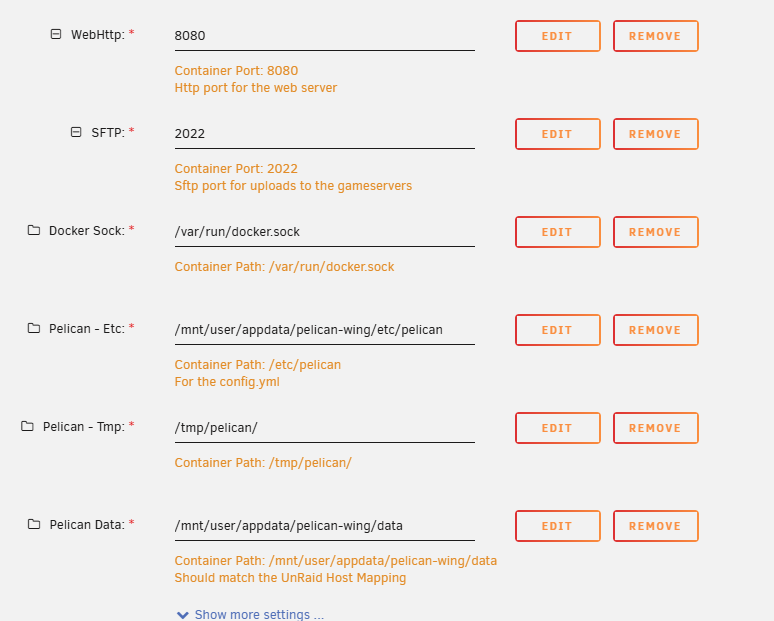
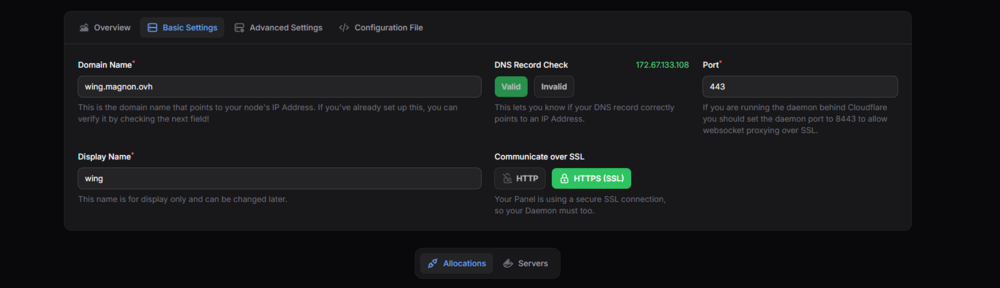
The container itself uses 8080. Because 8080 is forwarded to unraid. The cloudflare tunnel is directed to redirect wing.magnon.ovh to 172.17.0.1:8080 Anyone who wants to access https://wing.magnon.ovh is automatically directed to port 443, because its the default port. Its detached. Everything that is in the container, stays in the container. No matter what you change the template to, if its 3888, 47578 or 30000. As long as the template say, it stays Port 8080. What the cloudflare tunnel(or any proxy) is pointing to, is whatever you set here And the webgui will use the default 443(since it worked) Edit: If you dont use Unraid as the target, ie either lan ip or the internal docker host 172.17.0.1 its whatever the container port is period. if the container is running on the bridge with 172.17.0.20. its 172.17.0.20:8080 unless you did change the port in the config.yml, then its 172.17.0.20:Whatevertheconfig.yml says


-
Ive have this issue occasionally with another pc of mine as well. Its in my case caused by a pcie card. Hella annoying, but nothing i can do about it. You tell it to turn off, it turns off, but it keeps the fans running and the lights shining.
-
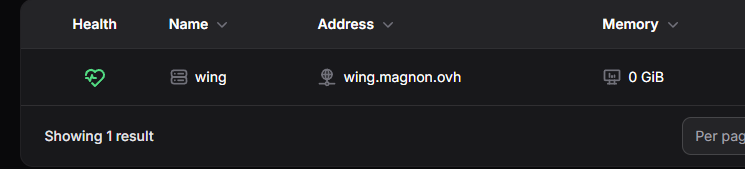
That reminds me, in nginx, you need to set something if you want to access ssl pages through the proxy proxy_ssl_protocols TLSv1 TLSv1.1 TLSv1.2 TLSv1.3; proxy_ssl_server_name on; one of those 2 it was im pretty sure, cloudflare has something similar for the proxied pages, but no clue on tunnels Edit: to check if the wing is properly working curl -L ADDRESSOFWING curl should say: {"error":"The required authorization heads were not present in the request."} when its working
-
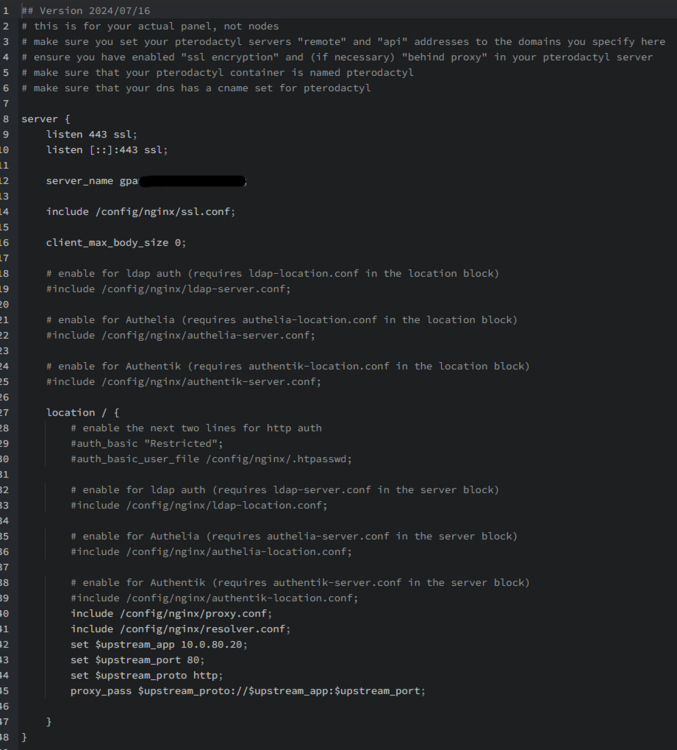
What a convoluted way to provide certs and then also reverse proxy. That said, i honestly have no clue if native https works on the wings, never tested it. also, i can conclude. its working fine with cloudflare tunnels on 443 wing template Webpanel settings Result Im gonna resume trying to re-create your error 502 double reverse proxy issue now^^ @KeyBoardDabbler im pretty sure the 502 is a swag issue. ive encountered this issue once before with nginx the proxy_pass uses variables and malforms the request. When change the proxy_pass to the proper written out "http://10.0.80.20:80" then it worked. Edit: The odd thing was, i even only used swag to go one hop. All i tried to access with it was 192.168.2.2:800 and gave me a 502, while being able to curl it. then i tried my unraid server it failed too. After changing it back to variables, it seems to work again. But no clue why, maybe cache. who knows Edit: heres the malform issue mentioned https://github.com/NginxProxyManager/nginx-proxy-manager/issues/4102
-
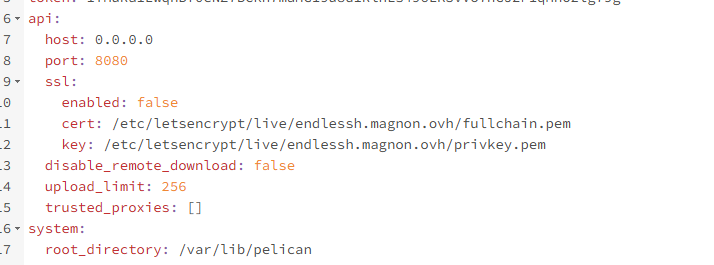
I would recommend putting SSL: to false in the config should have complained about missing certs in the log
-
For the config.yml itself, you have to change it to whatever is running inside the container and is mapped to the outside. I.e. by default the config yaml inside the wings appdata folder should have 8080 the cloudflare thing is only a webgui thing, i didnt test the wing with cloudflare, so its either 443 or 8443
-
The "beta" image, is the image i build^^ Both are beta. My container, i.e. mainfrezzer-pelican-panel, you have to wait a tat longer. It runs chown at startup as a fix for permissions in it that prevents the error 500 that pops up. Its done with that when supervisord pops up. (can depend on disk speed) The issue with the official image ill have to check out. I wouldnt be surprised if this is an issue specifially with caddy (not the first issue caddy has, thats why i use nginx)
-
Mind sharing how you set it up? Template settings of pelican and how you setup your reverse proxy to access it. ive tried here a couple things and i cant replicate it, apart from the wonky too many redirect thing.
-
How do you access that? Did you keep the reverse proxy mapping?
-
You have your Unraid webgui exposed to the public internet. what do you expect? thats like leaving your car with keys unlocked along side a sign with "free ride" Edit: Oh holy moly, everything is publicly rachable 💀







