






Zonediver
Members
-
Joined
-
Last visited
Everything posted by Zonediver
-
You are welcome 👍
-
Sure - why not? I personally avoid Seagate drives 😉 My machine is a "plex-server-only" and runns since 2010
-
I see - thanks for this info 👍
-
Small (silly) question: For what purpos is this plugin? Can it substitute the midnight commander? EDIT: Ah... its for 6.10 only... well...
-
...then you need a second (synced) unraid-server...
-
Die Aussage von mir war nur eine allgemeine Feststellung. Wie das im Detail funktioniert - ob da das BIOS oder die Switches selbst das steuern, kann ich leider auch nicht sagen. Aber wenn in der Beschreibung des Boards nichts aufgeführt ist, dann wird dieses Feature nicht vorhanden sein...
-
Das erledigen die PCIe-Switches (normaler Weise)
-
I had a similar problem with one of my 3TB WD-Red's - very slow on some areas. After some testing, it was clear that the platter coating was defective (weak sectors). The disc had to be replaced. It had write-read rates of 3-5MB/s in some areas.
-
Where is this drive connected? Mainboard? PCIe-Controller? Backplane?
-
I am using WD-RED's since 2013 and lost only two drives over the years. But generally the WDs are more reliable. I usually leave them in the system for 5 years and then replace them. The new drives are Purple PROs because they have 5 years warranty and my server is only for Plex - so a native streaming-server. The Purple PRO is ultrasilent, no vibrations and get only 32°C after 24h of constant writing (parity reconstruction). These are impressive values...
-
Well... that's (maybe) the answer - sorry for that, but this drives are crap - just my opinion... I used Seagats from 2000-2010 and almost all of them died... I avoid this manufacturer.
-
What kind of hard drives are you using? If you use Seagates, then... they are not really reliable...
-
Na leider nicht - das wär ja auch "zu einfach" gewesen 😄
-
Ja - eh - nur meint eben unraid (oder Win) von Zeit zu Zeit, dass da kein Platz währe, was nicht stimmt... und die Frage ist, wo das herkommt... Am Screenshot sieht man das ja sehr gut - 2,1TB auf der Disk frei, 471GB auf der SSD frei, 300GB sollen kopiert werden, aber die Meldung sagt, da "fehlen" 113GB - was nicht stimmt...
-
So ist es - alle Disk beherbergen das Share "Movies", zur Zeit wird aber "nur" Disk 8 verwendet. Das erklärt aber die Fehlermeldung für "zu wenige Platz" nicht wirklich, da ja genügend Speicher sowohl auf der Cache-SSD als auch auf der Disk 8 vorhanden ist... Das Komische an der Meldung ist ja, dass die nur alle heiligen Zeiten mal so auftaucht. Wenn man den Prozess wiederholt, läufts dann problemlos... Ursache unbekannt...
-
Das werd ich noch testen... das wird aber etwas dauern, da zur Zeit die Rekonstruktion einer getauschten Platte läuft...
-
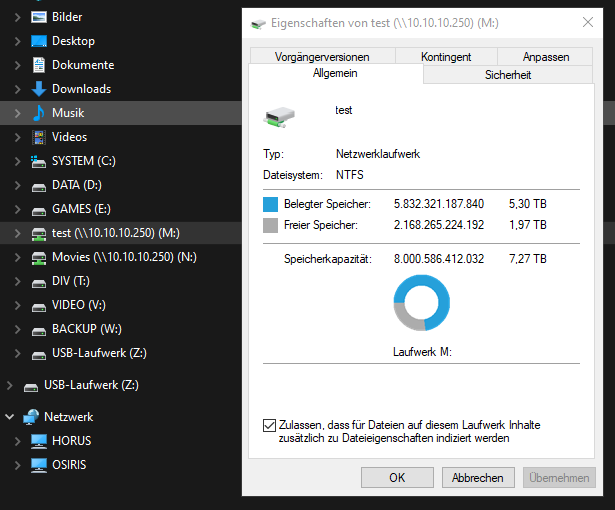
Das test-Share allerdings paßt
-
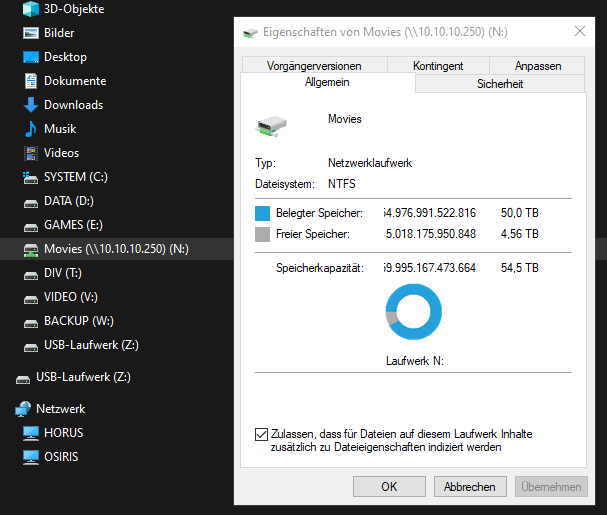
...ja das dürfte ein Windows-Problem sein... Das sieht aus, als könnte Windows mit der Größe nix anfangen (?) Wie soll man Windows jetzt beibringen, das "richtig" anzuzeigen???
-
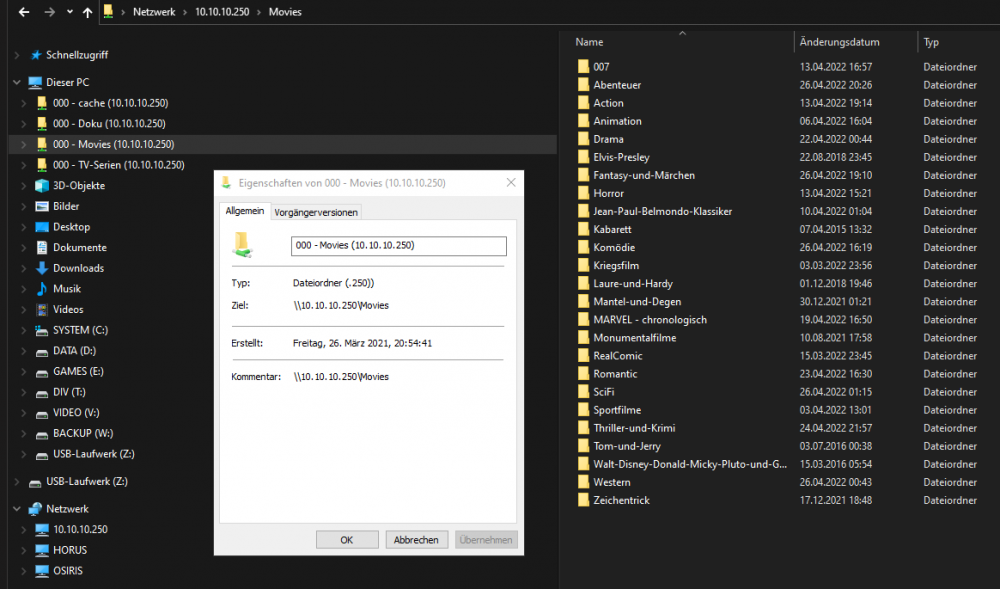
Jo stimmt - das is eine "Netzwerkadresse" 😉 Wart kurz, ich leg mal ein Laufwerk an...
-
Na leider nicht
-
Auf der Disk 8 - ok, dann versuch ich das. So... das sieht dann so aus: root@Horus:~# df -h /mnt/user/test/ Filesystem Size Used Avail Use% Mounted on shfs 7.3T 5.4T 2.0T 73% /mnt/user root@Horus:~# Da fehlen 700GB... Der test-Share befindet sich nur auf der Disk 8
-
Das hab ich auch schon vermutet, dass es an Windows 10 liegen könnte...
-
So - ich hab das jetzt mal getested - sieht normal aus... root@Horus:~# df -H /mnt/disk8/ Filesystem Size Used Avail Use% Mounted on /dev/md8 8.1T 5.9T 2.2T 73% /mnt/disk8 root@Horus:~# Jetzt bleibt nur die Frage, "wo genau" ich den Test-Share anlegen soll - ich hab keine leere HDD - die sind alle voll... Oder hab ich das falsch verstanden?
-
Danke für die Info - ich werde das testen und berichten, wie das gelaufen ist 👍
-
Ja klar - das hat aber keinerlei Auswirkung. Und hier haben wir noch den Screen vom Cache-Laufwerk



