bagican
Members
-
Joined
-
Last visited
Everything posted by bagican
-
I'm interested. +1 for Hetzner storage box (or any FTPS / SFTP / SCP / Samba/CIFS / BorgBackup / Restic / Rclone / rsync via SSH / HTTPS / WebDAV storage)
-
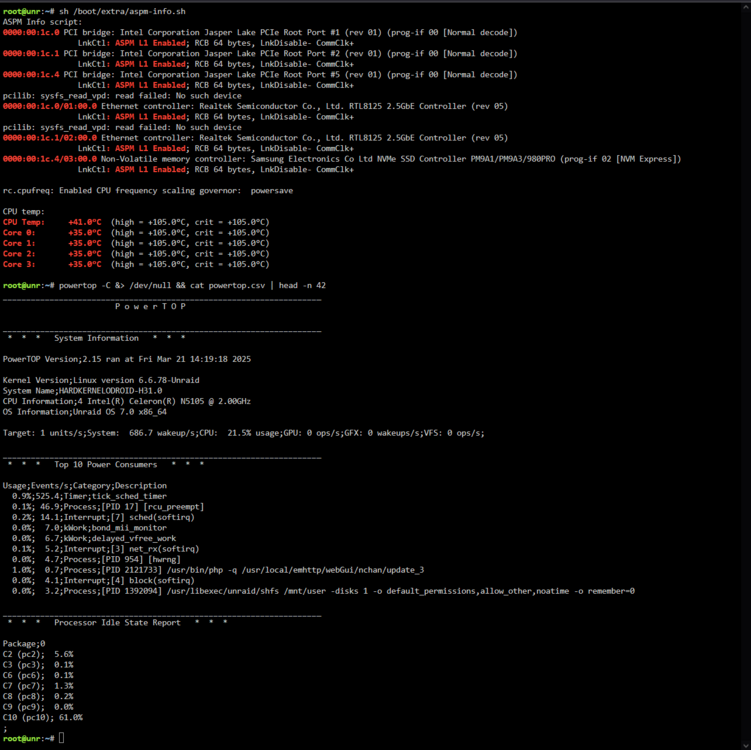
Yesterday I upgraded to 7.0.1 (stable) and here is power consumption (Odroid H3 with 3x SSD) with running 1 docker container: 20250320_225508.mp4
-
Thank you! I have created ticket.
-
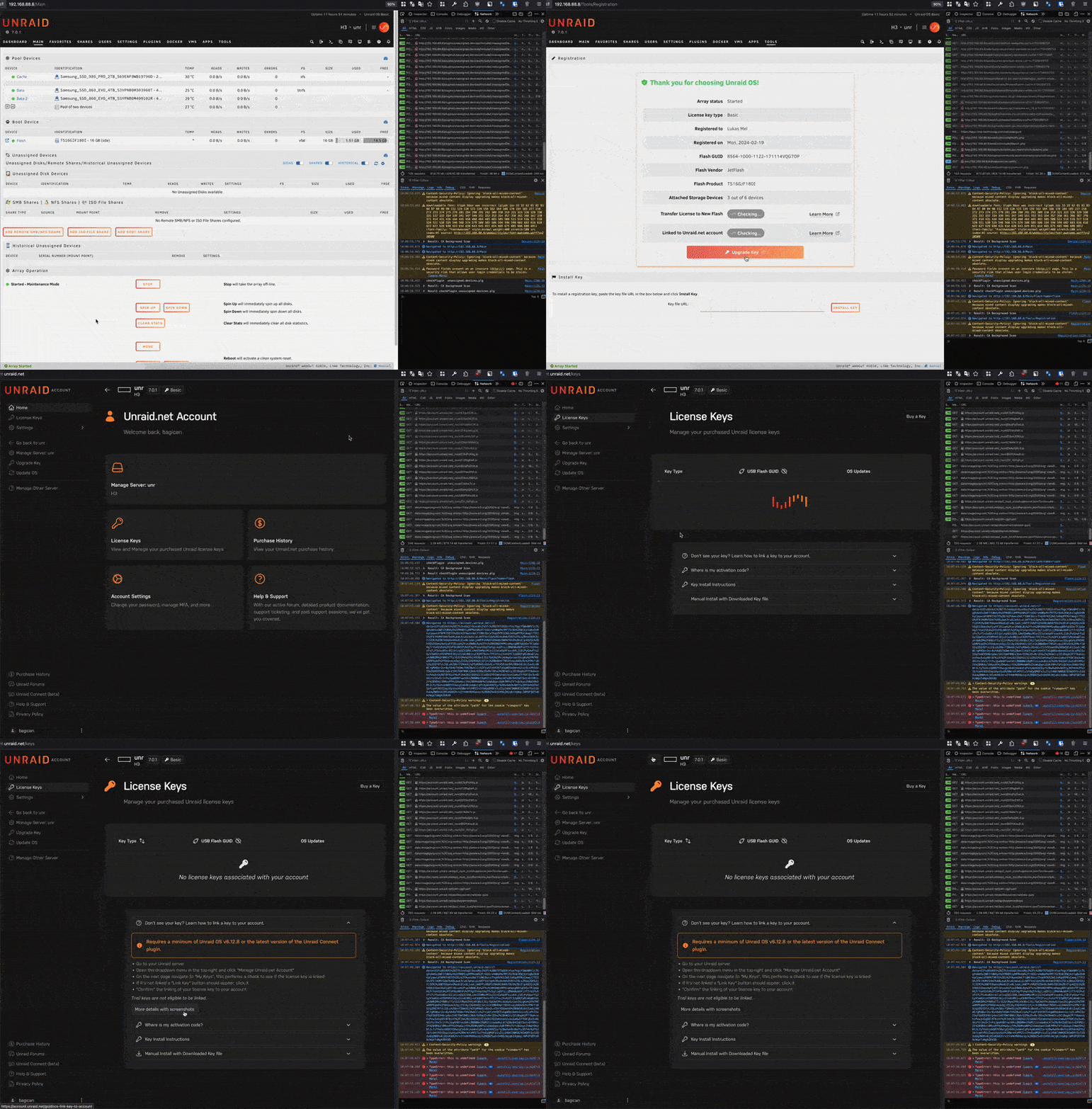
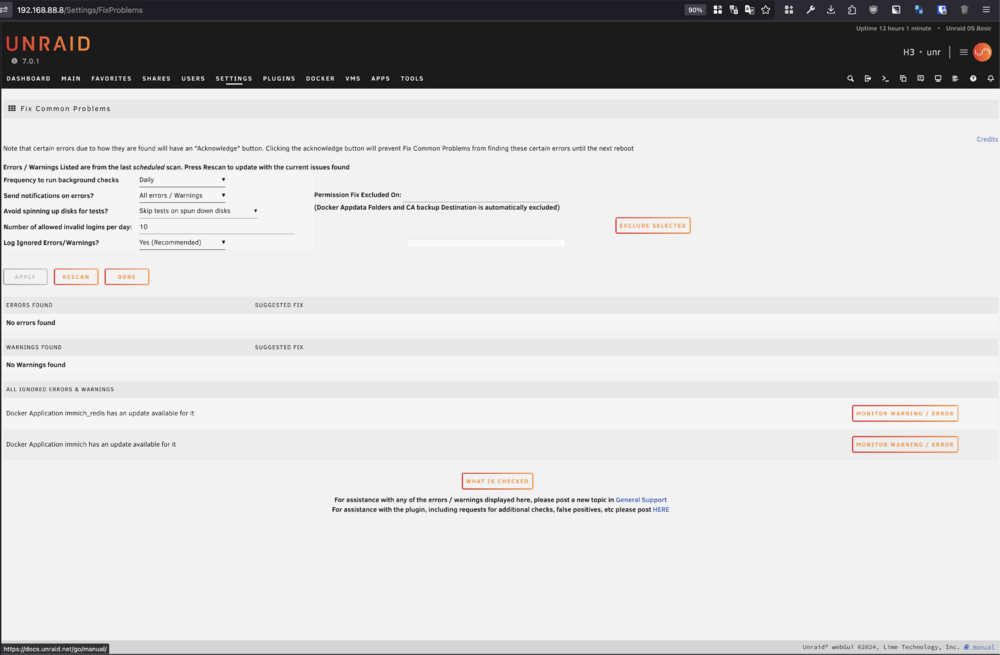
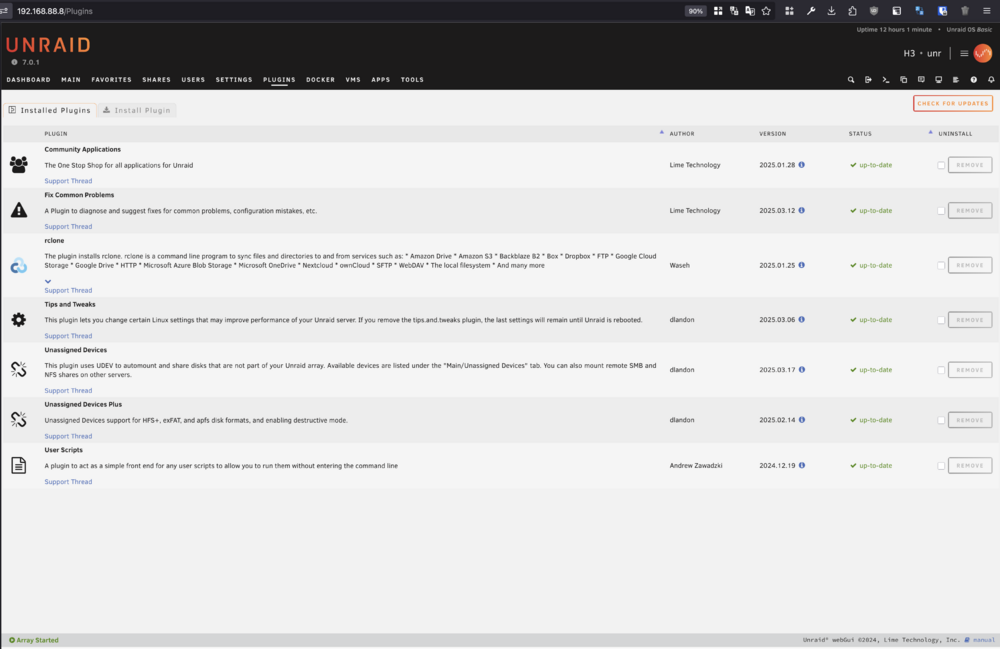
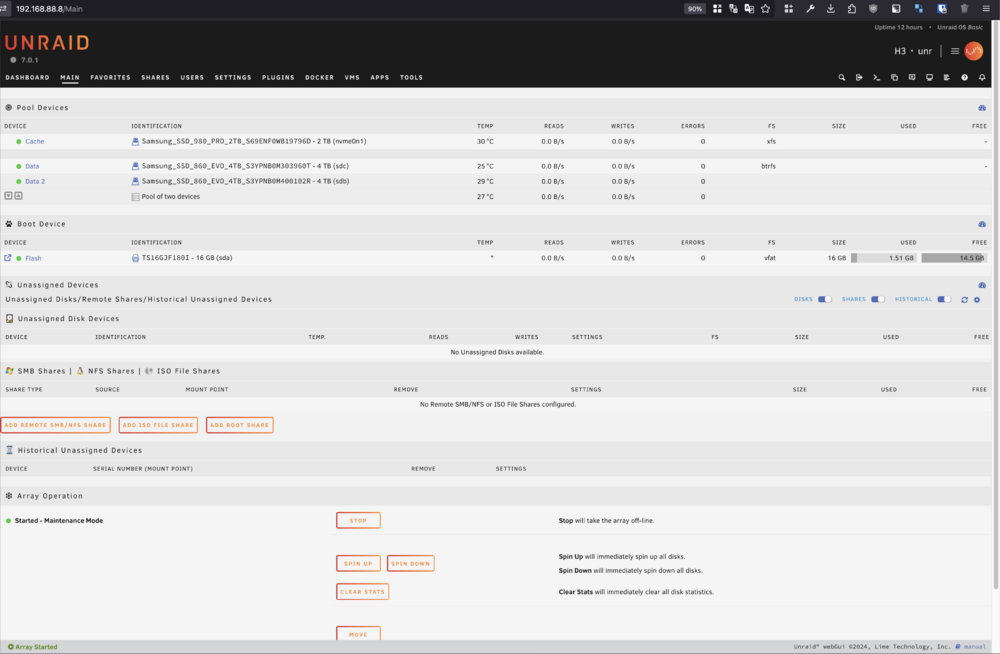
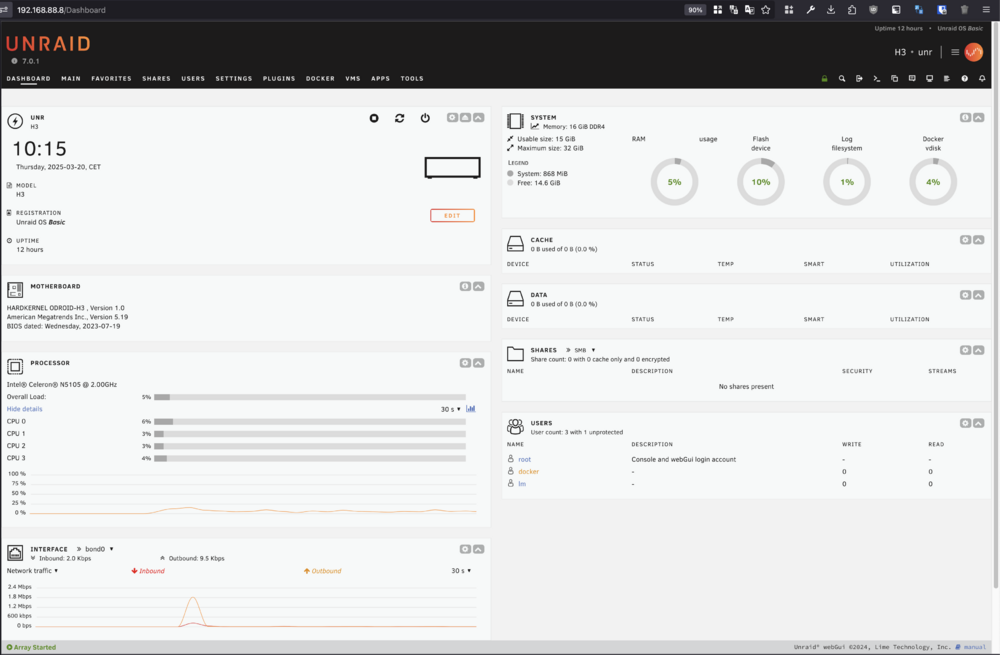
Hello dear Unraid team! Why I can not see my Key (Basic Key) in "License Keys" under https://account.unraid.net/keys page? No license keys associated with your account also I don't see "Link Key" button this is not possible to follow for me https://docs.unraid.net/account/link-key/ It's because the license Key is somehow wired to email address? Because I have used my email X for purchasing license and I registered unraid account with my other email Y. Sorry for an inconvenience. Thank you for reply. update: I put some info about my unraid: Unraid version: 7.0.1 (stable) previous version: 7.0.0-rc.2 PLUGINS: community.applications.plg - 2025.01.28 (Unknown to Community Applications) fix.common.problems.plg - 2025.03.12 (Unknown to Community Applications) rclone.plg - 2025.01.25 (Unknown to Community Applications) tips.and.tweaks.plg - 2025.03.06 (Unknown to Community Applications) unassigned.devices.plg - 2025.03.17 (Unknown to Community Applications) unassigned.devices-plus.plg - 2025.02.14 (Unknown to Community Applications) unRAIDServer.plg - 7.0.1 user.scripts.plg - 2024.12.19 (Unknown to Community Applications) MOTHERBOARD: HARDKERNEL - ODROID-H3 BIOS Information Vendor: American Megatrends Inc. Version: 5.19 Release Date: 07/19/2023 Address: 0xF0000 Runtime Size: 64 kB ROM Size: 16 MB Characteristics: PCI is supported BIOS is upgradeable BIOS shadowing is allowed Boot from CD is supported Selectable boot is supported BIOS ROM is socketed EDD is supported 5.25"/1.2 MB floppy services are supported (int 13h) 3.5"/720 kB floppy services are supported (int 13h) 3.5"/2.88 MB floppy services are supported (int 13h) Print screen service is supported (int 5h) Serial services are supported (int 14h) Printer services are supported (int 17h) USB legacy is supported BIOS boot specification is supported Targeted content distribution is supported UEFI is supported BIOS Revision: 5.19 syslog.txt plugins.txt
-
Unfortunately I have not tried MeanWell yet. I'm fine with Akasa "brick" power supply.
-
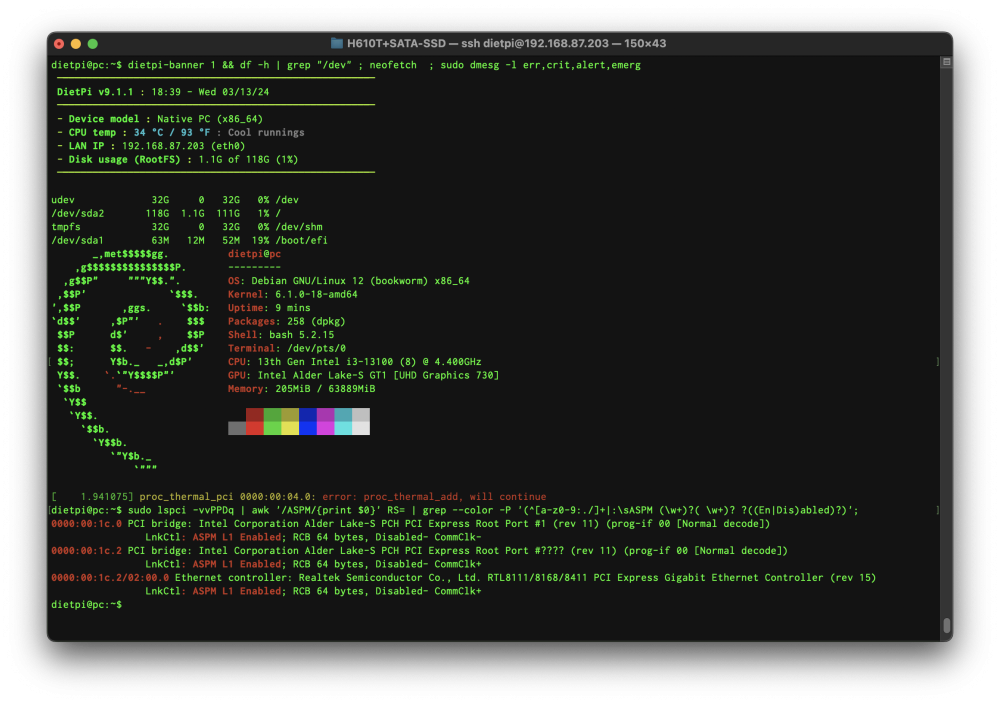
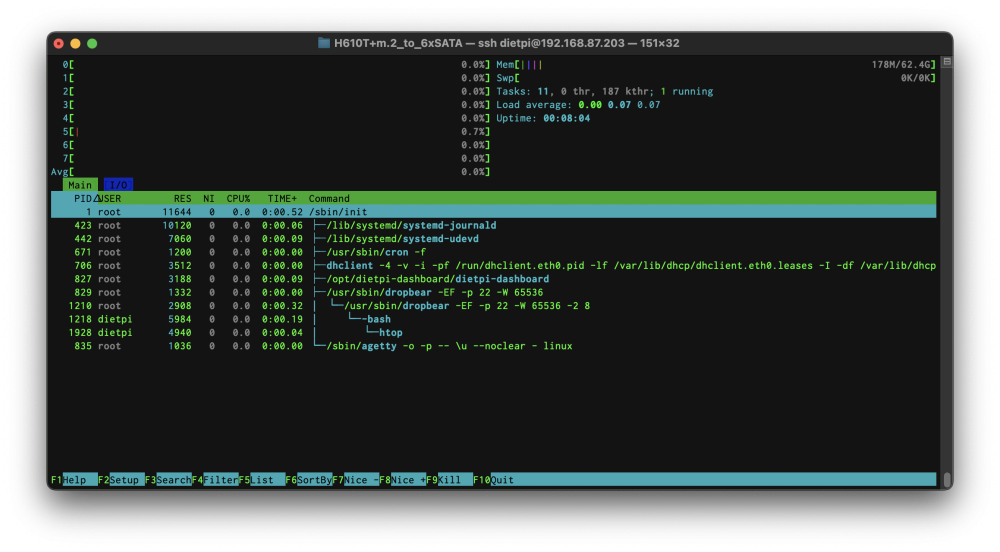
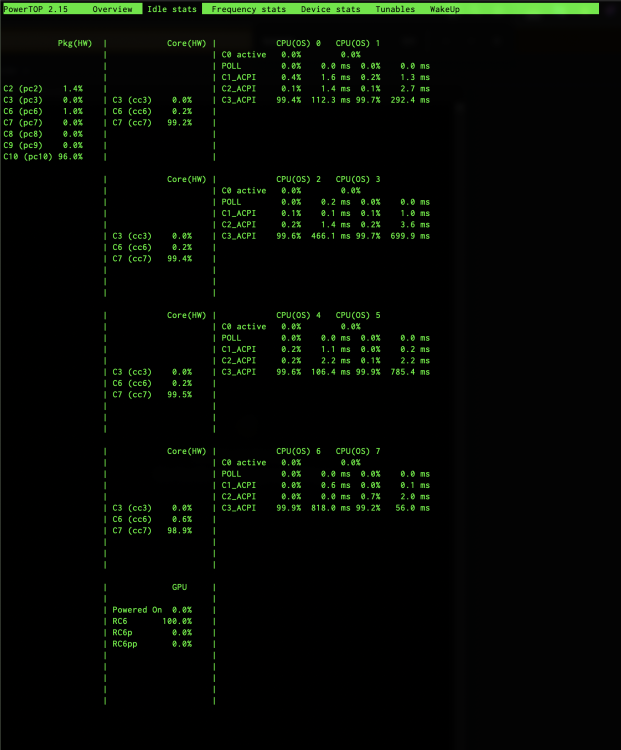
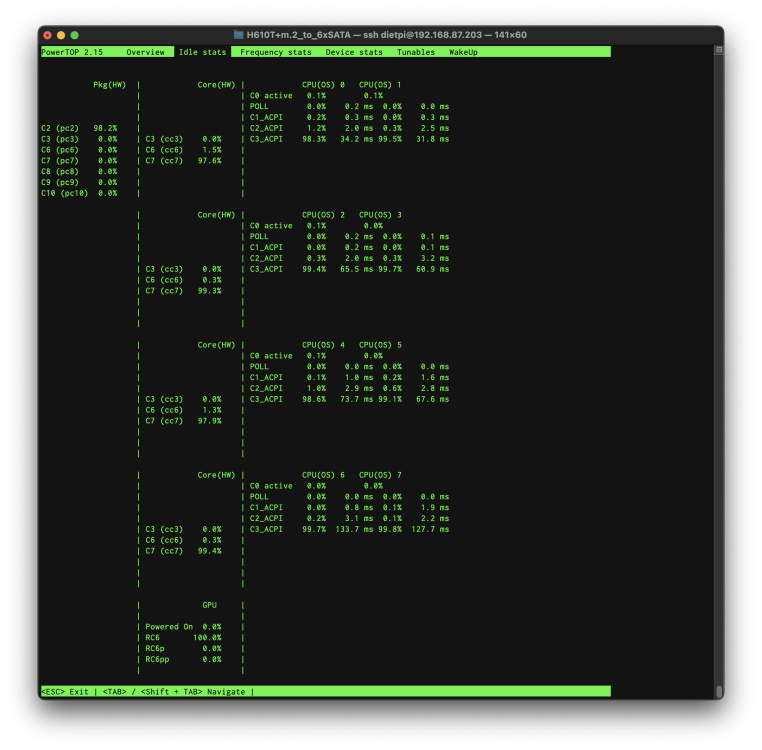
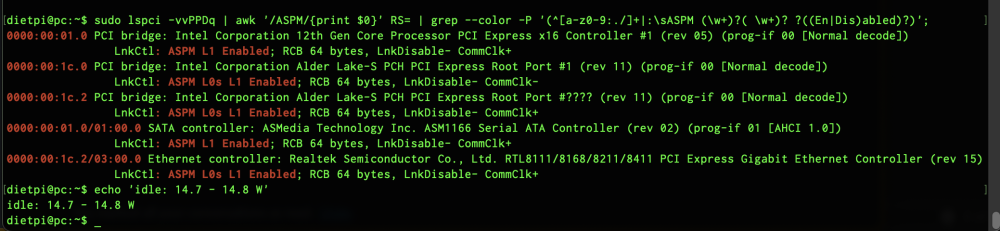
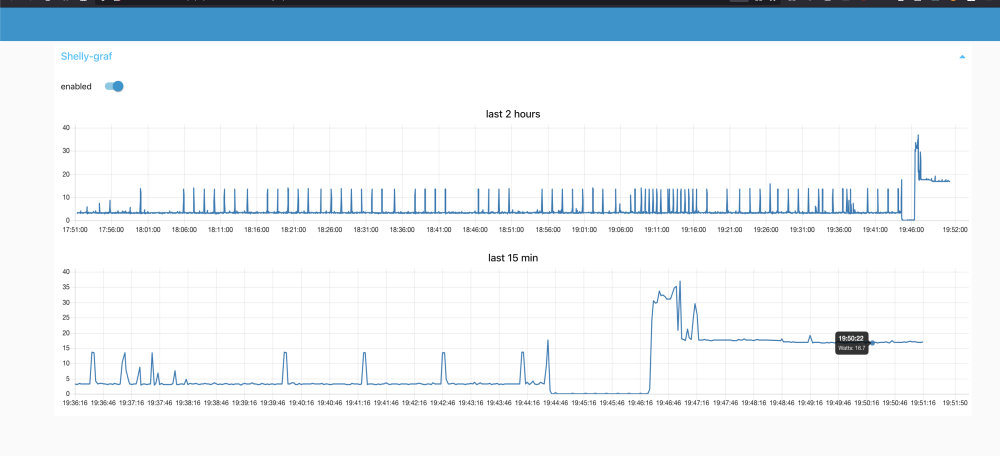
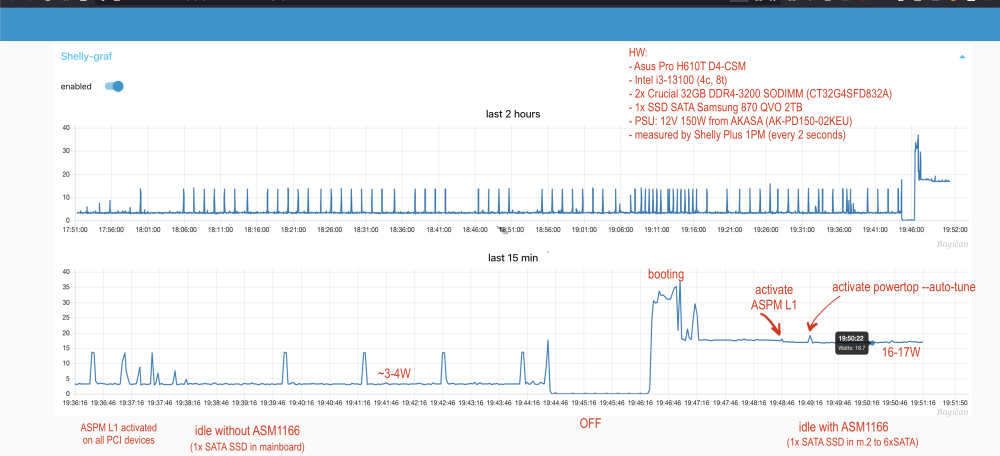
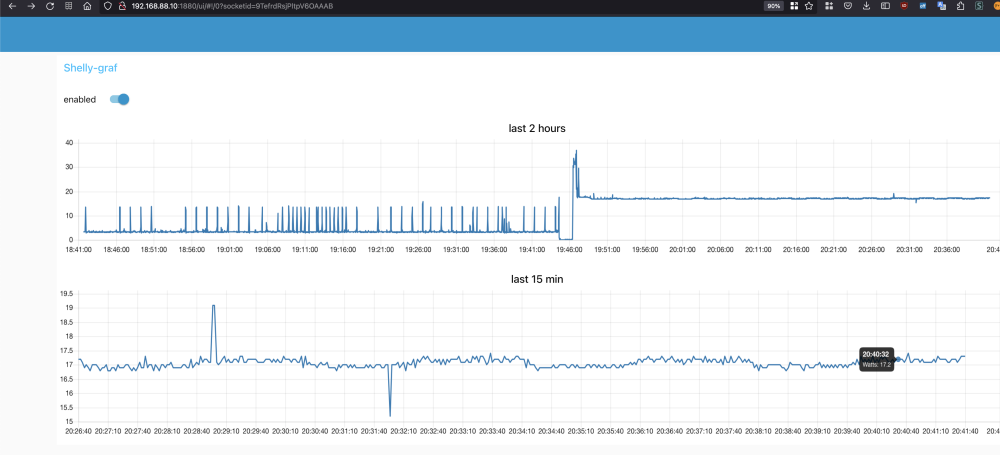
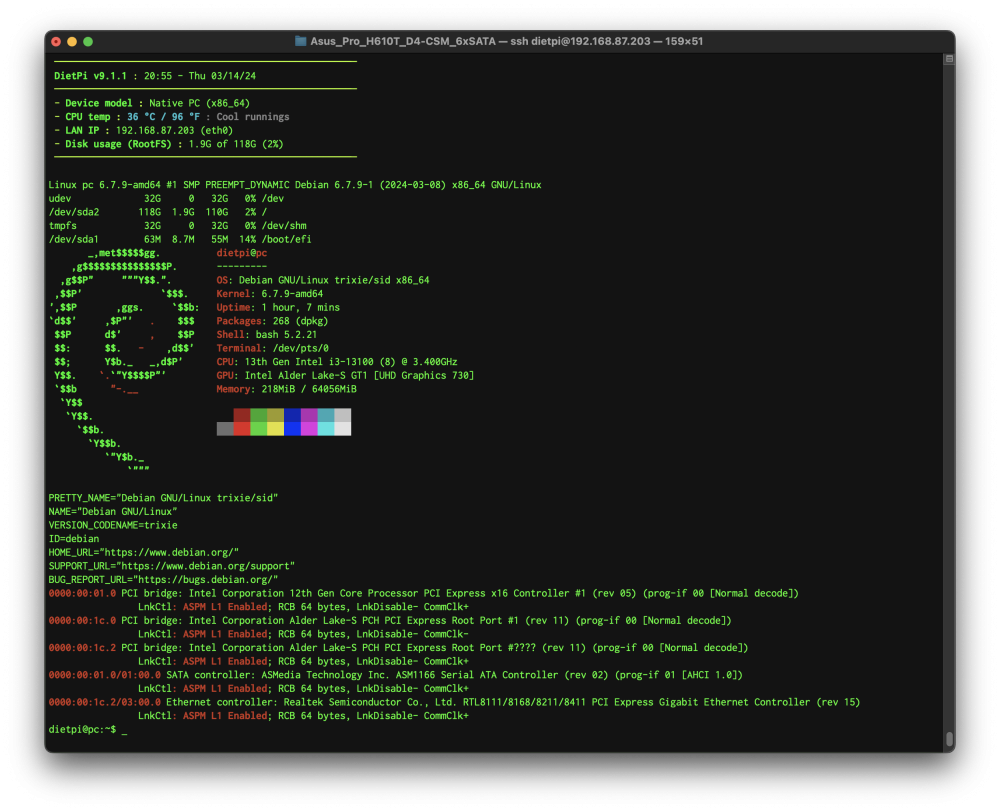
Is ASM1166 still a problem with this mainboard? Or was someone able to manage to reach lower C-states with ASM116? // note: I have tried only M.2 to 6xSATA adapter (ASM1166) since this board has no PCI interface / slot.
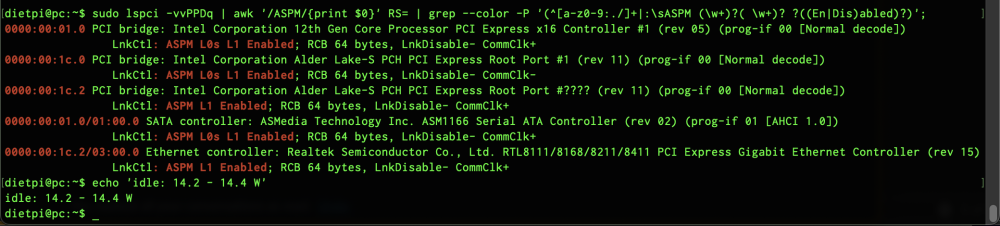
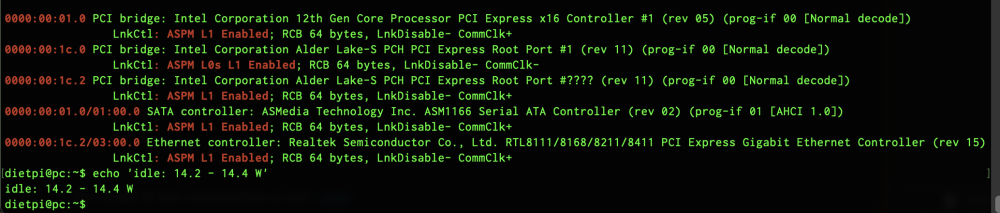
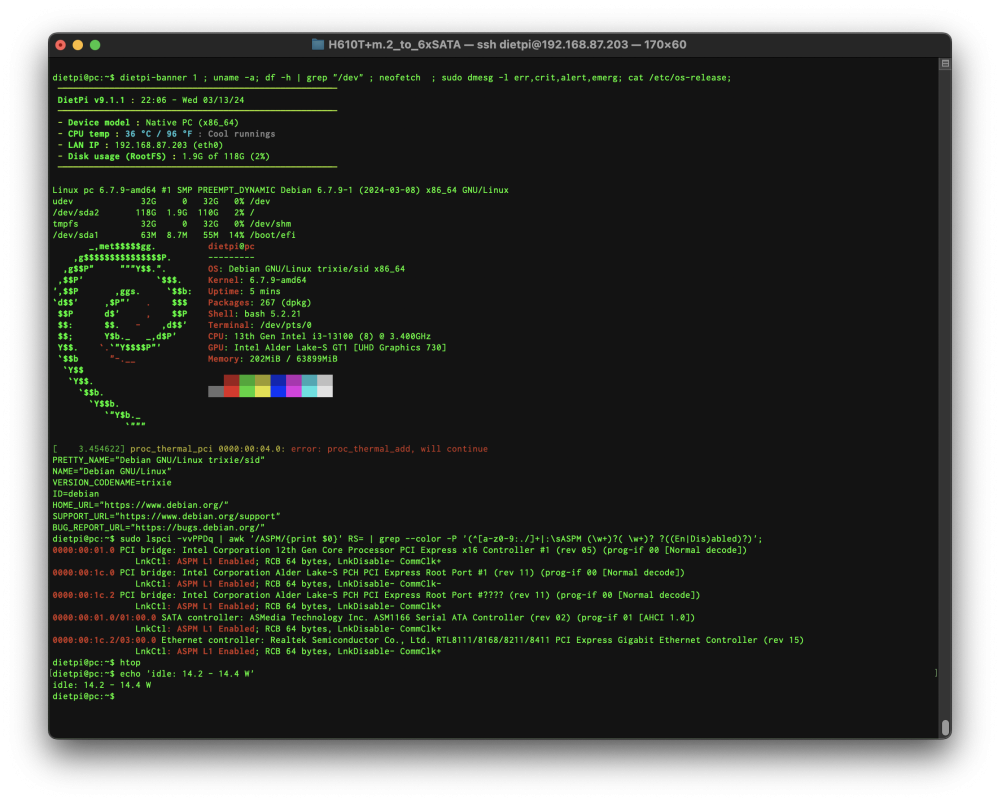
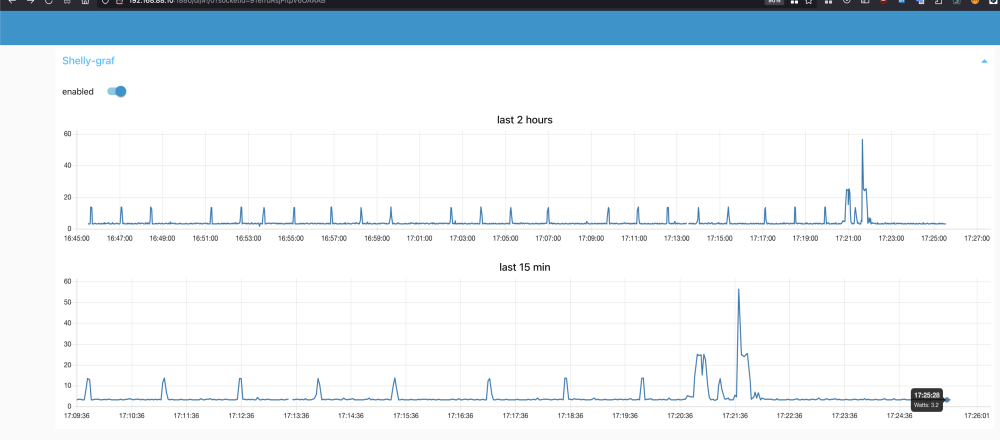
-
with that board (Asus Pro H610T D4-CSM) the CPU TDP will be limited to 65W max. This board has limit 65W for CPU. 120W adapter will be enough (if you don't plan to run in 100% CPU load full-time)
-
have you tried unplug that enterprise HDD or change SSD? I bet it prevents reaching C10. I have the same problem with old m.2 SSD and after I replaced it to Samsung 980 Pro 2TB my system was able to reach C10 in idle.
-
nice! I think that many people would be glad if you repost it to global (EN) subforum too
-
@Sandbank7 did you measure real power consumption? I'm just wondering how many watts it was before and after?
-
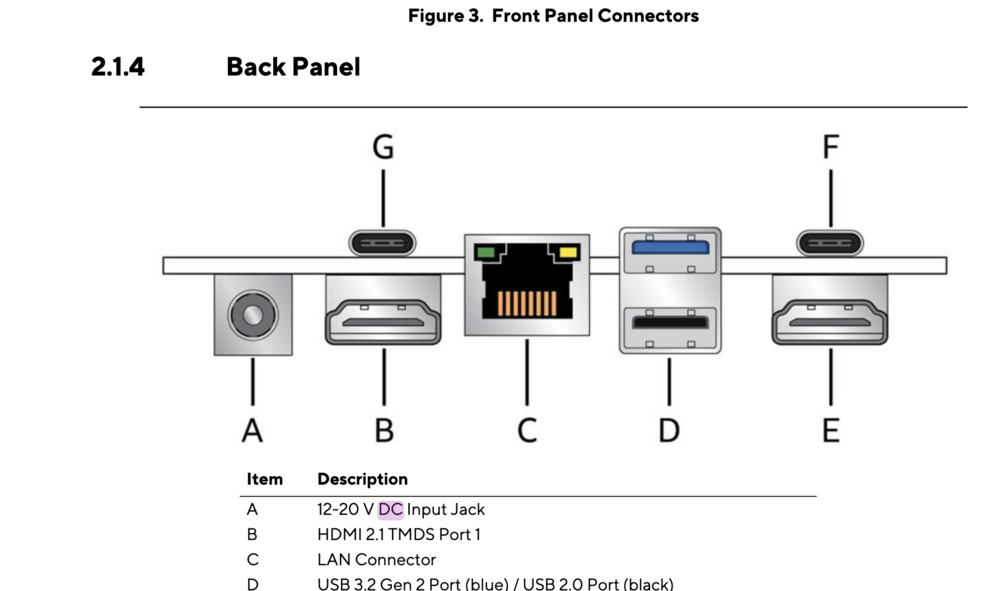
yes, It's stable on 12V. I have no problems I have the same experience also with miniPC Gigabyte BRIX (with Intel N6005) where it has 19V DC adapter included, but I have tried 12V and it works (with SSD, no HDD). For example, other miniPC - Asus NUC: - https://dlcdnets.asus.com/pub/ASUS/NUC/TPS/NUC14_Pro_ProPlus_TPS_1.2_20240603.pdf?model=NUC14RVSU5 - https://www.asus.com/displays-desktops/nucs/nuc-mini-pcs/asus-nuc-14-pro-plus/helpdesk_manual?model2Name=ASUS-NUC-14-Pro-Plus-Mini-PC - has in their manual: 12—20V DC It's common that such devices / miniPCs / some mainboards has wide range input voltage. Also another example is Odroid H4 / H4+ / H4 Ultra with recommended input voltage: DC 14V ~ 20V (https://wiki.odroid.com/odroid-h4/hardware) - but it works also from 10V
-
New BIOS: https://www.asus.com/motherboards-components/motherboards/csm/pro-h610t-d4-csm/helpdesk_bios?model2Name=Pro-H610T-D4-CSM - BIOS 3212: - BIOS 3401:
-
my whole PC (server) with i3 13100 draws only <5W in idle with only 1x m.2 SSD, so no HDDs. When running some benchmark with 100% load CPU it draws 55~66 W but it can be reduced in bios to 40 W for example. Unfortunately this mainboard has only 2x SATA and 1x m.2 MB: Asus Pro H610T D4-CSM (latest BIOS, Version 3202, 2024/03/07) CPU: Intel i3-13100 (TDP 60W) RAM: 2x Crucial 32GB DDR4-3200 SODIMM (CT32G4SFD832A) SSD: 1x m.2 Samsung 980 Pro 1TB with heatsink PSU: 12V 150W from AKASA (AK-PD150-02KEU) https://www.akasa.com.tw/update.php?tpl=product/product.detail.tpl&model=AK-PD150-02K
-
They have added support to ECC (in-band ECC) with new BIOS: - https://forum.odroid.com/viewtopic.php?p=384823#p384823 - https://wiki.odroid.com/odroid-h4/hardware/h4_bios_update#bios_release
-
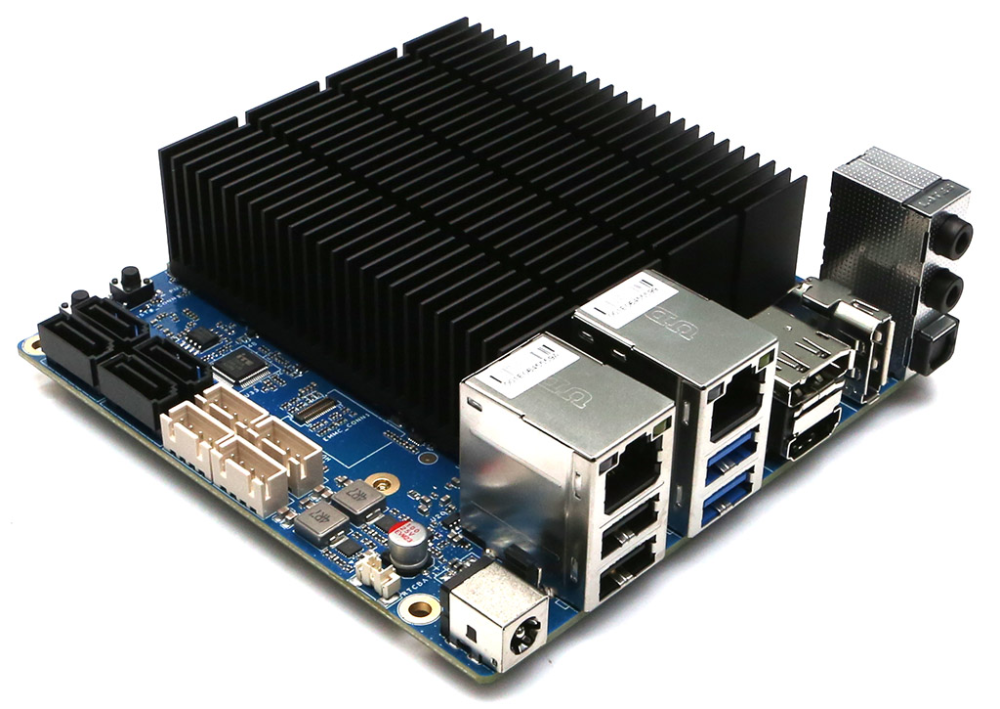
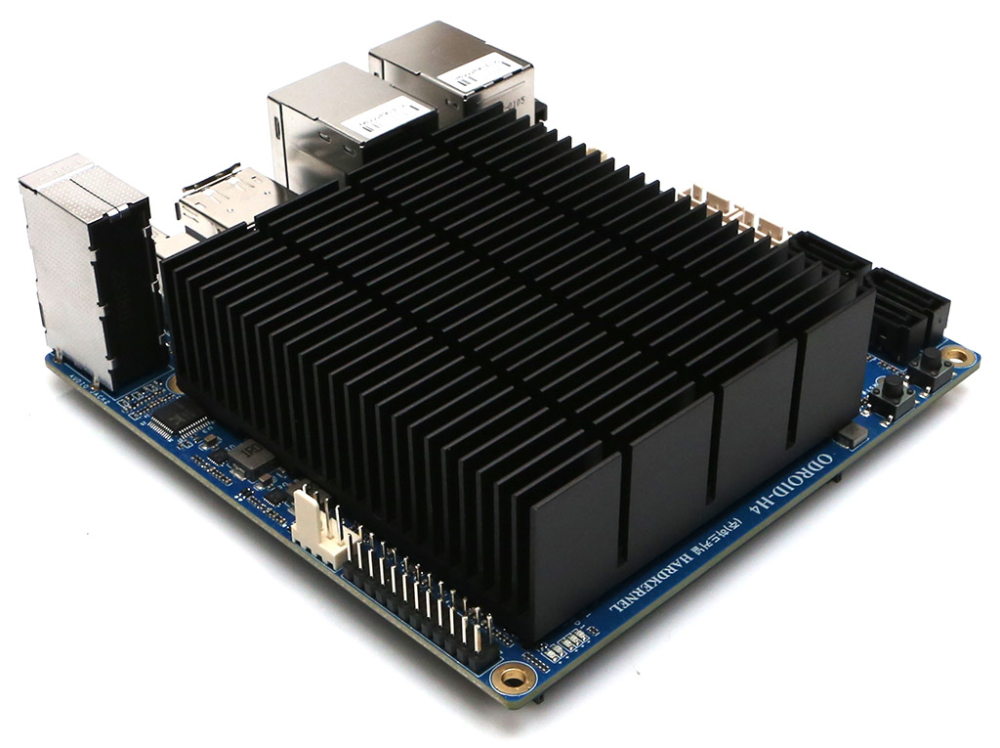
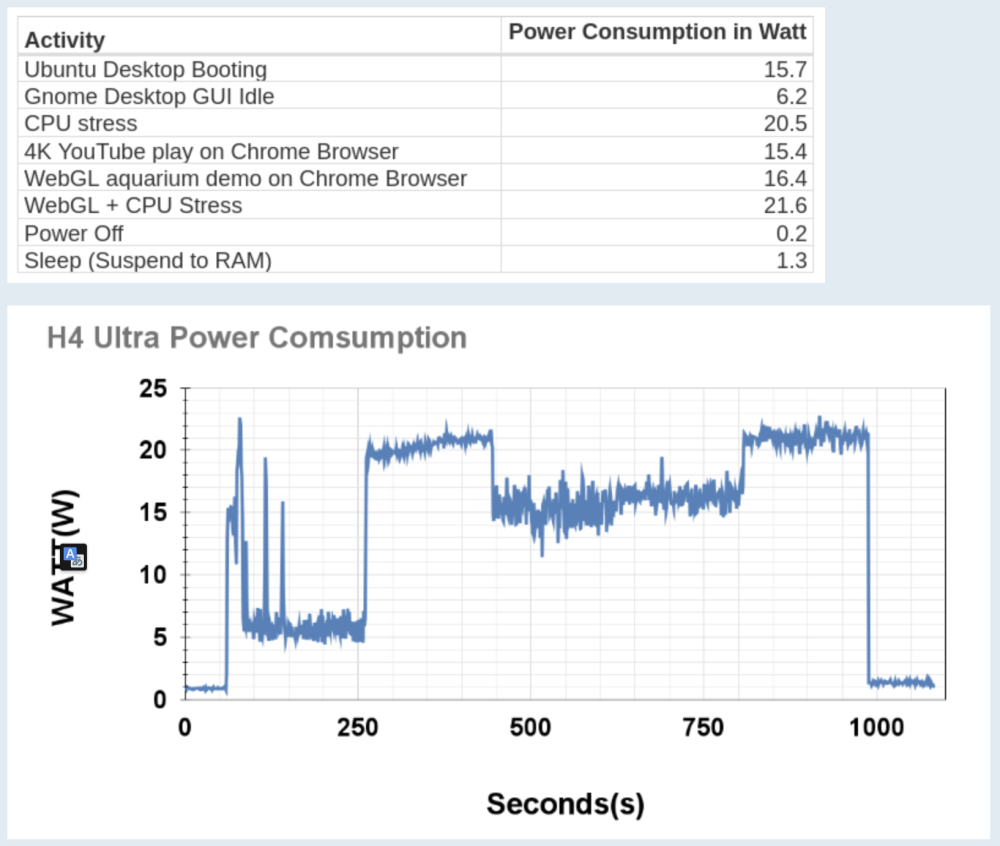
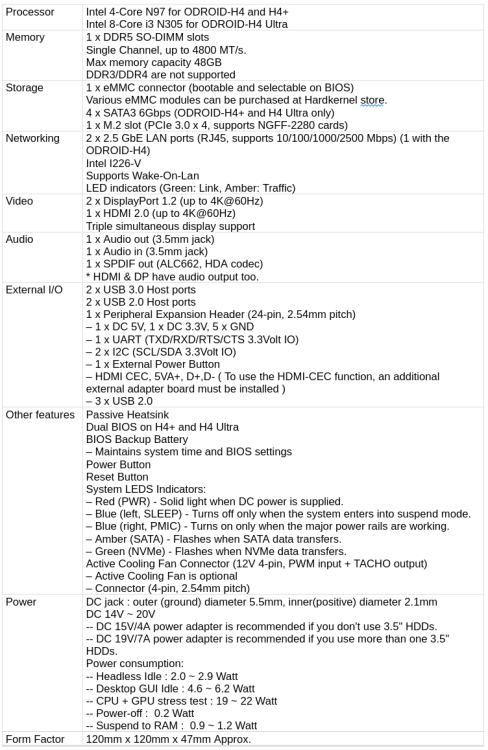
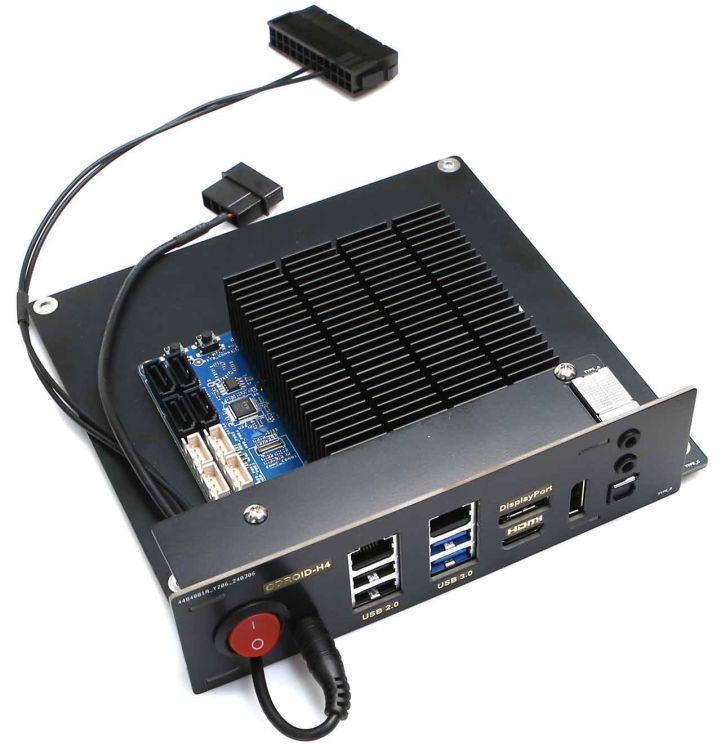
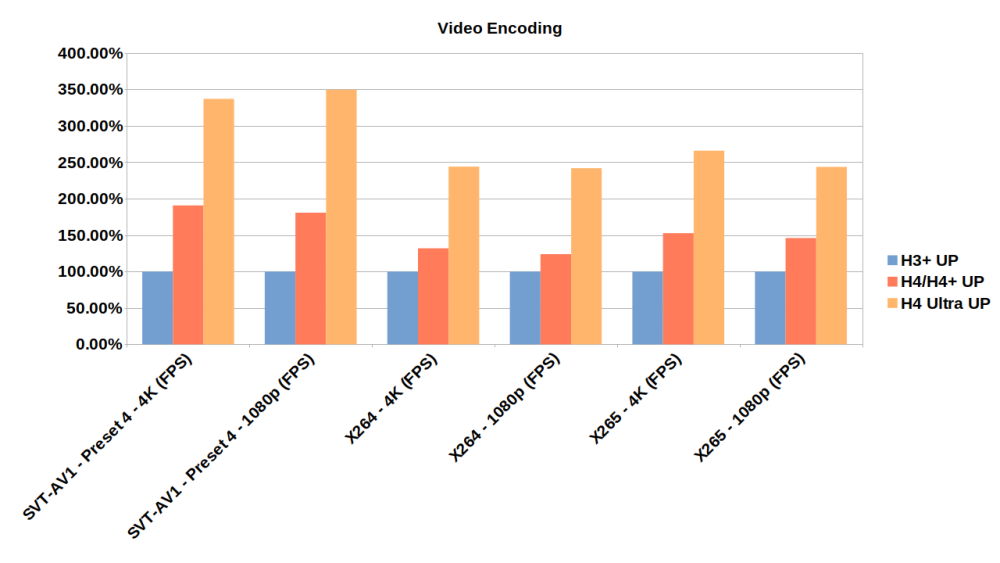
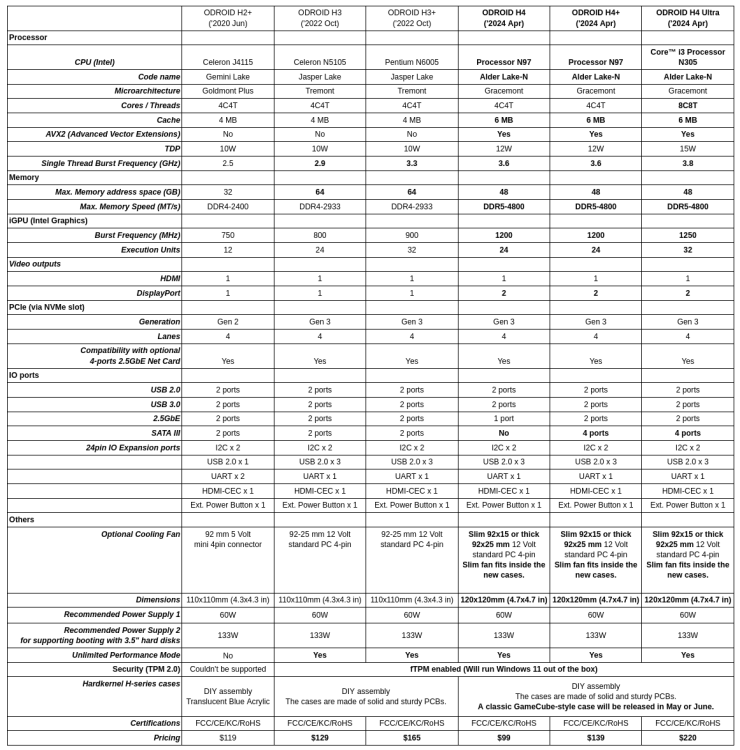
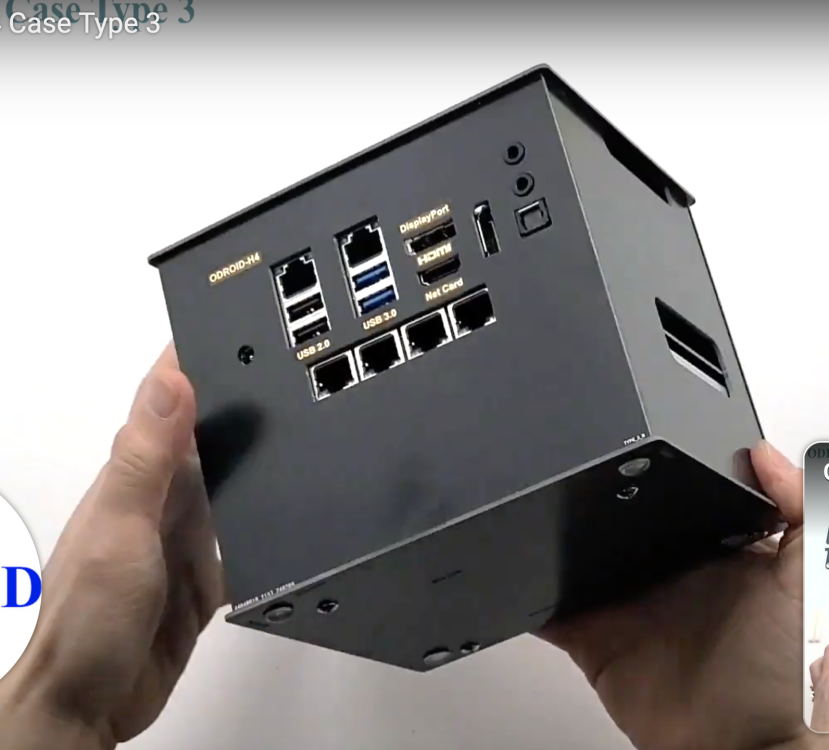
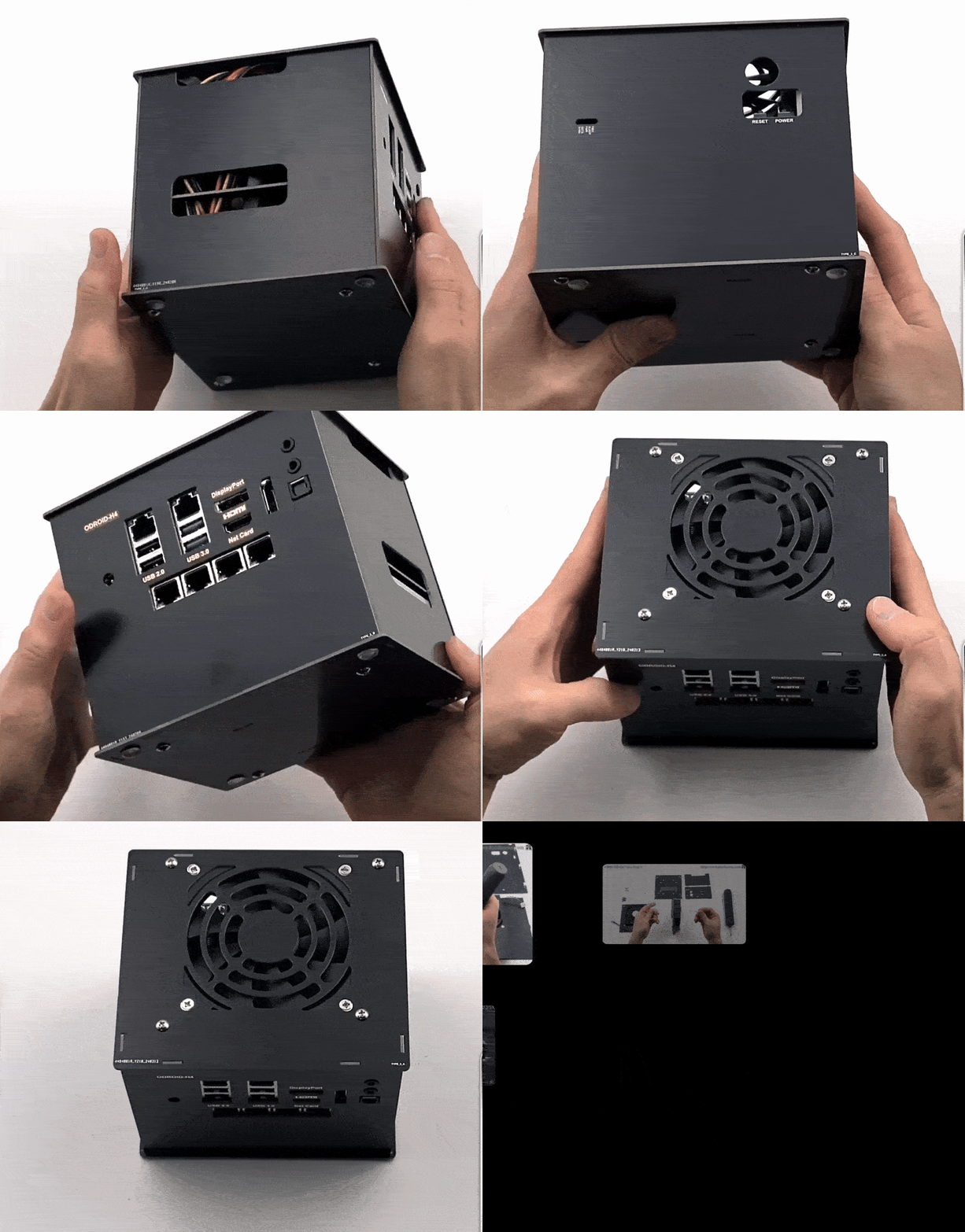
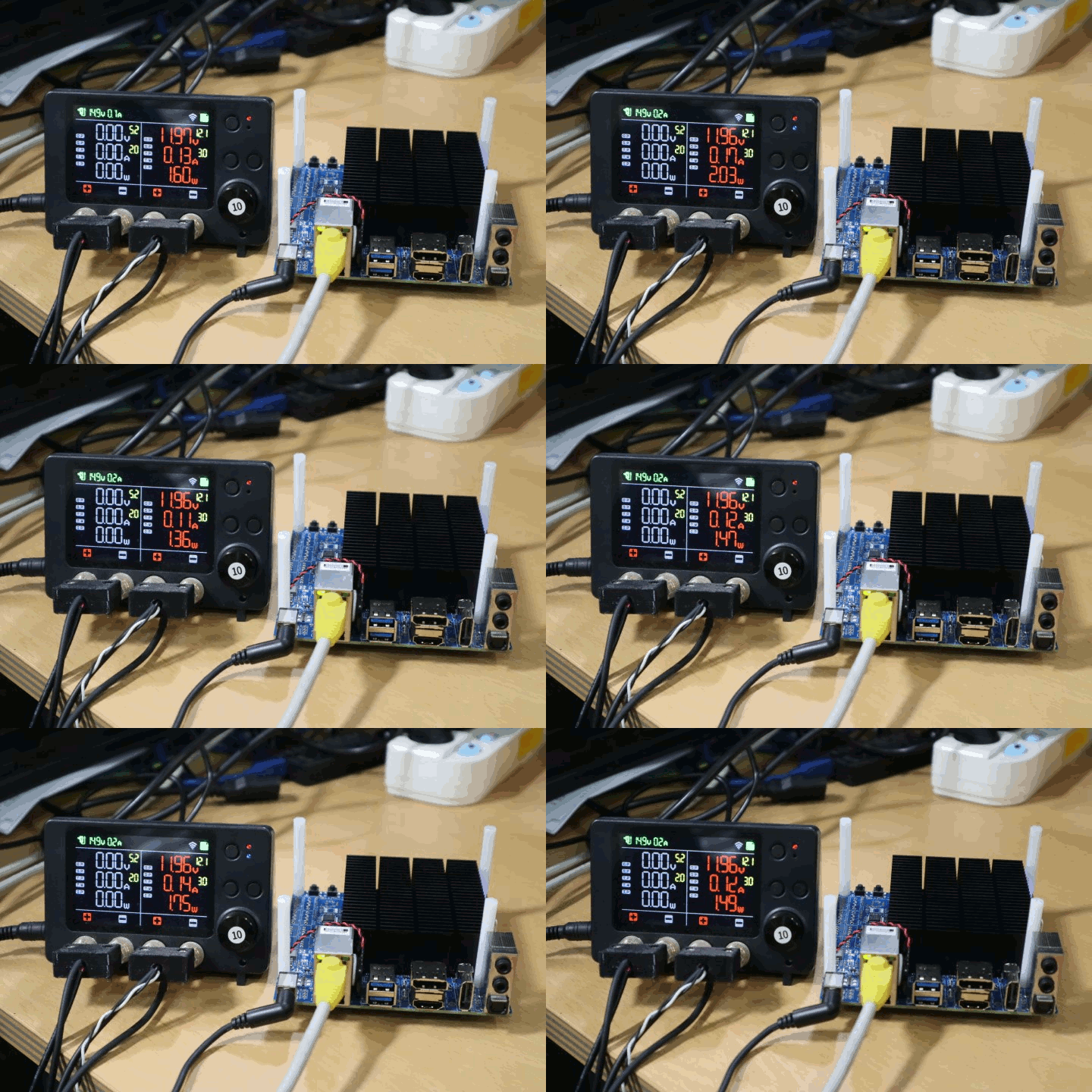
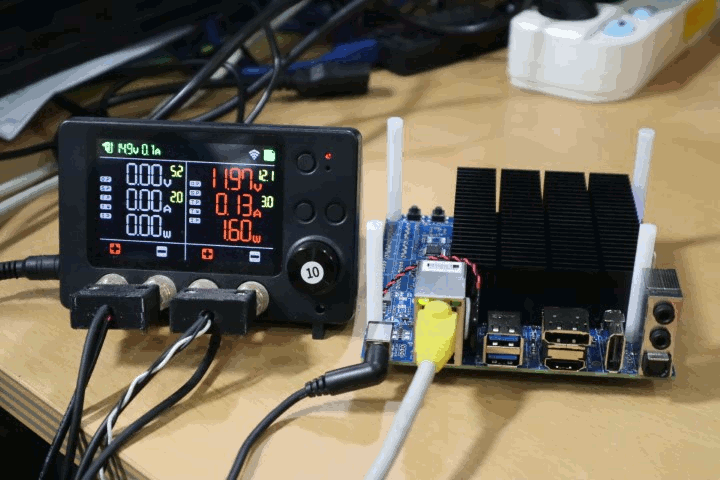
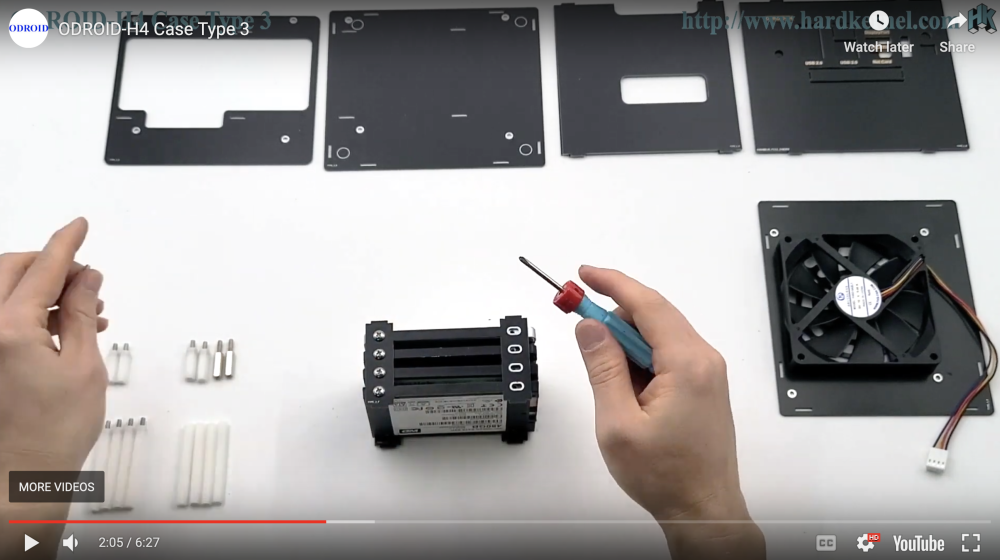
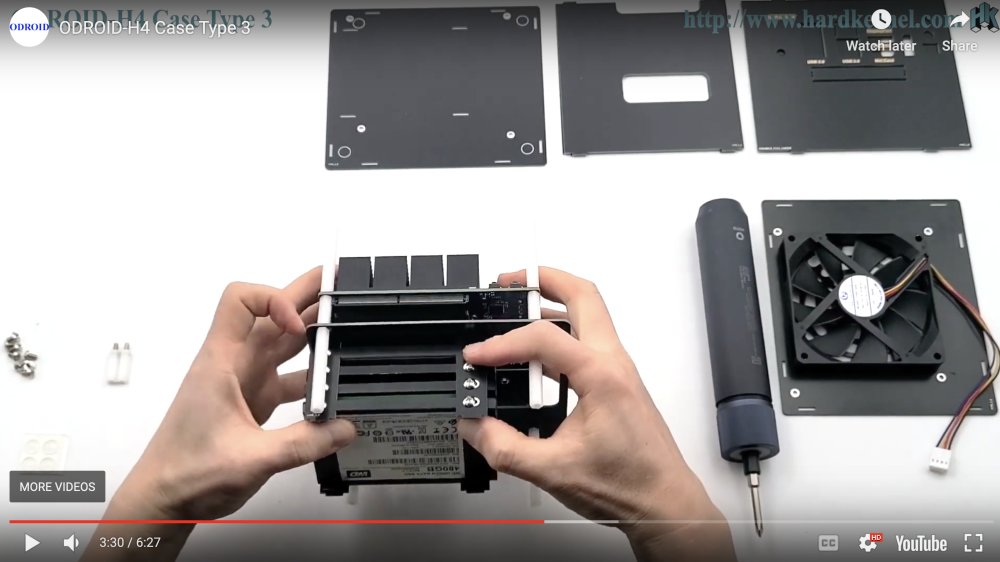
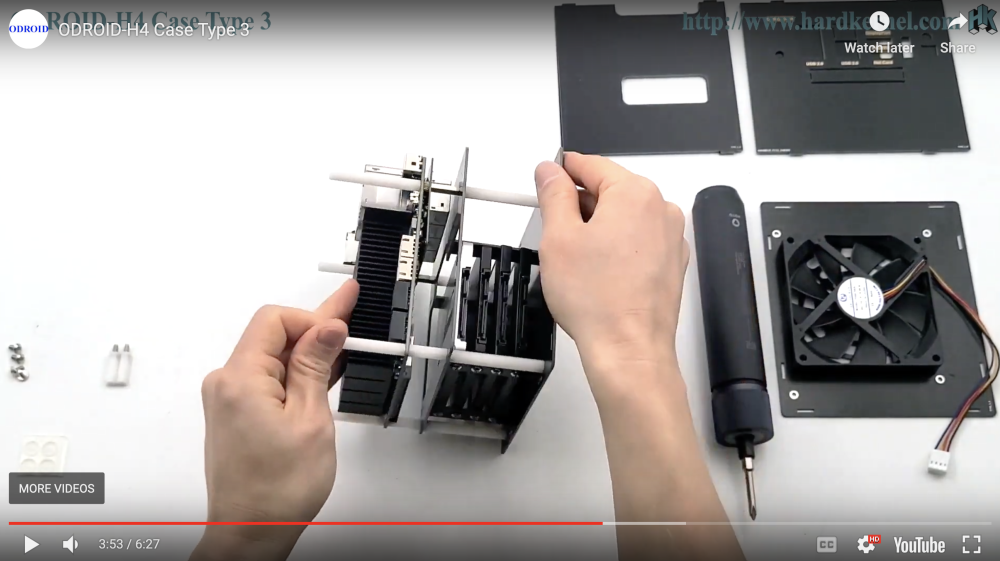
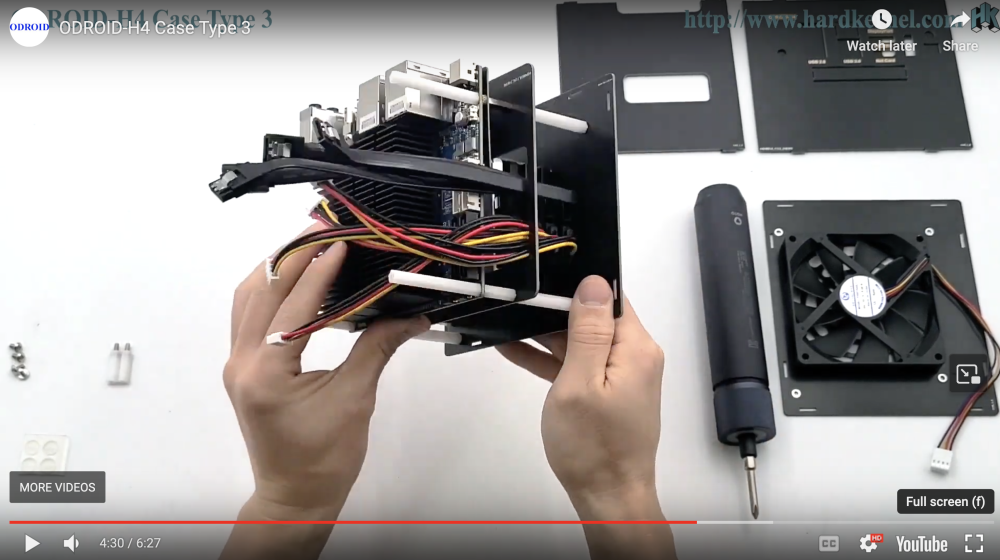
Odroid H4 🎉 16th April Hardkernel announced 3 new Odroid models! See https://forum.odroid.com/viewtopic.php?f=168&t=48344 | https://wiki.odroid.com/odroid-h4/start I appreciate that they listen to user needs and new models are improved based on the user feedback! especially 2 models are very attractive: H4 Plus and H4 Ultra (with 8-core Intel N305) are interesting because they have 4x SATA III, 1x m.2, 2x LAN (2.5Gbit Intel I226-V) there is also kit for converting to mini-ITX format ! https://www.hardkernel.com/shop/h4-mini-itx-kit/ 10x SATA you can have with m.2 to 6x SATA ASM1166 controller For me, the H4 Plus will be enough, it has Intel N97, which is better than very popular N100. I need to highlight an awesome work and focus on idle power consumption. Only 2,7~2,8 W ⚡️ (on the DC side, so potential inefficiencies in the power supply are not taken into account) This will be most probably my main home server / NAS. Specifications, benchmarks, images and more details: ❓Anyone with Odroid H4 Plus / H4 Ultra here? I have one H4+ but I don't plan to have my unraid server on H4+ because I already running unraid on older model H3. However I can sometime test unraid on H4+ and do some power consumption measurements, like with my H3 here: https://forums.unraid.net/topic/11386-whats-your-power-consumption/?do=findComment&comment=1404417
-
again, new BIOS: https://www.asus.com/motherboards-components/motherboards/csm/pro-h610t-d4-csm/helpdesk_bios?model2Name=Pro-H610T-D4-CSM
-
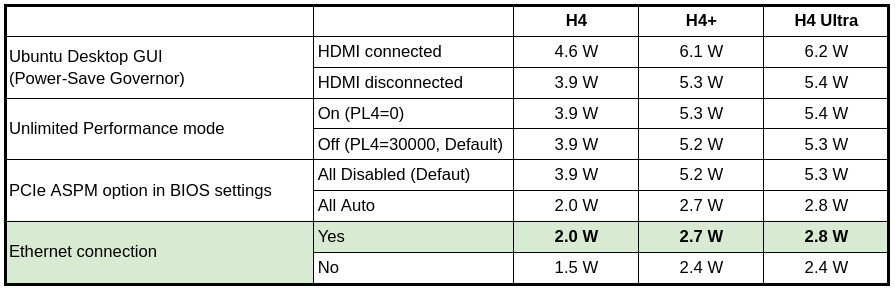
Odroid H4 🎉 Today Hardkernel announced 3 new Odroid models! See https://forum.odroid.com/viewtopic.php?f=168&t=48344 | https://wiki.odroid.com/odroid-h4/start I appreciate that they listen to user needs and new models are improved based on the user feedback! especially 2 models are very attractive: H4 Plus and H4 Ultra (with 8-core Intel N305) are interesting because they have 4x SATA III, 1x m.2, 2x LAN (2.5Gbit Intel I226-V) there is also kit for converting to mini-ITX format ! https://www.hardkernel.com/shop/h4-mini-itx-kit/ 10x SATA - whey you use m.2 to 6x SATA ASM1166 controller For me, the H4 Plus will be enough, it has Intel N97, which is better than very popular N100. I need to highlight an awesome work and focus on idle power consumption. Only 2,7~2,8 W ⚡️ (on the DC side, so potential inefficiencies in the power supply are not taken into account) This will be most probably my main home server / NAS. Specifications, benchmarks, images and more details:
-
I think this is a very good idea! Agree. I didn't upgrade bios yet.
-
Is there a way how to access my unraid server from iframe ?
-
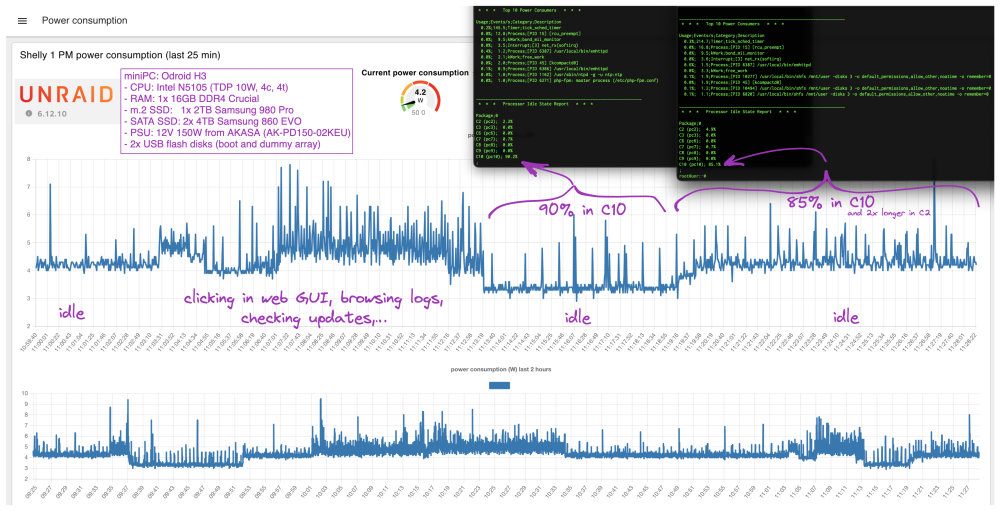
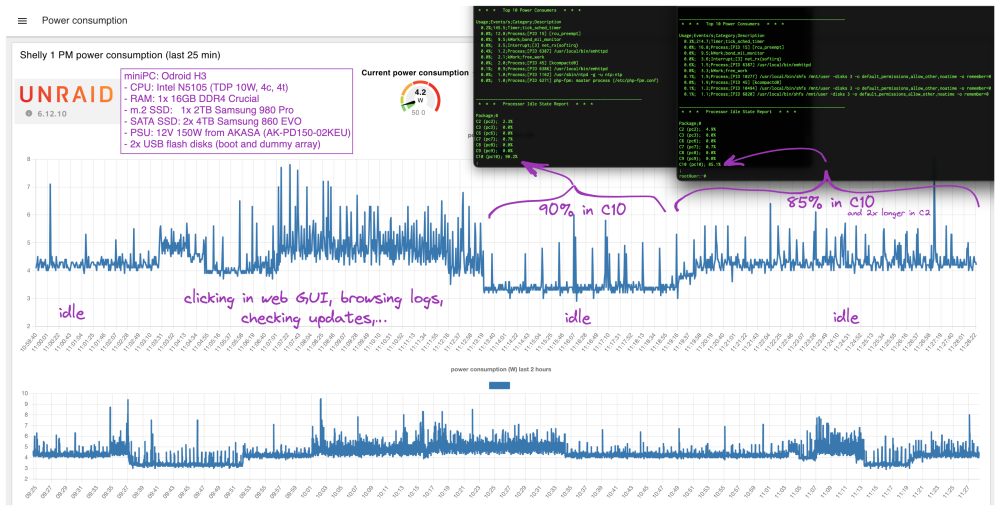
yesterday I upgraded to v6.12.10 and did a quick measurement: in average with running containers I have 4,2~4,5 Wh
-
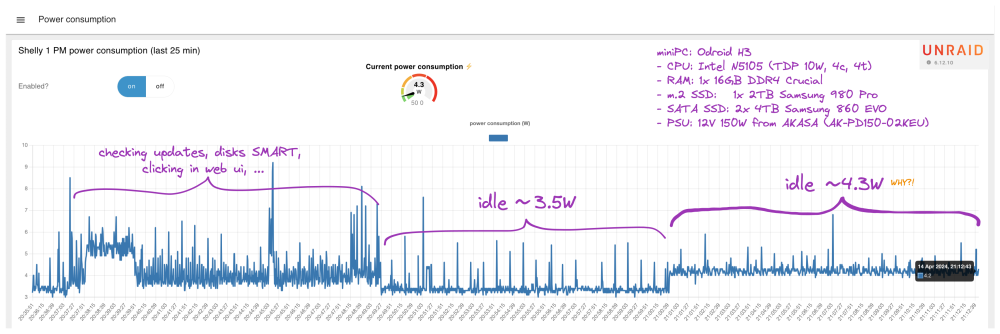
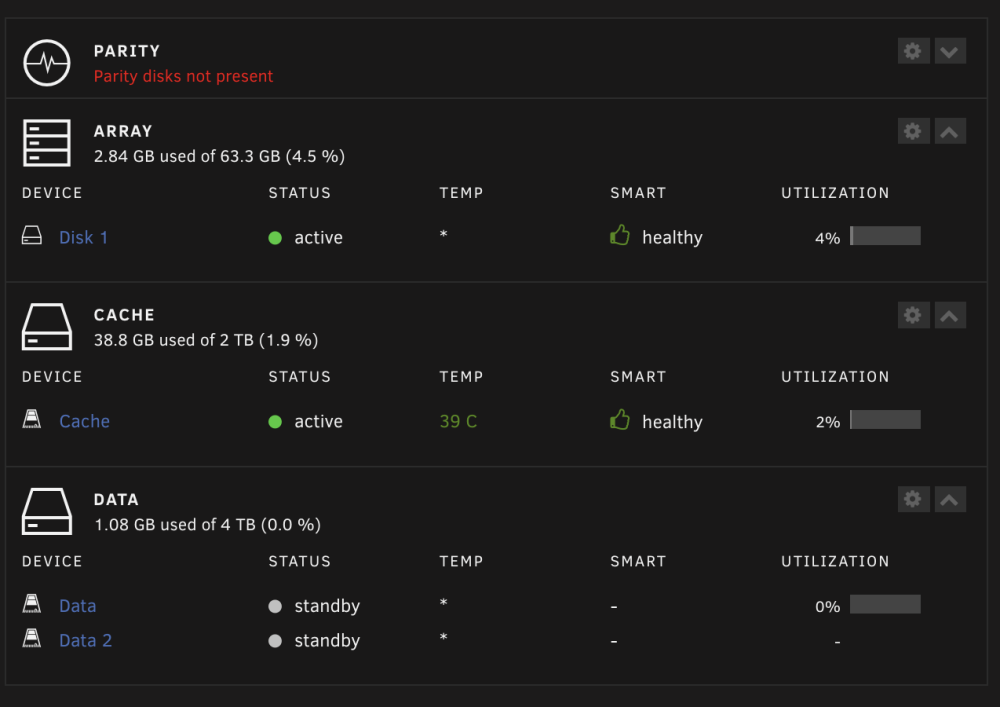
update to v6.12.10 ⚡️ 3.5 — 4.5 W idle - ️on the AC side (measured by Shelly 1PM) update:
-
Thank you, new link works. I assume min. power consumption when idle (and when HDDs are sleeping) will be ~ 10—20W without additional PCI-e cards. Unfortunately I don't have experience with this motherboard. If you really want very low idle power consumption, I recommend to use: - Pro from Samsung, for example Samsung 980 Pro, or - look at another power supply, see https://www.youtube.com/watch?v=TPSuCbS-4P0
-
I think 2 W ~ 10 kW
-
BTW, today was released new BIOS: https://www.asus.com/motherboards-components/motherboards/csm/pro-h610t-d4-csm/helpdesk_bios?model2Name=Pro-H610T-D4-CSM
-
seems it has unique GUID: