






bagican
Members
-
Joined
-
Last visited
Everything posted by bagican
-
I bought this one for < 20 Eur. Brand new one. 16GB Transcend JetFlash 180I (industrial-grade USB flash drive with SLC mode, ECC https://us.transcend-info.com/embedded/product/embedded-flash-solutions/jetflash-180i ).
-
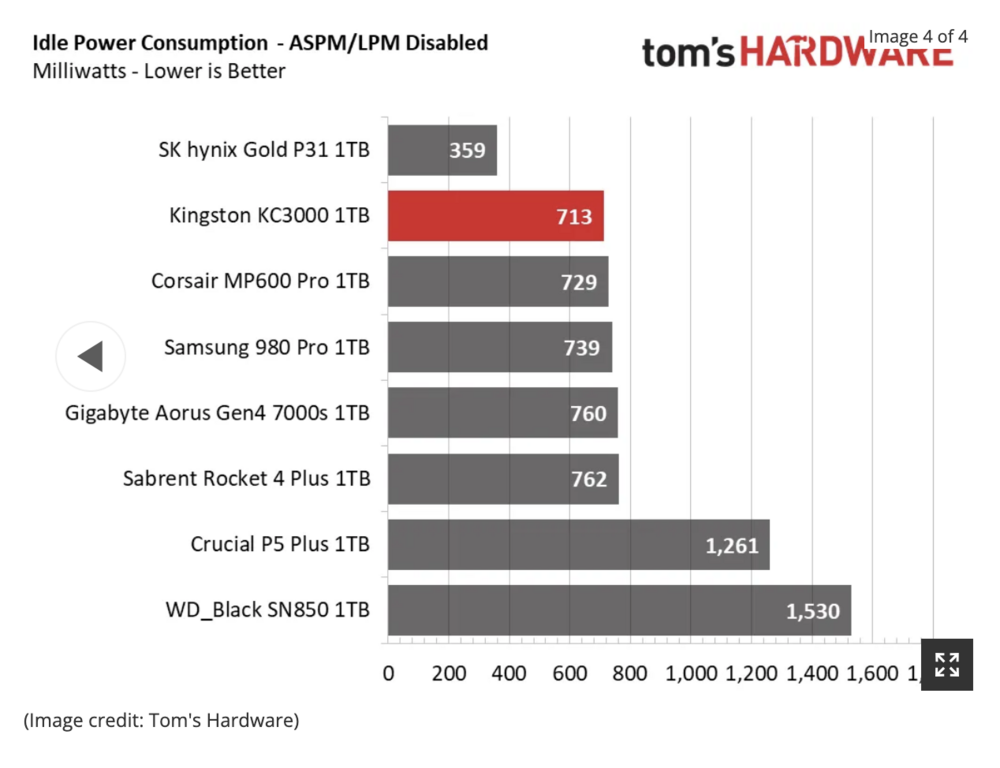
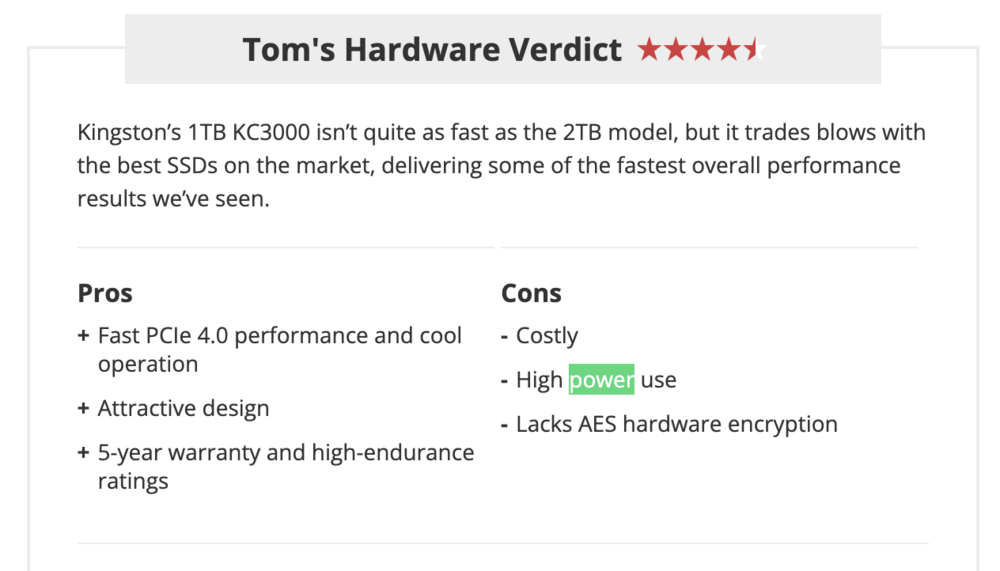
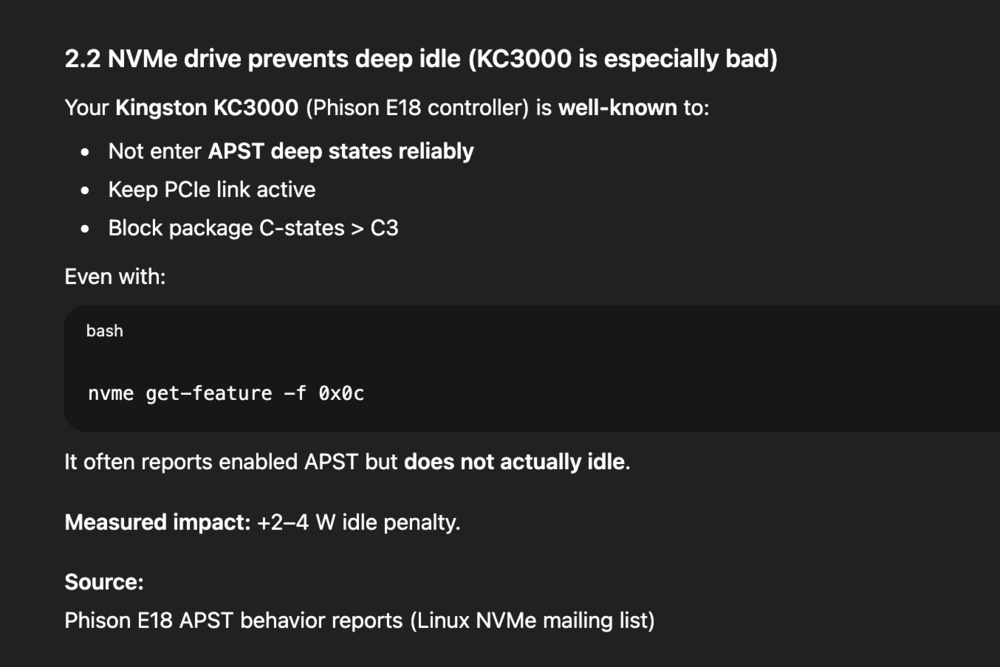
@silicon4079 Have you tried in BIOS not to change [HD Audio, Serial Port] to Disabled? I didn't disable them. also I would like to try change SSD, some SSDs have somehow bad power management. I think Kingston KC3000 is not good choice for power efficient buid. they didn't test it with ASPM enabled :( https://www.tomshardware.com/reviews/kingston-kc3000-m2-ssd-review/2 // UPDATE 15:33 CET Also ChatGPT confirmed my assumptions: ->
-
hehe, me too! I bought it more than a year ago, but until yesterday I hadn't used it because I already have most things covered with Shelly. But I started adding zigbee devices I already have too ...
-
Regarding Zigbee, there may be a better option (or an alternative) to the USB stick. You can use an Ethernet (PoE) version of a Zigbee coordinator instead. One such device, which has good reviews, is the SMLIGHT SLZB-06 (though it belongs to another thread).
-
wooow, awesome results, thank you! Is HDPlex power supply quiet? Do you hear any coil whine sound under some specific load ?
-
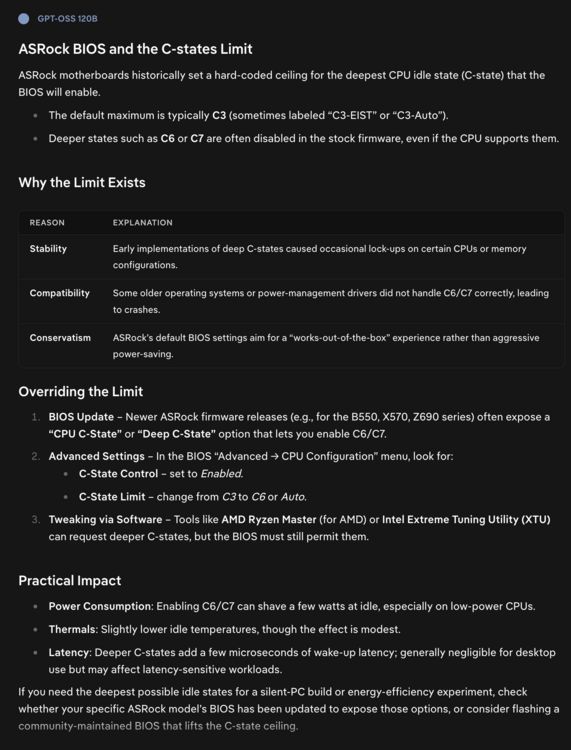
ASRock is known for its BIOS, which is limited or hard‑coded to use a maximum of C3 (or so).
-
-
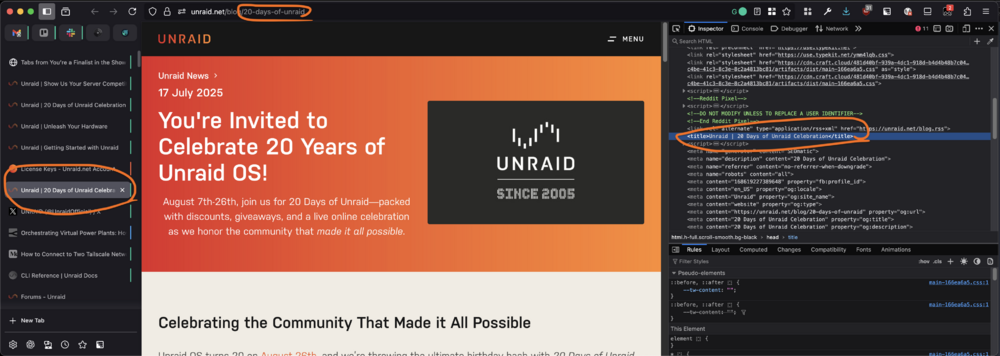
the blog post has small typo :) (or it's an easter egg?) in URL and also in page title
-
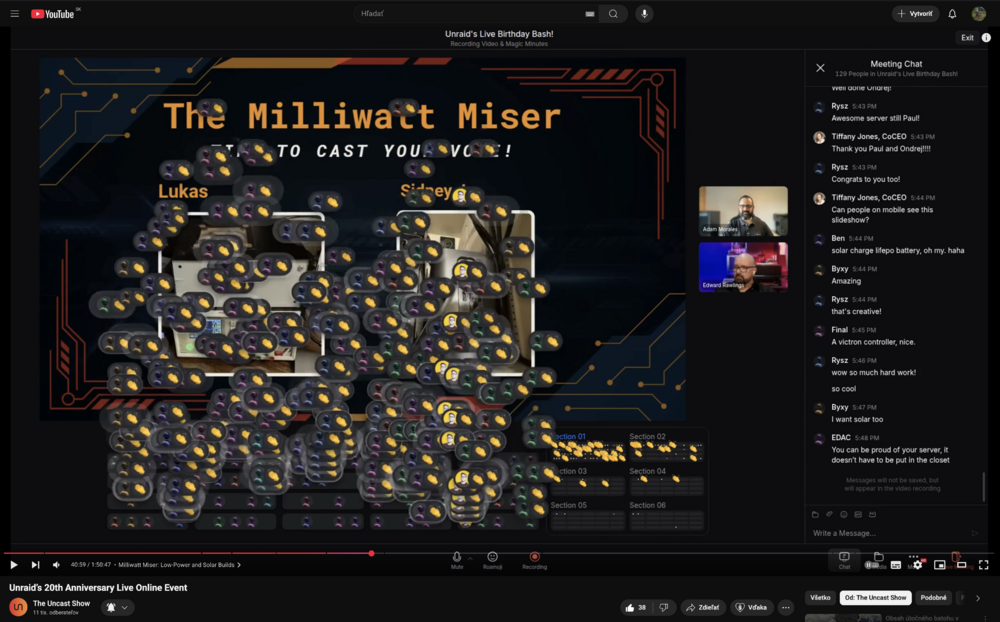
Thank you!
-
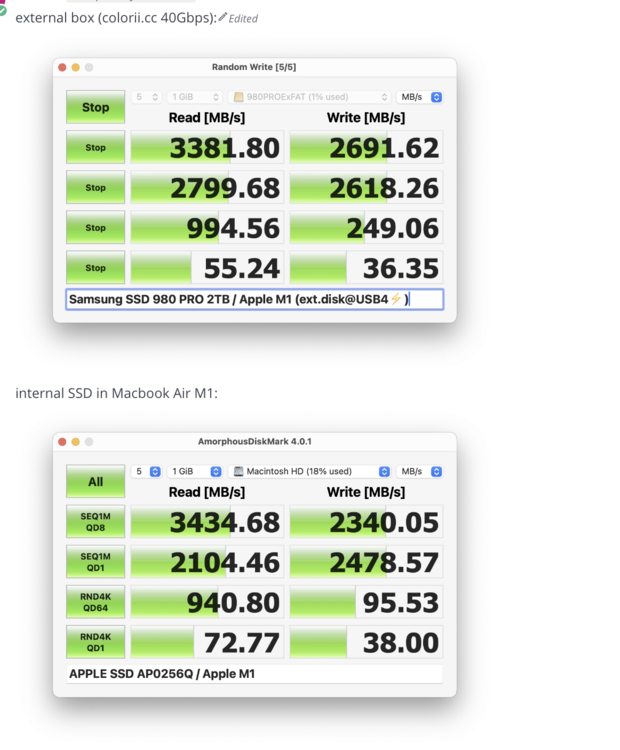
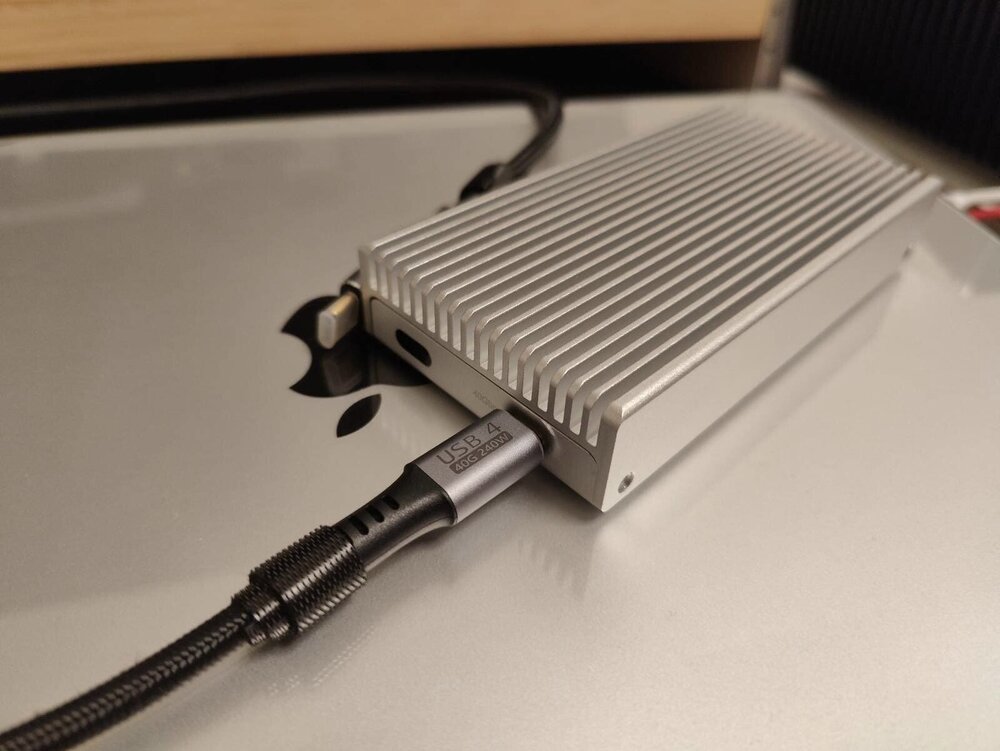
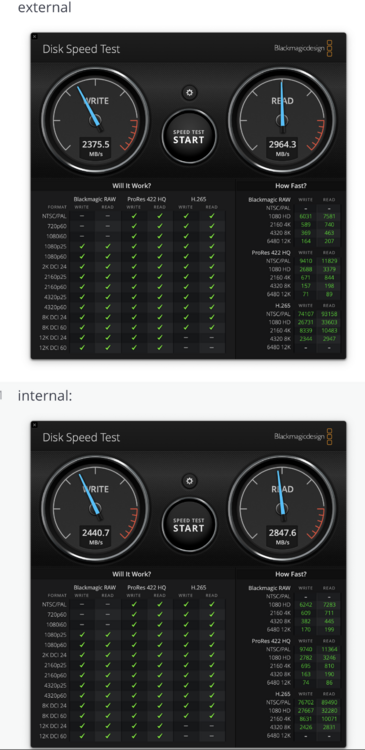
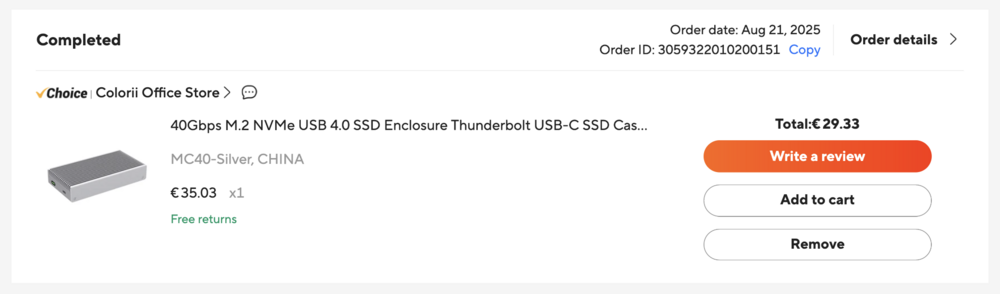
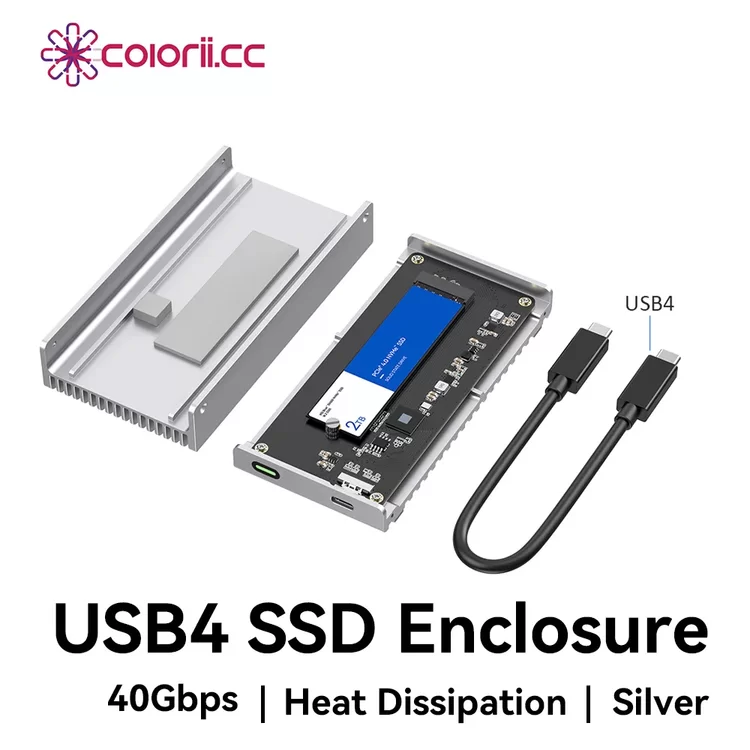
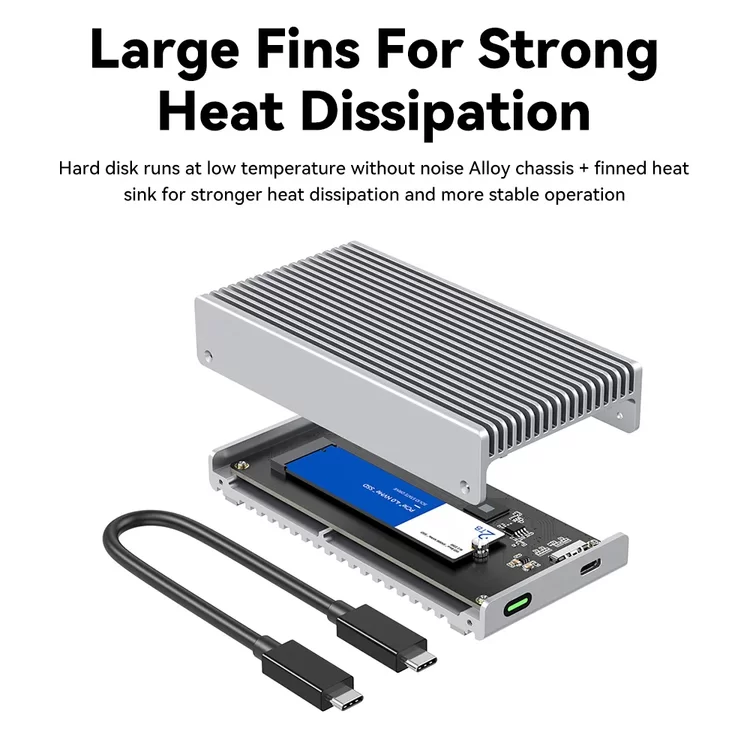
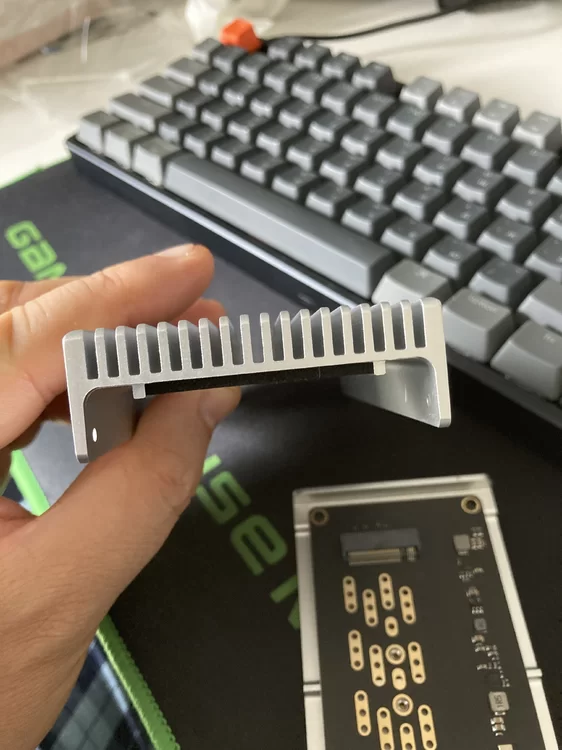
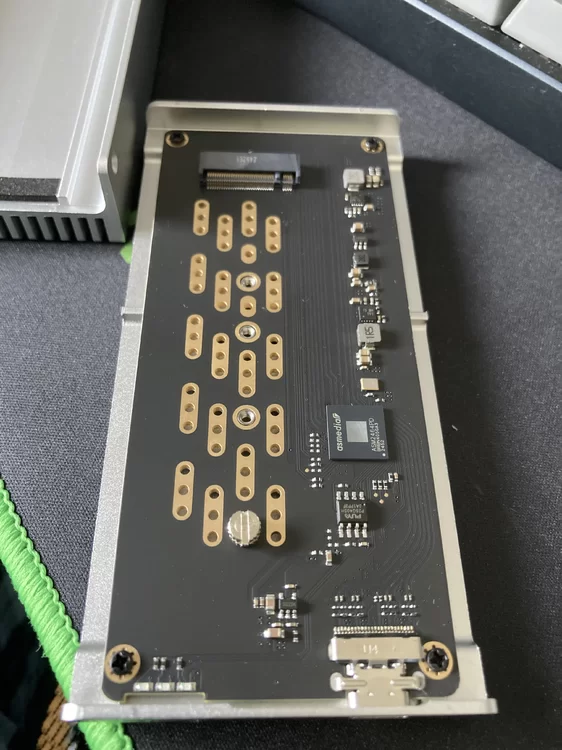
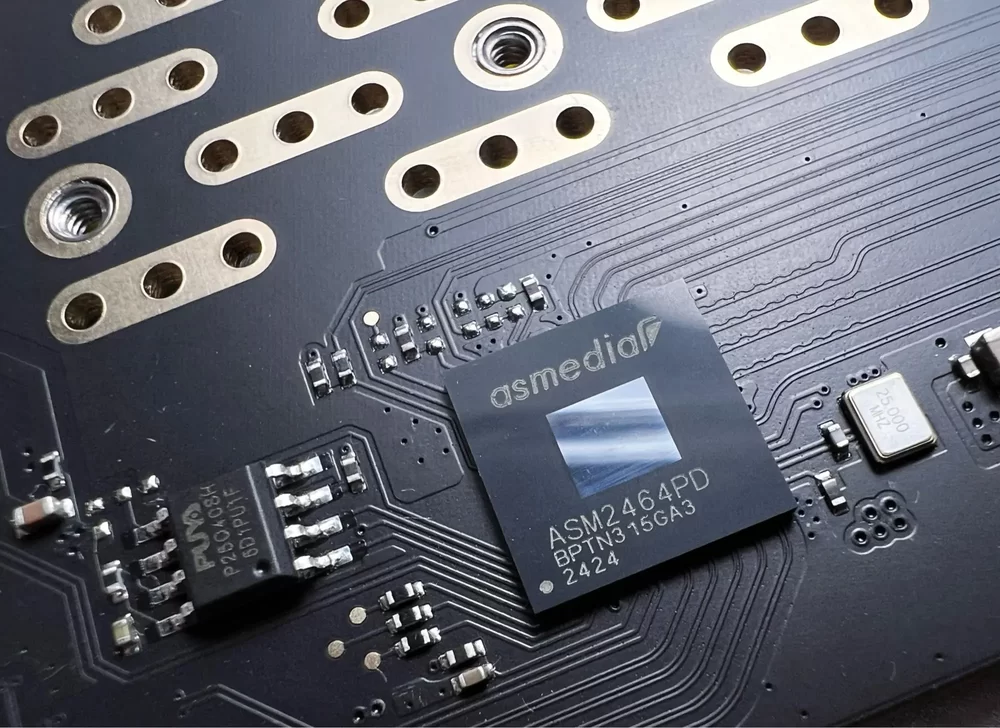
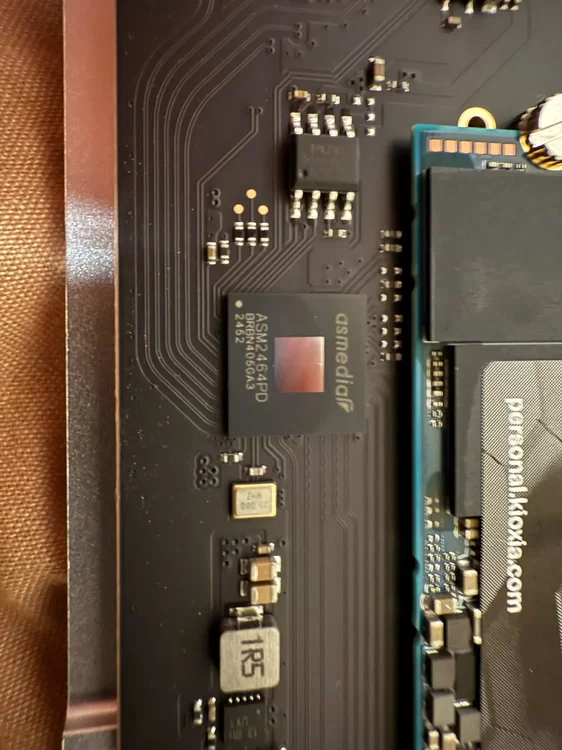
If someone wants external M.2 over USB4 / Thunderbolt with real speeds 2500+ MB/s I have one interesting tip: https://www.aliexpress.com/item/1005008555989592.html I already have 2 pieces. This external box is an honest piece of aluminium, quite thick and heavy. But I haven't tested it with Unraid yet. I just tested it with Macbook Air M1 Specs: ASM2464PD M.2 enclosure compatible with M.2 PCIe Gen 4.0x4 NVMe M Key,NVMe B+M Key in sizes 2280/2260/2242/2230 up to 4TB, NOT compatible with M.2 SATA SSDs, M.2 PCIe AHCI SSDs, M.2 PCIe devices. Supports system multi OS, Windows, Mac OS, Linux, Android. Plug and play, no drive and power supply required.See my photo: See my disk speed benchmarks with Samsung 980 Pro 2TB (M.2 SSD): . other screenshots/photos: click to see:
-
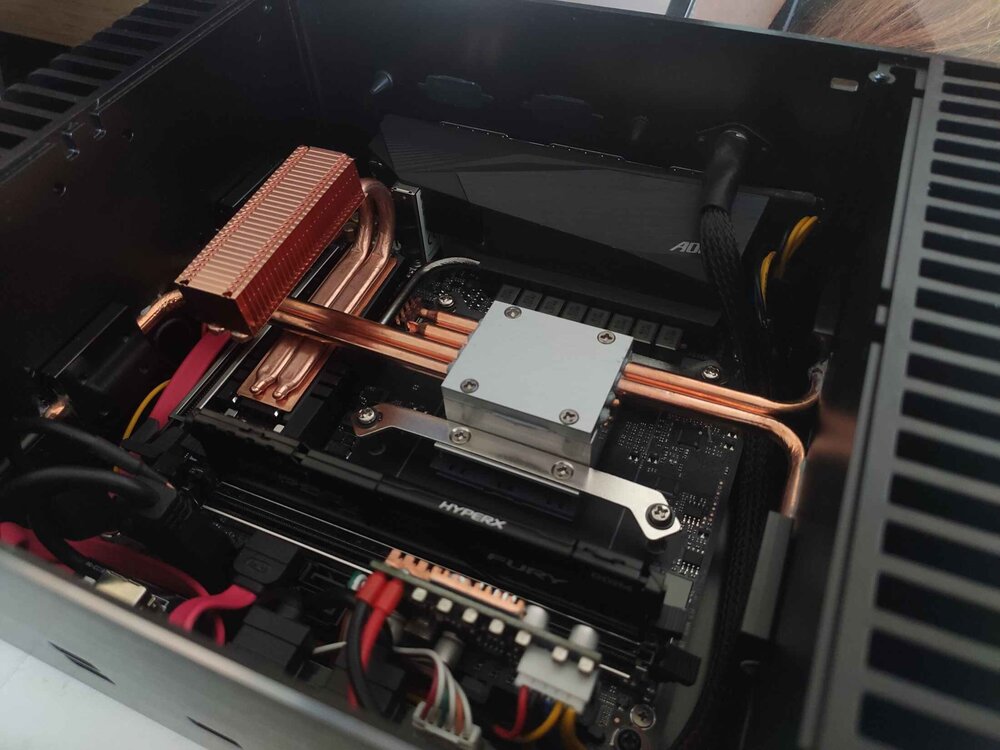
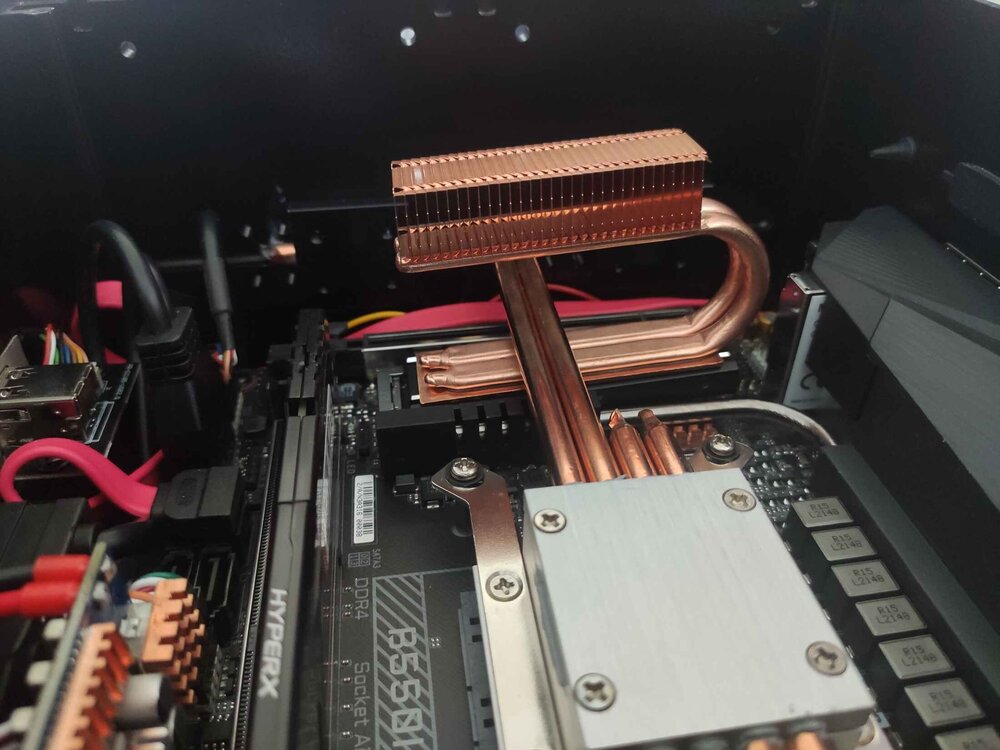
temps under 50°C for m.2 SSDs are fine. If you want to reduce temperature, I recommend some copper heat-sink, this one I have: https://www.aliexpress.com/item/1005005432958676.html - very good - I managed to mount this cooler in such a way that it makes contact with the PC case (aluminum). https://www.aliexpress.com/item/1005003190037927.html - if you have enough free space above the SSD https://www.aliexpress.com/item/1005009212107726.html - I have also this one because the fanless case and heatpipes from the CPU: see another photo of my specific use case: Or maybe: https://www.aliexpress.com/item/1005006050863397.html BTW Samsung "Pro" models are known that have good power management. You can find power states via this command: sudo smartctl -a /dev/nvme0it will print: Supported Power States St Op Max Active Idle RL RT WL WT Ent_Lat Ex_Lat 0 + 8.49W - - 0 0 0 0 0 0 1 + 4.48W - - 1 1 1 1 0 200 2 + 3.18W - - 2 2 2 2 0 1000 3 - 0.0400W - - 3 3 3 3 2000 1200 4 - 0.0050W - - 4 4 4 4 500 9500full output: example of full output of smartctl -a
-
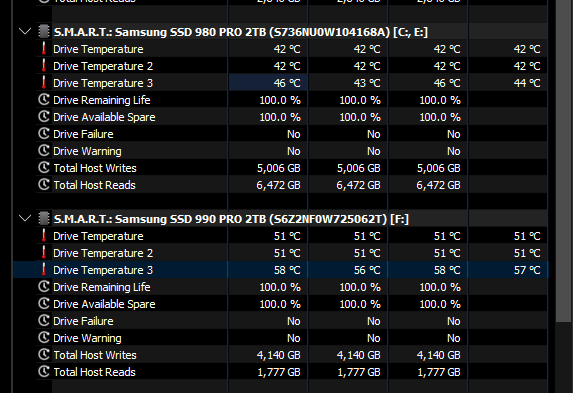
I have very good experience with Samsung 980 Pro 2TB (or 1TB) with enabled ASPM it has very low idle power consumption and it produces no heat (or very low heat). But I have also one newer model 990 Pro in my desktop and it is +10°C Both are cooled passive in fanelss desktop PC see: https://www.tomshardware.com/reviews/samsung-980-pro-m-2-nvme-ssd-review/2#power-consumption-and-temperature this is more comprehensive: https://www.techpowerup.com/review/samsung-990-pro-2-tb/7.html find 980 Pro there: 👇
-
@dinosaurthug I'm sorry that your first experience with Unraid wasn't at all what it should have been (everything without problems as usual). I'm very glad that you managed to solve this challenging and tricky hardware problem. I think many people would have been discouraged, but you patiently pursued your goal - even you are not IT experienced! Hats off. Now, your awesome journey with Unraid (and self-hosting) can continue!
-
it explains a lot, I think it's most probably HW issue. I would try to change PSU first, then CPU and then Mobo. Please inform later when you change HW.
-
OS at time of building: Unraid 7.1.4 CPU: Intel N5105, turbo disabled Motherboard: Odroid H3 RAM: 16GB DDR4 Crucial 3200 MHz (1x 16GB) Power Supply: Riden RD6012P (only for measurements), usually some random 12V brick; recently I migrated to LiFePO4 battery Pylontech 12,8V 100Ah (1,2 kWh) charged by Victron SmartSolar controller powered by 1 x 120Wp solar panel in the balcony SATA Expansion Card(s): - Fans: 1x Noctua 80mm (runs only when temps > 60 'C) (95+% fanless) Total # of Drives: 3 (1x m.2, 2x SATA) • 1x 2TB m.2 Samsung 980 Pro, • 2x 4TB Samsung 860 EVO Total Drive Capacity: 10 TB Boot (peak): 13 W Idle – drive spun down(avg): 4 W Parity Check(avg): - (no parity) Light use (avg): 5~6 W show GIF More details in my topic: https://forums.unraid.net/topic/192841-%E2%9A%A1%EF%B8%8F/#findComment-1573479
-
I would try following: unplug everything from mainboard except necessary minimum (leave there only one m.2 SSD, one RAM module, no PCI cards, ...) do MemTest (boot from USB flash) However I'm not sure which one is better, I know there are 2 (or more): • https://www.memtest86.com/, • https://memtest.org/, • https://www.techpowerup.com/memtest64/ - repeat with 2 RAM modules do copy / transfer tests add one more HW component, repeat step above Try other things too if issue still persists: reset BIOS settings try to explain everyting to ChatGPT and ask for solutions :D
-
another similar thin mini-ITX from ASRock: https://www.fanlesstech.com/2025/08/asrocks-thin-mini-itx-trio.html specs: https://www.asrock.com/MB/Intel/H810TM-ITX/index.asp Supports Intel® Core™ Ultra Processors (Series 2) (LGA1851), up to 65W ⚡️ Storage: 1 x M.2 2280 PCIe Gen5x4 SSD 1 x M.2 2280 PCIe Gen4x4 SSD 2 x SATA3 6.0Gb/s ports RAM: • CSO-DIMM version: 2 x DDR5-6400MHz slots, up to 128GB • SO-DIMM version: 2 x DDR5-5600MHz slots, up to 128GB LAN: 1 x 2.5 Gigabit LAN (Intel® I226V) power: 19V DC connector I'm not sure about reaching C10 with ASRock because if I'm remember correctly, ASRock is known that it has "hardcoded" limit to C3 or C6 (or so). But there are guides how to enable "hidden BIOS menus" and how to achieve C8/C10. Simply: ASRock = energy inefficiency
-
As for using UPS for such low-power devices like routers, Raspberry Pi, … I personally don’t like it, it’s very ineffective. Why? Such devices work on DC voltage (e.g. 12V). Standard UPS has 12V battery (DC) and DC to AC converter to produce ~230V AC and mentioned devices need conversion back to DC (AC to DC adapter to 12V or 5V). There are a lot of losses and unnecessary conversions. ┌───────────────────────────────┐ │ UPS │ 12V/5V DC ┌─────────┐ │ ├──────┐ ┌─────────┐ small devices: │ │ │ │ AC │ │ AC/DC │ │AC ~230V ├──────►│ ┌──────────────────────┐ │~230V ├──────►│ adapter ├───┐ │ │ │ │ AC/DC, DC/AC, │ ├──────┘ └─────────┘ │ └─────────┘ │ │ │ │ │ 12V │ │charging circuits,... │ │ └───────► Router │ └────────▲──┬──────────┘ ├──────┐ ┌─────────┐ │ │ │ │ AC │ │ AC/DC │ 12V │ │ │ │~230V ├──────►│ adapter ├───────────► Switch, Odroid H3 │ │ │ ├──────┘ └─────────┘ │ ┌─────────┴──▼────────┐ │ 5V │ │ │ │ ┌───────► Raspberry Pi │ │ │ ├──────┐ ┌─────────┐ │ │ │ 12V battery │ │ AC │ │ AC/DC │ │ │ │ │ │~230V ├──────►│ adapter ├───┘ │ └─────────────────────┘ ├──────┘ └─────────┘ │ │ └───────────────────────────────┘ but there are DC only UPS devices: ┌──────────────────┐ │ DC UPS │ 12V/5V DC ┌─────────┐ │ (MeanWell │ small devices: │ │ │ DRC-100A or │ │AC ~230V ├──────►│ AD-155A or ├────────────────────┐ │ or sun │ │ PSC-100A) │ │ └─────────┘ │ or Victron MPPT ├─────────────┐ │12V └───────┬─▲────────┘ │ ├──────► Router │ │ │ │ │ │ │ │12V │ │ │ └──────► Switch, Odroid H3 │ │ ┌────┴────┐ ┌───────▼─┴───────────┐ │ DC/DC │ 5V │ │ │converter├────────► Raspberry Pi │ │ └─────────┘ │ 12V battery │ │ │ └─────────────────────┘ I personally throwed some power adapters (AC/DC converters with 5V and 12V output) and replaced it with one strong 12V power supply with DC UPS. If you need monitoring capabilities and data about battery levels, charging,… you can change DC UPS (MeanWell) to some solar controller (like Victron SmartSolar or EPever, but that’s a bit pricier, however, they do provide an API so you can get data and graphs from them).). And solar controllers have usually higher efficiency. Power Supply Redundancy It’s useful for powering critical devices. It’s like RAID. When one power supply dies, you have second power supply connected to ~25 Eur device called DRDN-20-12 called Redundancy Module more info - how it works, how to connect it: DRDN20/40 & ERDN20/40 series 20A/40A Power Supply Redundancy Module -MEAN WELL Switching Power Supply Manufacturer ┌─────────┐ ┌─────────┐ │ AC/DC │ │ │ │ power │ │ power │ │ supply │ │ supply │ │ #1 │ │ #2 │ └────┬────┘ └────┬────┘ │ │ │12V │12V └─────┐ ┌─────┘ │ │ ┌─────▼──▼─────┐ │ Redundant │ │ unit │ │ │ │ (DRDN-20-12) │ └──────┬───────┘ │ │12V ▼ ┌──────────12V_devices────────────┐ │ │ │ Router, switch, unraid server,… │ │ │ │ 12V -> 5V ---> Raspberry Pi │ └─────────────────────────────────┘ BTW: I'm also experimenting with supercapacitors (you can think of them as power banks with very small capacity), and they can keep my server powered for about 60 seconds (depending on the load). With custom real-time monitoring and automation, they can serve as an additional layer of power reliability improvement or for specific situations. I can write more about it if there will be an interest.
-
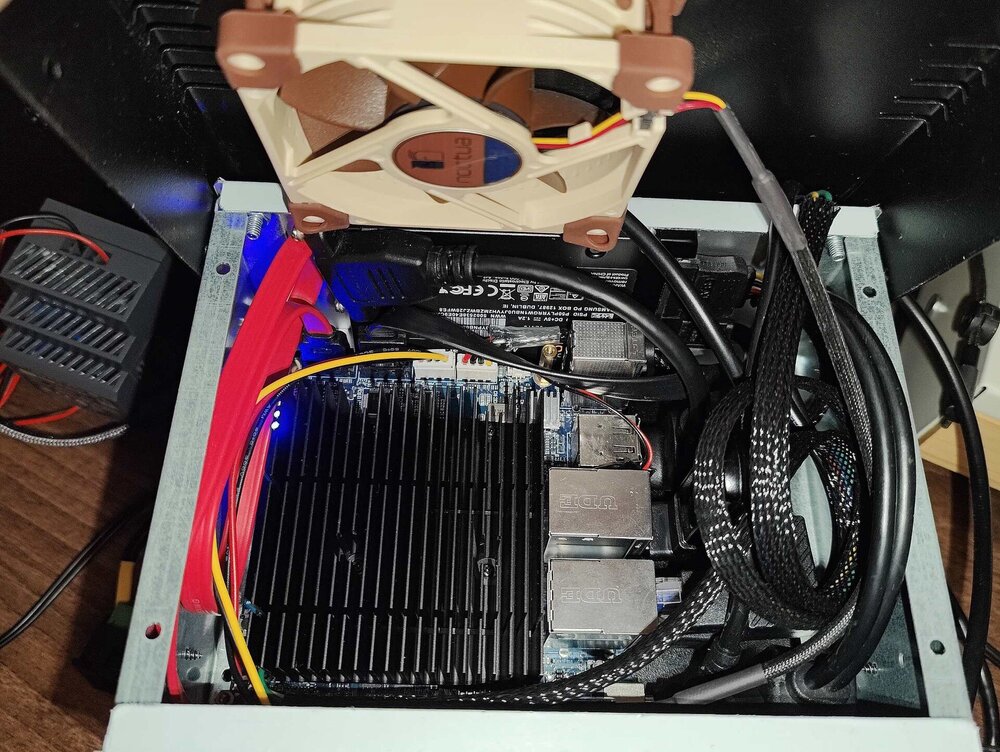
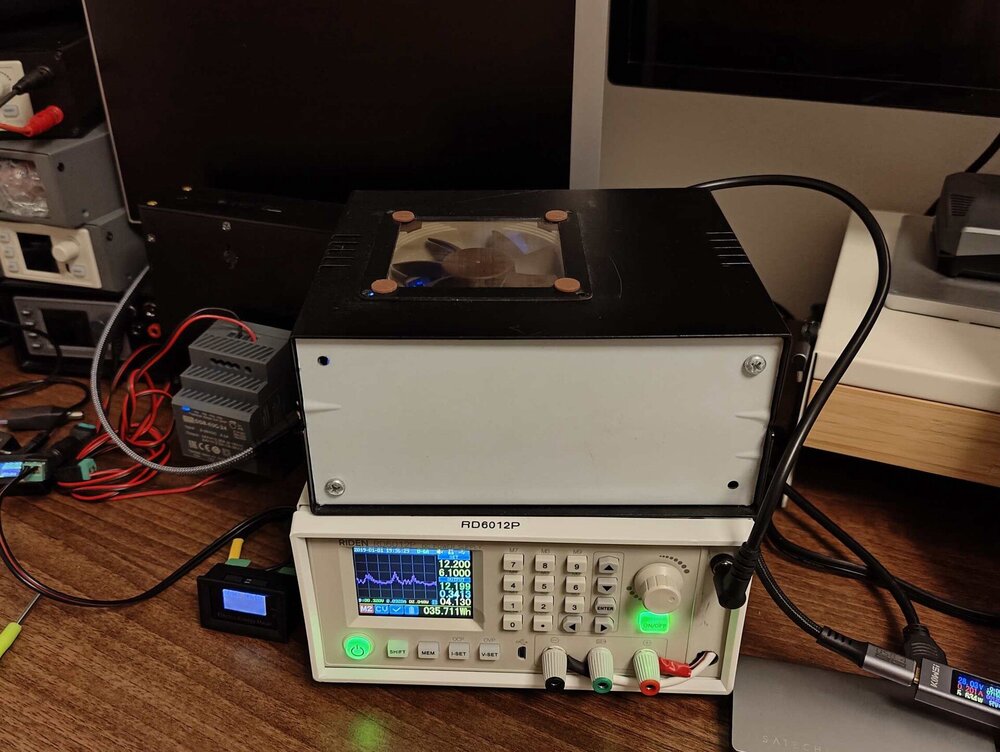
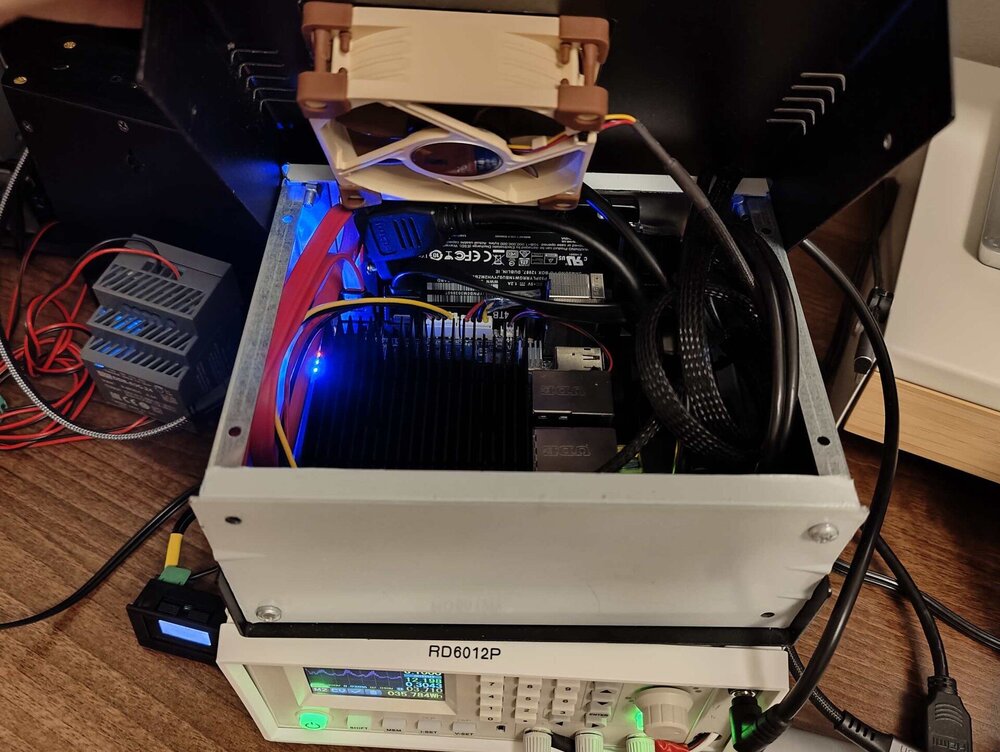
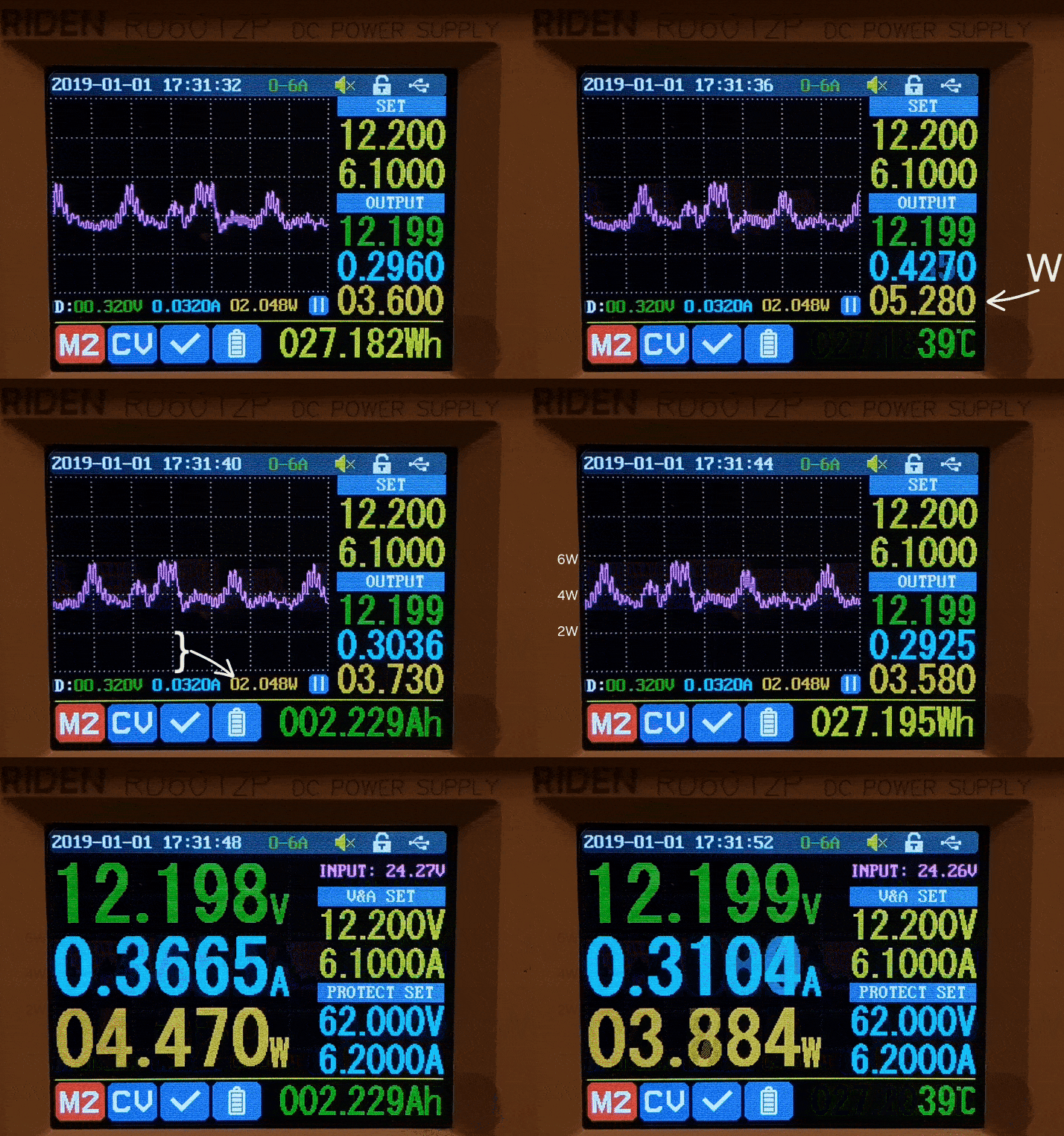
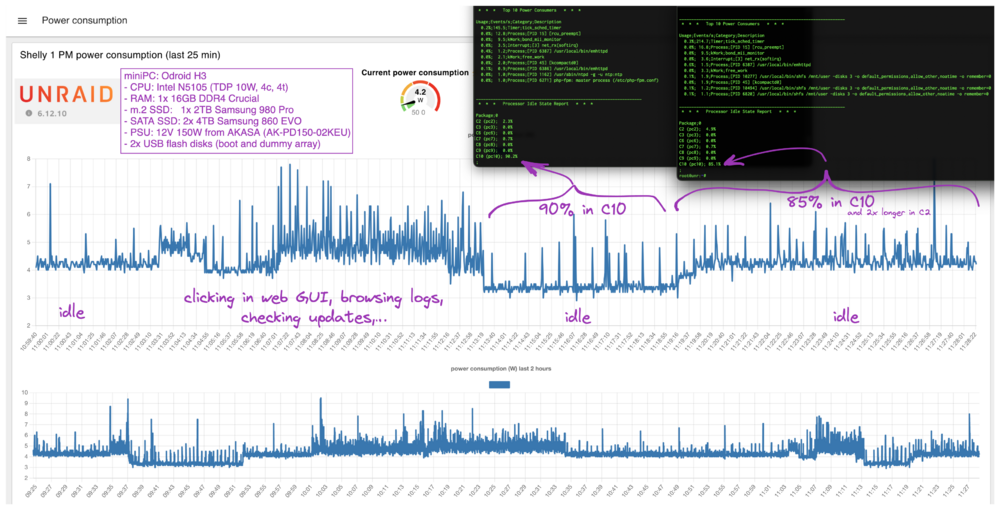
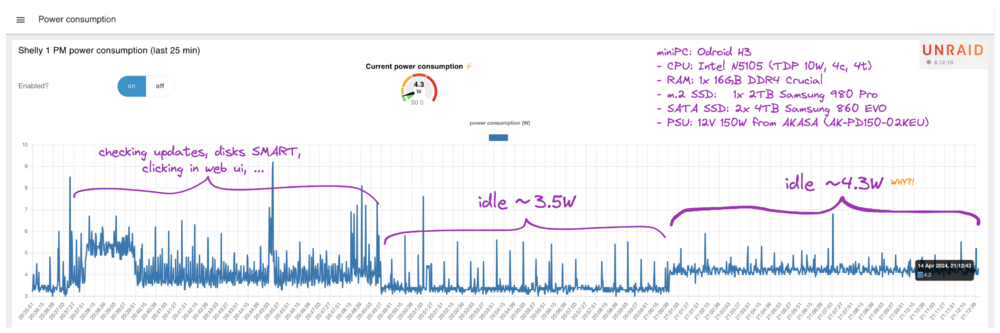
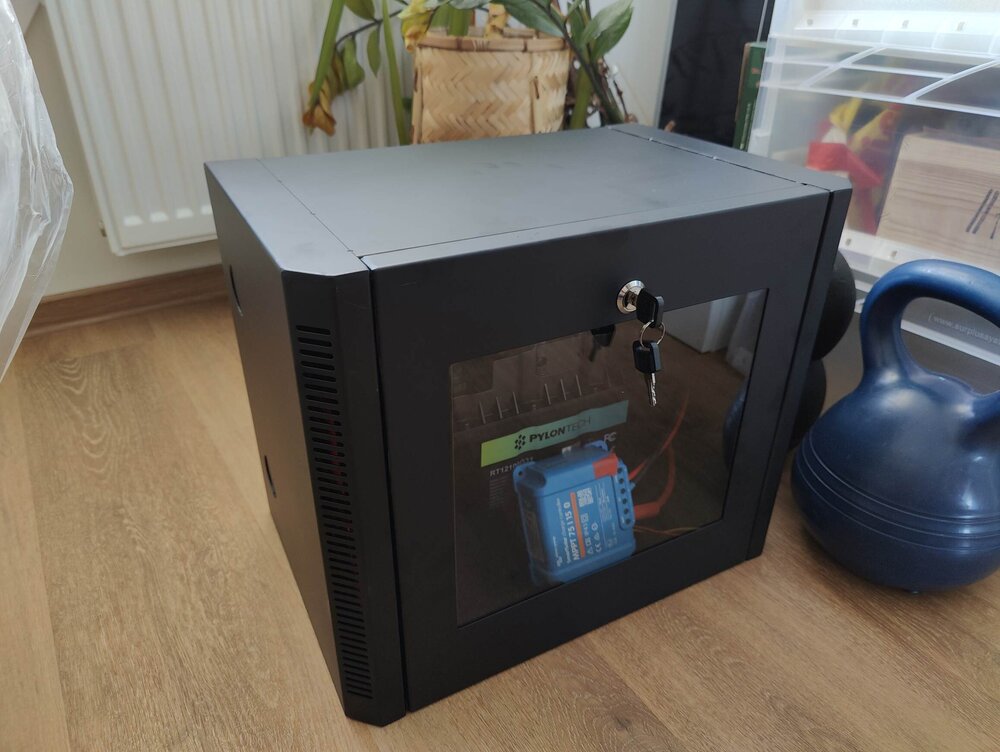
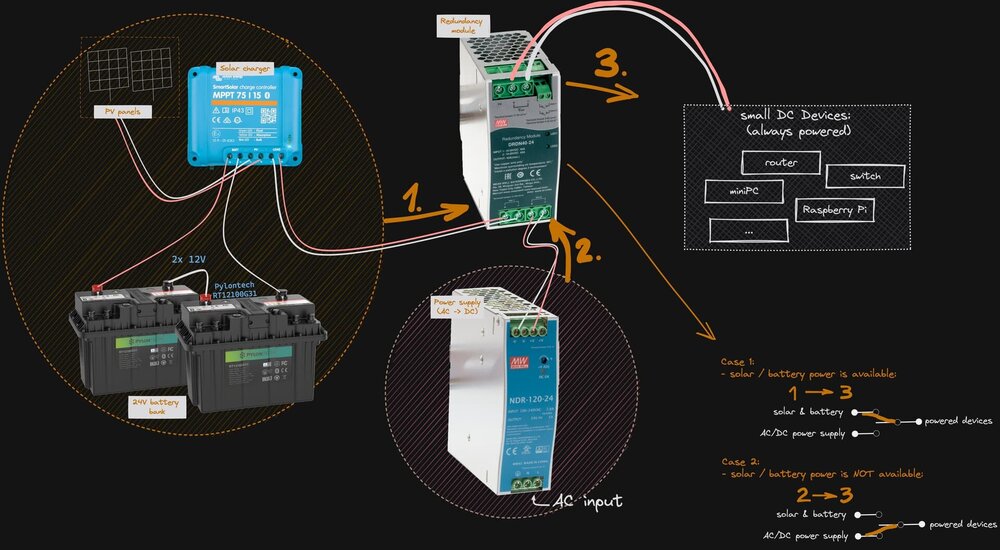
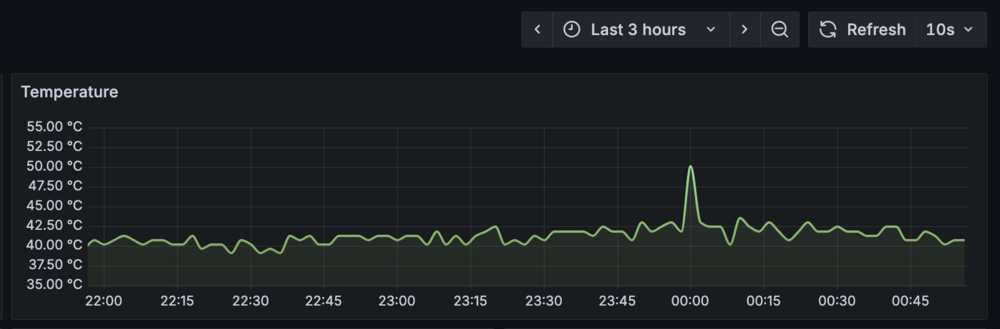
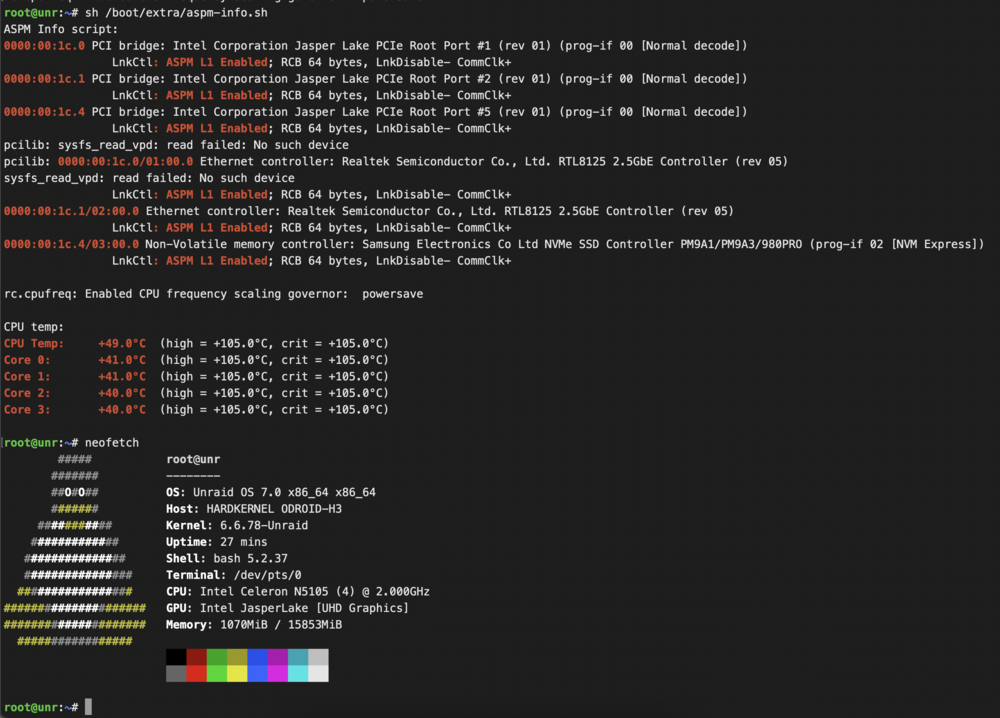
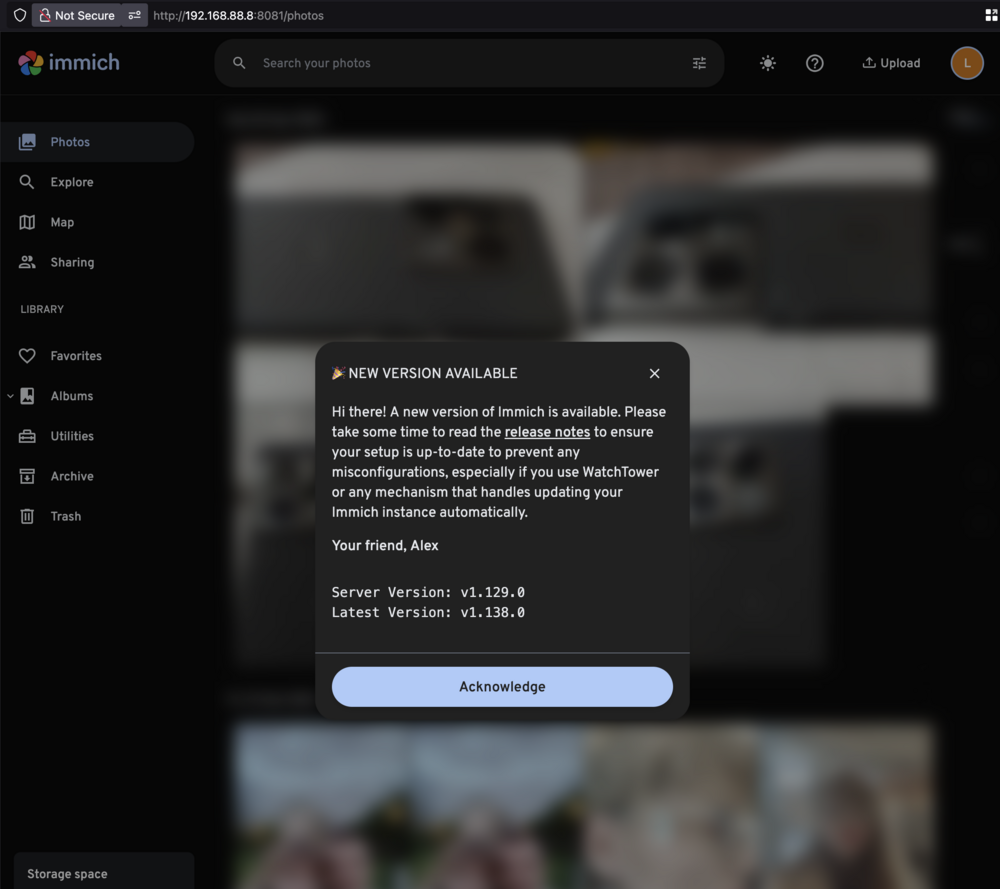
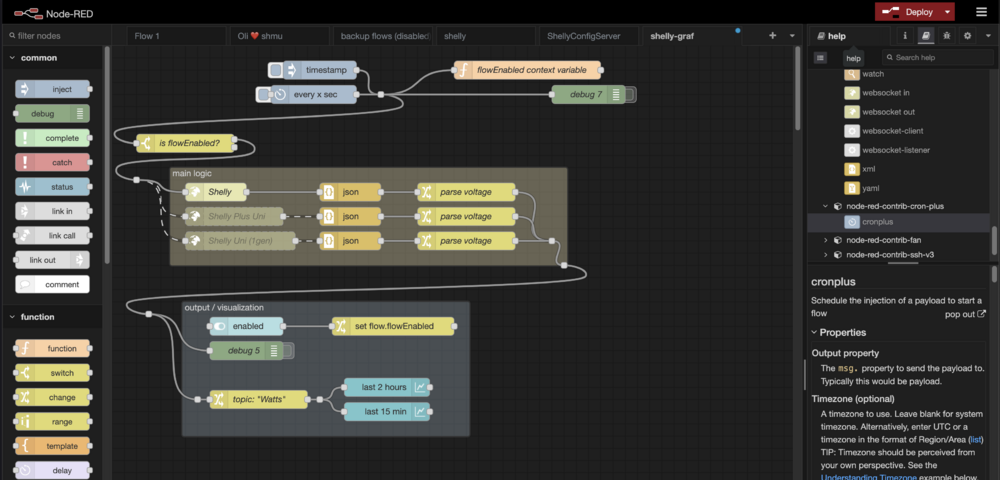
(⚡️<5W idle) The Milliwatt Miser: Odroid H3 Fanless SSD-Only NAS. a.k.a my tiny, humble, power efficient Unraid server. My Unraid server is built for extreme efficiency—minimal power, zero noise, and maximum reliability. Hardware Board: Odroid H3 (Intel N5105, turbo disabled) Memory: 16GB DDR4 Crucial 3200 (max. 64GB: 2x32GB) Storage: Cache: 2TB Samsung 980 Pro NVMe Pool: 2× 4TB Samsung 860 EVO SATA SSDs Boot: 16GB Transcend JetFlash 180I (industrial SLC, ECC) Cooling: Fanless by design, with an 8cm Noctua safety fan (auto on at 60 ℃, off under 55 ℃) Docker Services Core: Immich + Immich-Machine-Learning, Beszel + Beszel-Agent Everyday tools: FreshRSS, Portainer, Dashy (favorite dashboard), Jellyfin, Node-RED, Nextcloud, Mattermost, Vaultwarden, OpenVSCode Server Utilities & apps: Baby Buddy, Cup, Grafana, Prometheus, Docmost, Excalidraw, n8n, Syncthing, Gotify, metube, Nexterm, ESPHome, it-tools, OmniTools, ... Energy optimization: Many containers run only on demand and auto-stop when idle to reduce power and heat. Power Efficiency Unraid 6.12.10 → 3.5–4.5 W idle (AC side, measured with Shelly 1PM) - see details later Unraid 7.1.4 → ~4 Wh average (DC side, measured with Riden RD6012P) see my older measurements: https://forums.unraid.net/topic/11386-whats-your-power-consumption/#comment-1371090 https://forums.unraid.net/topic/98070-reduce-power-consumption-with-powertop/page/28/#comment-1363492 How I Achieved It Tuned with powertop --auto-tune Enabled ASPM for all PCIe devices (custom bash script) Careful SSD choice—Samsung 980 Pro (I found “Pro” models excel at low idle draw under ASPM L1) Learned, tested, and refined through Unraid forum tips, experiments, and SSD reviews. Thanks a lot to user @mgutt for sharing his knowledge about lowering power consumption in general. Interesting Notes Serves my family as a backup hub, mainly for photos, and helps us track our newborn with Baby Buddy Runs mostly on solar-charged LiFePO₄ battery, switching to mains only when SoC drops below 25% Powered via Mean Well DRDN20-12 redundant PSU (dual inputs: battery + mains, one output to Odroid) Remote access secured with Tailscale Silent in daily use, with Noctua safeguard cooling for heavy workloads A minimalistic approach to storage: less data, less worry. I don't need to store everything, only the data that I cannot download from the internet. Future Plans/Upgrade I may consider an Odroid H4 for IB-ECC RAM support, but the Odroid H3 is more than powerful for me and has proven rock-solid reliable. Most probably my upgrade will be just swap SSDs for bigger and add one more m.2 SSD for cache - for redundancy and better reliability. Currently, I'm working on another very similar node that will be located in my brother-in-law's house, where some important data will be synchronized and backed up. It will be 100% solar-powered. Final words This setup keeps our family data safe while sipping less power than a phone charger. It is sometimes even less power hungry than my Raspberry Pi 5 with 1x SATA SSD via USB. Silent, cool, and efficient—the true definition of a Milliwatt Miser. I don't need expensive servers that draw over 100 watts and are noisy. I've been using Raspberry Pi for years, and the Pi 4 and Pi 5 are very capable, no problems with running 20+ self-hosted Docker apps. For me, the upgrade to the Odroid H3 was significant. I'm amazed by the power efficiency of the x86 CPU; Intel did a good job there. NOTE: I apologize for the mess and cables around it in the photos. This server is hidden in my small rack. I just took it out on my table today for a photo and for some minor polishing and care during the upgrade to 7.1.4. Photos/screenshots: ℹ If you would like to see specific details, please ask, and I will provide more photos upon request. I just took it out on my table today: Odroid H3 above, RD6012P below: Odroid H3 is in a random, unobtrusive metal case. Both SATA SSDs and the M.2 SSD (with large copper heatsink) have direct contact with the metal case for better heat dissipation. ⚡️ Power measurements - older:from AC side using Shelly 1 PM and Node-RED I was on 6.12.10 at that time and I had 2x USB flash drives (one for dummy array) I have created these graphs via Node-RED using REST API of Shelly 1 PM: ⚡️ Power measurements - latest:Using Riden RD6012P power supply (for me it is expensive "pro" laboratory power supply - it was an awesome gift from my wife ❤️) there are running my non-stop docker apps: Immich, Portainer, Dashy, Beszel +90% in C10 here is 3,7MB GIF from 20s video capturing real-time idle power consumption from RD6012P: - video: when a bit less containers are running (it hits 2,63 Watts only!) VID_20250818090247.mp4 Please, do not compare both power consumption measurements. There are different UNRAID versions, different measurement tools (AC vs DC measurements), different HW configurations (USB devices). ⚡️If you want to see even smaller power consumption, check out my post about the Odroid H4 with only one M.2 SSD: https://forums.unraid.net/topic/167669-odroid-h4-intel-n97-2x25gbit-4x-sata-1x-m2-ddr5-max-48gb-with-ecc/#findComment-1567671 (⚡1,8 ~ 2,0 W measured at the DC side with a Riden RK6006) Battery rack (sorry, I have no photo of the rack with my unraid server and cable mess from router and switches) Fun fact - it's 90° rotated. Inside is one battery and Victron SmartSolar MPPT controller: Here is my power scheme. I planned to use a 24V system, but I'm currently using a 12V system with one battery (Pylontech 100Ah 12,8V 1,2kWh), and it's great. I have no need to switch to a 24V system, as it's currently not possible with the one solar panel I have (120Wp). r CPU temps from Grafana: room temperatures are here 26~28℃ (hot summer here) ascii diagram of my Odroid H3 unraid with 3x SSD (best to view on desktop) Unraid NAS (12V / 4Wh) ┌─────────────────────────────────────────────────────┐ │ Odroid H3 │ │ │ │ Intel N5105 Unraid 6.12.6 │ │ 1x 16GB DDR4 │ │ │ │ 2.5G 2.5G │ │ SATA SATA LAN LAN#2 USB2 USB2│ │M.2 #1 #2 #1 unused #1 #2 │ └─┬────┬────┬──────┬──────────────────────────┬─────┬─┘ │ │ │ │ │ │ │ │ │ └──► switch 2.5G └──┐ │ │ │ │ │ │ │ │ │ │ │ │ │ │ pool RAID1 (btrfs) │ │ │ │ │ (SSD) ┌─────────────────────┐ │ │ │ │ └─────────►│ Samsung 860 EVO 4TB │ │ │ │ │ (SSD) │ │ │ │ │ └──────────────►│ Samsung 860 EVO 4TB │ │ │ │ └─────────────────────┘ │ │ │ │ │ │ pool "Cache" (xfs) │ │ │ (SSD) ┌─────────────────────┐ │ │ └───────────────────►│ Samsung 980 Pro 2TB │ │ │ └─────────────────────┘ │ │ │ │ │ │ (boot) 16GB Transcend JetFlash 180I ◄─────┘ │ industrial-grade flash with ECC, SLC mode │ │ │ (dummy) 64GB USB2 ADATA Flash Drive ◄────────┘ array for storing backups of bootUSB - NOW UNUSED !!! (since unraid v7) Terminal: showing ASPM status for all PCI devices, CPU temps and neofetch output: Fun fact: I'm running old version of Immich. I upgrade it once per 3~6 months. I'm doing it 2 years and so far no problems.
-
3. Is enough for me. Under 5W. Awesome. Later maybe 4 or 3 but bigger
-
Ooooo so nice! So overkill, so expensive :)
-
@hCoreX what is your full HW configuration - CPU, RAM, SSD, ... ? And SW - OS ?
-
My unraid on Odroid H3 (with 1x. m.2 SSD, 2x SATA SSD and 2x USB flash drives) and running some docker containers: running containers: immich_redis immich immich_postgres14 scrutiny PortainerCIhas real consumption ~ 5 Wh from socket, see details in my post: https://forums.unraid.net/topic/98070-reduce-power-consumption-with-powertop/page/28/#comment-1363492 I think Odroid H4 / H4+ will achieve very similar or better results (newer CPU has better efficiency). But remember H4 has ~0,5 W less power consumption compared to H4+ due to missing SATA ports and 1 ETH port.
-
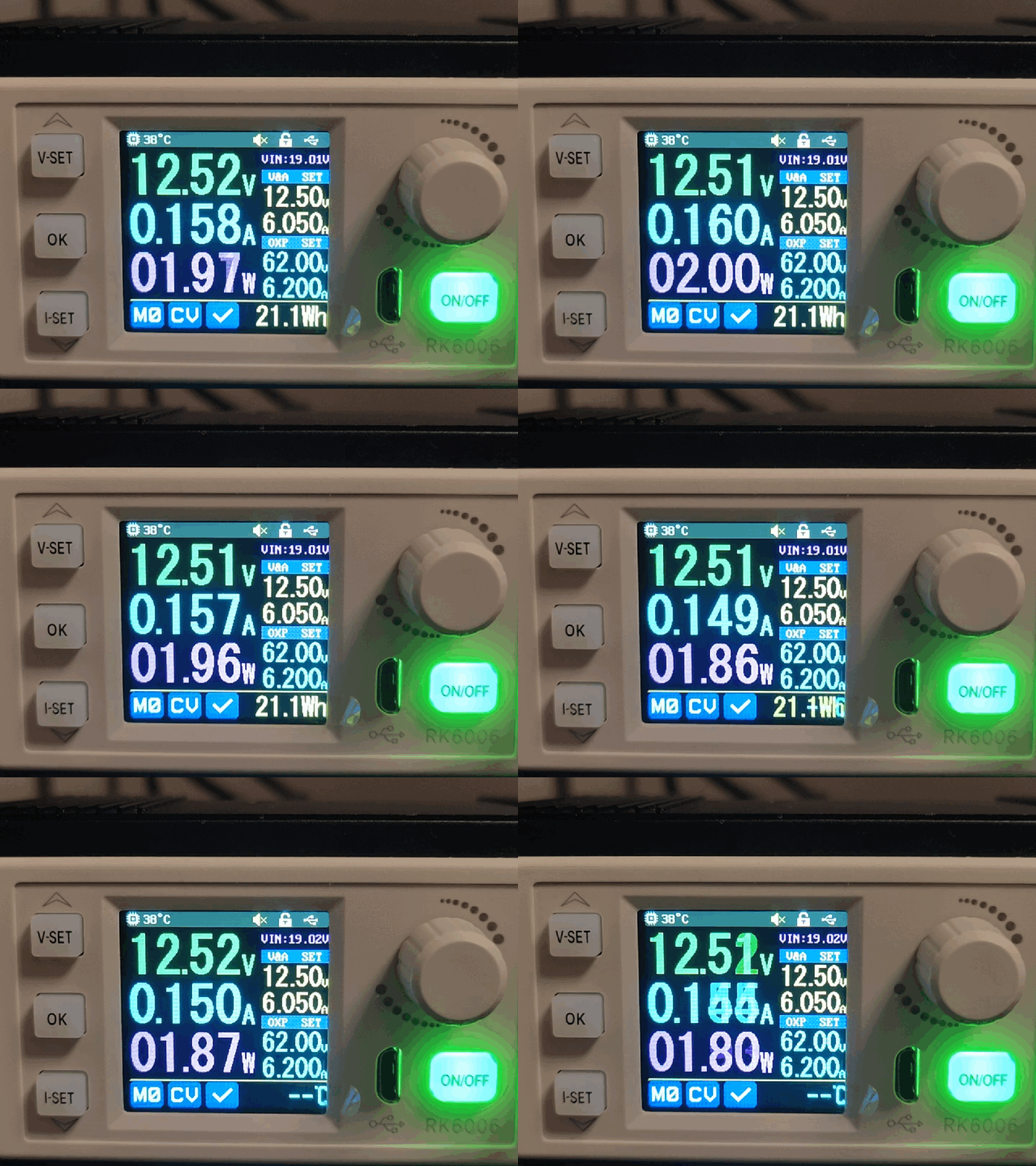
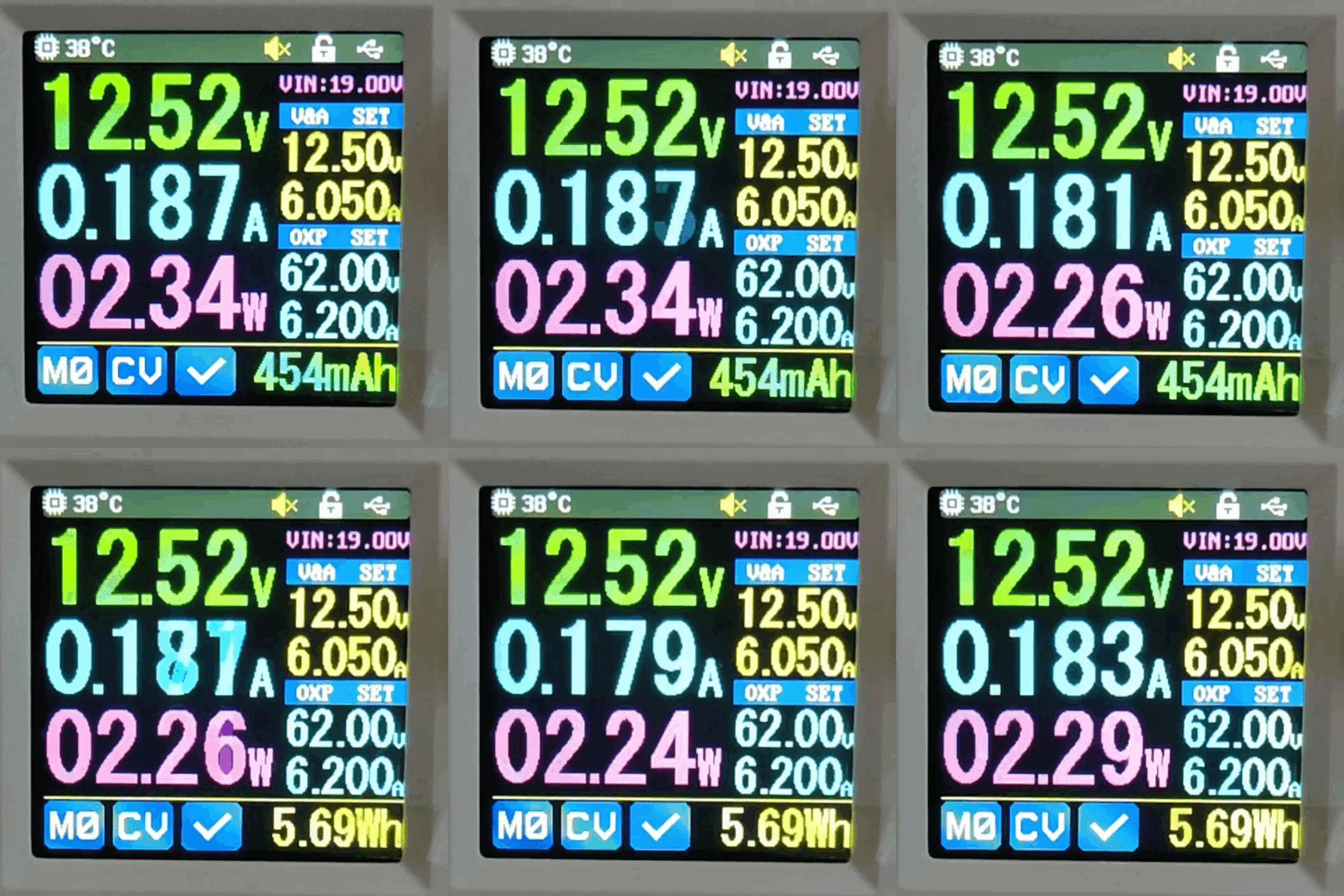
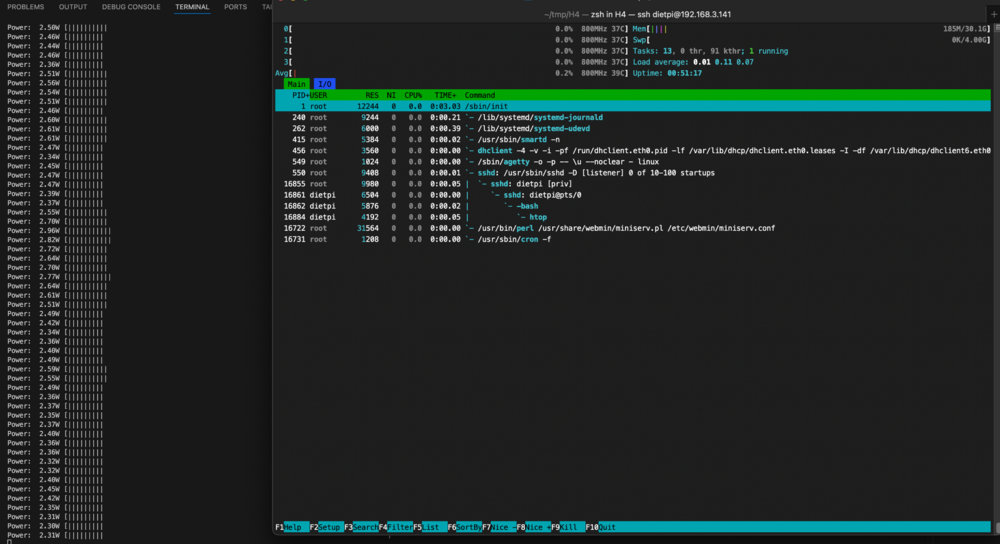
I have Odroid H4 (not Plus) also I have 2x2 card - for 2x m.2 SSDs Without 2x2 card (1x Samsung 980 Pro 2TB) ... With 2x2 card + 2x m.2 SSDs: ... BIOS: - version: 1.08 for 2x2 card - ASPM enabled - IB-ECC enabled DISK: 2x m.2 Samsung 980 Pro 2TB RAM: 1x DDR5 32GB Crucial ETH: connected to 1Gbps switch OS: DietPi (Debian 12) Kernel: 6.1.0-37-amd64 Packages: 262 (dpkg) CPU Governor: powersave It is not unraid, but DietPi (Debian) but the results should be very similar with unraid. on the left side, you can see logged power consumption (from Riden RK6006) every 0,3 second when running htop you can see slightly higher power consumption compared to total idle. All with enabled IB-ECC.
-
oh, it is deprecated? Why?




