






bagican
Members
-
Joined
-
Last visited
Everything posted by bagican
-
+1 for MFA. At least implement simple TOTP. I have done implementation myself (in couple of my projects) in node.js and it was simple.
-
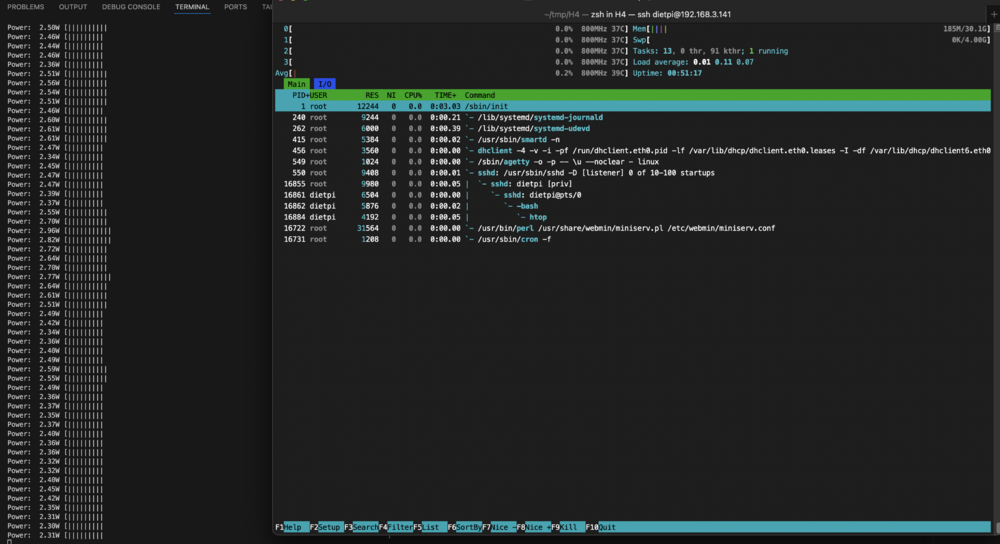
Here are my measurements of power consumption of my Odroid H4 (without SATA ports) but with 2x2 card and with 2x m.2 SSD Samsung 980 Pro 2 TB, 32GB RAM DDR5 Crucial: BIOS: - version: 1.08 for 2x2 card - ASPM enabled - IB-ECC enabled DISK: 2x m.2 Samsung 980 Pro 2TB RAM: 1x DDR5 32GB Crucial ETH: connected to 1Gbps switch OS: DietPi (Debian 12) Kernel: 6.1.0-37-amd64 Packages: 262 (dpkg) CPU Governor: powersavenote: only Debian 12 (DietPi) is running, so it is total idle note: I don't plan to use unRAID here on Odroid H4, because I already have unRAID running on my Odroid H3 1,9~2,0 W idle ⚡️ without 2x2 card (1x m.2 SSD): 2,2~2,5 W idle ⚡️ with 2x2 card and 2x m.2 SSD:
.gif.0f372a3b1249cf57a6b2d1046a9fa291.gif)
.thumb.gif.3b7b2f63e3c72e7c6cc33af654666920.gif)
-
Odroid H4 / H4+ / H4 Ultra with 2x2 Card and you can use 2x m.2 SSD (but you need to flash another BIOS for this card). Or if you want there is version for 4x m.2 card.
-
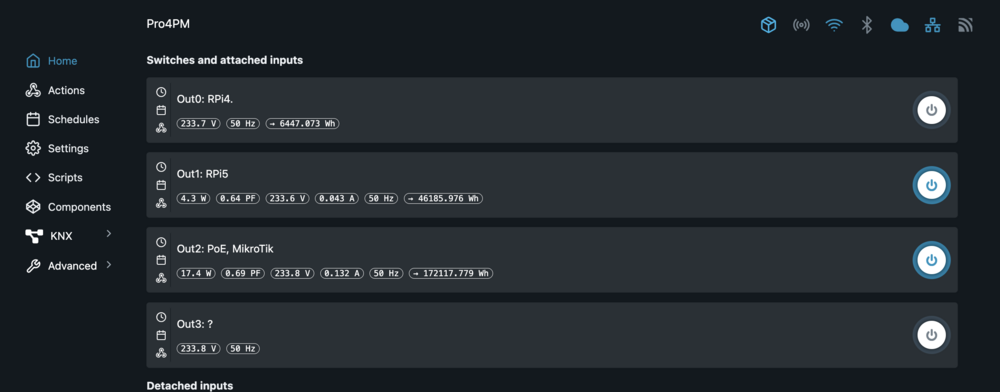
☝️ good adivce @Morris0 For example my: Wi-Fi 6 AP from Ubiquiti (U6-Lite) consumes 4 ~ 5 W (powered by PoE) main router Mikrotik hEX consumes 2.5 ~ 3W (only 5 ports) Unifi mini switch 5 ports (USW-Flex-Mini): ~1.5W and PoE switch (USW-Lite-8-PoE) with only 8 ports where 4 are with PoE consumes ~8 W = in total ~17W (see third item - Out2: PoE, MikroTik):

-
BTW there is also AMD version: Asus Pro A620AT-CSM - also DDR5 max. 128GB - https://www.fanlesstech.com/2025/05/amd-ready-thin-mini-itx-motherboard.html - https://www.asus.com/motherboards-components/motherboards/business/pro-a620at-csm/
-
We have successor of this awesome mainboard (Asus H610T D4-CSM). Asus revealed new ASUS Pro H810T-CSM for latest Intel Arrow Lake CPUs, with 2x DDR5, PCIe 5.0 M.2 slot, ... - https://www.fanlesstech.com/2025/05/asus-pro-h810t-csm-official.html - https://www.asus.com/motherboards-components/motherboards/business/pro-h810t-csm/ I doubt it will have such low idle power consumption (less than 5W) because Arrow Lake CPUs are not so efficient in idle
-
https://github.com/intel/wult Wult stands for "Wake Up Latency Tracer", and this is a project that provides tools for measuring C-state latency in Linux. also it supports ASPM: https://intel.github.io/wult/pages/how-it-works.html#pcie-aspm
-
+1 it's basic functionality
-
Is there a similar plugin for Shelly devices?
-
Thank you for your answer. Did you consider a more user-friendly UI (perhaps a wizard) that would give users an easy and quick way to install the most essential plugins? For example, when a clean Unraid installation is booted.
-
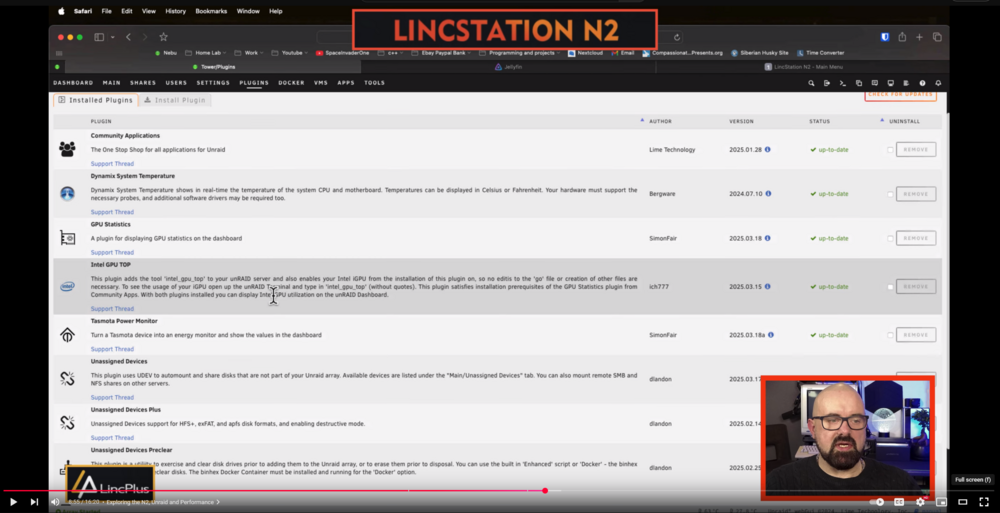
I think lot of us have installed some common plugins like "Unassigned devices", "Patch plugin", "Fix common problems", ... "A lot of us would agree that some plugins are necessary and should be installed from the beginning of our Unraid journey. The reason is maintenance? I understand that less code is better to maintain. Does the core Unraid team focus more on the core functionality, allowing them to maintain it better, rather than dealing with additional extended functionality provided by plugins? Are there any statistics about installed plugins in active Unraid instances? I have watched some videos (from The Uncast Show) and they said: "... some plugins that I just like and I think are essential for every Unraid server". - https://youtu.be/EHbJKErI6HQ?t=944 source: https://youtu.be/V4DP_cwSfTM?t=535 Thank you for an answer
-
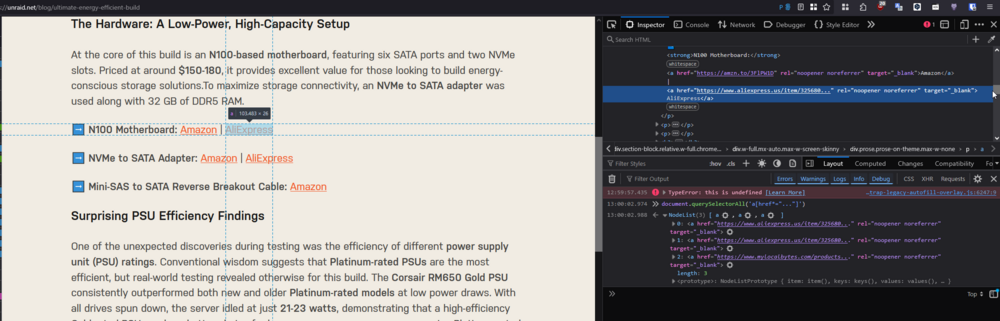
❗ ⚠️ new article on the blog has broken links: https://unraid.net/blog/ultimate-energy-efficient-build example: https://www.aliexpress.us/item/325680... - seems like links are trimmed
-
have you tried running powertop with 0 running dockers?
-
@Nozle Please provide more information so we can help you. You probably made a typo and meant ASM1166, which is a well-known controller that supports ASPM (with updated firmware). To achieve higher C-states, the PC/server/NAS needs to be unplugged from the keyboard/mouse and LCD monitor. Maybe there is a device (like a PCI card, GPU, or disk, etc.) that prevents going to a deeper C-state. It's hard to tell if we know nothing about your hardware (except for the 13500 and ASM11...).
-
I just extracted text from the images (on the macOS it's very easy - just open the image and select all text and copy - Cmd+C) Power Draw: Idle Mobile / PCle L1 ASPM Enabled: ' Samsung 980 1 TB ': 0.023 W ' Samsung 980 Pro 1 TB ': 0.032 W ' Lexar NM710 1 TB ': 0.033 W ' MSI Spatium M450 1 TB ': 0.041 W ' Lexar NM790 2 TB ': 0.049 W ' Seagate FireCuda 510 1 TB ': 0.052 W ' Samsung 970 EVO Plus 1 TB ': 0.071 W ' Kioxia Exceria Plus G4 2 TB ': 0.074 W ' Kingston KC3000 2 TB ': 0.077 W ' Corsair MP400 2 TB ': 0.079 W ' Corsair MP600 Elite 2 TB ': 0.086 W ' Crucial T500 2 TB ': 0.087 W ' Kioxia Exceria Plus G3 2 TB ': 0.087 W ' Crucial PS Plus 1 TB ': 0.091 W ' Kingston NV2 1 TB ': 0.094 W ' Neo Forza NFP495 2 TB ': 0.099 W ' Seagate Barracuda 120 1 TB ': 0.103 W ' Kingston NV3 2 TB ': 0.111 W ' Crucial PS 1 TB ': 0.131 W ' Corsair MP700 Pro 2 TB ': 0.133 W ' Samsung 9100 Pro 2 TB ': 0.201 W ' Samsung 870 QVO 1 TB ': 0.209 W ' Samsung 860 EVO 1 TB ': 0.210 W ' XPG Atom 50 2 TB ': 0.246 W ' Solidigm P44 Pro 1 TB ': 0.256 W ' Hynix Gold P31 2 TB ': 0.350 W ' Crucial P1 1 TB ': 0.357 W ' ADATA SX8200 Pro 1 TB ': 0.395 W ' Crucial MX500 1 TB ': 0.464 W ' Samsung 990 Pro 2 TB ': 0.534 W ' Crucial BX500 1 TB ': 0.778 W ' WD Blue SN570 1 TB ': 0.929 W ' WD Blue SN580 1 TB ': 1.015 W ' WD Black SN770 1 TB ': 1.036 W ' WD Black SN7100 2 TB ': 1.058 W ' XPG Gammix S70 Blade 2 TB ': 1.282 W ' Team Group G50 2 TB ': 1.490 W ' WD Black SN850 1 TB ': 1.507 W Power Draw: Idle Desktop / PCle L1 ASPM Disabled: - source: https://www.techpowerup.com/review/samsung-9100-pro-2-tb/7.html It's a shame that there are no WD Red drives there. Did you notice? Samsung 980 Pro 1 TB: 0.032 W vs WD Black SN850 1 TB: 1.507 W - 47x difference. SATA disk like Crucial MX500 (I own 2pcs) consumes 0.464 W in both cases with ASPM enabled and disabled. other SATA disks from Samsung consume ~2x less power consumption comparing to Crucial, ~0.21W My favorite one is Samsung 980 Pro. ❤️
-
For those who want to choose power efficient SSD, chceck this: https://www.techpowerup.com/review/samsung-9100-pro-2-tb/7.html There are measurements with ASPM enabled
-
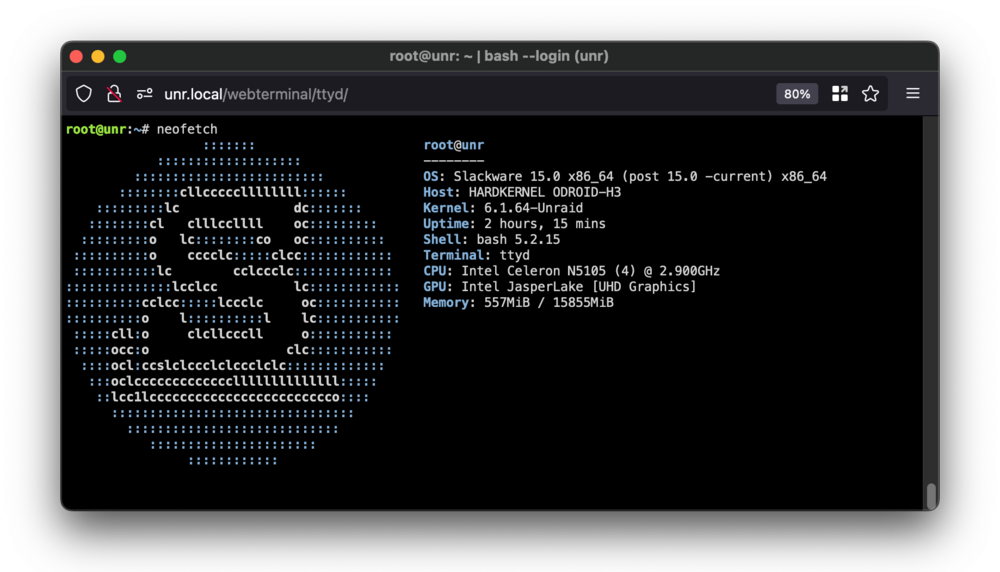
if i'm not wrong, it should be Slackware (https://en.wikipedia.org/wiki/Slackware) - at least for Unraid 6.x
-
@medic5678 You just need to accept that fact and stop thinking about USB flash drive failure. Simply set up an automated USB flash backup. In fact, it's better to have an OS on the USB so that an HDD or SSD can be used only for your data (in the array or cache, ...) and you don't need to sacrifice an HDD/SSD for a <1GB OS. //update: also you can buy better USB flash drive which should be more reliable, look for "SLC" / "industrial". Some USB flash drives support S.M.A.R.T. (kind of), see this thread: but the price for pure SLC is 50+ Eur for 32GB
-
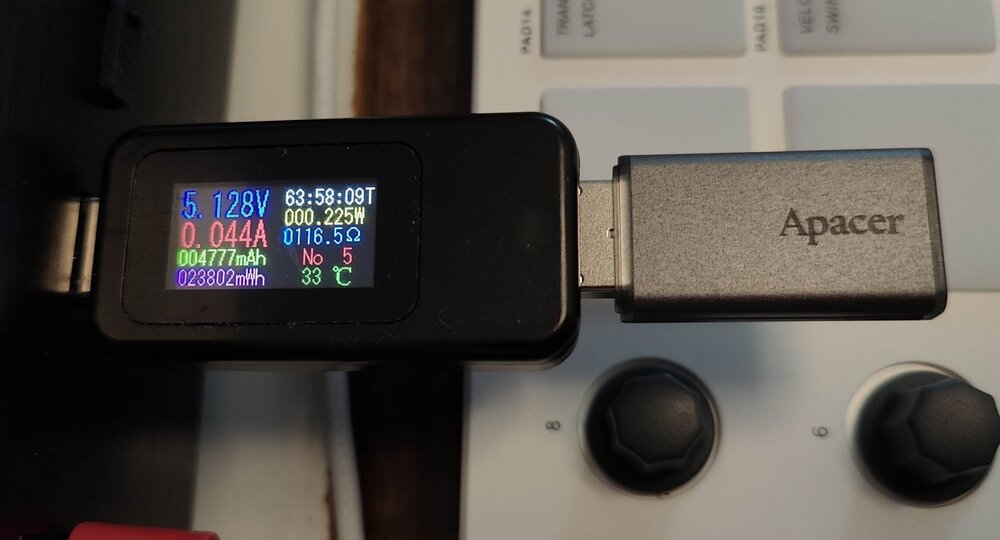
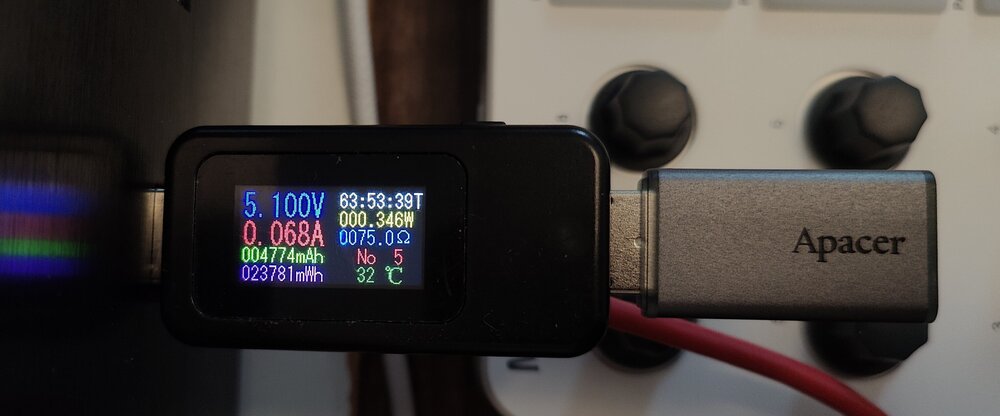
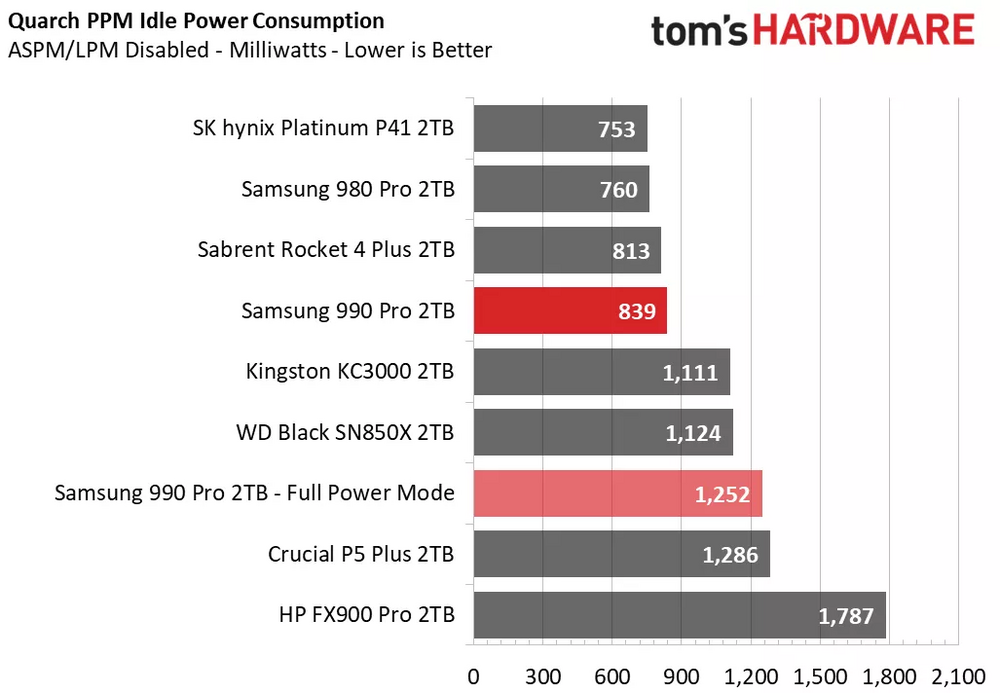
@TOMillr @TOMillr-old yes, here are the results for the Apacer UH110-UFD1: 0,19 - 0,240 W in idle in USB 3 port, but in USB 2 port I measured a bit higher values (~0,3 - 0,4W) ⚡ in USB2 port: But I think measuring power consumption of such devices are questionable. Power consumption is negligible. I would rather focus on efficiency of power supply or M.2 SSD disks in idle mode (for example Samsung 980 Pro or Samsung XYZ Pro are known they have good power management, even when ASPM disabled comparing to other SSDs:
-
I'm interested. +1 for Hetzner storage box (or any FTPS / SFTP / SCP / Samba/CIFS / BorgBackup / Restic / Rclone / rsync via SSH / HTTPS / WebDAV storage)
-
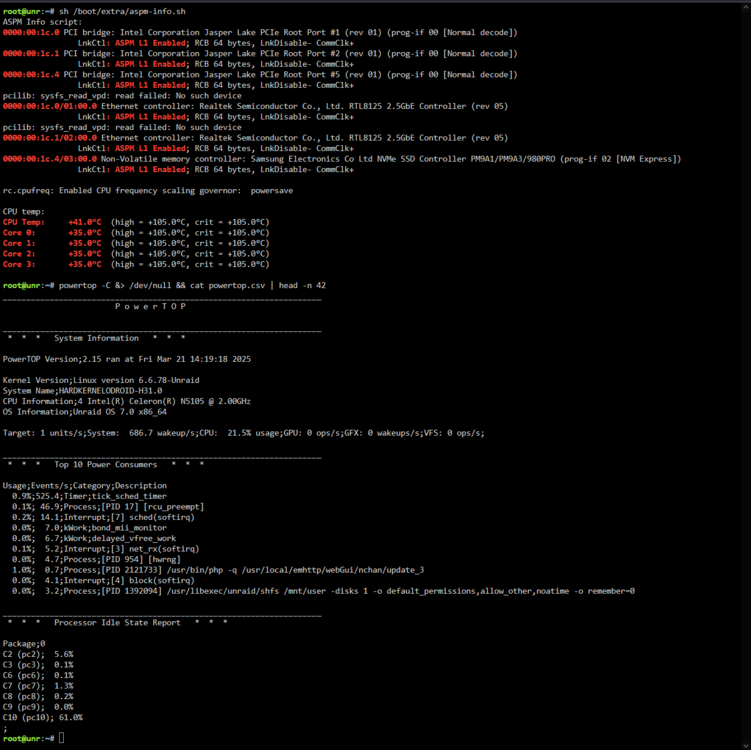
Yesterday I upgraded to 7.0.1 (stable) and here is power consumption (Odroid H3 with 3x SSD) with running 1 docker container: 20250320_225508.mp4
-
Thank you! I have created ticket.
-
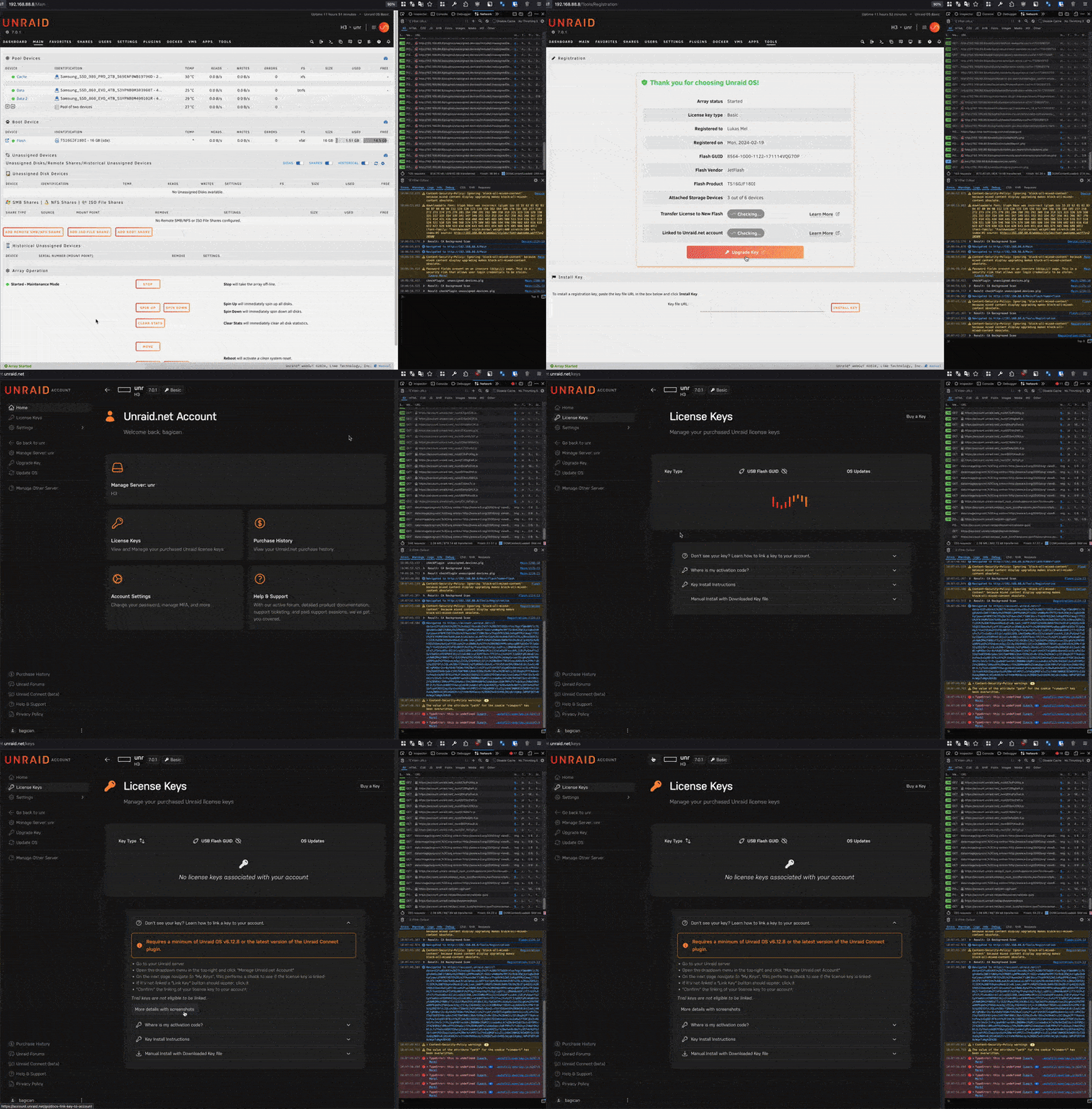
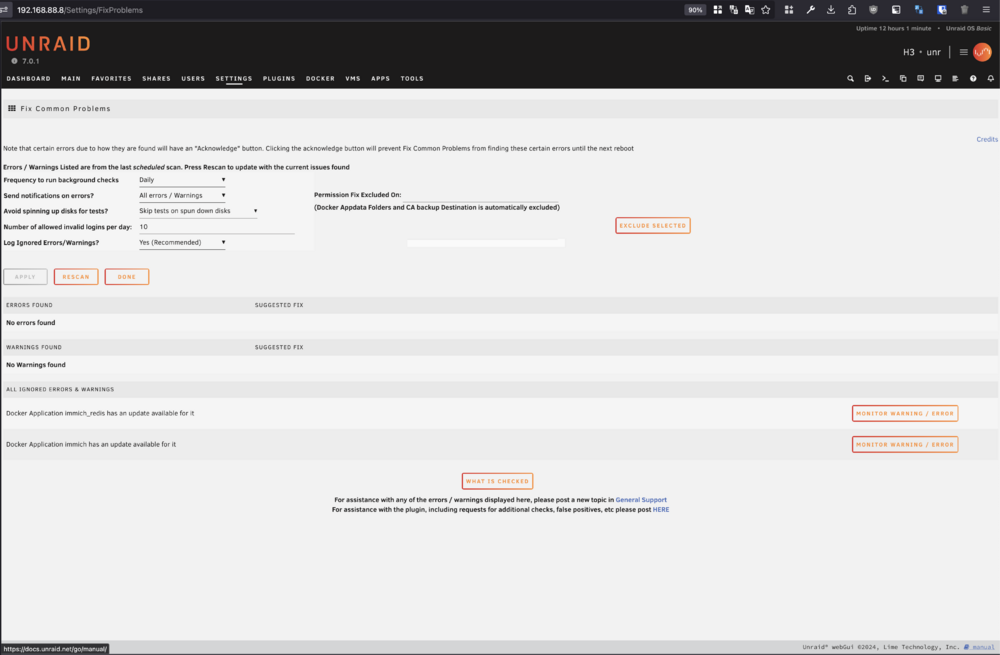
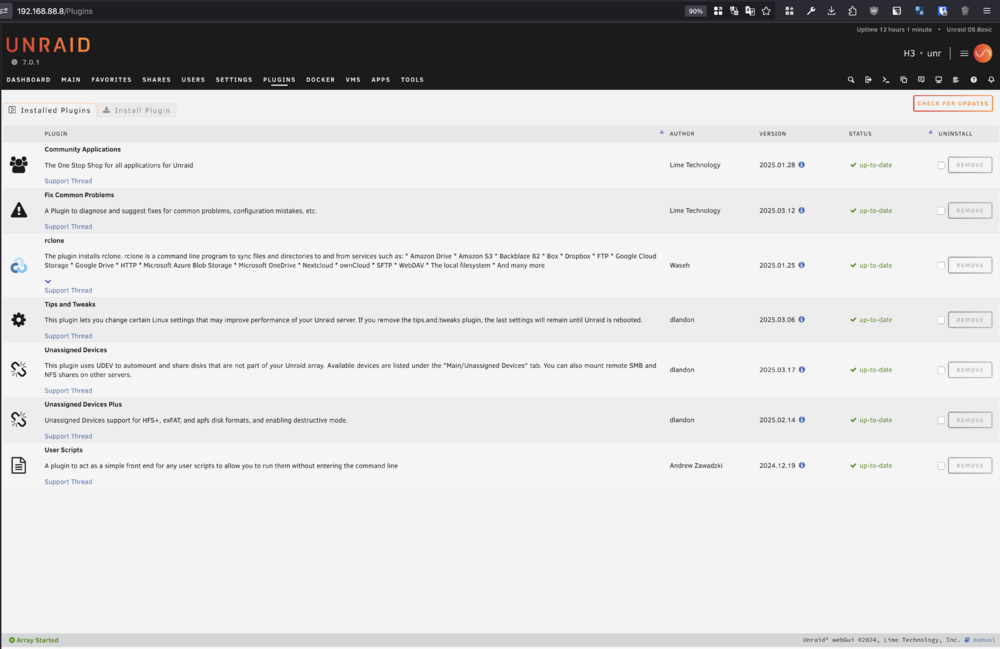
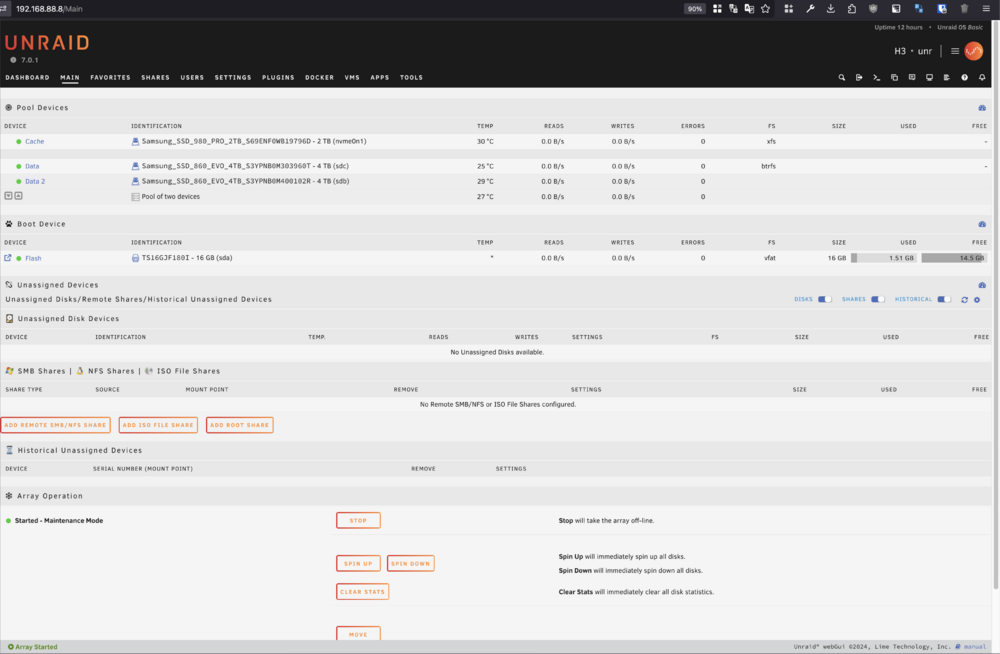
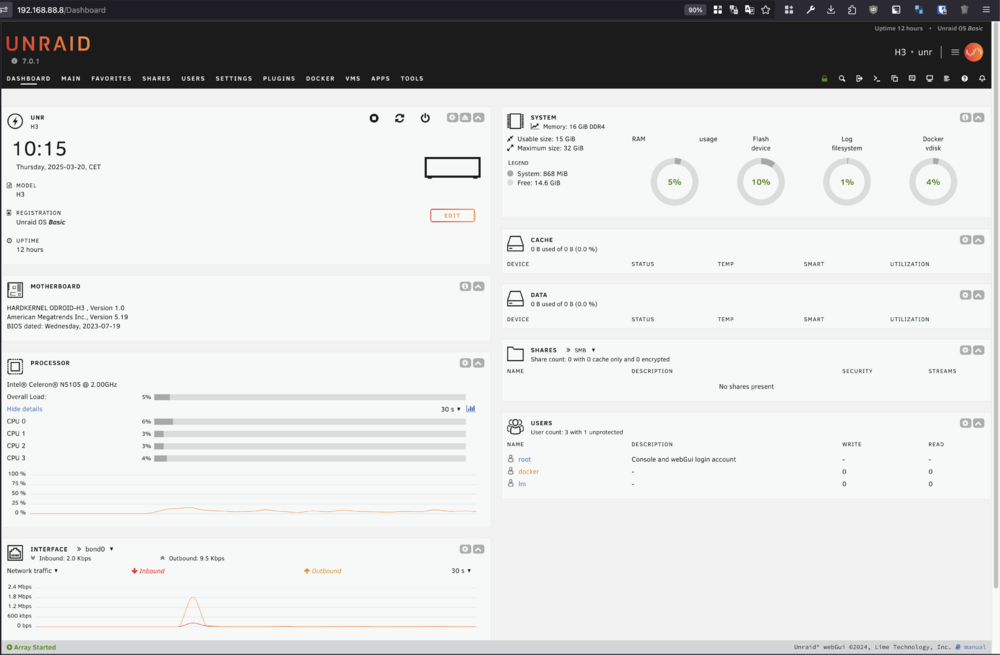
Hello dear Unraid team! Why I can not see my Key (Basic Key) in "License Keys" under https://account.unraid.net/keys page? No license keys associated with your account also I don't see "Link Key" button this is not possible to follow for me https://docs.unraid.net/account/link-key/ It's because the license Key is somehow wired to email address? Because I have used my email X for purchasing license and I registered unraid account with my other email Y. Sorry for an inconvenience. Thank you for reply. update: I put some info about my unraid: Unraid version: 7.0.1 (stable) previous version: 7.0.0-rc.2 PLUGINS: community.applications.plg - 2025.01.28 (Unknown to Community Applications) fix.common.problems.plg - 2025.03.12 (Unknown to Community Applications) rclone.plg - 2025.01.25 (Unknown to Community Applications) tips.and.tweaks.plg - 2025.03.06 (Unknown to Community Applications) unassigned.devices.plg - 2025.03.17 (Unknown to Community Applications) unassigned.devices-plus.plg - 2025.02.14 (Unknown to Community Applications) unRAIDServer.plg - 7.0.1 user.scripts.plg - 2024.12.19 (Unknown to Community Applications) MOTHERBOARD: HARDKERNEL - ODROID-H3 BIOS Information Vendor: American Megatrends Inc. Version: 5.19 Release Date: 07/19/2023 Address: 0xF0000 Runtime Size: 64 kB ROM Size: 16 MB Characteristics: PCI is supported BIOS is upgradeable BIOS shadowing is allowed Boot from CD is supported Selectable boot is supported BIOS ROM is socketed EDD is supported 5.25"/1.2 MB floppy services are supported (int 13h) 3.5"/720 kB floppy services are supported (int 13h) 3.5"/2.88 MB floppy services are supported (int 13h) Print screen service is supported (int 5h) Serial services are supported (int 14h) Printer services are supported (int 17h) USB legacy is supported BIOS boot specification is supported Targeted content distribution is supported UEFI is supported BIOS Revision: 5.19 syslog.txt plugins.txt
-
Unfortunately I have not tried MeanWell yet. I'm fine with Akasa "brick" power supply.
-
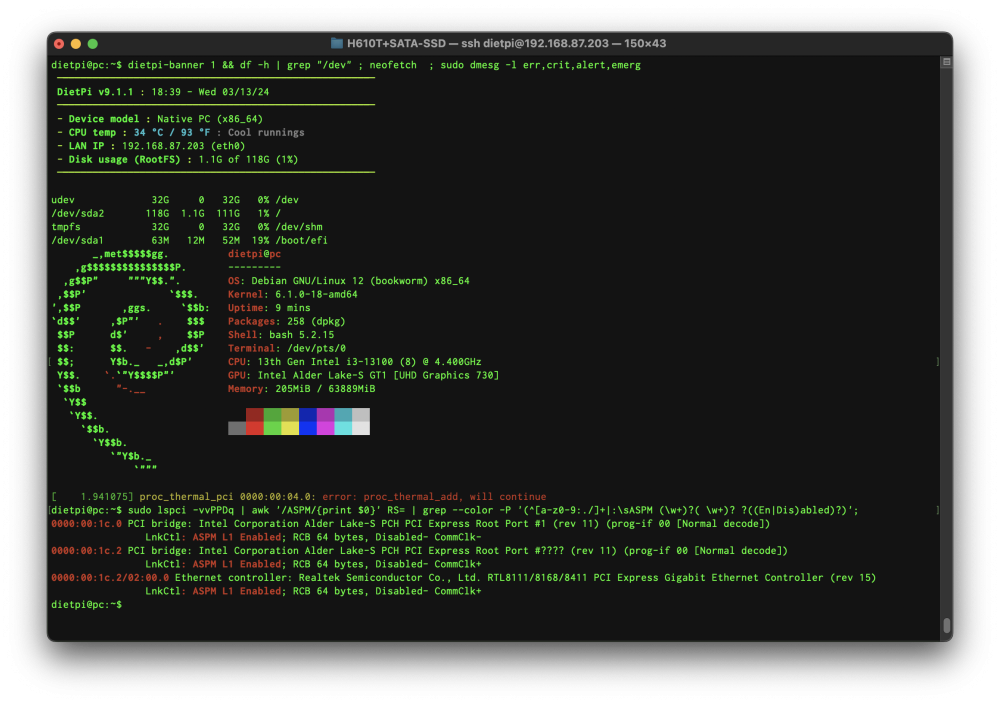
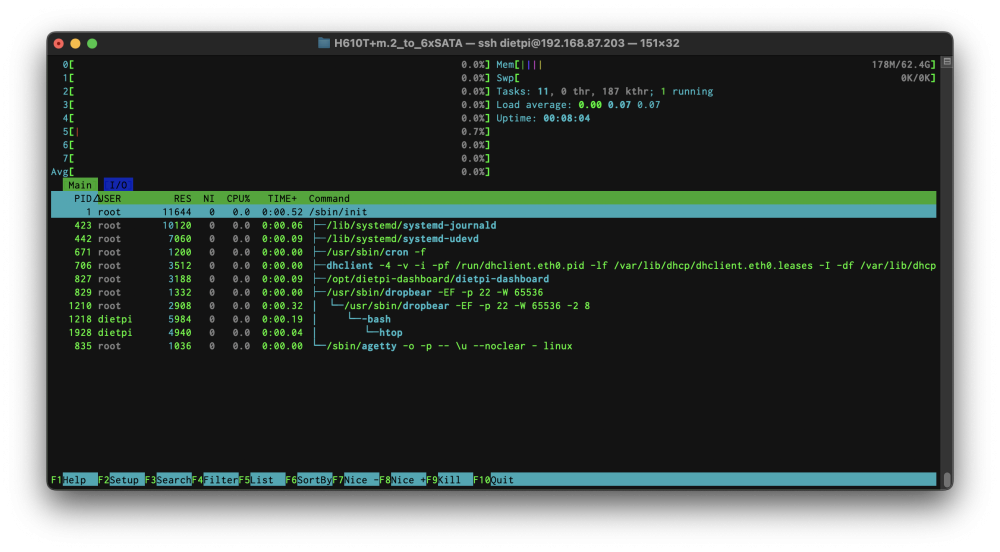
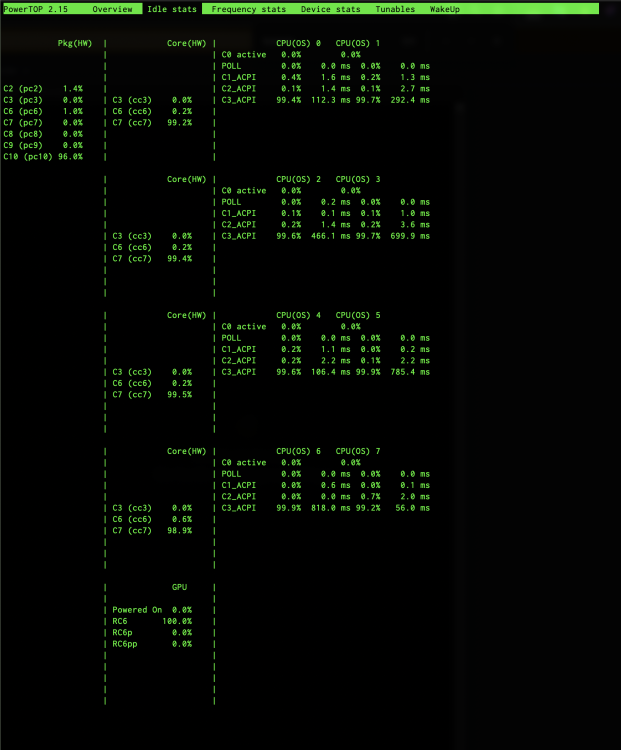
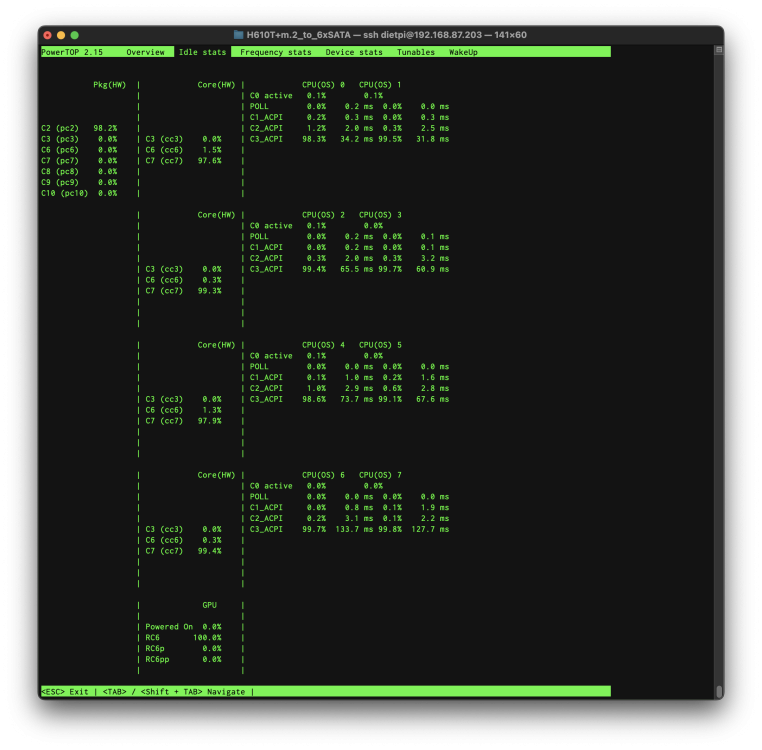
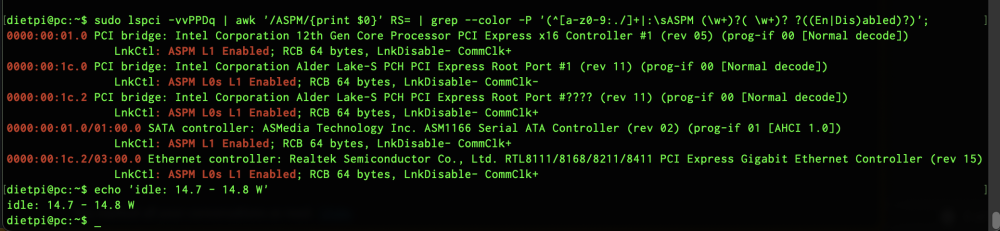
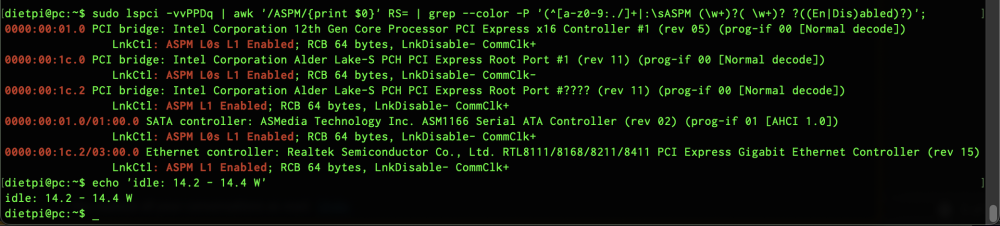
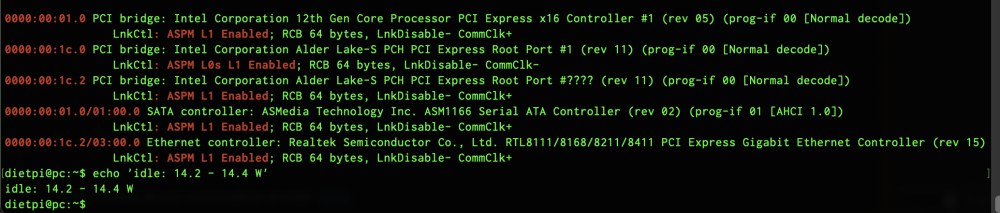
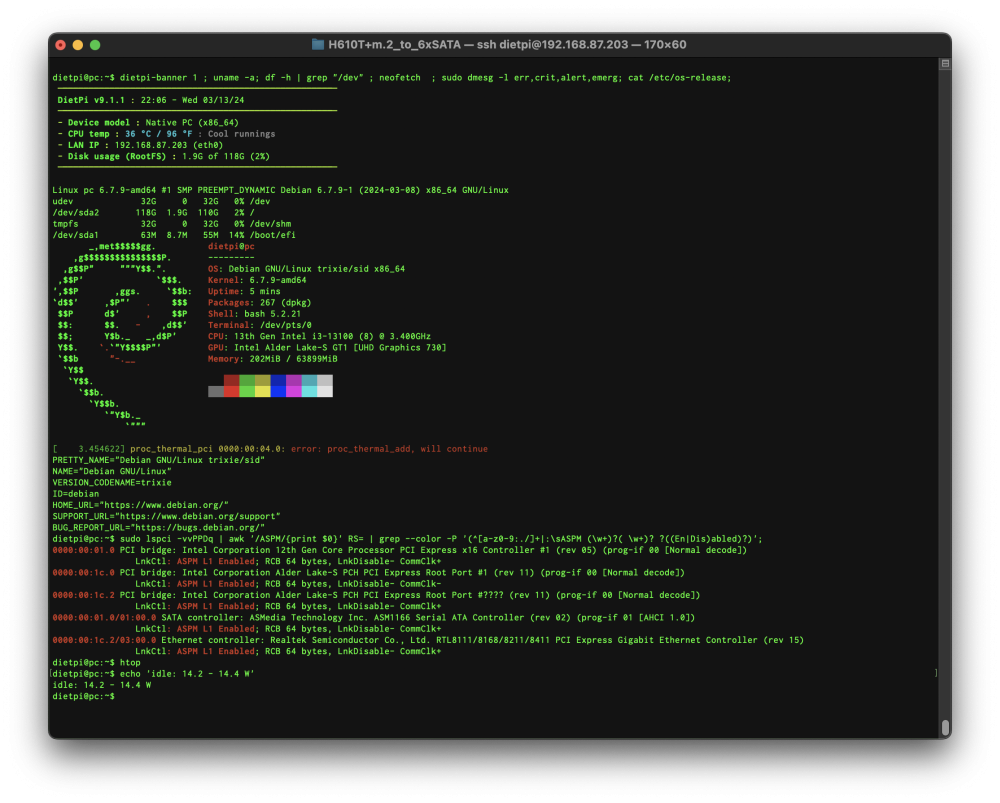
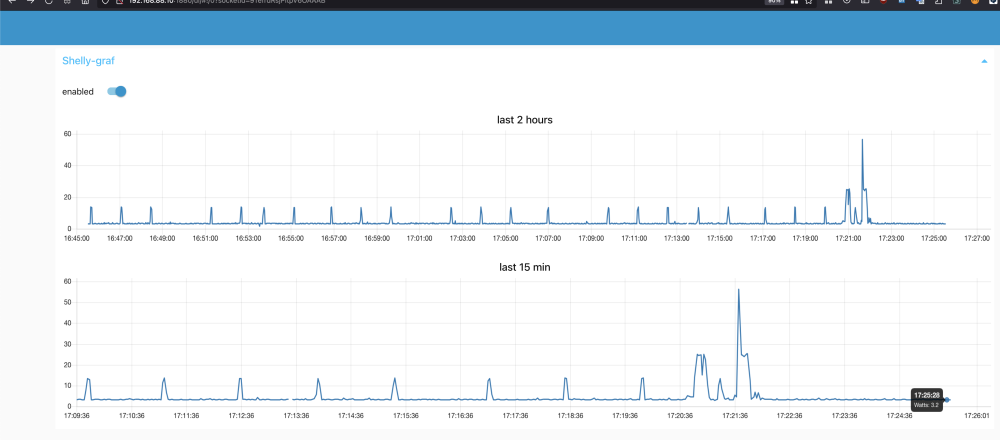
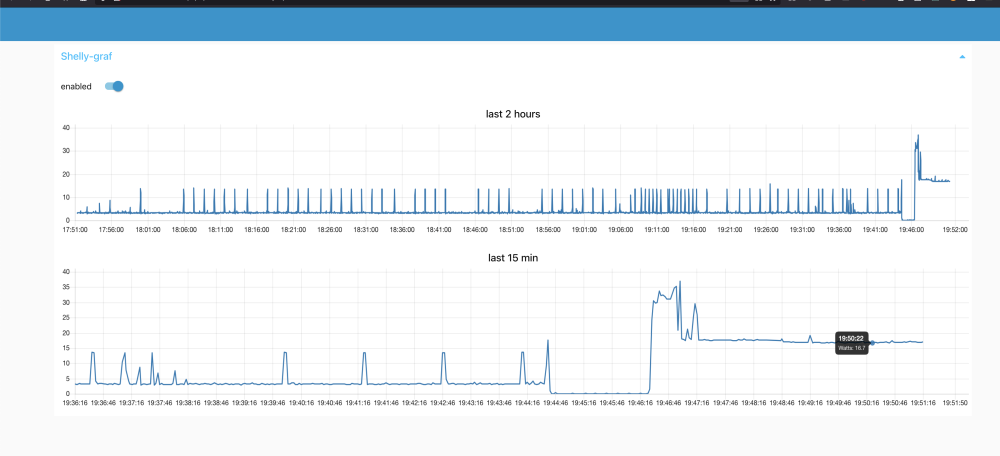
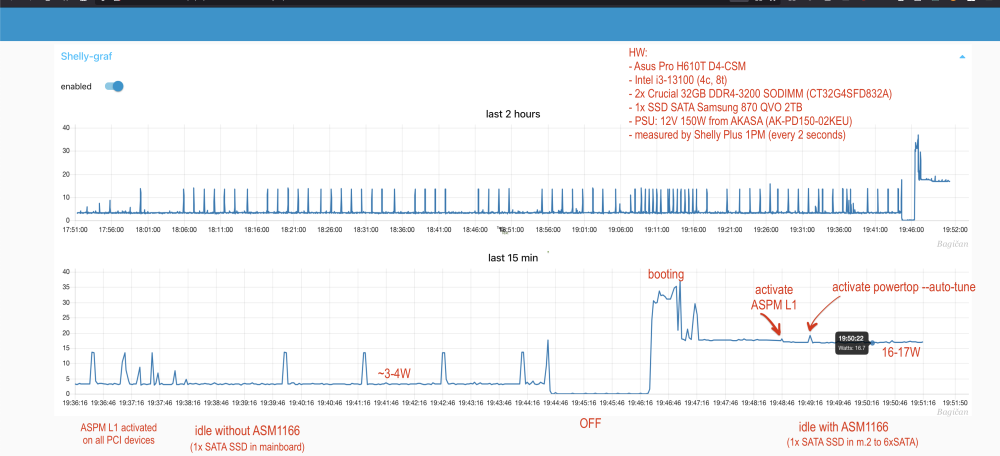
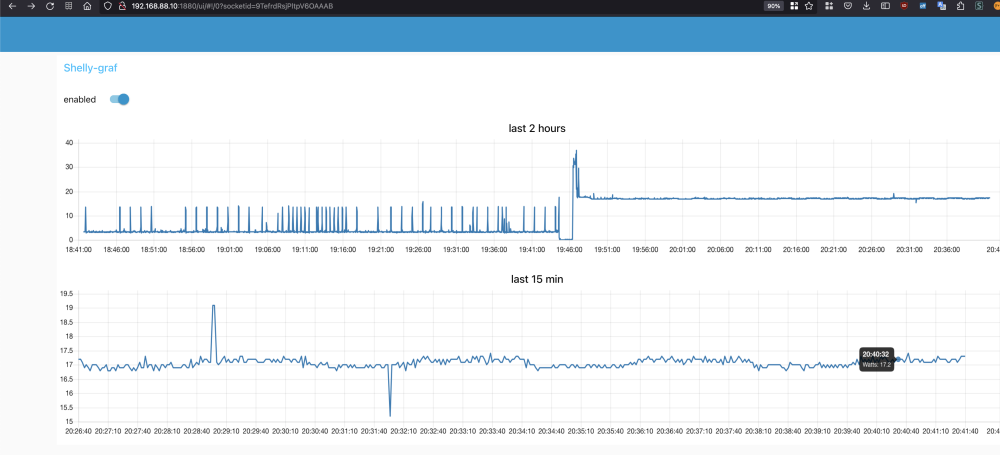
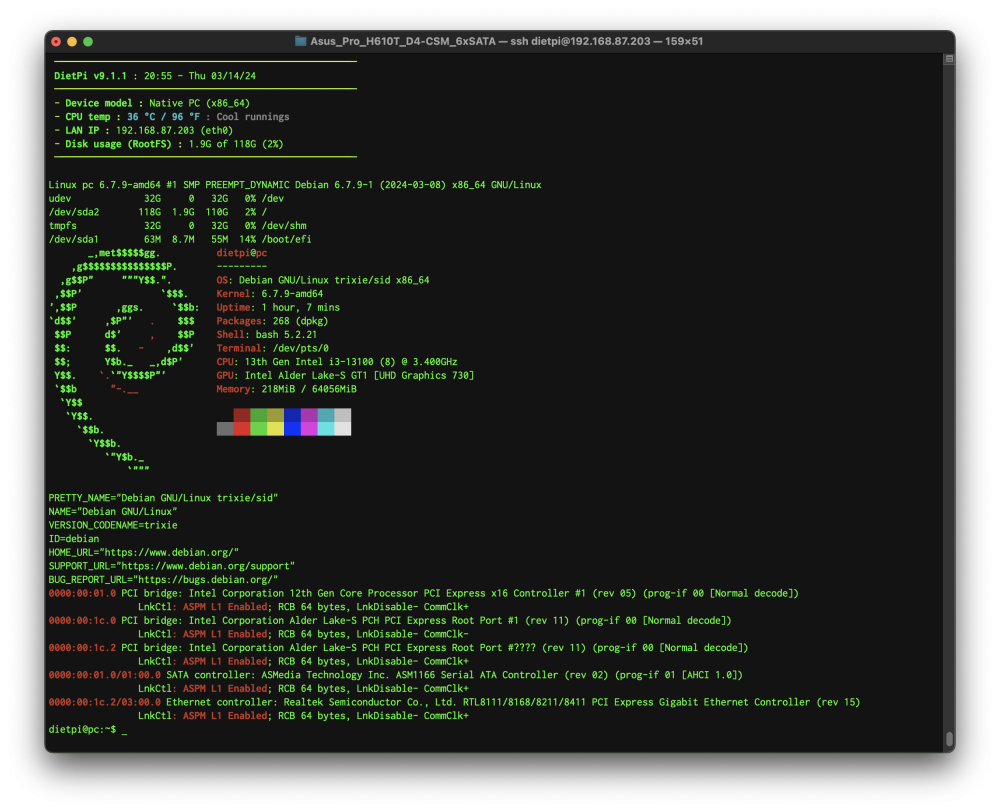
Is ASM1166 still a problem with this mainboard? Or was someone able to manage to reach lower C-states with ASM116? // note: I have tried only M.2 to 6xSATA adapter (ASM1166) since this board has no PCI interface / slot.

.gif.0f372a3b1249cf57a6b2d1046a9fa291.gif)
.gif.c61e62e203876e80802d94c2608fe4de.gif)








