






bagican
Members
-
Joined
-
Last visited
Everything posted by bagican
-
with that board (Asus Pro H610T D4-CSM) the CPU TDP will be limited to 65W max. This board has limit 65W for CPU. 120W adapter will be enough (if you don't plan to run in 100% CPU load full-time)
-
have you tried unplug that enterprise HDD or change SSD? I bet it prevents reaching C10. I have the same problem with old m.2 SSD and after I replaced it to Samsung 980 Pro 2TB my system was able to reach C10 in idle.
-
nice! I think that many people would be glad if you repost it to global (EN) subforum too
-
@Sandbank7 did you measure real power consumption? I'm just wondering how many watts it was before and after?
-
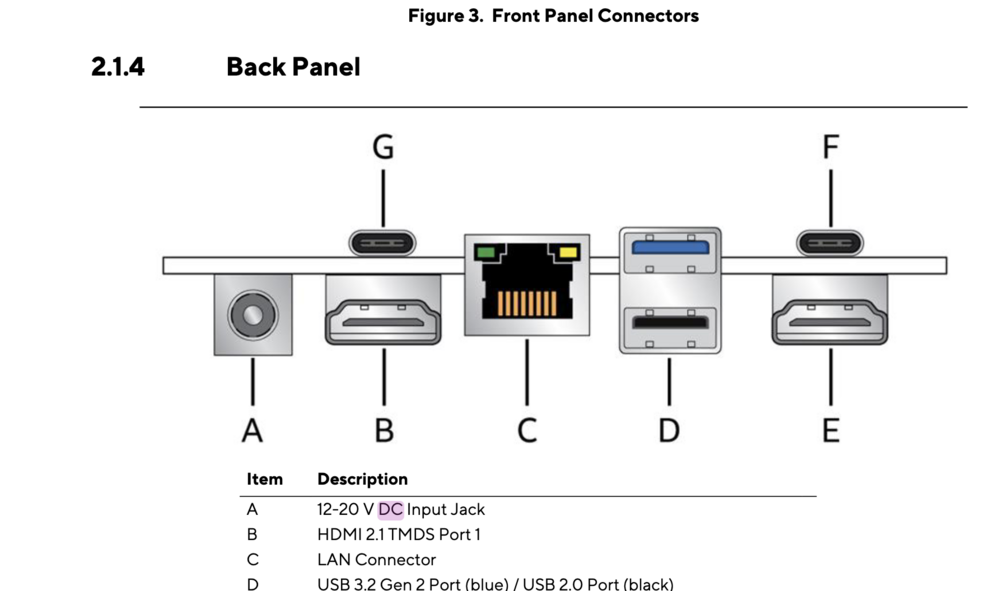
yes, It's stable on 12V. I have no problems I have the same experience also with miniPC Gigabyte BRIX (with Intel N6005) where it has 19V DC adapter included, but I have tried 12V and it works (with SSD, no HDD). For example, other miniPC - Asus NUC: - https://dlcdnets.asus.com/pub/ASUS/NUC/TPS/NUC14_Pro_ProPlus_TPS_1.2_20240603.pdf?model=NUC14RVSU5 - https://www.asus.com/displays-desktops/nucs/nuc-mini-pcs/asus-nuc-14-pro-plus/helpdesk_manual?model2Name=ASUS-NUC-14-Pro-Plus-Mini-PC - has in their manual: 12—20V DC It's common that such devices / miniPCs / some mainboards has wide range input voltage. Also another example is Odroid H4 / H4+ / H4 Ultra with recommended input voltage: DC 14V ~ 20V (https://wiki.odroid.com/odroid-h4/hardware) - but it works also from 10V
-
New BIOS: https://www.asus.com/motherboards-components/motherboards/csm/pro-h610t-d4-csm/helpdesk_bios?model2Name=Pro-H610T-D4-CSM - BIOS 3212: - BIOS 3401:
-
my whole PC (server) with i3 13100 draws only <5W in idle with only 1x m.2 SSD, so no HDDs. When running some benchmark with 100% load CPU it draws 55~66 W but it can be reduced in bios to 40 W for example. Unfortunately this mainboard has only 2x SATA and 1x m.2 MB: Asus Pro H610T D4-CSM (latest BIOS, Version 3202, 2024/03/07) CPU: Intel i3-13100 (TDP 60W) RAM: 2x Crucial 32GB DDR4-3200 SODIMM (CT32G4SFD832A) SSD: 1x m.2 Samsung 980 Pro 1TB with heatsink PSU: 12V 150W from AKASA (AK-PD150-02KEU) https://www.akasa.com.tw/update.php?tpl=product/product.detail.tpl&model=AK-PD150-02K
-
They have added support to ECC (in-band ECC) with new BIOS: - https://forum.odroid.com/viewtopic.php?p=384823#p384823 - https://wiki.odroid.com/odroid-h4/hardware/h4_bios_update#bios_release
-
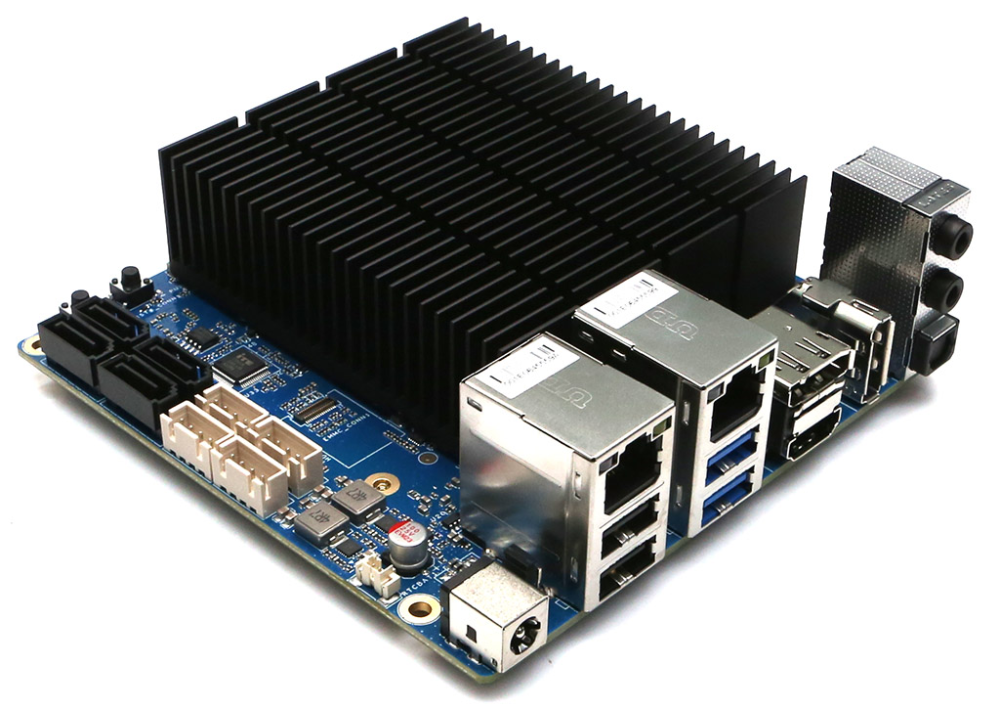
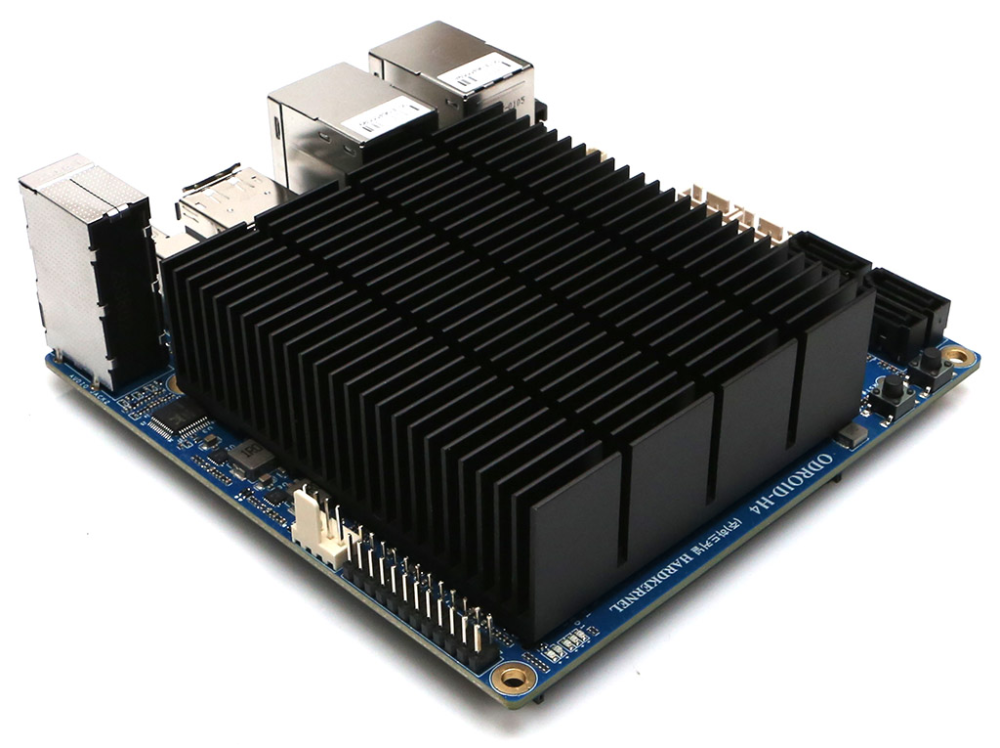
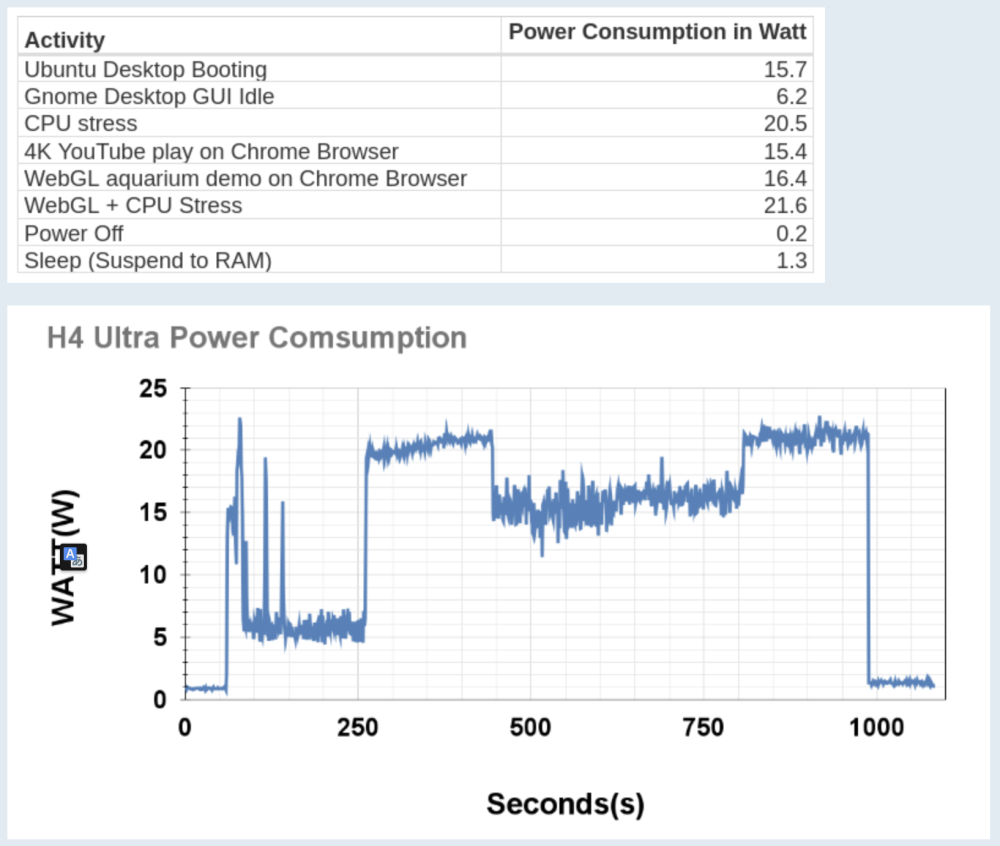
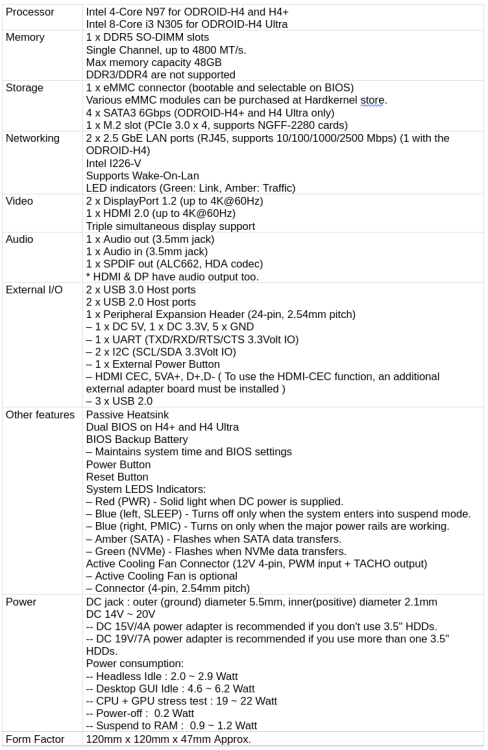
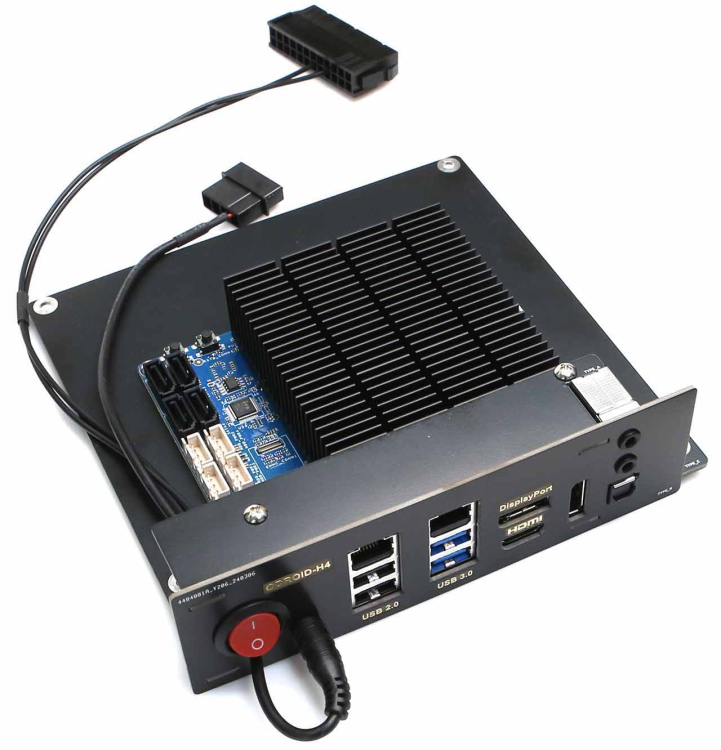
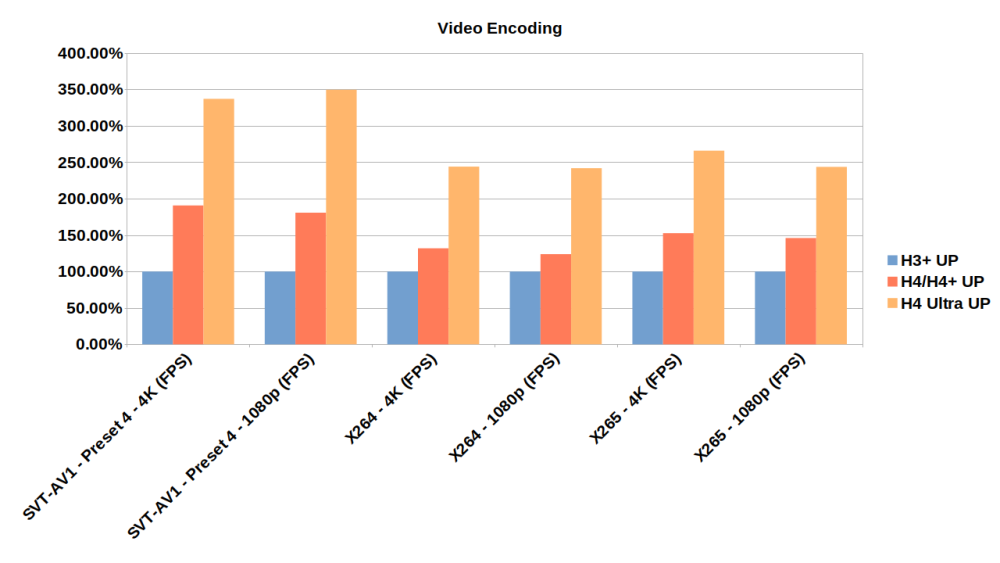
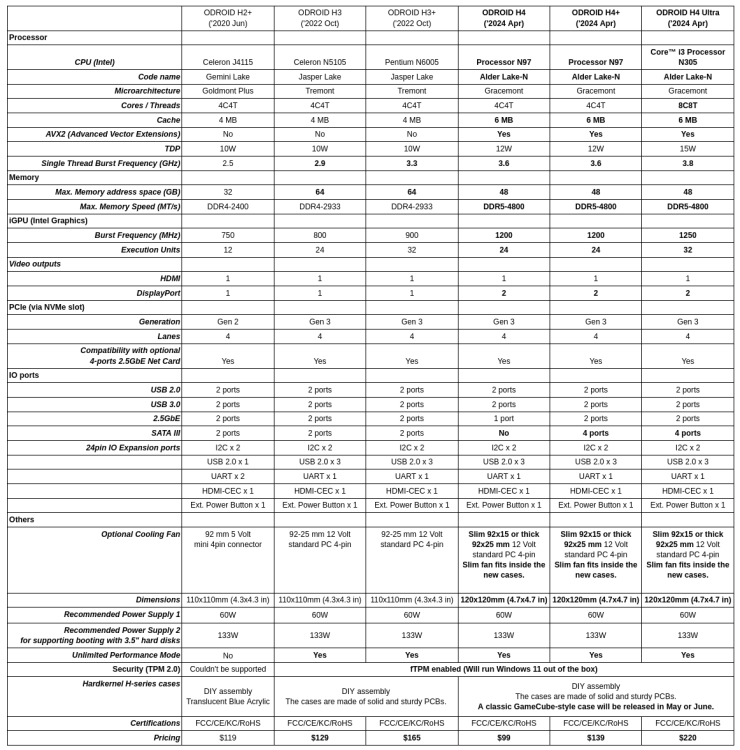
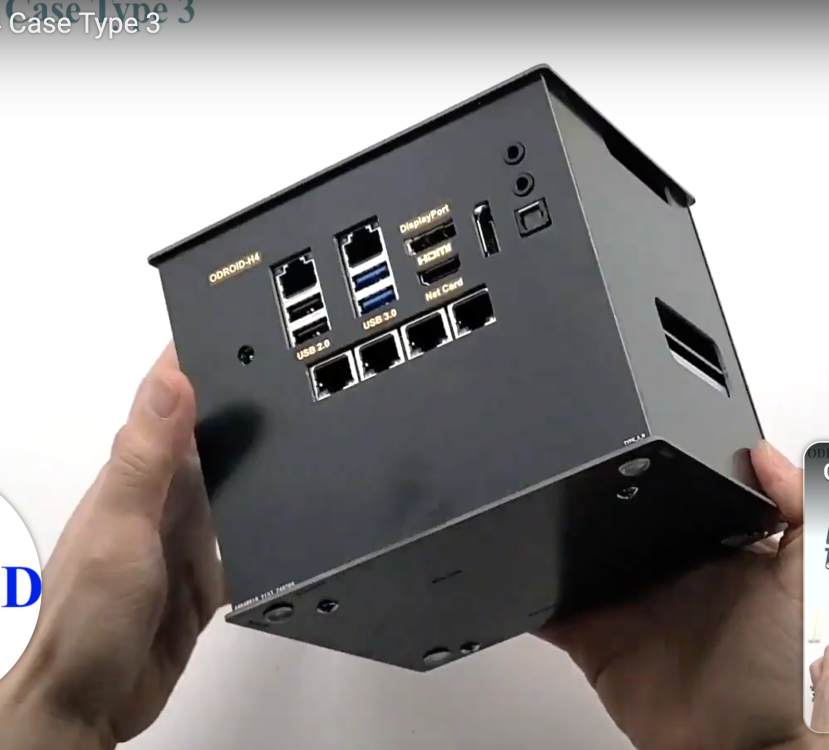
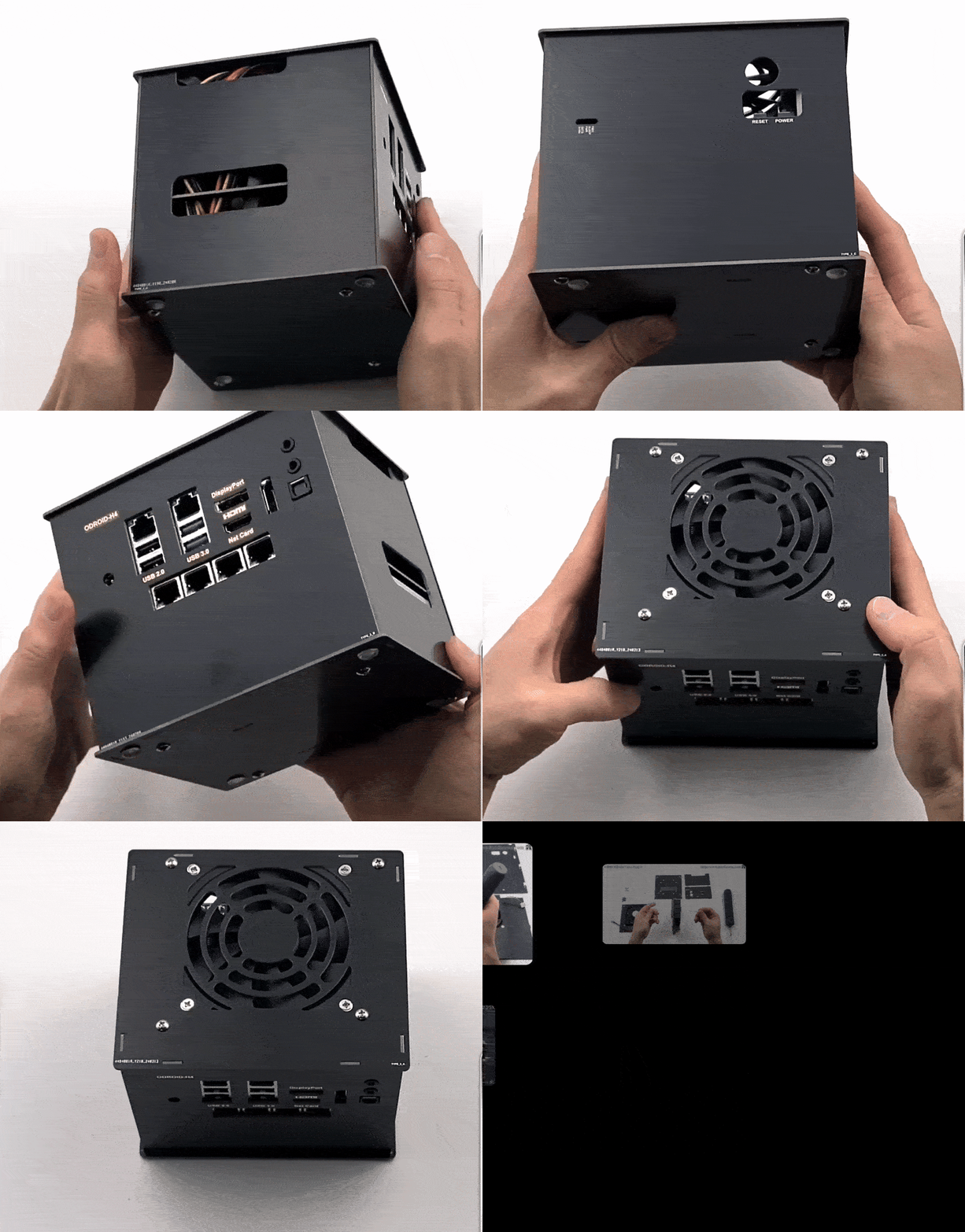
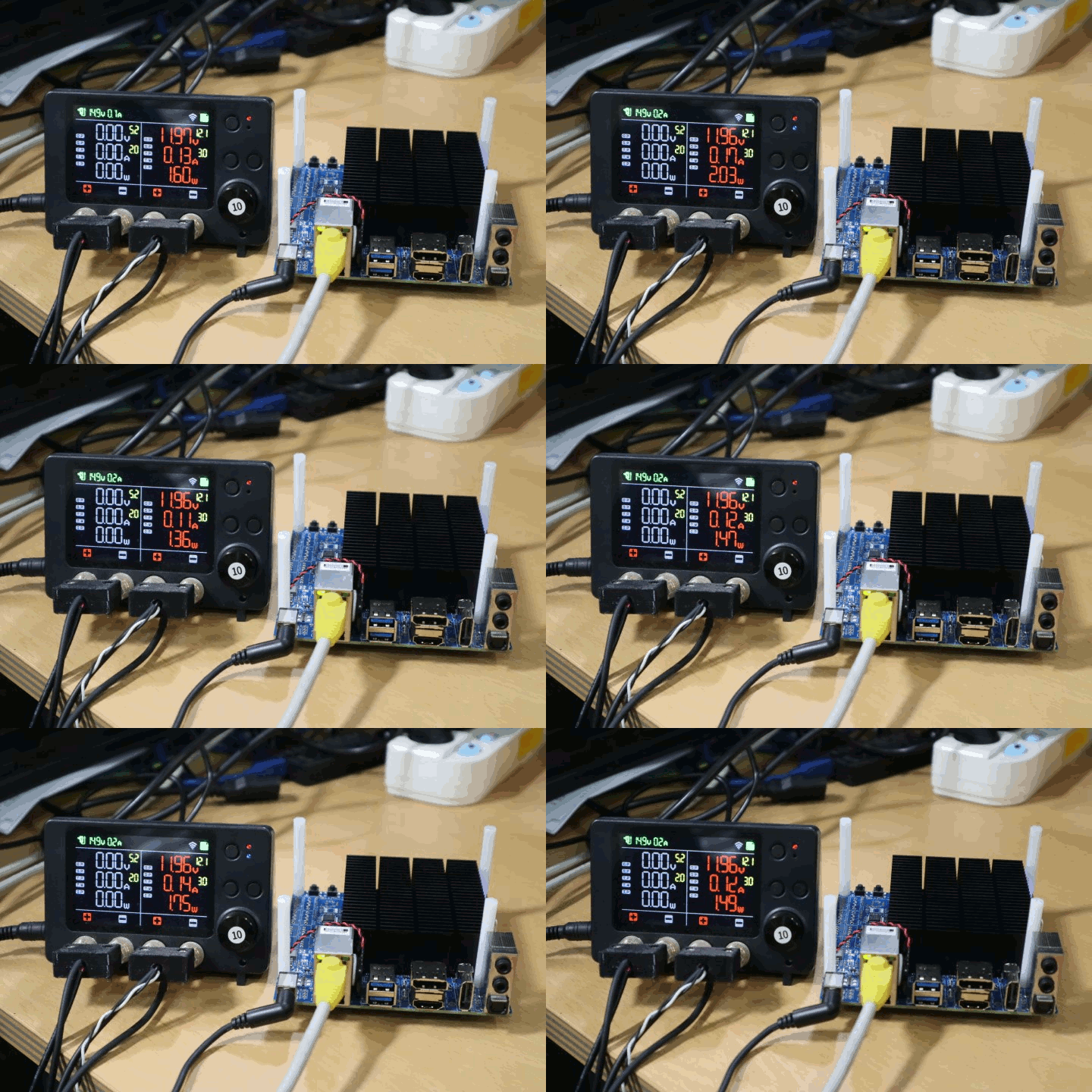
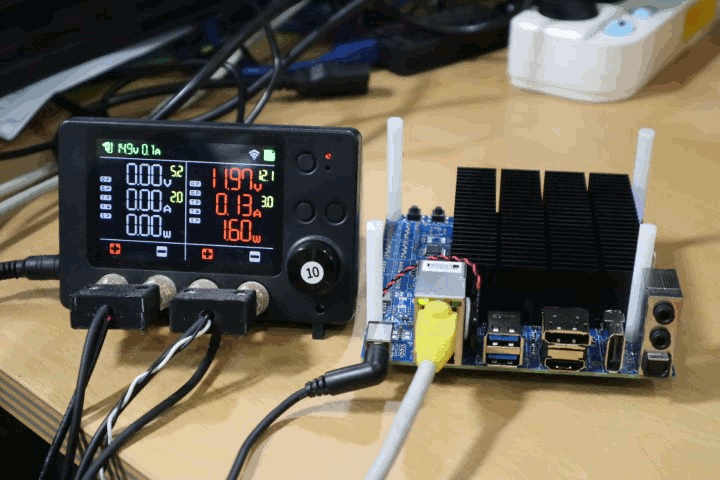
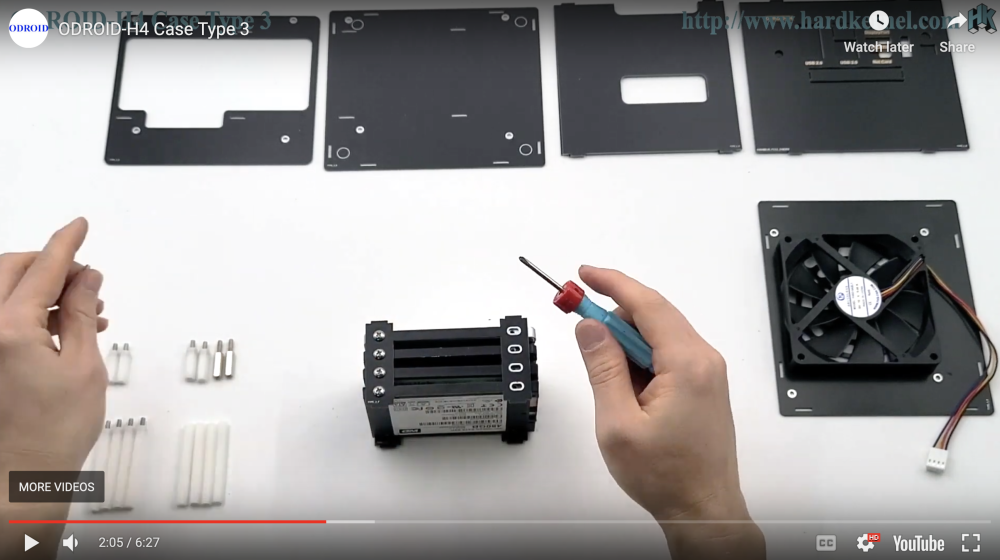
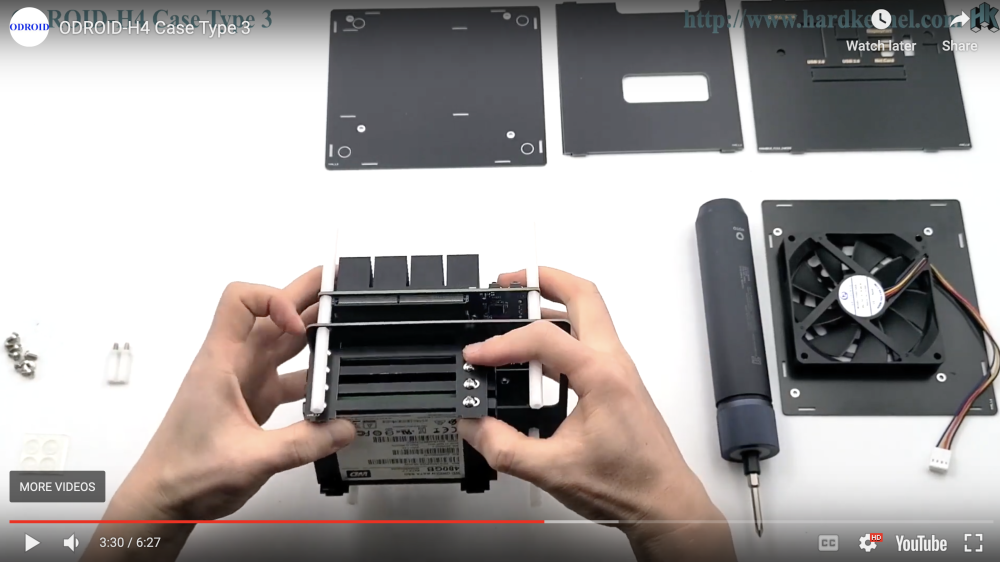
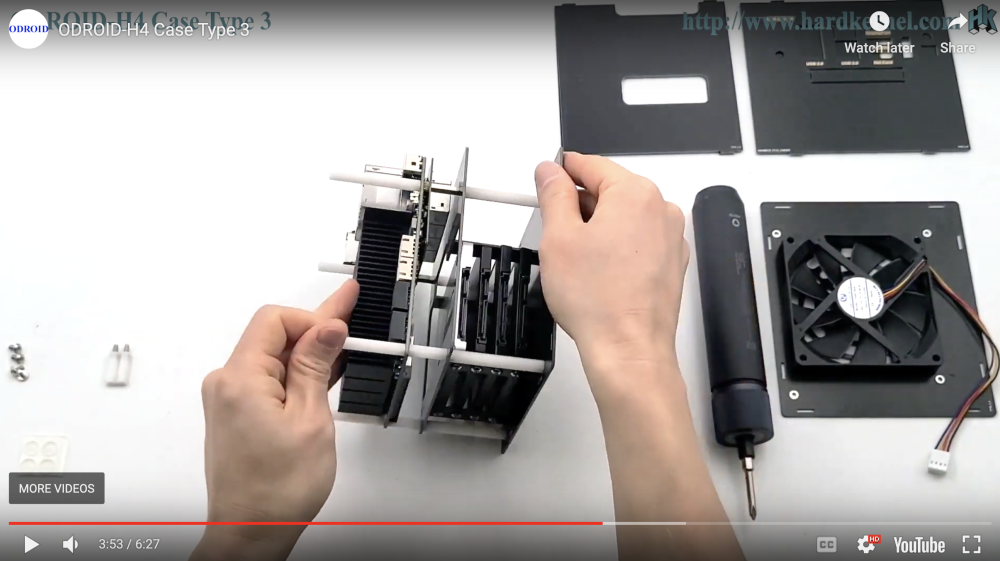
Odroid H4 🎉 16th April Hardkernel announced 3 new Odroid models! See https://forum.odroid.com/viewtopic.php?f=168&t=48344 | https://wiki.odroid.com/odroid-h4/start I appreciate that they listen to user needs and new models are improved based on the user feedback! especially 2 models are very attractive: H4 Plus and H4 Ultra (with 8-core Intel N305) are interesting because they have 4x SATA III, 1x m.2, 2x LAN (2.5Gbit Intel I226-V) there is also kit for converting to mini-ITX format ! https://www.hardkernel.com/shop/h4-mini-itx-kit/ 10x SATA you can have with m.2 to 6x SATA ASM1166 controller For me, the H4 Plus will be enough, it has Intel N97, which is better than very popular N100. I need to highlight an awesome work and focus on idle power consumption. Only 2,7~2,8 W ⚡️ (on the DC side, so potential inefficiencies in the power supply are not taken into account) This will be most probably my main home server / NAS. Specifications, benchmarks, images and more details: ❓Anyone with Odroid H4 Plus / H4 Ultra here? I have one H4+ but I don't plan to have my unraid server on H4+ because I already running unraid on older model H3. However I can sometime test unraid on H4+ and do some power consumption measurements, like with my H3 here: https://forums.unraid.net/topic/11386-whats-your-power-consumption/?do=findComment&comment=1404417
-
again, new BIOS: https://www.asus.com/motherboards-components/motherboards/csm/pro-h610t-d4-csm/helpdesk_bios?model2Name=Pro-H610T-D4-CSM
-
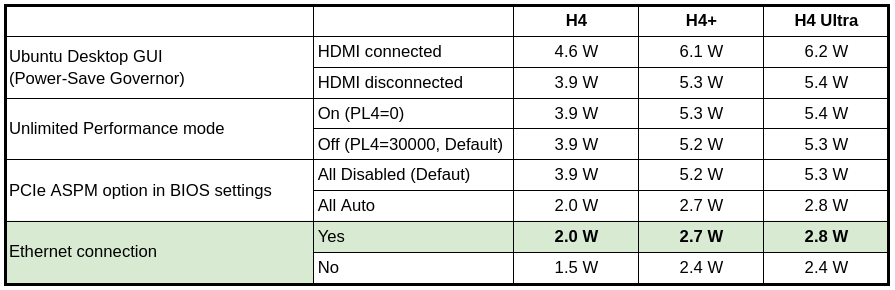
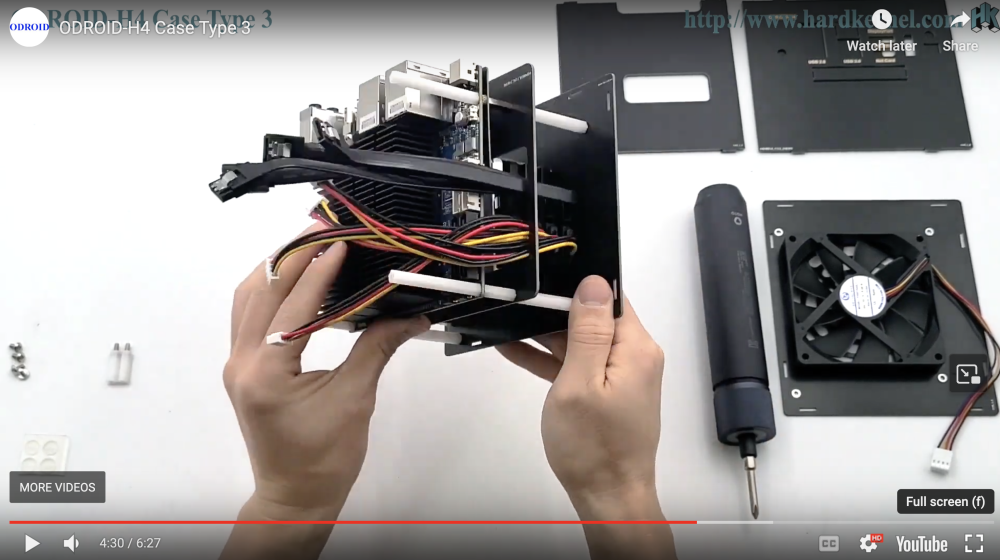
Odroid H4 🎉 Today Hardkernel announced 3 new Odroid models! See https://forum.odroid.com/viewtopic.php?f=168&t=48344 | https://wiki.odroid.com/odroid-h4/start I appreciate that they listen to user needs and new models are improved based on the user feedback! especially 2 models are very attractive: H4 Plus and H4 Ultra (with 8-core Intel N305) are interesting because they have 4x SATA III, 1x m.2, 2x LAN (2.5Gbit Intel I226-V) there is also kit for converting to mini-ITX format ! https://www.hardkernel.com/shop/h4-mini-itx-kit/ 10x SATA - whey you use m.2 to 6x SATA ASM1166 controller For me, the H4 Plus will be enough, it has Intel N97, which is better than very popular N100. I need to highlight an awesome work and focus on idle power consumption. Only 2,7~2,8 W ⚡️ (on the DC side, so potential inefficiencies in the power supply are not taken into account) This will be most probably my main home server / NAS. Specifications, benchmarks, images and more details:
-
I think this is a very good idea! Agree. I didn't upgrade bios yet.
-
Is there a way how to access my unraid server from iframe ?
-
yesterday I upgraded to v6.12.10 and did a quick measurement: in average with running containers I have 4,2~4,5 Wh
.thumb.png.4704b851fb9362fbe17f66826b303795.png)
-
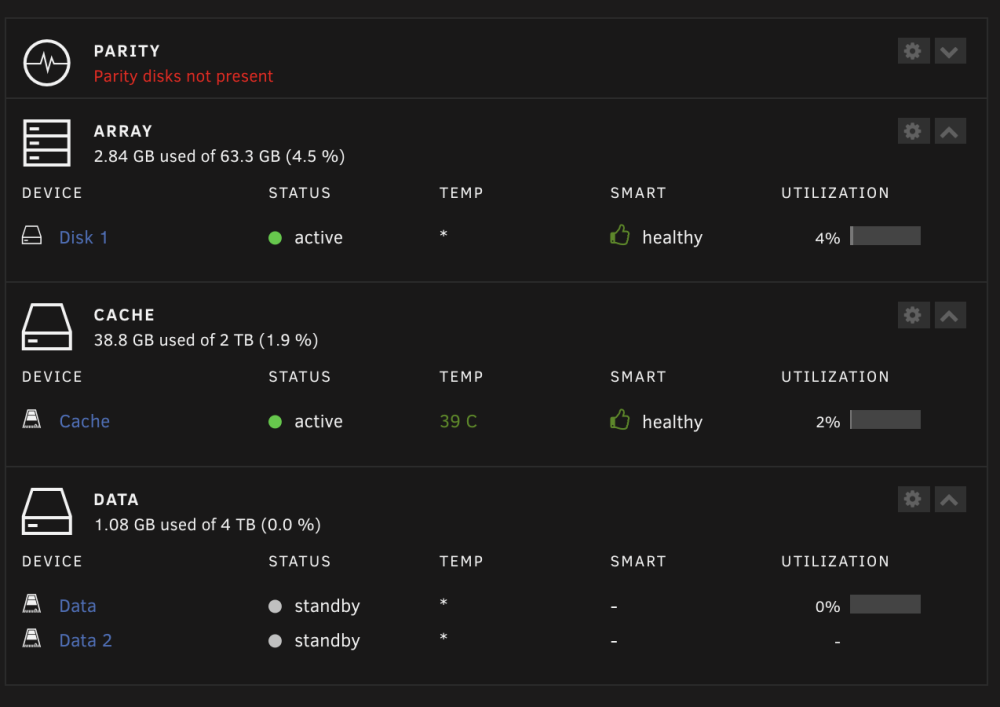
update to v6.12.10 ⚡️ 3.5 — 4.5 W idle - ️on the AC side (measured by Shelly 1PM) update:
.thumb.png.3f4faf619d9e56af24a2248661335fb9.png)
.thumb.png.34daa686ea5cb517c4923fc2a178898a.png)
-
Thank you, new link works. I assume min. power consumption when idle (and when HDDs are sleeping) will be ~ 10—20W without additional PCI-e cards. Unfortunately I don't have experience with this motherboard. If you really want very low idle power consumption, I recommend to use: - Pro from Samsung, for example Samsung 980 Pro, or - look at another power supply, see https://www.youtube.com/watch?v=TPSuCbS-4P0
-
I think 2 W ~ 10 kW
-
BTW, today was released new BIOS: https://www.asus.com/motherboards-components/motherboards/csm/pro-h610t-d4-csm/helpdesk_bios?model2Name=Pro-H610T-D4-CSM
-
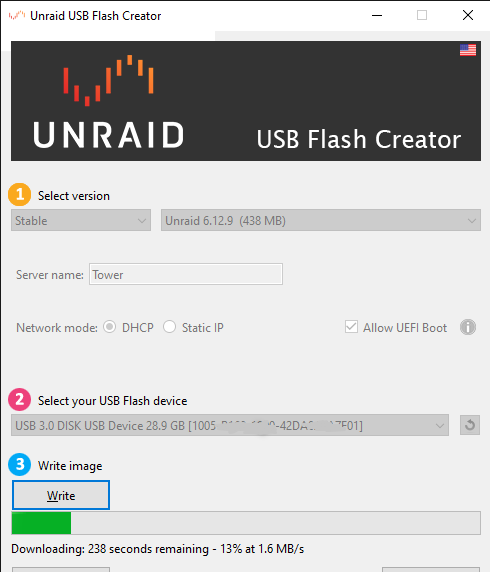
seems it has unique GUID:
-
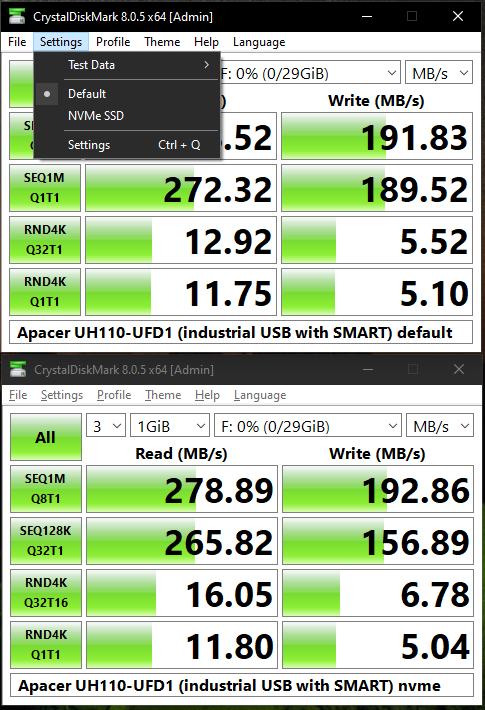
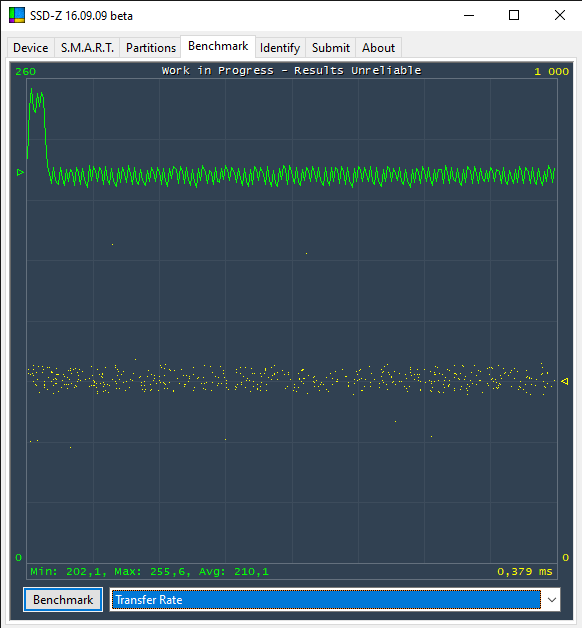
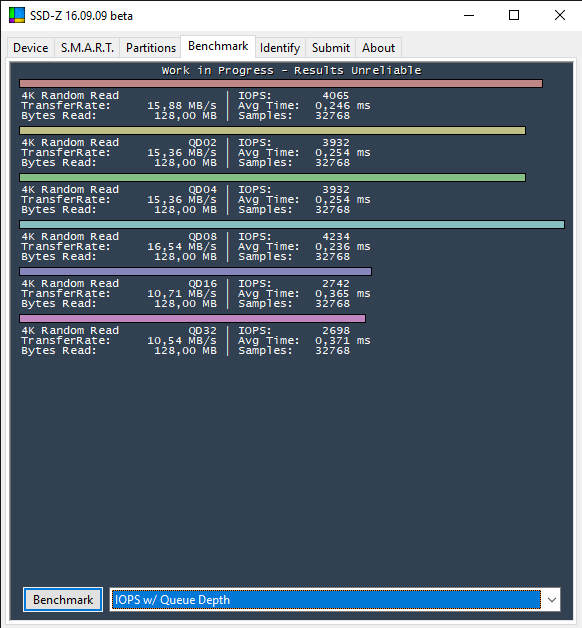
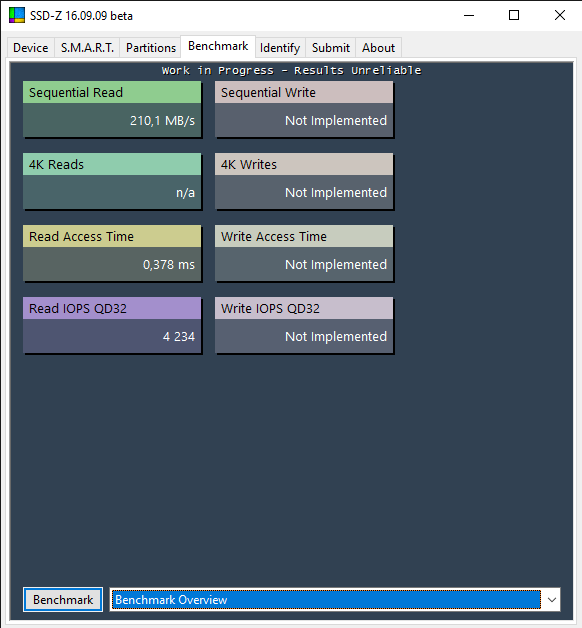
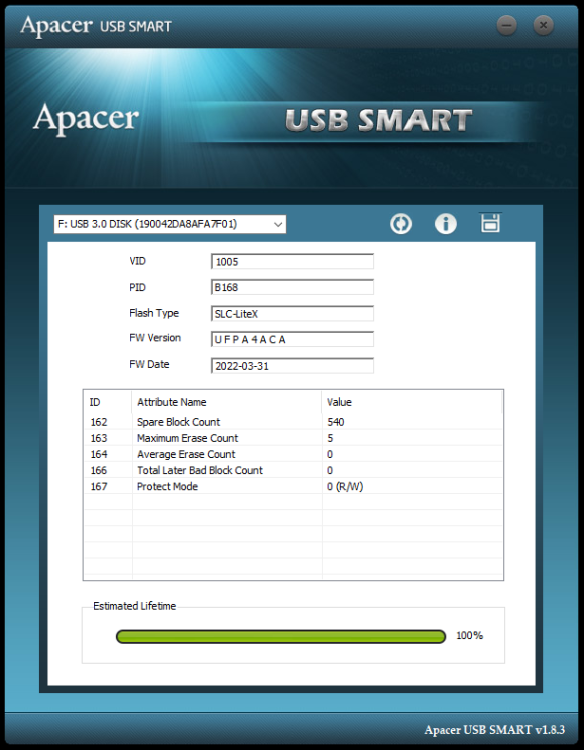
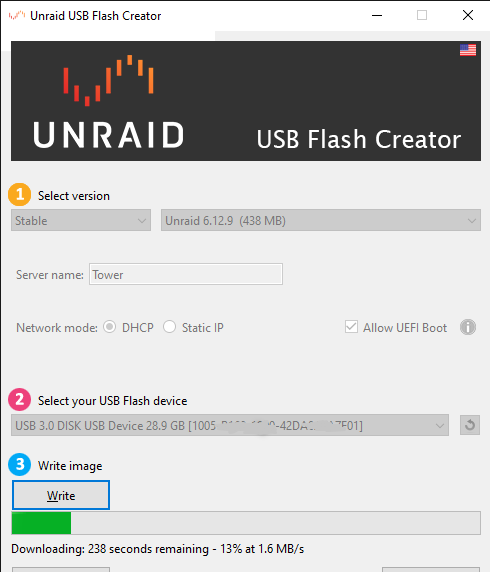
I have the Apacer UH110-UFD1 ! some details and benchmarks:
-
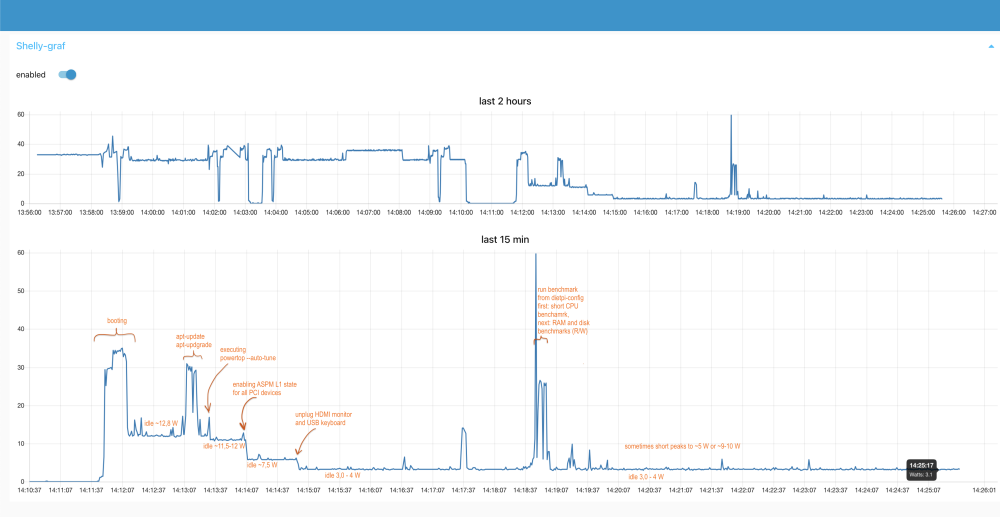
I don't think so. It cannot be powered by ATX PSU directly. To obtain a 12V power source, an adapter or a DIY solution is required. My powering solution - details: Here is my idle power consumption graph (measured with Shelly Plus 1PM every 1 second): - not Unraid, DietPi (Debian 12) HW: MB: Asus Pro H610T D4-CSM (latest BIOS, Version 3202, 2024/03/07) CPU: Intel i3-13100 (TDP 60W) RAM: 2x Crucial 32GB DDR4-3200 SODIMM (CT32G4SFD832A) SSD: 1x m.2 Samsung 980 Pro 1TB with heatsink PSU: 12V 150W from AKASA (AK-PD150-02KEU) https://www.akasa.com.tw/update.php?tpl=product/product.detail.tpl&model=AK-PD150-02K
-
@Grzegorz Derebecki cześć ⚠️ My motherboard originally had BIOS Version 1402 (2022/04/02), which did not support the 13th gen Intel processors like my i3-13100. When I attempted to use the i3-13100, there was no response - no BIOS, beep codes, or any indication of functionality. To address this, I acquired a 12th gen Intel processor, the i5-12500, flashed the latest BIOS version, and then promptly returned the i5-12500 the following day. With the updated BIOS, my i3-13100 successfully started working on the motherboard. You can see factory BIOS version on the barcode - see "1402" as last number in barcode below: Spoiler and here is my passive / fanless case with 2 DIY heatpipes: Spoiler
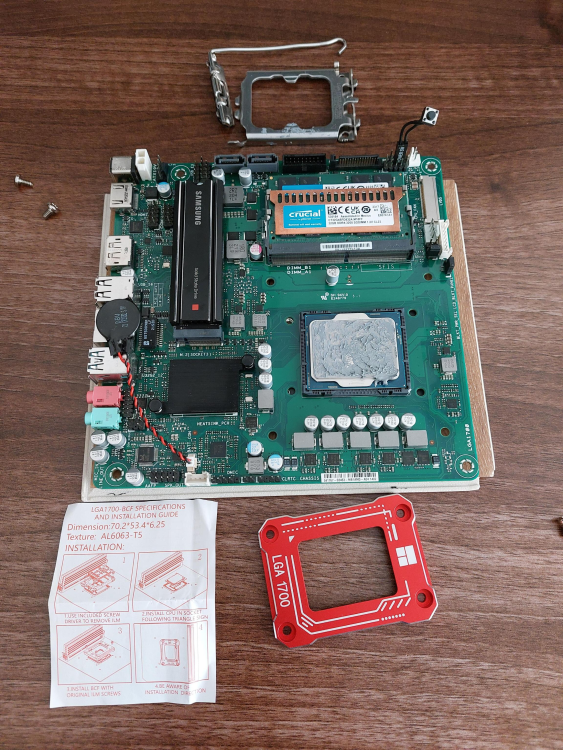
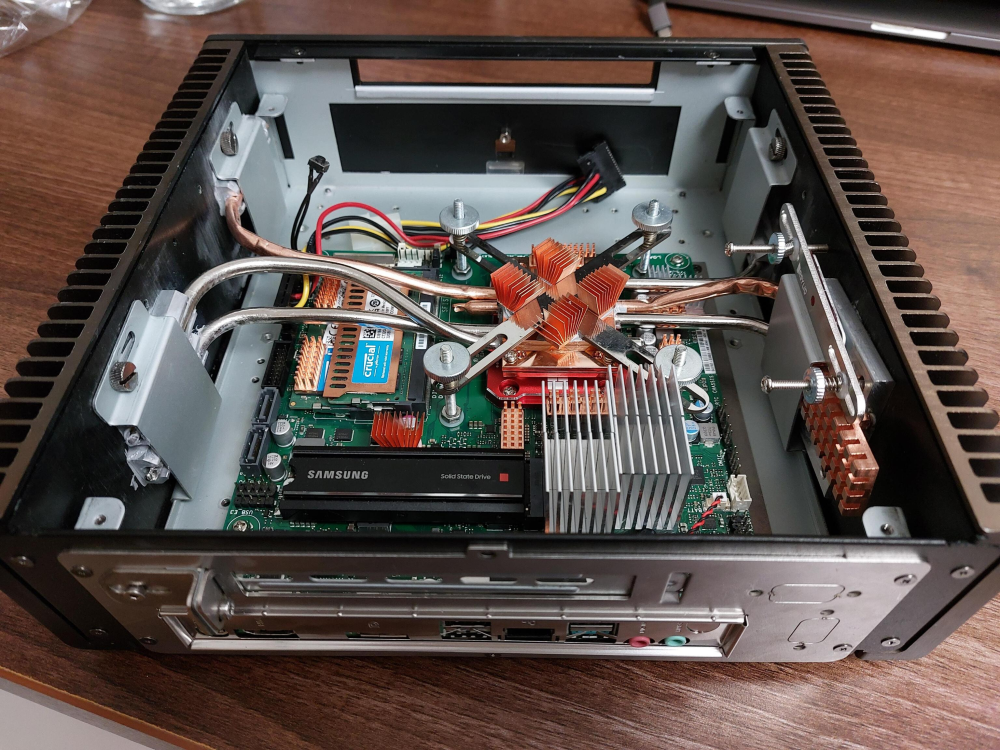
-
@kdm yeah, I will post my BIOS settings today evening or tomorrow 🙂 Basically, I only enabled C-states and ASPM on all places where I found it.
-
Hi, I updated my post above: ⬆️
-
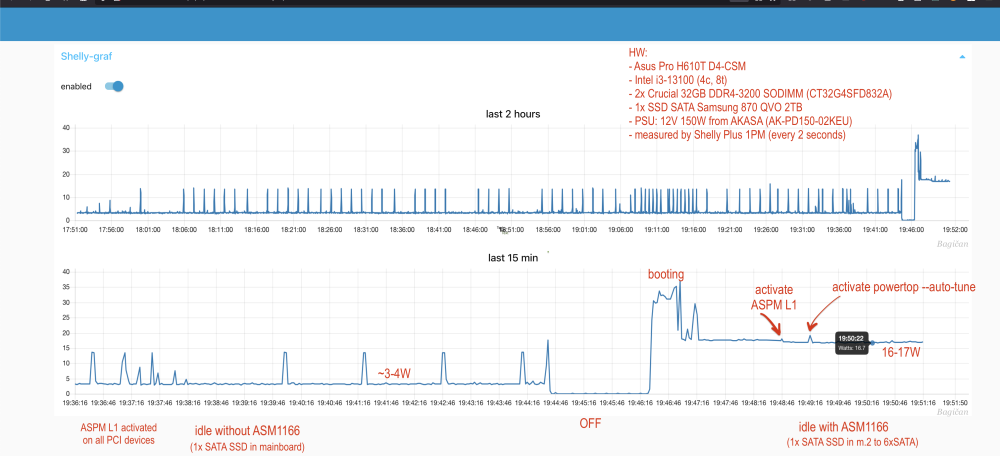
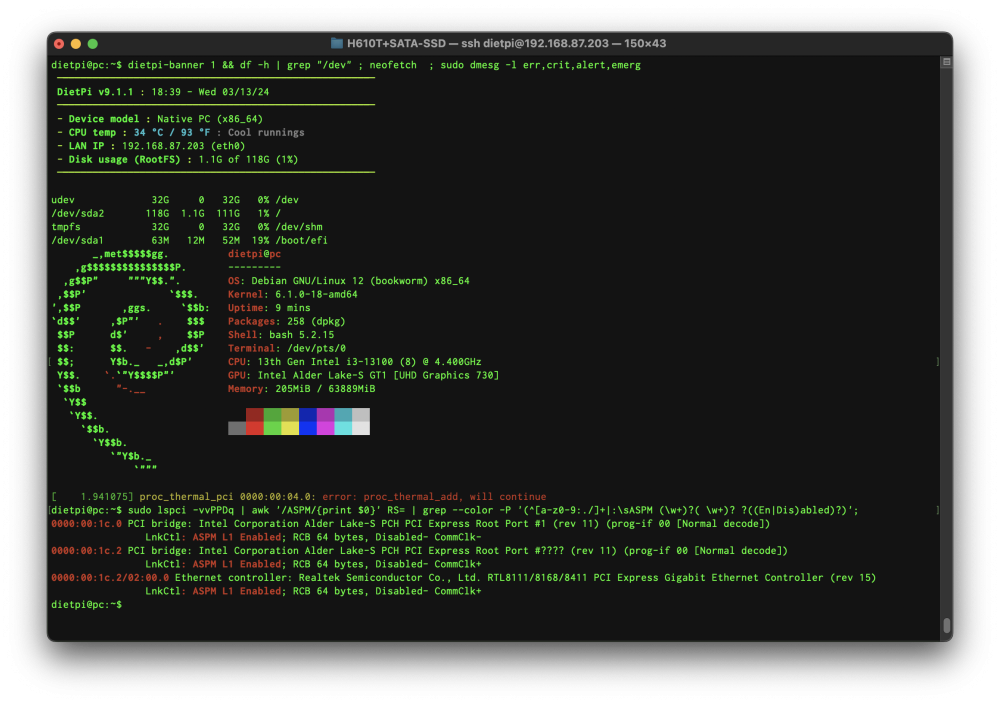
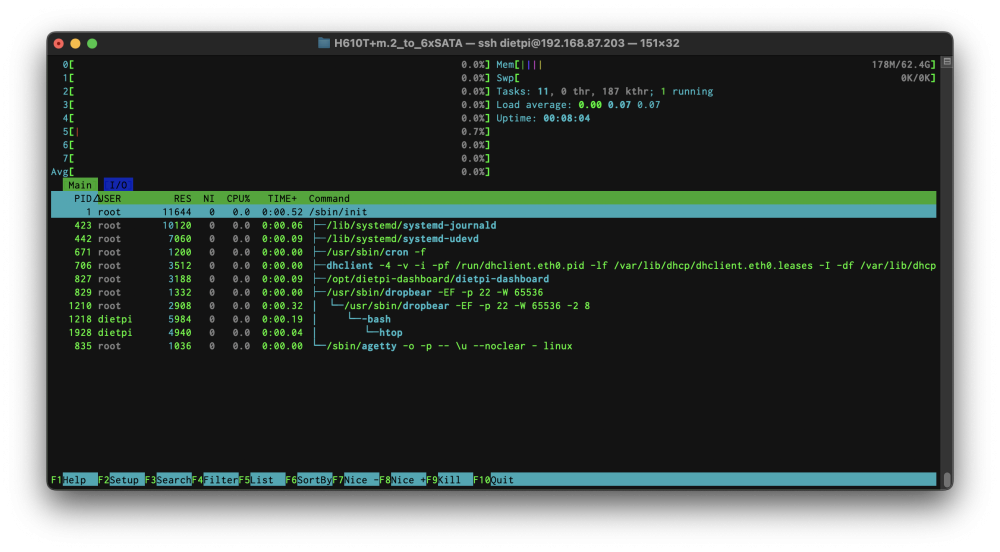
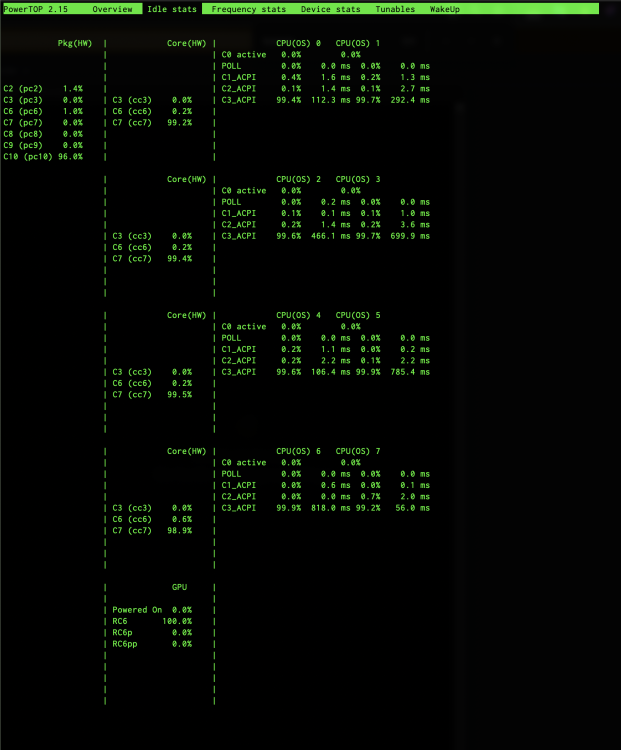
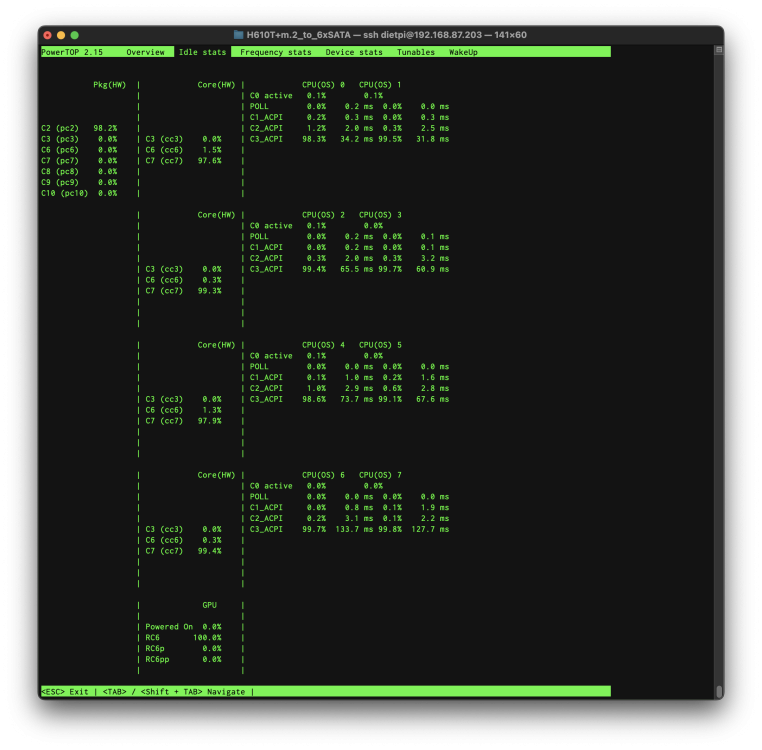
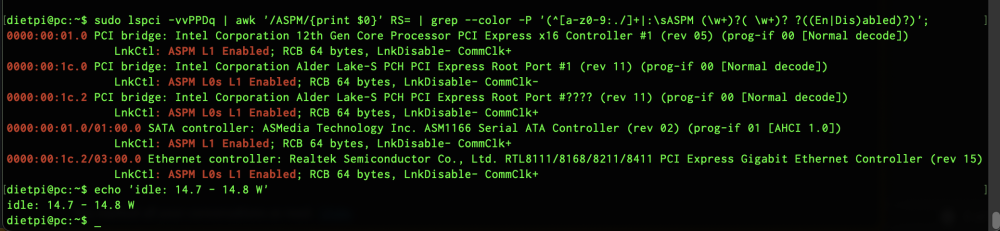
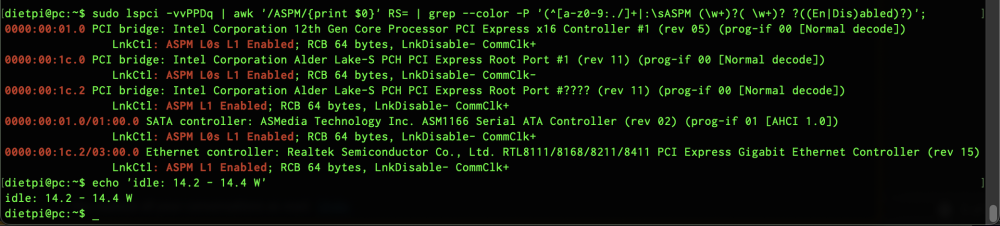
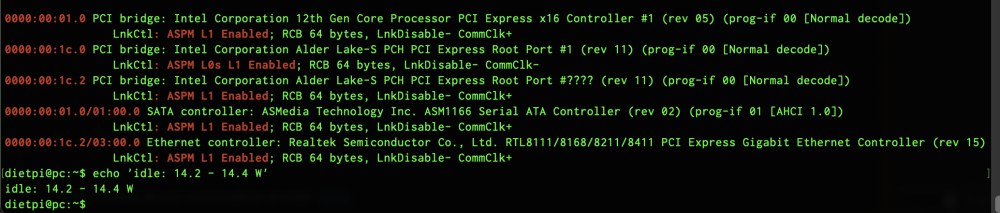
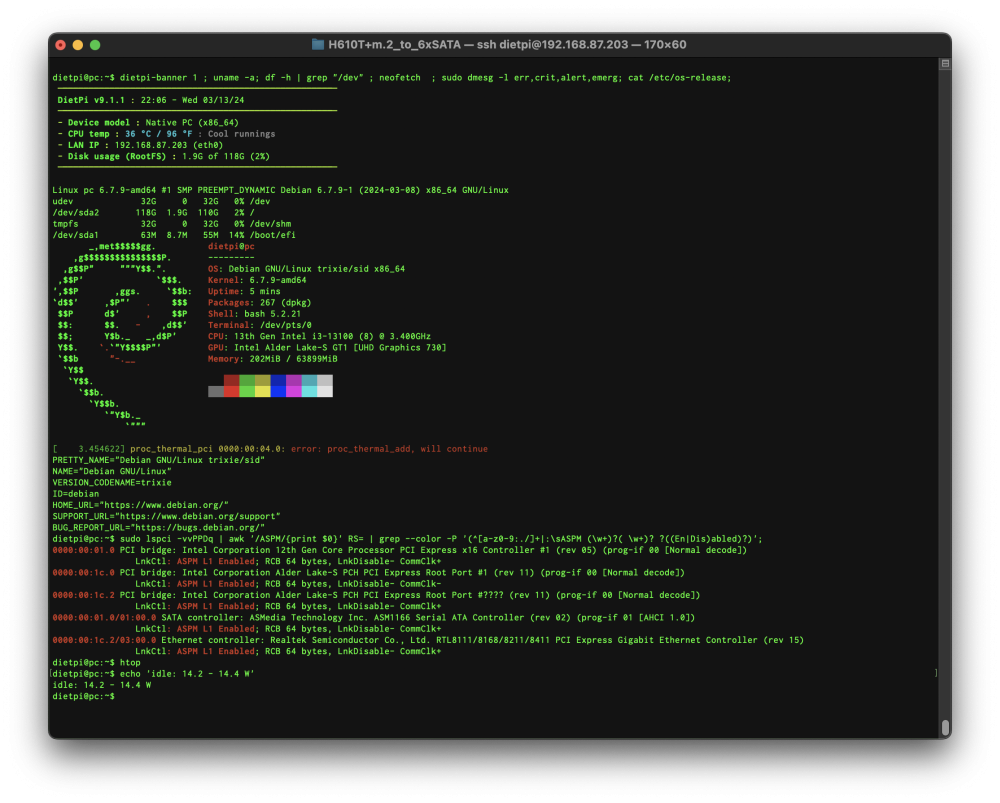
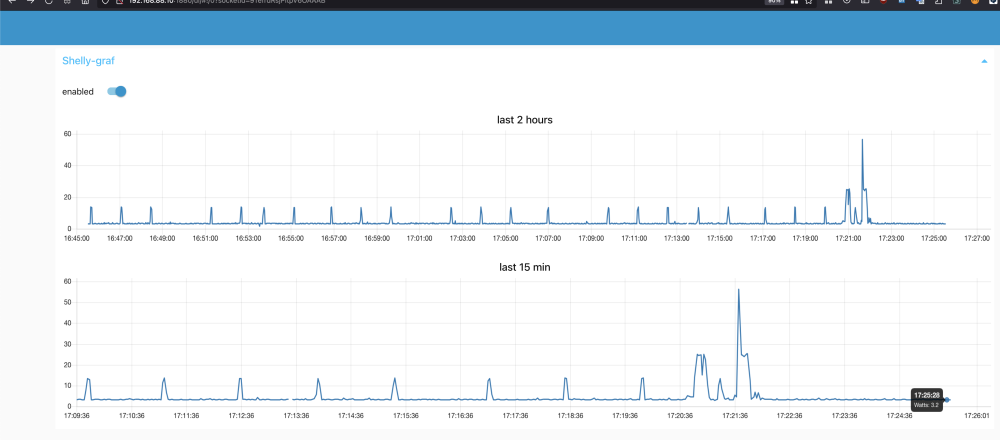
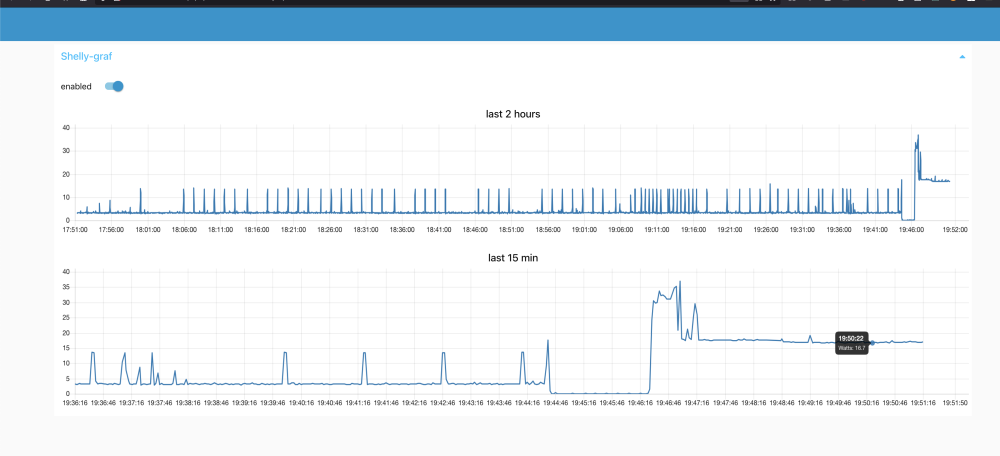
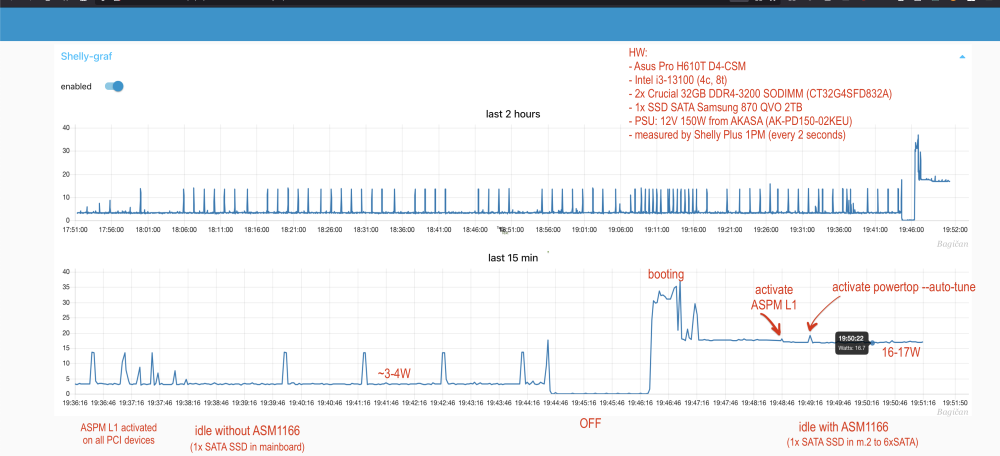
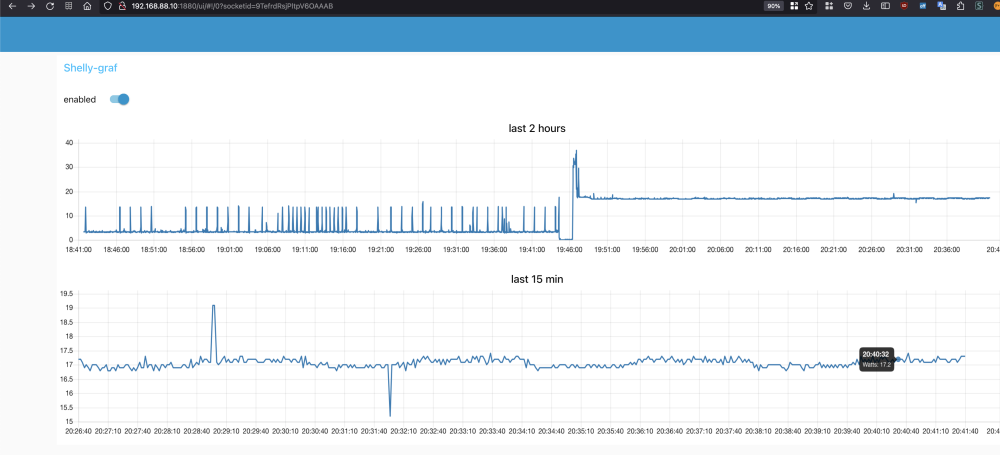
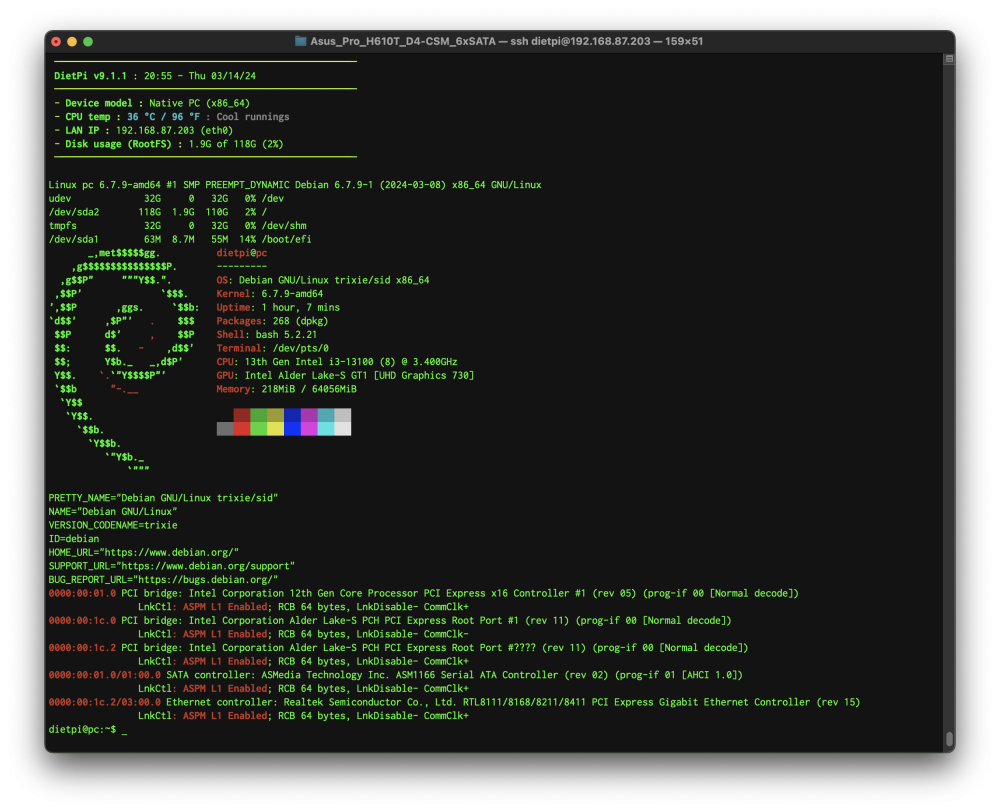
Hi @de-sascha ... as I promised you (on hardwareluxx.de) I tested it today (few minutes ago) and this mainboard doesn't play well with the ASM1166 m.2 to 6x SATA adapter. TL;DR: without ASM1166: idle: 2-3W ⚡️✅ - C10 (~91%) with ASM1166: idle: 14.1 - 14.5W ⚡️⚡️⚡️⚡️⚡️ - with ASPM L1 on all devices - no errors in dmesg - C2 max (~98%) See more stuff, screenshots, results, ...: - here you can see my powertop html report: https://jsbin.com/rolehanuqi/edit?output and my whole dmesg log: https://pastebin.com/18FZnAAB (after restart, without ASPM applied) and after powertop and ASPM enabled: https://pastebin.com/aTyQnvAZ But be aware that I tested my ASM1166 adapter in Odroid H3 and power consumption increased only +1 W (as you can see here) ❗️TODO: - Also, I forgot to upgrade BIOS, so maybe I will update this post tomorrow with newest bios. - ❗️It would be great to test another SATA SSD, because I've used old 128GB Crucial M4 SATA SSD (11+ years old). ______________________________________________________________________________________________ UPDATE: ️ - Updated BIOS to newest (Version 3202, 2024/03/07) - Changed old 128GB SSD to new Samsung 870 QVO 2TB without ASM1166: idle: 2-3W ⚡️✅ (3-4W on AC side) - C10 (~94%) - powertop report: https://jsbin.com/nujejetotu/edit?output - power consumption on AC side (by Shelly Plus 1PM): with ASM1166: idle: 14.1 - 14.5W ⚡️⚡️⚡️⚡️⚡️ (16.7 ~ 17.4W on AC side) - with ASPM L1 on all devices - no errors in dmesg - C2 max (~98%) - powertop report: https://jsbin.com/sawelehomi/edit?output https://jsbin.com/sawelehomi/edit?output - power consumption on AC side (by Shelly Plus 1PM): Room temperature: 23°C CPU temperature (passive/fanless cooling with special aluminium case): - idle without ASM1166 (package C-state in C10) : 29~30°C - idle with ASM1166 (package C-state in C2): 36-37°C






.png.1c94b401f9cbac8e9b5420665668e642.png)
.png.066a9bca67462e8e74fa184b45a76e42.png)

.png.4d15c1a307cbbdf6471b432a8a29b3a9.png)


