





Cryd
Members
-
Joined
-
Last visited
Everything posted by Cryd
-
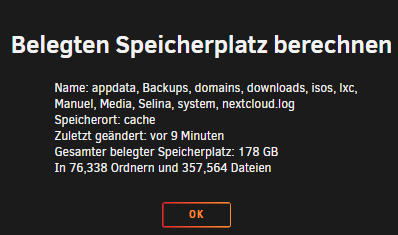
Hi zusammen, ich habe meine Daten der Pools ausgelagert aufs Array und dann auf ZFS Mirror umgestellt. Danach habe ich die Daten wieder auf die Platten geschoben (leider wares es weiterhin Ordner und keine Datasets) also in einen Temp Ordner verschoben. Datasets angelegt (Appdata / Domains / ...) Danach hab ich die Daten in die Datasets geschoben und festgestellt das ich nun doppelt soviel Speicher belege als vorher. Was hab ich falsch gemacht? Temp Verzeichnis ist natürlich gelöscht. wenn man den Speicherplatz berechnet sind es auch nur 178 GB in dieser Ansicht jedoch extrem viel mehr.

-
Hi there, i got several errors with the nordlynx container cause the logo could not be downloaded: root: nordlynx: Could not download icon https://s1.nordcdn.com/nordvpn/media/1.1527.0/images/global/logos/square/nordvpn-48.svg
-
Problem gefixed ich hatte den falschen QUERY für den Nordlynx container. Für alle die auch das Problem haben einfach in der Unraid Console folgenden Befehl ausführen: docker run --rm --cap-add=NET_ADMIN -e TOKEN=HIER_DEN_TOKEN_AUS_NORDVPNWEBUI ghcr.io/bubuntux/nordvpn:get_private_key
-
bringt mir leider das selbe Ergebnis
-
hmmmmm

-
deshalb
-
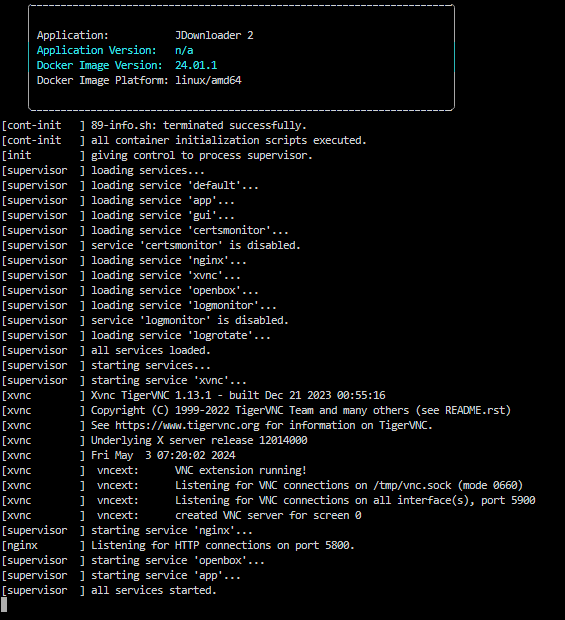
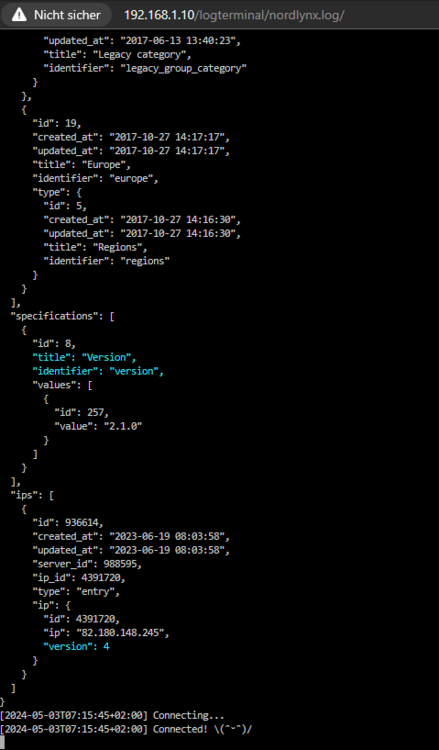
Im VPN Controller sieht soweit glaube ich alles schick aus: und bei jdownloader auch oder sehe ich das falsch
-
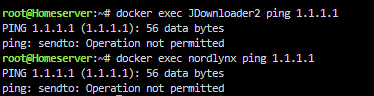
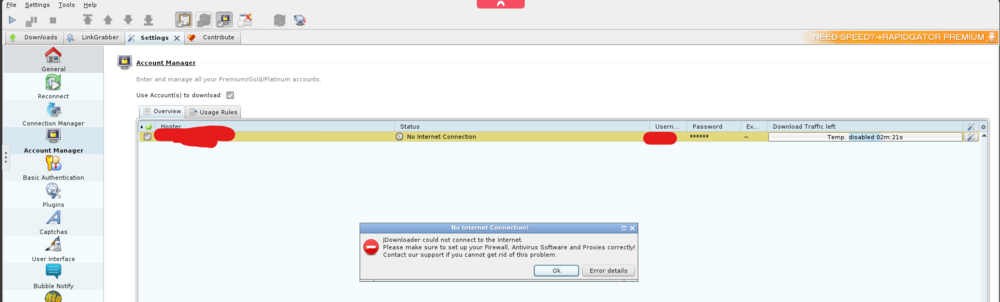
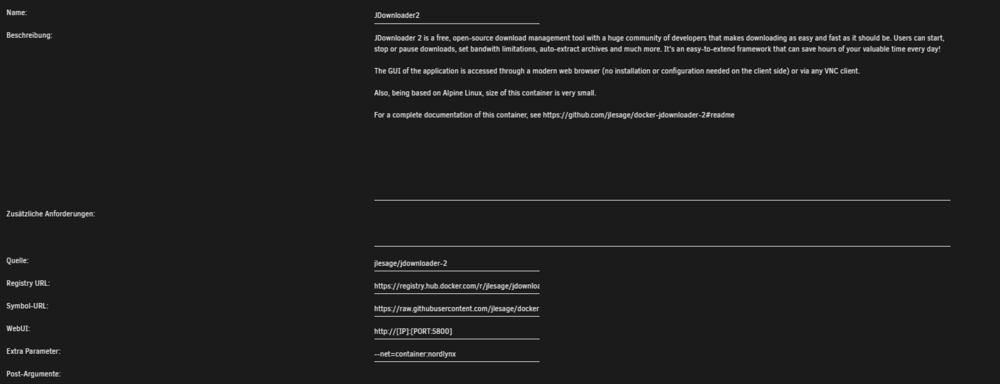
Ich versuche den jdownloader durch den Nordlynx Container zu schleifen. Leider bekommt der jdownloader container aber kein Internet. Habe bei den extra parameter mit --net=container:nordlynx versucht das einzustellen aber irgendwie scheint da noch was zu fehlen.
-
Kannst du mir vielleicht auf die Sprünge helfen was ich falsch mache

-
A backup solution would be nice (not only for the usb stick)
-
Hab genau das selbe Problem gibts hier niemanden der was weiß?
-
Hi there i still have a problem to get a new cert. I have several hosts with certs and they work pretty fine but now i want to add a new and i get this log: [3/20/2024] [8:51:40 PM] [Nginx ] › ⬤ debug Deleting file: /data/nginx/proxy_host/12.conf [3/20/2024] [8:51:40 PM] [Nginx ] › ⬤ debug Deleting file: /data/nginx/proxy_host/12.conf.err [3/20/2024] [8:51:40 PM] [Nginx ] › ⬤ debug Could not delete file: { "errno": -2, "code": "ENOENT", "syscall": "unlink", "path": "/data/nginx/proxy_host/12.conf.err" } [3/20/2024] [8:51:40 PM] [Global ] › ⬤ debug CMD: /usr/sbin/nginx -t -g "error_log off;" [3/20/2024] [8:51:40 PM] [Nginx ] › ℹ info Reloading Nginx [3/20/2024] [8:51:40 PM] [Global ] › ⬤ debug CMD: /usr/sbin/nginx -s reload [3/20/2024] [8:51:45 PM] [SSL ] › ℹ info Requesting Let'sEncrypt certificates for Cert #21: fritz.XXXXXX.de [3/20/2024] [8:51:45 PM] [SSL ] › ℹ info Command: certbot certonly --config "/etc/letsencrypt.ini" --work-dir "/tmp/letsencrypt-lib" --logs-dir "/tmp/letsencrypt-log" --cert-name "npm-21" --agree-tos --authenticator webroot --email "[email protected]" --preferred-challenges "dns,http" --domains "fritz.XXXXXX.de" [3/20/2024] [8:51:45 PM] [Global ] › ⬤ debug CMD: certbot certonly --config "/etc/letsencrypt.ini" --work-dir "/tmp/letsencrypt-lib" --logs-dir "/tmp/letsencrypt-log" --cert-name "npm-21" --agree-tos --authenticator webroot --email "[email protected]" --preferred-challenges "dns,http" --domains "fritz.XXXXXXX.de" [3/20/2024] [8:51:45 PM] [Nginx ] › ⬤ debug Deleting file: /data/nginx/temp/letsencrypt_21.conf [3/20/2024] [8:51:45 PM] [Global ] › ⬤ debug CMD: /usr/sbin/nginx -t -g "error_log off;" [3/20/2024] [8:51:45 PM] [Nginx ] › ℹ info Reloading Nginx [3/20/2024] [8:51:45 PM] [Global ] › ⬤ debug CMD: /usr/sbin/nginx -s reload [3/20/2024] [8:51:45 PM] [Express ] › ⚠ warning Saving debug log to /tmp/letsencrypt-log/letsencrypt.log Missing command line flag or config entry for this setting: Please choose an account Choices: ['7c5XXXXXXXX@2024-03-05T23:43:21Z (ecd9)', '1b718XXXXXXX@2024-01-06T10:59:53Z (28dd)'] Ask for help or search for solutions at https://community.letsencrypt.org. See the logfile /tmp/letsencrypt-log/letsencrypt.log or re-run Certbot with -v for more details.
-
thanks a lot
-
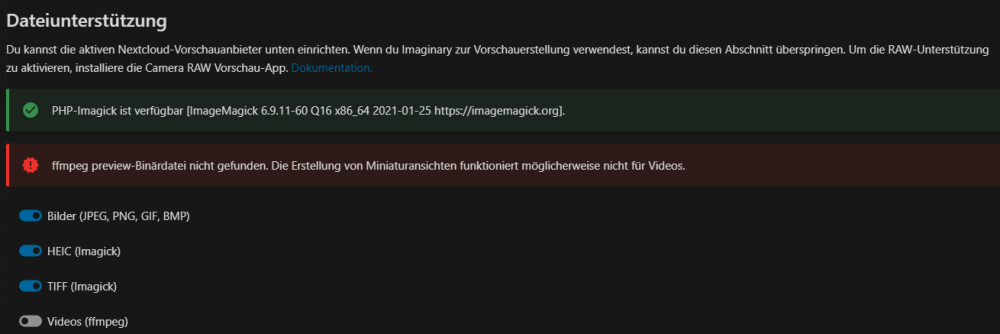
Hi i tried now several hours - and cannot fix this problems: installing the bz2 and adding ffmpeg preview Can someone tell me how to fix this?

-
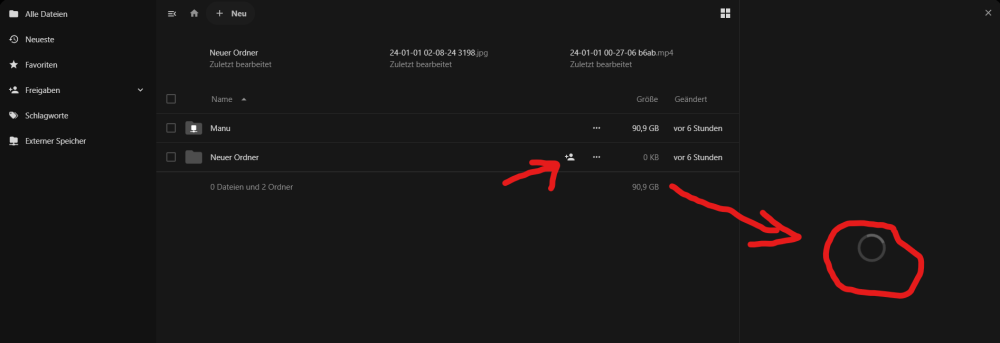
Hi zusammen, einen Fehler bekomme ich einfach nicht gefixed. Mein Setup: Nextcloud lscr.io Container - Cloudflare Proxy - kein NPM Der "Strict-Transport-Security“-HTTP-Header ist nicht auf mindestens "15552000“ Sekunden eingestellt. Für mehr Sicherheit wird das Aktivieren von HSTS empfohlen, wie es in den Sicherheitshinweisen ↗ erläutert ist. wenn ich mit IP:PORT auf die Nextcloud zugreife ist der Fehler weg. Habe unter /nextcloud/nginx/ssl.conf folgendes ergänzt: add_header Strict-Transport-Security "max-age=15552000" always; was auch nicht funktioniert ist die Teilen Funktion hier dreht und dreht der Kreis:
-
Hi there, cannot find this docker in ca apps?




