





Sptz87
Members
-
Joined
-
Last visited
Everything posted by Sptz87
-
So no need to worry about the "Free Space" section in Mover Tuning? Thank you!
-
Sorry for the necrosurrection. But what exactly did you change to make it stable / work properly? The power supply control? If that's just for 1000 series how did it work for you?
-
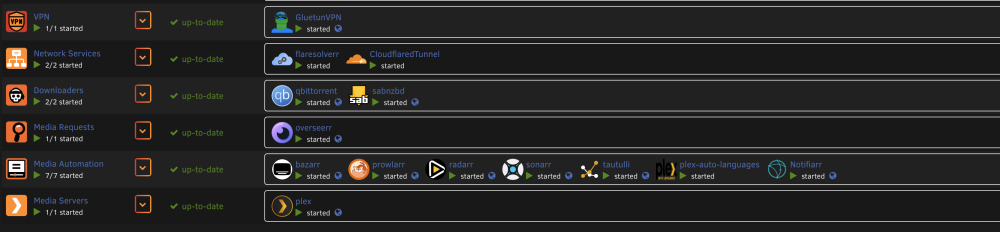
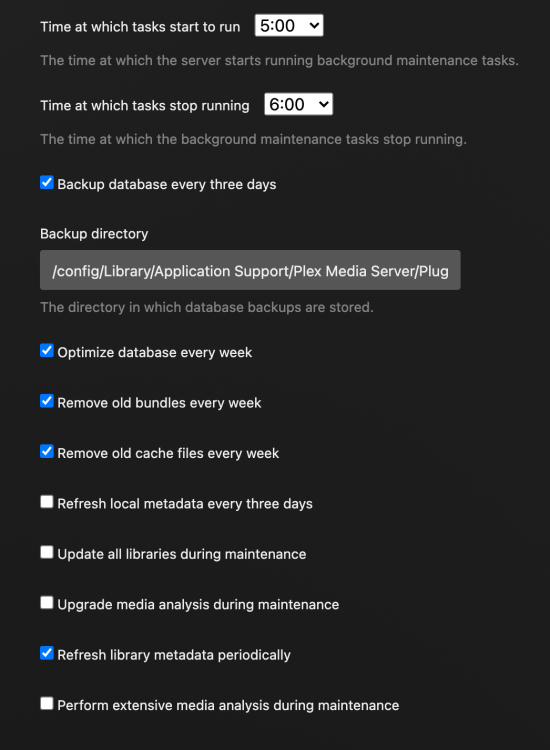
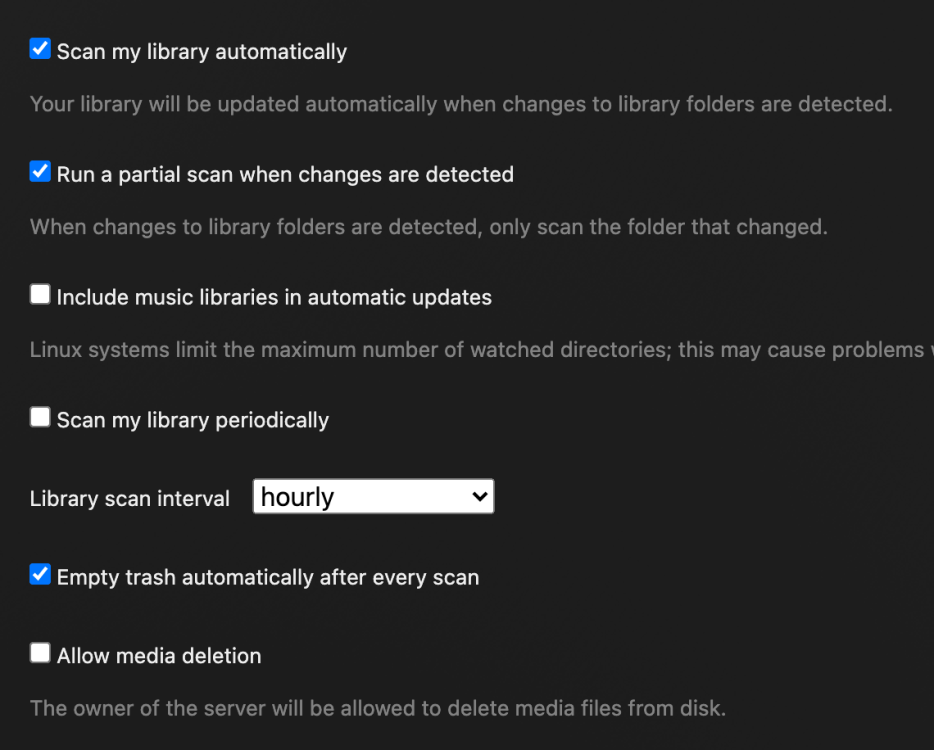
These are the dockers I'm currently running: The shares: Plex Settings: Apart from that, I have CA Auto updater, Appdata backups. Nothing else I can think of that could be spinning up the disks. Diagnostics only show this: Feb 20 14:30:54 AWE emhttpd: spinning down /dev/sdd Feb 20 14:31:04 AWE emhttpd: spinning down /dev/sdc Feb 20 14:31:07 AWE emhttpd: spinning down /dev/sdb Feb 20 14:31:33 AWE emhttpd: read SMART /dev/sdc Feb 20 14:46:35 AWE emhttpd: read SMART /dev/sdb I'm assuming read SMART happens when a disk is spun up right? So no way of knowing what's causing it?

-
Cache Pool is one 2TB and one 1TB NVMEs. Reported total size shows 1.5 TB. Surely this is wrong right? Shouldn't it be 1TB? This leads me to worry about the Mover Tuning plugin. I have it set to only move data from cache to array at 80%. Is this 80% of 1.5TB or 1TB (which should be the real size)?

-
Last Update: Nothing worked. Rolled the bios back to F17. It instantly worked. Enrolled EFI Image from .efi file in EFI folder on the flash drive as usual. Instant boot...
-
Update: Tried CMOS reset. Same thing. Hangs on splash screen. Trying to flash a brand new usb drive to see if it does anything
-
I'm going to do a good old reset cmos and see if that does anything. If not Im gonna flash my Samsung fit plus with a fresh copy of unraid and see if it boots at all. Still think this shouldn't be necessary, I'm 100% sure it's not a bios setting as it's literally a carbon copy of what I had before updating.
-
Yes and it's off as it was prior to updating
-
I just attempted enabling CSM which removes secure boot, same thing. Hangs in splash screen.
-
I've been using it since I first set it up though. As I said, I had to "Enroll EFI image" from the .efi file under EFI>boot. It worked with no issues. Until now after the BIOS update
-
Apologies for yet another support thread but I'm afraid this is a more pressing issue. I flashed my Gigabyte's B550i bios to the latest due to security patches etc, all went smoothly, reconfigured everything again and when trying to boot it doesn't move past the POST image / motherboard logo. So I assumed this might be secure boot. When I first setup unraid I had to go to Secure Boot options, change to Custom, "Enroll EFI image" and select the "bootx64.efi" (something like that) in the flash drive under EFI > boot. So I did that and same issue, doesn't move past the post image. I tried resetting secure boot, using just Standard / factory keys but upon reboot that takes straight into the BIOS with pop-up messages stating something like "Invalid keys. Please change them" or something alike. Does anyone have any idea what I can do? Is it even possible that due to a bios update the keys in unraid for secure boot don't work because it detects as a new PC??
-
Mine actually idles at 70w with HDDs spun up. 60w spun down. I was really hoping it would be closer to 20-30w. I'm already running CO at -30 (was fully tested before when used it as my gaming machine) as well PBO Limited to not exceed specific wattage. You don't really have an HDD in there as well which helps build up.
-
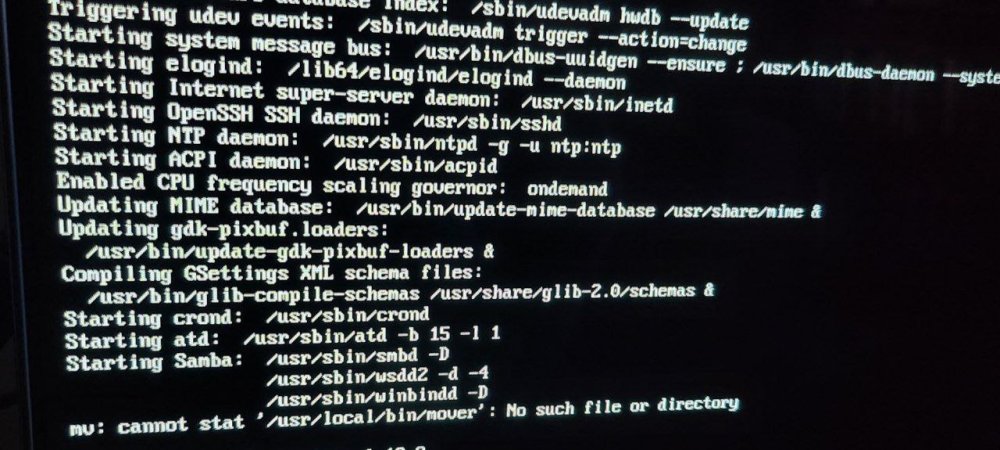
Thank you. Hmm I've never seen that option in bios. But I'm wondering if this is definitely related to that because I could see in htop that sabnzbd was knocking out out 100% of the cpu on just one core. I also saw this when booting as I connected a hdmi to the gpu. Mover always works fine, not sure why it's stating that?
-
I've attached the Diagnostics here now. I'm also wondering. I'm still on trial and am looking at purchasing, hopefully I won't run into any other issues but this might also be a good time to ask. I'm running it on this flash drive: https://www.amazon.co.uk/gp/product/B077VXV323/ref=ppx_yo_dt_b_search_asin_title?ie=UTF8&psc=1 Should I change it? I have a spare Samsung one: https://www.amazon.co.uk/gp/product/B07FD6D4HJ/ref=ppx_yo_dt_b_search_asin_image?ie=UTF8&psc=1 Or I could just purchase another one if needed anyway. Just hoping this isn't a hardware issue but it was bizarre because I could go into SSH and Home Assistant VM was fully functional and responsive. AWE Diagnostics Feb 19.zip
-
Should I just go ahead and hold the power button to force a shutdown? This was in the middle of a series download. What kind of stuff can get corrupted by doing this? Anything I can do afterwards? Will obviously attach diagnostics!
-
Hi all! So unraid out of nowhere my server went unresponsive. Can't access the GUI nor any docker BUT the Home Assistant VM is accessible and fully working which is really odd. I can ssh into the server and htop shows this. CPU 4 pegged at 100% for some reason? trying to reach the UI: I can't kill sabnzbd docker, doing "docker stop" or "docker kill" just does nothing, just hangs the command forever until I ctrl+c to abort it. Same with df -h for example. Any idea? I don't really want to hard shutdown
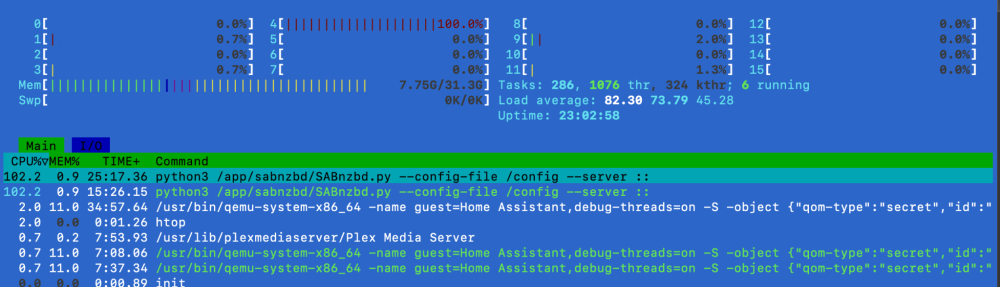

-
Hi all! So I want to spindown my disks after 1 hour of inactivity but there's a problem as Plex, due to Scheduled Tasks, seems to be waking up the disks at night regardless, which is pretty bad. Has anyone, running plex on unraid successfully bypassed that somehow? I'm sure doing database cleanups etc is fine because it's all in the appdata (which resides in the cache nvme). Also do any of the "arrs" do anything periodically that one should pay attention to? Could the cache dirs plugin be the savior here? Thanks!
-
I did install it as I saw your post on the 6.12.8 announcement thread. Though I had 0 issues with any dockers. Worth uninstalling or worth keeping it for the future when spinning new dockers?
-
I too would love to know this. I have a few TAPO plugs in the house and would love to get them onto grafana or something similar on unraid!
-
Gotcha! Thank you! Is this script basically included in dynamix's cache dirs?
-
Does de Cache Dirs plugin contain the script or is it just a front end and I need to add that manually before installing this? And would the Share Floor plugin interfere with it? As it needs to scan the directories? So it'd be scanning the indexes kept in ram? Thanks!
-
Hmm, are the spikes really that much higher that undermines hours of spun down disks?
-
Hi all, Is this still relevant / helpful nowadays? I haven't tested much but I've got my disks to spindown after 2 hours of IO inactivity. I've got all turned off at the moment. If I navigate to plex and select a movie it is only spinning up the disk that has it. Would this script still be of value?
-
Noob question. Noticed the container for Homarr hasn't been updated in a while. Are updates done by the app itself within?
-
I know this is ancient but I have the same motherboard with a 5800x3d. Did you manage to get far on this? I actually don't have ASPM on, it's disabled by default but my 1660Ti idles at 10-12w in P8 with the forcing idle user script running on boot. What about CPPC etc, did you change anything there?


