craigr
Members
-
Joined
-
Last visited
Everything posted by craigr
-
This is definitely NOT how I did it because my computer never went to sleep. Also, the file dates for my v-bios are a month older than this video.
-
I don't remember, but it may very well have been GPU-Z. I'm considering getting a new video card, but honestly, I may not want to go through figuring this out again. I watched Spacinvader's video, read comments, found threads in the unRAID forum and Reddit, and eventually managed to get the BIOS's off two cards. It was not at all by the book. I don't think this is the Spaceinvader video I watched... I just found this which might be very helpful. You could boot into a ubuntu live USB and do it maybe: I can't seem to find Spaces older video....
-
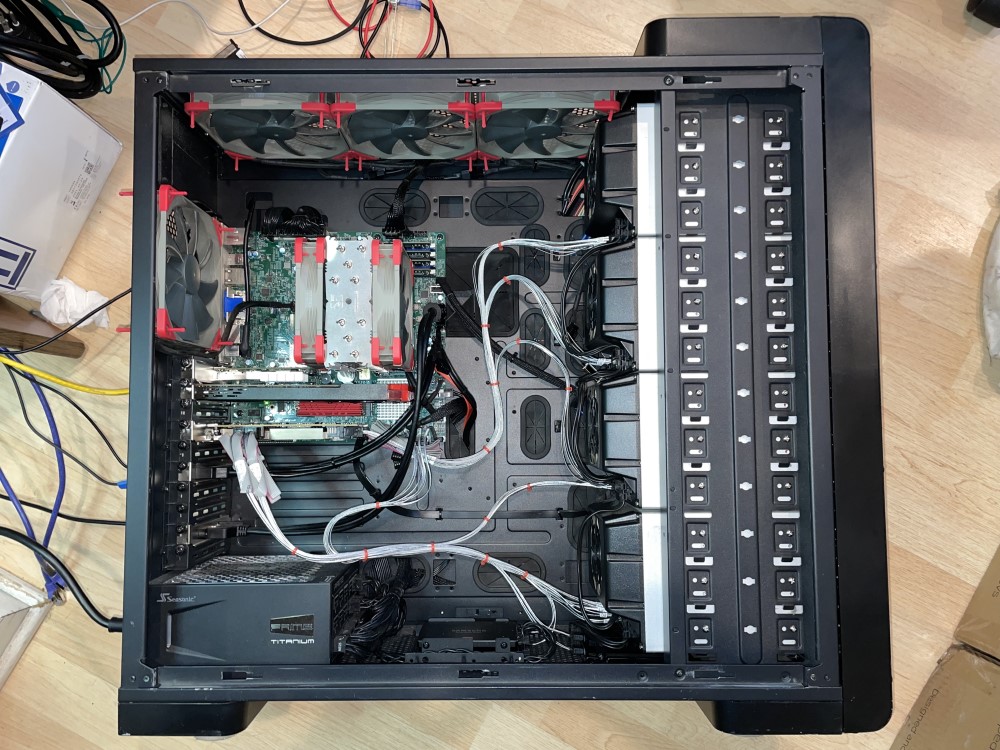
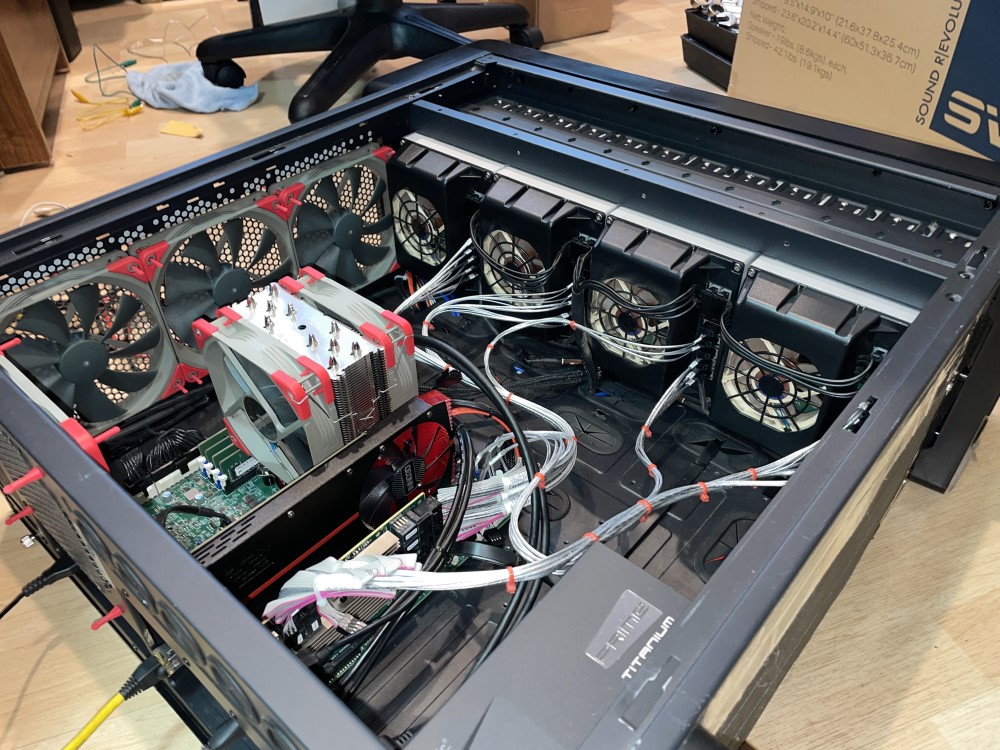
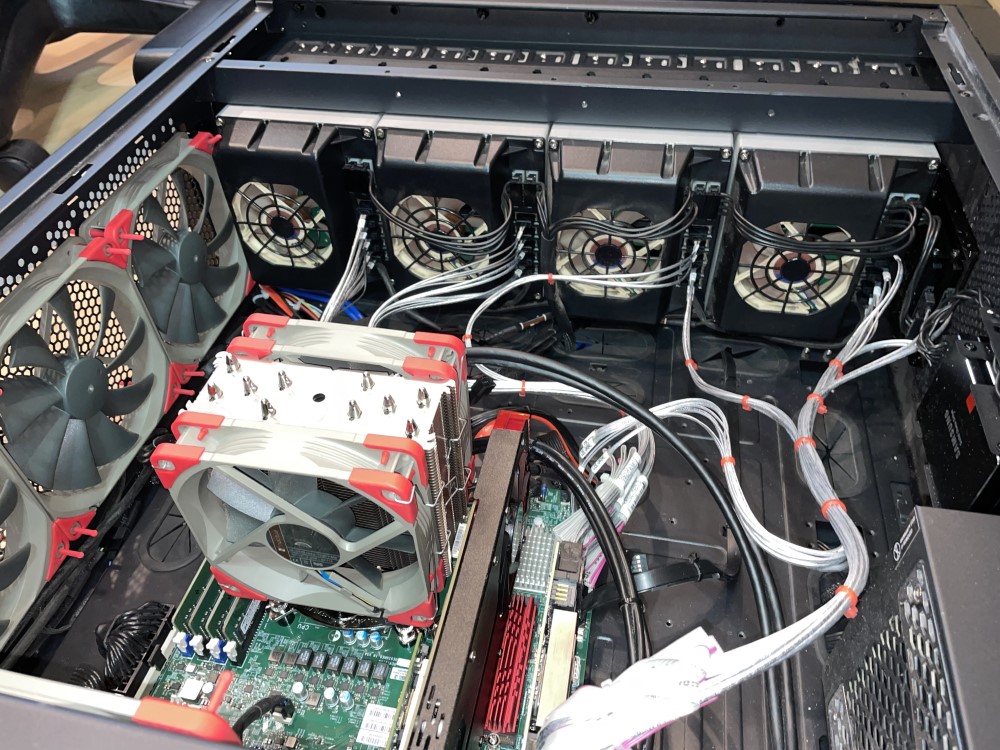
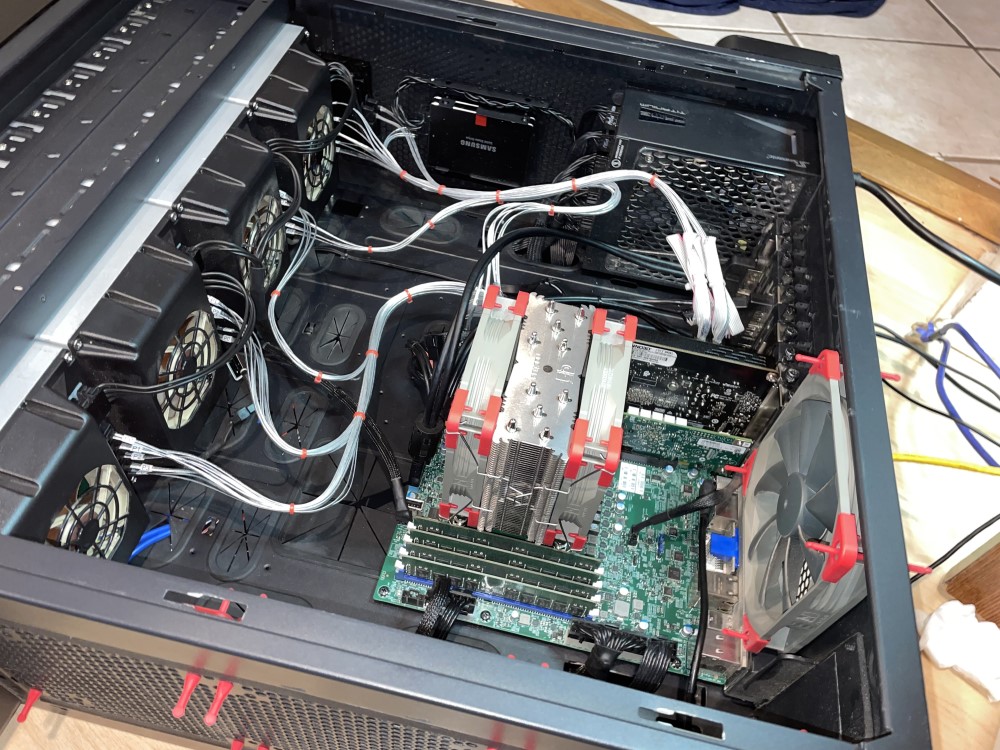
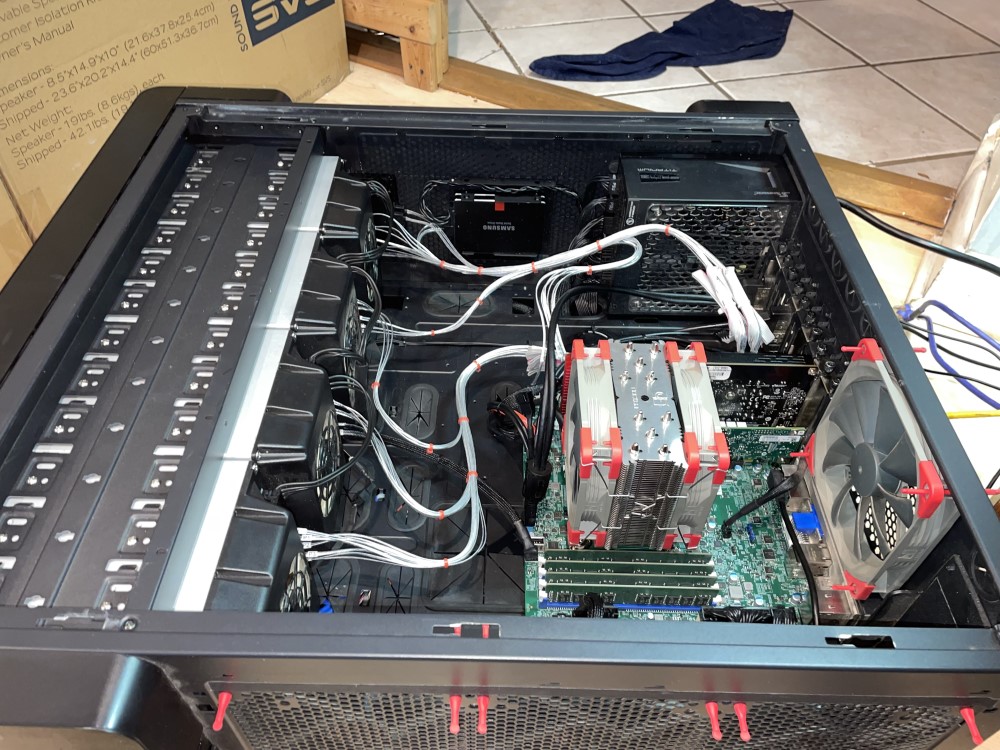
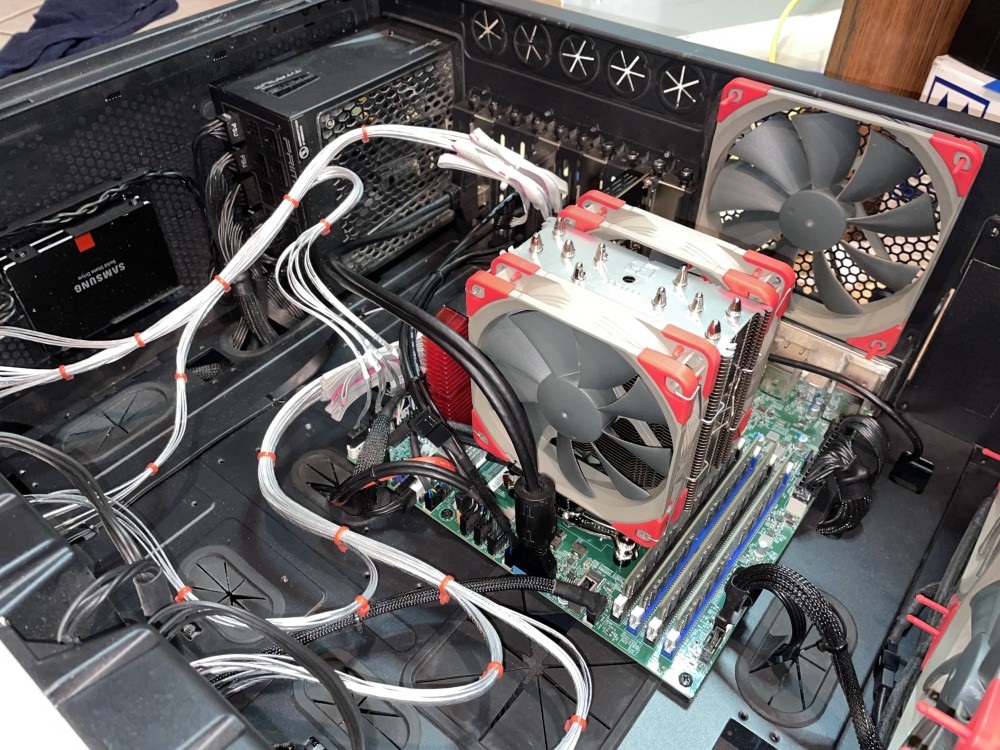
Forgot to add that I custom built all the power cables for all the hard drives and bays. I use 16 AWG pure copper primary wire. It's fun to keep all the black wires in the correct order and not fry anything, but I proved it doable 🙂. Having a modular power supply is nice. I was able to split 10x "spinners" per power cable in order to stay within the amperage limits of the modular power connectors and maintain wire runs without significant voltage drop. Both power wires for the POD's are in one PET expandable braid sleeving finished off with shrink tube on both ends. They breakout and split between the PODS and go up and down (look between PODs two and three in the pics and you can see). They also breakout and split to two ports on the power supply. The SATA power wires I braided for fun. First time I ever did a four-wire braid.
-
The back of your PODS (cages) loos entirely different?
-
I use Norco SS-500 drive cages. These look similar but are maybe knock offs? Here are the Norco's: https://www.sg-norco.com/pdfs/SS-500_5_bay_Hot_Swap_Module.pdf craigr
-
I am also interested in which hard drive pods, cages, or whatever you want to call them are. They look similar to my Norco PODS, but they are not the same ones.
-
Looks like a nice budget case that will keep drives cool. Grat build that will grow with you as you add drives. Nice.
-
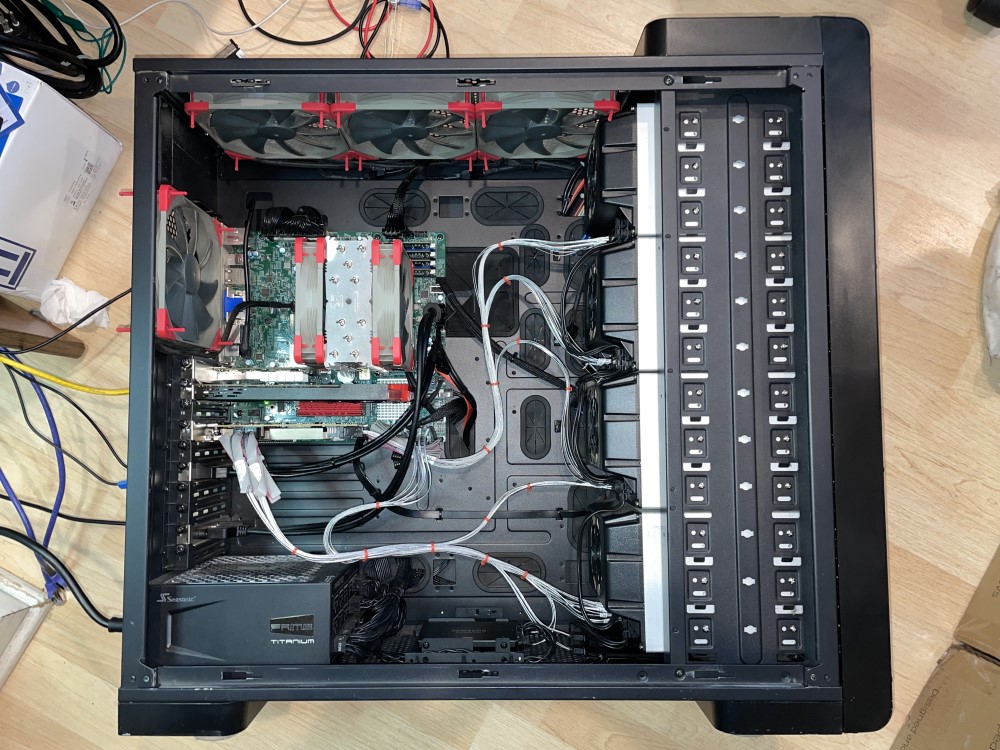
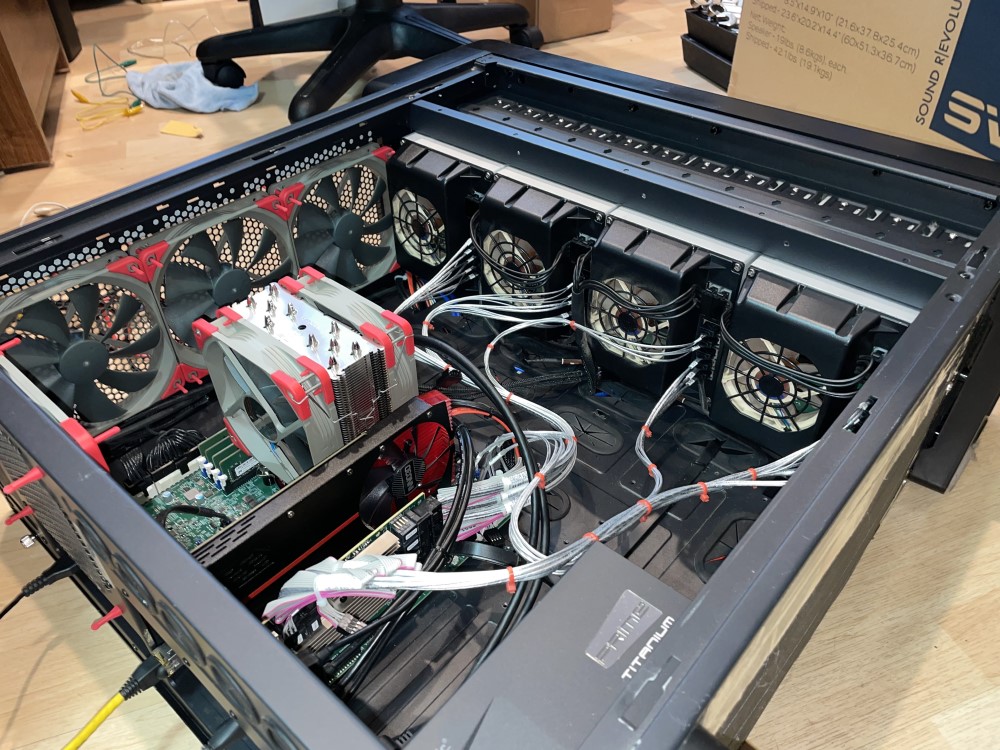
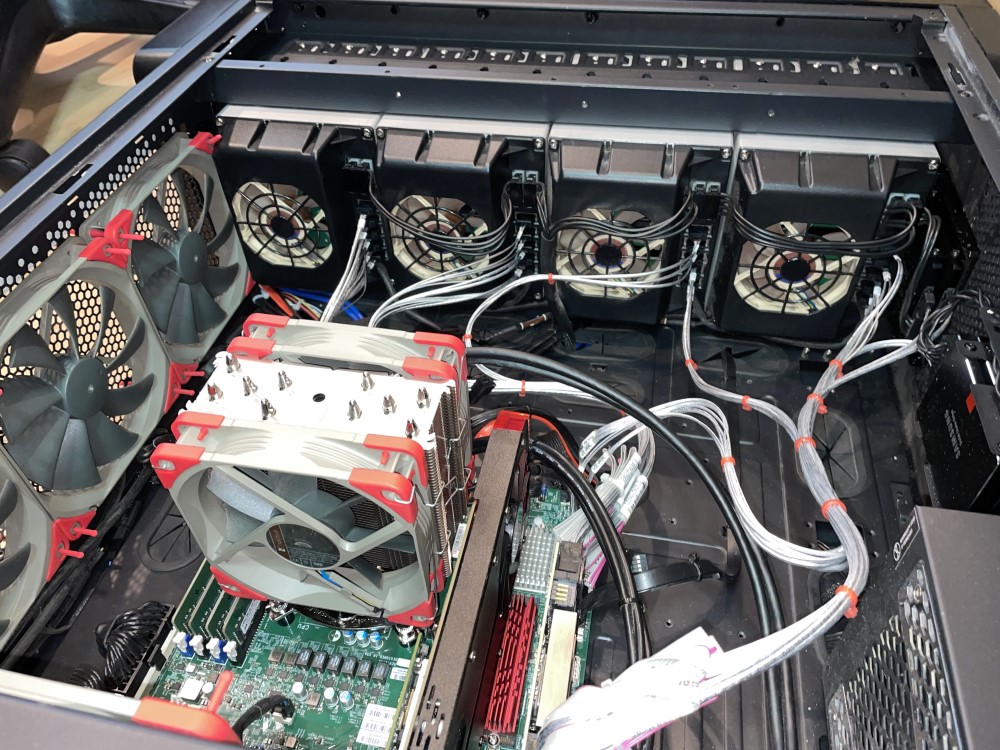
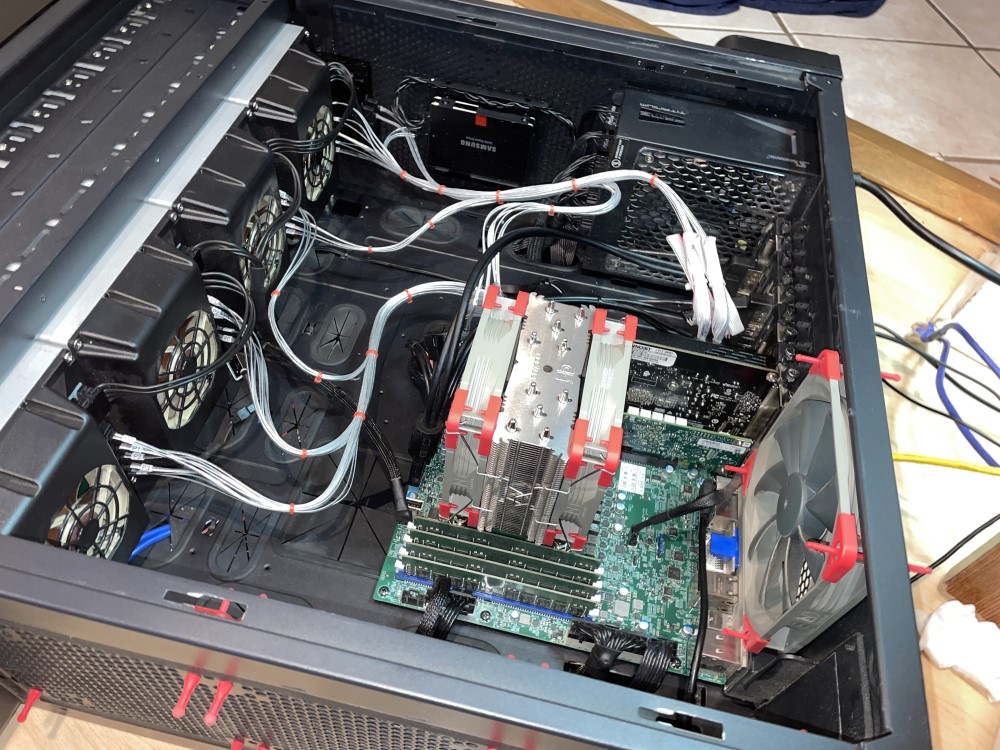
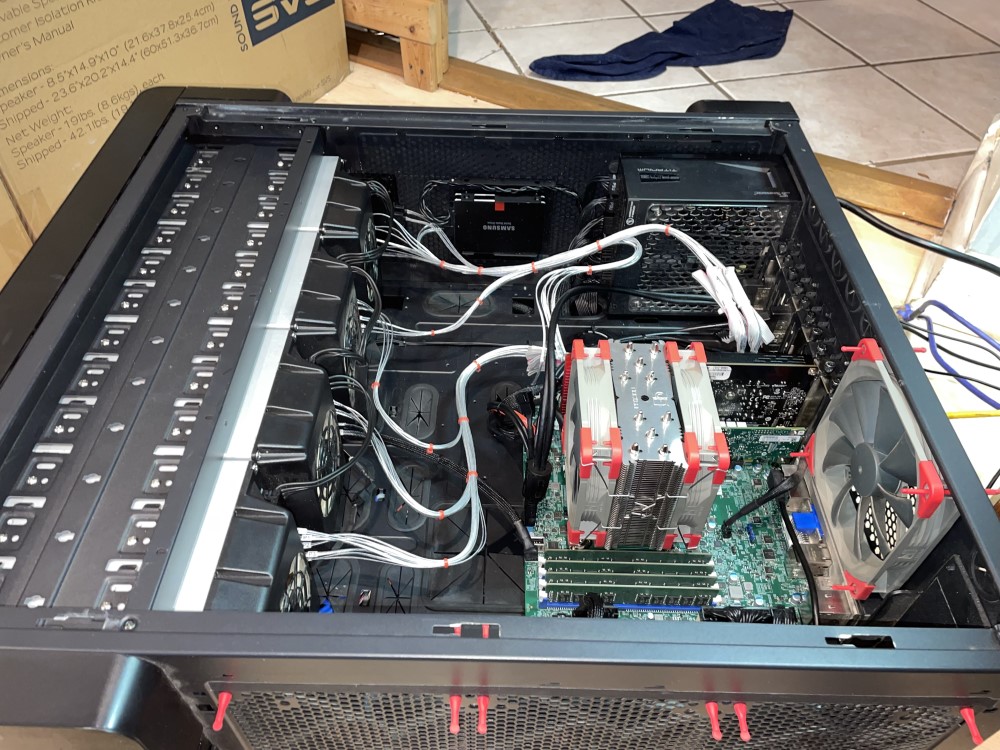
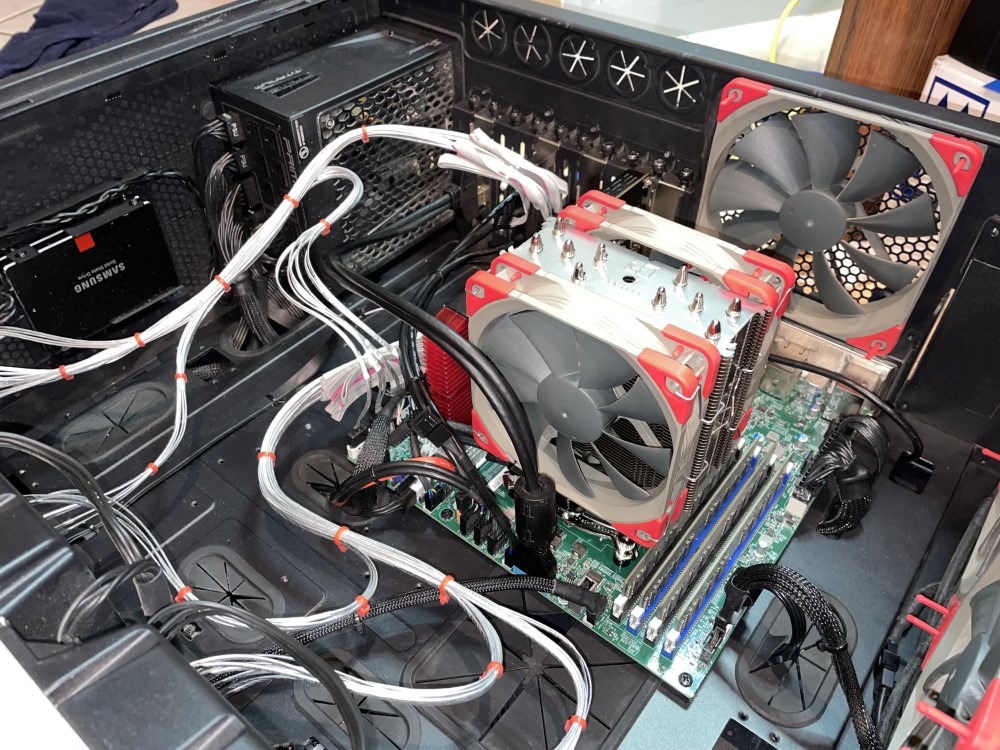
Never thought I would really care, but lately I've been dolling up the server. The original build started in a different case around 17 years ago, but the server has resided in this Xigmatek Elysium for ~13 years. Hardware changes all the time it seems. My current hardware is below but is usually up to date in my signature. I just added my 3D printed 80mm HBA card fan bracket. Server Hardware: SuperMicro X11SCZ-F • Intel Xeon E-2288G • Micron 128GB ECC • Mellanox MCX311A • Seasonic SSR-1000TR 80+ Titanium • APC BR1350MS • Xigmatek Elysium • 4x Norco SS-500's Hard Drive PODs • 12x Noctura Fans • Noctura NH-U12S CPU Cooler. Array Hardware: LSI 9305-24i • 238TB Dual Parity on WD Helium RED's • 19x 14TB • Cache: 1x 14TB • Pool1: 2x Samsung 1TB 850 PROs RAID1 • Pool2: 2x Samsung 4TB 860 EVOs RAID0. Dedicated VM Hardware: Samsung 970 PRO 1TB NVMe • Inno3D Nvidia GTX 1650 Single Slot. Forgot to add that I custom built all the power cables for all the hard drives and bays. I use 16 AWG pure copper primary wire. It's fun to keep all the black wires in the correct order and not fry anything, but I proved it doable 🙂. Having a modular power supply is nice. I was able to split 10x "spinners" per power cable in order to stay within the amperage limits of the modular power connectors and maintain wire runs without significant voltage drop. Here are some pics... NEW: My own Fusion 3D drawn and printed fan bracket: More in the following posts... 10GB fiber 3 meter DAC cable goes from the Mellanox MCX311A to a Brocade ICX7450-32ZP switch. I used to use fiber, but in my new house my office is right next to the equipment rack so now I can get away with a DAC cable. That feeds media to the house and branches off everything. 10GB comes into the 7450-32ZP switch from my modem and I typically get around 3GB (+/-0.50GB) from my ISP. It's a main line directly to my server from which I run VM's and use as my primary workstation. Soon 40GB will run between switches in the equipment room and the upper level of the house. I really love unRAID and how easy virtualization is. craigr
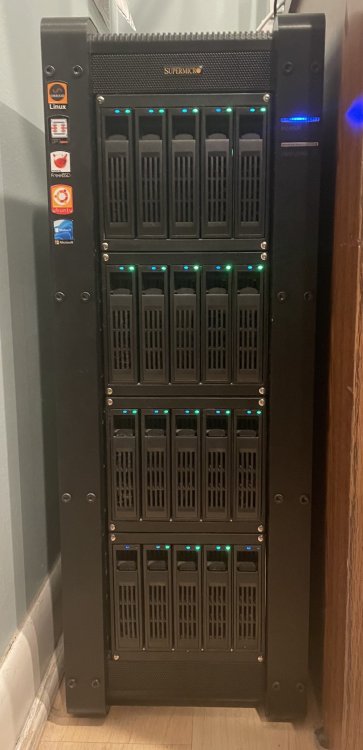
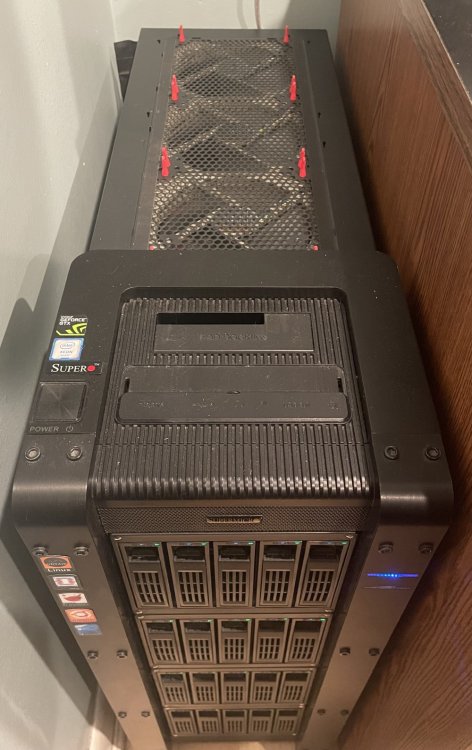
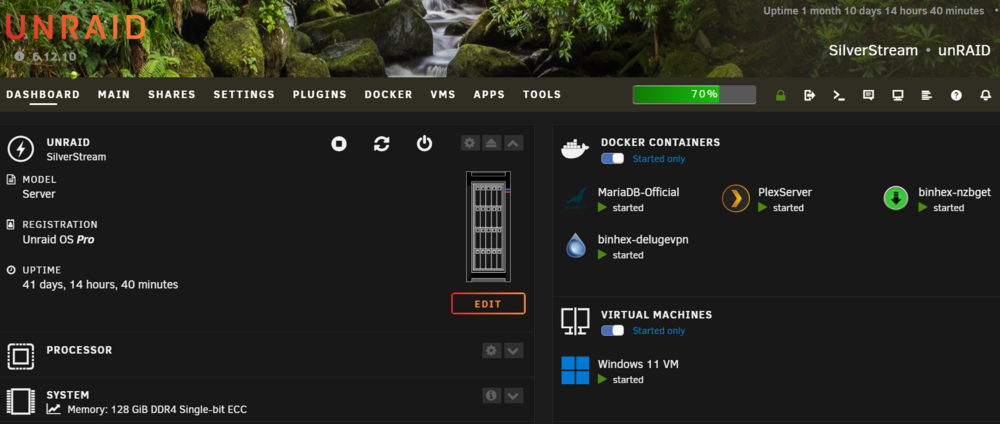
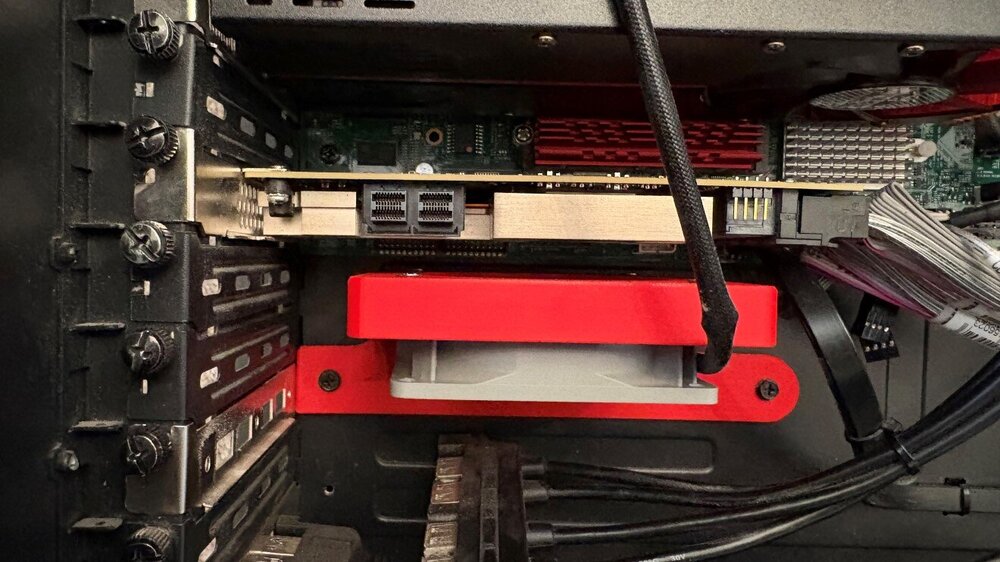
-
You sure did score some very nice hardware and make great use of it. The CSE-846 is one of my dream cases, but I don't have the space. 256GB is a lot especially if you want to get power usage down. Unless you are running loads of VM's and dockers you are probably fine with 64GB or even 32GB with moderate virtualization. I'm well under 100 watts idle and still under 300 watts all out. Really nice build though.
-
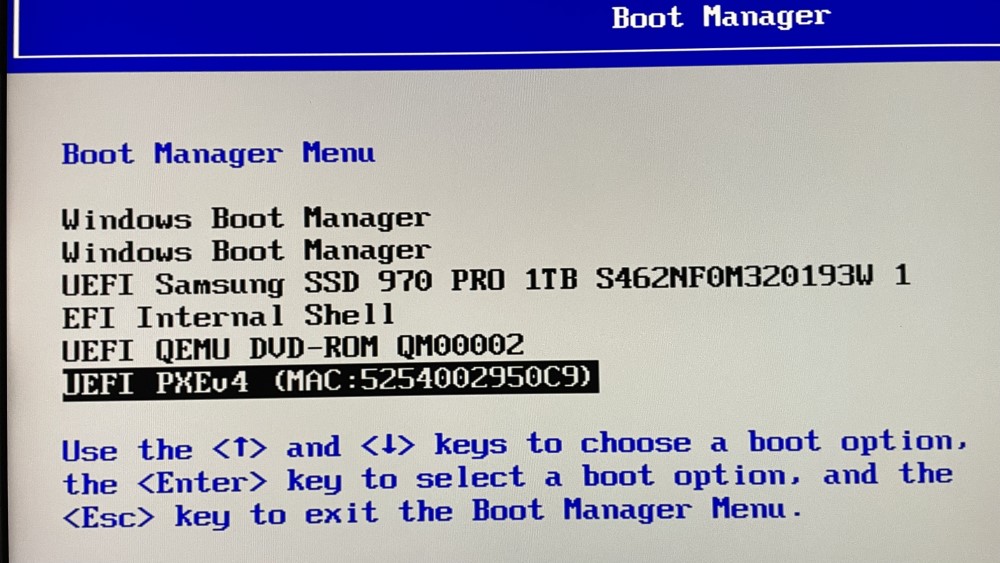
So yeah, this is inside my OVFM BIOS setup boot manager. Why two Windows Boot Managers when I don't think I even really need one because I'm pretty sure there is also a windows boot manager on the SSD itself. If I highlight the SSD and press enter, I boot directly into windows 11.
-
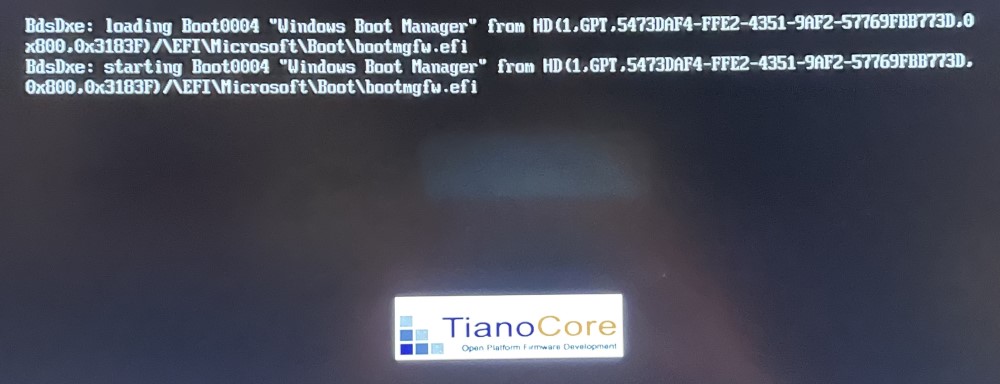
Originally I had a Windows 10 VM setup to run on my NVMe bare-metal using spaces_win_clover.img. I then upgraded to Windows 11 and eliminated the need for spaces_win_clover.img (I think it was not compatible with Windows 11 or maybe I just didn't want to use it anymore because it was no longer needed in unRAID). However, after I did that I could no longer get my Windows 11 VM to boot properly or consistently. This is the thread where I sort of sorted it out or at least got my VM working again: With the release of unRAID 6.11.2 and 6.11.3 I have encountered the problem all over again. With this line in my xml file the VM will boot properly every time, the key line being <boot dev='hd'/> <os> <type arch='x86_64' machine='pc-i440fx-7.1'>hvm</type> <loader readonly='yes' type='pflash'>/usr/share/qemu/ovmf-x64/OVMF_CODE-pure-efi-tpm.fd</loader> <nvram>/etc/libvirt/qemu/nvram/1a8fdacb-aad4-4bbb-71ea-732b0ea1051a_VARS-pure-efi-tpm.fd</nvram> <boot dev='hd'/> I have completely removed the VM (not the VM and disk, just the VM) and started over. I have assigned the NVMe to boot order 1 which adds the line for boot order in the xml file <hostdev mode='subsystem' type='pci' managed='yes'> <driver name='vfio'/> <source> <address domain='0x0000' bus='0x08' slot='0x00' function='0x0'/> </source> <boot order='1'/> <address type='pci' domain='0x0000' bus='0x00' slot='0x0c' function='0x0'/> </hostdev> When I do that, there is no line <boot dev='hd'/> generated by the template. Here is where it gets really weird. Only on the first boot after doing this will OVMF finish loading and boot Windows 11. If I shut down or restart Windows, OVMF will freeze and I cannot boot again until I go back, edit the xml to remove the boot order line, and restore the <boot dev='hd'/> ?!? When I boot with <boot dev='hd'/> this is what I get: I can also press esc and enter the OVMF BIOS. I have tried removing the TWO windows boot managers that are in there and put the NVMe as the first boot device and saved (I've done this like 20 times). However, every time I go back into the OVFM BIOS all the boot options are back as if I never deleted or reordered them 😖. On my first boot with an xml containing <boot order='1'/> I get the exact same above screen and can enter the OVFM Bios with esc. But as stated, once I shutdown Windows and reboot I will only get the first "Windows Boot Manager," OVFM will not respond to esc, and it just freezes there. Finished. Done. I have to go back to the xml, remove boot order and restore boot dev=hd. Why do I have two windows boot managers, why can't I delete them, why can I boot fine directly from my NVMe when I am in the OVFM BIOS and launch there, why can't I use boot order in my xml and boot more than once? Here is my entire current xml that boots: <?xml version='1.0' encoding='UTF-8'?> <domain type='kvm' id='2'> <name>Windows 11</name> <uuid>1a8fdacb-aad4-4bbb-71ea-732b0ea1051a</uuid> <metadata> <vmtemplate xmlns="unraid" name="Windows 11" icon="windows11.png" os="windowstpm"/> </metadata> <memory unit='KiB'>38273024</memory> <currentMemory unit='KiB'>38273024</currentMemory> <memoryBacking> <nosharepages/> </memoryBacking> <vcpu placement='static'>8</vcpu> <cputune> <vcpupin vcpu='0' cpuset='4'/> <vcpupin vcpu='1' cpuset='12'/> <vcpupin vcpu='2' cpuset='5'/> <vcpupin vcpu='3' cpuset='13'/> <vcpupin vcpu='4' cpuset='6'/> <vcpupin vcpu='5' cpuset='14'/> <vcpupin vcpu='6' cpuset='7'/> <vcpupin vcpu='7' cpuset='15'/> </cputune> <resource> <partition>/machine</partition> </resource> <os> <type arch='x86_64' machine='pc-i440fx-7.1'>hvm</type> <loader readonly='yes' type='pflash'>/usr/share/qemu/ovmf-x64/OVMF_CODE-pure-efi-tpm.fd</loader> <nvram>/etc/libvirt/qemu/nvram/1a8fdacb-aad4-4bbb-71ea-732b0ea1051a_VARS-pure-efi-tpm.fd</nvram> <boot dev='hd'/> </os> <features> <acpi/> <apic/> <hyperv mode='custom'> <relaxed state='on'/> <vapic state='on'/> <spinlocks state='on' retries='8191'/> <vendor_id state='on' value='none'/> </hyperv> </features> <cpu mode='host-passthrough' check='none' migratable='on'> <topology sockets='1' dies='1' cores='4' threads='2'/> <cache mode='passthrough'/> </cpu> <clock offset='localtime'> <timer name='hypervclock' present='yes'/> <timer name='hpet' present='no'/> </clock> <on_poweroff>destroy</on_poweroff> <on_reboot>restart</on_reboot> <on_crash>restart</on_crash> <devices> <emulator>/usr/local/sbin/qemu</emulator> <disk type='file' device='cdrom'> <driver name='qemu' type='raw'/> <source file='/mnt/pool/ISOs/virtio-win-0.1.225-2.iso' index='1'/> <backingStore/> <target dev='hdb' bus='ide'/> <readonly/> <alias name='ide0-0-1'/> <address type='drive' controller='0' bus='0' target='0' unit='1'/> </disk> <controller type='usb' index='0' model='qemu-xhci' ports='15'> <alias name='usb'/> <address type='pci' domain='0x0000' bus='0x00' slot='0x07' function='0x0'/> </controller> <controller type='pci' index='0' model='pci-root'> <alias name='pci.0'/> </controller> <controller type='ide' index='0'> <alias name='ide'/> <address type='pci' domain='0x0000' bus='0x00' slot='0x01' function='0x1'/> </controller> <controller type='virtio-serial' index='0'> <alias name='virtio-serial0'/> <address type='pci' domain='0x0000' bus='0x00' slot='0x03' function='0x0'/> </controller> <interface type='bridge'> <mac address='52:54:00:29:50:c9'/> <source bridge='br0'/> <target dev='vnet1'/> <model type='virtio-net'/> <alias name='net0'/> <address type='pci' domain='0x0000' bus='0x00' slot='0x02' function='0x0'/> </interface> <serial type='pty'> <source path='/dev/pts/0'/> <target type='isa-serial' port='0'> <model name='isa-serial'/> </target> <alias name='serial0'/> </serial> <console type='pty' tty='/dev/pts/0'> <source path='/dev/pts/0'/> <target type='serial' port='0'/> <alias name='serial0'/> </console> <channel type='unix'> <source mode='bind' path='/var/lib/libvirt/qemu/channel/target/domain-2-Windows 11/org.qemu.guest_agent.0'/> <target type='virtio' name='org.qemu.guest_agent.0' state='connected'/> <alias name='channel0'/> <address type='virtio-serial' controller='0' bus='0' port='1'/> </channel> <input type='mouse' bus='ps2'> <alias name='input0'/> </input> <input type='keyboard' bus='ps2'> <alias name='input1'/> </input> <tpm model='tpm-tis'> <backend type='emulator' version='2.0' persistent_state='yes'/> <alias name='tpm0'/> </tpm> <audio id='1' type='none'/> <hostdev mode='subsystem' type='pci' managed='yes'> <driver name='vfio'/> <source> <address domain='0x0000' bus='0x01' slot='0x00' function='0x0'/> </source> <alias name='hostdev0'/> <rom file='/mnt/pool/vdisks/vbios/My_Inno3D.GTX1650.4096.(version_90.17.3D.00.95).rom'/> <address type='pci' domain='0x0000' bus='0x00' slot='0x04' function='0x0' multifunction='on'/> </hostdev> <hostdev mode='subsystem' type='pci' managed='yes'> <driver name='vfio'/> <source> <address domain='0x0000' bus='0x01' slot='0x00' function='0x1'/> </source> <alias name='hostdev1'/> <address type='pci' domain='0x0000' bus='0x00' slot='0x04' function='0x1'/> </hostdev> <hostdev mode='subsystem' type='pci' managed='yes'> <driver name='vfio'/> <source> <address domain='0x0000' bus='0x00' slot='0x1f' function='0x3'/> </source> <alias name='hostdev2'/> <address type='pci' domain='0x0000' bus='0x00' slot='0x06' function='0x0'/> </hostdev> <hostdev mode='subsystem' type='pci' managed='yes'> <driver name='vfio'/> <source> <address domain='0x0000' bus='0x00' slot='0x14' function='0x0'/> </source> <alias name='hostdev3'/> <address type='pci' domain='0x0000' bus='0x00' slot='0x08' function='0x0'/> </hostdev> <hostdev mode='subsystem' type='pci' managed='yes'> <driver name='vfio'/> <source> <address domain='0x0000' bus='0x00' slot='0x1f' function='0x5'/> </source> <alias name='hostdev4'/> <address type='pci' domain='0x0000' bus='0x00' slot='0x09' function='0x0'/> </hostdev> <hostdev mode='subsystem' type='pci' managed='yes'> <driver name='vfio'/> <source> <address domain='0x0000' bus='0x08' slot='0x00' function='0x0'/> </source> <alias name='hostdev5'/> <address type='pci' domain='0x0000' bus='0x00' slot='0x0a' function='0x0'/> </hostdev> <memballoon model='none'/> </devices> <seclabel type='dynamic' model='dac' relabel='yes'> <label>+0:+100</label> <imagelabel>+0:+100</imagelabel> </seclabel> </domain> PLEASE SOMEBODY HELP ME. I HAVE SPENT HOURS!!!
-
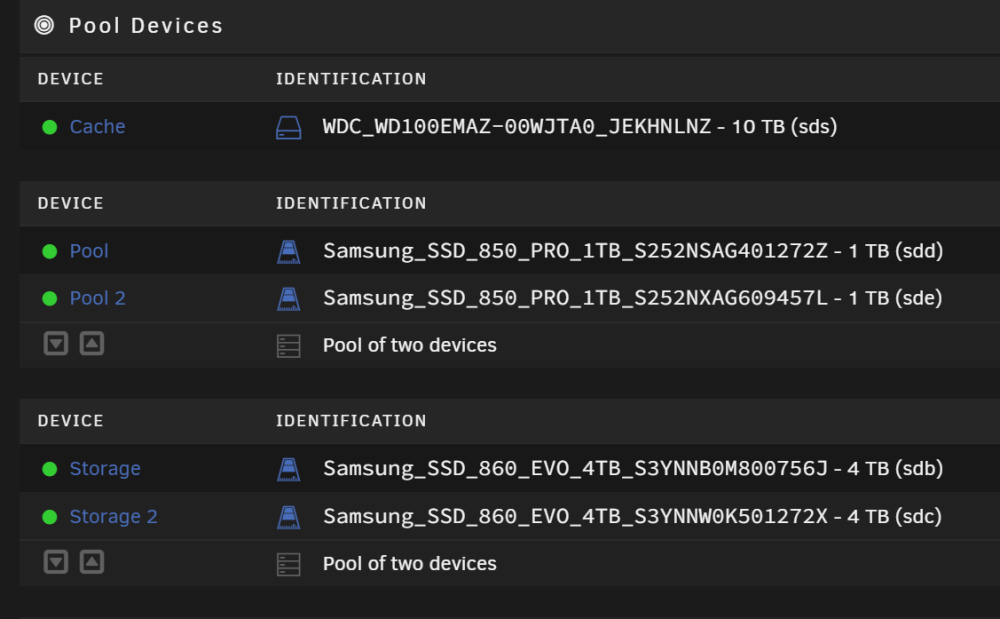
Well, I updated from 6.11.1 to 6.11.3 and the problem did not reoccur. My cache disks are all assigned and intact. I have rebooted multiple times to test and it's all fine. Something with the upgrade between 6.11.2 to 6.11.3 obviously went sideways that did not happen after I reverted back to 6.11.1 and upgraded from there. Oh well. Now if I could only get my Windows 11 VM to boot more than once with boot order enabled... but I have a work around for that so I can live with it for now. Thanks, craigr
-
I can try 6.11.3 again later when I have more time and get the log files. Right now, I just need a functioning computer.
-
I don't know. I've been using unRAID for over ten years and have had very few problems with complicated setups running VM's and dockers. I use unRAID on many of my client's systems who pay me to build them servers for their home theaters. I have found support to be quite good and developers have stepped in when necessary. My experience has been great with only a hiccup here and there, but what I am doing is complex and I would expect this.
-
Yes, my pool devices were assigned again (thank the maker). I did of course have a backup from 6.11.1. I recreated the flash drive from scratch using a fresh download of 6.11.1 and copied over my config directory. Funny thing too is that my SSD cache pools use the SATA ports on the MB and the cache drive uses a port on my LSI controller. Why lose ALL cache drives?!?
-
I just tried to upload my hardware configuration with hardware profiler and that failed, "Sorry, an error occurred. Please try again later." However, all of my hardware is in my signature.
-
Well, after updating from 6.11.2 to 6.11.3 and rebooting, my cache drive, and both of my cache pools disks became unassigned. This caused libvert to be unfindable obviously so none of my dockers or VM's started. Last night on 6.11.2 my Windows VM stopped booting (which I was afraid would happen because of the boot order issue I asked about in the 6.11.2 thread). I have had to revert all the way back to 6.11.1 to get a working machine again. Please let me know what I may do to help. However, my day is pretty full. craigr
-
Done as well.
-
I had to screw with it a little bit, but it wasn't bad. I upgraded unRAID successfully and everything is working well (VM's and Dockers). Remember, I did not have any "boot order" defined in my xml before (it was in the OVMF BIOS setup I think). If I tried to use boot order before, my VM would not start. I had to work around this way: <os> <type arch='x86_64' machine='pc-i440fx-6.2'>hvm</type> <loader readonly='yes' type='pflash'>/usr/share/qemu/ovmf-x64/OVMF_CODE-pure-efi-tpm.fd</loader> <nvram>/etc/libvirt/qemu/nvram/2c4db39b-fc53-1762-d1ba-9c768e033e45_VARS-pure-efi-tpm.fd</nvram> <boot dev='hd'/> </os> This VM was built on Windows 10 and spaces_win_clover.img to load the NVMe bare-metal. Upgrading from Windows 10 to 11 and then removing the clover image caused unique issues for me I suspect. Anyway, I upgraded unRAID, put a check for my NVMe in the new Windows template, defined its boot order as "1", saved the template, compared it to my old xml, modified my old xml to remove the <boot dev='hd'/> lines and add <boot order='1'/>. Everything started up on the first try. No issues to report so far. The unRAID update is working well. Thanks all! craigr
-
Thank you! So if you were to check your NVMe drive in form view, what line(s) would be added to your XML? I really don't want to have to parse through all my XML customizations when they get wiped out, and then potentially fiddle with the OVMF BIOS as well
-
I'm a bit worried to update due to this. I have Windows 11 booting directly from an NVMe already. Had to fight this boot order thing a long way to get the VM back before. I've attached my current XML. Anyone think I may have a problem after this update? Thanks! craigr win11 NOV 16 2022.xml
-
I follow the same practice.It's funny, I changed my SAS and SATA cables to silver Supermicro to rid my server of UDMA CRC errors, and that made me rename my server to SilverStream, and that made me want to change my banner to an actual 'silver stream', and that made me want to post here 🙂 ...and that made me buy the silver Noctua NH-U12S CPU cooler just now for which I will substitute my grey (silver) Redux fan... ...which made me buy the red sound absorbers, which resulted in the need to change the zipties to red... *The banner is 2000x96 pixels instead of 1270x96 pixels because on my 4k monitor I thought it stretches and squeezes better with windows resizing.

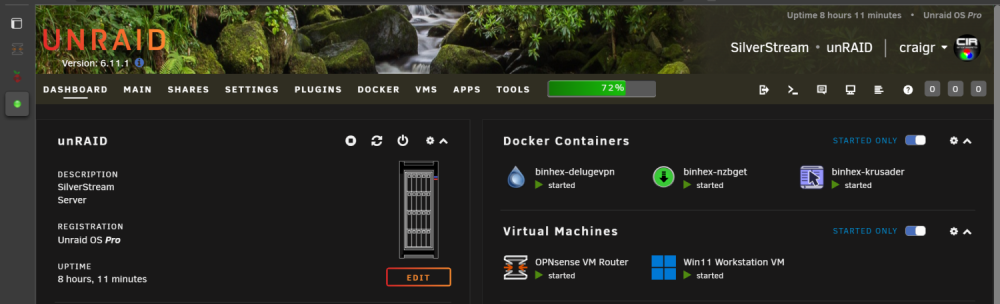
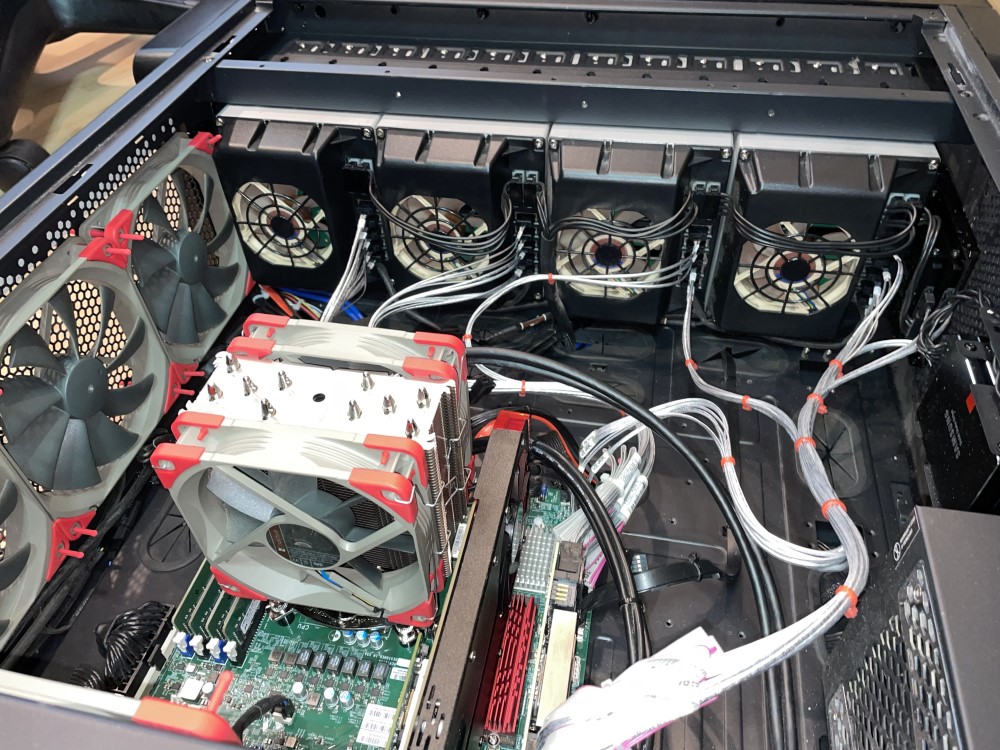 Well, all dolled up and no more UDMA Checksum Errors! I know you're not supposed to tie cables together, but I've never had problems doing it with good shielded cables like these. New SAS > SATA and matching SATA > SATA cables installed. I renamed the server SilverStream 😉. I think she looks great!