





CrashnBrn
Members
-
Joined
-
Last visited
Everything posted by CrashnBrn
-
@jdhill777 how would I use something like gcloud adc to use a vertex ai key? https://docs.openclaw.ai/concepts/model-providers#google-vertex-antigravity-and-gemini-cli
-
Will the stable version be updated to a new version soon since people have been running 10 for a few weeks? Or should I still stick with 9.x?
-
Hi! Just upgraded to all new hardware and I want to fully replace my old cache pool ( 2x btrfs SSDs) with my new 2x NVMe drives. I'm running 7.1.4. From what I read online I changed my share setting to array and invoked the mover but that didn't do anything since it seems that the share setting only apply to new files. What is the process to move the data from the old pool? I haven't set up a new pool yet with the new drives since I'm not sure what the order of operations should be. Thanks!
-
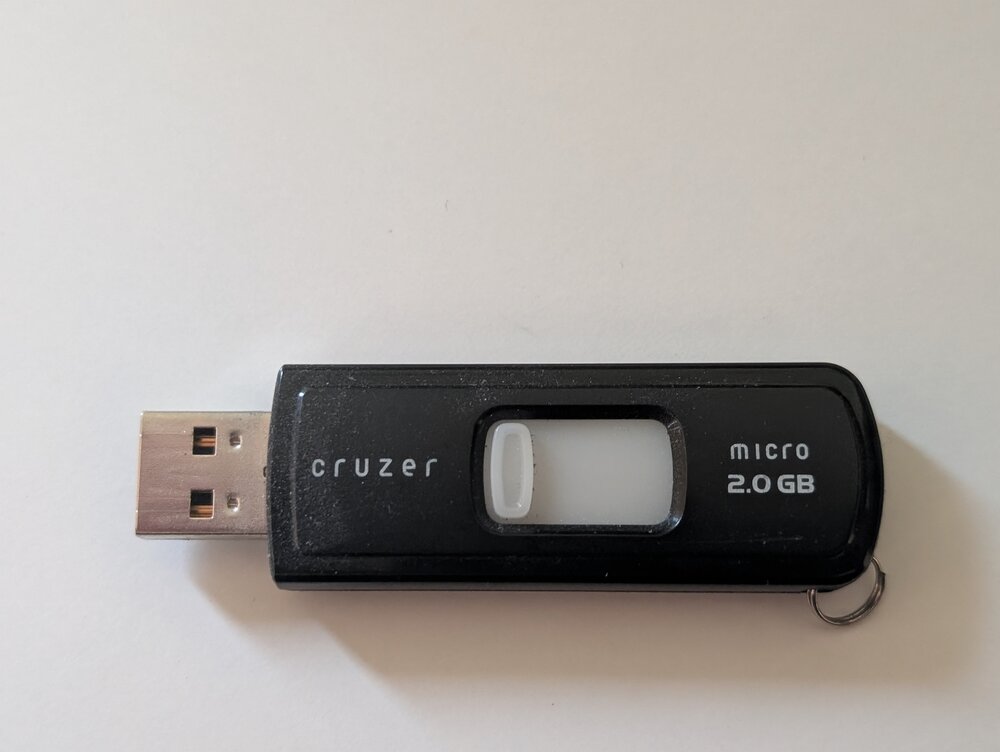
boot device shows 687677440 free but upgrade needs 698368584 plugin: run failed: '/bin/bash' returned 1 Executing hook script: post_plugin_checks I've been running this flash drive since before unraid 4.7, and a case full of IDE drives! But it's finally time to upgrade since I can't install 7.0 with it. It's the only piece of the original server I have left. I thought a poem would be the best. Oh, mighty Sandisk, 2GB strong, Sixteen years—you’ve chugged along. Unraid’s heart, my steadfast knight, 140,000 hours—still burning bright. No errors, no fuss, no sudden demise, A USB legend in tiny disguise. But time moves on, and so must I, A newer drive will now comply. Rest well, old friend, your watch is through, You’ve earned your peace—I’ll miss you. ❤️
-
Sorry not sure what else it could be.
-
Can you verify that you changed managed in the XML view and not the form view? Have you tried another USB port on your machine?
-
Did it change it the XML view? The form view did not work for me. In the JS UI are you seeing the same "failed to open serial port" that I was seeing?
-
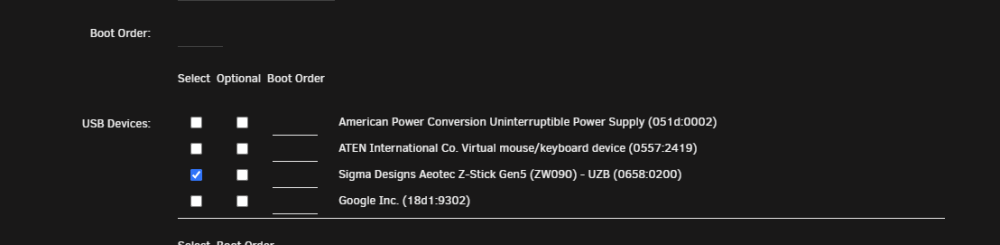
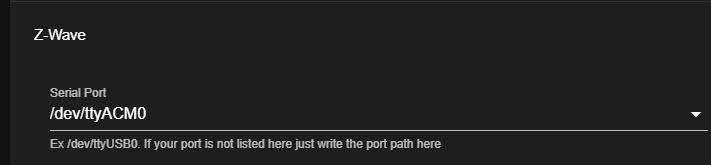
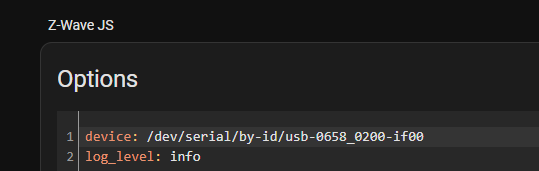
SOLVED. NOTES IN THE EDIT Hi, I've been having this issue on and off, but it's finally gotten to the point that I can't resolve it on my own. I have an Aeotec Z-Stick Gen5+ plugged into my Unraid machine that's being passed to my Home Assistant VM HaasOS. Just the other day when looking at my Zwave JS UI I'm not seeing any devices and see the following error: Driver: Failed to open the serial port: Error: No such file or directory, cannot open /dev/ttyACM0 (ZW0100) From what I've googled and searched the issue is caused by the VM not seeing the USB device. In the past I would reboot the VM or unplug and replug the zwave stick and the issue would be resolved but now those quick fixes aren't working. Under settings -> systems -> hardware in home assistant I don't see the zwave device listed. Can someone please help me troubleshoot what's going on with the passthrough? Edit: I figured it out! I think it's a bug in Unraid unless I'm misunderstanding the way the VM config works. Even though I had the USB device checked it was showing as: <hostdev mode='subsystem' type='usb' managed='no'> I changed it to <hostdev mode='subsystem' type='usb' managed='yes'> That resolved the issue and the device started showing up.

-
Can you provide some additional information? Are you using pfsense? What errors you're getting? If you hit the help button on the page with the cert (in unraid) have you tried going through the steps again?
-
While I haven't heard of Tresorit, a quick google gave some info. There are multiple docker containers that contain the tresorit CLI utility. I would run one of those dockers on unraid and use that get the files I need up to Tresorit.
-
Sorry I never got around to it. and it's been so long I no longer remember.
-
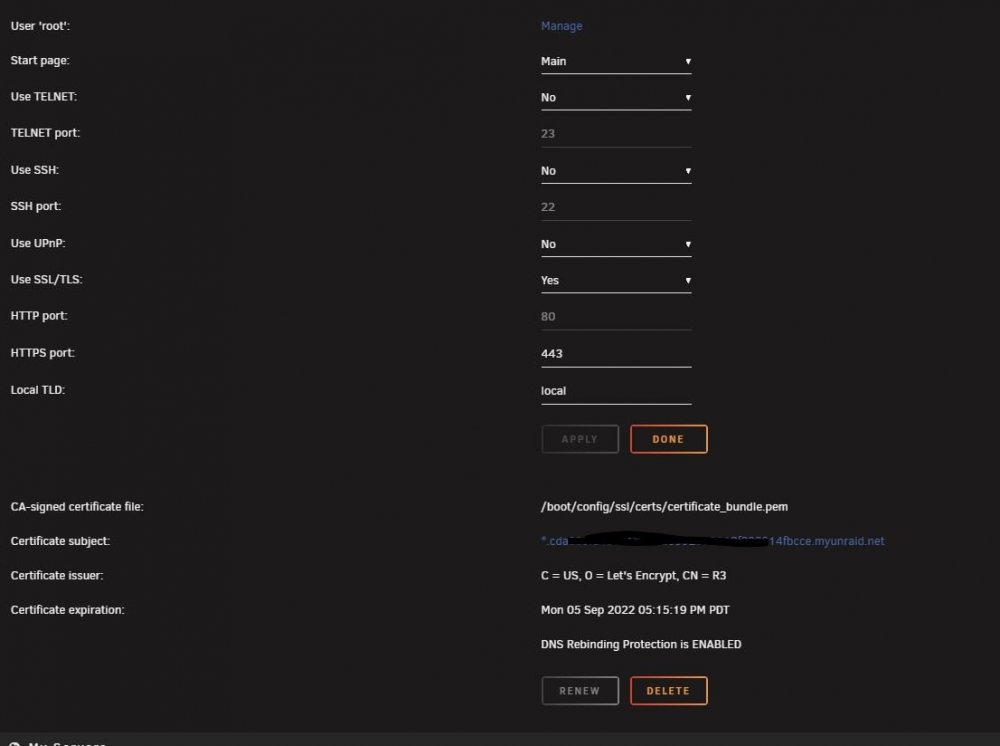
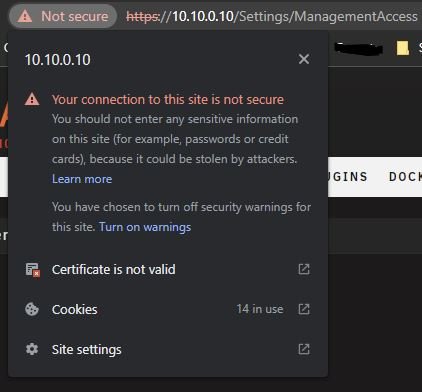
Hello! I was doing some testing and I deleted my SSL cert by click on the Delete option under Management Access. I then clicked on Provision to get a new cert, but with the new cert my browser is showing the cert is not secure. I don't think I did anything differently when I set this up originally. Can someone point me in the direction of what I'm missing to get SSL working properly again? What's weird is it shows the cert was issued in May. Thanks! EDIT: Figured it out. First the rebinding url changed from unraid.net to myunraid.net. Second I set it to strict to force SSL internally. Everything looks good now.

-
There is an official docker image for it: https://hub.docker.com/r/eveseat/seat. Have you tried running it on unraid?
-
Make sure you guys fill out the google form on that page so they have an idea of how many people want to keep a free version of their workspace. It's under:
-
I've changed the tag on the docker image. If you edit your container you can change your Repository to be linuxserver/unifi-controller:version-6.5.55 I've had 0 issues with 6.5.55 since I upgraded
-
I've updated to 6.5.55 and no issues thus far!
-
Is anyone running 6.5.55 without any issues? The log4shell is a pretty massive exploit I'd like to keep patched on all of my applications. I've spent enough time patching it at work....
-
I would love a history of Unraid with Tom. I would love to know how it got to where it is today, and where Tom see's it in the future.
-
There are storage administrator jobs. Years ago I was a Storage Sysadmin that managed PB's of storage on NetApp and various EMC related products (clariion, vmax, datadomain). I also worked with backups, and managed the Unix servers (fun /s). Since then I've moved to a Cloud Engineering focused role. My path was Helpdesk -> SysAdmin -> Cloud Engineering I will tell you that being a storage admin is a very specialized role and IMO it's slowly dying out. The only place you'll find that role is large companies that have on-prem (data center) metal. I decided to move more to the engineering side because I didn't think the storage admin path would play out well in 5-10 years time. From what I've seen of my former co-workers that were on the team, about half have moved on to large companies to manage storage, the others went to more cloud related jobs. Most storage is so easily managed in the various cloud offering that there's almost no point in paying a person to solely manage it. I'm more than happy to expand on anything if you'd like. You can DM me if you want more specific info. I don't like to be too specific on public forums.
-
Hi, Since Google neutered google photos backup in high quality a few years ago I've been backing everything up using google takeout. I starting thinking about how to automate this process since google lets you have takeout ready at certain intervals. But before I start scripting something up I was wondering if anybody has looked into doing something similar? Or even if they know of a way to backup original quality google photos. Thanks!
-
My initial thought would be something like mkvinfo or even something like But I'm not sure if you can display all files with either of those
-
Version 6.10.0 Beta 21 06/27 2021 Is that it?
-
I did get it working, but, haven't touched it since. Did you set up all that was needed here: https://raw.githubusercontent.com/CoinAlpha/hummingbot/development/installation/docker-commands/create.sh ? There were folders that needed to be created initially and pointed to. I can give it another try if I have some extra time this weekend.
-
@SavellM
-
Just wanted to say that fixed it for me as well. Thanks





