mbc0
Members
-
Joined
-
Last visited
Everything posted by mbc0
-
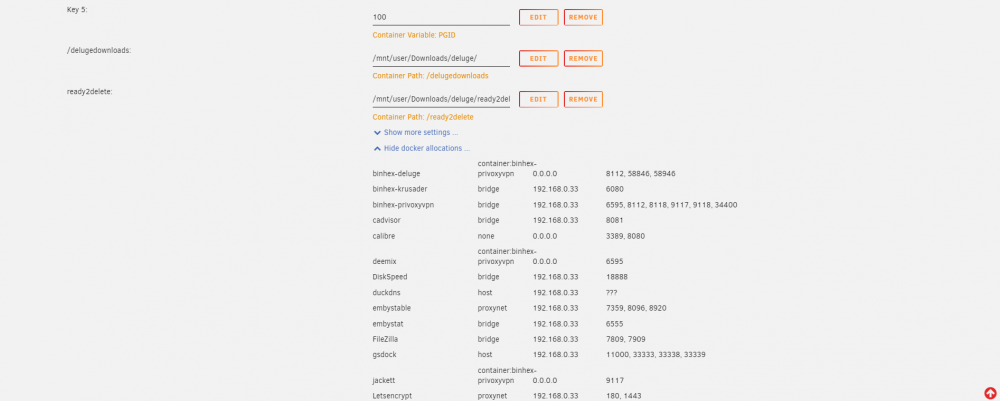
I already tried restarting the container (restarted all of them after making changes to privoxy) I have also noticed that radarr lidarr sonarr etc cannot connect to the new IP for jackett and presume this is why emby cannot connect to xteve (which is what started all this) do all containers have to be part of the privoxy cotainer to talk to each other now? This is the end of the Deluge log if it is any help? 2021-03-01 12:47:30,143 DEBG 'deluge-script' stdout output: [info] Starting Deluge Web UI... 2021-03-01 12:47:31,144 DEBG fd 8 closed, stopped monitoring <POutputDispatcher at 23226430477216 for <Subprocess at 23226430858864 with name deluge-script in state RUNNING> (stdout)> 2021-03-01 12:47:31,144 DEBG fd 10 closed, stopped monitoring <POutputDispatcher at 23226430857376 for <Subprocess at 23226430858864 with name deluge-script in state RUNNING> (stderr)> 2021-03-01 12:47:31,145 INFO exited: deluge-script (exit status 0; expected) 2021-03-01 12:47:31,145 DEBG received SIGCHLD indicating a child quit
-
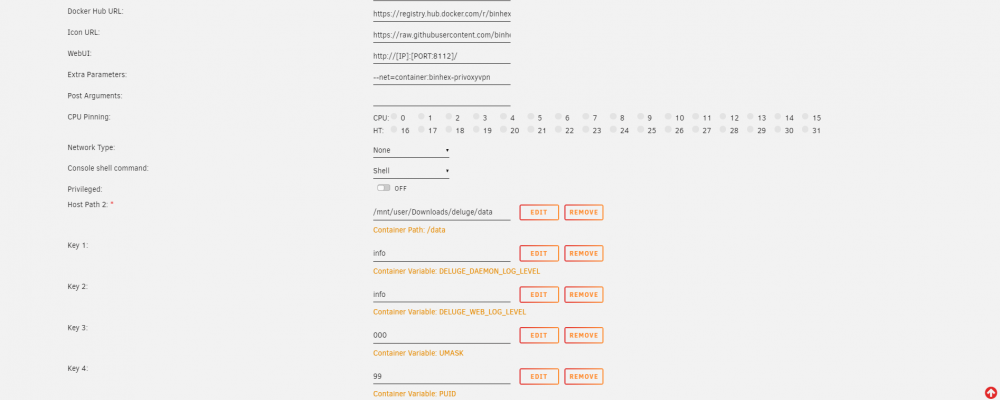
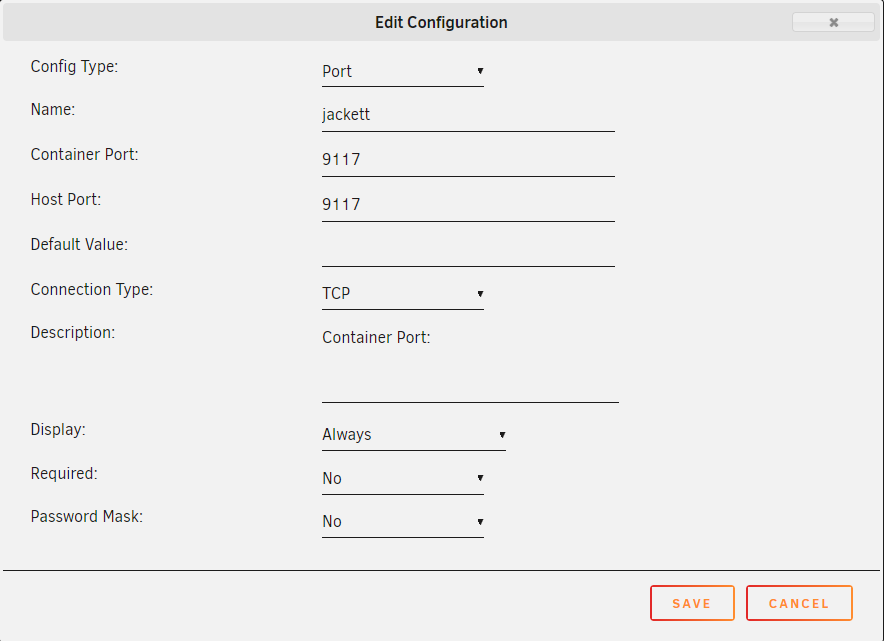
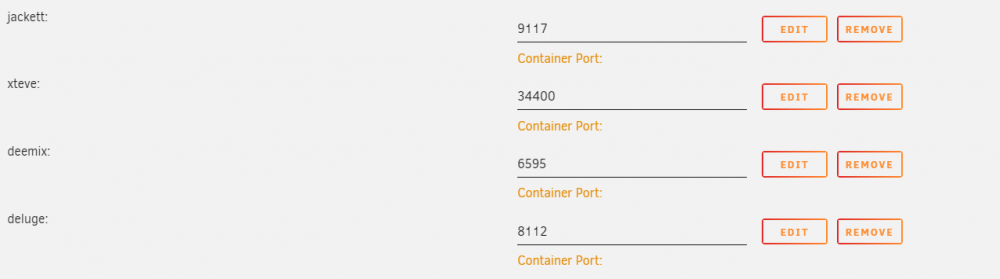
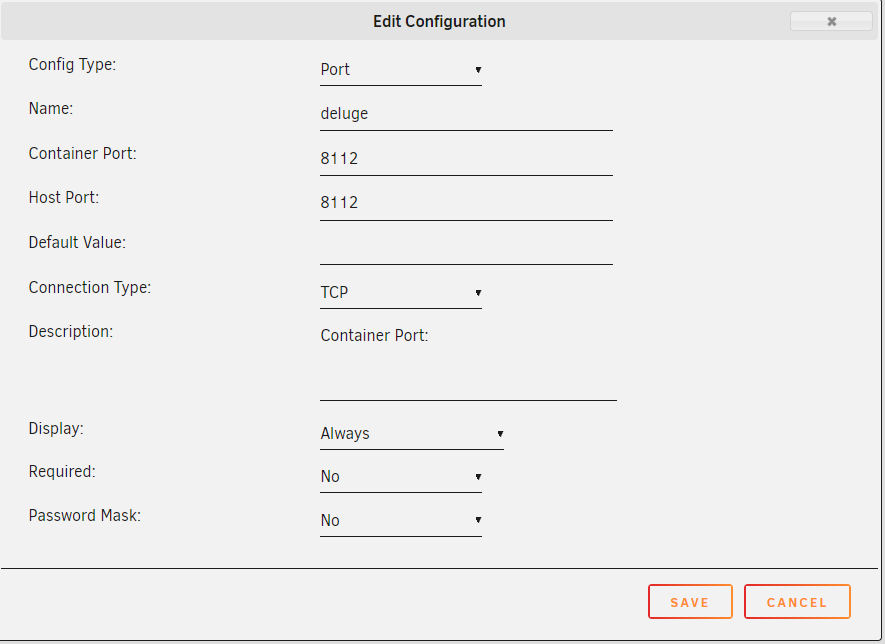
Ok! In Business! (mostly) I now have a complete reversal as I can access the gui on the other 3 dockers except Deluge! The container port was blank in each port selection for the 4 containers I want to pass through, only the container port was specified! I still only see "Container Port:" though and not "Container Port: 9117" etc so all working except Deluge! weird how that was the one container that worked through all of these issues for me and now is the only one that doesn't? Thanks again for your time, I really appreciate your patience.
-
Hi, I did try this yesterday but still couldn't access the webui so put everything back to how it used to be but have tried again now what you have suggested (thank you) To simplify things I am only try to work with jackett I have tried deleting the port number in the container and removing the port parameter completely from the template neither of which are working for me. I also see that unraid shows :9117/TCP - :9117 is that right?


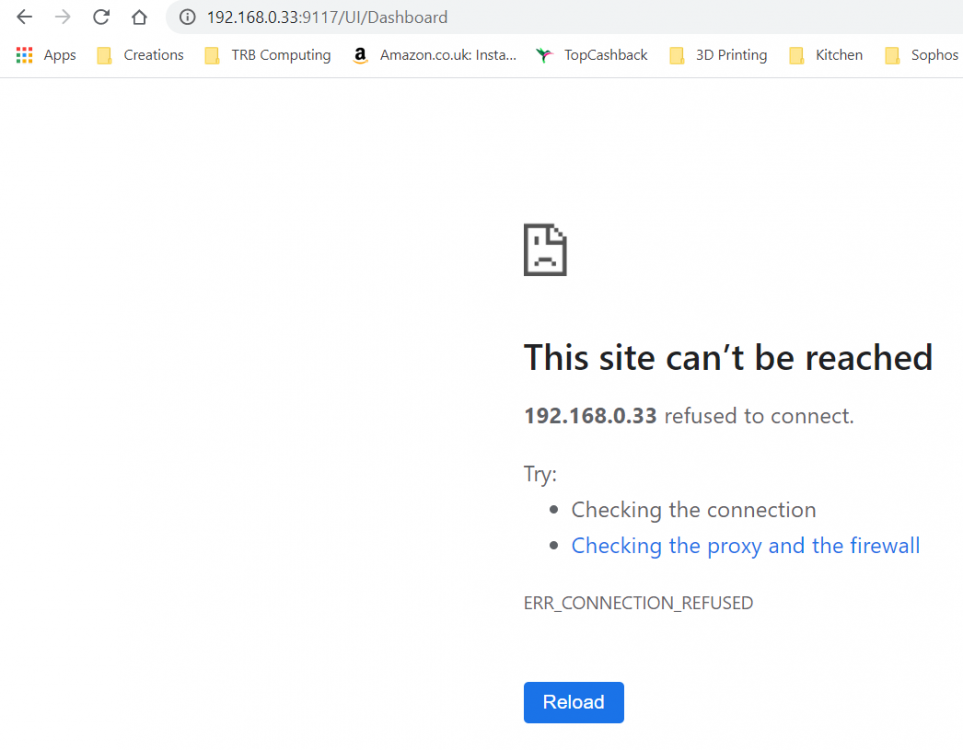 Hi mate, thank you! I think this is where I have got mixed up, I presumed this container did one thing which was pass containers of my choice through a VPN, I do not know what privoxy is!! so yes is the answer The containers I want to pass through are xteve deemix deluge jackett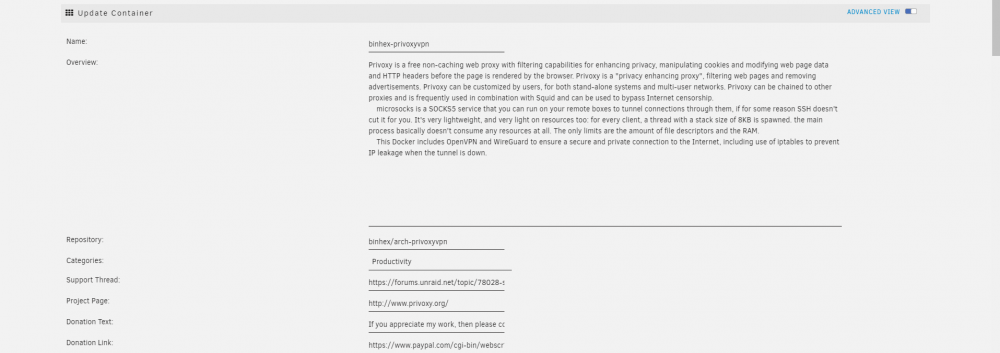
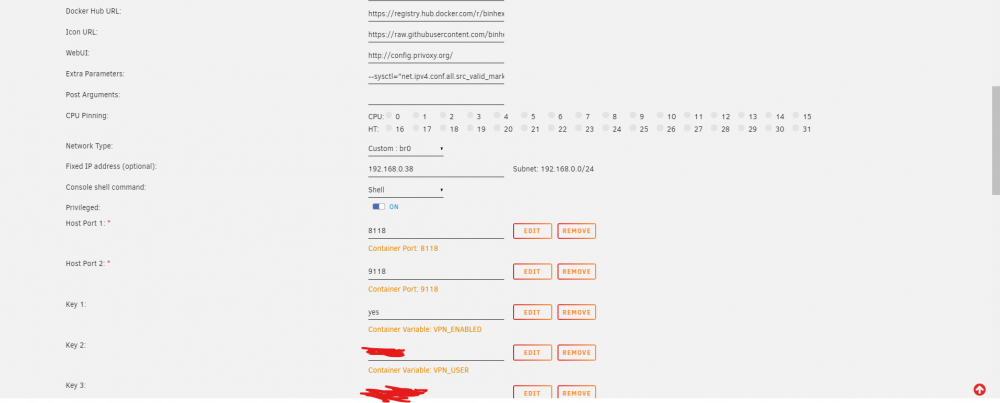
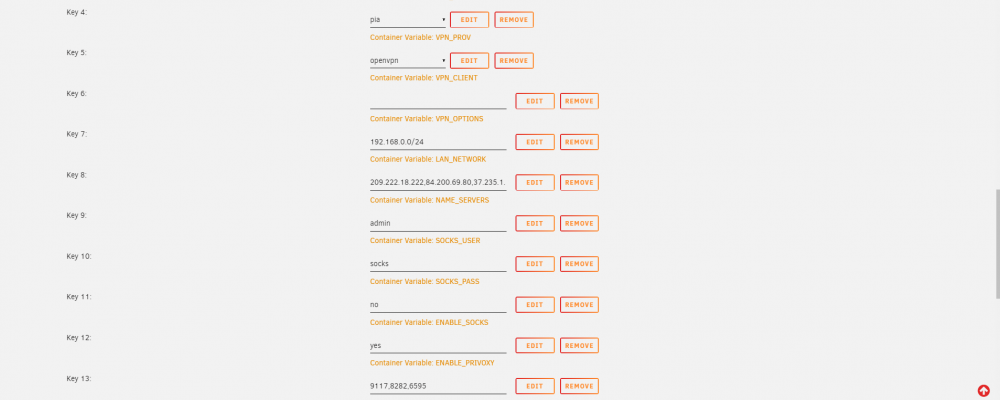
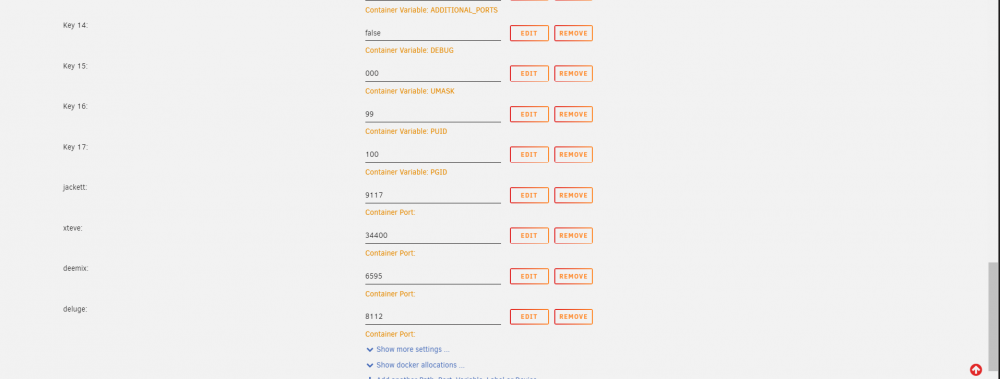
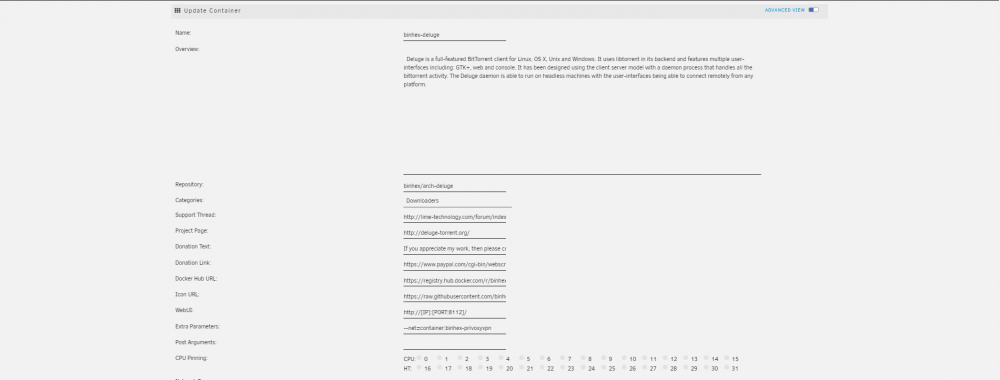
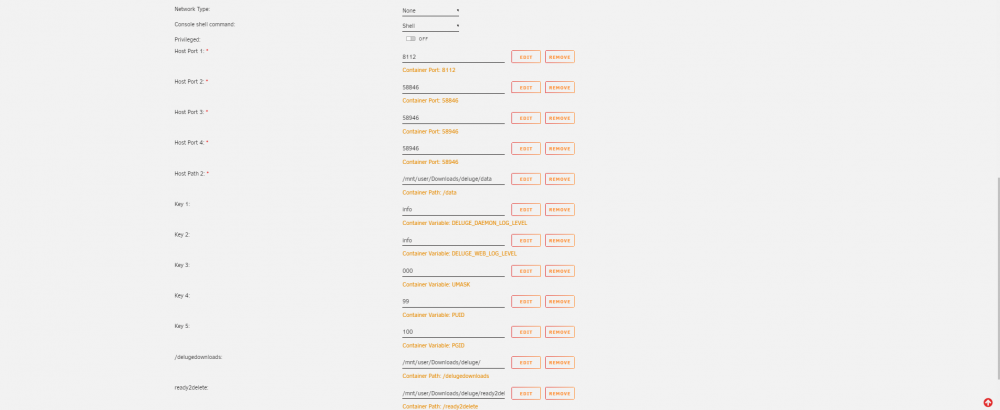
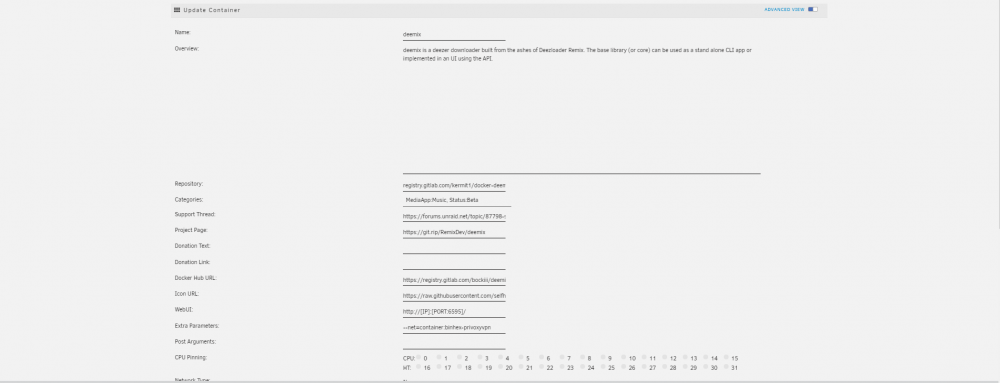
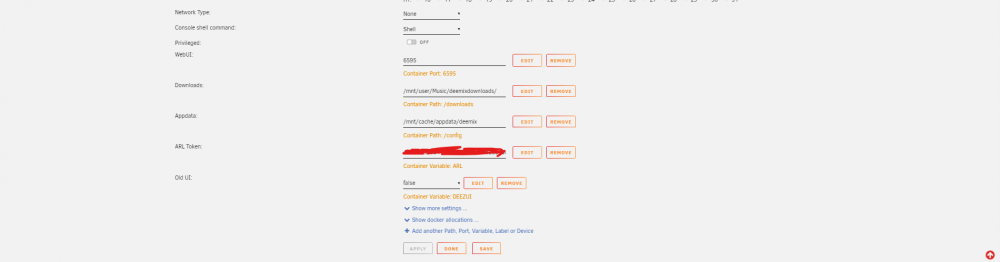
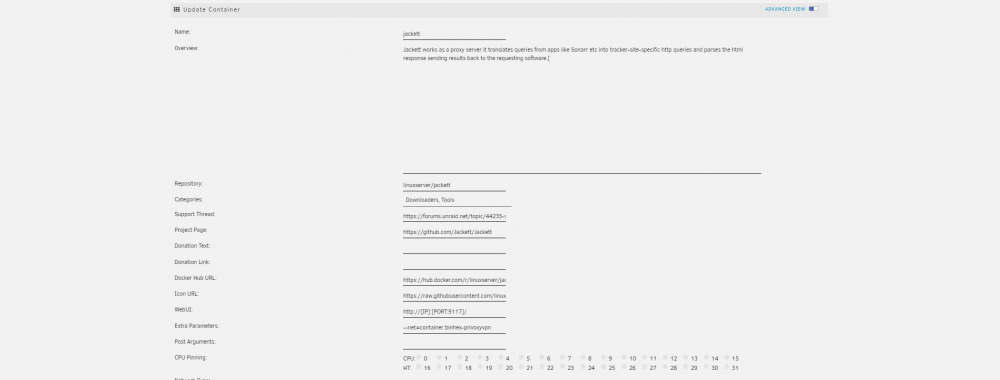
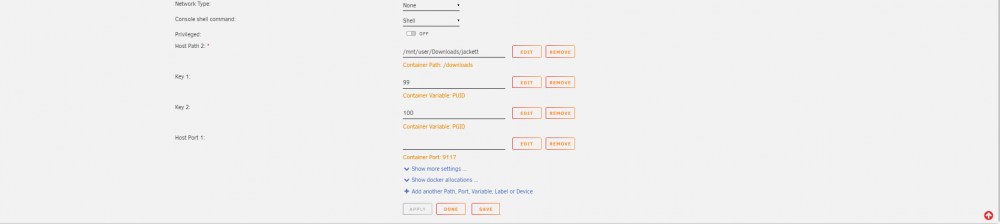
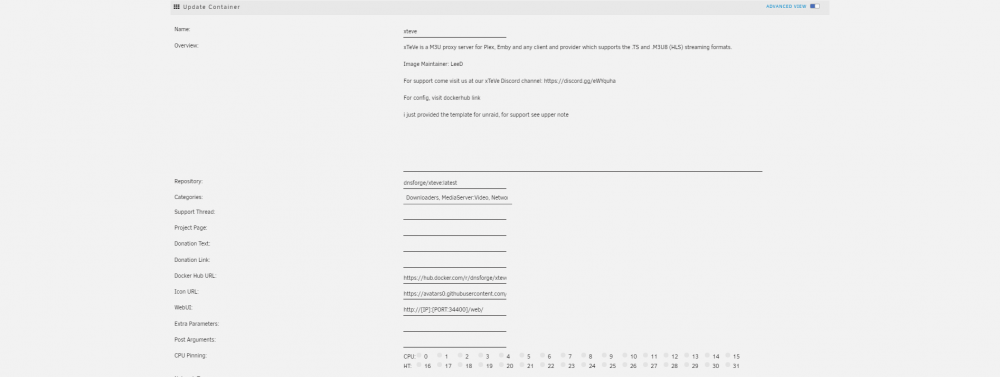
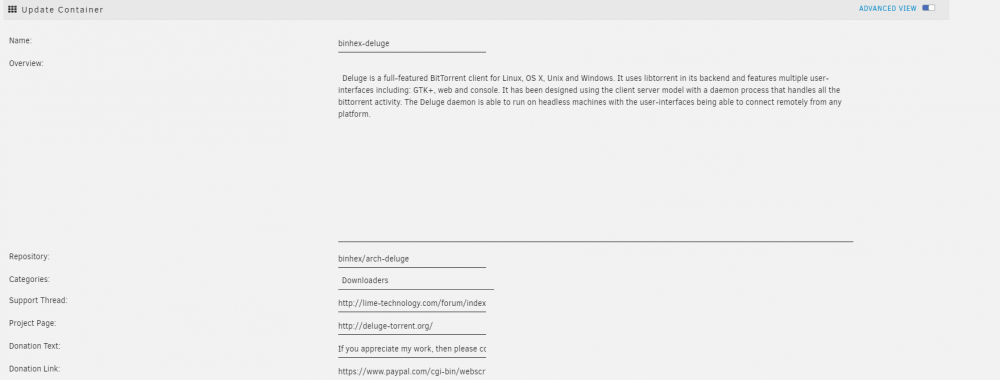
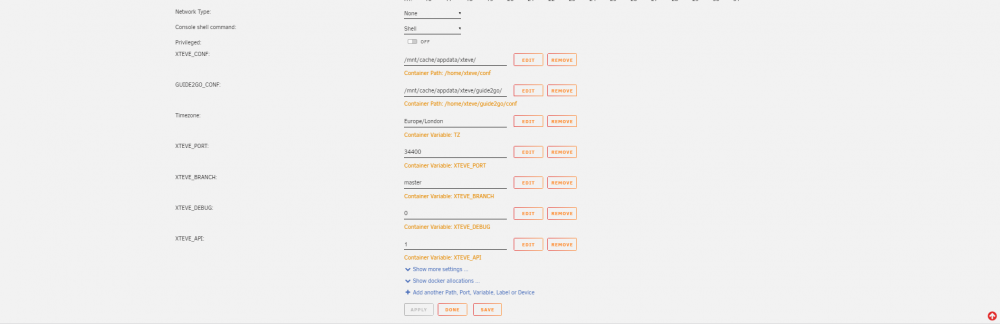 Thanks Very Much, I REALLY appreciate that!OK, so I have removed and started fresh I notice that the new template does not have Container Port options only the additional ports I know you said that I need to enter the same ports in additional ports as well as one for each container I want to pass through but using just additional ports I have found that deluge webui is still working and still none of the others. Is there any kind of log or info I can give you to help me get running please? I have read all through the guide and can see nothing wrong. I have just added the 2 pull-filter lines in the ovpn file which I have never done before and was disappointed it didn't work 😞 client dev tun proto udp remote nl-amsterdam.privacy.network 1198 resolv-retry infinite nobind persist-key cipher aes-128-cbc auth sha1 tls-client remote-cert-tls server pull-filter ignore "route-ipv6" pull-filter ignore "ifconfig-ipv6"Could my problem be using the old template? Maybe I should delete the docker and start from scratch? Still only Deluge Working (Port 8112)Sleep Well 🙂OK, something strange, of all the three dockers with a web ui (Deemix, Deluge & Jackett) Deluge has now started working, I can access it but not the other 2?ok, trying again 🙂 I would not know how to add a proxy, here is my template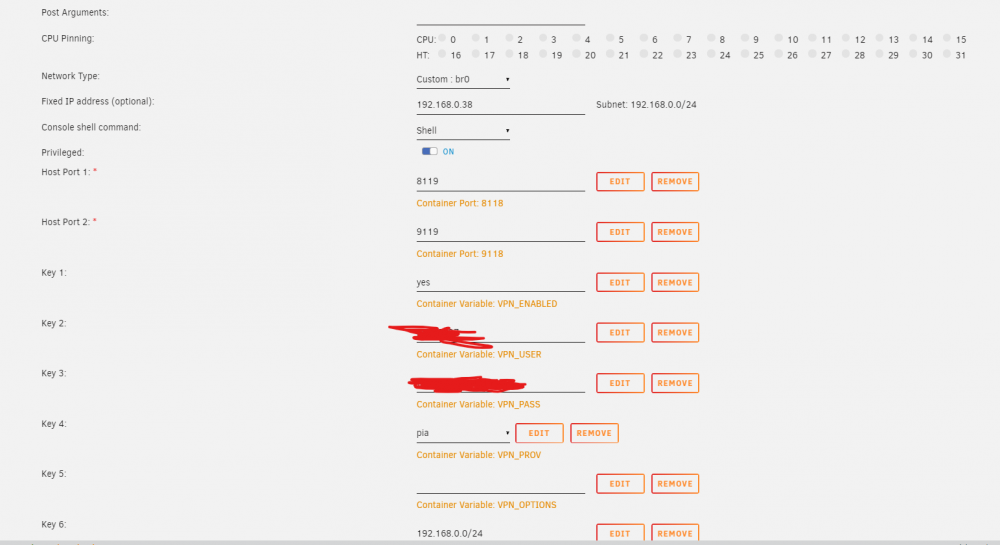
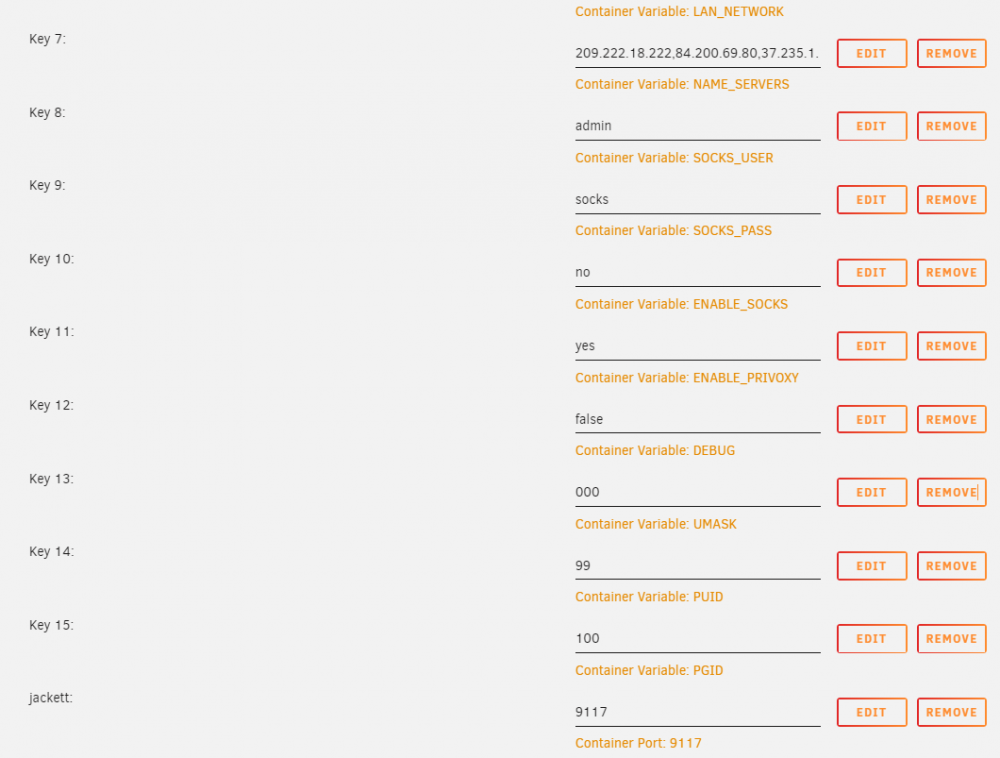
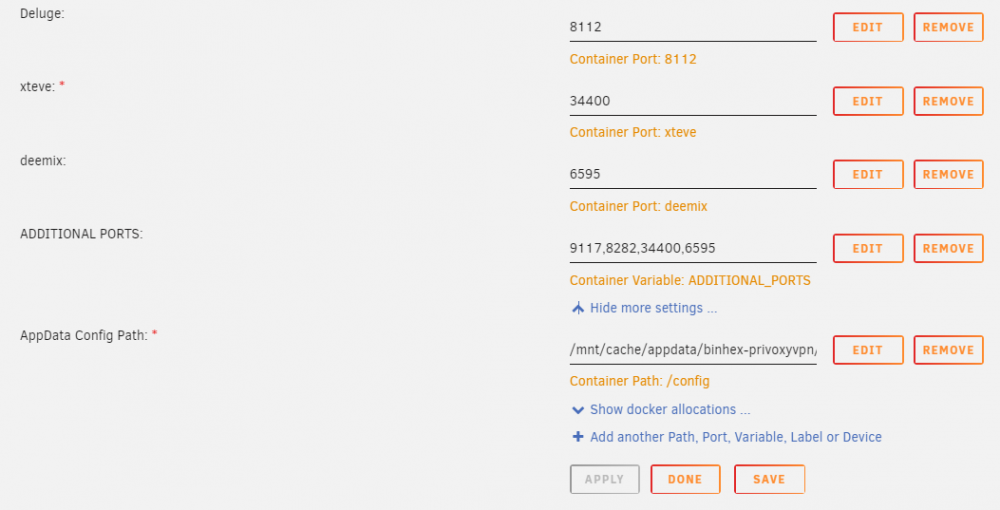 🤣Thanks Mate Password now changed! 😄Is this right? it is my jacket log Content root path: /app/Jackett/Content Now listening on: http://[::]:9117 Application started. Press Ctrl+C to shut down.Thanks @binhex I have read that and as I understand it I must make sure the web/ui ports are in the additional_ports variable which they are. Jackett - 9117 Deemix - 6595 Deluge - 8112 the only other explanation was the localhost but I am not connecting to the dockers from within the privoxy network so that doesn't apply. I was able to connect before so it is due to the new ADDITIONAL_PORT variable, if I remove it I can access them again.Don't know how I have messed this up but I cannot access any of my dockers passing through privoxy since adding the ADDITIONAL_PORTS Variable?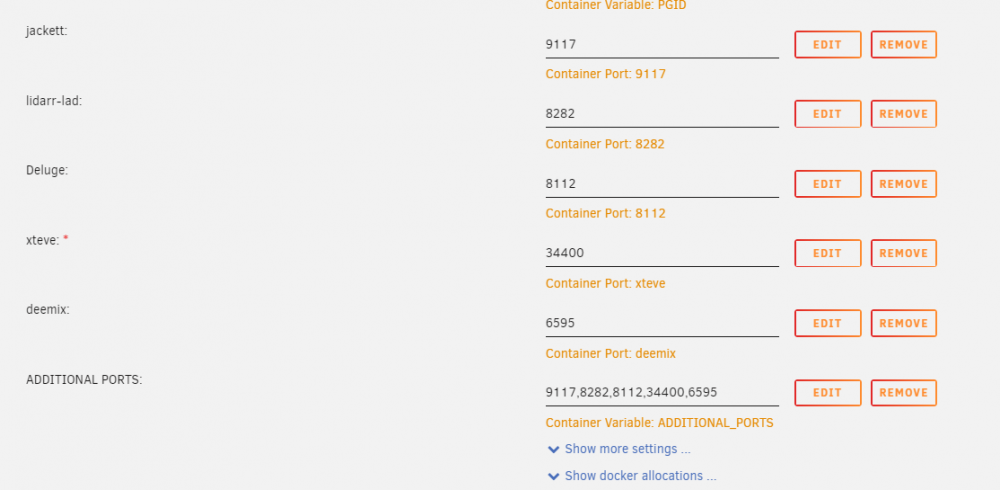
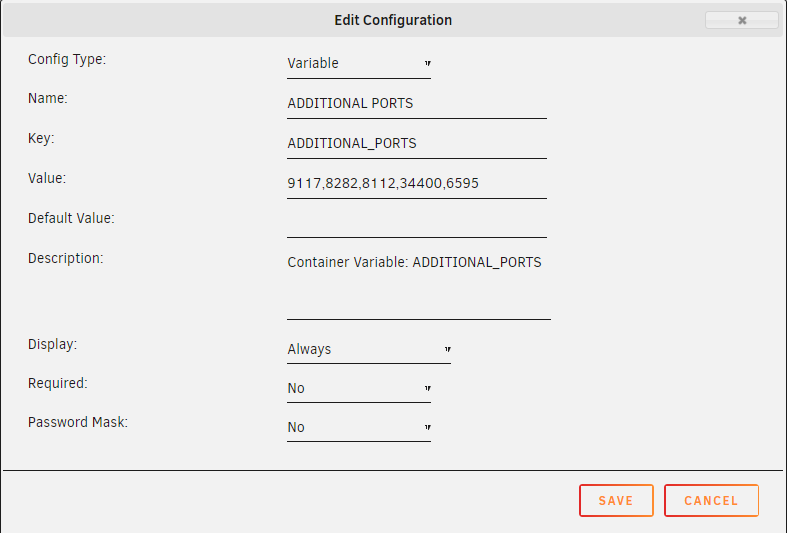 Should the Additional Ports Variable be instead of the settings below or as well as? my emby docker can no longer communicate with xteve and I am wondering if this is why? Thank you
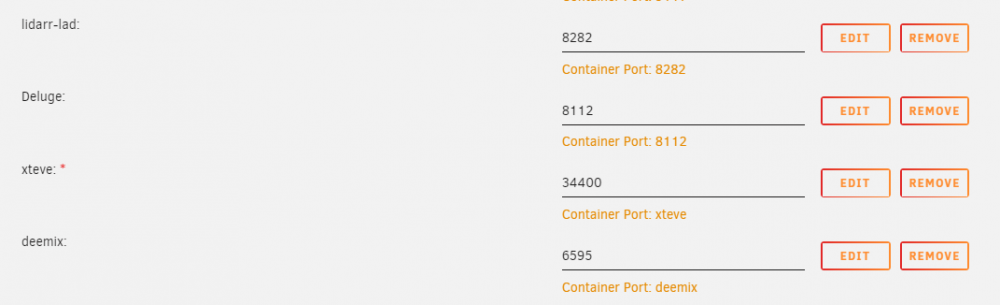 Thanks, I will try thisHi, thanks for the update but I cannot find anywhere that says ADDITIONAL_PORTS ? This is how I have things setup currently.
 Hi, I found the setting in routeros but have decided stability is better than performance after reading MANY threads about this. Thank you!Ok, I will... thank you, all I did was put in the cards into each device and set mtu to 9000 on all. Obviously there is more to it than that, the switch does not have any config for MTU. I will research some more, thank you@dlandon Hi, I can confirm that my SMB shares have stayed active! so thanks for that! I wonder if you wouldn't mind letting me know where I stand with the inability to use Jumbo Frames please? I appreciate there is a problem using them but the result is that my setups of 10gbe fibre connections/switch etc cannot be utilized with Jumbo Frames disabled. Is this an unraid issue that will be fixed? Many ThanksHi, I changed my MTU on all my 10gbe devices (including both unraid servers) from 9000 to 1500 and my throughput has dropped from +950MB/s to 380MB/s quite the drop. I have rebooted all devices as well since changing to 1500. I found a few guides including spaceinvaderone's on how to setup 10gbe on unraid and they all say to set the mtu to 9000. What is the official line on this with unraid? I am now not able to reach the potential of 10gbe because of the mtu drop to (hopefully) make unraid SMB shares stable. Thank youOk, lets see how this goes! 🙂
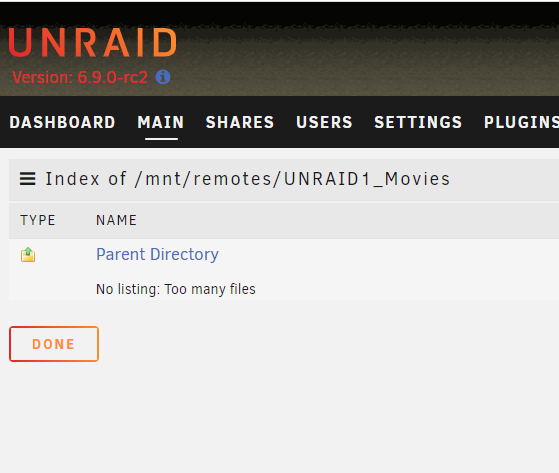
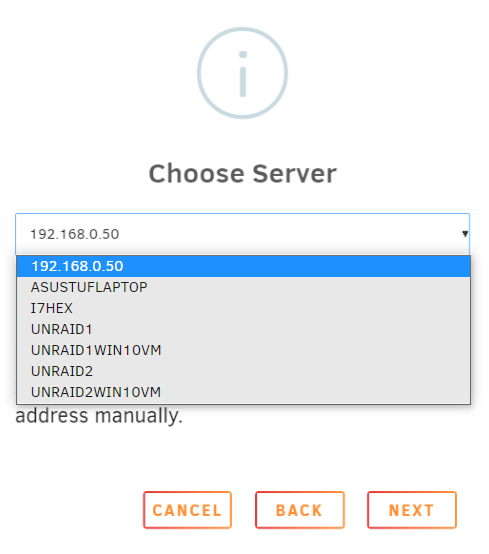
 It looks like they are mounted but when you try and access them, this is the problem When setting up a share I just search for servers by pressing the button and then select the server I want. So I will type in the IP instead and see if that helps Thank you