





mbc0
Members
-
Joined
-
Last visited
Everything posted by mbc0
-
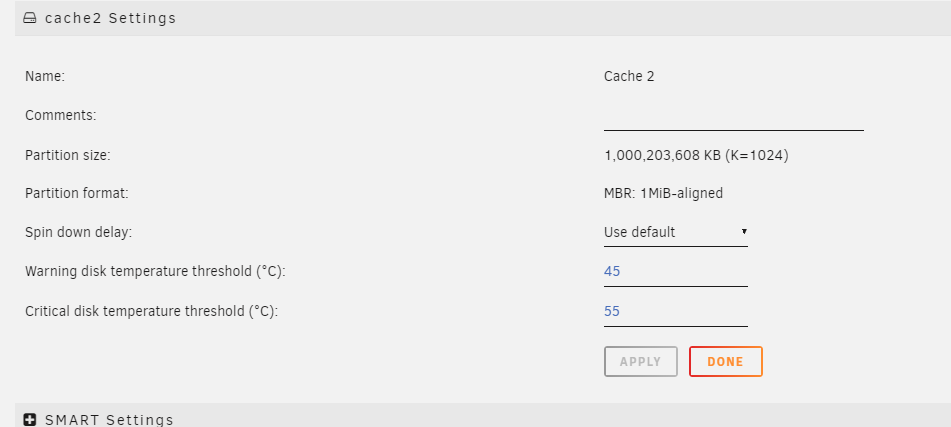
@johnnie.black I have removed the Samsung from the cache pool leaving a sole Sabrent Rocket but I am still only getting 230mb/s could this be due to the partition alignement? I can get 1000mb/s from this drive as an unassigned device or because unraid still thinks it is a pool rather than a single drive? is this prooving that the sabrent rocket is the problem here?

-
OK, I can only presume it is because of the mix of Sabrent and Samsung If the below looks ok to you I will purchase another Sabrent to see if it makes a difference.
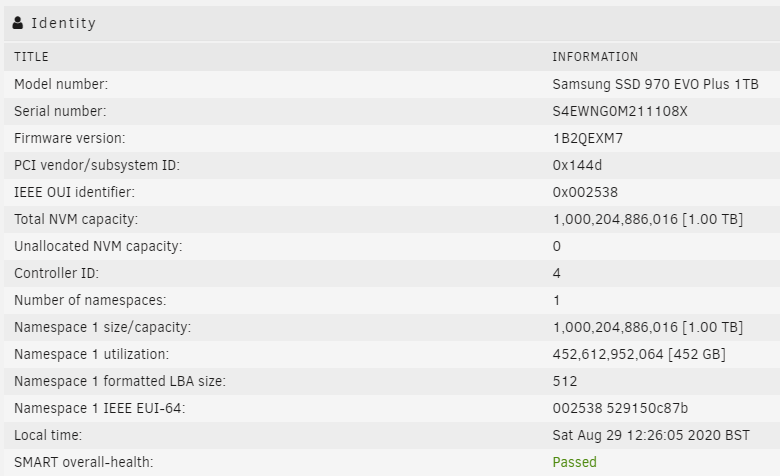
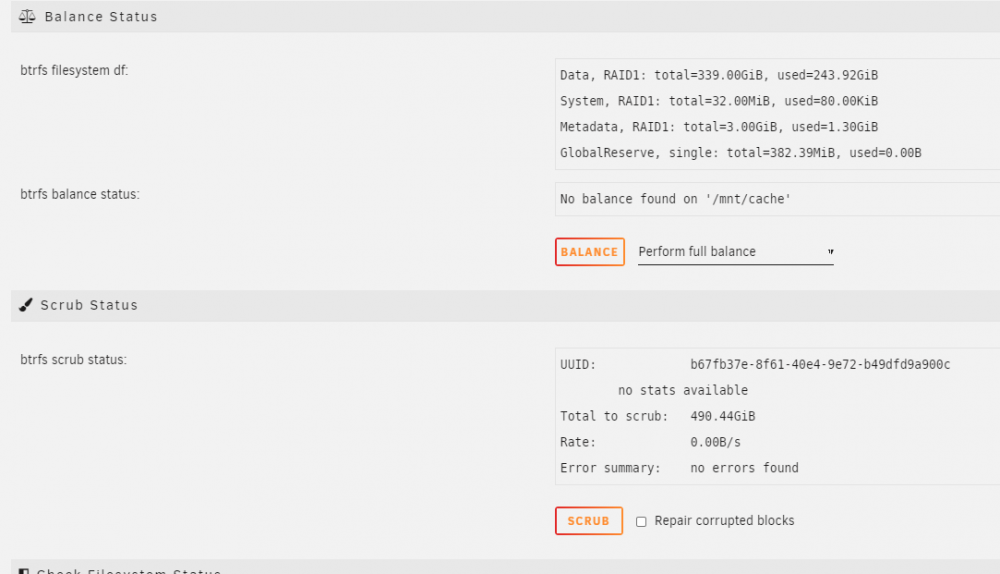
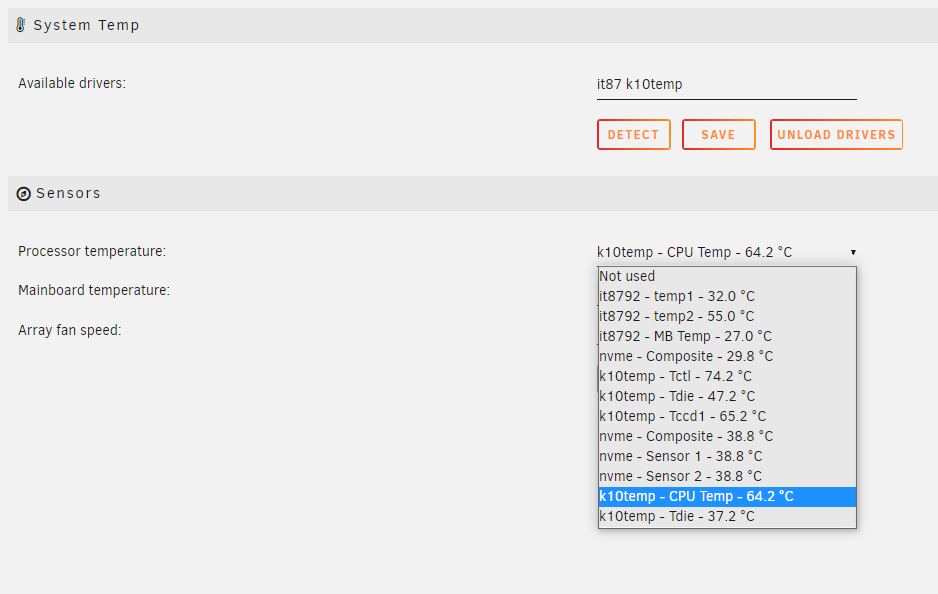
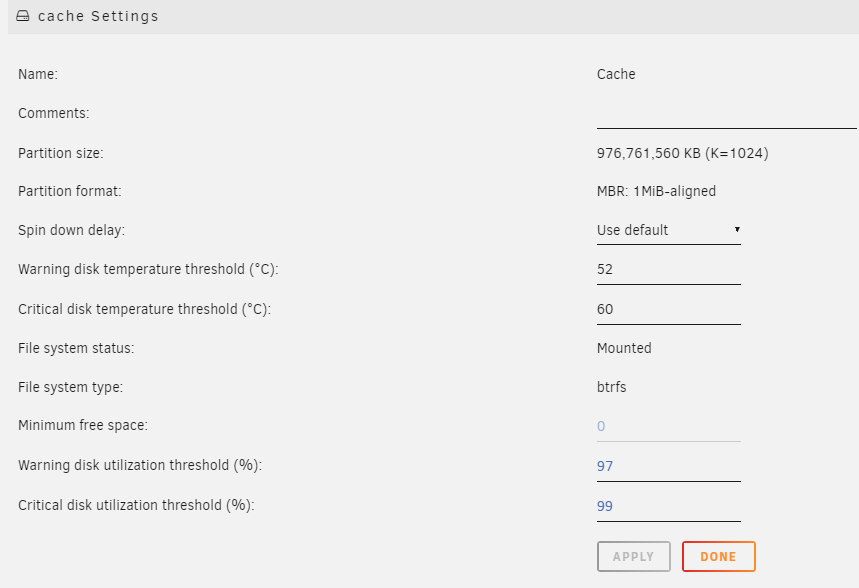 OK, Thanks for that, So it is looking like BTRFS doesn't work for me on the latest beta so is that likely to be due to the Samsung Drive? I can purchase another Sabrent Rocket?Can anyone advise if I can safely change to an xfs pool please as BTRFS is too slowHi, I upgraded from stable to the latest beta yesterday and noticed my CPU temps are higher than they were on Stable. I have checked CPU Temp when in the bios and it is 29-30 degrees c There are quite a few sensors to choose but the CPU one seems very high when the server is idle (no dockers/VM's running) Do I have the right sensor selected? Model: XCASE24 M/B: Gigabyte Technology Co., Ltd. X399 DESIGNARE EX-CF Version x.x - s/n: Default string BIOS: American Megatrends Inc. Version F12. Dated: 12/11/2019 CPU: AMD Ryzen Threadripper 2950X 16-Core @ 3500 MHz HVM: Enabled IOMMU: Enabled Cache: 1536 KiB, 8192 KiB, 32768 KiB Memory: 48 GiB DDR4 (max. installable capacity 512 GiB) Network: bond0: fault-tolerance (active-backup), mtu 9000 eth0: 10000 Mbps, full duplex, mtu 9000 Kernel: Linux 5.7.8-Unraid x86_64 OpenSSL: 1.1.1g
 Hi, I have 2 NVME Drives both capable of 3000 mb/s write speed Samsung 970 EVO Plus 1TB Sabrent 1TB Rocket NVMe PCIe 1TB I could write to both of those individually at 1000 mb/s using my fibre connection from my Desktop Together as a BTRFS cache pool I am only getting 230 mb/s I have installed the latest beta, removed and reinstalled both nvme drives as a cache pool and reformatted to the MBR: 1MiB-aligned I have attached my diagnostics in case anyone can help please? unraid1-diagnostics-20200827-0900.zipJust been thinking about this, My RAM is non-ecc so surely that is why it is disabled automatically in the bios but not sure why unraid would report that in the syslog?I never tried... I will make sure I do next time!Hi, This would have been disabled as standard as I certainly would not have disabled anything like that intentionally! I will have a check in the bios and see what is happening when I next reboot. Thank you! I used tdarr to scan 60,000+ video files a few months ago and had my array disappear. All the time before that and for the last few months my server is solid as a rock, never an issue, never a reason to restart it. I installed a new version of tdarr a day or so ago and was forced to rescan those media files for it's database and during scanning I have had my array disappear 3-4 times. It may be nothing to do with tdarr but a very big coincidence if it is not.These Diags were taken when the shares disappear (just after) When I login to the server using putty I can navigate everywhere (as normal) except when the shares are missing I cannot navigate to /mnt/user After stopping/starting the array I can then access the shares again via network or putty.Just happened again.. Still could be the tdarr docker causing this? I once again have just connected directly onto the server and all shares gone when viewing through putty, diags attached again just after it happened. Stopping & Starting the array has cured it. unraid1-diagnostics-20200820-1630.zipNothing to do with browsers, I logged onto the unraid server via putty and direct and all shares were gone. At the moment it is looking like the tdarr docker was responsible as I was able to reproduce the problem by rescanning files. The docker owner has made some changes last night and am re-running, so far so good!yes they are 🙂Hi, Did this ever get resolved? I have had the same problem 3 times now, each time if I browse to /mnt/user/ it is empty! reboot and all is well again, the has happened 3 times in the last 36 hours, I have attached my diagnostics if anyone can help please? unraid1-diagnostics-20200819-1739.zipThank you for your reply 🙂Hi, I have successfully setup several containers using letsencrypt and all working well but I would like to be able to acess my 2 unraid servers gui remotely the same way I know the port is 80 and I have setup my cname records but I do not know how to setup a proxy conf file? I have obviously all the examples in the proxy-confs folder but nothing to access the unraid gui? can anyone help please? Many Thanks!OK, Thank you for your reply, so looking at my screenshots, you have confirmed what I have done is correct, sab is the only docker out of 25 that I run giving me an issue, can you please nudge me in the direction that I should start looking? I appreciate it is not a docker issue as you say but I really don't know where to go with this? Thank youHi, Thanks for your reply but I have the same issue if the appdata is in the cache drive or on an unassigned drive, it makes no difference. Maybe a re-install would be the way forward but I am unable to backup first.Hi, can anyone help with this please? Many Thanks 🙂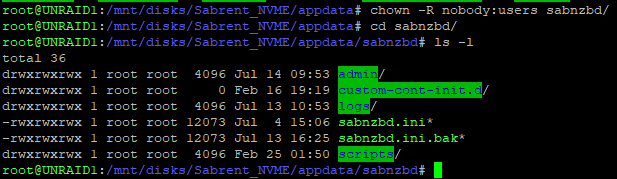
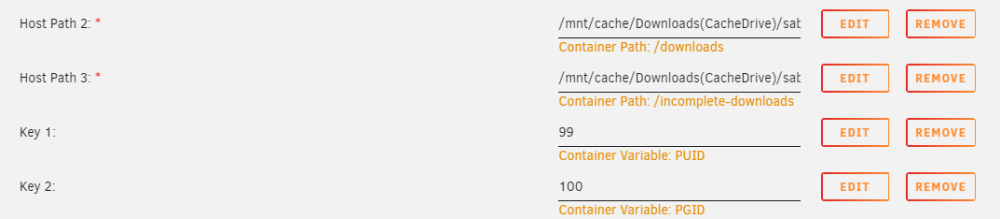
 Thanks for the tip!!Nice mod, I use one of these in my server cabinet, use all the ports and have no temperature issues and that is due to using fibre?Sorry, I wasn't very clear, I have used dockers in the past to host gameservers for PC but my Son has an Xbox One and wants a server for Assetto Corsa and I am wondering if that is even possible for any Xbox Game? Google is hard for this one!I think I know the answer but is it possible for any of these dockers to work on xbox one?Hi, Sorry for the long reply! Still have this issue and yes 99:100 is in the template but none of my settings will save and backup cannot be completed, can you throw any ideas please?


